Page 63 of 478

Black plate (7,1)GMC Acadia/Acadia Denali Owner Manual - 2011
Seats and Restraints 3-7
Power Lumbar
If available, press and hold the
front or rear of control to increase
or decrease lumbar support.
Release the control when the
seatback reaches the desired
level of lumbar support.
Reclining Seatbacks
{WARNING
Sitting in a reclined position when
the vehicle is in motion can be
dangerous. Even when buckled
up, the safety belts cannot do
their job when reclined like this.
The shoulder belt cannot do its
job because it will not be against
your body. Instead, it will be in
front of you. In a crash, you could
go into it, receiving neck or other
injuries.
The lap belt cannot do its job
either. In a crash, the belt could
go up over your abdomen.
The belt forces would be there,
not at your pelvic bones. This
could cause serious internal
injuries.(Continued)
WARNING (Continued)
For proper protection when the
vehicle is in motion, have the
seatback upright. Then sit well
back in the seat and wear the
safety belt properly.
Do not have a seatback reclined if
the vehicle is moving.
Page 64 of 478
Black plate (8,1)GMC Acadia/Acadia Denali Owner Manual - 2011
3-8 Seats and Restraints
Manual Reclining Seatbacks
{WARNING
You can lose control of the
vehicle if you try to adjust a
manual driver seat while the
vehicle is moving. The sudden
movement could startle and
confuse you, or make you push
a pedal when you do not want to.
Adjust the driver seat only when
the vehicle is not moving.
{WARNING
If either seatback is not locked, it
could move forward in a sudden
stop or crash. That could cause
injury to the person sitting there.
Always push and pull on the
seatbacks to be sure they are
locked.
To recline the seatback:
1. Lift the lever.
2. Move the seatback to thedesired position, and then
release the lever to lock the
seatback in place.
3. Push and pull on the seatback to make sure it is locked.
Page 65 of 478

Black plate (9,1)GMC Acadia/Acadia Denali Owner Manual - 2011
Seats and Restraints 3-9
To return the seatback to the upright
position:
1. Lift the lever fully withoutapplying pressure to the
seatback, and the seatback
will return to the upright position.
2. Push and pull on the seatback to make sure it is locked.
Power Reclining Seatbacks
To adjust a power seatback,
if equipped:
.Tilt the top of the control
rearward to recline.
.Tilt the top of the control forward
to raise.
Heated and Ventilated
Front Seats
{WARNING
If you cannot feel temperature
change or pain to the skin, the
seat heater may cause burns
even at low temperatures.
To reduce the risk of burns,
people with such a condition
should use care when using
the seat heater, especially for
long periods of time. Do not
place anything on the seat that
insulates against heat, such
as a blanket, cushion, cover,
or similar item. This may cause
the seat heater to overheat.
An overheated seat heater may
cause a burn or may damage
the seat.
Heated and Ventilated
Seat Buttons Shown,
Heated Seat Buttons Similar
If available, the buttons are on the
center console. To operate, the
engine must be running.
I (Heated Seatback): If available,
press to heat the seatback only.
H(Ventilated Seat): If available,
press to ventilate the entire seat.
Page 67 of 478

Black plate (11,1)GMC Acadia/Acadia Denali Owner Manual - 2011
Seats and Restraints 3-11
Entering and Exiting the
Third Row
{WARNING
Using the third row seating
position while the second row is
folded, or folded and tumbled,
could cause injury in a sudden
stop or crash. Be sure to return
the seat to the passenger seating
position. Push and pull on the
seat to make sure it is locked into
place.
Notice: Folding a rear seat with
the safety belts still fastened may
cause damage to the seat or the
safety belts. Always unbuckle the
safety belts and return them to
their normal stowed position
before folding a rear seat.
To access the third row:
1. Remove objects on the floor in front of or on the second row
seat, or in the seat tracks on
the floor. 2. Move the front center console
armrest completely forward.
See Center Console Storage on
page 4‑2.
3. Place the folding armrests in the upright position.
4. Make sure that the safety belt is unfastened and in the stowed
position.
5. Pull the sliding seat lever (C) forward and move the seatback
forward. The seat cushion will
fold, and the entire seat will slide
forward. The head restraints will
fold out of the way automatically.
Page 69 of 478

Black plate (13,1)GMC Acadia/Acadia Denali Owner Manual - 2011
Seats and Restraints 3-13
3. Pull forward on the recliningseatback strap (B) and push
down on the seatback.
The head restraint will fold down
automatically.
To return the seatback to the
seating position, lift the upper
corner of the seatback and push
it rearward until it locks into place.
Push and pull on the seatback to
make sure it is locked. Pull up on
the head restraint to return it to the
upright, locked position.
Adjusting the Seats
To adjust the second row seats,
pull outward on the seat adjustment
handle (A). Slide the seat forward
or rearward to the desired position.
Release the handle, and push and
pull on the seat to make sure it is
locked.
Third Row Seats
{WARNING
Using the third row seating
position while the second row
is folded, or pushed forward in
the entry position, could cause
injury in a sudden stop or crash.
Be sure to return the seat to the
passenger seating position. Push
and pull on the seat to make sure
it is locked into place.
Folding the Seatback
Notice: Folding a rear seat with
the safety belts still fastened may
cause damage to the seat or the
safety belts. Always unbuckle the
safety belts and return them to
their normal stowed position
before folding a rear seat. To fold the third row seatback:
1. Remove anything on or under
the seat.2. Disconnect the rear safety beltmini-latch using a key in the
slot on the mini-buckle, and let
the belt retract into the headliner.
Stow the mini-latch in the holder
in the headliner.
Page 70 of 478
Black plate (14,1)GMC Acadia/Acadia Denali Owner Manual - 2011
3-14 Seats and Restraints
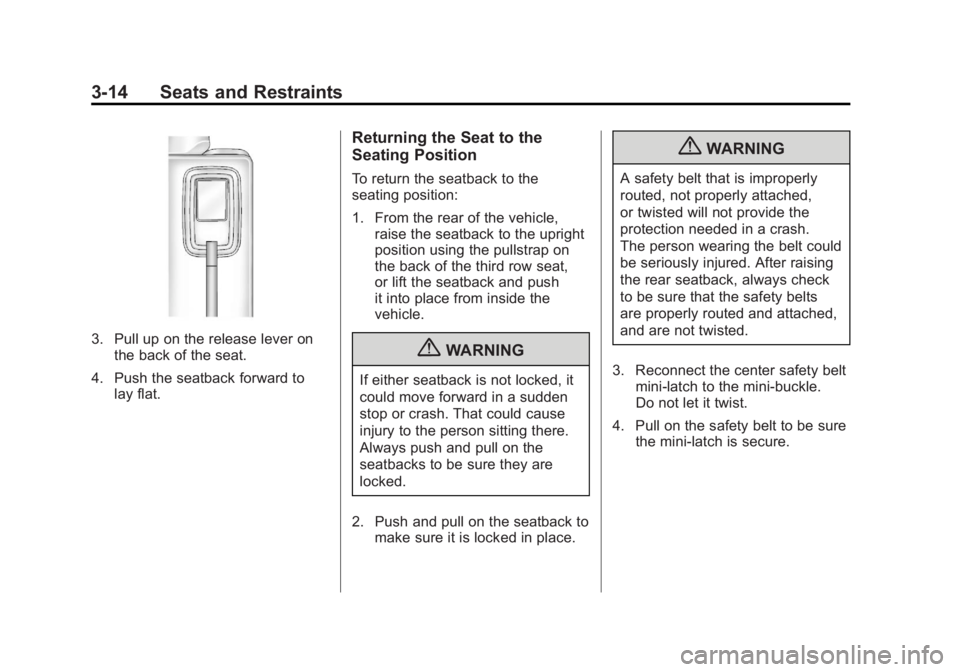
3. Pull up on the release lever onthe back of the seat.
4. Push the seatback forward to lay flat.
Returning the Seat to the
Seating Position
To return the seatback to the
seating position:
1. From the rear of the vehicle,raise the seatback to the upright
position using the pullstrap on
the back of the third row seat,
or lift the seatback and push
it into place from inside the
vehicle.
{WARNING
If either seatback is not locked, it
could move forward in a sudden
stop or crash. That could cause
injury to the person sitting there.
Always push and pull on the
seatbacks to be sure they are
locked.
2. Push and pull on the seatback to make sure it is locked in place.
{WARNING
A safety belt that is improperly
routed, not properly attached,
or twisted will not provide the
protection needed in a crash.
The person wearing the belt could
be seriously injured. After raising
the rear seatback, always check
to be sure that the safety belts
are properly routed and attached,
and are not twisted.
3. Reconnect the center safety belt mini-latch to the mini-buckle.
Do not let it twist.
4. Pull on the safety belt to be sure the mini-latch is secure.
Page 72 of 478
Black plate (16,1)GMC Acadia/Acadia Denali Owner Manual - 2011
3-16 Seats and Restraints
Safety Belts
This section of the manual
describes how to use safety belts
properly. It also describes some
things not to do with safety belts.
{WARNING
Do not let anyone ride where
a safety belt cannot be worn
properly. In a crash, if you or
your passenger(s) are not
wearing safety belts, the injuries
can be much worse. You can hit
things inside the vehicle harder
or be ejected from the vehicle.
You and your passenger(s) can
be seriously injured or killed.
In the same crash, you might
not be, if you are buckled up.
Always fasten your safety belt,
and check that your passenger(s)
are restrained properly too.
{WARNING
It is extremely dangerous to ride
in a cargo area, inside or outside
of a vehicle. In a collision, people
riding in these areas are more
likely to be seriously injured or
killed. Do not allow people to ride
in any area of your vehicle that
is not equipped with seats and
safety belts. Be sure everyone in
the vehicle is in a seat and using
a safety belt properly.
This vehicle has indicators as a
reminder to buckle the safety belts.
See Safety Belt Reminders on
page 5‑15 for additional information. In most states and in all Canadian
provinces, the law requires wearing
safety belts. Here is why:
You never know if you will be in
a crash. If you do have a crash,
you do not know if it will be a
serious one.
A few crashes are mild, and some
crashes can be so serious that even
buckled up, a person would not
survive. But most crashes are in
between. In many of them, people
who buckle up can survive and
sometimes walk away. Without
safety belts they could have been
badly hurt or killed.
After more than 40 years of safety
belts in vehicles, the facts are clear.
In most crashes buckling up does
matter ... a lot!
Page 77 of 478
Black plate (21,1)GMC Acadia/Acadia Denali Owner Manual - 2011
Seats and Restraints 3-21
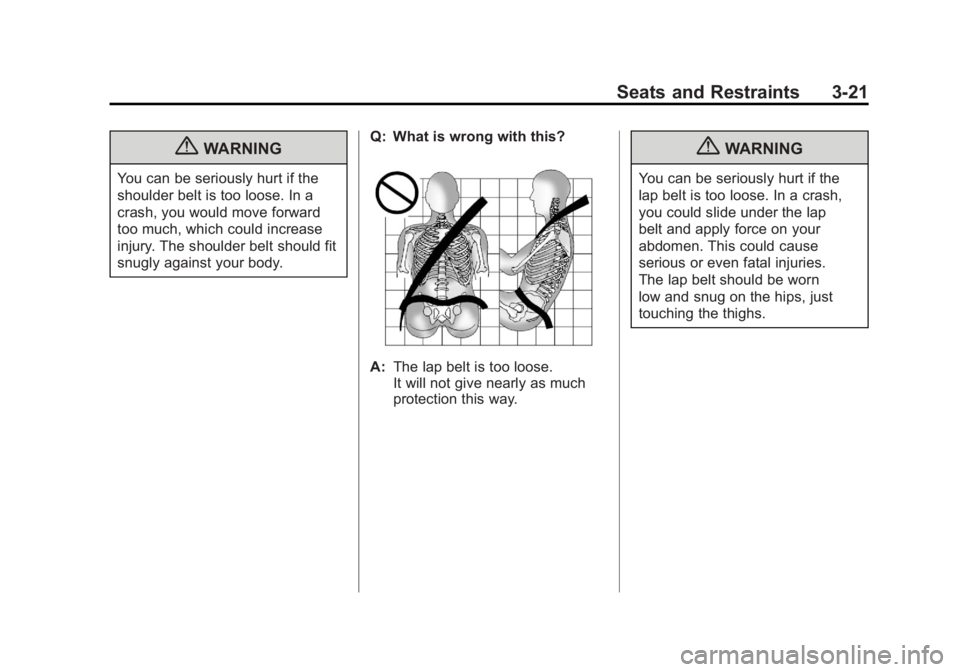
{WARNING
You can be seriously hurt if the
shoulder belt is too loose. In a
crash, you would move forward
too much, which could increase
injury. The shoulder belt should fit
snugly against your body.Q: What is wrong with this?
A:
The lap belt is too loose.
It will not give nearly as much
protection this way.
{WARNING
You can be seriously hurt if the
lap belt is too loose. In a crash,
you could slide under the lap
belt and apply force on your
abdomen. This could cause
serious or even fatal injuries.
The lap belt should be worn
low and snug on the hips, just
touching the thighs.