Introduction 4
Instrument Cluster 18
Warning lights and chimes 18
Gauges 25
Message center 36
Entertainment Systems 51
AM/FM stereo with CD/MP3 51
Auxiliary input jack (Line in) 59
USB port 61
Satellite radio information 64
Navigation system 67
SYNC�67
Climate Controls 68
Dual automatic temperature control 68
Navigation system based climate control 71
Rear window defroster 75
Lights 77
Headlamps 77
Turn signal control 81
Bulb replacement 82
Driver Controls 87
Windshield wiper/washer control 87
Steering wheel adjustment 88
Power windows 94
Mirrors 96
Speed control 98
Moon roof 101
Table of Contents
1
2011 Fusion Hybrid(hfv)
Owners Guide, 2nd Printing
USA(fus)
when the system accepts your entry it will display ENTER NEW PIN.
Enter your new four-digit PIN and the system will save the new PIN
and PIN SAVED will display.
c. UNLOCK ALL CHANNELS:Press OK when UNLOCK ALL
CHANNELS is displayed and the display will read ENTER PIN. Enter
your four-digit PIN and the system will unlock all channels and the
display will read CHANNEL UNLOCKED.
d. RESET PIN:Press OK when RESET PIN is displayed. The display
will read ARE YOUR SURE. Press OK again to automatically reset the
PIN to its initial password setting (1234). PIN RESET TO DEFAULT
PIN will be displayed.
e. RETURN:Press OK when RETURN is displayed and the system
will exit back to the satellite radio menu.
Sound Adjustments
Press SOUND repeatedly to cycle through the following features:
BASS:Press
SEEK/TRACKto adjust the level of bass.
TREBLE:Press
SEEK/TRACKto adjust the level of treble.
BALANCE:Press
SEEK/TRACKto adjust the audio between
the left (L) and right (R) speakers.
FADE:Press
SEEK/TRACKto adjust the audio between the
back (B) and front (F) speakers.
SPEED COMPENSATED VOLUME:With this feature on, radio volume
automatically gets louder with increasing vehicle speed to compensate
for road and wind noise.
The default setting isoff.
Use
SEEK/TRACKto adjust between SPEED OFF and levels
1–7:Increasing the level from 1 (lowest setting) to 7 (highest setting)
allows the radio volume to automatically change slightly with vehicle
speed to compensate for road and wind noise.
Recommended level is1–3;SPEED OFF turns the feature off and level 7
is the maximum setting.
ALL SEATS (Occupancy mode, if equipped):Press SOUND
repeatedly to reach the Occupancy mode setting. Press
SEEK/TRACKto select and optimize sound for ALL SEATS,
DRIVERS SEAT or REAR SEATS.
Extra Features
AUX:Press repeatedly to cycle through LINE IN (auxiliary audio mode),
and SYNC�.
Entertainment Systems
58
2011 Fusion Hybrid(hfv)
Owners Guide, 2nd Printing
USA(fus)
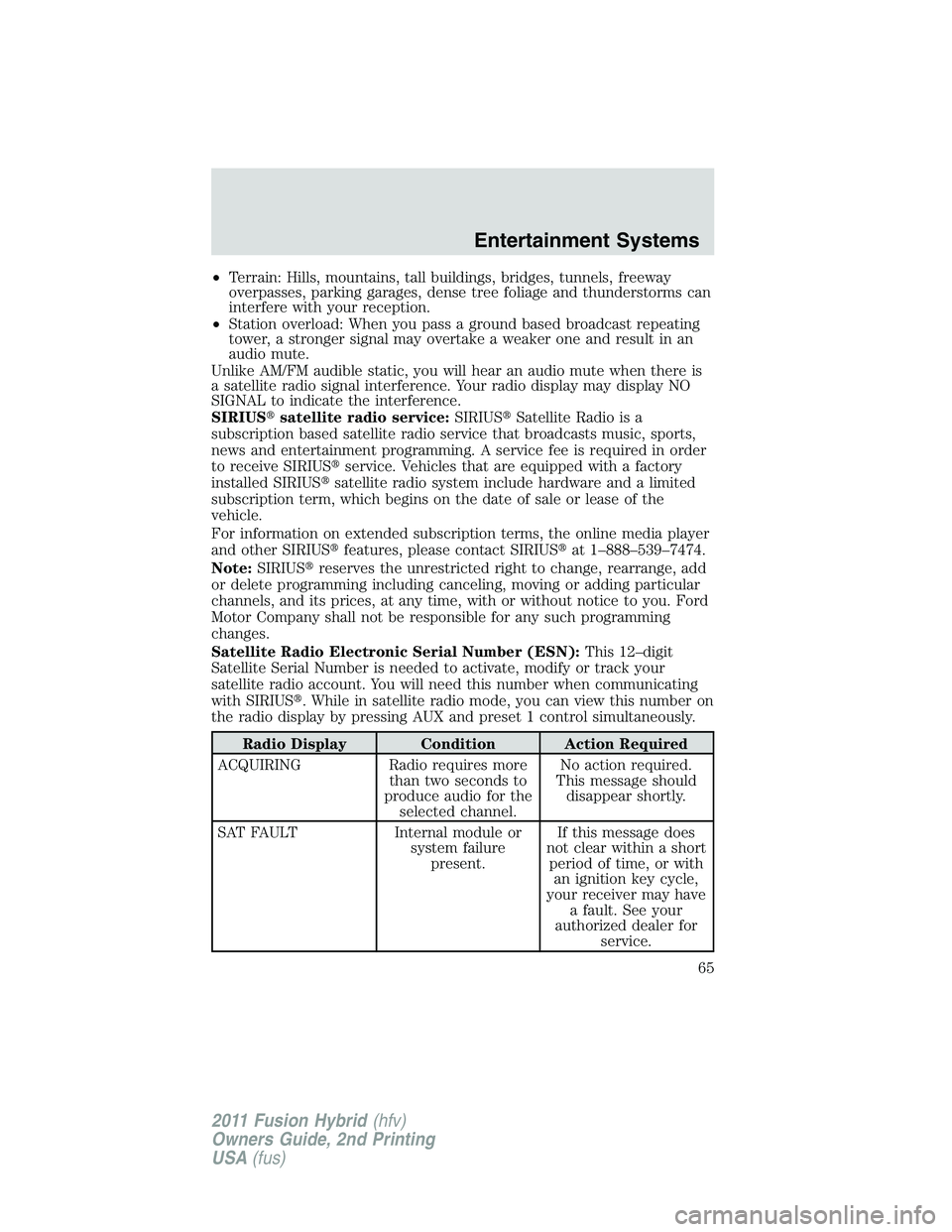
•Terrain: Hills, mountains, tall buildings, bridges, tunnels, freeway
overpasses, parking garages, dense tree foliage and thunderstorms can
interfere with your reception.
•Station overload: When you pass a ground based broadcast repeating
tower, a stronger signal may overtake a weaker one and result in an
audio mute.
Unlike AM/FM audible static, you will hear an audio mute when there is
a satellite radio signal interference. Your radio display may display NO
SIGNAL to indicate the interference.
SIRIUS�satellite radio service:SIRIUS�Satellite Radio is a
subscription based satellite radio service that broadcasts music, sports,
news and entertainment programming. A service fee is required in order
to receive SIRIUS�service. Vehicles that are equipped with a factory
installed SIRIUS�satellite radio system include hardware and a limited
subscription term, which begins on the date of sale or lease of the
vehicle.
For information on extended subscription terms, the online media player
and other SIRIUS�features, please contact SIRIUS�at 1–888–539–7474.
Note:SIRIUS�reserves the unrestricted right to change, rearrange, add
or delete programming including canceling, moving or adding particular
channels, and its prices, at any time, with or without notice to you. Ford
Motor Company shall not be responsible for any such programming
changes.
Satellite Radio Electronic Serial Number (ESN):This 12–digit
Satellite Serial Number is needed to activate, modify or track your
satellite radio account. You will need this number when communicating
with SIRIUS�. While in satellite radio mode, you can view this number on
the radio display by pressing AUX and preset 1 control simultaneously.
Radio Display Condition Action Required
ACQUIRING Radio requires more
than two seconds to
produce audio for the
selected channel.No action required.
This message should
disappear shortly.
SAT FAULT Internal module or
system failure
present.If this message does
not clear within a short
period of time, or with
an ignition key cycle,
your receiver may have
a fault. See your
authorized dealer for
service.
Entertainment Systems
65
2011 Fusion Hybrid(hfv)
Owners Guide, 2nd Printing
USA(fus)
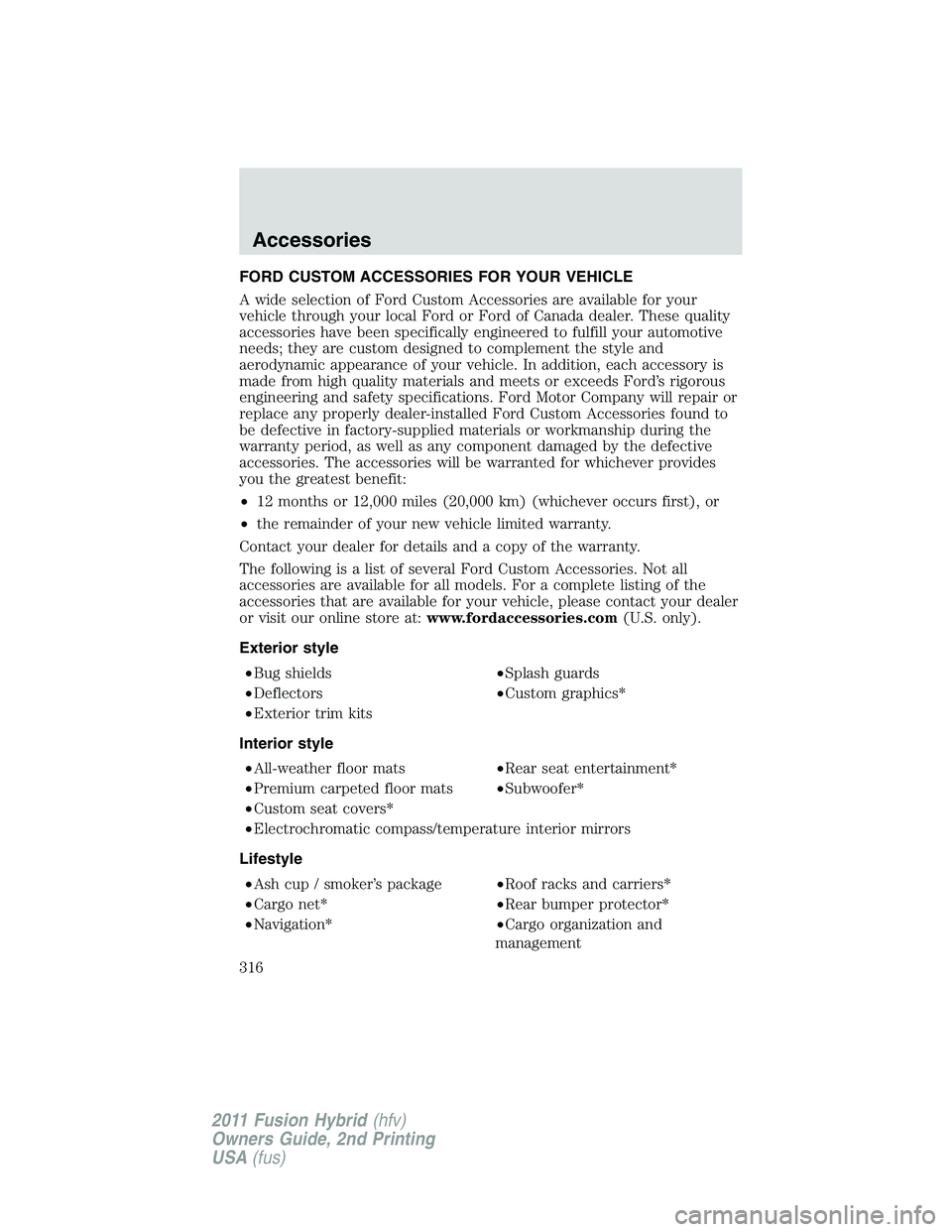
FORD CUSTOM ACCESSORIES FOR YOUR VEHICLE
A wide selection of Ford Custom Accessories are available for your
vehicle through your local Ford or Ford of Canada dealer. These quality
accessories have been specifically engineered to fulfill your automotive
needs; they are custom designed to complement the style and
aerodynamic appearance of your vehicle. In addition, each accessory is
made from high quality materials and meets or exceeds Ford’s rigorous
engineering and safety specifications. Ford Motor Company will repair or
replace any properly dealer-installed Ford Custom Accessories found to
be defective in factory-supplied materials or workmanship during the
warranty period, as well as any component damaged by the defective
accessories. The accessories will be warranted for whichever provides
you the greatest benefit:
•12 months or 12,000 miles (20,000 km) (whichever occurs first), or
•the remainder of your new vehicle limited warranty.
Contact your dealer for details and a copy of the warranty.
The following is a list of several Ford Custom Accessories. Not all
accessories are available for all models. For a complete listing of the
accessories that are available for your vehicle, please contact your dealer
or visit our online store at:www.fordaccessories.com(U.S. only).
Exterior style
•Bug shields•Splash guards
•Deflectors•Custom graphics*
•Exterior trim kits
Interior style
•All-weather floor mats•Rear seat entertainment*
•Premium carpeted floor mats•Subwoofer*
•Custom seat covers*
•Electrochromatic compass/temperature interior mirrors
Lifestyle
•Ash cup / smoker’s package•Roof racks and carriers*
•Cargo net*•Rear bumper protector*
•Navigation*•Cargo organization and
management
Accessories
316
2011 Fusion Hybrid(hfv)
Owners Guide, 2nd Printing
USA(fus)