Page 22 of 357
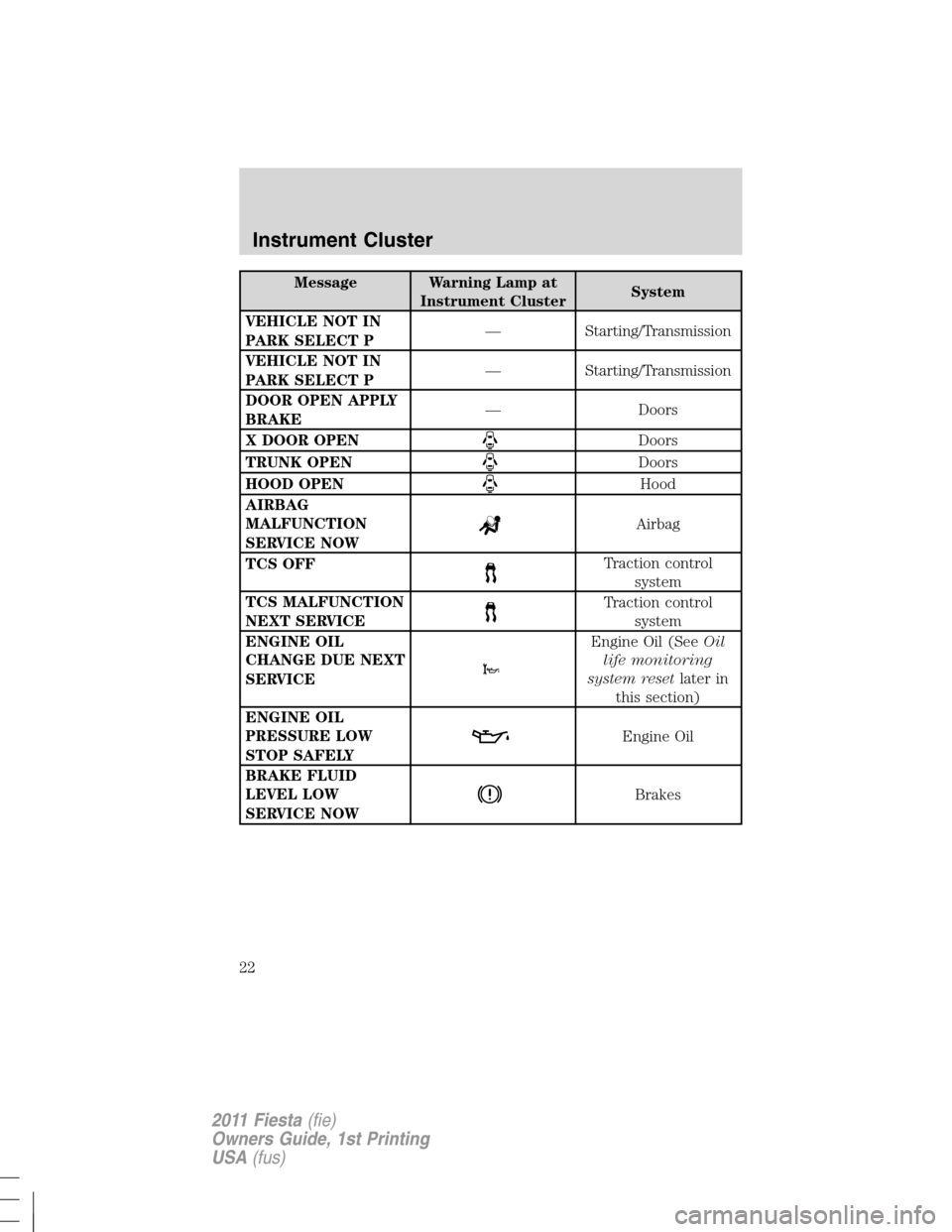
Message Warning Lamp at
Instrument ClusterSystem
VEHICLE NOT IN
PARK SELECT P— Starting/Transmission
VEHICLE NOT IN
PARK SELECT P— Starting/Transmission
DOOR OPEN APPLY
BRAKE— Doors
X DOOR OPEN
Doors
TRUNK OPEN
Doors
HOOD OPEN
Hood
AIRBAG
MALFUNCTION
SERVICE NOW
Airbag
TCS OFF
Traction control
system
TCS MALFUNCTION
NEXT SERVICE
Traction control
system
ENGINE OIL
CHANGE DUE NEXT
SERVICE
Engine Oil (SeeOil
life monitoring
system resetlater in
this section)
ENGINE OIL
PRESSURE LOW
STOP SAFELY
Engine Oil
BRAKE FLUID
LEVEL LOW
SERVICE NOW
Brakes
Instrument Cluster
22
2011 Fiesta(fie)
Owners Guide, 1st Printing
USA(fus)
Page 24 of 357

AUDIO SYSTEMS
AM/FM stereo or AM/FM stereo single CD/MP3 (if equipped)
WARNING:Driving while distracted can result in loss of vehicle
control, accident and injury. Ford strongly recommends that
drivers use extreme caution when using any device or feature that may
take their focus off the road. Your primary responsibility is the safe
operation of the vehicle. We recommend against the use of any
handheld device while driving and that you comply with all applicable
laws.
One hour mode:Press the ON/OFF control to operate the system with
the ignition turned off; the system will automatically turn off after one
hour.
Setting the clock:Press the H or M buttons on the outside of the
multifunction display to access the clock settings. Once you are in the
clock setting, press the H or M button repeatedly until the desired
number appears. Press OK to confirm and close.
1.CD slot (if equipped):Insert a CD, label side up.
2.OK:Use in various menu selections to select or un-select your choice.
1431512
12
13
11
10
9
78
6
4
5
Entertainment Systems
24
2011 Fiesta(fie)
Owners Guide, 1st Printing
USA(fus)
Page 28 of 357

WARNING:Driving while distracted can result in loss of vehicle
control, accident and injury. Ford strongly recommends that
drivers use extreme caution when using any device or feature that may
take their focus off the road. Your primary responsibility is the safe
operation of the vehicle. We recommend against the use of any
handheld device while driving and that you comply with all applicable
laws.
One hour mode:Press the ON/OFF control to operate the system with
the ignition turned off; the system will automatically turn off after one
hour.
Setting the clock:Press the H or M buttons on the outside of the
multifunction to access the clock settings. Once you are in the clock
setting, press the H or M button repeatedly until the desired number
appears. Press OK to confirm and close.
1.CD slot:Insert a CD, label side up.
2.OK:Use in various menu selections to select or deselect your choice.
3.INFO:Press to access any available radio or CD information.
4.MENU:Press to access the following features:
Note:To scroll through the following menus and make adjustments,
press
/or/. Pressto return to the previous screen
or
to advance to the next screen.
Note:At any time, you can press MENU to close the menu screen.
•Sirius (if equipped):Scroll to select Sirius and then press OK to
enter the menu. Scroll to select from SAT1. SAT2 or SAT3
modes.Note:Sirius must be the selected audio source to access this
menu.
•SYNC media (if equipped):Scroll to select Mediaplayer Menu and
then press OK to enter the menu. Refer to yourSYNC�supplement
for more information.Note:SYNC audio must be the selected audio
source to access this menu.
•SYNC phone (if equipped):Scroll to select Phone Menu and then
press OK to enter the menu. Refer to yourSYNC�supplementrfor
more information.Note:SYNC Phone must be the selected feature to
access this menu.
•Audio:Scroll to select Audio and then move right to enter the menu.
Scroll to select from:
Entertainment Systems
28
2011 Fiesta(fie)
Owners Guide, 1st Printing
USA(fus)
Page 31 of 357
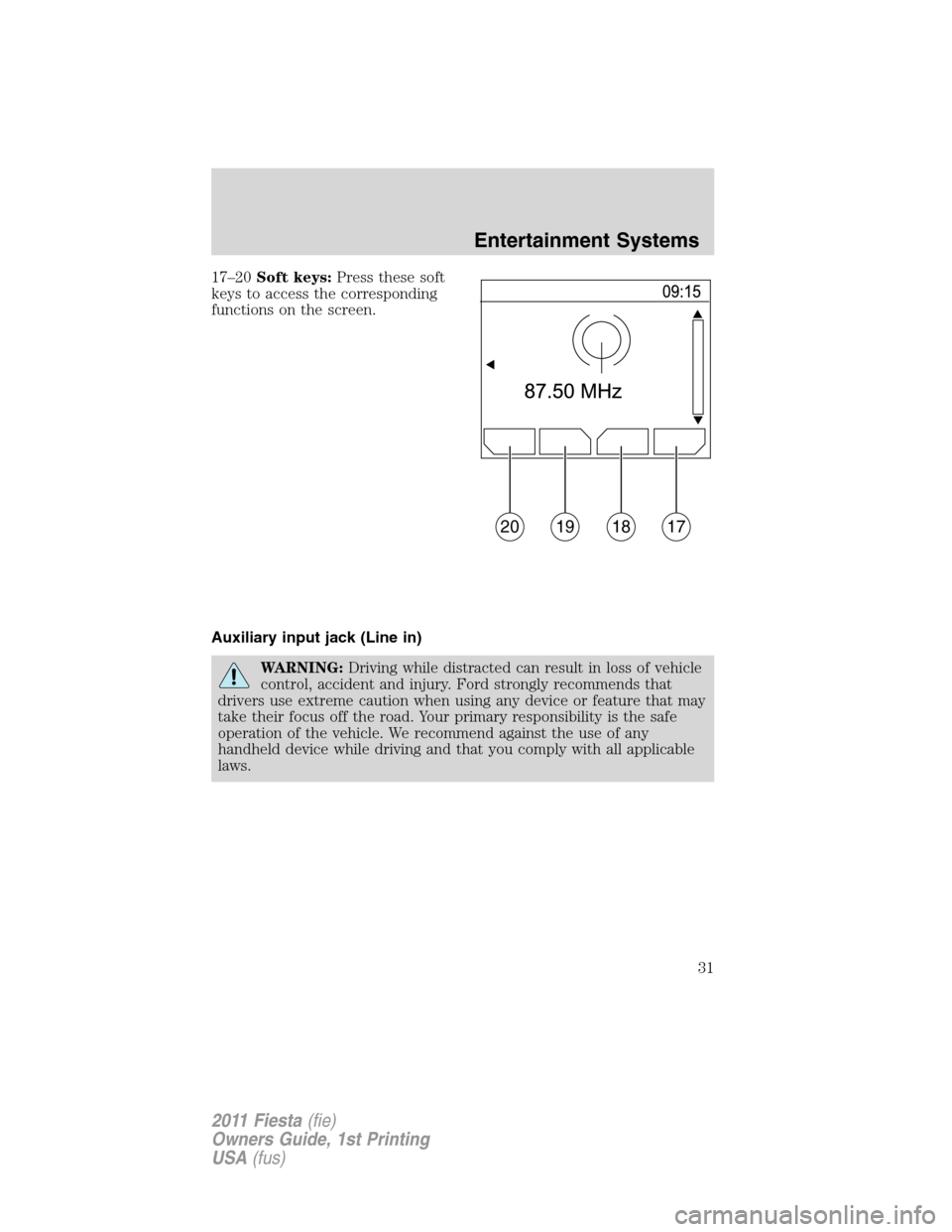
17–20Soft keys:Press these soft
keys to access the corresponding
functions on the screen.
Auxiliary input jack (Line in)
WARNING:Driving while distracted can result in loss of vehicle
control, accident and injury. Ford strongly recommends that
drivers use extreme caution when using any device or feature that may
take their focus off the road. Your primary responsibility is the safe
operation of the vehicle. We recommend against the use of any
handheld device while driving and that you comply with all applicable
laws.
20191817
Entertainment Systems
31
2011 Fiesta(fie)
Owners Guide, 1st Printing
USA(fus)
Page 32 of 357
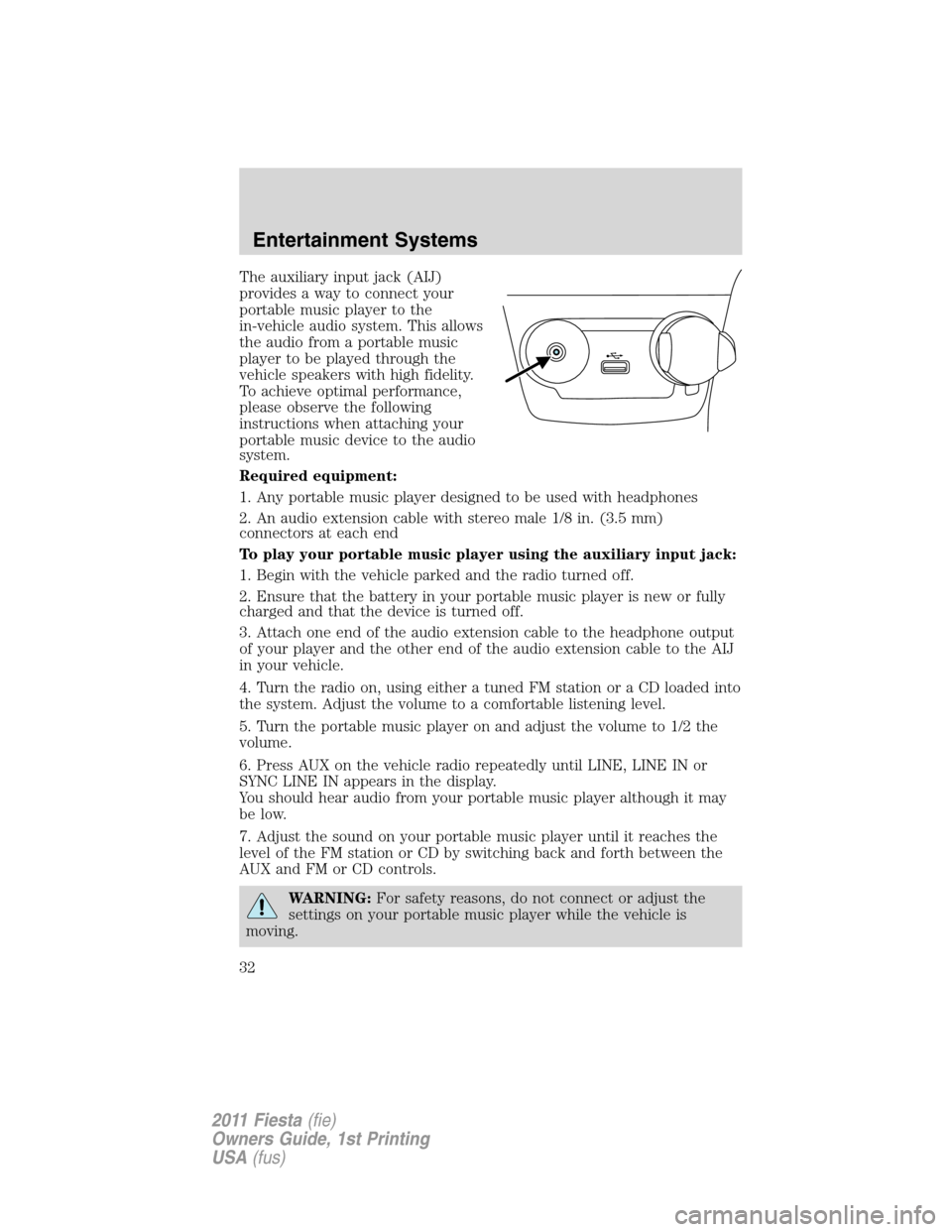
The auxiliary input jack (AIJ)
provides a way to connect your
portable music player to the
in-vehicle audio system. This allows
the audio from a portable music
player to be played through the
vehicle speakers with high fidelity.
To achieve optimal performance,
please observe the following
instructions when attaching your
portable music device to the audio
system.
Required equipment:
1. Any portable music player designed to be used with headphones
2. An audio extension cable with stereo male 1/8 in. (3.5 mm)
connectors at each end
To play your portable music player using the auxiliary input jack:
1. Begin with the vehicle parked and the radio turned off.
2. Ensure that the battery in your portable music player is new or fully
charged and that the device is turned off.
3. Attach one end of the audio extension cable to the headphone output
of your player and the other end of the audio extension cable to the AIJ
in your vehicle.
4. Turn the radio on, using either a tuned FM station or a CD loaded into
the system. Adjust the volume to a comfortable listening level.
5. Turn the portable music player on and adjust the volume to 1/2 the
volume.
6. Press AUX on the vehicle radio repeatedly until LINE, LINE IN or
SYNC LINE IN appears in the display.
You should hear audio from your portable music player although it may
be low.
7. Adjust the sound on your portable music player until it reaches the
level of the FM station or CD by switching back and forth between the
AUX and FM or CD controls.
WARNING:For safety reasons, do not connect or adjust the
settings on your portable music player while the vehicle is
moving.
Entertainment Systems
32
2011 Fiesta(fie)
Owners Guide, 1st Printing
USA(fus)
Page 33 of 357
WARNING:Store the portable music player in a secure location,
such as the center console or the glove box, when the vehicle is
in motion. Hard objects may become projectiles in a collision or sudden
stop, which may increase the risk of serious injury. The audio
extension cable must be long enough to allow the portable music
player to be safely stored while the vehicle is in motion.
USB port (if equipped)
WARNING:Driving while distracted can result in loss of vehicle
control, accident and injury. Ford strongly recommends that
drivers use extreme caution when using any device or feature that may
take their focus off the road. Your primary responsibility is the safe
operation of the vehicle. We recommend against the use of any
handheld device while driving and that you comply with all applicable
laws.
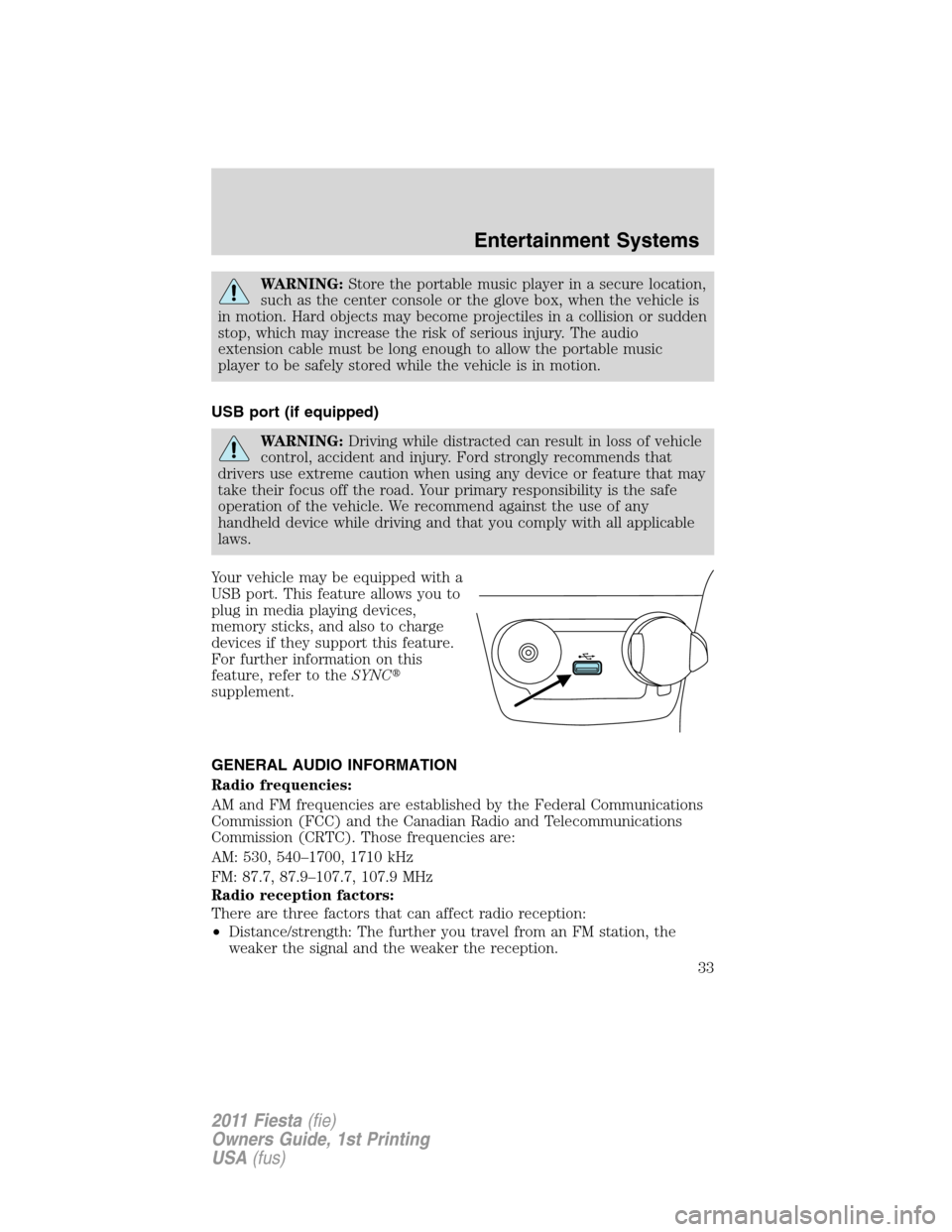
Your vehicle may be equipped with a
USB port. This feature allows you to
plug in media playing devices,
memory sticks, and also to charge
devices if they support this feature.
For further information on this
feature, refer to theSYNC�
supplement.
GENERAL AUDIO INFORMATION
Radio frequencies:
AM and FM frequencies are established by the Federal Communications
Commission (FCC) and the Canadian Radio and Telecommunications
Commission (CRTC). Those frequencies are:
AM: 530, 540–1700, 1710 kHz
FM: 87.7, 87.9–107.7, 107.9 MHz
Radio reception factors:
There are three factors that can affect radio reception:
•Distance/strength: The further you travel from an FM station, the
weaker the signal and the weaker the reception.
Entertainment Systems
33
2011 Fiesta(fie)
Owners Guide, 1st Printing
USA(fus)
Page 40 of 357
Welcome to the new world of ingenuity and passion - technology that is
both fun and functional. Welcome to SYNC�.
For more information, please visit www.SyncMyRide.com.
EXPORT UNIQUE (NON-UNITED STATES/CANADA) INFORMATION
For your particular global region, your vehicle may be equipped with
features and options that are different from the features and options that
are described in this supplement.
Safety information
WARNING:Driving while distracted can result in loss of vehicle
control, accident and injury. Ford strongly recommends that
drivers use extreme caution when using any device that may take their
focus off the road. Your primary responsibility is the safe operation of
the vehicle. We recommend against the use of any handheld device
while driving and that you comply with all applicable laws.
•Do not attempt to service or repair SYNC�. See your authorized
dealer.
•Do not operate playing devices if the power cords and/or cables are
broken, split or damaged. Carefully place cords and/or cables where
they will not be stepped on or interfere with the operation of pedals,
seats and/or compartments, or safe driving abilities.
•Do not leave playing devices in the vehicle in extreme conditions as it
could cause damage to your device. Refer to your device’s user guide
for further information.
•For your safety, some SYNC�functions are speed dependent and
cannot be performed when the vehicle is traveling at speeds greater
than 3 mph (5 km/h).
•Ensure that you review your device’s user guide before using with
SYNC�.
Privacy information
When a cellular phone is connected to SYNC�, SYNC�creates a profile
within your vehicle that is linked to that cellular phone. This profile is
created in order to offer you more cellular features and to operate more
efficiently. Among other things, this profile may contain data about your
cellular phone book, text messages (read and unread), and call history,
including history of calls when your cell phone was not connected to
Entertainment Systems
40
2011 Fiesta(fie)
Owners Guide, 1st Printing
USA(fus)
Page 47 of 357
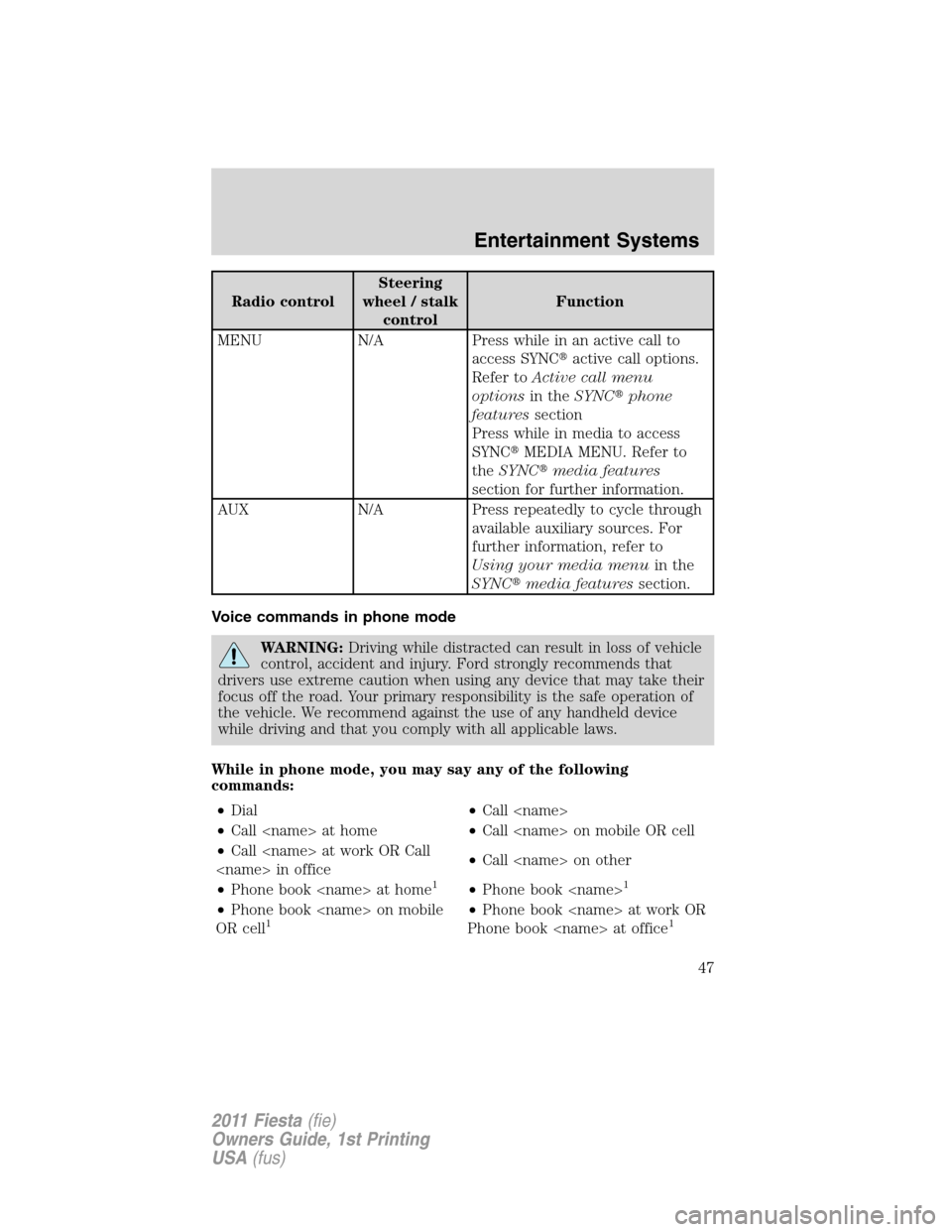
Radio controlSteering
wheel / stalk
controlFunction
MENU N/A Press while in an active call to
access SYNC�active call options.
Refer toActive call menu
optionsin theSYNC�phone
featuressection
Press while in media to access
SYNC�MEDIA MENU. Refer to
theSYNC�media features
section for further information.
AUX N/A Press repeatedly to cycle through
available auxiliary sources. For
further information, refer to
Using your media menuin the
SYNC�media featuressection.
Voice commands in phone mode
WARNING:Driving while distracted can result in loss of vehicle
control, accident and injury. Ford strongly recommends that
drivers use extreme caution when using any device that may take their
focus off the road. Your primary responsibility is the safe operation of
the vehicle. We recommend against the use of any handheld device
while driving and that you comply with all applicable laws.
While in phone mode, you may say any of the following
commands:
•Dial•Call
•Call at home•Call on mobile OR cell
•Call at work OR Call
in office•Call on other
•Phone book at home
1•Phone book 1
•Phone book on mobile
OR cell1•Phone book at work OR
Phone book at office1
Entertainment Systems
47
2011 Fiesta(fie)
Owners Guide, 1st Printing
USA(fus)