Page 92 of 452
Uconnect™ Phone ButtonThe radio or steering wheel controls (if
equipped) will contain the two control buttons
(Uconnect™ Phone
button and Voice
Command
button) that will enable you
to access the system. When you press the button you will
hear the word Uconnect™ followed by a BEEP. The beep
is your signal to give a command.
Voice Command Button Actual button location may vary with the ra-
dio. The individual buttons are described in the
“Operation” section.
The Uconnect™ Phone can be used with any Hands-Free
Profile certified Bluetooth� mobile phone. See the
Uconnect™ website for supported phones. Refer to your
mobile service provider or the phone manufacturer for
details. The Uconnect™ Phone is fully integrated with the vehi-
cle’s audio system. The volume of the Uconnect™ Phone
can be adjusted either from the radio volume control
knob or from the steering wheel radio control (right
switch), if so equipped.
The radio display will be used for visual prompts from
the Uconnect™ Phone such as “CELL” or caller ID on
certain radios.
Operation
Voice commands can be used to operate the Uconnect™
Phone and to navigate through the Uconnect™ Phone
menu structure. Voice commands are required after most
Uconnect™ Phone prompts. You will be prompted for a
specific command and then guided through the available
options.
•Prior to giving a voice command, one must wait for
the beep, which follows the “Ready” prompt or an-
other prompt.
90 UNDERSTANDING THE FEATURES OF YOUR VEHICLE
Page 178 of 452

▫Notes On Playing MP3 Files ............ 216
▫ Operation Instructions - Auxiliary Mode .... 219
� Media Center 130 With Satellite Radio
(Sales Code RES+RSC) ................... 220
▫ Operating Instructions — Radio Mode ..... 220
▫ Operation Instructions — CD Mode For CD
And MP3 Audio Play ................. 226
▫ Notes On Playing MP3 Files ............ 228
▫ List Button (CD Mode For MP3 Play) ...... 230
▫ Info Button (CD Mode For MP3 Play) ...... 230
▫ Uconnect™ Multimedia
(Satellite Radio) — If Equipped .......... 231�
Steering Wheel Audio
Controls — If Equipped .................. 236
▫ Radio Operation ..................... 236
▫ CD Player ......................... 237
� CD/DVD Disc Maintenance .............. 237
� Radio Operation And Mobile Phones ....... 238
� Climate Controls ...................... 238
▫ Air Conditioning And Heater ............ 238
▫ Operating Tips ...................... 241
▫ Operation Tips Chart ................. 244
176 UNDERSTANDING YOUR INSTRUMENT PANEL
Page 179 of 452
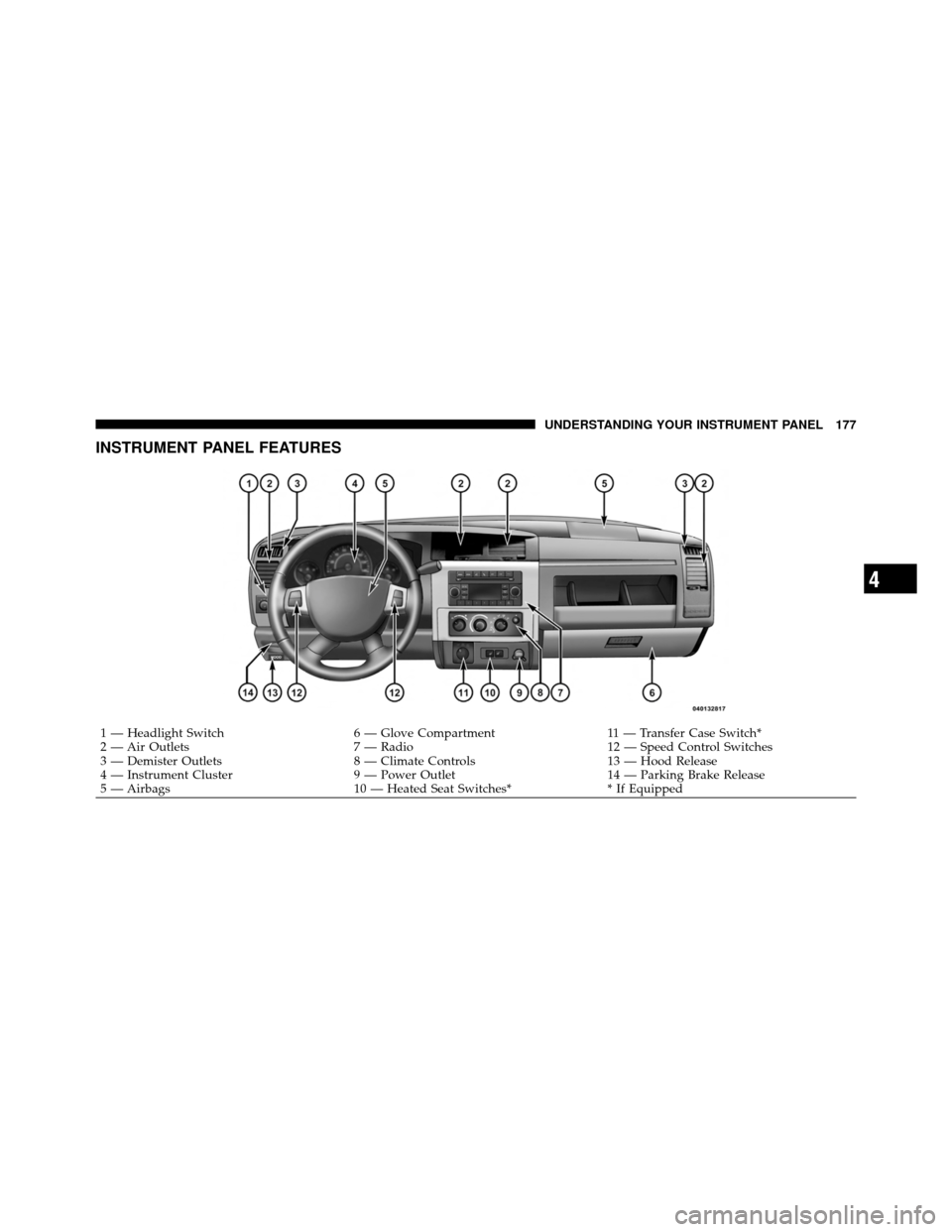
INSTRUMENT PANEL FEATURES
1 — Headlight Switch6 — Glove Compartment11 — Transfer Case Switch*
2 — Air Outlets 7 — Radio12 — Speed Control Switches
3 — Demister Outlets 8 — Climate Controls13 — Hood Release
4 — Instrument Cluster 9 — Power Outlet14 — Parking Brake Release
5 — Airbags 10 — Heated Seat Switches** If Equipped
4
UNDERSTANDING YOUR INSTRUMENT PANEL 177
Page 238 of 452
STEERING WHEEL AUDIO CONTROLS —
IF EQUIPPED
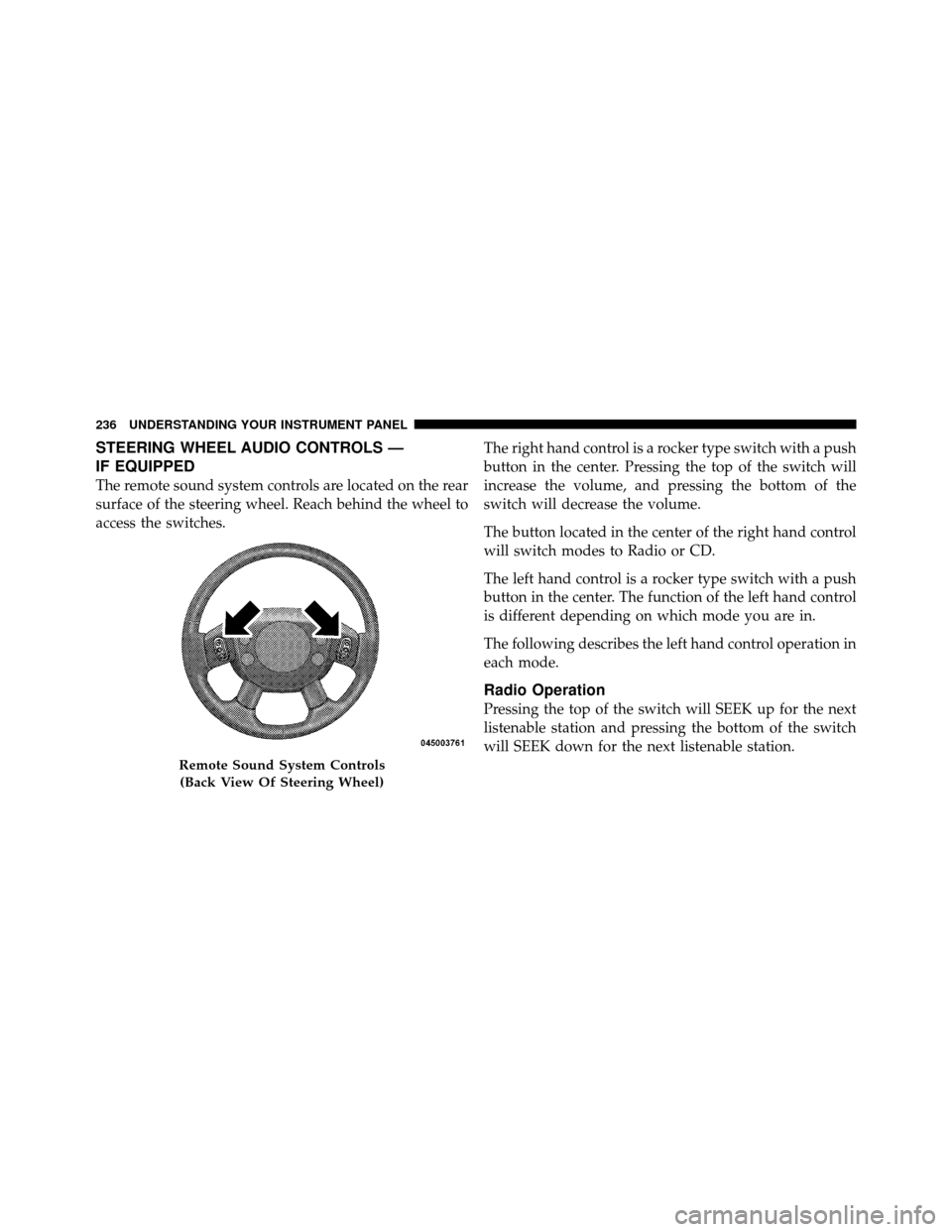
The remote sound system controls are located on the rear
surface of the steering wheel. Reach behind the wheel to
access the switches.The right hand control is a rocker type switch with a push
button in the center. Pressing the top of the switch will
increase the volume, and pressing the bottom of the
switch will decrease the volume.
The button located in the center of the right hand control
will switch modes to Radio or CD.
The left hand control is a rocker type switch with a push
button in the center. The function of the left hand control
is different depending on which mode you are in.
The following describes the left hand control operation in
each mode.
Radio Operation
Pressing the top of the switch will SEEK up for the next
listenable station and pressing the bottom of the switch
will SEEK down for the next listenable station.
Remote Sound System Controls
(Back View Of Steering Wheel)
236 UNDERSTANDING YOUR INSTRUMENT PANEL
Page 240 of 452
NOTE:If you experience difficulty in playing a particu-
lar disc, it may be damaged (i.e., scratched, reflective
coating removed, a hair, moisture or dew on the disc)
oversized, or have protection encoding. Try a known
good disc before considering disc player service.
RADIO OPERATION AND MOBILE PHONES
Under certain conditions, the mobile phone being on in
your vehicle can cause erratic or noisy performance from
your radio. This condition may be lessened or eliminated
by relocating the mobile phone antenna. This condition is
not harmful to the radio. If your radio performance does
not satisfactorily “clear” by the repositioning of the
antenna, it is recommended that the radio volume be
turned down or off during mobile phone operation when
not using Uconnect™ (if equipped).
CLIMATE CONTROLS
The controls for the heating, ventilation and air condi-
tioning system in this vehicle consist of a series of rotary knobs. These comfort controls can be set to obtain desired
interior conditions.
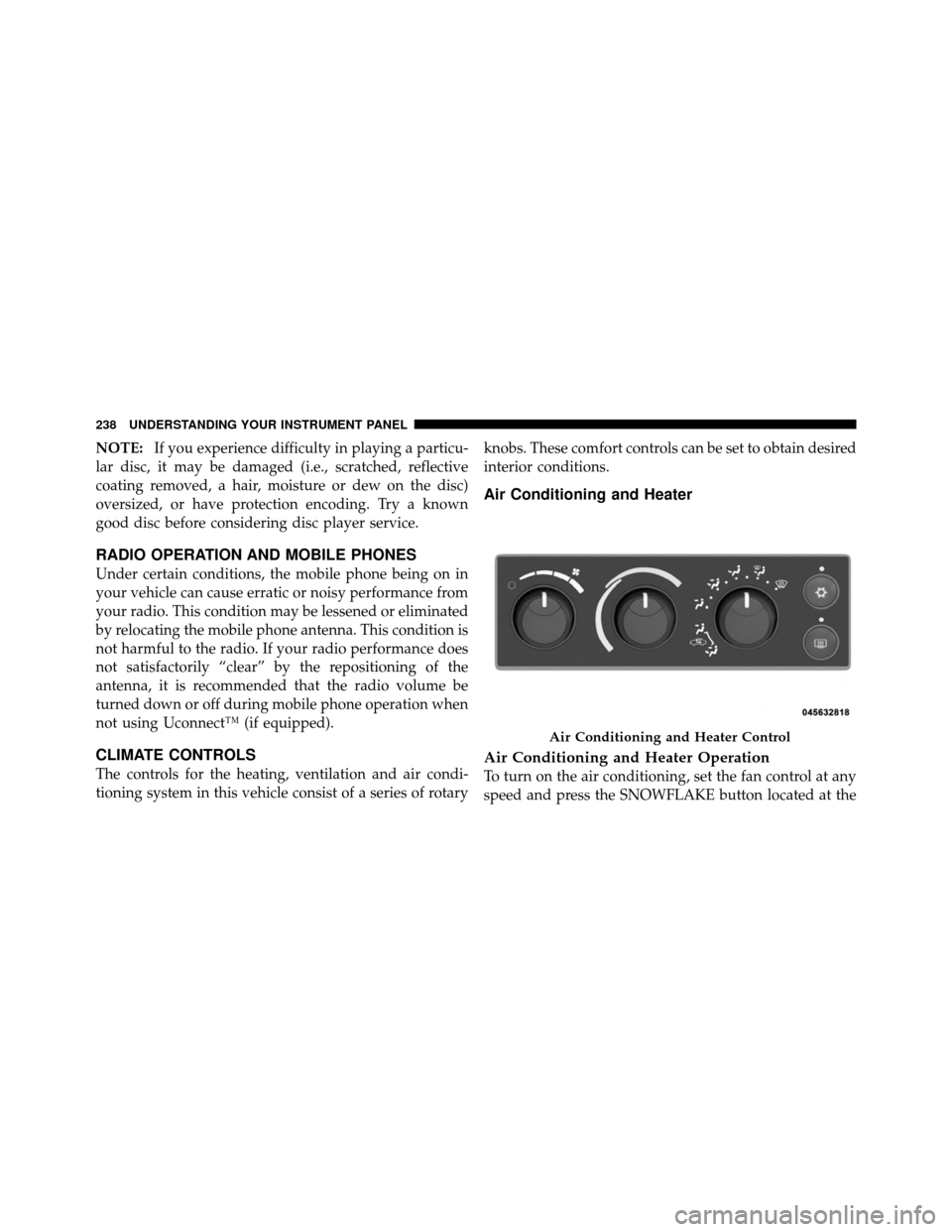
Air Conditioning and Heater
Air Conditioning and Heater Operation
To turn on the air conditioning, set the fan control at any
speed and press the SNOWFLAKE button located at the
Air Conditioning and Heater Control
238 UNDERSTANDING YOUR INSTRUMENT PANEL
Page 445 of 452
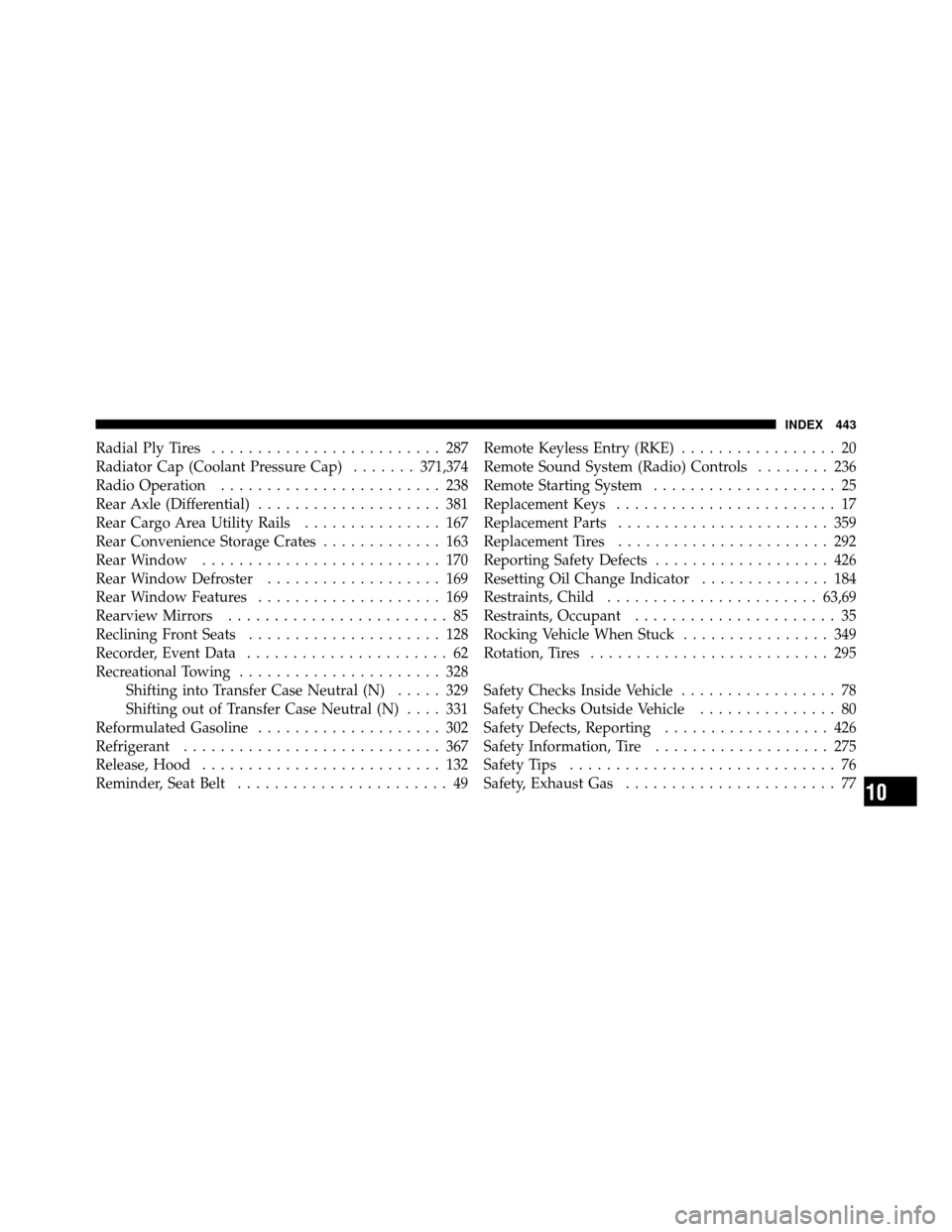
Radial Ply Tires......................... 287
Radiator Cap (Coolant Pressure Cap) .......371,374
Radio Operation ........................ 238
Rear Axle (Differential) .................... 381
Rear Cargo Area Utility Rails ............... 167
Rear Convenience Storage Crates ............. 163
Rear Window .......................... 170
Rear Window Defroster ................... 169
Rear Window Features .................... 169
Rearview Mirrors ........................ 85
Reclining Front Seats ..................... 128
Recorder, Event Data ...................... 62
Recreational Towing ...................... 328
Shifting into Transfer Case Neutral (N) ..... 329
Shifting out of Transfer Case Neutral (N) .... 331
Reformulated Gasoline .................... 302
Refrigerant ............................ 367
Release, Hood .......................... 132
Reminder, Seat Belt ....................... 49 Remote Keyless Entry (RKE)
................. 20
Remote Sound System (Radio) Controls ........ 236
Remote Starting System .................... 25
Replacement Keys ........................ 17
Replacement Parts ....................... 359
Replacement Tires ....................... 292
Reporting Safety Defects ................... 426
Resetting Oil Change Indicator .............. 184
Restraints, Child ....................... 63,69
Restraints, Occupant ...................... 35
Rocking Vehicle When Stuck ................ 349
Rotation, Tires .......................... 295
Safety Checks Inside Vehicle ................. 78
Safety Checks Outside Vehicle ............... 80
Safety Defects, Reporting .................. 426
Safety Information, Tire ................... 275
Safety Tips ............................. 76
Safety, Exhaust Gas ....................... 77
10
INDEX 443