2011 CHEVROLET HHR buttons
[x] Cancel search: buttonsPage 9 of 430

Black plate (3,1)Chevrolet HHR Owner Manual - 2011
A.Outlet Adjustment on page 4‑20.
B. Cruise Control
on page 4‑8(If Equipped).
C. Turn Signal/Multifunction Lever on page 4‑4.
D. Instrument Panel Cluster on page 4‑23.
E. Windshield Wipers on page 4‑5.
Windshield Washer on page 4‑6.
F. Instrument Panel Storage on page 3‑42.
G. Traction Control System (TCS)
on page 5‑8(If Equipped).
Electronic Stability Control (ESC). See Electronic
Stability Control (ESC) on page 5‑6.
H. Passenger Airbag Status Indicator on page 4‑27.
I. Rear Side Cargo Door Buttons (If Equipped). See Rear Side Cargo Door on page 3‑11.
J. Hood Release on page 6‑13.
K. Driver Information Center (DIC) Buttons. See Driver Information Center (DIC) on page 4‑38.
L. Data Link Connector (DLC). See Malfunction
Indicator Lamp on page 4‑33. M.
Horn on page 4‑3.
N. Audio Steering Wheel Controls
on page 4‑79(If Equipped).
O. Instrument Panel Brightness on page 4‑14.
P. Audio System(s) on page 4‑50.
Q. Climate Control System on page 4‑18.
R. Rear Window Wiper/Washer on page 4‑7.
S. Shift Lever (Manual Shown). See Manual
Transmission Operation
on page 3‑29and
Automatic Transmission Operation on page 3‑26.
T. Accessory Power Outlet(s)
on page 4‑15(If Equipped).
Cigarette Lighter (If Equipped). See Ashtray(s)
and Cigarette Lighter on page 4‑17.
U. Fog Lamps
on page 4‑13(If Equipped).
V. Hazard Warning Flashers on page 4‑3.
W. Glove Box on page 3‑42.
1-3
Page 21 of 430
Black plate (15,1)Chevrolet HHR Owner Manual - 2011
Vehicle Features
Radio(s)
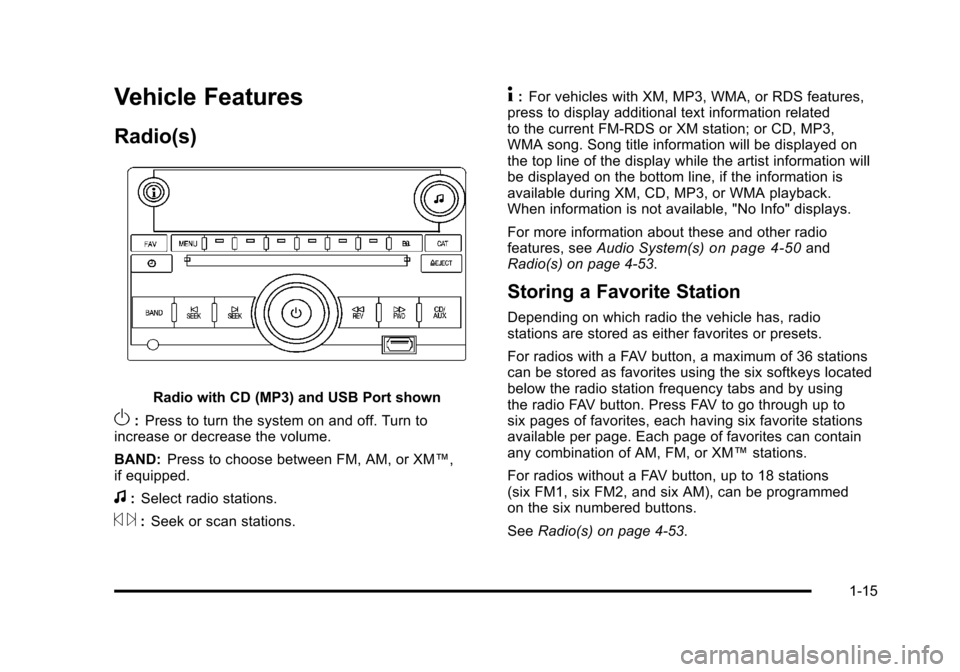
Radio with CD (MP3) and USB Port shown
O:Press to turn the system on and off. Turn to
increase or decrease the volume.
BAND: Press to choose between FM, AM, or XM™,
if equipped.
f: Select radio stations.
© ¨:Seek or scan stations.
4: For vehicles with XM, MP3, WMA, or RDS features,
press to display additional text information related
to the current FM-RDS or XM station; or CD, MP3,
WMA song. Song title information will be displayed on
the top line of the display while the artist information will
be displayed on the bottom line, if the information is
available during XM, CD, MP3, or WMA playback.
When information is not available, "No Info" displays.
For more information about these and other radio
features, see Audio System(s)
on page 4‑50and
Radio(s) on page 4‑53.
Storing a Favorite Station
Depending on which radio the vehicle has, radio
stations are stored as either favorites or presets.
For radios with a FAV button, a maximum of 36 stations
can be stored as favorites using the six softkeys located
below the radio station frequency tabs and by using
the radio FAV button. Press FAV to go through up to
six pages of favorites, each having six favorite stations
available per page. Each page of favorites can contain
any combination of AM, FM, or XM™ stations.
For radios without a FAV button, up to 18 stations
(six FM1, six FM2, and six AM), can be programmed
on the six numbered buttons.
See Radio(s) on page 4‑53.
1-15
Page 24 of 430
Black plate (18,1)Chevrolet HHR Owner Manual - 2011
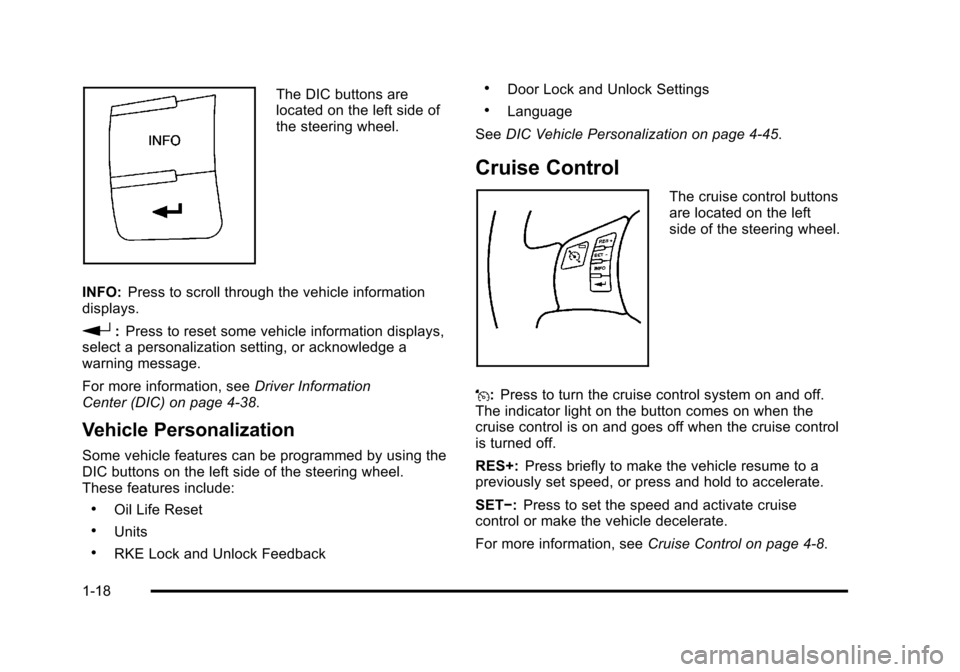
The DIC buttons are
located on the left side of
the steering wheel.
INFO: Press to scroll through the vehicle information
displays.
r: Press to reset some vehicle information displays,
select a personalization setting, or acknowledge a
warning message.
For more information, see Driver Information
Center (DIC) on page 4‑38.
Vehicle Personalization
Some vehicle features can be programmed by using the
DIC buttons on the left side of the steering wheel.
These features include:
.Oil Life Reset
.Units
.RKE Lock and Unlock Feedback
.Door Lock and Unlock Settings
.Language
See DIC Vehicle Personalization on page 4‑45.
Cruise Control
The cruise control buttons
are located on the left
side of the steering wheel.
J: Press to turn the cruise control system on and off.
The indicator light on the button comes on when the
cruise control is on and goes off when the cruise control
is turned off.
RES+: Press briefly to make the vehicle resume to a
previously set speed, or press and hold to accelerate.
SET−: Press to set the speed and activate cruise
control or make the vehicle decelerate.
For more information, see Cruise Control on page 4‑8.
1-18
Page 27 of 430
Black plate (21,1)Chevrolet HHR Owner Manual - 2011
Tire Pressure Monitor
This vehicle may have a Tire Pressure Monitor
System (TPMS).
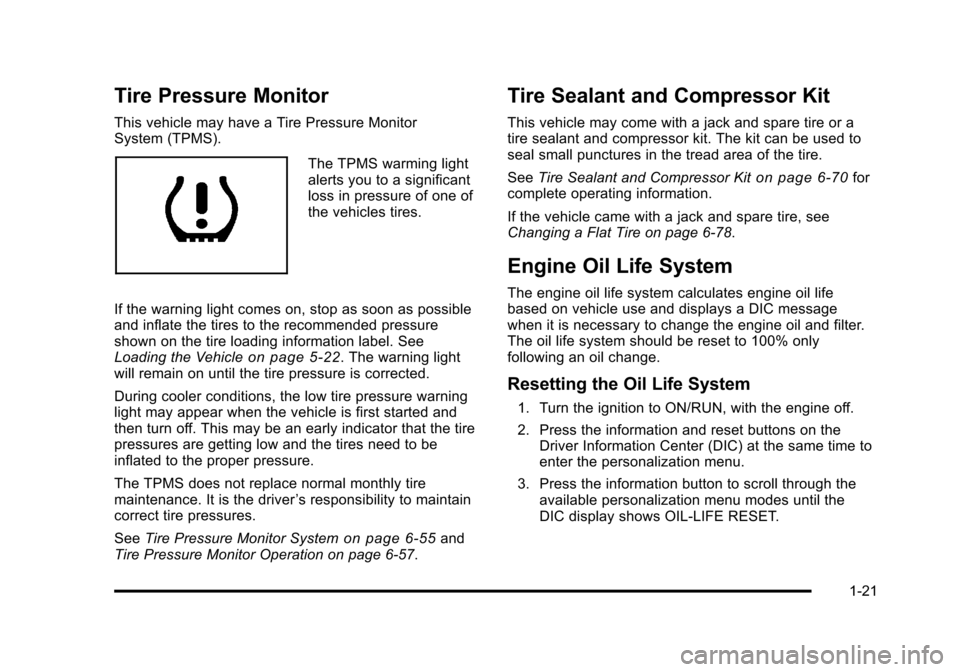
The TPMS warming light
alerts you to a significant
loss in pressure of one of
the vehicles tires.
If the warning light comes on, stop as soon as possible
and inflate the tires to the recommended pressure
shown on the tire loading information label. See
Loading the Vehicle
on page 5‑22. The warning light
will remain on until the tire pressure is corrected.
During cooler conditions, the low tire pressure warning
light may appear when the vehicle is first started and
then turn off. This may be an early indicator that the tire
pressures are getting low and the tires need to be
inflated to the proper pressure.
The TPMS does not replace normal monthly tire
maintenance. It is the driver ’s responsibility to maintain
correct tire pressures.
See Tire Pressure Monitor System
on page 6‑55and
Tire Pressure Monitor Operation on page 6‑57.
Tire Sealant and Compressor Kit
This vehicle may come with a jack and spare tire or a
tire sealant and compressor kit. The kit can be used to
seal small punctures in the tread area of the tire.
See Tire Sealant and Compressor Kit
on page 6‑70for
complete operating information.
If the vehicle came with a jack and spare tire, see
Changing a Flat Tire on page 6‑78.
Engine Oil Life System
The engine oil life system calculates engine oil life
based on vehicle use and displays a DIC message
when it is necessary to change the engine oil and filter.
The oil life system should be reset to 100% only
following an oil change.
Resetting the Oil Life System
1. Turn the ignition to ON/RUN, with the engine off.
2. Press the information and reset buttons on the Driver Information Center (DIC) at the same time to
enter the personalization menu.
3. Press the information button to scroll through the available personalization menu modes until the
DIC display shows OIL-LIFE RESET.
1-21
Page 31 of 430
Black plate (25,1)Chevrolet HHR Owner Manual - 2011
SeeRadio Frequency Statementon page 8‑17for
information regarding Part 15 of the Federal
Communications Commission (FCC) rules and Industry
Canada Standards RSS-210/220/310.
OnStar Steering Wheel Controls
This vehicle may have a Talk/Mute button that can be
used to interact with OnStar Hands-Free calling. See
Audio Steering Wheel Controls
on page 4‑79for more
information.
On some vehicles, the mute button can be used to dial
numbers into voice mail systems, or to dial phone
extensions. See the OnStar Owner's Guide for more
information.
Your Responsibility
Increase the volume of the radio if the OnStar advisor
cannot be heard.
If the light next to the OnStar buttons is red, the system
may not be functioning properly. Push the
Qbutton and
request a vehicle diagnostic. If the light appears clear
(no light appears), your OnStar subscription has expired
and all services have been deactivated. Push the
Qbutton to confirm that the OnStar equipment is
active.
1-25
Page 39 of 430
Black plate (7,1)Chevrolet HHR Owner Manual - 2011
Heated Seats
{WARNING:
If you cannot feel temperature change or pain to
the skin, the seat heater may cause burns even at
low temperatures. To reduce the risk of burns,
people with such a condition should use care
when using the seat heater, especially for long
periods of time. Do not place anything on the seat
that insulates against heat, such as a blanket,
cushion, cover or similar item. This may cause the
seat heater to overheat. An overheated seat
heater may cause a burn or may damage
the seat.
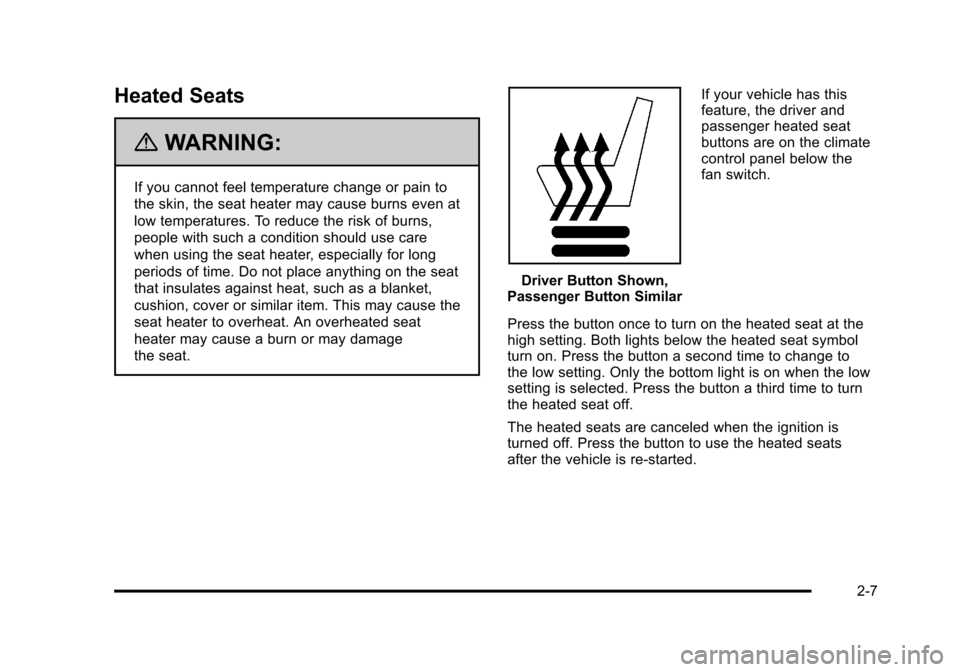
Driver Button Shown,
Passenger Button Similar If your vehicle has this
feature, the driver and
passenger heated seat
buttons are on the climate
control panel below the
fan switch.
Press the button once to turn on the heated seat at the
high setting. Both lights below the heated seat symbol
turn on. Press the button a second time to change to
the low setting. Only the bottom light is on when the low
setting is selected. Press the button a third time to turn
the heated seat off.
The heated seats are canceled when the ignition is
turned off. Press the button to use the heated seats
after the vehicle is re‐started.
2-7
Page 117 of 430
Black plate (11,1)Chevrolet HHR Owner Manual - 2011
To open a rear door while the security lock is on, do the
following:1. Unlock the door using the remote keyless entry transmitter, the power door lock switch, or by lifting
the rear door manual lock.
2. Open the door from the outside.
To cancel the rear door security lock, do the following: 1. Unlock the door and open it from the outside.
2. Insert the key into the lock below the rear door security lock label and turn it to the vertical
position.
3. Repeat the steps for the other lock.
Lockout Protection
If you press the power door lock switch when the key is
in the ignition and any door is open, all the doors will
lock and the driver's door will unlock. Be sure to remove
the key from the ignition when locking your vehicle.
The lockout protection can be overridden by pressing
and holding the power door lock in the lock position for
three seconds.
Rear Side Cargo Door
The rear side cargo doors can be opened by pressing
the buttons located on the driver and passenger sides
of the instrument panel, or by using the Remote Keyless
Entry (RKE) transmitter. See Instrument Panel
on
page 1‑2, and Remote Keyless Entry (RKE) System
Operationon page 3‑4for more information.
To use the buttons on the instrument panel, the driver
side door must be unlocked.
Push the door to close.
Liftgate
To lock the liftgate from the outside, press the lock
button on the Remote Keyless Entry (RKE) transmitter.
To unlock the liftgate with the RKE, press the unlock
button twice within five seconds. For more information,
see Remote Keyless Entry (RKE) System Operation
on
page 3‑4. You can also use the power door lock
switch to lock and unlock the liftgate.
3-11
Page 124 of 430
Black plate (18,1)Chevrolet HHR Owner Manual - 2011
The system will arm after either of the following occur:
.30 seconds after all the doors are closed.
.60 seconds with any door open.
Press the lock button on the RKE transmitter a second
time, while all the doors are closed, to immediately arm
the system. The system still arms in 60 seconds if a
door is open. When the open door is closed, it
also arms.
The security light turns on to indicate that arming has
been initiated. Once the system is armed, the security
light flashes once every three seconds.
If the security light flashes twice per second, a door
is open.
Locking the vehicle with the manual lock knobs on the
doors will not arm the system.
Disarming the System
Disarm the system by doing any one of the following:
.Press the RKE transmitter unlock button.
.Turn the ignition on.
Once the system is disarmed, the security light stops
flashing.
How the System Alarm is Activated
If the system is armed, it can be activated by either:
.Opening the driver's door or tailgate. This causes a
10 second pre-alarm chirp followed by a 30 second
full alarm of horn and lights.
.Opening any other door. This immediately causes
a full alarm of horn and lights for 30 seconds.
When an alarm event has finished, the system re-arms
itself automatically.
How to Turn Off the System Alarm
To turn off the system alarm, do one of the following:
.Press the lock button on the RKE transmitter. The
system will then re-arm itself.
.Press the unlock button on the RKE transmitter.
This will also disarm the system.
.Insert the key in the ignition and turn it on. This will
also disarm the system.
How to Detect a Tamper Condition
The content theft security system alarm was previously
activated if three chirps sound when you press the lock
or unlock buttons on the RKE transmitter.
3-18