2011 CHEVROLET CORVETTE transmission
[x] Cancel search: transmissionPage 263 of 428
Black plate (33,1)Chevrolet Corvette Owner Manual - 2011
Driving and Operating 9-33
Shift Speeds
(Manual Transmission)
{WARNING
If you skip a gear when you
downshift, you could lose control
of the vehicle. You could injure
yourself or others. Do not shift
down more than one gear at a
time when you downshift.
This chart shows when to shift to
the next higher gear for the best fuel
economy. Manual Transmission Recommended
Shift Speeds in km/h (mph)
Engine Acceleration Shift Speed
1 to 2 2 to 3 3 to 4 4 to 5 5 to 6
All Engines 24 (15) 40 (25) 64 (40) 72 (45) 80 (50)
If the engine speed drops below
900 rpm, or if the engine is not
running smoothly, you should
downshift to the next lower gear.
You may have to downshift two
or more gears to keep the engine
running smoothly or for good engine
performance.
Notice: When shifting gears, do
not move the shift lever around
unnecessarily. This may damage
the transmission. Shift directly
into the next gear.
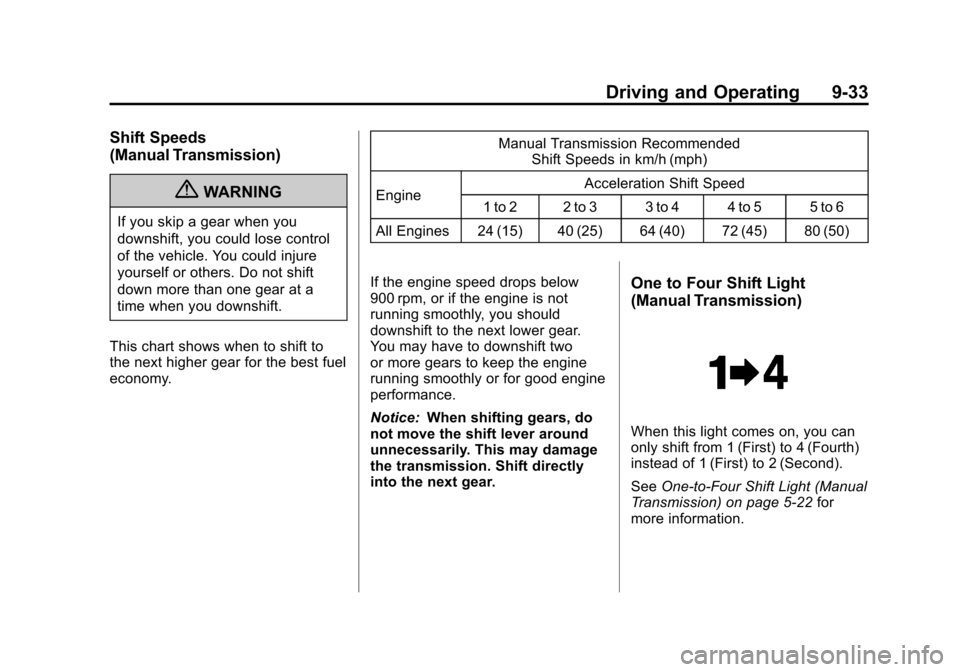
One to Four Shift Light
(Manual Transmission)
When this light comes on, you can
only shift from 1 (First) to 4 (Fourth)
instead of 1 (First) to 2 (Second).
See One-to-Four Shift Light (Manual
Transmission) on page 5‑22 for
more information.
Page 264 of 428
Black plate (34,1)Chevrolet Corvette Owner Manual - 2011
9-34 Driving and Operating
Downshifting
(Manual Transmission)
Do not downshift into the gear
shown below at a speed greater
than shown in the table:1 (First) 80 km/h (50 mph)
2 (Second) 119 km/h (74 mph)
3 (Third) 163 km/h
(101 mph)
4 (Fourth) 209 km/h
(130 mph)
Notice: If you skip more than one
gear when you downshift, or if
you race the engine when you
release the clutch pedal while
downshifting, you could damage
the engine, clutch, driveshaft or
the transmission. Do not skip
gears or race the engine when
downshifting. The six-speed transmission has
a spring that centers the shift
lever near 3 (Third) and 4 (Fourth).
This spring helps you know which
gear you are in when you are
shifting. Be careful when shifting
from 1 (First) to 2 (Second) or
downshifting from 6 (Sixth) to
5 (Fifth). The spring will try to pull
the shift lever toward 4 (Fourth) and
3 (Third). Make sure you move the
lever into 2 (Second) or 5 (Fifth).
If you let the shift lever move in the
direction of the pulling, you may end
up shifting from 1 (First) to 4 (Fourth)
or from 6 (Sixth) to 3 (Third).
Brakes
Antilock Brake
System (ABS)
This vehicle has the Antilock
Brake System (ABS), an advanced
electronic braking system that helps
prevent a braking skid.
When the engine is started and
the vehicle begins to drive away,
ABS checks itself. A momentary
motor or clicking noise might be
heard while this test is going on,
and it might even be noticed that
the brake pedal moves a little.
This is normal.
If there is a problem with ABS, this
warning light stays on. See
Antilock
Brake System (ABS) Warning Light
on page 5‑22.
Page 267 of 428
Black plate (37,1)Chevrolet Corvette Owner Manual - 2011
Driving and Operating 9-37
TCS automatically comes on
whenever the vehicle is started.
To limit wheel spin, especially in
slippery road conditions, the system
should always be left on. TCS can
be turned off if needed.
To turn the system off, press the
button located on the console.
The system can be turned on or off
at any time by pressing the ACTIVE
HANDLING button. The DIC will
display the appropriate message
when the button is pushed.
Notice:When traction control is
turned off, or Competitive Driving
Mode is active, it is possible to
lose traction. If you attempt to shift with the drive wheels
spinning with a loss of traction, it
is possible to cause damage to
the transmission. Do not attempt
to shift when the drive wheels do
not have traction. Damage caused
by misuse of the vehicle is not
covered. See the warranty book
for additional information.
Adding non‐dealer/non-retailer
accessories can affect the vehicle's
performance. See
Accessories and
Modifications on page 10‑4 for more
information.
Active Handling System
The Active Handling System is
a computer controlled system
that helps the driver maintain
directional control of the vehicle
in difficult driving conditions.
This is accomplished by selectively
applying any one of the vehicle's
brakes. The ACTIVE HANDLING message
will come on when the system is
operating. See
Ride Control System
Messages on page 5‑44 for more
information. The system may be
heard or felt while it is working.
This is normal.
The SERVICE ACTIVE HANDLING
SYSTEM message is displayed, the
instrument cluster light comes on,
and a sound is heard if there is a
problem with the system.
See Ride Control System Messages
on page 5‑44 for more information.
When this light and the SERVICE
ACTIVE HANDLING SYSTEM
message are on, the system is not
operational. Adjust your driving
accordingly.
Page 269 of 428
Black plate (39,1)Chevrolet Corvette Owner Manual - 2011
Driving and Operating 9-39
Notice:Do not attempt to shift
when the drive wheels are
spinning and do not have
traction. This may cause damage
to the transmission. Damage
caused by misuse of the vehicle
is not covered by the vehicle
warranty. See the warranty book
for additional information.
Competitive Driving Mode
(Except ZR1)
Competitive Driving Mode allows
full engine power while the Active
Handling System helps maintain
directional control of the vehicle
by selective brake application.
In this mode, TCS is off and
Launch Control is available.
Adjust your driving style to account
for the available engine power.
See Launch Control later in this
section.
This light is on when the vehicle is
in the Competitive Driving Mode.
This optional handling mode can be
selected by pressing the ACTIVE
HANDLING button on the console
quickly two times. COMPETITIVE
DRIVING MODE displays in the
Driver Information Center (DIC).
See Ride Control System Messages
on page 5‑44 for more information.
When the ACTIVE HANDLING
button is pressed again, the Active
Handling and TCS systems are on.
The TRACTION SYSTEM AND
ACTIVE HANDLING-ON message
displays briefly in the DIC and a
chime is heard.
Performance Traction
Management (ZR1)
Performance Traction Management
integrates the Traction Control,
Active Handling and Selective
Ride Control systems to provide
improved and consistent
performance when cornering.
The amount of available engine
power is based on the mode
selected, track conditions, driver
skill, and the radius of each corner.
This light is on when the vehicle
is in the Performance Traction
Management Mode.
Page 271 of 428
Black plate (41,1)Chevrolet Corvette Owner Manual - 2011
Driving and Operating 9-41
PERF TRAC 3–SPORT
ACTIVE HANDLING ON
.For use by drivers who are
familiar with the track
.Dry conditions only
.Requires more driving skill than
mode 2
.Active Handling is on and more
engine power is available than in
mode 2
PERF TRAC 4 –SPORT
ACTIVE HANDLING OFF
.For use by drivers who are
familiar with the track
.Dry conditions only
.Requires more driving skill than
modes 2 or 3
.Active Handling is off and
available engine power is the
same as mode 3
PERF TRAC 5 –RACE ACTIVE
HANDLING OFF
.For use by experienced drivers
who are familiar with the track
.Dry conditions only
.Requires more driving skill than
in other modes
.Active Handling is off and engine
power is available for maximum
cornering speed
Press and release the ACTIVE
HANDLING button to turn off
Performance Traction Management
and return to the Active Handling
and Traction Control Systems.
The TRACTION SYSTEM AND
ACTIVE HANDLING-ON message
displays briefly in the DIC and a
chime is heard.
Launch Control
A Launch Control feature is
available, within Competitive
Driving Mode (except ZR1) or
Performance Traction Management
(ZR1), on vehicles with a manual
transmission to allow the driver
to achieve high levels of vehicle
acceleration in a straight line.
Launch Control is a form of traction
control that manages tire spin
while launching the vehicle. This
feature is intended for use during
closed course race events where
consistent zero to sixty and quarter
mile times are desirable.
Page 272 of 428
Black plate (42,1)Chevrolet Corvette Owner Manual - 2011
9-42 Driving and Operating
Launch Control is only available
when the following criteria are met:
.Competitive Driving Mode is
selected (except ZR1) or any
of the Performance Traction
Management modes are
selected (ZR1). The TCS
light comes on the instrument
panel and the appropriate
DIC message displays.
.The vehicle is not moving.
.The steering wheel is pointing
straight.
.The clutch is pressed and the
vehicle is in first gear.
.The accelerator pedal is rapidly
applied to wide open throttle.
The Launch Control feature will
initially limit engine speed as
the driver rapidly applies the accelerator pedal to wide open
throttle. A smooth, quick release of
the clutch, while maintaining the
fully pressed accelerator pedal, will
manage wheel slip. Complete
shifts as described in
Manual
Transmission on page 9‑32.
After the vehicle is launched, the
system continues in Competitive
Mode (except ZR1) or Performance
Traction Management (ZR1).
Competitive Driving Mode,
Performance Traction Management,
and Launch Control are systems
designed for a closed course race
track and not intended for use on
public roads. The systems are not
intended to compensate for lack of
driver experience or familiarity with
the race track.
Limited-Slip Rear Axle
Vehicles with a limited-slip rear axle
can give more traction on snow,
mud, ice, sand or gravel. It works
like a standard axle most of the
time, but when traction is low,
this feature allows the drive wheel
with the most traction to move the
vehicle.
Selective Ride Control
The vehicle may have a ride control
system called Magnetic Selective
Ride Control. The system provides
the following performance benefits:
.Reduced Impact Harshness
.Improved Road Isolation
.Improved High-Speed Stability
.Improved Handling Response
.Better Control of Body Ride
Motions
Page 277 of 428
Black plate (47,1)Chevrolet Corvette Owner Manual - 2011
Driving and Operating 9-47
Cruise Control in Sport and
Manual Paddle Shift Gear
Selection
When the vehicle is in S (Sport) and
the manual paddle shift controls
are not being used, cruise control
operates in the same manner as
D (Drive).
When the vehicle is in S (Sport) and
the manual paddle shift controls are
being used, cruise control operates
as follows:
.If cruise control is active and
a gear is selected with the
manual paddle shift controls,
the vehicle speed is maintained
in the driver selected gear and
will not automatically up-shift
or down-shift the transmission
while the driver’s gear selection
is active.
.If driving in hilly terrain, cruise
control may not be able to
maintain vehicle speed if an
up-shift or down-shift is not
selected by the driver. While
driving on hilly terrain and cruise
control is active with a manual
paddle shift gear selection, the
driver must select the proper
gear for the terrain or select
D (Drive) on the gear range
selector for full automatic
transmission operation.
Ending Cruise Control
.To disengage cruise control;
step lightly on the brake pedal.
If the vehicle has a manual
transmission, lightly tap the
clutch to end the cruise control
session.
.To turn off the cruise control
system , move the cruise control
switch to
9.
When cruise control is disengaged,
the CRUISE DISENGAGED
message displays on the Driver
Information Center (DIC). See
Cruise Control Messages on
page 5‑38.
Erasing Speed Memory
The cruise control set speed is
erased from memory by moving the
switch to
9or if the ignition is
turned off.
Page 285 of 428

Black plate (1,1)Chevrolet Corvette Owner Manual - 2011
Vehicle Care 10-1
Vehicle Care
General Information
General Information . . . . . . . . . . 10-3
California Proposition65 Warning . . . . . . . . . . . . . . . . . 10-3
California Perchlorate Materials Requirements . . . . 10-3
Accessories and Modifications . . . . . . . . . . . . . . . 10-4
Lifting the Vehicle . . . . . . . . . . . . 10-5
Vehicle Checks
Doing Your Own Service Work . . . . . . . . . . . . . . . 10-8
Hood . . . . . . . . . . . . . . . . . . . . . . . . 10-9
Engine Compartment Overview . . . . . . . . . . . . . . . . . . 10-10
Engine Oil . . . . . . . . . . . . . . . . . . 10-15
Engine Oil Life System . . . . . 10-22
Automatic Transmission Fluid . . . . . . . . . . . . . . . . . . . . . . 10-23 Manual Transmission
Fluid . . . . . . . . . . . . . . . . . . . . . . 10-23
Hydraulic Clutch . . . . . . . . . . . . 10-24
Engine Air Cleaner/Filter . . . . 10-24
Cooling System (Engine) . . . 10-28
Cooling System (Intercooler) . . . . . . . . . . . . . . . 10-29
Engine Coolant . . . . . . . . . . . . . 10-29
Engine Overheating . . . . . . . . 10-34
Overheated Engine Protection
Operating Mode . . . . . . . . . . . 10-35
Power Steering Fluid . . . . . . . 10-36
Washer Fluid . . . . . . . . . . . . . . . 10-37
Brakes . . . . . . . . . . . . . . . . . . . . . 10-38
Brake Fluid . . . . . . . . . . . . . . . . . 10-41
Battery . . . . . . . . . . . . . . . . . . . . . 10-43
Rear Axle . . . . . . . . . . . . . . . . . . 10-44
Starter Switch Check . . . . . . . 10-44
Automatic Transmission Shift Lock Control Function
Check . . . . . . . . . . . . . . . . . . . . . 10-45 Park Brake and P (Park)
Mechanism Check . . . . . . . . 10-45
Wiper Blade Replacement . . . . . . . . . . . . . . 10-46
Windshield Replacement . . . 10-47
Headlamp Aiming
Headlamp Aiming . . . . . . . . . . 10-48
Bulb Replacement
Bulb Replacement . . . . . . . . . . 10-48
Halogen Bulbs . . . . . . . . . . . . . . 10-48
High Intensity Discharge
(HID) Lighting . . . . . . . . . . . . . 10-48
Headlamps, Front Turn Signal and Parking
Lamps . . . . . . . . . . . . . . . . . . . . 10-49
Taillamps, Turn Signal, and Stoplamps . . . . . . . . . . . . . . . . 10-50
Replacement Bulbs . . . . . . . . . 10-50