2011 CADILLAC STS change wheel
[x] Cancel search: change wheelPage 317 of 528

Black plate (5,1)Cadillac STS Owner Manual - 2011
Antilock Brake System (ABS)
This vehicle has the Antilock Brake System (ABS), an
advanced electronic braking system that helps prevent
a braking skid.
When the engine is started and the vehicle begins to
drive away, ABS checks itself. A momentary motor or
clicking noise might be heard while this test is going on,
and it might even be noticed that the brake pedal
moves a little. This is normal.
If there is a problem with
ABS, this warning light
stays on. SeeAntilock
Brake System (ABS)
Warning Light
on
page 4‑59.
Let us say the road is wet and you are driving safely.
Suddenly, an animal jumps out in front of you. You slam
on the brakes and continue braking. Here is what
happens with ABS:
A computer senses that the wheels are slowing down.
If one of the wheels is about to stop rolling, the
computer will separately work the brakes at each wheel. ABS can change the brake pressure to each wheel, as
required, faster than any driver could. This can help the
driver steer around the obstacle while braking hard.
As the brakes are applied, the computer keeps
receiving updates on wheel speed and controls braking
pressure accordingly.
Remember: ABS does not change the time needed to
get a foot up to the brake pedal or always decrease
stopping distance. If you get too close to the vehicle in
front of you, there will not be enough time to apply the
brakes if that vehicle suddenly slows or stops. Always
leave enough room up ahead to stop, even with ABS.
Using ABS
Do not pump the brakes. Just hold the brake pedal
down firmly and let antilock work. The antilock pump or
motor might be heard operating and the brake pedal
might be felt to pulsate , but this is normal.
5-5
Page 320 of 528

Black plate (8,1)Cadillac STS Owner Manual - 2011
To assist with directional control of the vehicle, always
leave the system on. Stability control can be turned off
however, by using the TC button. SeeTraction Control
System (TCS)
on page 5‑9. The STABILITY SYS
OFF message will be displayed on the DIC. See DIC
Warnings and Messages on page 4‑76.
If there is a problem detected with Enhanced
StabiliTrak, the SERVICE STABILITY SYS message
will be displayed on the DIC. See DIC Warnings and
Messages
on page 4‑76. When this message is
displayed, the system is not operating. Driving should
be adjusted accordingly.
When certain faults or vehicle conditions are detected,
the Stability control will automatically go into a secure
mode and the STABILITY SECURE MODE message
will be displayed on the DIC. When the Stability Secure
Mode is activated, the stability control system will not
respond to driver requests to change the stability mode
until the next ignition cycle or until the vehicle condition
or fault is returned to normal. When the Stability Secure
Mode is activated, other messages may be displayed,
such as SERVICE STEERING SYS, SERVICE
SUSPENSION SYS or CHECK TIRE PRESSURE on
the DIC. When the Stability Secure Mode is activated,
a larger degree of steering wheel input at low vehicle
speeds and a smaller degree of steering wheel input at
high vehicle speeds may be required. Stability Secure Mode will be activated if a compact spare tire is being
used. See
DIC Warnings and Messages
on page 4‑76andCompact Spare Tire on page 6‑105.
Persistent operation of the vehicle in the STABILITY
SECURE MODE may be an indication that the vehicle
needs to be serviced by your dealer.
When certain faults are present, the vehicle’s speed
may be limited and the SPEED LIMITED TO XXX
message will be displayed on the DIC. See DIC
Warnings and Messages
on page 4‑76. When the
vehicle’s speed is limited, other messages may be
displayed, such as SERVICE STABILITY SYS,
SERVICE STEERING SYS or SERVICE SUSPENSION
SYS on the DIC. Have the vehicle serviced by your
dealer.
Enhanced StabiliTrak and Traction Control
Mode Selection
Enhanced StabiliTrak can be operated in Touring Mode.
It can also be turned off. The TC button is used to
change stability control modes (Touring or Off) as well
as to turn traction control on or off. See Traction Control
System (TCS)
on page 5‑9. The following information
describes the operation of the TC button for changing
Traction Control and Stability Control Modes.
5-8
Page 321 of 528
Black plate (9,1)Cadillac STS Owner Manual - 2011
When the vehicle is started, Stability control comes on
automatically in the Stability Touring Mode.
.To change from Stability Touring Mode to Stability
Off Mode, press and hold the TC button until the
STABILITY SYS OFF message is displayed on
the DIC.
.To change from Stability Off Mode to Stability
Touring Mode, press and release the TC button
and the STABILITY TOURING MODE message will
be displayed on the DIC.
.To turn traction control off while in the Stability
Touring Mode, press and release the TC button
and the traction control system warning light will
come on. SeeTraction Control System (TCS)
on
page 5‑9.
.To turn traction control on while in the Stability
Touring Mode, press and release the TC button
and the traction control system warning light will
turn off.
Traction Control System (TCS)
The vehicle has a traction control system that limits
wheel spin. This is especially useful in slippery road
conditions. On a rear-wheel-drive vehicle, the system
operates if it senses that one or both of the rear wheels
are spinning or beginning to lose traction. On an
All-Wheel-Drive (AWD) vehicle, the system will operate
if it senses that any of the wheels are spinning or
beginning to lose traction. When this happens, the
system brakes the spinning wheel(s) and/or reduces
engine power to limit wheel spin.
The system may be heard or felt while it is working, but
this is normal.
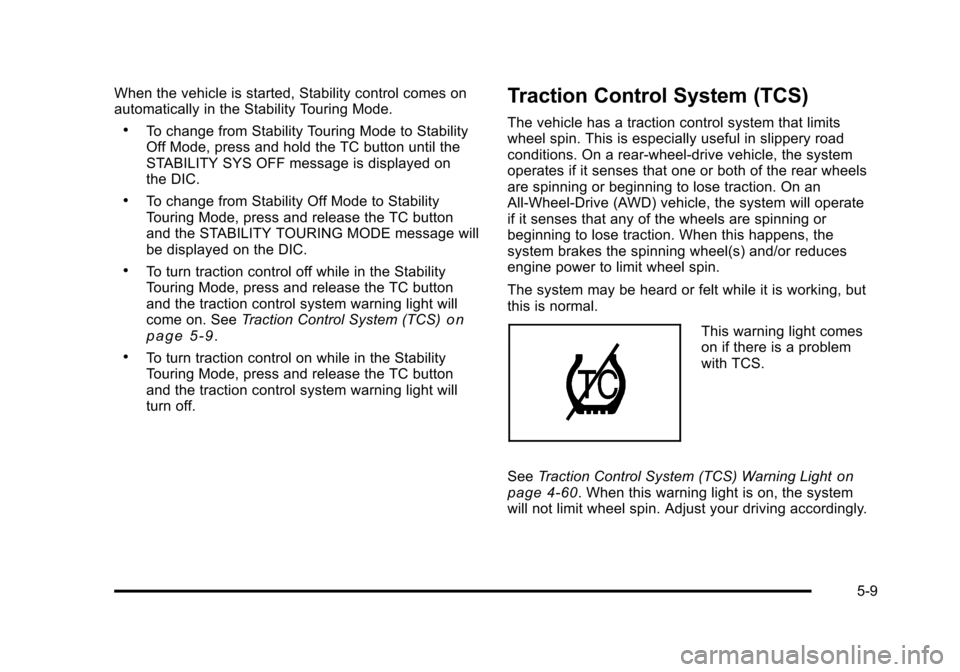
This warning light comes
on if there is a problem
with TCS.
See Traction Control System (TCS) Warning Light
on
page 4‑60. When this warning light is on, the system
will not limit wheel spin. Adjust your driving accordingly.
5-9
Page 323 of 528

Black plate (11,1)Cadillac STS Owner Manual - 2011
Limited-Slip Rear Axle
Vehicles with a limited-slip rear axle can give more
traction on snow, mud, ice, sand or gravel. It works like
a standard axle most of the time, but when traction is
low, this feature allows the drive wheel with the most
traction to move the vehicle.
All-Wheel Drive (AWD) System
With this feature, engine power is sent to all four wheels
at all times. It is fully automatic, and adjusts itself as
needed for road conditions.
Steering
Power Steering
If power steering assist is lost because the engine stops
or the system is not functioning, the vehicle can be
steered but it will take more effort.
Speed Variable Assist Steering
The vehicle has a steering system that continuously
adjusts the effort felt when steering at all vehicle
speeds. It provides ease when parking, yet a firm,
solid feel at highway speeds.
Active Steering
All‐wheel‐drive vehicles with the Active Steering with
Enhanced StabiliTrak®option have an electronically
controlled active steering system. The active steering
system uses the steering actuator to automatically
adjust the front road wheel turning angle based on
vehicle speed and how much the steering wheel is
turned. This system reduces steering effort at low
speeds, improves steering feel at moderate speeds,
and reduces steering sensitivity at higher speeds.
During some operating conditions, the active steering
might deactivate to protect the system from damage.
You might notice that the center position of the steering
wheel is changed. Unless there is a SERVICE
STEERING SYS message, the system will return to
normal operation as soon as the condition ceases,
usually within a very short period of time.
At low speeds, the active steering system requires
less movement of the steering wheel to change vehicle
direction than the normal power steering system. Adjust
your driving accordingly.
When certain steering faults are present, the active
steering deactivates and vehicle speed might be
limited. The SERVICE STEERING SYS and SPEED
LIMITED TO XXX messages will be displayed.
5-11
Page 324 of 528

Black plate (12,1)Cadillac STS Owner Manual - 2011
SeeDIC Warnings and Messageson page 4‑76. The
normal power steering system is still operational. You
might notice that the center position of the steering
wheel is changed and that more steering effort at low
speeds and less steering effort at high speeds is
required. You can continue to drive the vehicle with
normal power steering but you should have your dealer
inspect the steering system as soon as possible in
order to have the problem corrected and the steering
wheel position centered.
When stability control activates, the system
automatically adjusts the front road wheel steering
angle, modifies the suspension stiffness, and selectively
applies braking pressure at any one of the vehicle's
brakes to help maintain directional control of the
vehicle. Adjustments to the steering will not be felt in
the steering wheel. See Enhanced StabiliTrak
®on
page 5‑7.
It is recommended that the battery not be disconnected
when the steering wheel is turned from the center
position. If this occurs, the center position of the
steering wheel could be temporarily changed a small
amount. You can continue to operate the vehicle and,
after a short time, the center position of the steering
wheel will return to normal.
Steering Tips
It is important to take curves at a reasonable speed.
Traction in a curve depends on the condition of the tires
and the road surface, the angle at which the curve is
banked, and vehicle speed. While in a curve, speed is
the one factor that can be controlled.
If there is a need to reduce speed, do it before entering
the curve, while the front wheels are straight.
Try to adjust the speed so you can drive through the
curve. Maintain a reasonable, steady speed. Wait to
accelerate until out of the curve, and then accelerate
gently into the straightaway.
To help you steer in the direction you want to go, during
certain sharp or sudden cornering maneuvers, gear
selection is controlled. This will maximize the available
drive wheel torque and minimize the transmission
response time and shift activity. During this kind of
maneuver, the transmission shifts automatically as
vehicle speed changes.
5-12
Page 327 of 528

Black plate (15,1)Cadillac STS Owner Manual - 2011
Skidding
In a skid, a driver can lose control of the vehicle.
Defensive drivers avoid most skids by taking
reasonable care suited to existing conditions, and by
not overdriving those conditions. But skids are always
possible.
The three types of skids correspond to the vehicle's
three control systems. In the braking skid, the wheels
are not rolling. In the steering or cornering skid, too
much speed or steering in a curve causes tires to slip
and lose cornering force. And in the acceleration skid,
too much throttle causes the driving wheels to spin.
Remember: Any traction control system helps avoid
only the acceleration skid. If the traction control system
is off, then an acceleration skid is best handled by
easing your foot off the accelerator pedal.
If the vehicle starts to slide, ease your foot off the
accelerator pedal and quickly steer the way you want
the vehicle to go. If you start steering quickly enough,
the vehicle may straighten out. Always be ready for a
second skid if it occurs.You might see the STABILITY SYS ACTIVE message
on the Driver Information Center. See
DIC Warnings
and Messageson page 4‑76and StabiliTrak®Systemon page 5‑6orEnhanced StabiliTrak®on page 5‑7.
Of course, traction is reduced when water, snow, ice,
gravel, or other material is on the road. For safety, slow
down and adjust your driving to these conditions. It is
important to slow down on slippery surfaces because
stopping distance will be longer and vehicle control
more limited.
While driving on a surface with reduced traction, try
your best to avoid sudden steering, acceleration,
or braking, including reducing vehicle speed by shifting
to a lower gear. Any sudden changes could cause the
tires to slide. You may not realize the surface is slippery
until the vehicle is skidding. Learn to recognize warning
clues —such as enough water, ice, or packed snow on
the road to make a mirrored surface —and slow down
when you have any doubt.
Remember: Antilock brakes help avoid only the
braking skid.
5-15
Page 335 of 528

Black plate (23,1)Cadillac STS Owner Manual - 2011
Rocking Your Vehicle to Get It Out
Turn the steering wheel left and right to clear the area
around the front wheels. Turn off any traction or stability
system. Shift back and forth between R (Reverse) and a
forward gear, spinning the wheels as little as possible.
To prevent transmission wear, wait until the wheels stop
spinning before shifting gears. Release the accelerator
pedal while shifting, and press lightly on the accelerator
pedal when the transmission is in gear. Slowly spinning
the wheels in the forward and reverse directions causes
a rocking motion that could free the vehicle. If that does
not get the vehicle out after a few tries, it might need to
be towed out. If the vehicle does need to be towed out,
seeTowing Your Vehicle on page 5‑29.
Loading the Vehicle
It is very important to know how much weight your
vehicle can carry. This weight is called the vehicle
capacity weight and includes the weight of all
occupants, cargo, and all nonfactory‐installed
options. Two labels on your vehicle show how
much weight it may properly carry, the Tire and
Loading Information label, and the Certification
label.
{WARNING:
Do not load the vehicle any heavier than
the Gross Vehicle Weight Rating (GVWR),
or either the maximum front or rear Gross
Axle Weight Rating (GAWR). If you do, parts
on the vehicle can break, and it can change
the way the vehicle handles. These could
cause you to lose control and crash. Also,
overloading can shorten the life of the
vehicle.
5-23
Page 344 of 528

Black plate (32,1)Cadillac STS Owner Manual - 2011
Trailering is different than just driving the vehicle
by itself. Trailering means changes in handling,
acceleration, braking, durability and fuel economy.
Successful, safe trailering takes correct equipment,
and it has to be used properly.
The following information has many time-tested,
important trailering tips and safety rules. Many of
these are important for your safety and that of your
passengers. So please read this section carefully
before pulling a trailer.
Load-pulling components such as the engine,
transmission, rear axle, wheel assemblies and tires are
forced to work harder against the drag of the added
weight. The engine is required to operate at relatively
higher speeds and under greater loads, generating
extra heat. The trailer also adds considerably to wind
resistance, increasing the pulling requirements.Pulling A Trailer
Here are some important points:
.Do not tow a trailer at all during the first 500 miles
(800 km) the new vehicle is driven. The engine,
axle or other parts could be damaged.
.Then, during the first 500 miles (800 km) that a
trailer is towed, do not drive over 50 mph (80 km/h)
and do not make starts at full throttle. This helps
the engine and other parts of the vehicle wear in at
the heavier loads.
.Vehicles can tow in D (Drive). Shift the
transmission to a lower gear if the transmission
shifts too often under heavy loads and/or hilly
conditions.
.Obey speed limit restrictions when towing a trailer.
Do not drive faster than the maximum posted
speed for trailers, or no more than 55 mph
(90 km/h), to save wear on the vehicle's parts.
.If the vehicle has the Side Blind Zone Alert (SBZA)
system and it doesn't seem to be working properly
while pulling a trailer, turn the system off. SeeSide
Blind Zone Alert (SBZA)
on page 3‑44for more
information.
5-32