2011 CADILLAC SRX belt
[x] Cancel search: beltPage 133 of 498

Black plate (69,1)Cadillac SRX Owner Manual - 2011
Seats and Restraints 3-69
6. To tighten the belt, push downon the child restraint, pull the
shoulder portion of the belt to
tighten the lap portion of the belt,
and feed the shoulder belt back
into the retractor. When installing
a forward-facing child restraint,
it may be helpful to use your
knee to push down on the child
restraint as you tighten the belt.
Try to pull the belt out of the
retractor to make sure the
retractor is locked. If the
retractor is not locked,
repeat Steps 5 and 6. If the vehicle does not have a
rear seat and the child restraint
has a top tether, follow the
child restraint manufacturer's
instructions regarding the use
of the top tether. See
Lower
Anchors and Tethers for
Children (LATCH System) on
page 3‑56 for more information.
7. Before placing a child in the child restraint, make sure it is
securely held in place. To check,
grasp the child restraint at the
safety belt path and attempt to
move it side to side and back
and forth. When the child
restraint is properly installed,
there should be no more than
2.5 cm (1 in) of movement. If the airbags are off, the off
indicator in the passenger airbag
status indicator will come on and
stay on when the vehicle is started.
If a child restraint has been installed
and the on indicator is lit, see
“If the On Indicator is Lit for a Child
Restraint”
underPassenger Sensing
System on page 3‑39 for more
information.
To remove the child restraint,
unbuckle the vehicle safety belt and
let it return to the stowed position.
Page 147 of 498
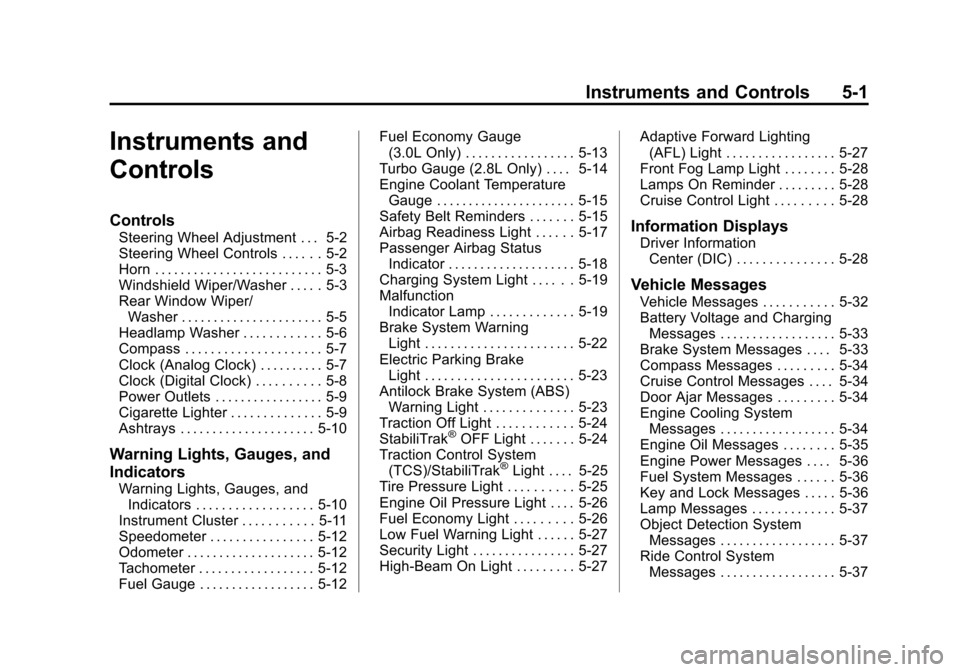
Black plate (1,1)Cadillac SRX Owner Manual - 2011
Instruments and Controls 5-1
Instruments and
Controls
Controls
Steering Wheel Adjustment . . . 5-2
Steering Wheel Controls . . . . . . 5-2
Horn . . . . . . . . . . . . . . . . . . . . . . . . . . 5-3
Windshield Wiper/Washer . . . . . 5-3
Rear Window Wiper/Washer . . . . . . . . . . . . . . . . . . . . . . 5-5
Headlamp Washer . . . . . . . . . . . . 5-6
Compass . . . . . . . . . . . . . . . . . . . . . 5-7
Clock (Analog Clock) . . . . . . . . . . 5-7
Clock (Digital Clock) . . . . . . . . . . 5-8
Power Outlets . . . . . . . . . . . . . . . . . 5-9
Cigarette Lighter . . . . . . . . . . . . . . 5-9
Ashtrays . . . . . . . . . . . . . . . . . . . . . 5-10
Warning Lights, Gauges, and
Indicators
Warning Lights, Gauges, and Indicators . . . . . . . . . . . . . . . . . . 5-10
Instrument Cluster . . . . . . . . . . . 5-11
Speedometer . . . . . . . . . . . . . . . . 5-12
Odometer . . . . . . . . . . . . . . . . . . . . 5-12
Tachometer . . . . . . . . . . . . . . . . . . 5-12
Fuel Gauge . . . . . . . . . . . . . . . . . . 5-12 Fuel Economy Gauge
(3.0L Only) . . . . . . . . . . . . . . . . . 5-13
Turbo Gauge (2.8L Only) . . . . 5-14
Engine Coolant Temperature Gauge . . . . . . . . . . . . . . . . . . . . . . 5-15
Safety Belt Reminders . . . . . . . 5-15
Airbag Readiness Light . . . . . . 5-17
Passenger Airbag Status Indicator . . . . . . . . . . . . . . . . . . . . 5-18
Charging System Light . . . . . . 5-19
Malfunction Indicator Lamp . . . . . . . . . . . . . 5-19
Brake System Warning Light . . . . . . . . . . . . . . . . . . . . . . . 5-22
Electric Parking Brake Light . . . . . . . . . . . . . . . . . . . . . . . 5-23
Antilock Brake System (ABS) Warning Light . . . . . . . . . . . . . . 5-23
Traction Off Light . . . . . . . . . . . . 5-24
StabiliTrak
®OFF Light . . . . . . . 5-24
Traction Control System (TCS)/StabiliTrak
®Light . . . . 5-25
Tire Pressure Light . . . . . . . . . . 5-25
Engine Oil Pressure Light . . . . 5-26
Fuel Economy Light . . . . . . . . . 5-26
Low Fuel Warning Light . . . . . . 5-27
Security Light . . . . . . . . . . . . . . . . 5-27
High-Beam On Light . . . . . . . . . 5-27 Adaptive Forward Lighting
(AFL) Light . . . . . . . . . . . . . . . . . 5-27
Front Fog Lamp Light . . . . . . . . 5-28
Lamps On Reminder . . . . . . . . . 5-28
Cruise Control Light . . . . . . . . . 5-28
Information Displays
Driver Information Center (DIC) . . . . . . . . . . . . . . . 5-28
Vehicle Messages
Vehicle Messages . . . . . . . . . . . 5-32
Battery Voltage and ChargingMessages . . . . . . . . . . . . . . . . . . 5-33
Brake System Messages . . . . 5-33
Compass Messages . . . . . . . . . 5-34
Cruise Control Messages . . . . 5-34
Door Ajar Messages . . . . . . . . . 5-34
Engine Cooling System Messages . . . . . . . . . . . . . . . . . . 5-34
Engine Oil Messages . . . . . . . . 5-35
Engine Power Messages . . . . 5-36
Fuel System Messages . . . . . . 5-36
Key and Lock Messages . . . . . 5-36
Lamp Messages . . . . . . . . . . . . . 5-37
Object Detection System Messages . . . . . . . . . . . . . . . . . . 5-37
Ride Control System Messages . . . . . . . . . . . . . . . . . . 5-37
Page 148 of 498

Black plate (2,1)Cadillac SRX Owner Manual - 2011
5-2 Instruments and Controls
Airbag System Messages . . . . 5-38
Safety Belt Messages . . . . . . . 5-38
Anti-Theft Alarm SystemMessages . . . . . . . . . . . . . . . . . . 5-38
Service Vehicle Messages . . . 5-38
Starting the Vehicle
Messages . . . . . . . . . . . . . . . . . . 5-38
Tire Messages . . . . . . . . . . . . . . . 5-39
Transmission Messages . . . . . 5-39
Vehicle Reminder Messages . . . . . . . . . . . . . . . . . . 5-40
Washer Fluid Messages . . . . . 5-40
Vehicle Personalization
Vehicle Personalization . . . . . . 5-40
Universal Remote System
Universal Remote System . . . 5-46
Universal Remote System Programming . . . . . . . . . . . . . . . 5-46
Universal Remote System Operation . . . . . . . . . . . . . . . . . . 5-49
Controls
Steering Wheel
Adjustment
To adjust the steering wheel:
1. Pull the lever down.
2. Move the steering wheel up
or down. 3. Pull or push the steering wheel
closer or away from you.
4. Pull the lever up to lock the steering wheel in place.
Do not adjust the steering wheel
while driving.
Steering Wheel Controls
Use these controls, if equipped, to
make audio adjustments at the
steering wheel.
Page 161 of 498

Black plate (15,1)Cadillac SRX Owner Manual - 2011
Instruments and Controls 5-15
Engine Coolant
Temperature Gauge
Metric
English
This gauge measures the
temperature of the vehicle's engine.
If the indicator needle moves into
the shaded area, the engine is
too hot.
If the vehicle has been operating
under normal driving conditions, pull
off the road, stop the vehicle and
turn off the engine as soon as
possible.
Safety Belt Reminders
Driver Safety Belt Reminder
Light
There is a driver safety belt
reminder light on the instrument
panel cluster.
When the engine is started this
light and a chime come on and stay
on for several seconds to remind
drivers to fasten their safety belts.
The light also begins to flash.
This cycle repeats if the driver
remains unbuckled and the vehicle
is moving.
If the driver safety belt is already
buckled, neither the light nor chime
come on.
Page 162 of 498

Black plate (16,1)Cadillac SRX Owner Manual - 2011
5-16 Instruments and Controls
Passenger Safety Belt
Reminder Light
When the engine is started this light
and the chime come on and stay on
for several seconds to remind the
passenger to fasten their safety belt.
The light also begins to flash.
This cycle repeats if the passenger
remains unbuckled and the vehicle
is moving.If the passenger safety belt is
buckled, neither the chime nor the
light comes on.
The front passenger safety belt
warning light and chime may turn on
if an object is put on the seat such
as a briefcase, handbag, grocery
bag, laptop or other electronic
device. To turn off the warning light
and/or chime, remove the object
from the seat or buckle the
safety belt.
Second Row Passenger Belt
Reminder Light
When the engine is started and the
Trip/Fuel display is chosen, three
gray seatbelt symbols come on
and stay on for several seconds
on the top of the Driver information
Center (DIC) to remind passengers
to fasten their safety belts.
Page 163 of 498

Black plate (17,1)Cadillac SRX Owner Manual - 2011
Instruments and Controls 5-17
If the Vehicle Information display
is selected, a full page screen
displays at start-up that has the
three seatbelt symbols.
Once the passenger seatbelt is
buckled, the corresponding seat
belt symbol in the DIC turns green.
There are no seat position sensors
in the seat. If a seatbelt is not
initially buckled, the cluster
continues to show the gray
seatbelt icon.
While the vehicle is moving, if a
second row passenger that was
previously buckled becomes
unbuckled, a full screen warning
displays with the corresponding
seat belt indicator flashing red.
A chime may sound.
Acknowledge warning messages by
pressing any of the DIC switches.Airbag Readiness Light
This light shows if there is an
electrical problem. The system
check includes the airbag sensor,
the pretensioners, the airbag
modules, the wiring, and the crash
sensing and diagnostic module.
For more information on the airbag
system, seeAirbag System on
page 3‑30.
The airbag readiness light comes on
and stays on for several seconds
when the vehicle is started.
Then the light goes out.
{WARNING
If the airbag readiness light stays
on after the vehicle is started or
comes on while driving, it means
the airbag system might not be
working properly. The airbags in
the vehicle might not inflate in a
crash, or they could even inflate
without a crash. To help avoid
injury, have the vehicle serviced
right away.
Page 184 of 498

Black plate (38,1)Cadillac SRX Owner Manual - 2011
5-38 Instruments and Controls
SERVICE TRACTION
CONTROL
This message displays when
there is a problem with the
Traction Control System (TCS).
SeeTraction Control System (TCS)
on page 9‑34.
SPORT MODE ON
This message displays when
Sport Mode has been activated.
See Selective Ride Control on
page 9‑37 andManual Mode on
page 9‑28 for more information.
Airbag System Messages
SERVICE AIRBAG
This message displays if there is
a problem with the airbag system.
Take the vehicle to your dealer for
service.
Safety Belt Messages
BUCKLE SEATBELT
This message displays as a
reminder when the safety belt
is not buckled.
Anti-Theft Alarm System
Messages
THEFT ATTEMPTED
This message displays if the vehicle
detects a tamper condition.
Service Vehicle Messages
SERVICE AC SYSTEM
This message is displayed if there is
a problem with the air conditioning
system. Take the vehicle to your
dealer for service.
SERVICE POWER STEERING
This message is displayed if there is
a problem with the power steering
system. Take the vehicle to your
dealer for service.
SERVICE VEHICLE SOON
This message is displayed if there is
a problem with the vehicle. Take the
vehicle to your dealer for service.
Starting the Vehicle
Messages
PRESS BRAKE TO START
VEHICLE
This message is displayed when
attempting to start the vehicle
without first pressing the brake
pedal.
SERVICE KEYLESS START
SYSTEM
This message is displayed if there
is a problem with the keyless start
system. Take the vehicle to your
dealer for service.
Page 278 of 498

Black plate (2,1)Cadillac SRX Owner Manual - 2011
9-2 Driving and Operating
Towing
General TowingInformation . . . . . . . . . . . . . . . . . 9-54
Driving Characteristics and Towing Tips . . . . . . . . . . . . . . . . 9-54
Trailer Towing . . . . . . . . . . . . . . . . 9-58
Towing Equipment . . . . . . . . . . . 9-61
Trailer Sway
Control (TSC) . . . . . . . . . . . . . . 9-62
Conversions and Add-Ons
Add-On ElectricalEquipment . . . . . . . . . . . . . . . . . 9-62
Driving Information
Defensive Driving
Defensive driving means “always
expect the unexpected.” The first
step in driving defensively is to wear
your safety belt. See Safety Belts on
page 3‑14.
{WARNING
Assume that other road users
(pedestrians, bicyclists, and
other drivers) are going to be
(Continued)
WARNING (Continued)
careless and make mistakes.
Anticipate what they might do
and be ready. In addition:
.Allow enough following
distance between you and
the driver in front of you.
.Focus on the task of driving.
Driver distraction can cause
collisions resulting in injury or
possible death. These simple
defensive driving techniques
could save your life.