2011 CADILLAC SRX ignition
[x] Cancel search: ignitionPage 108 of 498

Black plate (44,1)Cadillac SRX Owner Manual - 2011
3-44 Seats and Restraints
Servicing the
Airbag-Equipped Vehicle
Airbags affect how the vehicle
should be serviced. There are
parts of the airbag system in
several places around the vehicle.
Your dealer and the service manual
have information about servicing
the vehicle and the airbag system.
To purchase a service manual, see
Service Publications Ordering
Information on page 13‑15.
{WARNING
For up to 10 seconds after the
ignition is turned off and the
battery is disconnected, an airbag
can still inflate during improper
service. You can be injured if you
are close to an airbag when it
inflates. Avoid yellow connectors.
They are probably part of the
airbag system. Be sure to follow
proper service procedures, and
make sure the person performing
work for you is qualified to do so.
Adding Equipment to the
Airbag-Equipped Vehicle
Q: Is there anything I might addto or change about the vehicle
that could keep the airbags
from working properly?
A: Yes. If you add things that
change the vehicle's frame,
bumper system, height, front end
or side sheet metal, they may
keep the airbag system from
working properly. Changing or
moving any parts of the front
seats, safety belts, the airbag
sensing and diagnostic module,
steering wheel, instrument
panel, roof-rail airbag modules,
ceiling headliner or pillar garnish
trim, overhead console, front
sensors, side impact sensors,
rollover sensor module, airbag
wiring, or cargo restraint system
and convenience net can affect
the operation of the airbag
system.
Page 149 of 498

Black plate (3,1)Cadillac SRX Owner Manual - 2011
Instruments and Controls 5-3
y/z:Press theybutton to
select the next favorite radio station
or next CD, DVD, if equipped,
or MP3 track.
Press the
zbutton to select the
previous favorite radio station or
previous CD, DVD, if equipped,
or MP3 track.
+
x− (Volume): Press + to
increase the volume, press −to
decrease the volume.
b/g(Push to Talk): For vehicles
with an OnStar®, Bluetooth®,
or navigation system, press
to interact with those systems.
See Bluetooth (Overview ) on
page 7‑51 orBluetooth
(Infotainment Controls) on
page 7‑52 orBluetooth (Voice Recognition) on page 7‑57,
the OnStar Owner's guide,
or the separate navigation
manual for more information.
/
c(End Call / Mute):
Press to
silence the vehicle speakers only.
Press again to turn the sound
on. For vehicles with OnStar
or Bluetooth systems, press to
reject an incoming call, or end
a current call.
SRCE: Press to select an audio
source.
Horn
Press near the horn symbols or
press on the steering wheel pad to
sound the horn.
Windshield Wiper/Washer
The windshield wiper/washer lever
is located on the right side of the
steering column. With the ignition
in ACC/ACCESSORY or ON/RUN/
START, move the windshield wiper
lever to select the wiper speed.
2: Fast wipes.
1: Slow wipes.
Page 150 of 498

Black plate (4,1)Cadillac SRX Owner Manual - 2011
5-4 Instruments and Controls
&(Adjustable Interval Wipes):
Turn the
&band up for more
frequent wipes or down for less
frequent wipes. If the vehicle
has Rainsense™, see following
Rainsense™ information.
((Off):Turns the wipers off.
8(Mist): Single wipe, briefly
move the wiper lever down. Several
wipes, hold the wiper lever down.
Clear snow and ice from the wiper
blades before using them. If frozen
to the windshield, carefully loosen
or thaw them. Damaged blades
should be replaced. See Wiper
Blade Replacement on page 10‑31.
Heavy snow or ice can overload the
wiper motor. Wipe Parking
If the ignition is turned LOCK/OFF
while the wipers are on 1, 2 or
&,
they will immediately stop.
If the windshield wiper lever is then
moved to OFF before the driver
door is opened or within 10 minutes,
the wipers will restart and move to
the base of the windshield.
If the ignition is turned to LOCK/
OFF while the wipers are performing
wipes due to windshield wash, the
wipers continue to run until they
reach the base of the windshield.
Rainsense™
For vehicles with Rainsense,
a sensor located near the top
center of the windshield detects the
amount of water on the windshield
and automatically controls the
frequency of the windshield wiper.
Keep this area of the windshield
clear of debris to allow for best
system performance.
&(Rainsense Wipe Sensitivity
Control): Move the windshield
wiper lever to
&. Turn the band
on the wiper lever to adjust the
sensitivity.
Turn the band up for more
sensitivity to moisture.
Turn the band down for less
sensitivity to moisture.
To deactivate Rainsense, move
the windshield wiper lever out
of
&position.
Page 159 of 498

Black plate (13,1)Cadillac SRX Owner Manual - 2011
Instruments and Controls 5-13
English
When the ignition is on, the fuel
gauge indicates about how much
fuel is left in the tank.
An arrow on the fuel gauge
indicates the side of the vehicle
the fuel door is on.
When the indicator nears empty,
the low fuel light comes on. There
still is a little fuel left, but the vehicle
should be refueled soon. Here are four things that some
owners ask about. None of these
show a problem with the fuel gauge:
.At the service station, the fuel
pump shuts off before the gauge
reads full.
.It takes a little more or less
fuel to fill up than the gauge
indicated. For example, the
gauge may have indicated the
tank was half full, but it actually
took a little more or less than
half the tank's capacity to fill
the tank.
.The gauge moves a little while
turning a corner or speeding up.
.The gauge takes a few seconds
to stabilize after the ignition is
turned on, and goes back to
empty when the ignition is
turned off.
Fuel Economy Gauge
(3.0L Only)
Metric
Page 165 of 498

Black plate (19,1)Cadillac SRX Owner Manual - 2011
Instruments and Controls 5-19
Charging System Light
The charging system light comes on
briefly when the ignition is turned
on, but the engine is not running, as
a check to show the light is working.
The light turns off when the engine
is started. If it does not, have the
vehicle serviced by your dealer.If the light stays on, or comes
on while driving, there may be a
problem with the electrical charging
system. Have it checked by your
dealer. Driving while this light is on
could drain the battery.
When this light comes on, the
Driver Information Center (DIC)
also displays a message.
See
Battery Voltage and Charging
Messages on page 5‑33.
If a short distance must be driven
with the light on, be sure to turn off
all accessories, such as the radio
and air conditioner.
Malfunction
Indicator Lamp
A computer system called OBD II
(On-Board Diagnostics-Second
Generation) monitors operation
of the fuel, ignition, and emission
control systems. It ensures that
emissions are at acceptable levels
for the life of the vehicle, helping to
produce a cleaner environment.
This light should come on when the
ignition is on, but the engine is not
running, as a check to show it is
working. If it does not, have the
vehicle serviced by your dealer.
Page 168 of 498

Black plate (22,1)Cadillac SRX Owner Manual - 2011
5-22 Instruments and Controls
The vehicle may not pass
inspection if:
.The malfunction indicator lamp is
on with the engine running, or if
the light does not come on when
the ignition is turned to ON/RUN
while the engine is off.
.The critical emission control
systems have not been
completely diagnosed by the
system. This can happen if
the battery has recently been
replaced or if the battery has
run down. The diagnostic
system evaluates critical
emission control systems
during normal driving. This can
take several days of routine
driving. If this has been done
and the vehicle still does not
pass the inspection, your dealer
can prepare the vehicle for
inspection.
Brake System Warning
Light
The vehicle brake system
consists of two hydraulic circuits.
If one circuit is not working, the
remaining circuit can still work to
stop the vehicle. For normal braking
performance, both circuits need to
be working.
If the warning light comes on, there
is a brake problem. Have the brake
system inspected right away.
MetricEnglish
The brake indicator light should
come on briefly as the engine is
started. If it does not come on have
the vehicle serviced by your dealer.
{WARNING
The brake system might not be
working properly if the brake
system warning light is on.
Driving with the brake system
warning light on can lead to a
crash. If the light is still on after
the vehicle has been pulled off
the road and carefully stopped,
have the vehicle towed for
service.
If the light comes on while driving,
a chime sounds. Pull off the road
and stop. The pedal might be
harder to push or go closer to the
floor. It might also take longer to
stop. If the light is still on, have
the vehicle towed for service.
See Towing the Vehicle on
page 10‑98.
Page 169 of 498

Black plate (23,1)Cadillac SRX Owner Manual - 2011
Instruments and Controls 5-23
Electric Parking Brake
Light
MetricEnglish
For vehicles with the Electric Park
Brake (EPB), this light should come
on briefly as the engine is started.
If it does not come on, have the
vehicle serviced by your dealer.
The park brake status light comes
on when the brake is applied. If the
light continues flashing after the
park brake is released, or while
driving, there is a problem with the
Electric Parking Brake system.
A SERVICE PARKING BRAKE
message may also display in the
Driver Information Center (DIC).
See Brake System Messages on
page 5‑33 for more information. If the light does not come on,
or remains flashing, see your dealer.For vehicles with the Electric Park
Brake (EPB), the brake warning
light should come on briefly when as
the engine is started. If it does not
come on, have the vehicle serviced
by your dealer.
If this light comes on there is a
problem with a system on the
vehicle that is causing the park
brake system to work at a reduced
level. The vehicle can still be driven,
but should be taken to a dealer as
soon as possible. See
Parking
Brake on page 9‑31 for more
information.
Antilock Brake System
(ABS) Warning Light
For vehicles with the Antilock Brake
System (ABS), this light comes on
briefly when the engine is started.
If the light does not come on, have it
fixed so it will be ready to warn if
there is a problem.
If the ABS light comes on and stays
on while driving, stop as soon as
possible and turn the ignition off.
Start the engine again to reset the
system. If the light stays on after
driving at a speed above 20 km/h
(13 mph), see your dealer for
service. A chime may also sound
when the light comes on steady.
Page 171 of 498
Black plate (25,1)Cadillac SRX Owner Manual - 2011
Instruments and Controls 5-25
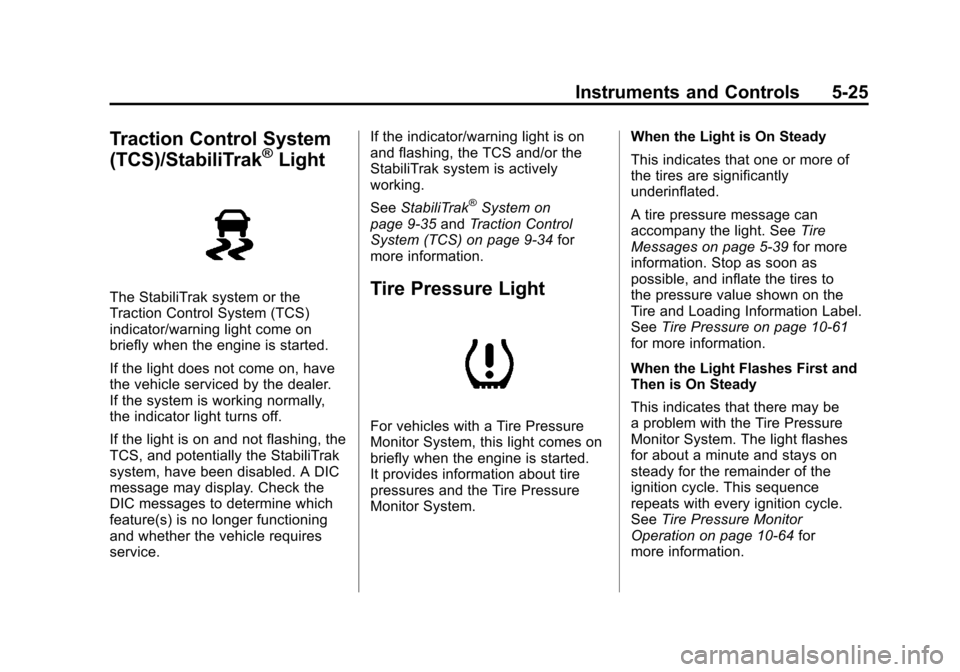
Traction Control System
(TCS)/StabiliTrak®Light
The StabiliTrak system or the
Traction Control System (TCS)
indicator/warning light come on
briefly when the engine is started.
If the light does not come on, have
the vehicle serviced by the dealer.
If the system is working normally,
the indicator light turns off.
If the light is on and not flashing, the
TCS, and potentially the StabiliTrak
system, have been disabled. A DIC
message may display. Check the
DIC messages to determine which
feature(s) is no longer functioning
and whether the vehicle requires
service.If the indicator/warning light is on
and flashing, the TCS and/or the
StabiliTrak system is actively
working.
See
StabiliTrak
®System on
page 9‑35 andTraction Control
System (TCS) on page 9‑34 for
more information.
Tire Pressure Light
For vehicles with a Tire Pressure
Monitor System, this light comes on
briefly when the engine is started.
It provides information about tire
pressures and the Tire Pressure
Monitor System. When the Light is On Steady
This indicates that one or more of
the tires are significantly
underinflated.
A tire pressure message can
accompany the light. See
Tire
Messages on page 5‑39 for more
information. Stop as soon as
possible, and inflate the tires to
the pressure value shown on the
Tire and Loading Information Label.
See Tire Pressure on page 10‑61
for more information.
When the Light Flashes First and
Then is On Steady
This indicates that there may be
a problem with the Tire Pressure
Monitor System. The light flashes
for about a minute and stays on
steady for the remainder of the
ignition cycle. This sequence
repeats with every ignition cycle.
See Tire Pressure Monitor
Operation on page 10‑64 for
more information.