2011 AUDI S8 ignition
[x] Cancel search: ignitionPage 26 of 302

24 Instruments and warning /indicator lights
to ice on the ro ad ¢ & . If the vehicle is
stationary, o r if you are dr iving at a very
l ow speed, the tempe rat ure shown in the
display might be slightly higher t han the
actua l outside temperature. This is
ca used by the heat being rad iated from
t h e eng ine.
- You can se lect the un its used for temper
atu re, speed and other measurements in
the MMI.
- Fo r information on the audio/video and
nav iga tion* functions, refer to the sepa
r ate MMI owner's manual.
Operation
The driver information system is operated us
ing the buttons on the multifunction steering
wheel.
ffi
------,±.
~
Fig. 6 Multifunct ion steer ing wheel: ope rat ing the driv
e r info rmation system
Fi g. 7 Driver infor mat ion syste m: opening t he veh icle
functio ns me nu
Operating concept
.. Swi tch the ign itio n on.
.. To switch between the tabs, press the ro cker
swi tch @ to the left o r right¢
fig. 6.
.. To access additional in format io n be low or
above, rotate the thumbw heel @ dow n or
up. ..
To confirm a selec tion, press the thumb
wheel @.
Accessing Vehicle functions
.. Sele ct the first tab with the ro cke r swit ch
@.
.. Press the button 1::::L Th e Vehicle function s
menu appears¢ fig . 7.
.. To select a menu item, turn and press t he
thumbwhee l@ .
Resetting values to zero
.. Sele ct the on-board computer / Efficiency
program
menu item in the Vehicle func
tions
men u.
.. You can now select between the long-term
memory and short-term memory.
.. To reset the values in a memory, press and
hold the thumbw heel @ for one second.
The last function selected d isp lays when you
switch the ignition on .
On-board computer
You can ca ll up the followi ng i nformation in
the on -board computer:
- Date
- Dr iv ing t ime (h) from the short-term memo-
ry
- Average consumption in MPG ( l/100 km)
from the short-te rm memory
- Average speed i n mph (km/h) from the
short-te rm memory
- Distance driven in miles (km) from the
short-term memory
- Current fuel consumption in MPG ( l/100
km)
- Short-term memory overview
- Long-te rm memory ove rview
T he short-te rm memory collects dr iv ing in for
mation from the time the ignition is switched
on unti l it is switched off. If you continue driv
ing within two ho urs after switch ing the ign i
tion off, the new values are incl uded when cal
cu lating the cu rrent trip information .
Unli ke the short-term memory, the long-term
memo ry is not erased automatically. Yo u can .,..
Page 27 of 302

Instruments and warning/indicator lights 25
select the time period for evaluating trip in
formation yourself.
For some vehicle functions, you can access the
trip information from the temporary memory
in the line(D¢page23,
fig. 5.
Efficiency program*
The efficiency program can help you to use
less fuel.
It evaluates driving information in
reference to fuel consumption and shows oth
er equipment influencing consumption as well
as sh ift recommendat ions. ¢
page 25. Fuel
economy messages ¢
page 25 provide tips
for efficient driving . The efficiency program
uses distance and consumption data from trip
computer 1 .
To display the efficiency program, call up
Ve
hicle functions and select the menu option
Efficiency program. If the data are deleted in
the efficiency program , those values are also
reset in trip computer .
@ Tips
-All stored values will be lost if the vehi
cle battery is disconnected.
- Fuel consumptions (average and cur rent), range and speed are displayed in
metric units on Canadian models.
Other equipment
Applies to vehicles: with efficiency program
Fig. 8 Tri p comp uter: other equ ipment
Requirement : The efficiency program must be
displayed
¢ page 25 .
.,. Turn the thumbwheel until the other equip
ment appears in the display. Other equipment that is currently affecting
fuel consumption is listed in the efficiency program. The display shows up to three other
items of equipment @. The equipment using
the most fuel is listed first . If more than three
items using fuel are switched on, the equip
ment that is currently using the most fuel is
displayed .
A scale @also shows the current total con
sumption of all other equipment.
Fuel economy messages
App lies to vehicles: with efficiency program
Fig. 9 Display : example o f a fu el econo my m essa ge
Fuel economy messages are displayed when
fuel consumption is increased by certain con
ditions. If you follow these fuel economy mes
sages, you can reduce your vehicle's consump
tion of fuel. The messages appear automati
cally and are only displayed in the efficiency
program. The fuel economy messages turn off
automatically after a certain period of time .
.,. To turn an economy message off immediate
ly after it appears, press any button on the
multifunction steering wheel.
@ Tips
- Once you have turned a fuel economy
message off, it will only appear again af
ter you turn the ignition on again.
- The fuel economy messages are not dis
played in every instance, but rather in in
tervals
over a period of time.
Page 28 of 302
26 Instruments and warning/indicator lights
Odometer
Fig . 10 In str ument cl uster Odo mete r an d reset b utto n
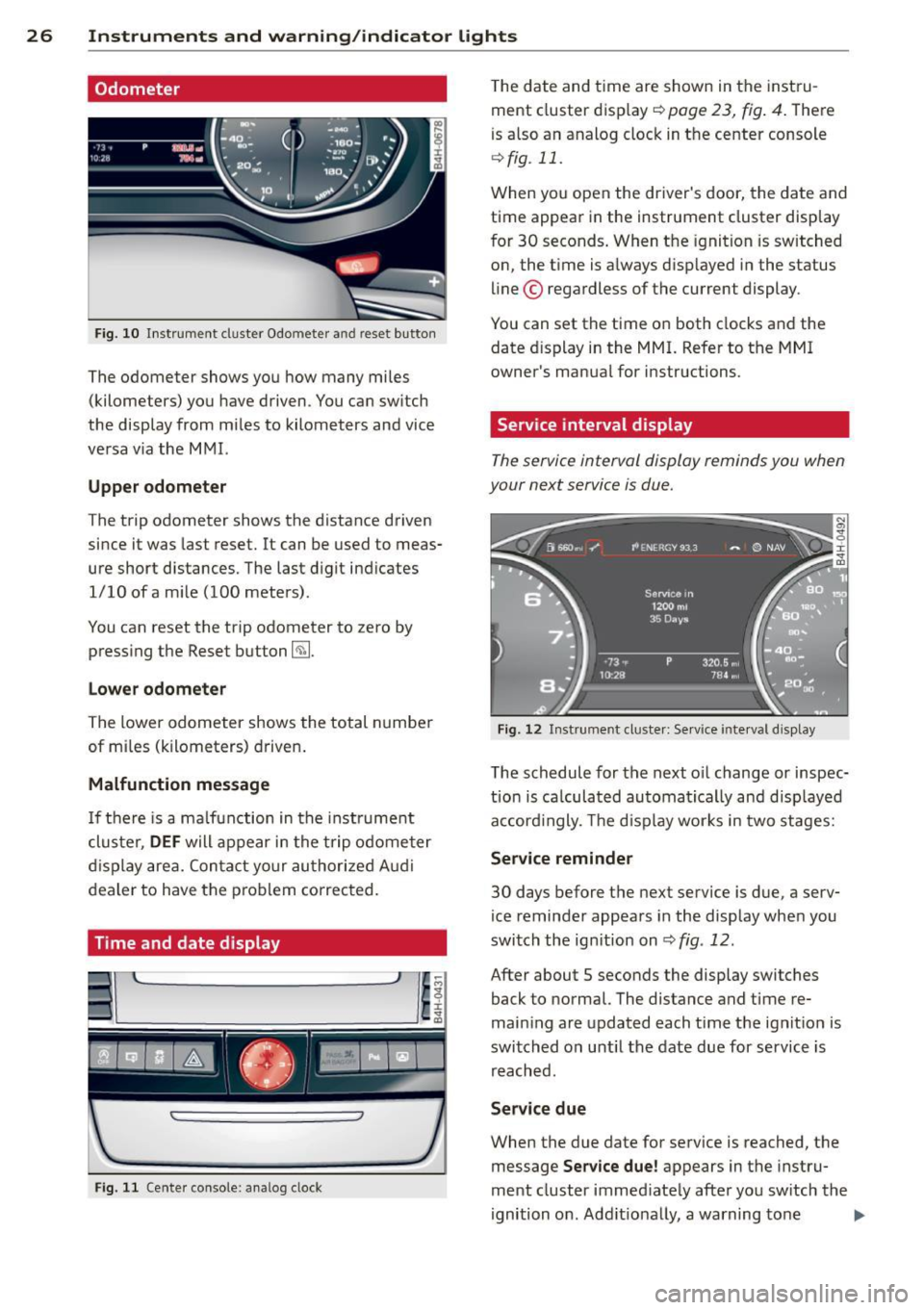
The odometer shows yo u how many mi les
(kilometers) you have driven . Y o u can sw itch
the display from mi les to kilometers and vice
ve rsa v ia the M MI.
Upper odometer
The trip odometer shows the distance driven
since it was last reset. It can be used to meas
ure short distances. The last d igit ind icates
1/10 ofa m ile (100 mete rs) .
You can reset the trip odometer to zero by press ing the Reset button ~-
Lower odometer
The lower odometer shows the total n umber
of mi les (k ilometers) d rive n.
Malfunction message
If th ere is a ma lfunction in the instrume nt
clu ster,
DEF will appear in the t rip o dome te r
di sp lay are a. Con ta ct yo ur au tho riz e d Audi
dealer to have the prob lem correc ted.
Time and date display
F ig . 11 Cente r console: analog clock
T he date and time are shown in the inst ru
ment cluster display ~
page 23, fig . 4 . The re
is a lso an analog cloc k in t he center console
¢ fig . 11.
W hen yo u open the driver's door, the da te and
time appear in the instrument cluster disp lay
f or 30 seconds . When t he ignition is sw itched
on, the t ime is a lways d isp layed i n the status
line © regardless of the current display .
You can set the time o n both clocks and the
date d isplay in the MMI. Refer to the MMI
owner 's manua l for i nstructions.
Service interval display
The service interval display reminds you when
your next service is due.
Fi g. 12 Instrument cl uste r: Se rvice inte rva l d is pl ay
The schedule for the next o il change or inspec
t io n is ca lculat ed au toma tica lly an d disp layed
a cc ord ingly. The d isp lay wor ks in two stages:
Service reminder
30 days before the next serv ice is due, a serv
ice reminde r appea rs in the display whe n you
switch the ig nition on
¢ fig . 12.
After about 5 seconds the display switches
back to normal. The distance and time re
main ing a re updated each t ime the ignit ion is
swi tched on u ntil the date due for service is
r e ach ed.
Service due
When the due date for service is reached, t he
message
Service due! appears in the instru
ment cluster immed iate ly afte r yo u sw itch the
ignition on . Add it io na lly, a warning to ne .,.
Page 31 of 302

Opening and closing Keys
Key set
Fig. 15 Key set
@ Remote control key with mechanical
key
You can centrally lock and unlock your vehicle
and start the engine with the master key with
remote control. A mechanical key is integrat
ed in the remote control key¢
page 30.
® Emergency key
The emergency key is not intended for con
stant use.
It should only be used in an emer
gency. Keep it in a safe place and do not carry
it on your key ring .
Key replacement
If you lose a key, contact your authorized Audi
dealer immediately to have the
lost key disa
bled. Be sure to bring all your keys with you.
Personal comfort settings
If two peop le use one vehicle, it is recom
mended that each person always uses "their
own" master key . When the ignition is switch
ed
off or when the vehicle is locked, personal
conven ience settings for the follow ing sys
tems are stored and ass igned to the remote
master key.
- Automatic climate control
- Central locking system
- Rear window sun blind
- Amb ient lighting
- Seat memory
- Parking system*
Opening and closing 29
- Adaptive cruise control*
- Audi lane assist*
-Audi side assist*
-Audi drive select
- Night vision assistant*
- Heated steering wheel*
The stored settings are automatically recalled
when you unlock the vehicle, when you open
the doors or when you switch the ignition on.
A WARNING
---Do not leave your vehicle unattended. Al-
ways take your ignition key with you and
lock your vehicle . Entry by unauthorized
persons could endanger you or result in
theft or damage the vehicle.
- Do not leave ch ildren unattended in the
veh icle, especially with access to vehicle
keys. Unguarded access to the keys pro
vides children the opportunity to start
the engine and/or activate vehicle sys
tems such as the power windows, etc.
Unsupervised operation of any vehicle
system by children can result in serious
injury.
(!} Tips
- Th e operation of the remote control key
can be temporarily disrupted by interfer
ence from transm itters in the vic inity of
the vehicle working in the same frequen
cy range (e.g. a cell phone, radio equip
ment).
- For security reasons, replacement keys
are only ava ilable from Audi dealers.
- For Declaration of Compliance to United States FCC and Industry Canada regu la
tions¢
page 286.
Page 33 of 302

Power locking system
General description
The power locking system locks or unlocks all
doors and th e re ar l id simultan eously.
Yo u ca n lo ck and un lock t he vehicle centrally.
Y ou have the following ch oices:
- Remote master key ¢
page 32,
-Door handles with convenience key*
¢ page 33 ,
-Lock cylinder at the dr iver's door
¢ page 34, or
- Power loc king swi tch inside ¢
page 34.
Selective unlocking
When they are closed, the door and rear lid
are locked. When unlocking, you can set in t he
M MI whether only the driver's door or the en
tire veh icle sho uld be un locked
¢ page 32.
Automatic locking
The automat ic locking featu re locks all the ve
h icle doo rs and the rear lid when you drive
faster tha n 9 mph ( 15 km/h) .
The car is un locked again, when the opening
function in the power locking system sw itch
or at one of the door leve rs is actuated . The
Auto Lock function can be turned on and off in
the MMI
¢ page 32 .
Anti-theft alarm warning system
If the anti-theft alarm warning system de
tects a break -in in to the ve hicle, acoustic and
v isua l warning sig nals are triggered .
The anti -theft warning system is activated a u
tomatically when you lock the vehicle . It is de
activated when un locking using the remote
key, with t he mechanical key, and when you
sw itch the ignition o n.
The alarm also turns off whe n the alarm cycle
has expired .
Tu rn signal s
W hen you unlock the vehicle, the tur n signa ls
flash twice, when you lock it once . If they do
Opening and clo sin g 31
not flash, one of the doo rs, the rear lid o r the
hood is not locked.
Unint entionally locking yourself out
In the fo llow ing cases there safeg ua rds to
preve nt yo u loc king you r remo te mas ter key in
the ve hicl e:
- The vehi cle does not loc k w ith th e cent ral
lo cki ng swit ch¢
page 34 if the d rive r's
do or is open.
- On ve hicles with co nvenience key*, if the
most re cen tly used maste r key is in the lug
g age compartmen t, the rear lid is automat i
cally un locked again after it is closed
¢ page 35.
Do not lock your ve hicle with the remote ma s
ter key
un til all doo rs and t he rear lid are
closed. In this way yo u avoid locking yourse lf
out acc identally .
Power side door closer*
T he veh icle doo rs a re equipped with a powe r
s ide doo r closer . W hen clos ing a door, you o n
l y have to le t it fa ll light ly in to the latch. fhe
doo r will then automatically close by itself
~ .& -
A WARNING
--When you lock yo ur vehicle from o utside,
nobody - espec ia lly children - should re
main inside the vehicle. Remember,
when yo u lock the vehicle from the out
side the wi ndows cannot be o pened from
the inside.
- W hen you leave the ve hicle , always take
the ignition key w ith you . Th is w ill pre
vent pass enge rs (c hildren, for e xample)
fr om accidenta lly being lo cked in the ve
hicle sho uld they accident ally pres s the
power locking sw itch in the doors.
- Do n ot leave childr en inside the vehicle
unsupe rv ised . In an emergen cy it would
be imposs ible to open the doors from
the o utside wit hout t he key .
- App lies to vehi cles w ith power side doo r
closer *:
Page 38 of 302

36 Openin g and clo sing
- To help prevent poisonous exha ust gas
from being drawn into the vehicle, al
ways keep the rear lid closed while driv ing. Never transport objects larger than
those which fit completely into the lug gage area, because then the rear lid can
not be fully closed.
- Never leave your vehicle unattended es
pecially with the rear lid left open. A
child could c rawl into the ca r th rough the
l u ggage compa rtment and pull the lid
shut, becom ing trapped and unab le to
get out. To reduce the risk of persona l in
jury, never let children p lay in or around
yo ur vehicle . A lways keep the rear lid as
well as the vehicle doors closed when not in use.
When the veh icle is locked, the rear lid can
be unlocked separate ly by pressing the
button
c::$ on the master key . When the
rea r lid is closed aga in, it locks automat i
cally.
Power opening/closing rear lid
App lies to vehicles: with power opening/closing rear lid
The rear lid can open and close electrically.
Fig . 26 Lock ing sw it c h in rear lid
Opening the rear lid
• Press the
c:$ button on the remote cont ro l
master key b riefly . The rear lid w ill unlock .
• To ope n the rear lid, press and hold the
c:$
bu tton on t he remote con trol maste r key for
at least one second. Or
• Pull the button
c::$ in the driver's door
¢ page 35, fig . 25 br iefly. O r •
Press the handle in the rea r lid
r=;, page 35,
fig. 25.
Closing the rear lid
• Press the
c:$ butto n in the rear lid r=;, fig . 26 .
The rear l id moves to the clo sed pos ition by
itsel f and soft close locks it a utomat ica lly
c> .,&. . Or
• Switch the ignition on and pull and ho ld the
button
c::$ in the driver's door unt il the rear
lid is closed
c> .,&. . Or
• Pull down on the rear lid lightly us ing the
handle . The closing procedu re finishes auto
mat ically .
The sett ings in the MMI determine if the rear
li d can be opened using the hand le
c> page 32 .
Opening will be stopp ed immediately when:
- You press the
~ b utton on the remote con-
t rol maste r key, or
- Yo u press the~ butt on in the re ar lid, or
- You p ush the handle i n the rear lid, o r
- You p ull the
c:$ button i n the dr ive r's door,
or
- When somet hing blocks the rea r lid or
makes it d ifficult for the lid to move .
If you press one of the buttons
c::$ now, the
rear lid will ei ther open or close, depending on
its angle .
If you pu ll lightly on its handle, the rear lid
will close .
Closing will be stopped immed iately when :
- You p ress the~ button in the rea r lid, or
- You push the handle in the rear lid, or
- You release the
c:$ button on the dr iver 's
door, or
- You release the
c:$ button on the remote
control master key (veh icles w ith conven
ience key*), or
- When someth ing blocks the rear lid or
makes it d ifficult for the lid to move .
If you press one of the buttons
c::$ now, the
rear lid w ill either close or open, depending on
its angle. .,,_
Page 41 of 302

Power windows
Controls
The driver can control all power windows.
Fig. 30 Section of the driver's door: Controls
All power window switches are provided with
a two-pos ition function:
Opening the windows
"' Press the switch to the first stop and hold it
until the window reaches the desired posi
tion.
"' Press the switch briefly to the
second stop
to automatically open the window .
Closing the windows
"' Pull the switch to the first stop and hold it
until the window reaches the desired posi
t ion.
"' Pull the switch briefly to the
second stop to
automatical ly close the window.
Power window switches
@ Driver's door
@ Passenger's door
© Left rear door
@ Right rear door
® Safety button (or two safety buttons in ve
hicles with power child safety locks
<=>page38)
Child safety lock
When the safety button® c:> fig. 30 is press
ed, the LED in the button lights up. The fol
l owing features are switched off:
- The power windows in the rear doors,
Opening and closing 39
- The buttons for the power sun shades* in
the side windows,
- The buttons for the power sun shade* in the
rear window,
- Front passenger power seat adjustment*
button.
&_ WARNING ~
- When you leave your vehicle -even if on-
ly briefly - always take the ignit ion key
with you. This applies particularly when
children remain in the vehicle. Otherwise
the children could start the engine or op
erate electrical equipment (e.g. power
windows). The power windows are func
tional until the driver's door or passeng
er 's door has been opened.
- Be careful when closing the windows.
Check to see that no one is in the way, or
serious injury could result!
- When locking the vehicle from outside,
the vehicle must be unoccupied since the
windows can no longer be opened in an
emergency .
(j) Tips
- The driver can lower or ra ise the power
sun shades* in the sid e windows by using
switches © and @.
- After the ignition has been switched off,
the windows can st ill be opened or
closed for about 10 minutes. The power
windows are not switched off until the
driver's door or passenger's door has
been opened.
What to do after a malfunction
The one-touch open and close function must
be reactivated if the battery has been discon
nected.
"' Pull and ho ld the power window switch until
the window is fully closed.
"' Release the switch and then pull it again for
at leas t one second.
Page 45 of 302

Clear vision Lights
Switching the headlights on and off
Fig . 35 Instrument pane l: lig ht sw itc h wit h all -weath
er ligh ts•
The headlights only wo rk when the ignition is
switched on. Wh ile start ing the eng ine o r
when switching off the ign ition, the head
lights will go off and on ly the side marker
lights will be on .
If the system is not operating p roperly, a
war ning symbol in the dr iver information dis
p lay is d isplayed
c::, page 21 .
Light switch ·'ti- -
Tu rn the switch c::> fig . 35 to the correspond ing
position . When the lights are switched on, the
:oo: symbo l tu rns on .
0 · The lig hts are off or the dayt ime runn ing
lights are on:
- USA models: The daytime running lights
will come on automatically when the igni
t ion is on and the light switch
c::, fig . 35 is in
the
O posit ion or the AUTO position (only in
daylight cond itions). The
Daytime running
light s
function can be turned on and off in
t h e M MI
c::> page44, c::>A .
-Canada model s: The daytime running lig hts
will come on automa tically when the igni
t ion is on and the light switch
c::> fig . 35 is in
the
O position, the : oo: pos ition or the AUTO
position (only in daylight conditions) c::> A .
AUTO -Automatic headlights swi tch on and
off depend ing o n brightness, for example i n
tw ilight, during rain or in tunnels
c::, &. .
Clear vision 43
:oo: -Parking lig hts
gD -Low beam headlights
~ -All-weather lig hts* (vehicles with LED
headlights *)
c::, fig. 35
@!] -Rear fog lights*. When the rear fog lights
are on, the symbol
0$ on the switch will illu
minate .
All-weather lights*
In vehicles with all-weather lights, the front
lights are ad justed automatically so that you
are less like ly to see glare from your own
headlights, for example when dr iving on a wet
road.
Automat ic dynamic headlight range
con trol*
Your vehicle is equipped with a headlight
range cont ro l system so that the headlights
do not bl ind oncoming traff ic if the vehicle
load cha nges. The headlight range a lso ad
justs au toma tic ally when braking and acceler
at ing .
Light funct ions
The following light funct ions are availab le de
pend ing on vehicle equipment and on ly func
tion when the light switch is in the AUTO posi
t ion. You can dea ctivate these functions i n the
MM I under
Audi adaptive light c::>page 44.
Static corn ering light * (vehicles with LED
headlights o r adaptive light) - the corner ing
ligh t sw itches on automa tically w hen the
stee ring wheel is turned at a ce rtain angle at
speeds up to approximately 4 4 mph (70 km/
h) and when the turn signal is activated at
speeds up to approximate ly 25 mph (40 km/
h). The area to the s ide of the vehicle is illumi
nated better when turn ing .
Dynamic cu rve light* (vehicles with adaptive
li ght) - the curve light only functions at
speeds between approximately 6 mph (10
km/h) and 110 km/h and adapts itself to the
curves in the road.