2011 AUDI S8 belt
[x] Cancel search: beltPage 63 of 302

Head restraints
Adjusting the head restraints
Head restraints that are adjusted according
to body size, along with the safety belt, offer
effective protection .
Fig. 58 Comfort head restraints: adjusting th e s ide
bolsters
Fig. 59 Outer rear seat: adjusting the h ead restraint
Adjust the head restraint so the upper edge is
as even as possible with the top of your head.
If that is not possible, try to adjust the head
restra int so that it is as close to this position
as possible <>
page 61.
Adjusting front head restraints
• To adjust the height of the front head re
stra ints, press/push the button©
<=>page 55, fig . 51 up/down o _& .
• Vehicles with recl ining rear seat : Grasp the
sides of the passenger 's head restraint w ith
both hands and s lide it upward /downwa rd.
Adjusting rear head restraints
The center rear head restra int is not adjusta
b le .
• Grasp the sides of the head restraint with
both hands and slide it upward until you feel
it click into place
o _A.
Seats and storage 61
• To lower the head restraints, press button -
small arrow -
<> fig. 59 and slide the head re
straint all the way down.
Adjusting the side bolsters*
• To adjust the side bolsters*, press them into
the desired position <>
fig. 58.
Refer to <> page 131, Proper adjustment of
head restraints
for guidelines on how to ad
just the height of the front head restraints to
suit the occupant's body size.
_&. WARNING
-Driving without head restraints or with
head restraints that are not properly ad
justed increases the risk of serious or fa
tal neck injury dramatically.
- Never adjust the driver's or front pas
senger's seat while the vehicle is moving.
If you do this while the vehicle is moving,
you will be out of position. Always adjust the driver's or front passenger's seat
when the vehicle is not mov ing.
- Be careful when adjusting the seat
height. Check to see that no one is in the
way, or ser ious injury could result!
- Because the seats can be electrically ad
justed with the ignition off, never leave
children unattended in the veh icle. Unsu
pervised use of the electric seat adjust
ments may cause serious injury.
- Read and heed all WARNINGS
<> page 131, Proper adjustment of head
restraints.
- Vehicles w ith a pass through in the cen
ter conso le have seating for four. The
long center console between the two
rear seats is
not a seating position.
Therefore, a safety belt is not provided.
(D Tips
-To prevent the head restraints from run
ning into the headliner, they ret ract au
tomatically when moving the seat for
ward or upward.
-
Page 64 of 302

62 Seats and storage
-Correctly adjusted head restraints and
safety be lts are an extreme ly effective
combination of safety features.
Seat memory
Description
App lies to vehicles: with memory function
The memory function allows you to quickly
and easily sto re and recall personal seating
profiles for the driver, front passenger and
outer rear seats*. The memory function is op
erated through the master key and the memo ry buttons in the driver 's/front passenge r's
doors and the rear doors*.
The driver's seating profi le is stored and as
signed to the master key each time the vehicle
is locked . The seating profile is recalled auto
mat ically when the veh icle is unlocked . If two
Remote control
master key
Driver
Sec1t X
Head restraint X
Steering wheel* X
Safety belt* X
Both exterior rear-X
view mirrors*
There are two additional buttons in the rear
doors* that can be used to recall two stored
seating profiles
r:=> page 63.
Remote control key
Applies to vehicles: with memory function
To assign the driver's seat settings to the re
mote contro l key when locking the vehicle, the
function must be switched on.
• Se lect :
I CAR ! function button > Car systems
control button > Vehicle settings > Seats >
Driver seat > Remote control key> On .
(D Tips
If you do not want another driver's set
tings to be assigned to the remote control people
use one veh icle, it is recommended
that each person always uses "their own"
master key.
T wo seating profi les can be stored in each of
the driver's/front passenger's doors and one
seat ing profile in each of the rear doors*.
Once stored, these seating profiles can be re
ca lled at any time.
T he following sett ings are stored:
Memory button
Driver Front passenger Outer rear seats*
X
X
X
X
X
X X
X
X
k ey, switch off the memory function using
the MMI or the
IO FF I button ~ page 63.
Page 68 of 302

66 Seats and storage
Pass-through with ski
sack
Preparing the pass -through
Appl ies to vehicles: with pass-through and ski sack
Long objects such as skis con be transported
in the ski sock.
Fig. 65 Rear bench seat: re m oving t he protect ive cove r
Fig. 66 Rear cente r armres t: attaching the p ro tect ive
cover
.. Fold the rear center armrest and the cover
located beh ind it down .
.,. Press the button to remove the protective
cover
¢fig. 65.
.. To p rotec t the front area of the center arm
r est, position the cover as illustrated
~ fig. 66 and press the suction cups down so
they adhere.
.. Remove the ski sack and unfold it.
Loading and securing the ski sack
Applies to vehicles: with pass -through and ski sack
--~ --
--· ---
Fig. 67 Luggage compart men t: pass -through in t he
backres t
Fig. 68 Rear benc h seat: secur ing the sk i sack
Loading
.,. Fold the pass -through cover in the luggage
compartment down¢
fig. 67.
.,. Slide the pointed end of the skis into the ski
sack first¢ &. The front part of the bind
ings must be directly under the secu ring
strap on the ski sack@¢
fig. 68.
Securing
.,. Insert the securing strap ® on the ski sack
into the center safety belt latch©¢
fig. 68.
.,. Tig hten the secur ing strap @.
Securing (vehicles with full-length center
console)
In the pass-through, two securing straps are
in the hooks located in the luggage compart
ment .
.,. Hook the hooks into the front tie-downs in
the luggage compartment .
.,. Tighten the securing strap@ in the rear .
Page 69 of 302

A WARNING
-The ski sack is intended only for the
transportation of skis and other light ob
jects. To reduce the risk of serious per
sonal injury, never transport heavy or pointed objects in the ski sack.
- When brak ing rapidly or during an acci
dent, the load could be displaced and
cause i njury to occupants.
- Sharp edges on the load must be covered
for protect ion. Always fasten the belt
ti ghtly around the sack and its contents
~fig. 68.
-For safety reasons, do not t ransport
more than two pairs of skis in the ski
sack .
- You must secure the ski sack with the
strap after loading.
- Make sure all objects tha t you are trans
porting in the pass-th rough a re secured.
Otherwise they cou ld slide around during
s u dden braking maneuvers and cause in
jury.
(D Tips
- Never stow the sk i sack away when it is
still wet or damp ( for example, snow
melting from skis). Allow it to dry com
plete ly before stowing it away.
- Position skis in the ski sack w ith the
pointed ends facing the front and ski
po les w ith the pointed ends facing the
rear.
S ea ts a nd s to rage 67
Roof rack
Description and mounting locations
Additional cargo can be carried with a roof
luggage rack.
Fi g. 69 Roof r ack attac hment po ints
.,. Always read and follow the instructions pro
vided by the roof rack man ufacturer when
the roof rack system must be installed.
If luggage or cargo is to be carr ied on the
roof, you must observe the following:
- To enhance the vehicle's streamlined design,
rai n gutters have been molded i nto the roof.
It is not poss ible to use normal roof racks.
On ly ins tall a roof rack specifically designed
for your model AB. Contact the nearest Audi dea ler for information on approved modular
roof racks for your vehicle.
- On ly use roof racks approved for your vehi
cle. These approved roof racks are the basis
for a complete roof rack system. Additional
attachments or carrier systems are needed
to transport luggage and sports equipment.
We recommend using roof racks from the
Audi orig inal accessories program .
- When installing the roof rack, make sure it
is o nly mounted on the des ignated locations
on the roof
Q fig . 69 .
- We recommend that you keep the installa
tion instructions for your roof rack system
together with your Owner's literature in the
veh icle.
When sh ould the roof rack be rem oved?
-Before going through an automatic car wash
(it is best to ask the car wash operator for
adv ice)
..
Page 84 of 302
82 On the road
-Occasiona l noises when the parking
brake is applied and re leased are norma l
and are not a cause for concern .
- When the vehicle is parked, the parking
brake goes through a se lf-test cycle at
regular intervals. Any assoc iated noises
are norma l.
Parking
Various rules apply to prevent the parked ve
hicle from rolling away accidentally.
P ar king
,. Stop the vehicle w ith the foot brake.
,. Pull the switch© to apply the parking
brake.
,. Se lect the
P se lector lever position
9 page 112.
,. Turn the eng ine off q _&. .
In addition on incline s and grad es
,. Turn the steering whee l so that your vehicle
wi ll ro ll against the curb in case it should
start to move .
A WARNING
-When you leave your veh icle -even if on
ly briefly -always take the ignition key
with you. This applies particularly when children remain in the veh icle. Otherw ise
the ch ildren could sta rt t he engine, re
lease the p arking brake or operate e lec
trical equipment (e .g. power windows) .
T he re is the risk of an accident.
- When the vehicle is loc ked, no one -par
t icu la rly not children sho uld remain in
the vehicle . Locked doors make it more
difficult for emergency workers to get in
to the vehicle -putt ing lives at risk.
Start ing from rest
The starting assist function ensures that the
parking brake is released automatically upon starting.
Stopping and appl ying par kin g brake
,. Pull the switch© to apply the parking
brake.
St arting and automatic ally rel easi ng the
parking b rake
,. When you start to dr ive as usual, the park
ing brake is automat ically released and your
veh icle beg ins to move.
When stopping at a traffic signal or stopping in city traffic, the parking brake can be ap
plied . The vehicle does not have to be held
with the footbrake . The parking brake elimi
nates the tendency to creep w ith a dr ive range
engaged. As soo n as you d rive off as usual,
the pa rking brake is re leased automatically
and the vehicle s tarts to move.
Sta rting on slopes
When starting on inclines, the starting assist
prevents the veh icle from u nintent ionally roll
i ng back. The braking fo rce of the par kin g
brake is not re leased unti l su ff ic ient d riving
f orce has been built up a t the wheels.
(D Tips
Fo r safety reasons, the pa rking bra ke is re
l eased automatically o nly when t he d riv
er's safety belt is engaged in the buckle.
Starting off with a trailer
To prevent rolling back unintentionally on an
incline, do the following:
,. Keep the sw itch(®) pulled and depress the
accelerator. The pa rking brake stays applied
and p revents the vehicle from roll ing back
ward .
,. You can release the switch© once you are
sure that you are developing enough for
ward momentum at the whee ls as you de
press the acce lerator.
Page 108 of 302
106 Audi drive select
Audi drive select
Driving settings
Introduction
Aud i d rive select mak es it possible to expe ri
e nce diffe ren t types of vehi cle se ttings in o ne
ve hicl e. The dr ive r can se lect th ree
C o mfort ,
Description
The vehicle setup in each mode depends on
the vehicle's features. The engine, t ransm is
sion, steering and adapt ive a ir s uspension/
sport* are always involved. The dynamic steer
ing*, sport differential* and cornering lig ht"
can also be ad justed . The revers ible safety
belt tensioners ¢ page
188 are adap ted to
the dynamic mode.
Depending on the mode, the
Engine /Trans
mission
respond more quickly or i n a more
balanced manne r to acce le rator pedal move
men ts.
The power
Steer ing (servotronic) ¢ page 194
can also be adapted to driving situations .
The adaptive air suspension/adaptive air sus
pension sport *
(Air suspension in the MMI) is
an electronically contro lled air suspension and
dampi ng system . They are adjusted depend
ing on the selected dr iving mode , the dr ive r's
ste ering, braking and acceleration input and
the r oad s urfa ce, ve hicle speed and load . A
spor ty se tti ng i s generally use d in vehicl es
with a dap tive air s usp ension spo rt *. T he vehi
cle clea rance varies depending on the selected
mode and the speed .
Th e highway set ting is activ ated au to ma tically
when yo u drive above 75 mph (120 km/h) for
Systems Comfort
Engine /
bala nced
Transmission
Air suspension
comfortabl e
Steering comfortable
Auto and Dynamic modes in the MMI to
switch between a spo rty and a comfo rtable
driv ing mode.
You can also adjus t the se tt ing accord ing to
yo ur prefe rences in the
ind ividual mode. For
example , you can combine settings such as a
spo rty engine tuning w it h light stee ring .
more than 30 seconds in the
auto or dynamic
mode. The gro und clea rance is increased a uto
matically if the speed drops below 44 mph
(70 km/h) f or more than 120 seco nds.
Dynamic steering* changes the stee ring ratio
as a function of the dr iving speed in o rder to
optimize the driver's req uired steering effort.
This sets the steering to be less sensit ive at
highe r speeds in order to provide improved ve
hicle control. At reduced speeds, steer ing is
more direct in or der to keep the s teer ing ef
fo rt as minima l as poss ible wh en th e drive r is
maneuveri ng the vehicle . At low and average
speeds, dynam ic stee rin g* addition ally pro
vides more responsive steering performance .
T he driver can set the basic steering ratio
c h aracteristics i n the Audi dr ive se lect .
A s a c ompone nt o f the all whee l dr ive sys te m
(quat tro ®) ¢ page
19 4, th e Sport differen·
tial*
di stributes the driving powe r to t he rear
axle depending on the situation . The distri bu
tion o f power varies depending on the mode
selected. The goal is a high level of agi lity and
ability t o accelerate on curves . The ve hicle is
very respons ive to steering .
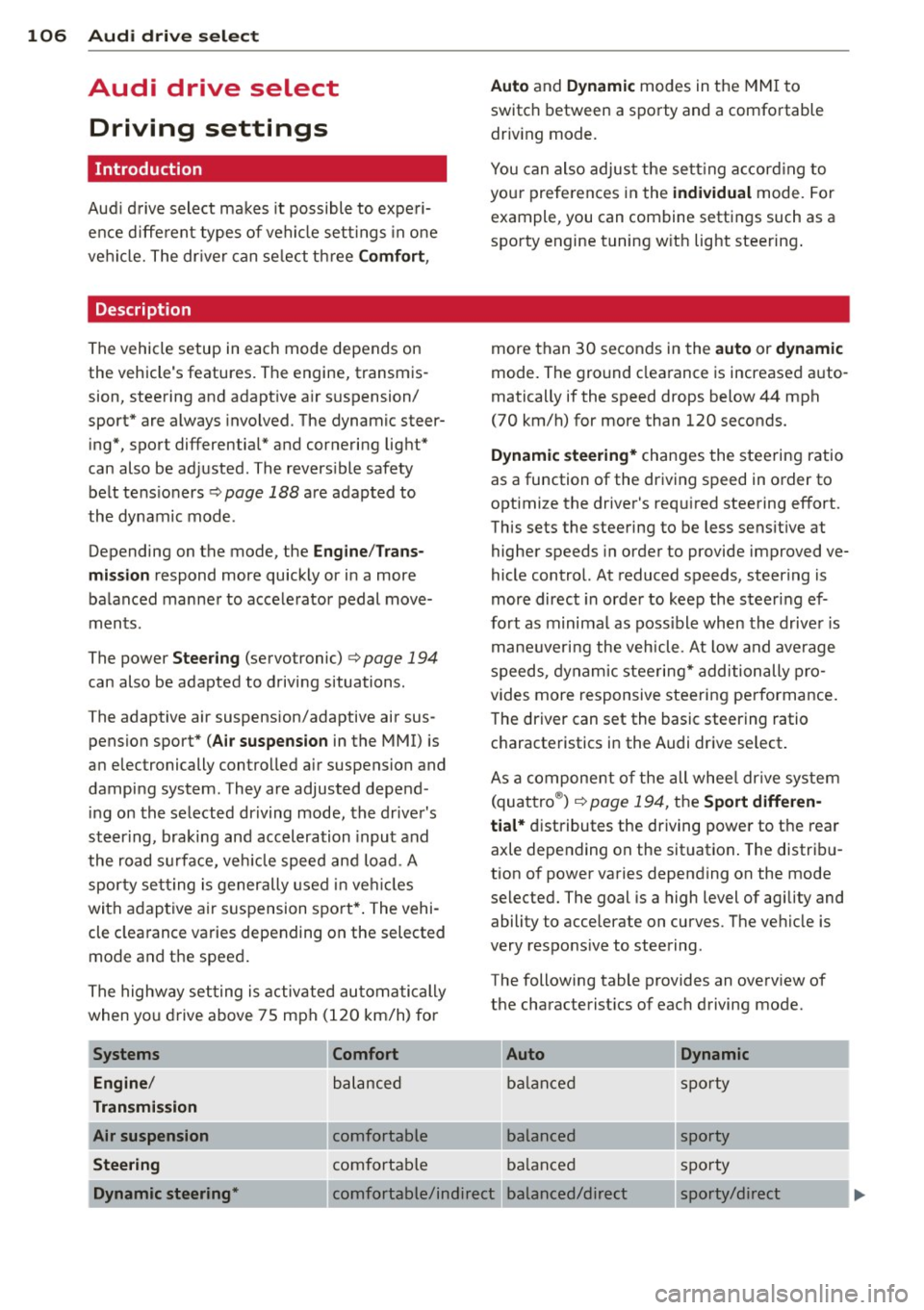
The following table provides an ove rv iew of
the characterist ics of each d riving mode.
Auto Dynamic
balance d sp orty
bala nced sporty
ba lanced sp orty
Dynamic steering* comfor table/indirec t balanced/direc t sporty/direct
Page 109 of 302

Systems Comfort
Spo rt different ial*
balanced
Belt tensioner Standard
If your vehicle is equipped with Dynam ic
steer ing*, steering settings can also be ad
justed under the
Dynamic steering* menu
item.
(D Note
- Make sure there is enough clearance
above and below the vehicle when park
i ng. The height of the vehicle can change
once it is parked due to temperature
fluctuations, changes to the load condi
tions and changes to the driving modes,
which can affect clearance .
- When transporting the veh icle on a car
carr ier, train, ship or by other means, on
ly tie the vehicle down at the running
surface of the tires, which is the outer
circumference . Secur ing the vehicle at
the axle components, suspension struts
or towing eyes is not permit ted because
the pressure in the air suspension struts
can change during transport. The vehicle
may not be secured sufficient ly if this
happens.
- If you a re going to tow a trailer, you
must activate the trailer operation mode
~ page 202.
@ Tips
-Se lecting the dynamic mode results in
sporty sh ifting character istics . The
S
gear position engages automatically .
- In vehicles that have dynamic steering*, operating noise is heard when starting or
stopping the engine. This does not indi
cate a problem.
- In vehicles with the sport d ifferential*,
the
dynamic mode is deactivated when
tow ing a trailer.
- In some models, the maximum vehicle
speed can only be reached in the
auto
and dynamic modes.
Audi drive select 107
Auto Dynamic
agile sporty
Standard Deployment time
adapted
Selecting the driving mode
You con choose between Comfort, Auto , Dy
namic and Individual.
Fig. 109 MMI : Dr ive select
.,. To select the mode, select the following in
the MMI:
ICARI function button > Comfort,
Auto , Dynamic or Individual.
You can change the driving mode when the ve
hicle is stationary or wh ile driving. If traffic
permits, after changing modes, briefly take
your foot off the accelerator pedal so that the
recently selected mode is also activated for
the engine.
Comfort
The Comfort mode prov ides a comfortable ve
hicle setting . The engine, transmission* and
sport differential* respond in a balanced man
ner when the accelerator pedal is pressed or
released. The steering moves easily and is less
direct* and the air suspension and cornering
light react comfortably. The setting is ideal
for driv ing on long stretches, such as on free
ways .
Auto
Auto
provides a comfortable yet dynamic feel.
T he setting is perfect fo r daily use.
Dynamic
Dynamic
gives the vehicle a sporty feeling.
The engine responds quickly to accelerator
Page 129 of 302

Driving Safely
General notes
Safe driving habits
Please remember -safety first!
This chapter contains important information,
tips, instructions and warnings that you need
to read and observe for your own safety, the
safety of your passengers and others . We have
summarized here what you need to know
about safety belts, airbags, ch ild restra ints as
well as child safety. You r safety is for us
priori
ty number 1.
Always observe t he information
a nd warn ings in th is sect ion - for yo ur own
safety as well as that of your passengers .
The information in this se ction applies to all
model ve rsions of your veh icle . Some of the
feat ures descr ibed in this sec tions may be
standa rd equipment on some models, or may
be optional equipment on others. If you are
not sure, ask yo ur authorized Audi dealer.
A WARNING
- Always make sure that you follow the in
st ruct ions and heed the WARNINGS i n
this Manual. It is in your interest and in
the inte rest of you r passengers.
- Always keep the complete Owner's Liter
at ure in your Audi when you lend or sell
yo ur vehicle so that this important info r
mation will always be ava ilable to the
dr iver and passenge rs.
- Always keep the Owner's lit erature handy
so that you can find i t eas ily if you have
ques tion s.
Safety equipment
The safety features are part of the occupant
restraint system and work together to help
redu ce the risk of injury in a wide variety of
accident situations .
Your safety and the safety of your passenge rs
should not be left to chance. Advances in
t echnology have made a var iety of fea tures
avai lable to he lp red uce the risk of in jury in an
Dr iving Safel y 127
accident . The following is a list of just a few of
the safety features in yo ur Audi :
- sophis ticated s afety be lts fo r drive r and a ll
passenger sea ting posit ions,
- s afety bel t prete nsio ners ,
- safety belt force lim ite rs fo r the front seats,
- safety belt he ight adjustment systems for
the front seats ,
- head restra ints
- front airbags,
- knee airbags for th e front seats
- side airbags in the front seats and outer rear
seats,
- side c urtain ai rbags,
- s pecia l LATCH an cho rages for child re-
s t raints,
- head restra ints for each sea ting pos it ion,
- adj ustab le steer ing colum n.
These ind iv idual safety features, can work to
gether as a system to help protect you and
your passengers in a wide range of accide nts .
These features cannot work as a system if
they are not always correctly adjusted and cor
r e ct ly u sed .
Safety is everybody's r esponsibility!
Important things to do before driving
Safety is everybody's job! Vehicle and occu
pant safety always depends on the informed and careful driver .
For your safety and the safety of your passen
gers,
before driv ing always:
.,. Ma ke su re that all lig hts and signa ls a re op
erating correctly .
.,. Make su re that the tire pressure is correct.
.,. Make sure that all windows are clean and af
ford good vis ibility to the outs ide .
.,. Secur e all luggage and other items caref ully
~ page 65, ~ page 70 .
.,. Ma ke s ure that nothing can in te rfere wi th
t he ped als .
.,. Adj ust front seat, head res traint and mirrors
correctly for your height.
.,. Inst ruct passengers to adjust the head re -
straints according to their height. ..,. •
•