Page 4 of 386
2
OVERVIEW
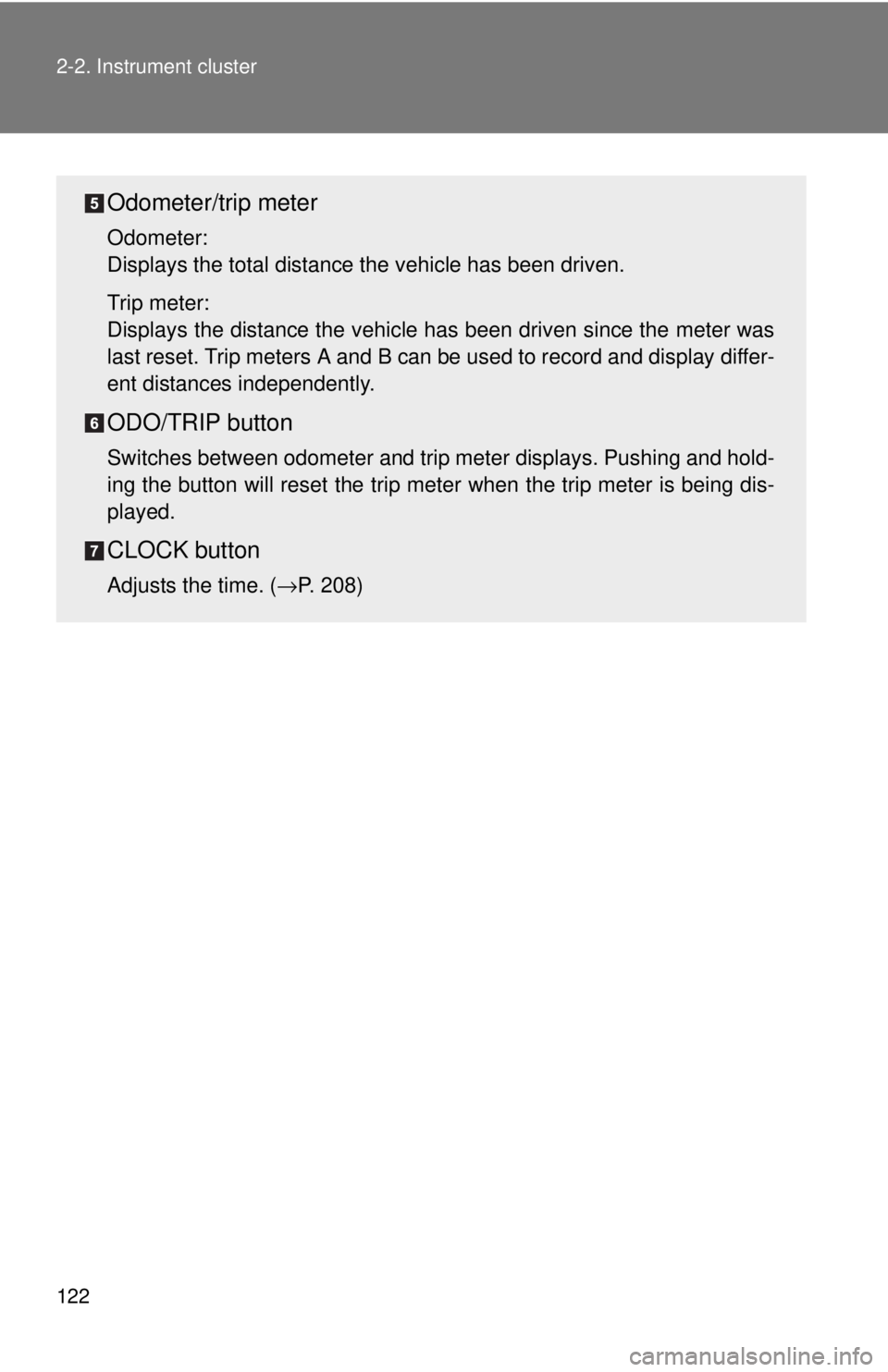
Instrument panel light control
Power rearview mirror controls*
Headlight, turn signal and front fog light* controls
Cruise control
Ignition switch
Wiper and washer controls
Emergency flasher button
Front passenger seatbelt reminder light
Clock adjust button
Odometer/Trip meter switch and trip meter reset button
Instrument panel
Page 135 of 386
122 2-2. Instrument cluster
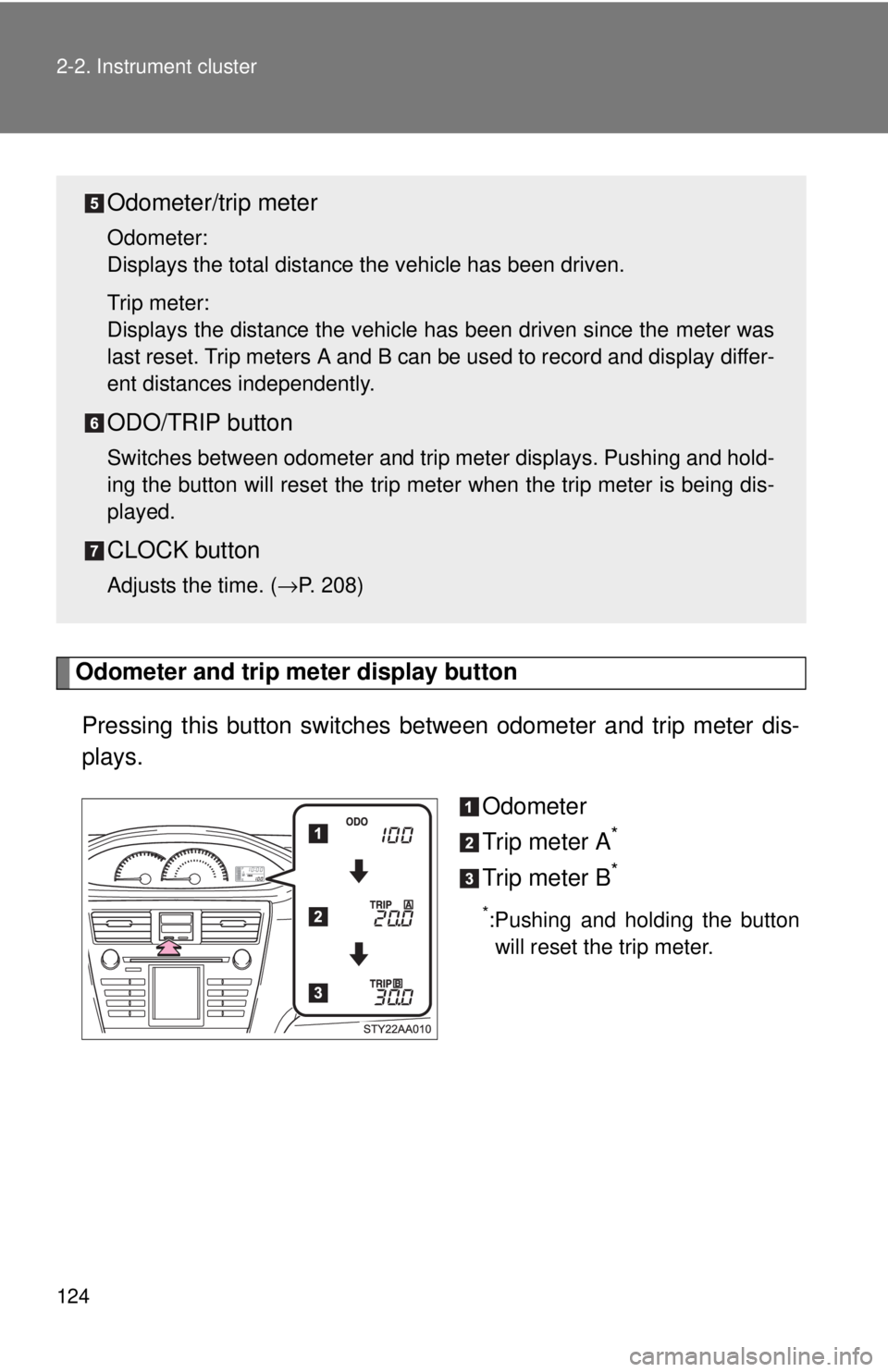
Odometer/trip meter
Odometer:
Displays the total distance the vehicle has been driven.
Trip meter:
Displays the distance the vehicle has been driven since the meter was
last reset. Trip meters A and B can be used to record and display differ-
ent distances independently.
ODO/TRIP button
Switches between odometer and trip meter displays. Pushing and hold-
ing the button will reset the trip meter when the trip meter is being dis-
played.
CLOCK button
Adjusts the time. ( →P. 208)
Page 137 of 386
124 2-2. Instrument cluster
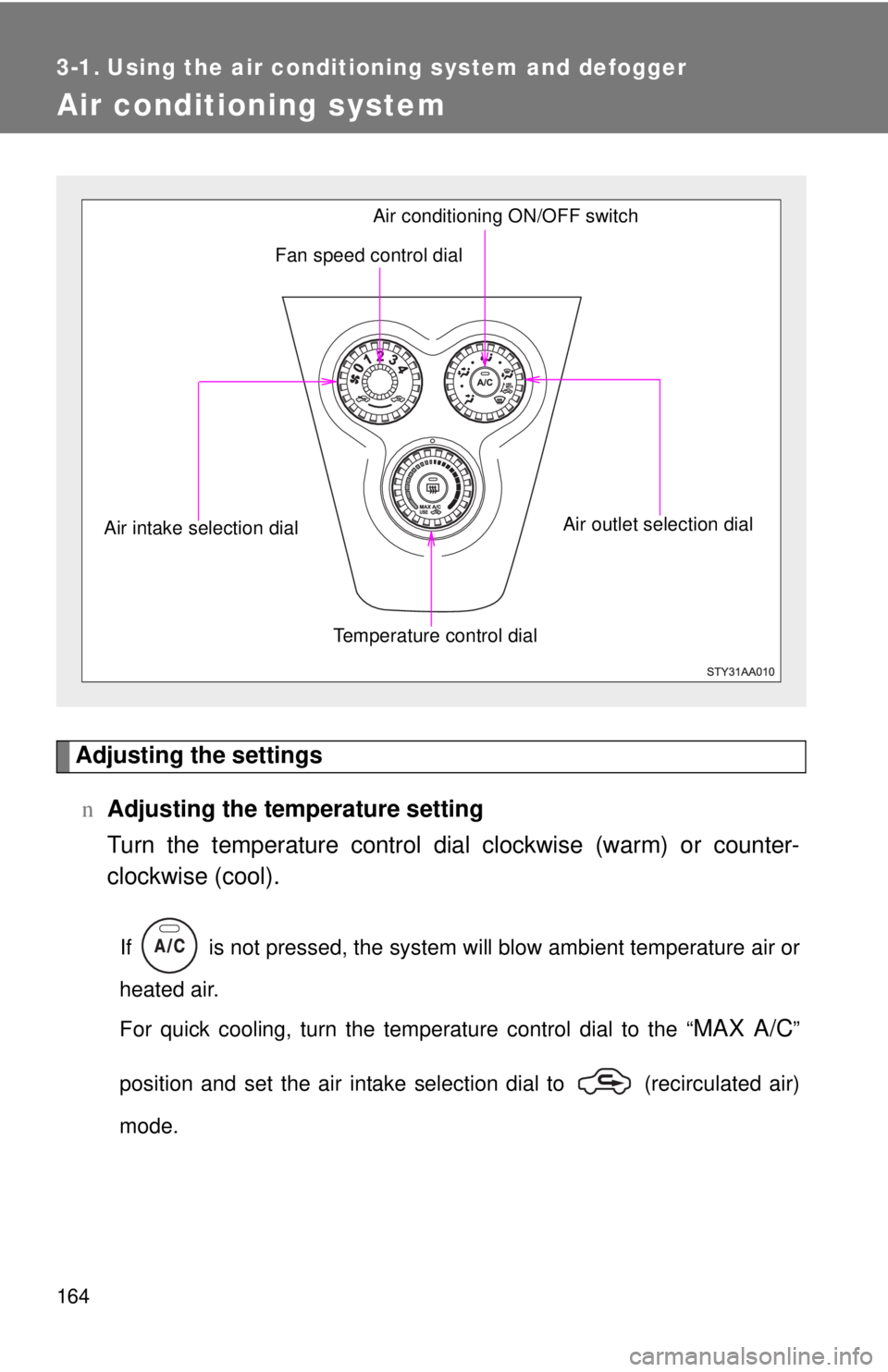
Odometer and trip meter display button
Pressing this button switches between odometer and trip meter dis-
plays.
Odometer
Trip meter A
*
Trip meter B*
*:Pushing and holding the buttonwill reset the trip meter.
Odometer/trip meter
Odometer:
Displays the total distance the vehicle has been driven.
Trip meter:
Displays the distance the vehicle has been driven since the meter was
last reset. Trip meters A and B can be used to record and display differ-
ent distances independently.
ODO/TRIP button
Switches between odometer and trip meter displays. Pushing and hold-
ing the button will reset the trip meter when the trip meter is being dis-
played.
CLOCK button
Adjusts the time. ( →P. 208)
Page 176 of 386
164
3-1. Using the air conditioning system and defogger
Air conditioning system
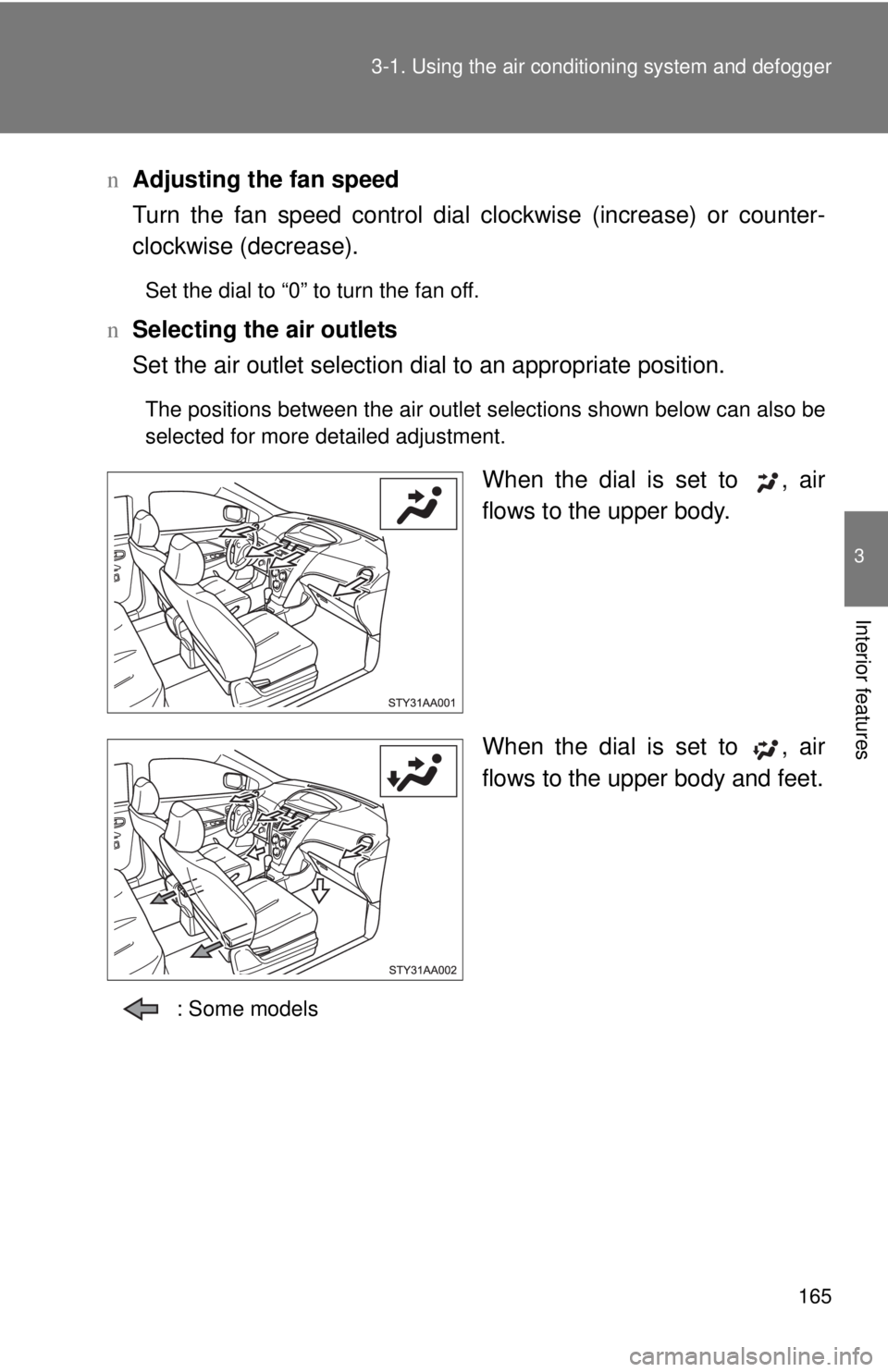
Adjusting the settingsn Adjusting the temperature setting
Turn the temperature control dial clockwise (warm) or counter-
clockwise (cool).
If is not pressed, the system will blow ambient temperature air or
heated air.
For quick cooling, turn the temperature control dial to the “
MAX A/C”
position and set the air intake selection dial to (recirculated air)
mode.
Fan speed control dial
Air outlet selection dial
Air conditioning ON/OFF switch
Temperature control dial
Air intake selection dial
Page 177 of 386
165
3-1. Using the air conditioning system
and defogger
3
Interior features
nAdjusting the fan speed
Turn the fan speed control dial clockwise (increase) or counter-
clockwise (decrease).
Set the dial to “0” to turn the fan off.
n Selecting the air outlets
Set the air outlet selection di al to an appropriate position.
The positions between the air outlet selections shown below can also be
selected for more detailed adjustment.
When the dial is set to , air
flows to the upper body.
When the dial is set to , air
flows to the upper body and feet.
: Some models
Page 220 of 386
208
3-5. Other interior features
Clock
nThe clock is displayed when
The engine switch is in the ON position.
n When disconnecting and reco nnecting battery terminals
The time display will automatically be set to 1:00.
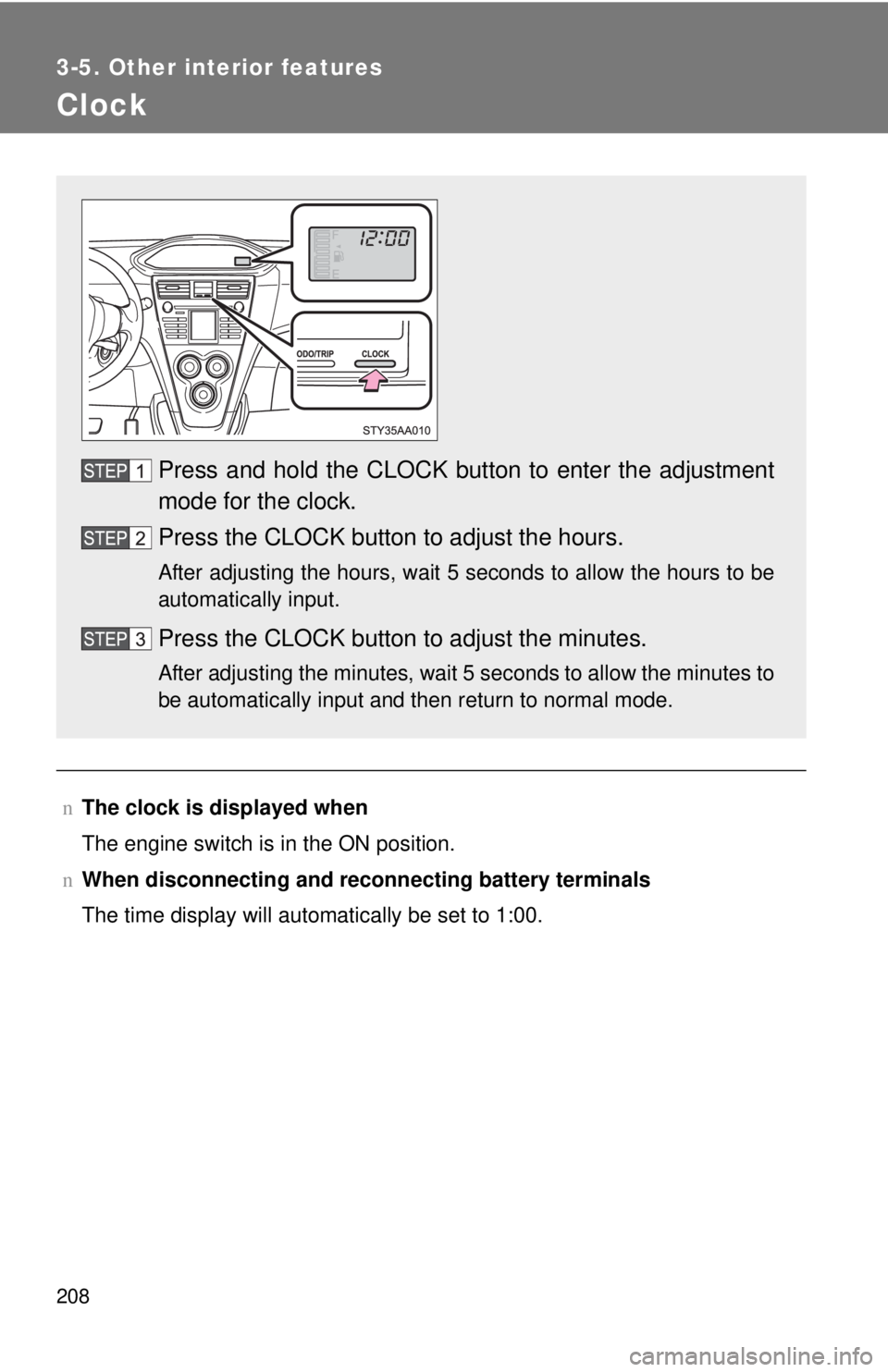
Press and hold the CLOCK button to enter the adjustment
mode for the clock.
Press the CLOCK button to adjust the hours.
After adjusting the hours, wait 5 seconds to allow the hours to be
automatically input.
Press the CLOCK button to adjust the minutes.
After adjusting the minutes, wait 5 seconds to allow the minutes to
be automatically input and then return to normal mode.