Page 244 of 592
244 3-1. Using the air conditioning system and defogger
■Using the system in recirculated air mode
The windows will fog up more easily if the recirculated air mode is used for
an extended period.
■ Window defogger feature
In order to prevent the windows from fogging up, recirculated air mode may
automatically switch to outside air mode if the ambient temperature drops.
This feature can be cancelled by pushing and holding the air circulation
mode switch for longer than 2 seconds. The feature will be reactivated when
the engine switch is turned to the “ACC” or “LOCK” position.
■ When outside air temperat ure approaches 32°F (0°C)
The air conditioning system may not operate even when is pressed.
■ When
is selected for the air outlets used
For your driving comfort, air flowing to the feet may be warmer than air flow-
ing to the upper body depending on the temperature setting.
■ When the indicator light on
flashes
Press
and turn off the air conditioning system before turning it on
once more. There may be a problem in the air conditioning system if the indi-
cator light continues to flash. Turn the air conditioning system off and have it
inspected by your Toyota dealer.
■ Air conditioning odors
●During use, various odors from inside and outside the vehicle may enter
into and accumulate in the air conditioning system. This may then cause
odor to be emitted from the vents.
● To reduce potential odors from occurring:
It is recommended that the air conditioning system be set to outside air
mode prior to turning the vehicle off.
Page 247 of 592
247
3-1. Using the air conditioning system
and defogger
3
Interior features
Adjusting the settings
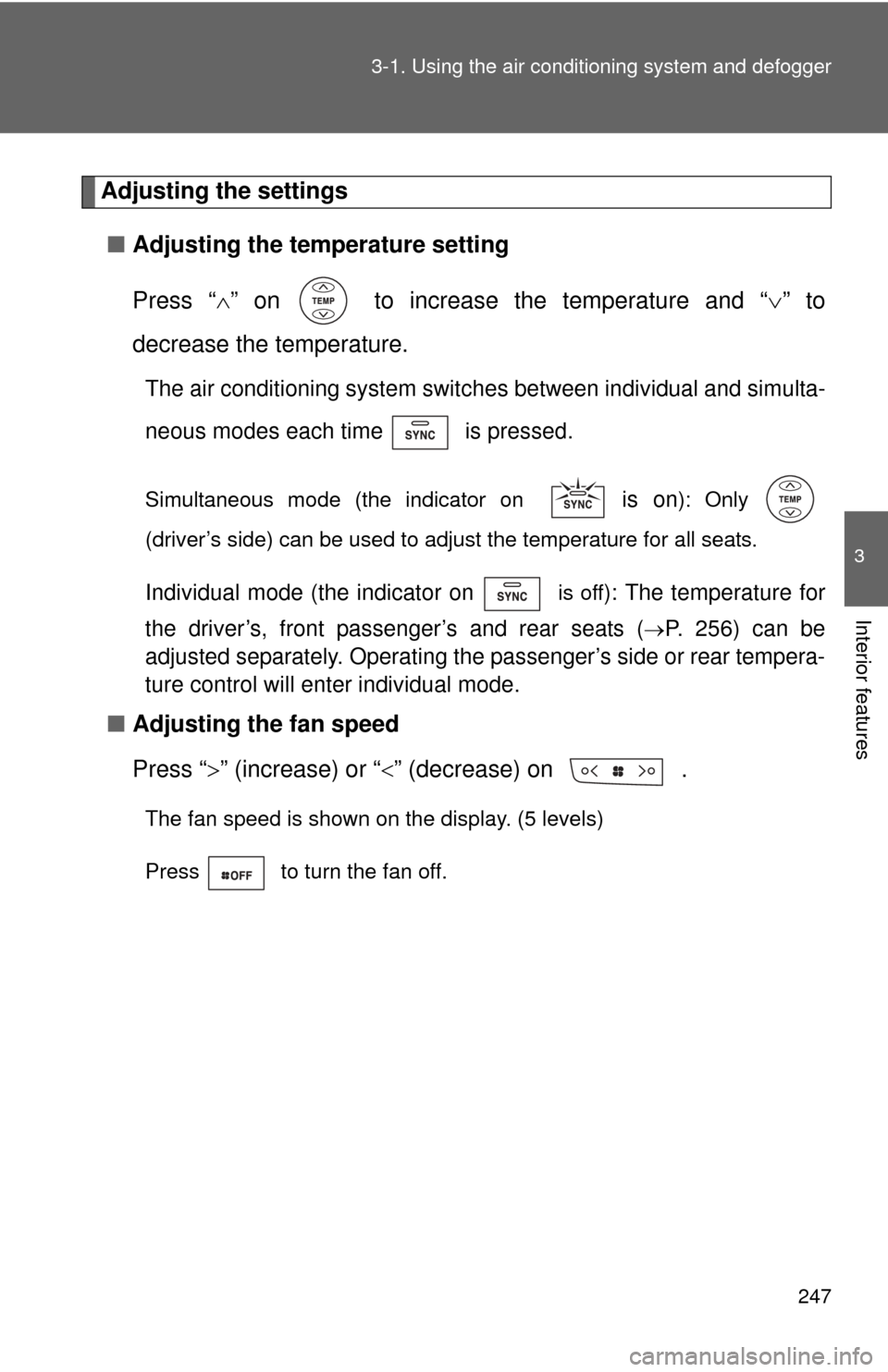
■ Adjusting the temperature setting
Press “ ” on to increase the temperature and “ ” to
decrease the temperature.
The air conditioning system switch es between individual and simulta-
neous modes each time is pressed.
Simultaneous mode (the indicator on is on): Only
(driver’s side) can be used to adjust the temperature for all seats.
Individual mode (the indicator on is off): The temperature for
the driver’s, front passenger’s and rear seats (
P. 256) can be
adjusted separately. Operating the passenger’s side or rear tempera-
ture control will enter individual mode.
■ Adjusting the fan speed
Press “ ” (increase) or “” (decrease) on .
The fan speed is shown on the display. (5 levels)
Press to turn the fan off.
Page 249 of 592
249
3-1. Using the air conditioning system
and defogger
3
Interior features
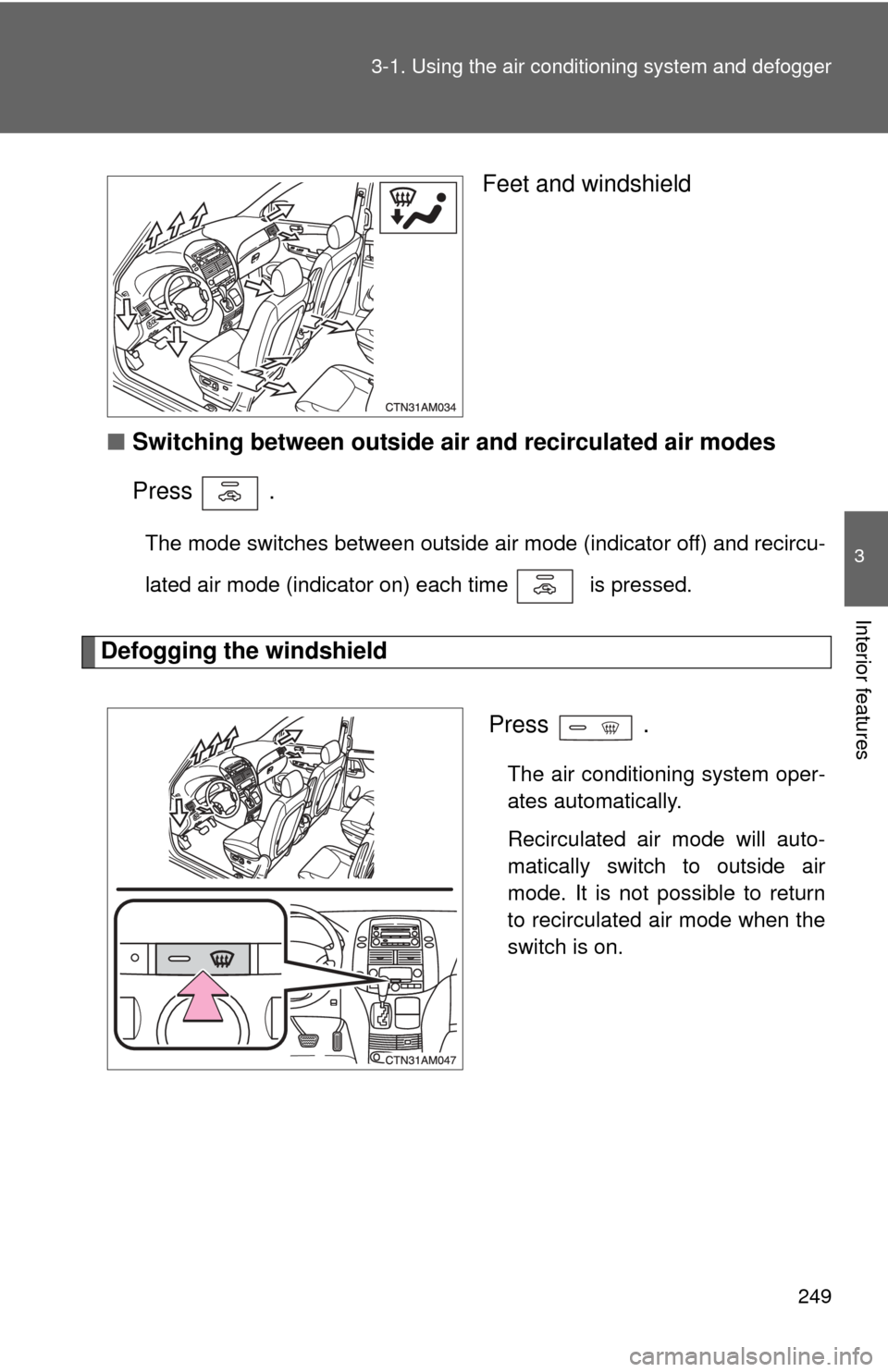
Feet and windshield
■ Switching between outside air and recirculated air modes
Press .
The mode switches between outside air mode (indicator off) and recircu-
lated air mode (indicator on) each time is pressed.
Defogging the windshield
Press
.
The air conditioning system oper-
ates automatically.
Recirculated air mode will auto-
matically switch to outside air
mode. It is not possible to return
to recirculated air mode when the
switch is on.
Page 250 of 592
250 3-1. Using the air conditioning system and defogger
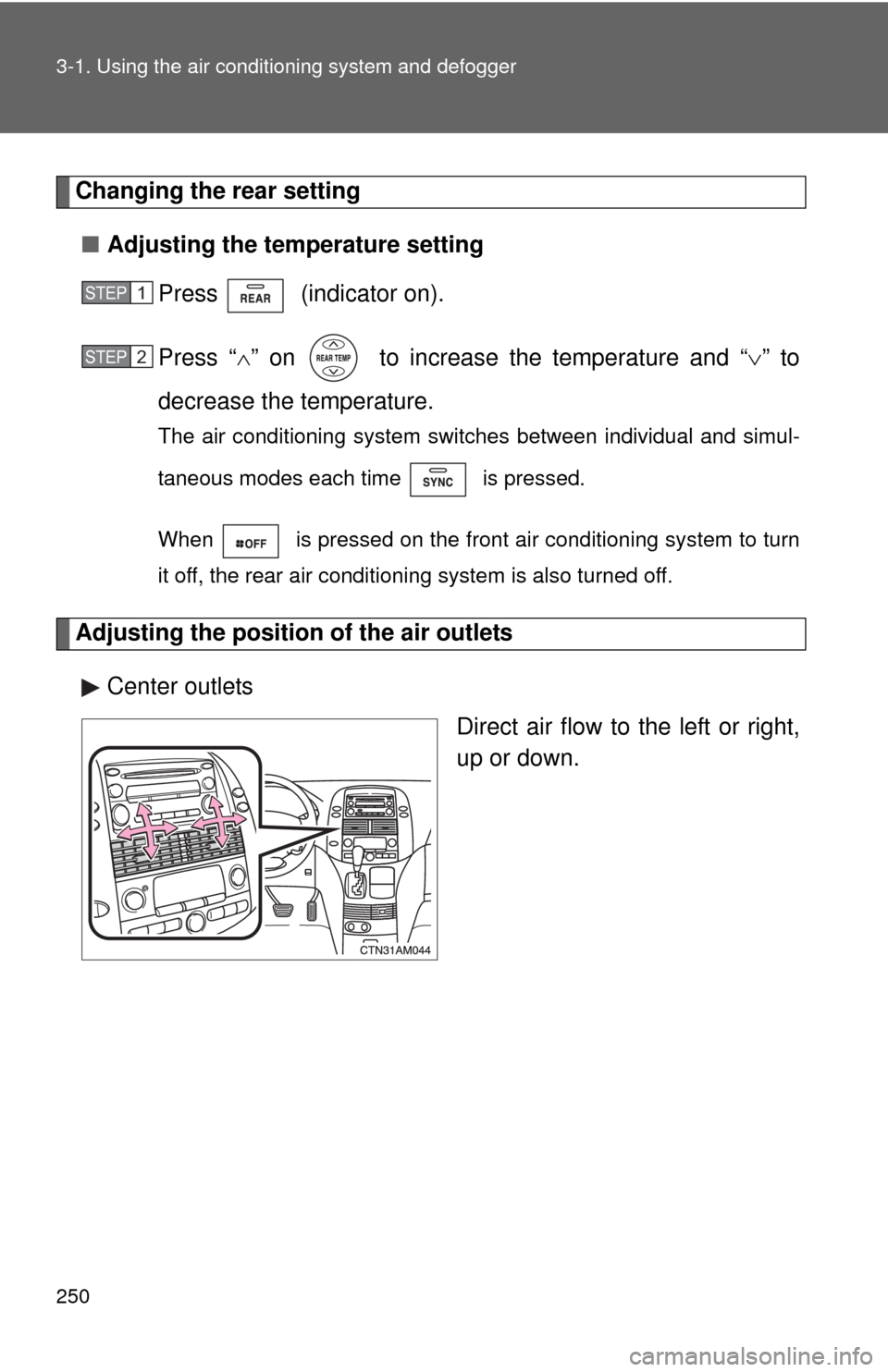
Changing the rear setting
■ Adjusting the temperature setting
Press (indicator on).
Press “ ” on to increase the temperature and “ ” to
decrease the temperature.
The air conditioning system switches between individual and simul-
taneous modes each time is pressed.
When is pressed on the front air conditioning system to turn
it off, the rear air conditioning system is also turned off.
Adjusting the position of the air outlets
Center outlets Direct air flow to the left or right,
up or down.
STEP1
STEP2
Page 252 of 592
252 3-1. Using the air conditioning system and defogger
■When is selected for the air outlets used
For your driving comfort, air flowing to the feet may be warmer than air flow-
ing to the upper body depending on the temperature setting.
■ When the indicator light on
flashes
Press
and turn off the air conditioning system before turning it on
once more. There may be a problem in the air conditioning system if the indi-
cator light continues to flash. Turn the air conditioning system off and have it
inspected by your Toyota dealer.
■ Air conditioning odors
●During use, various odors from inside and outside the vehicle may enter
into and accumulate in the air conditioning system. This may then cause
odor to be emitted from the vents.
● To reduce potential odors from occurring:
• It is recommended that the air conditioning system be set to outside air
mode prior to turning the vehicle off.
• The start timing of the blower may be delayed for a short period of time immediately after the air conditioning system is started in automatic
mode.
CAUTION
■ To prevent the windshield from fogging up
Do not use during cool air operation in extremely humid weather.
The difference between the temperature of the outside air and that of the
windshield can cause the outer surface of the windshield to fog up, blocking
your vision.
NOTICE
■To prevent battery discharge
Do not leave the air conditioning system on longer than necessary when the
engine is off.
Page 271 of 592
271
3-2. Using the audio system
3
Interior features
Using the CD player
Loading CDs■ Loading a CD
Type A
Insert a CD.
Type B and C
Press .
“WAIT” is shown on the display.
Insert a CD when the indicator on the slot turns from amber to
green.
The display changes from “WAIT” to “LOAD”.
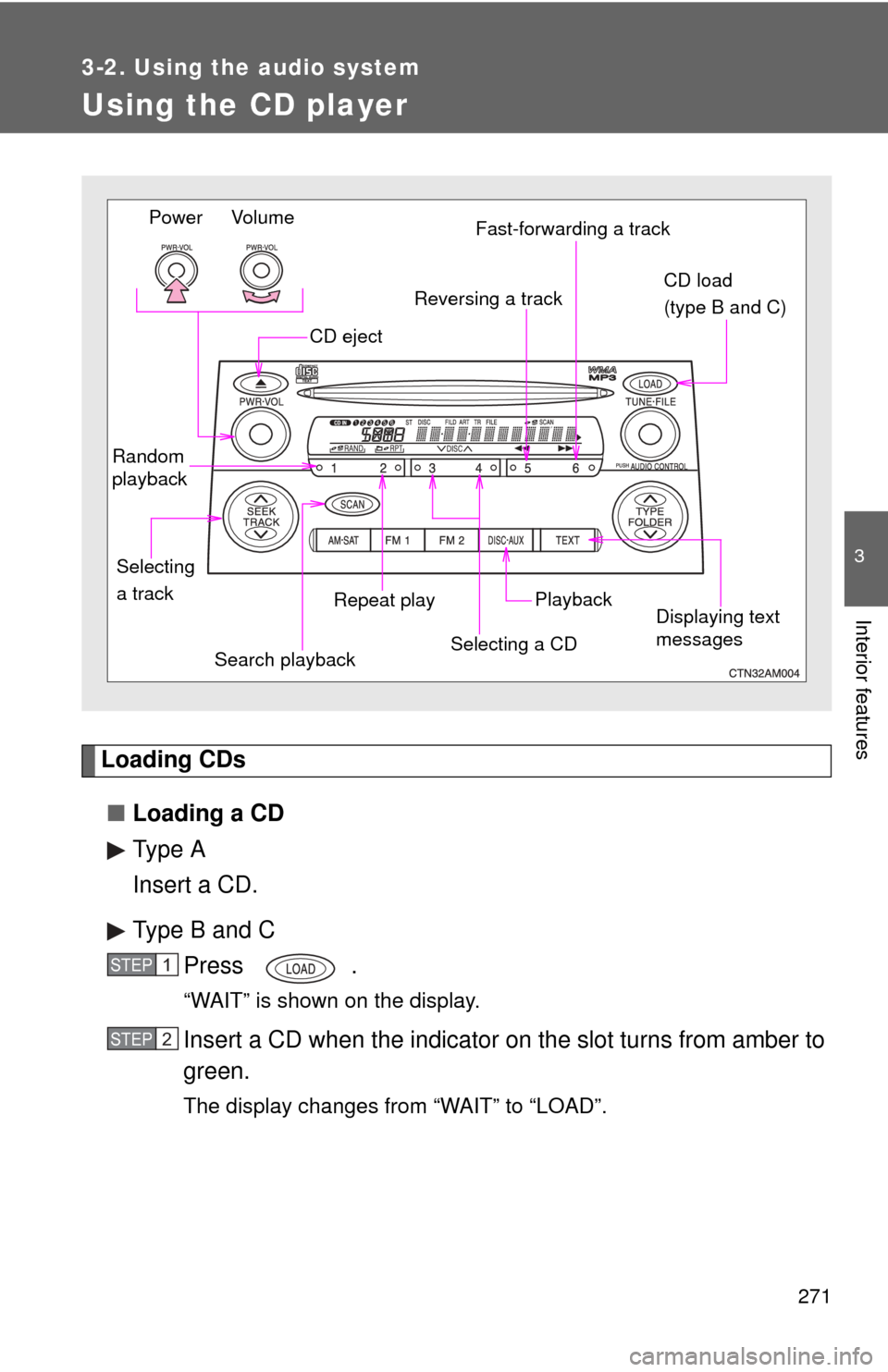
Vo lu m e
Power
Random
playback
Repeat playPlayback
CD eject
Displaying text
messages
Selecting
a track CD load
(type B and C)
Fast-forwarding a track
Selecting a CD
Reversing a track
Search playback
STEP1
STEP2
Page 272 of 592
272 3-2. Using the audio system
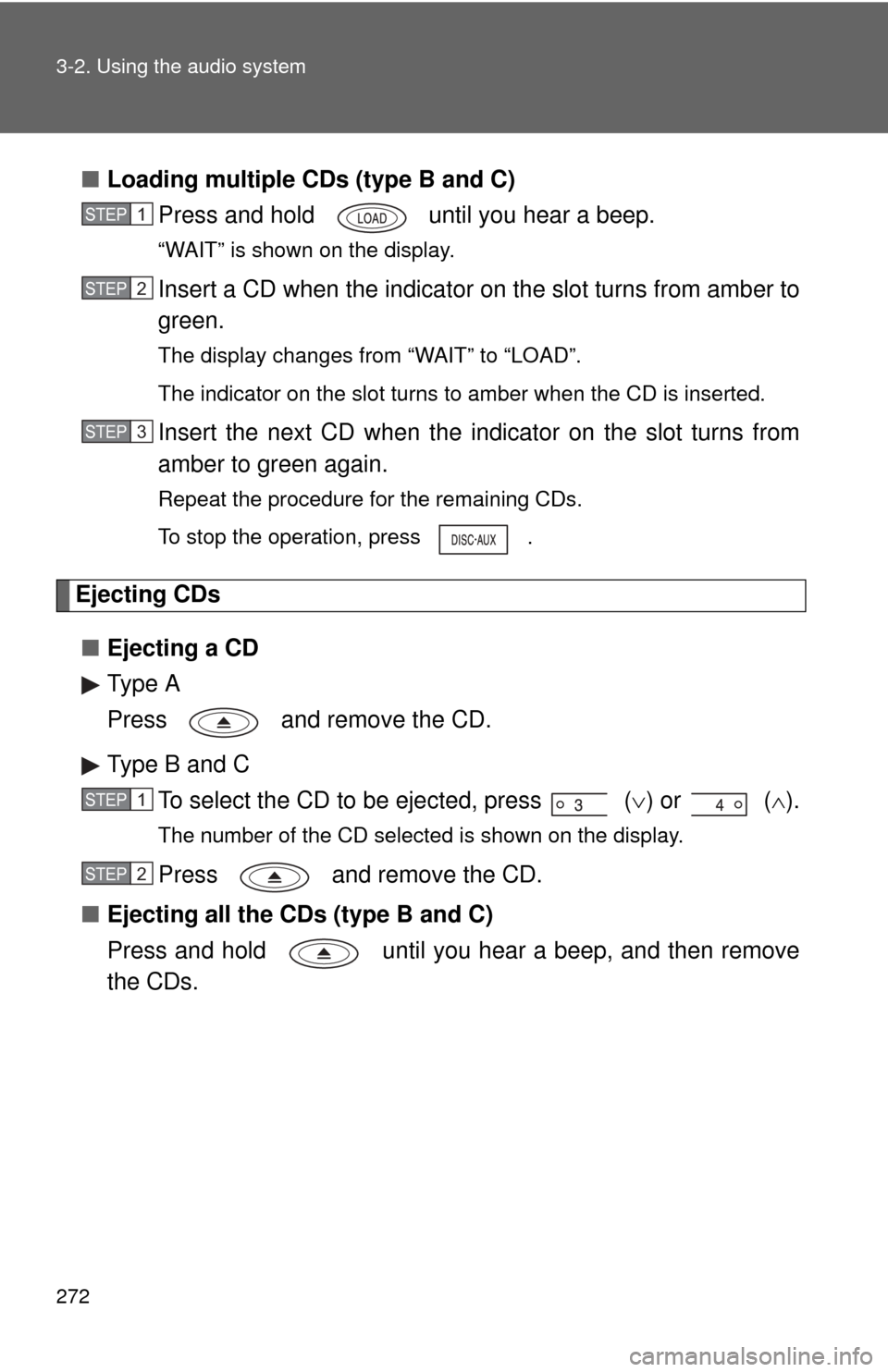
■Loading multiple CDs (type B and C)
Press and hold until you hear a beep.
“WAIT” is shown on the display.
Insert a CD when the indicator on the slot turns from amber to
green.
The display changes from “WAIT” to “LOAD”.
The indicator on the slot turns to amber when the CD is inserted.
Insert the next CD when the indicator on the slot turns from
amber to green again.
Repeat the procedure for the remaining CDs.
To stop the operation, press .
Ejecting CDs
■ Ejecting a CD
Type A
Press and remove the CD.
Type B and C
To select the CD to be ejected, press
() or ( ).
The number of the CD selected is shown on the display.
Press and remove the CD.
■ Ejecting all the CDs (type B and C)
Press and hold until you hear a beep, and then remove
the CDs.
STEP1
STEP2
STEP3
STEP1
STEP2
Page 297 of 592
297
3-3. Using the rear audio system
3
Interior features
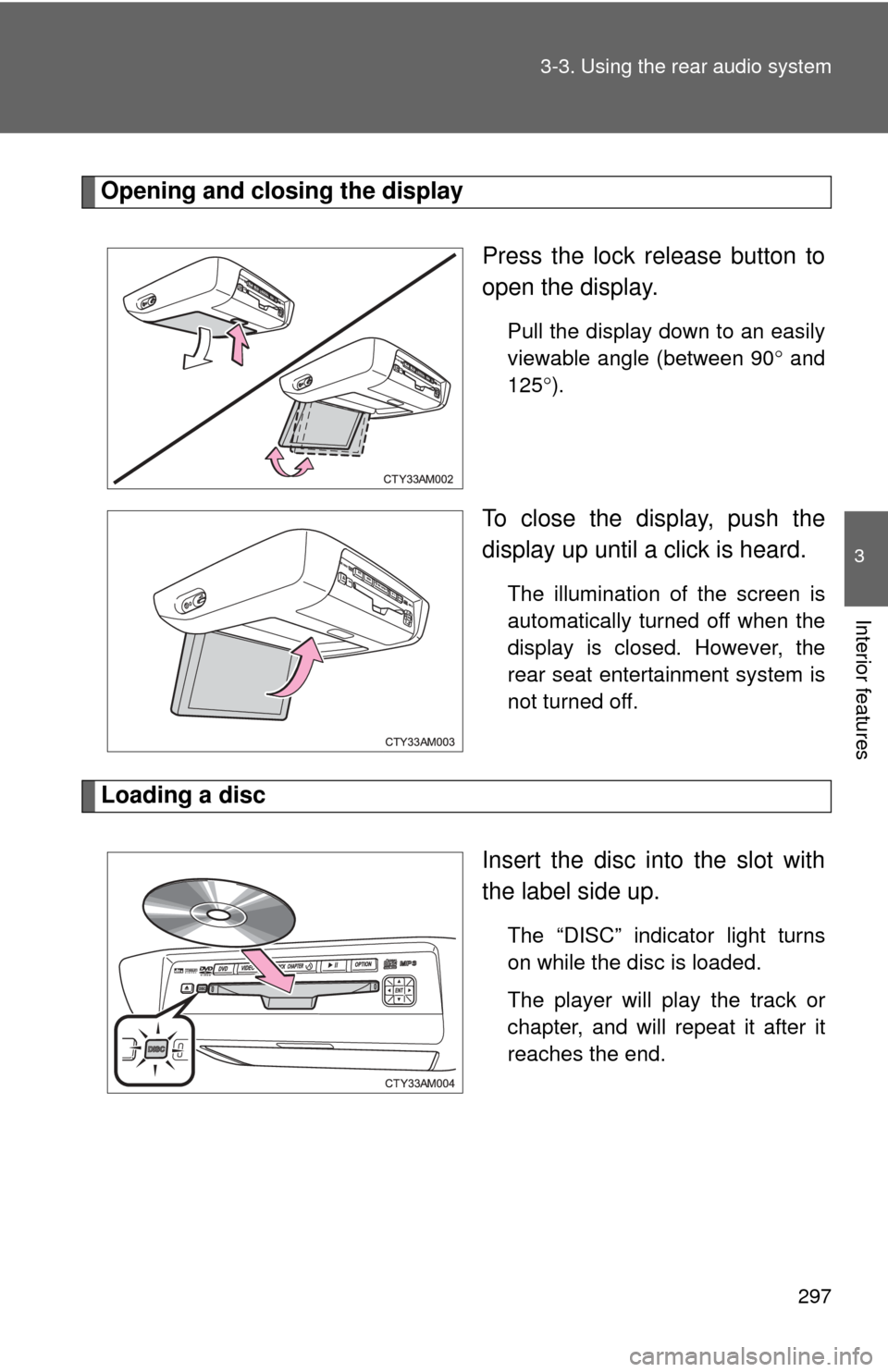
Opening and closing the display
Press the lock release button to
open the display.
Pull the display down to an easily
viewable angle (between 90 and
125 ).
To close the display, push the
display up until a click is heard.
The illumination of the screen is
automatically turned off when the
display is closed. However, the
rear seat entertainment system is
not turned off.
Loading a disc
Insert the disc into the slot with
the label side up.
The “DISC” indicator light turns
on while the disc is loaded.
The player will play the track or
chapter, and will repeat it after it
reaches the end.