Page 196 of 538
196
3-1. Using the air conditioning system and defogger
Automatic air conditioning system
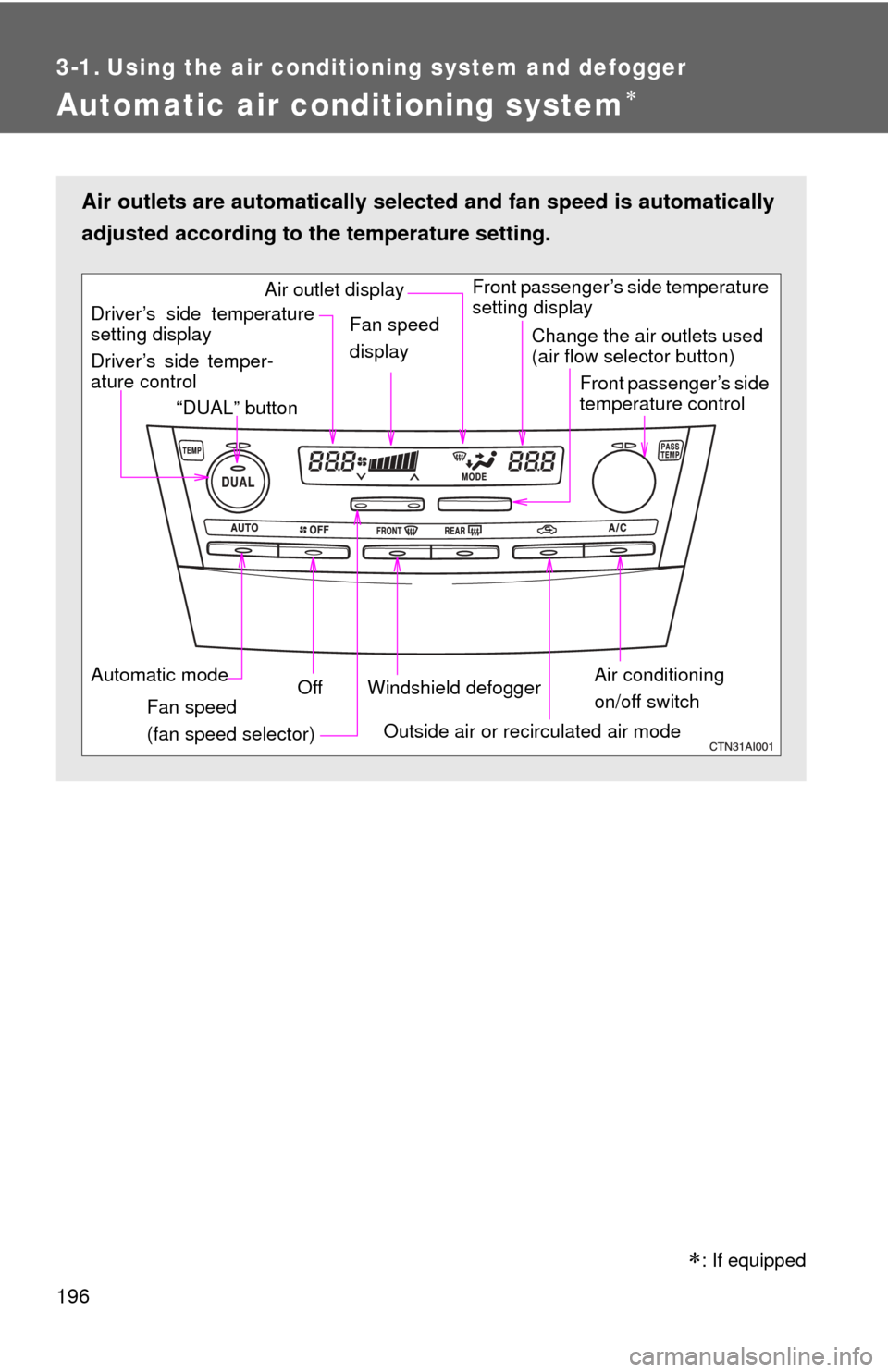
Air outlets are automatically selected and fan speed is automatically
adjusted according to the temperature setting.
Air conditioning
on/off switch
Front passenger’s side temperature
setting display
Driver’s side temper-
ature control “DUAL” button
Automatic mode Off
Driver’s side temperature
setting display
Fan speed
(fan speed selector) Outside air or recirculated air mode
Fan speed
display
Change the air outlets used
(air flow selector button)
Front passenger’s side
temperature control
Windshield defogger
Air outlet display
: If equipped
Page 198 of 538
198 3-1. Using the air conditioning system and defogger
■Adjusting the fan speed
Press “ ” (increase) or “ ” (decrease) on the fan speed selector.
The fan speed is shown on the display. (7 levels)
Press to turn the fan off.
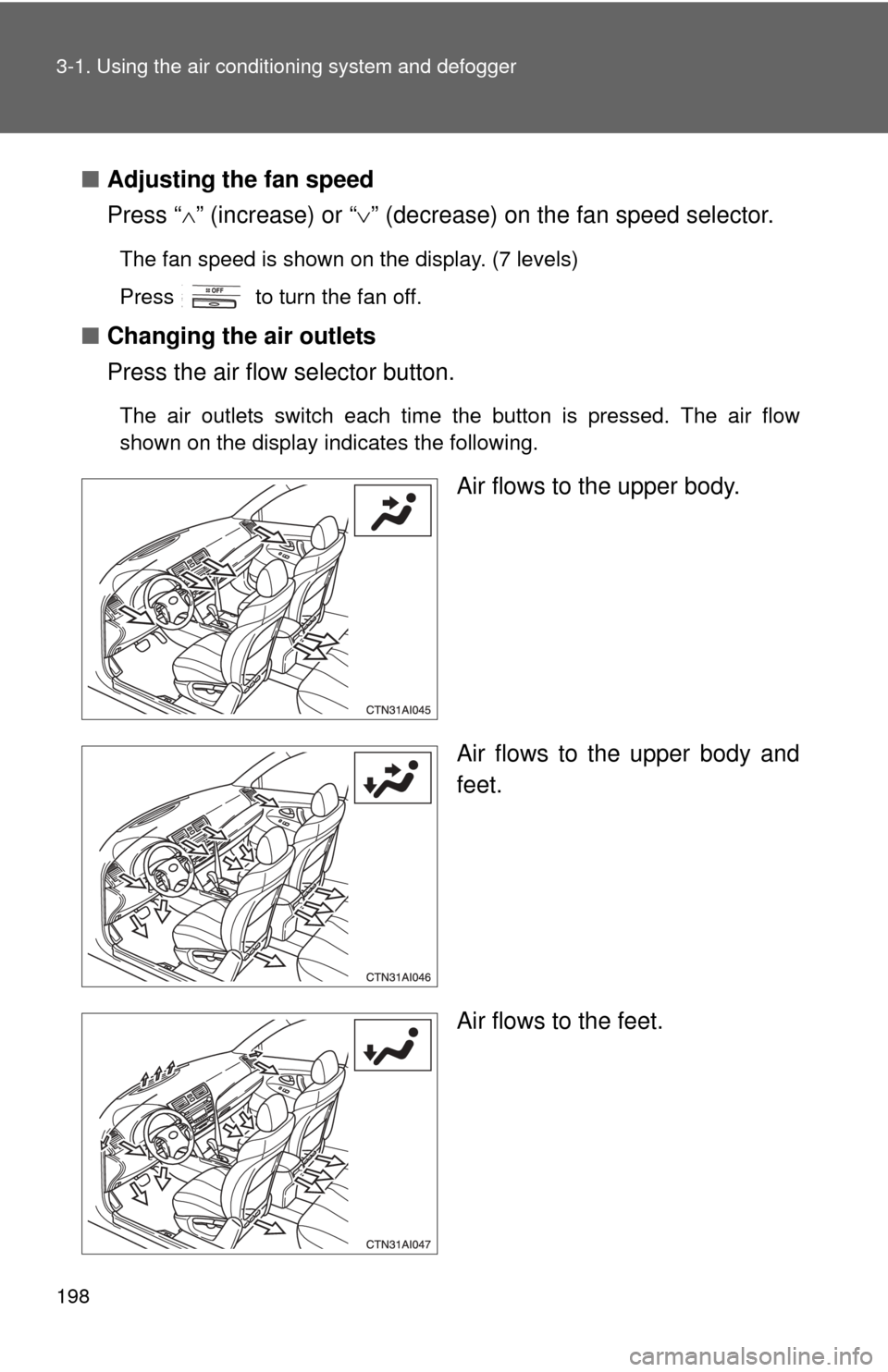
■ Changing the air outlets
Press the air flow selector button.
The air outlets switch each time the button is pressed. The air flow
shown on the display indicates the following.
Air flows to the upper body.
Air flows to the upper body and
feet.
Air flows to the feet.
Page 217 of 538
215
3-2. Using the audio system
3
Interior features
Using the radio
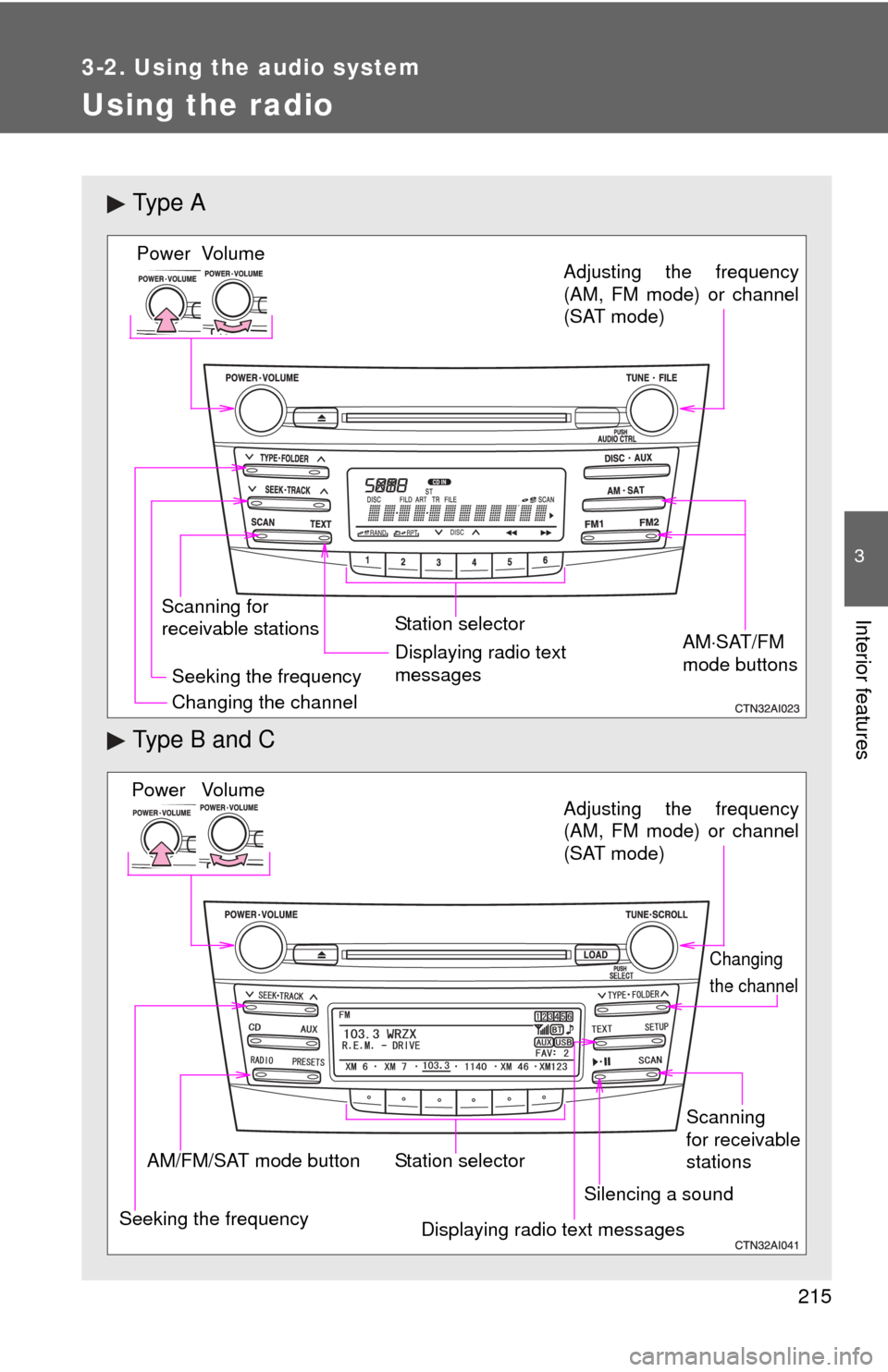
Ty p e A
Type B and C
Vo lu m e
Scanning for
receivable stations Station selector
Seeking the frequency Adjusting the frequency
(AM, FM mode) or channel
(SAT mode)
AMSAT/FM
mode buttonsPower
Displaying radio text
messages
Changing the channel
AM/FM/SAT mode button Station selector
Seeking the frequency Adjusting the frequency
(AM, FM mode) or channel
(SAT mode)
Displaying radio text messages
Changing
the channel
Scanning
for receivable
stations
Vo lu m e
Power
Silencing a sound
Page 219 of 538
217
3-2. Using the audio system
3
Interior features
■
Displaying radio text messages (for type B and C, FM mode
only)
When a new radio text message is received, “MSG” is shown on
the display. To display the message, press .
If the text continues past the end of the display, “ ” is displayed. Press
and hold until you hear a beep.
Text messages are not displayed while driving.
XM® Satellite Radio (if equipped)
■ Receiving XM
® Satellite Radio
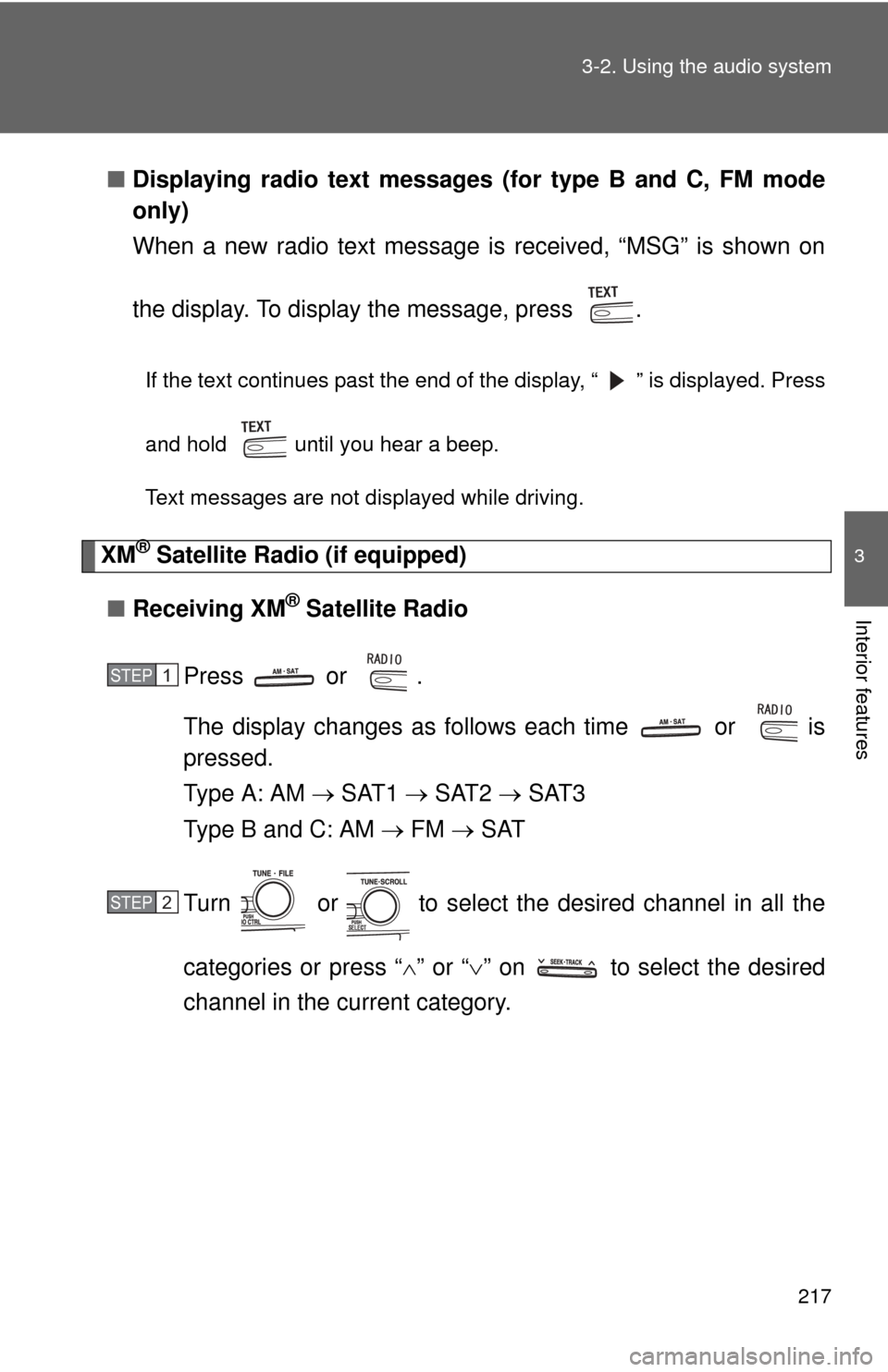
Press or .
The display changes as follows each time or is
pressed.
Type A: AM SAT1 SAT2 SAT3
Type B and C: AM FM SAT
Turn or to select the desired channel in all the
categories or press “ ” or “ ” on to select the desired
channel in the current category.
STEP1
STEP2
Page 221 of 538
219
3-2. Using the audio system
3
Interior features
■
Displaying text information
Press or .
Type A: Each time is pressed, the display changes in the following
order:
Channel name Title (song/program title) Name (artist name/feature)
Channel number.
Type B and C: Each time is pressed, the display changes in the fol-
lowing order:
Title (song/program title) Title (song/program title) Name (artist name/
feature).
Page 225 of 538
223
3-2. Using the audio system
3
Interior features
Using the CD player
Ty p e A
Type B and C
Vo lu m e
Random playback Repeat play Playback
Power
CD eject
Displaying text
messages
Selecting
a track
Fast-forward
Reverse
Searching playback
Vo lu m e
Power
CD eject
Fast-
forwarding
and
reversingSearching
playbackCD load
(type B only)
Playback/pause
Displaying text
messagesSelector buttonsPlayback
Page 227 of 538
225
3-2. Using the audio system
3
Interior features
Ejecting CDs
■ Ejecting a CD (type A and C)
Press and remove the CD.
■ Ejecting a CD (type B)
To select the CD to be ejected, press that corre-
sponds to “ ” or “ ”.
The selected CD number is shown on the display.
Press and remove the CD.
■ Ejecting all the CDs (type B only)
Press and hold until you hear a beep, and then remove the
CDs.
Selecting a track
Press “
” to move up or “ ” to move down using until the
desired track number is displayed.
Fast-forwarding and reversing tracks
Type A: Press ( ) or ( ).
Type B and C: Press and hold “ ” or “ ” on .
STEP1
STEP2
Page 229 of 538
227
3-2. Using the audio system
3
Interior features
Random playback
■ Current CD
Press (RAND) or that corresponds to “RDM”.
Songs are played in random order.
To cancel, press the same button until “OFF” is displayed.
■All CDs (type B only)
Press that corresponds to “RDM” twice.
Tracks on all loaded CDs are played in random order.
To cancel, press the button again.
Repeat play
■ Repeating a track
Press (RPT) or that corresponds to “RPT”.
To cancel, press the same button until “OFF” is displayed.
■Repeating all of the tracks on a CD (type B only)
Press that corresponds to “RPT” twice.
To cancel, press the button again.