Page 157 of 476

157
2-3. Operating the lights and windshield wipers
2
When driving
AVALON_U (OM41437U)
Turning on the high beam headlights
With the headlights on, push
the lever forward to turn on the
high beams.
Pull the lever back to the center
position to turn the high beams
off.
Pull the lever toward you to
turn on the high beams.
Release to turn them off. You can
flash the high beams with the
headlights on or off.
■Daytime running light system (if equipped)
To make your vehicle more visible to other drivers, the headlights turn on
automatically (at a reduced intensity) whenever the engine is started and the
parking brake is released. Daytime running lights are not designed for use at
night.
■ Headlight control sensor
The sensor may not function properly if
an object is placed on the sensor, or any-
thing that blocks the sensor is affixed to
the windshield.
Doing so interferes with the sensor
detecting the level of ambient light and
may cause the automatic headlight con-
trol system to malfunction.
Page 158 of 476
158 2-3. Operating the lights and windshield wipers
AVALON_U (OM41437U)
■Automatic light off system
Vehicles with smart key system
The headlights and tail lights turn off 30 seconds after a door is opened or
closed if the “ENGINE START STOP” switch has been turned to ACCES-
SORY or turned OFF while the headlights are turned on. (The lights turn off
immediately if the button on the key is pressed after all doors are
locked.)
To turn the lights on again, turn the “ENGINE START STOP” switch to IGNI-
TION ON mode, or turn the light switch OFF once and then back to the or position.
Vehicles without smart key system
The headlights and tail lights turn off 30 seconds after a door is opened or
closed if the engine switch has been turned to the “ACC” or “LOCK” position
while the headlights are turned on. (The lights turn off immediately if the
button on the key is pressed after all doors are locked.)
To turn the lights on again, turn the engine switch to the “ON” position, or
turn the light switch OFF once and then back to the or position.
■ Customization that can be co nfigured at Toyota dealer
Settings (e.g. light sensor sensitivity) can be changed.
(Customizable features P. 454)
NOTICE
■To prevent battery discharge
Do not leave the lights on longer than necessary if the engine is not running.
Page 164 of 476

164 2-3. Operating the lights and windshield wipers
AVALON_U (OM41437U)
■If no windshield washer fluid sprays
Check that the washer nozzles are not blocked if there is washer fluid in the
windshield washer fluid reservoir.
■ In extremely hot or cold weather (v ehicles equipped with the raindrop
detection windshield wipers)
Even if the wiper lever is in “AUTO” mode, the system will switch to intermit-
tent operations when the system malfunctions.
However, when the windshield gets extremely hot (at more than 194°F
[90°C]) or extremely cold (at less than 14°F [-10°C]), the wipers do not oper-
ate even if the wiper lever is in “AUTO” mode.
■ Customization that can be co nfigured at Toyota dealer
Settings (e.g. drip prevention function) can be changed.
(Customizable features P. 457)
CAUTION
■Caution regarding the use of windshield wipers in “AUTO” mode
The windshield wipers may operate unexpec tedly if the sensor is touched or
the windshield is subject to vibration in “AUTO” mode. Take care that your
fingers or anything else do not become caught in the windshield wipers.
NOTICE
■ When the windshield is dry
Do not use the wipers, as they may damage the windshield.
■ When there is no washer fluid spray from the nozzle
Damage to the washer fluid pump may be caused if the lever is pulled
toward you and held continually.
Page 181 of 476
181
2-4. Using other driving systems
2
When driving
AVALON_U (OM41437U)
Driving assist systems
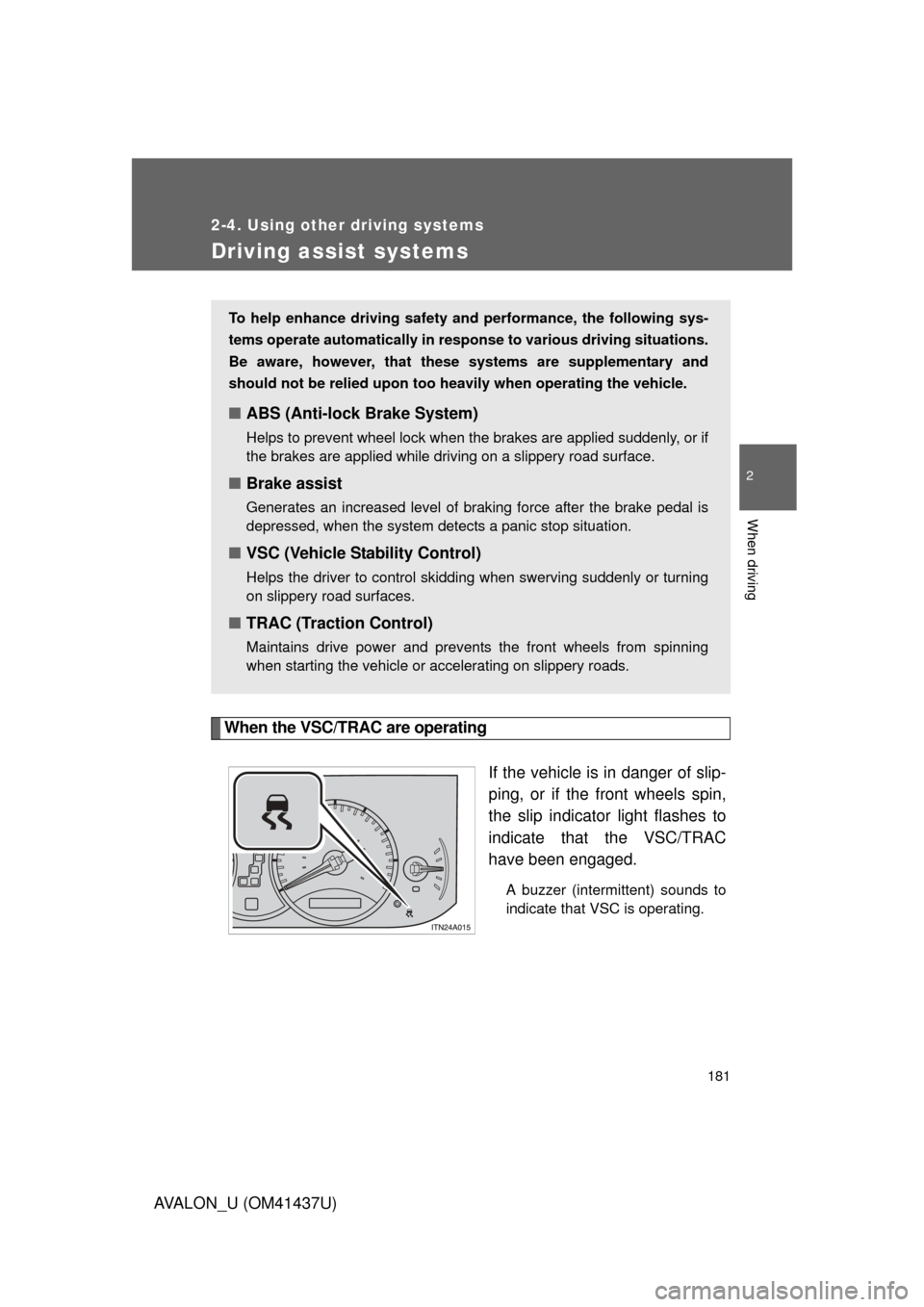
When the VSC/TRAC are operatingIf the vehicle is in danger of slip-
ping, or if the front wheels spin,
the slip indicator light flashes to
indicate that the VSC/TRAC
have been engaged.
A buzzer (intermittent) sounds to
indicate that VSC is operating.
To help enhance driving safety and performance, the following sys-
tems operate automatically in res ponse to various driving situations.
Be aware, however, that these systems are supplementary and
should not be relied upon too h eavily when operating the vehicle.
■ABS (Anti-lock Brake System)
Helps to prevent wheel lock when the brakes are applied suddenly, or if
the brakes are applied while driving on a slippery road surface.
■Brake assist
Generates an increased level of braking force after the brake pedal is
depressed, when the system detects a panic stop situation.
■VSC (Vehicle Stability Control)
Helps the driver to control skidding when swerving suddenly or turning
on slippery road surfaces.
■TRAC (Traction Control)
Maintains drive power and prevents the front wheels from spinning
when starting the vehicle or accelerating on slippery roads.
Page 186 of 476

186 2-5. Driving information
AVALON_U (OM41437U)
CAUTION
■Things that must not be carried in the trunk
The following things may cause a fire if loaded in the trunk.
●Receptacles containing gasoline
●Aerosol cans
■Storage precautions
Observe the following precautions.
Failing to do so may result in death or serious injury.
●Do not place cargo or luggage in or on the following locations as the
item may get under the brake or accelerator pedal and prevent the
pedals from being depressed properly, block the driver’s vision, or hit
the driver or passengers, causing an accident.
• Driver’s feet
• Front passenger or rear seats (when stacking items)
• Instrument panel
• Dashboard
●Secure all items in the occupant compartment, as they may shift and
injure someone during an accident or sudden braking.
●Never allow anyone to ride in the trunk. It is not designed for passen-
gers. They should ride in their seats with their seat belts properly fas-
tened. Otherwise, they are much more likely to suffer death or serious
injury, in the event of sudden braking, sudden swerving or an accident.
Page 197 of 476
Interior features3
197
AVALON_U (OM41437U)
3-1. Using the air conditioning system and defogger
Automatic air conditioning system ........................... 198
Using the steering wheel climate control
switches ......................... 206
Rear window and outside rear view mirror
defoggers ....................... 208
3-2. Using the audio system Audio system type............ 210
Audio cover ...................... 212
Using the radio ................. 213
Using the CD player ......... 220
Playing MP3 and WMA discs ..................... 228
Optimal use of the audio system ........................... 236
Using the AUX adapter........................... 238
Using the steering wheel audio switches ............... 239
3-3. Using the hands-free system (for cellular phone)
Hands-free system (for cellular phone) ......... 242
Using the hands-free system ........................... 246 Making a phone call ......... 254
Setting a cellular
phone ............................. 259
Security and system setup .............................. 264
Using the phone book ...... 267
3-4. Using the interior lights Interior lights list ............... 275
3-5. Using the storage features List of storage features .......................... 278
3-6. Other interior features Sun visors ........................ 286
Vanity mirrors ................... 287
Clock ................................ 288
Outside temperature display............................ 289
Ashtrays ........................... 290
Power outlets ................... 291
Seat heaters/ventilators ......... 293
Armrest ............................ 295
Rear sunshade................. 296
Floor mats ........................ 298
Trunk features .................. 299
Garage door opener......... 301
Compass .......................... 306
Page 205 of 476
205
3-1. Using the air conditioning system
and defogger
3
Interior features
AVALON_U (OM41437U)
CAUTION
■To prevent the windshield from fogging up
Do not use during cool air operation in extremely humid weather.
The difference between the temperature of the outside air and that of the
windshield can cause the outer surface of the windshield to fog up, blocking
your vision.
NOTICE
■To prevent battery discharge
Do not leave the automatic air conditioning system on longer than necessary
when the engine is not running.
Page 251 of 476
251
3-3. Using the hands-free
system (for cellular phone)
3
Interior features
AVALON_U (OM41437U)
First menuSecond
menuThird menuOperation detail
Setup Security
Set PIN Setting a PIN code
Phonebook Lock Locking the phone book
Phonebook
Unlock
Unlocking the phone book
Phone
Setup Pair Phone
Registering a cellular phone
to be used
Change Name Changing a registered name
of a cellular phone
Delete Deleting a registered cellular
phone
List phones Listing the registered cellular
phones
Select phone Selecting a cellular phone to
be used
Set Passkey Changing the passkey
System
Setup Guidance
Vo l u m e
(Guidance Vol)
Setting voice guidance
volume
Initialize Initialization