Page 47 of 476
47
1-2. Opening, closing and locking the doors and trunk
1
Before driving
AVALON_U (OM41437U)
■
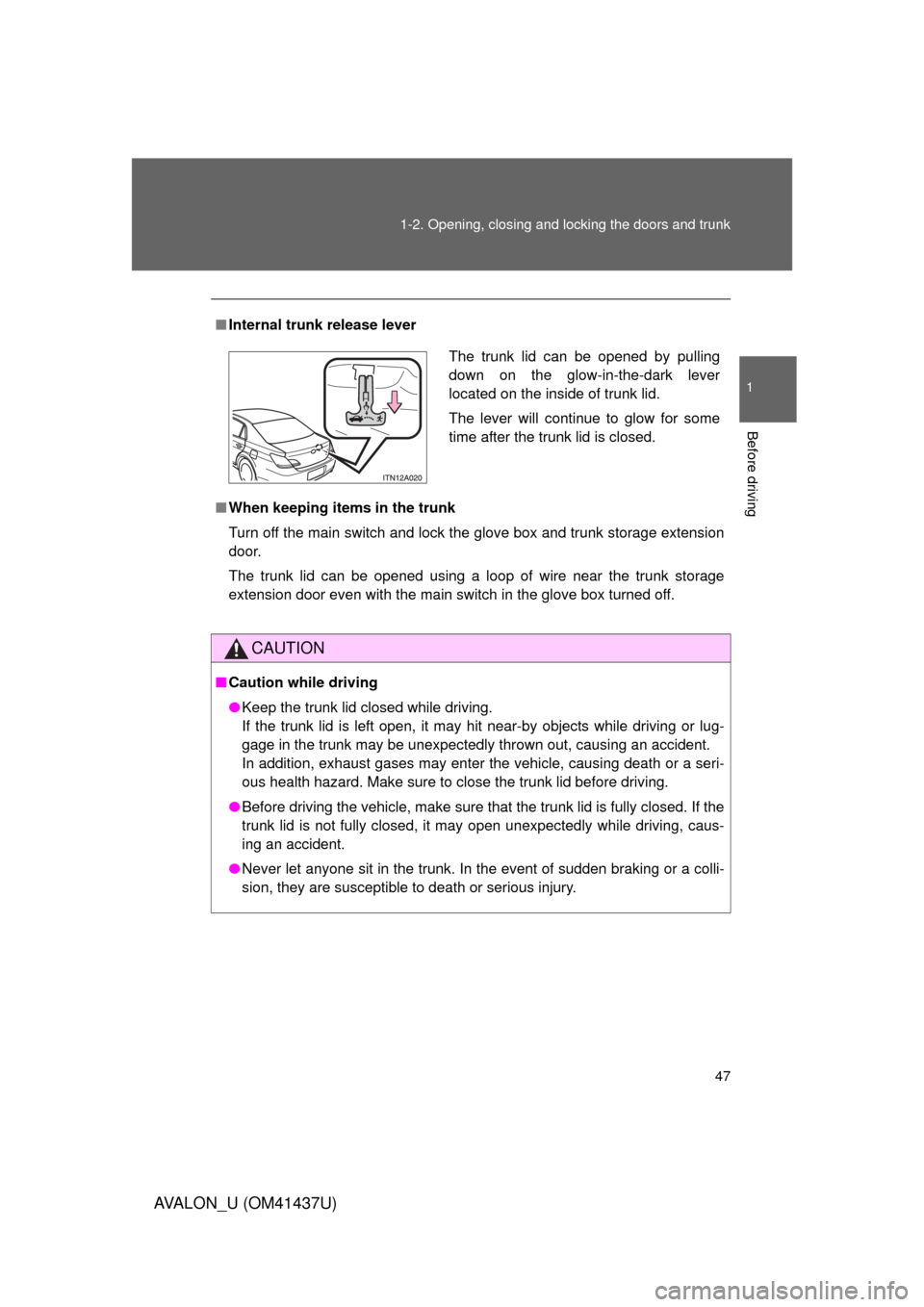
Internal trunk release lever
■ When keeping items in the trunk
Turn off the main switch and lock the glove box and trunk storage extension
door.
The trunk lid can be opened using a loop of wire near the trunk storage
extension door even with the main switch in the glove box turned off.
CAUTION
■Caution while driving
● Keep the trunk lid closed while driving.
If the trunk lid is left open, it may hit near-by objects while driving or lug-
gage in the trunk may be unexpectedly thrown out, causing an accident.
In addition, exhaust gases may enter the vehicle, causing death or a seri-
ous health hazard. Make sure to close the trunk lid before driving.
● Before driving the vehicle, make sure that the trunk lid is fully closed. If the
trunk lid is not fully closed, it may open unexpectedly while driving, caus-
ing an accident.
● Never let anyone sit in the trunk. In the event of sudden braking or a colli-
sion, they are susceptible to death or serious injury.
The trunk lid can be opened by pulling
down on the glow-in-the-dark lever
located on the inside of trunk lid.
The lever will continue to glow for some
time after the trunk lid is closed.
Page 48 of 476
48 1-2. Opening, closing and locking the doors and trunk
AVALON_U (OM41437U)
CAUTION
■When children are in the vehicle
Observe the following precautions.
Failure to do so may result in death or serious injury.
● Do not allow children to enter the trunk.
If a child is accidentally locked in the trunk, they could overheat or suffo-
cate.
● Do not allow a child to open or close the trunk lid.
Doing so may cause the trunk lid operate unexpectedly, or cause the
child’s hands, head, or neck to be caught by the closing trunk lid.
■ Using the trunk
Observe the following precautions.
Failure to do so may cause parts of the body to be caught, resulting in seri-
ous injury.
● Remove any heavy loads, such as snow and ice, from the trunk lid before
opening it. Failure to do so may cause the trunk lid to fall closed again
after it is opened.
● When opening or closing the trunk lid, thoroughly check to make sure the
surrounding area is safe.
● If anyone is in the vicinity, make sure they are safe and let them know that
the trunk is about to open or close.
● Use caution when opening or closing the trunk lid in windy weather as it
may move abruptly in strong wind.
Page 49 of 476
49
1-2. Opening, closing and locking the doors and trunk
1
Before driving
AVALON_U (OM41437U)
CAUTION
●
Do not attach any accessories other than genuine Toyota parts to the trunk
lid. Such additional weight on the trunk lid may cause the lid to fall closed
again after it is opened.
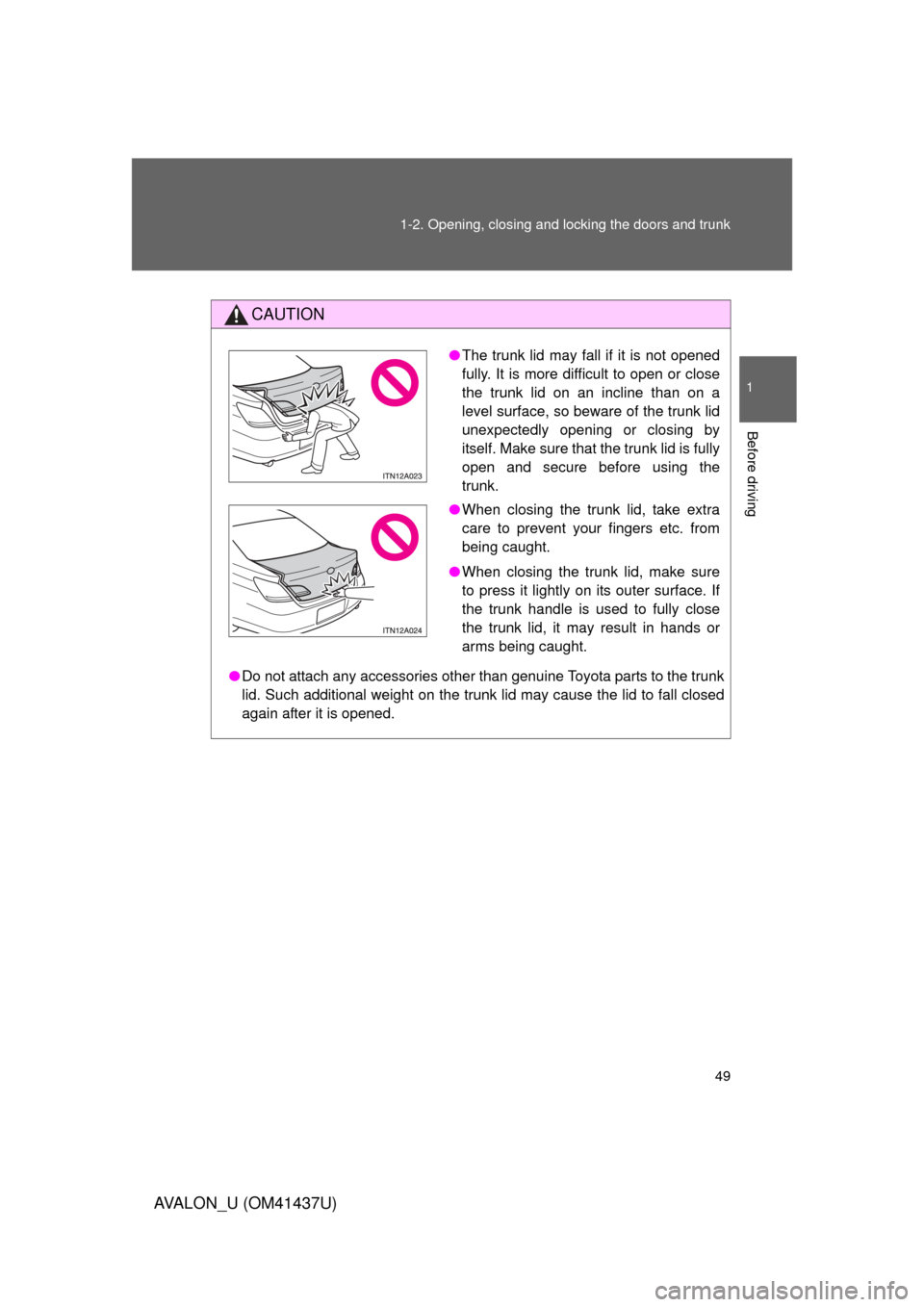
●The trunk lid may fall if it is not opened
fully. It is more difficult to open or close
the trunk lid on an incline than on a
level surface, so beware of the trunk lid
unexpectedly opening or closing by
itself. Make sure that the trunk lid is fully
open and secure before using the
trunk.
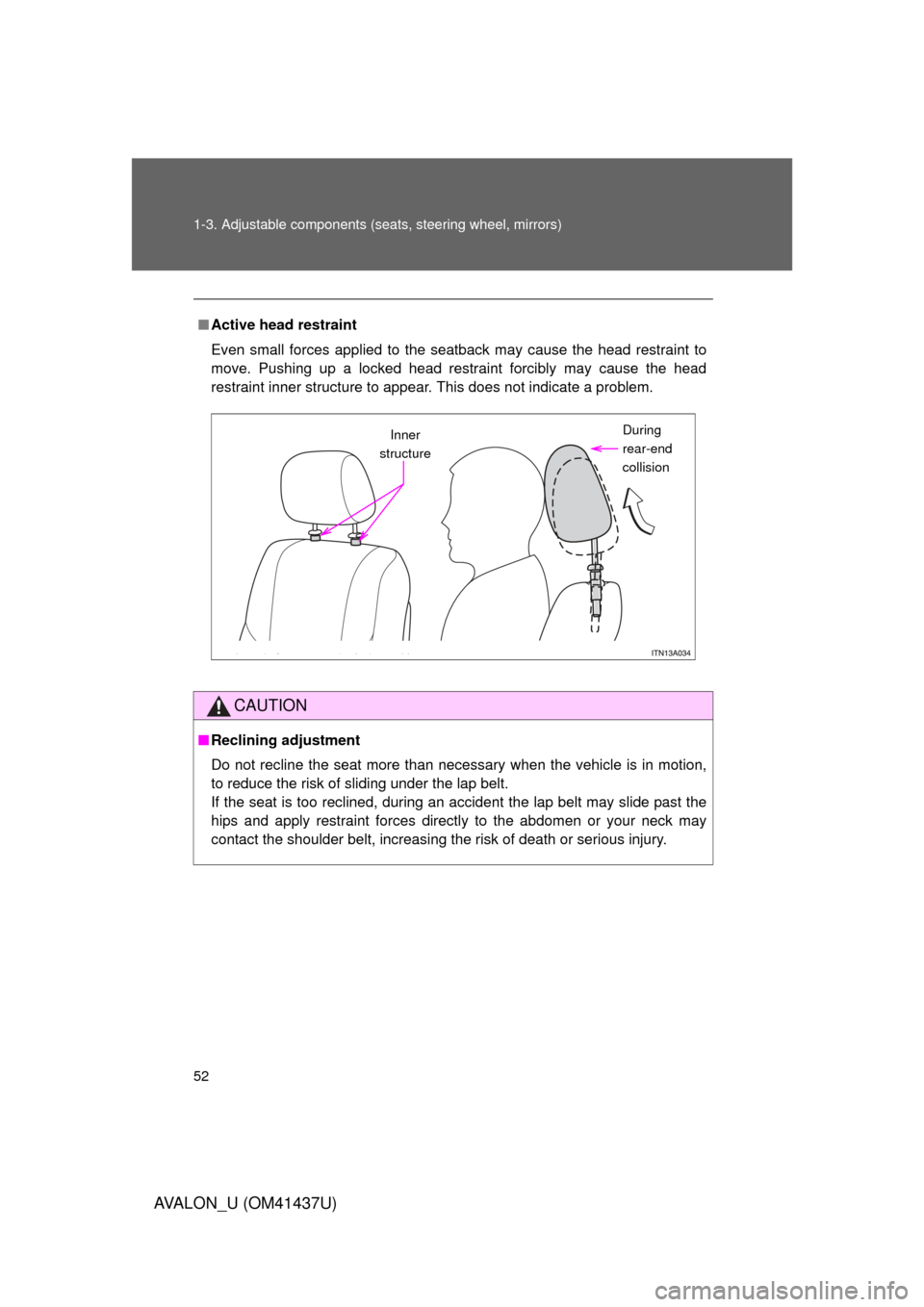
● When closing the trunk lid, take extra
care to prevent your fingers etc. from
being caught.
● When closing the trunk lid, make sure
to press it lightly on its outer surface. If
the trunk handle is used to fully close
the trunk lid, it may result in hands or
arms being caught.
Page 52 of 476
52 1-3. Adjustable components (seats, steering wheel, mirrors)
AVALON_U (OM41437U)
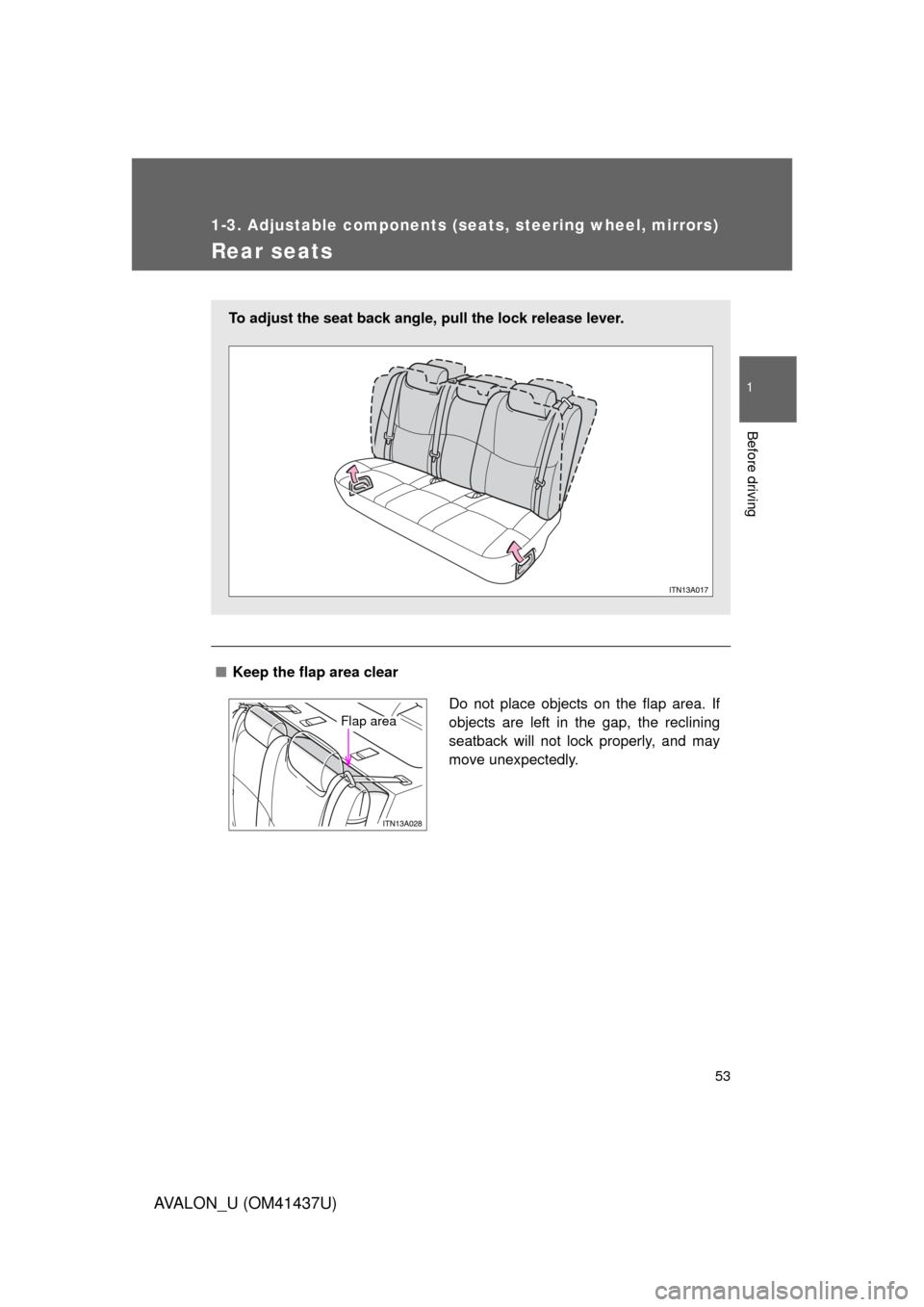
■Active head restraint
Even small forces applied to the seatback may cause the head restraint to
move. Pushing up a locked head restraint forcibly may cause the head
restraint inner structure to appear. This does not indicate a problem.
CAUTION
■Reclining adjustment
Do not recline the seat more than necessary when the vehicle is in motion,
to reduce the risk of sliding under the lap belt.
If the seat is too reclined, during an accident the lap belt may slide past the
hips and apply restraint forces directly to the abdomen or your neck may
contact the shoulder belt, increasing the risk of death or serious injury.
Inner
structureDuring
rear-end
collision
Page 53 of 476
53
1
1-3. Adjustable components (seats, steering wheel, mirrors)
Before driving
AVALON_U (OM41437U)
Rear seats
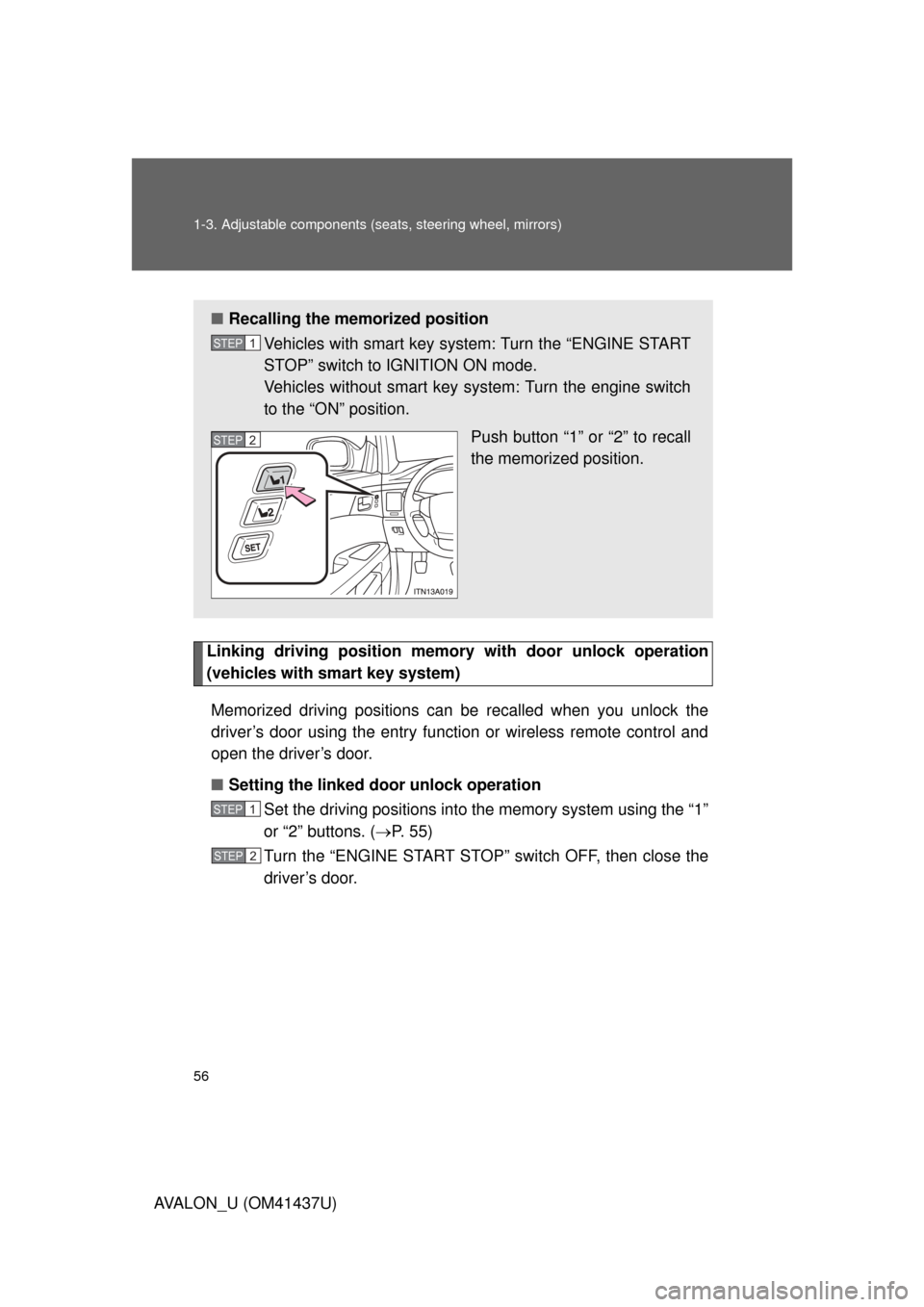
■ Keep the flap area clear
To adjust the seat back angle, pull the lock release lever.
Do not place objects on the flap area. If
objects are left in the gap, the reclining
seatback will not lock properly, and may
move unexpectedly.
Flap area
Page 55 of 476
55
1
1-3. Adjustable components (seats, steering wheel, mirrors)
Before driving
AVALON_U (OM41437U)
Driving position memor y system
: If equipped
Your preferred driving position (the position of the driver’s seat and
outside rear view mirrors) can be entered into the computer’s mem-
ory and recalled with the touch of a button. It is also possible to set
this function to activate automati cally when the doors are unlocked.
Two different driving positions can be entered into memory.
■ Entering a position to memory
Vehicles with smart key system: Turn the “ENGINE START
STOP” switch to IGNITION ON mode.
Vehicles without smart key system: Turn the engine switch
to the “ON” position.
Adjust the driver’s seat and outside rear view mirrors to the
desired positions.
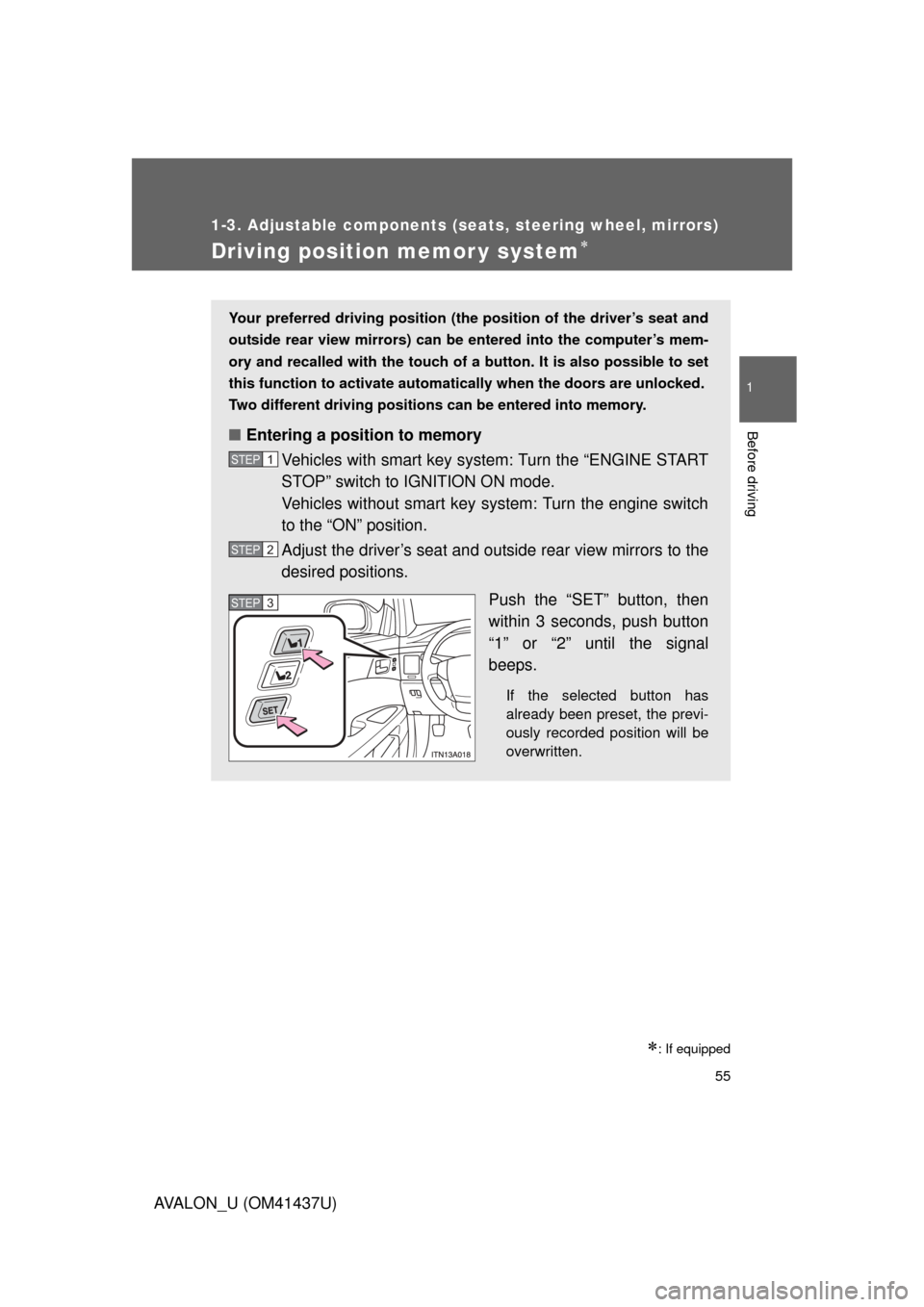
Push the “SET” button, then
within 3 seconds, push button
“1” or “2” until the signal
beeps.
If the selected button has
already been preset, the previ-
ously recorded position will be
overwritten.
STEP1
STEP2
STEP3STEP3
Page 56 of 476
56 1-3. Adjustable components (seats, steering wheel, mirrors)
AVALON_U (OM41437U)
Linking driving position memory with door unlock operation
(vehicles with smart key system)
Memorized driving positions can be recalled when you unlock the
driver’s door using the entry function or wireless remote control and
open the driver’s door.
■ Setting the linked door unlock operation
Set the driving positions into the memory system using the “1”
or “2” buttons. ( P. 5 5 )
Turn the “ENGINE START STOP” switch OFF, then close the
driver’s door.
■ Recalling the memorized position
Vehicles with smart key system: Turn the “ENGINE START
STOP” switch to IGNITION ON mode.
Vehicles without smart key system: Turn the engine switch
to the “ON” position.
Push button “1” or “2” to recall
the memorized position.
STEP1
STEP2
STEP1
STEP2
Page 57 of 476
57
1-3. Adjustable components (seat
s, steering wheel, mirrors)
1
Before driving
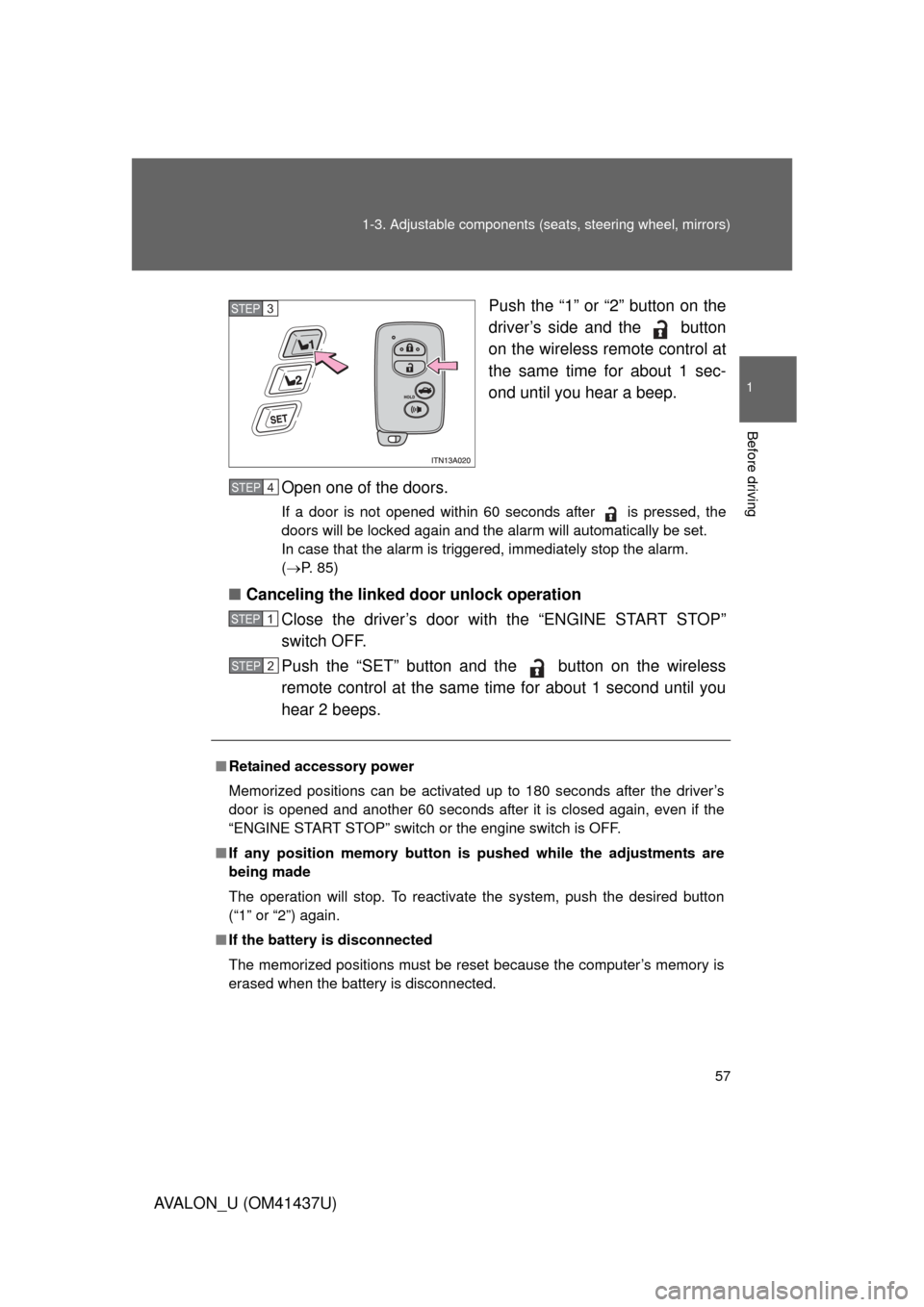
AVALON_U (OM41437U) Push the “1” or “2” button on the
driver’s side and the button
on the wireless remote control at
the same time for about 1 sec-
ond until you hear a beep.
Open one of the doors.
If a door is not opened within 60 seconds after is pressed, the
doors will be locked again and the alarm will automatically be set.
In case that the alarm is triggered, immediately stop the alarm.
( P. 85)
■ Canceling the linked door unlock operation
Close the driver’s door with the “ENGINE START STOP”
switch OFF.
Push the “SET” button and the button on the wireless
remote control at the same time for about 1 second until you
hear 2 beeps.
STEP3
■Retained accessory power
Memorized positions can be activated up to 180 seconds after the driver’s
door is opened and another 60 seconds after it is closed again, even if the
“ENGINE START STOP” switch or the engine switch is OFF.
■ If any position memory button is pushed while the adjustments are
being made
The operation will stop. To reactivate the system, push the desired button
(“1” or “2”) again.
■ If the battery is disconnected
The memorized positions must be reset because the computer’s memory is
erased when the battery is disconnected.
STEP4
STEP1
STEP2