2010 SUZUKI KIZASHI lock
[x] Cancel search: lockPage 151 of 388
3-20
OPERATING YOUR VEHICLE
57L20-03E
2WD/i-AWD Switch OperationOperate the 2WD/i-AWD switch according
to the appropriate procedure described
below:
How to turn on 2WD/i-AWD switch
2WD/i-AWD switch will activate when the
engine switch is pressed to change the
ignition mode to “ON”.
From 2WD to i-AWD
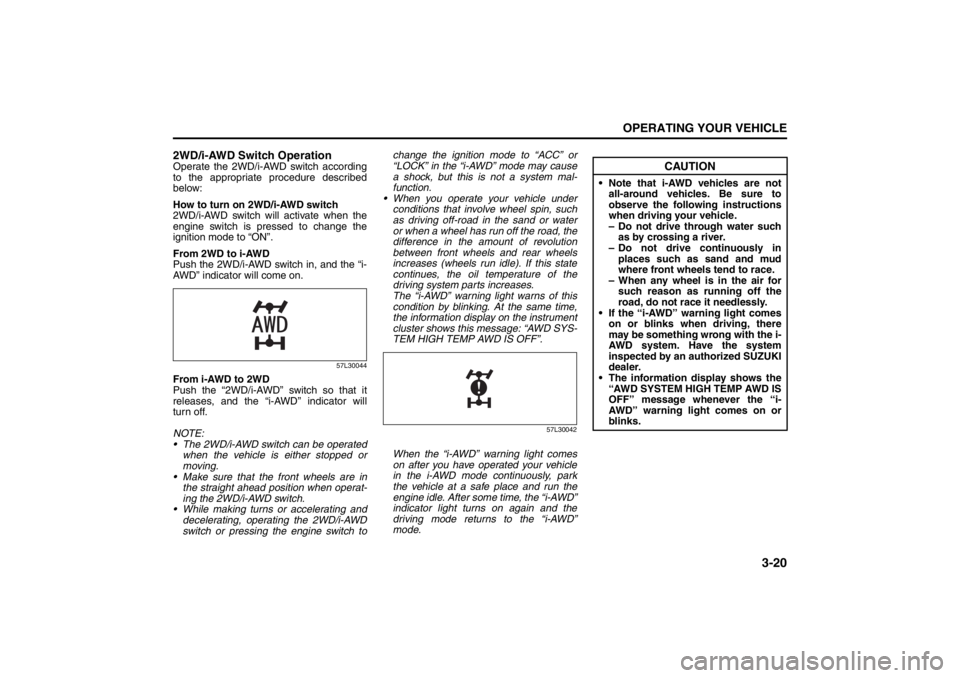
Push the 2WD/i-AWD switch in, and the “i-
AWD” indicator will come on.
57L30044
From i-AWD to 2WD
Push the “2WD/i-AWD” switch so that it
releases, and the “i-AWD” indicator will
turn off.
NOTE:
The 2WD/i-AWD switch can be operated
when the vehicle is either stopped or
moving.
Make sure that the front wheels are in
the straight ahead position when operat-
ing the 2WD/i-AWD switch.
While making turns or accelerating and
decelerating, operating the 2WD/i-AWD
switch or pressing the engine switch tochange the ignition mode to “ACC” or
“LOCK” in the “i-AWD” mode may cause
a shock, but this is not a system mal-
function.
When you operate your vehicle under
conditions that involve wheel spin, such
as driving off-road in the sand or water
or when a wheel has run off the road, the
difference in the amount of revolution
between front wheels and rear wheels
increases (wheels run idle). If this state
continues, the oil temperature of the
driving system parts increases.
The “i-AWD” warning light warns of this
condition by blinking. At the same time,
the information display on the instrument
cluster shows this message: “AWD SYS-
TEM HIGH TEMP AWD IS OFF”.
57L30042
When the “i-AWD” warning light comes
on after you have operated your vehicle
in the i-AWD mode continuously, park
the vehicle at a safe place and run the
engine idle. After some time, the “i-AWD”
indicator light turns on again and the
driving mode returns to the “i-AWD”
mode.
CAUTION
Note that i-AWD vehicles are not
all-around vehicles. Be sure to
observe the following instructions
when driving your vehicle.
– Do not drive through water such
as by crossing a river.
– Do not drive continuously in
places such as sand and mud
where front wheels tend to race.
– When any wheel is in the air for
such reason as running off the
road, do not race it needlessly.
If the “i-AWD” warning light comes
on or blinks when driving, there
may be something wrong with the i-
AWD system. Have the system
inspected by an authorized SUZUKI
dealer.
The information display shows the
“AWD SYSTEM HIGH TEMP AWD IS
OFF” message whenever the “i-
AWD” warning light comes on or
blinks.
Page 160 of 388
3-29OPERATING YOUR VEHICLE
57L20-03E
Anti-Lock Brake System (ABS)
(if equipped)ABS will help you avoid skidding by elec-
tronically controlling braking pressure. It
will also help you maintain steering control
when braking on slippery surfaces or when
braking hard.
The ABS works automatically, so you do
not need any special braking technique.
Just push the brake pedal down without
pumping. The ABS will operate whenever it
senses that the wheels are locking up.
You may feel the brake pedal pulsate while
the ABS is operating.
NOTE:
The ABS will not work if vehicle speed is
under about 10 km/h (6 mph).
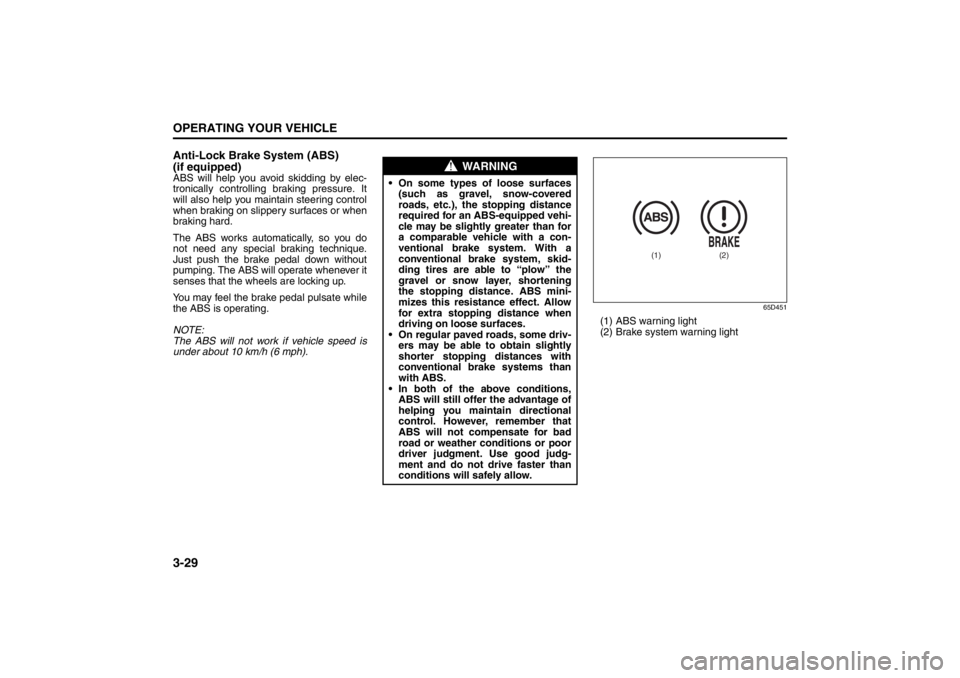
65D451
(1) ABS warning light
(2) Brake system warning light
WARNING
On some types of loose surfaces
(such as gravel, snow-covered
roads, etc.), the stopping distance
required for an ABS-equipped vehi-
cle may be slightly greater than for
a comparable vehicle with a con-
ventional brake system. With a
conventional brake system, skid-
ding tires are able to “plow” the
gravel or snow layer, shortening
the stopping distance. ABS mini-
mizes this resistance effect. Allow
for extra stopping distance when
driving on loose surfaces.
On regular paved roads, some driv-
ers may be able to obtain slightly
shorter stopping distances with
conventional brake systems than
with ABS.
In both of the above conditions,
ABS will still offer the advantage of
helping you maintain directional
control. However, remember that
ABS will not compensate for bad
road or weather conditions or poor
driver judgment. Use good judg-
ment and do not drive faster than
conditions will safely allow.
(1)
(2)
Page 161 of 388

3-30
OPERATING YOUR VEHICLE
57L20-03E
How the ABS WorksA computer continuously monitors wheel
speed. The computer compares the
changes in wheel speed when braking. If
the wheels slow suddenly, indicating a
skidding situation, the computer will
change braking pressure several times
each second to prevent the wheels from
locking. When you start your vehicle or
when you accelerate after a hard stop, you
may hear a momentary motor or clicking
noise as the system resets or checks itself.
WARNING
If the ABS warning light (1) on the
instrument panel comes on and stays
on while driving, there may be a prob-
lem with the ABS system.
If this happens:
1) Pull off the road and stop care-
fully.
2) Press the engine switch to change
the ignition mode to “LOCK”
(OFF) and then start the engine
again.
If the warning light comes on briefly
then turns off, the system is normal.
If the warning light still stays on,
have the system inspected by your
SUZUKI dealer immediately. If the
ABS system becomes inoperative,
the brake system will function as an
ordinary brake system that has no
ABS.
WARNING
If the ABS warning light (1) and the
Brake system warning light (2) on the
instrument panel simultaneously stay
on or come on when driving, both
anti-lock function and rear brake
force control function (proportioning
valve function) of the ABS system
may have failed. This could cause the
rear wheels to skid or the vehicle to
spin during braking on a slippery
road or hard braking on a dry paved
road. If both warning lights come on,
drive carefully, avoiding hard braking
as much as possible, and ask your
SUZUKI dealer to inspect the ABS
system immediately.
WARNING
The ABS may not work properly if
tires or wheels other than those
specified in the owner’s manual are
used. This is because the ABS works
by comparing changes in wheel
speed. When replacing tires or
wheels, use only the size and type
specified in this owner’s manual.
Page 162 of 388

3-31OPERATING YOUR VEHICLE
57L20-03E
Electronic Stability Program
(ESP
®) (if equipped)
ESP
® is a registered trademark of Daimler
AG.
The Electronic Stability Program (ESP
®)
helps to control the vehicle during corner-
ing if front wheels or rear wheels skid. It
also assists you in maintaining traction
while accelerating on loose or slippery
road surfaces. It does this by regulating the
engine’s output, and by selectively apply-
ing the brakes. In addition, ESP
® helps to
avoid skidding by controlling braking pres-
sure.The ESP
® has the following three systems:
Stability Control SystemThe vehicle stability control system helps
provide integrated control of systems such
as anti-lock brakes, traction control, engine
control, etc. This system automatically
controls the brakes and engine to help pre-
vent the vehicle from skidding when cor-
nering on a slippery road surface or when
turning the steering wheel abruptly.Traction Control SystemThe traction control system automatically
helps prevent the spinning of wheels when
the vehicle is started or accelerated on
slippery road surfaces. The system oper-
ates only if it senses that some of the
wheels are spinning or beginning to lose
traction. When this happens, the system
operates the front or rear brakes and
reduces engine power to limit wheel spin.
NOTE:
You may hear a clicking sound in the
engine compartment for a few seconds
when you start the engine or just after the
vehicle begins to move. This means that
the above systems are in the self-check
mode. This sound does not indicate a mal-
function.
Anti-Lock Braking System (ABS)ABS will help you avoid skidding by elec-
tronically controlling braking pressure. It
will also help you maintain steering control
when braking on slippery surfaces or when
braking hard. The ABS works automati-
cally, so you do not have to use any special
braking technique. Just push the brake
pedal down without pumping. The ABS will
operate whenever it senses that wheels
are locking up. You may feel the brake
pedal pulsate while the ABS is operating.
(For more information on ABS, see “Brak-
ing” in the “OPERATING YOUR VEHICLE”
section.)
NOTE:
If the ABS system is activated, you may
hear a clunking noise and/or feel pulsating
in the brake pedal. This is normal and indi-
cates that the brake fluid pressure is being
controlled properly.
WARNING
The ESP
® cannot enhance the vehi-
cle’s driving stability in all situations
and does not control your vehicle’s
entire braking system. The ESP
® can-
not prevent accidents, including
those resulting from excessive speed
in turns, or hydroplaning. Only a safe
and attentive driver can prevent acci-
dents. The capabilities of an ESP
®-
equipped vehicle must never be used
as a substitute for careful driving.
Page 175 of 388
4-4
DRIVING TIPS
57L20-03E
Driving on Slippery Roads
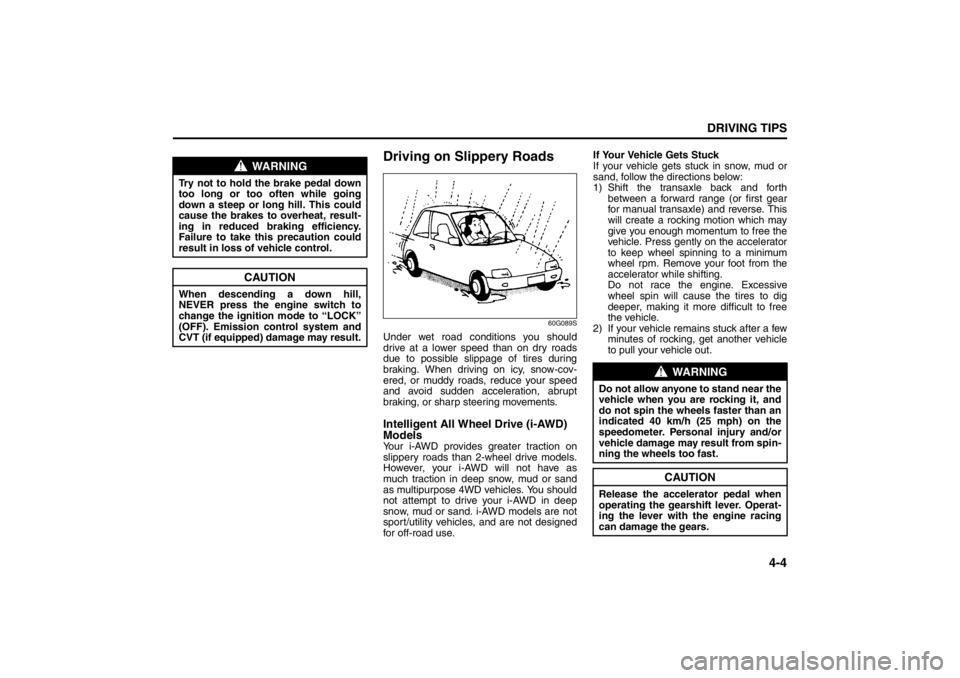
60G089S
Under wet road conditions you should
drive at a lower speed than on dry roads
due to possible slippage of tires during
braking. When driving on icy, snow-cov-
ered, or muddy roads, reduce your speed
and avoid sudden acceleration, abrupt
braking, or sharp steering movements.Intelligent All Wheel Drive (i-AWD)
ModelsYour i-AWD provides greater traction on
slippery roads than 2-wheel drive models.
However, your i-AWD will not have as
much traction in deep snow, mud or sand
as multipurpose 4WD vehicles. You should
not attempt to drive your i-AWD in deep
snow, mud or sand. i-AWD models are not
sport/utility vehicles, and are not designed
for off-road use.If Your Vehicle Gets Stuck
If your vehicle gets stuck in snow, mud or
sand, follow the directions below:
1) Shift the transaxle back and forth
between a forward range (or first gear
for manual transaxle) and reverse. This
will create a rocking motion which may
give you enough momentum to free the
vehicle. Press gently on the accelerator
to keep wheel spinning to a minimum
wheel rpm. Remove your foot from the
accelerator while shifting.
Do not race the engine. Excessive
wheel spin will cause the tires to dig
deeper, making it more difficult to free
the vehicle.
2) If your vehicle remains stuck after a few
minutes of rocking, get another vehicle
to pull your vehicle out.
WARNING
Try not to hold the brake pedal down
too long or too often while going
down a steep or long hill. This could
cause the brakes to overheat, result-
ing in reduced braking efficiency.
Failure to take this precaution could
result in loss of vehicle control.
CAUTION
When descending a down hill,
NEVER press the engine switch to
change the ignition mode to “LOCK”
(OFF). Emission control system and
CVT (if equipped) damage may result.
WARNING
Do not allow anyone to stand near the
vehicle when you are rocking it, and
do not spin the wheels faster than an
indicated 40 km/h (25 mph) on the
speedometer. Personal injury and/or
vehicle damage may result from spin-
ning the wheels too fast.
CAUTION
Release the accelerator pedal when
operating the gearshift lever. Operat-
ing the lever with the engine racing
can damage the gears.
Warning and Indicator Lights: 8
Page 176 of 388

4-5DRIVING TIPS
57L20-03E
Tire ChainsTire chains should only be used if they are
needed to increase traction or are required
by law. Make sure that the chains you use
are small-link chains or cable-type chains
and are the correct size for your vehicle’s
tires. Also make sure that there is enough
clearance between the fenders and the
chains as installed on the tires.
Install the chains on the front tires tightly,
according to the chain manufacturer’s
instructions. Retighten the chains after
driving about 1.0 km (1/2 mile) if neces-
sary. With the chains installed, drive slowly.Do not drive through deep or rushing
water
Driving in deep or rushing water can be
hazardous. You could lose control of the
vehicle and the occupants could drown.
Also, your vehicle could be seriously dam-
aged. To avoid these risks, observe the fol-
lowing instructions and precautions.
Do not drive through deep or rushing
water. Deep or rushing water, such as
fast-moving streams or floodwaters,
could carry your vehicle away from your
intended path. The water is too deep if it
covers your wheel hubs, axles or
exhaust tailpipe. Know the depth of the
water before you attempt to drive
through it.
If water blocks the tailpipe, the engine
may not start or run. If the water is deep
enough to get drawn into the engine
intake system, the engine will be badly
damaged.
Submerged brakes will have poor brak-
ing performance. Drive slowly and care-
fully. Driving slowly will also help avoid
water splashing onto the ignition system,
which could cause the engine to stall.
Even when driving through shallow or
still waters, drive carefully since the
water may be hiding ground hazards
such as holes, ditches or bumps.
54G638S
CAUTION
Do not continue rocking the vehicle
for more than a few minutes. Pro-
longed rocking can cause engine
overheating, transaxle or transfer
case damage or tire damage.
CAUTION
If you hear the chains hitting against
the vehicle body while driving, stop
and tighten them.
If your vehicle is equipped with full
wheel caps, remove the wheel caps
before installing the chains or the
wheel caps can be damaged by the
chain bands.
Warning and Indicator Lights: 8
Page 196 of 388

5-17OTHER CONTROLS AND EQUIPMENT
57L20-03E
Turning power on/off
Press the VOL PUSH POWER knob (1).
The unit starts in the function mode it was
in when the power was turned off last.
Adjusting the clock
1) Press and hold the H button (4) for 1
second or longer.
2) Press the H button (4) to adjust the
hours. Press and hold H button (4) to
successive change.
3) Press the M button (5).
4) Press the M button (5) to adjust the
minutes. Press and hold M button (5)
to successive change.
NOTE:
If no operation takes place for more than
3 seconds, the displayed time is fixed.
Pressing the H button (4) and M button
(5) simultaneously allows users to set
the clock on the hour. If “the minute” of
the clock is between 31 and 59, “the
hour” of the clock advances 1 hour.Adjusting the volume
Turn the VOL PUSH POWER knob (1).
Turning it clockwise increases the volume;
turning it counterclockwise decreases the
volume.
NOTE:
While driving, adjust the volume to an
extent that sound and/or noise coming
from outside the car can be heard.
Mute
Press the MUTE button (3).
Press the MUTE button (3) again, it
returns to the original volume.Adjusting bass/middle/treble/balance/
fader
1) Press the TUNE FOLDER PUSH
SOUND knob (2).
Each time it is pressed, sound adjust-
ment is changed as follows:
For standard specifications
Bass adjustment (BASS 0)
Treble adjustment (TRE 0)
Balance adjustment (BAL 0)
Fader adjustment (FADE 0)
AVC adjustment (LEVEL 2)
Page 219 of 388

5-40
OTHER CONTROLS AND EQUIPMENT
57L20-03E
Receiving a call
Press the Off Hook button (7) to receive a
call.
Ending a call
Press the On Hook button (8) to end a call.
Rejecting a call (only for supported-
models)
Press the On Hook button (8) to reject a
incoming call.Adjusting the listening volume
Turn the VOL PUSH POWER knob (2)
during a call.
Turning it clockwise increases the vol-
ume; turning it counterclockwise
decreases the volume.
Lean the VOL switch (9) during a call.
Leaning to the upper side increases the
volume; leaning the lower side
decreases the volume.
Adjusting the ring volume
Turn the VOL PUSH POWER knob (2)
while a call coming in.
Turning it clockwise increases the vol-
ume; turning it counterclockwise
decreases the volume.
Lean the VOL switch (9) while a call
coming in.
Leaning to the upper side increases the
volume; leaning the lower side
decreases the volume.Dialing by using Redial/Callback
The last dialed number is dialed.
NOTE:
Up to latest 5 calls can be stored for each.
1) Press the Off Hook button (7).
The Bluetooth
® main menu appears.
2) Turn the TUNE FOLDER PUSH
SOUND knob (1) to select “Redial” or
“Callback”, and press the TUNE
FOLDER PUSH SOUND knob (1) to
determine the selection.
For calling from the outgoing call
record or incoming call record, “Redial”
or “Callback” shall be selected, respec-
tively.
3) Turn the TUNE FOLDER PUSH
SOUND knob (1) to select a number,
and press the TUNE FOLDER PUSH
SOUND knob (1) to determine the
selection.
4) Turn the TUNE FOLDER PUSH
SOUND knob (1) to select “Dial”, and
press the TUNE FOLDER PUSH
SOUND knob (1) to determine the
selection.
The selected number is dialed.
NOTE:
Selection of “Go Back” displays the pre-
vious menu.
Pressing the Off Hook button (7) in the
2nd step allows users to forward to the
3rd step with a single motion.