2010 Seat Altea warning light
[x] Cancel search: warning lightPage 100 of 310
Unlocking and locking
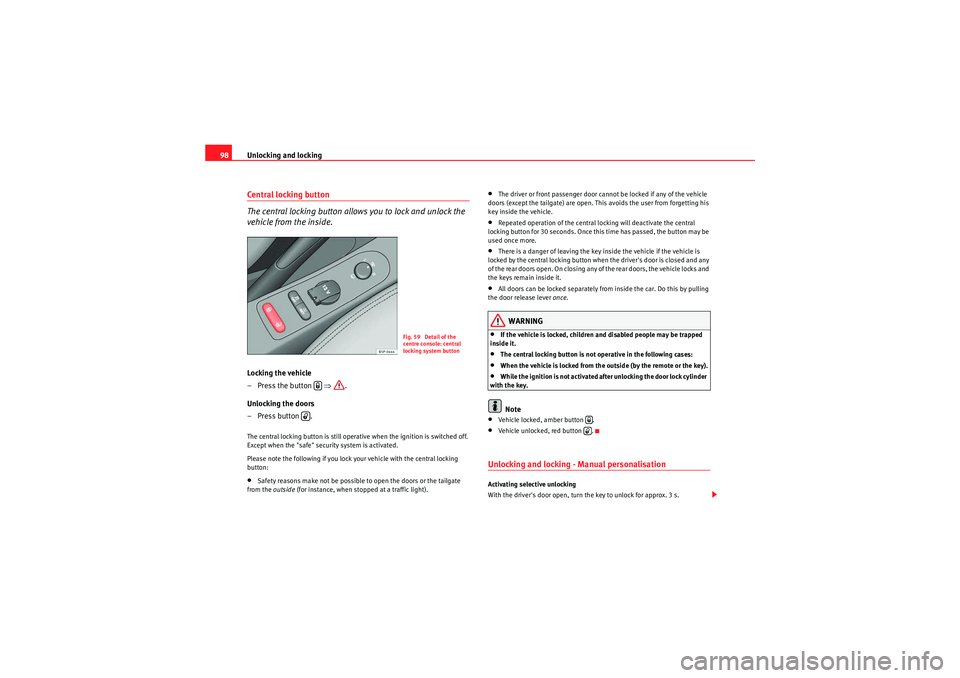
98Central locking button
The central locking button allows you to lock and unlock the
vehicle from the inside.Locking the vehicle
– Press the button ⇒.
Unlocking the doors
– Press button .The central locking button is still operative when the ignition is switched off.
Except when the "safe" security system is activated.
Please note the following if you lock your vehicle with the central locking
button:•Safety reasons make not be possible to open the doors or the tailgate
from the outside (for instance, when stopped at a traffic light).
•The driver or front passenger door cannot be locked if any of the vehicle
doors (except the tailgate) are open. This avoids the user from forgetting his
key inside the vehicle.•Repeated operation of the central locking will deactivate the central
locking button for 30 seconds. Once this time has passed, the button may be
used once more.•There is a danger of leaving the key inside the vehicle if the vehicle is
locked by the central locking button when the driver's door is closed and any
of the rear doors open. On closing any of the rear doors, the vehicle locks and
the keys remain inside it.•All doors can be locked separately from inside the car. Do this by pulling
the door release lever once .WARNING
•If the vehicle is locked, children and disabled people may be trapped
inside it.•The central locking button is not operative in the following cases:•When the vehicle is locked from the outside (by the remote or the key).•While the ignition is not activated after unlocking the door lock cylinder
with the key.Note
•Vehicle locked, amber button .•Vehicle unlocked, red button .Unlocking and locking - Manual personalisation Activating selective unlocking
With the driver's door open, turn the key to unlock for approx. 3 s.
Fig. 59 Detail of the
centre console: central
locking system button
altea_EN Seite 98 Mittwoch, 26. August 2009 6:00 18
Page 108 of 310

Unlocking and locking
106Ta i l g a t eUnlocking and locking
The operation of the tailgate opening system is electric. It is
activated by using the handle on the tailgate
Opening the tailgate
– Pull on the release lever and lift the tailgate ⇒fig. 66. The tail-
gate will then open.
Closing the tailgate
– Grip the tailgate by one of the two handles on the interior lining and close it, using a light movement.The system may or may not operate depending on the situation of the vehicle.
If the tailgate is locked then it cannot be opened, however if it is unlocked
then the opening system is operative and the boot may be opened.
To the locking / unlocking status, press the button or the button on
the remote control key.
A warning appears in the instrument panel if the tailgate is open or not prop-
erly closed.* An audible warning is also given if the tailgate is open when the
car is driven faster than 6 km/h*.
Fig. 66 Tailgate: opening
from the outside
Fig. 67 Detail of the
inside of the tailgate:
hand grip
A1
altea_EN Seite 106 Mittwoch, 26. August 2009 6:00 18
Page 115 of 310

Lights and visibility113
Safety First
Operating instructions
Practical tips
Technical Data
Lights and visibilityLightsSwitching lights on and off
Switching on the side lights
–Turn the light switch ⇒ fig. 73 to position
.
Switching on dipped headlights
– Turn the light switch to position
.
Switching off the lights
– Turn the light switch to position 0. Switching on the fog lights*
– Pull the switch out of position
or to the first stop. The
symbol
in the light switch lights up.
Switching on the rear fog lights (vehicles with front fog lights)
– Pull the switch out of position
or to the second stop
⇒ . A warning lamp lights up in the control panel.
Switching on the rear fog lights (vehicles with no front fog lights)
– Pull the light switch from position
to the last stop. A warning
lamp lights up in the instrument panel.
WARNING
Never drive with just the side lights on. Risk of accident. The side lights are
not bright enough to illuminate the road ahead and to ensure that other
road users are able to see you. Always use your dipped headlights if it is
dark or if visibility is poor.
Note
•The dipped beam headlights will only work with the ignition on. The side
lights come on automatically when the ignition is turned off.•If the lights are left on after the key has been taken out of the ignition lock,
a buzzer will sound while the driver door remains open. This is a reminder to
switch the lights off.•The rear fog light is so bright that it can dazzle drivers behind you. You
should use the rear fog light only when visibility is very poor.
Fig. 73 Detailed view of
dash panel: lights, fog
light and rear fog light
control
altea_EN Seite 113 Mittwoch, 26. August 2009 6:00 18
Page 116 of 310

Lights and visibility
114•If you are towing a trailer equipped with a rear fog light on a vehicle with
a factory-fitted towing bracket , the rear fog light on the car will automatically
be switched off.•The use of the lighting described here is subject to the relevant statutory
requirements.•Depending on weather conditions (very cold or wet), the front and rear
lights and the indicators may be temporarily misted. This has no influence on
the life expectancy of the lighting system. The lights will soon demist when
they are switched on.Automatic lighting*Activation
– Rotate the switch to the position “Auto”, this indication will light up. Deactivation
– Turn the light switch to 0.
Automatic lighting
If automatic headlight control is switched on, dipped headlights are automat-
ically switched on by a light-sensitive sensor if you drive into a tunnel, for
example.
The motorway function switches on the dipped headlights when the vehicle
is driven at over 140 km/h for a few seconds and it switches the lights off
when the vehicle is driven at less than 65 km/h for a few minutes.
The rain sensor switches on the dipped headlights when the windscreen
wipers have been operating continuously for a few seconds and it switches
the lights off when the continuous or intermittent wipe is switched off for
some minutes ⇒
page 127.
When the automatic dipped light control is connected but the dipped lights
are off, the warning lamp
lights up on the light control ⇒fig. 74 . If the
automatic control switches on the dipped lights, the instrument and control
lighting is also switched on.
WARNING
•If automatic headlight control is switched on, the headlights will not be
switched on in fog or heavy rain. Therefore, the dipped beam must be
switched on manually.Note
•For those vehicles with the automatic headlight system, when the key is
removed from the ignition, the acoustic signal will only sound if the light
control is in the position
or if the vehicle is not fitted with the coming
home function.
Fig. 74 Automatic
lighting
altea_EN Seite 114 Mittwoch, 26. August 2009 6:00 18
Page 120 of 310

Lights and visibility
118Dynamic curve lights* (AFS)
The dynamic curve lights only operate if the vehicle is travelling at more than
10 km/h and the dipped headlamps are on. When taking a bend, the road is
illuminated better with directional gas discharge lamps than with conven-
tional fixed headlamps.
A fault in the system is indicated via the flashing of the control lamp
on the
instrument panel. At the same time, a text message with information or
instructions to perform necessary operations may appear on the instrument
panel display. Take the vehicle to a qualified workshop and have the fault
repaired.
If the control lamp
lights up on the instrument panel but all the lamps are
operating correctly ⇒ page 266, there may still be a fault in the dynamic
curve lighting system (AFS). Take the vehicle to a qualified workshop and
have the fault repaired.
WARNING
If the “automatic dipped light control” is switched on, the dipped head-
lights will not be switched on in fog. They should be switched on manually
using the light switch. The driver is personally responsible for the correct
use of lights in all situations. “Automatic headlight control” is merely a
system to support the driver. Where necessary, switch on the lights manu-
ally using the light switch.Fog lights with cornering function*When the indicator is switched on to turn or on very tight bends, the right or
left fog lamp automatically comes on to function as a cornering light. The
cornering light only operates if the dipped lights are on.
WARNING
If the “automatic dipped light control” is switched on, the dipped head-
lights will not be switched on in fog. They should be switched on manually
using the light switch. The driver is personally responsible for the correct
use of lights in all situations. “Automatic headlight control” is merely a
system to support the driver. Where necessary, switch on the lights manu-
ally using the light switch.Hazard warning lights
The hazard warning lights are used to draw the attention of
other road users to your vehicle in emergencies.
If your vehicle breaks down:
1. Park your vehicle at a safe distance from moving traffic.
Fig. 77 Dash panel:
switch for hazard warning
lights
altea_EN Seite 118 Mittwoch, 26. August 2009 6:00 18
Page 121 of 310
Lights and visibility119
Safety First
Operating instructions
Practical tips
Technical Data
2. Press the button to switch on the hazard warning lights ⇒.
3. Switch the engine off.
4. Apply the handbrake.
5. On a manual gearbox engage 1st gear, and for an automatic move the selector lever to P.
6. Use the warning triangle to draw the attention of other road users to your vehicle.
7. Always take the vehicle key with you when you leave the vehicle.You should switch on the hazard warning lights to warn other road users, for
instance when:•reaching the tail end of a traffic jam,•there is an emergency•your vehicle breaks down due to a technical fault,•you are towing another vehicle or your vehicle is being towed.
All turn signals flash simultaneously when the hazard warning lights are
switched on. That is that the two turn signal indicator lamps
and the
indicator lamp in the switch
will flash at the same time. The hazard
warning lights also work when the ignition is switched off.
Emergency braking function
When the vehicle detects sudden braking, the hazard warning lights auto-
matically come on to warn vehicles behind. The hazard warning lights go off
when the vehicle accelerates or the hazard warning light switch is pressed.
WARNING
•The risk of an accident increases if your vehicle breaks down. Always
use the hazard warning lights and a warning triangle to draw the attention
of other road users to your stationary vehicle.•Never park where the catalytic converter could come into contact with
inflammable materials under the vehicle, for example dry grass or spilt
petrol. This could start a fire!Note
•The battery will run down if the hazard warning lights are left on for a long
time, even if the ignition is switched off.•The use of the hazard warning lights described here is subject to the rele-
vant statutory requirements.
altea_EN Seite 119 Mittwoch, 26. August 2009 6:00 18
Page 122 of 310

Lights and visibility
120Indicator and main beam headlight lever
The turn signal and main beam lever also operates the
parking lights and the headlight flasher.The turn signal and main beam headlight lever has the following
functions:
Switching on the turn signals
– Move the lever all the way up ⇒fig. 78 to indicate right, and
all the way down to indicate left.
Signalling a lane change
– Push the lever up or down to the point where you incur resistance and then release it. The turn signal will flash several
times. The corresponding warning lamp will also flash. Switching main beam on and off
– Turn the light switch to position
.
– Press the lever forward ⇒fig. 78 to switch on the main
beams.
– Pull the lever back towards you to switch the main beam head- lights off again.
Headlight flashers
– Pull the lever towards the steering wheel to operate the flasher.
Switching on parking lights
– Switch the ignition off and remove the key from the lock.
– Move the lever up or down to turn the right or left-hand parking lights on, respectively.
WARNING
The main beam can dazzle other drivers. Risk of accident! Never use the
main beam headlights or the headlight flasher if they could dazzle other
drivers.
Note
• The turn signals only work when the ignition is switched on. The corre-
sponding warning lamp
or flashes in the dash panel. The warning lamp
flashes when the turn signals are operated, provided a trailer is correctly
attached and connected to the vehicle. If a turn signal bulb is defective, the
warning lamp flashes at double speed. If the trailer turn signal bulbs are
damaged, warning lamp
does not light up. Change the bulb.
Fig. 78 Indicator and
main beam lever
A1
A2A1
A2
A3
A4
altea_EN Seite 120 Mittwoch, 26. August 2009 6:00 18
Page 123 of 310

Lights and visibility121
Safety First
Operating instructions
Practical tips
Technical Data
•The main beam headlights can only be switched on if the dipped beam
headlights are already on. The warning lamp
then lights up on the dash
panel.
•The headlight flasher comes on for as long as you pull the lever – even if
no other lights are switched on. The warning lamp
then lights up on the
dash panel.
•When the parking lights are switched on, the headlight and the rear light
on the corresponding side of the vehicle light up. The parking lights will only
work if the key is removed from the ignition. If the lights are switched on, a
buzzer gives an audible warning while the driver door is open.•If the turn signal lever is left on after the key has been taken out of the
ignition lock, an acoustic signal sounds when the driver door is opened. This
is a reminder to switch off the turn signal, unless of course you wish to leave
the parking light on.
Interior lightsInterior front light, type 1 The switch ⇒fig. 79 is used to select the following positions:
Courtesy light position
Rocker switch in flat position (not activated). The interior lights are automat-
ically switched on when the vehicle is unlocked or the key removed from the
ignition lock And turn off approx. 20 seconds after closing the doors. The inte-
rior lights are switched off when the vehicle is locked or when the ignition is
switched on.
Interior light switched on
Push the switch to the position
.
Interior light switched off O
Push the switch to position O ⇒fig. 79 .
Fig. 79 Interior roof trim:
front interior lights
AA
altea_EN Seite 121 Mittwoch, 26. August 2009 6:00 18