2010 PEUGEOT 308 instrument panel
[x] Cancel search: instrument panelPage 160 of 315
134
Particular situations Emergency braking
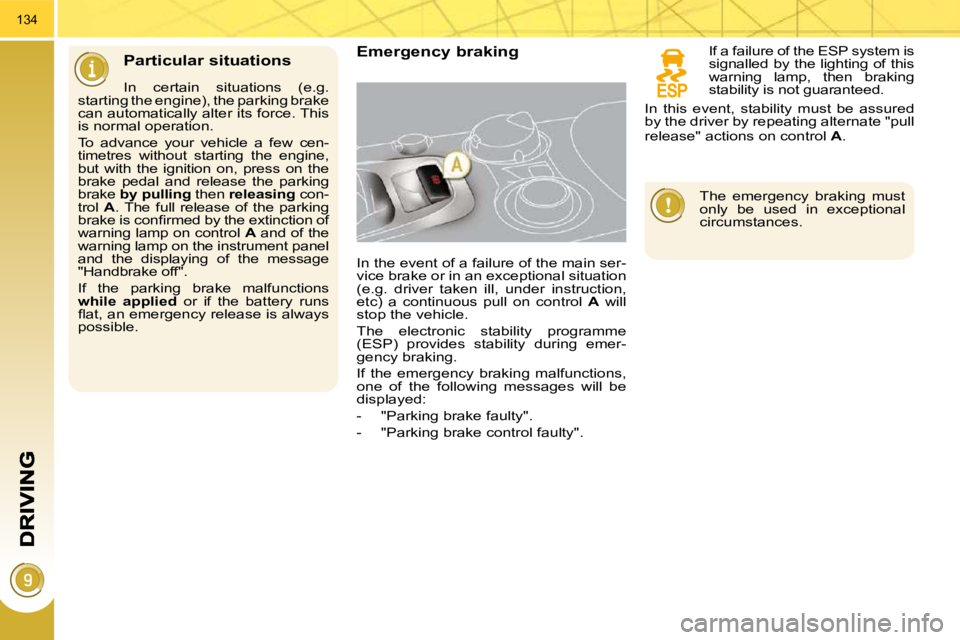
In the event of a failure of the main ser-
vice brake or in an exceptional situation
(e.g. driver taken ill, under instruction,
etc) a continuous pull on control A will
stop the vehicle.
The electronic stability programme
(ESP) provides stability during emer-
gency braking.
If the emergency braking malfunctions,
one of the following messages will be
displayed:
- "Parking brake faulty".
- "Parking brake control faulty".
In certain situations (e.g.
starting the engine), the parking brake
can automatically alter its force. This
is normal operation.
To advance your vehicle a few cen-
timetres without starting the engine,
but with the ignition on, press on the
brake pedal and release the parking
brake by pulling then releasing con-
trol A . The full release of the parking
brake is confi rmed by the extinction of
warning lamp on control A and of the
warning lamp on the instrument panel
and the displaying of the message
"Handbrake off".
If the parking brake malfunctions
while applied or if the battery runs
fl at, an emergency release is always
possible. If a failure of the ESP system is
signalled by the lighting of this
warning lamp, then braking
stability is not guaranteed.
The emergency braking must
only be used in exceptional
circumstances.
In this event, stability must be assured
by the driver by repeating alternate "pull
release" actions on control
A .
Page 167 of 315
143
SPEED LIMITER
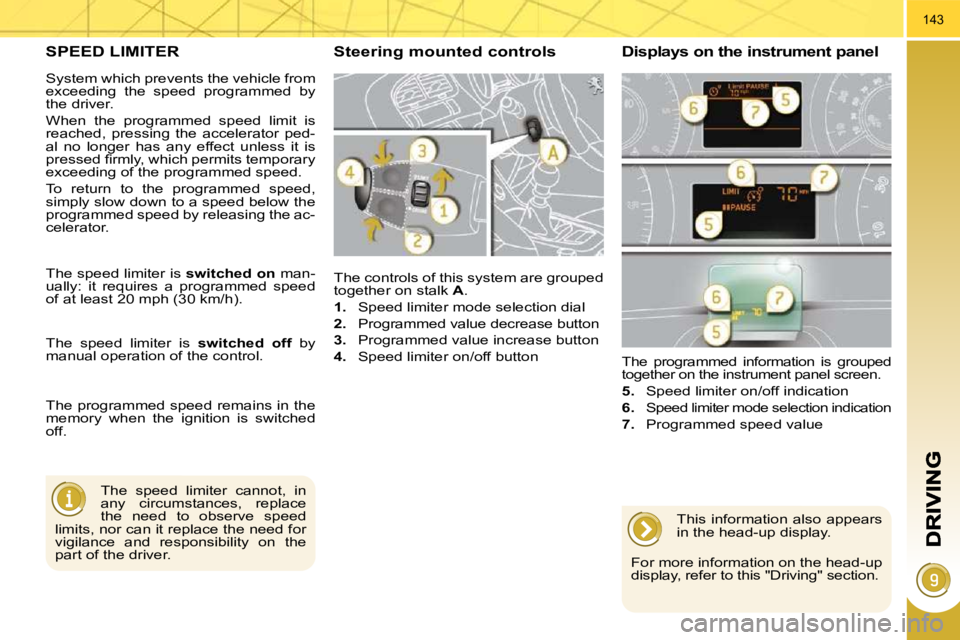
The controls of this system are grouped
together on stalk A .
1. Speed limiter mode selection dial
2. Programmed value decrease button
3. Programmed value increase button
4. Speed limiter on/off button
The programmed information is grouped
together on the instrument panel screen.
5. Speed limiter on/off indication
6.
Speed limiter mode selection indication
7. Programmed speed value
Steering mounted controls Displays on the instrument panel
The speed limiter cannot, in
any circumstances, replace
the need to observe speed
limits, nor can it replace the need for
vigilance and responsibility on the
part of the driver.
The speed limiter is
switched on man-
ually: it requires a programmed speed
of at least 20 mph (30 km/h).
The speed limiter is switched off by
manual operation of the control.
The programmed speed remains in the
memory when the ignition is switched
off.
This information also appears
in the head-up display.
For more information on the head-up
display, refer to this "Driving" section.
System which prevents the vehicle from
exceeding the speed programmed by
the driver.
When the programmed speed limit is
reached, pressing the accelerator ped-
al no longer has any effect unless it is
pressed fi rmly, which permits temporary
exceeding of the programmed speed.
To return to the programmed speed,
simply slow down to a speed below the
programmed speed by releasing the ac-
celerator.
Page 169 of 315
145
CRUISE CONTROL
System which automatically maintains
the speed of the vehicle at the value
programmed by the driver, without any
action on the accelerator pedal.
The cruise control is switched on
manually: it requires a minimum vehi-
cle speed of 25 mph (40 km/h) and the
engaging:
- of fourth gear on the manual gearbox,
- of second gear on the electronic gear control gearbox or automatic gearbox,
in sequential driving mode,
- of position A on the electronic gear
control gearbox or D on the auto-
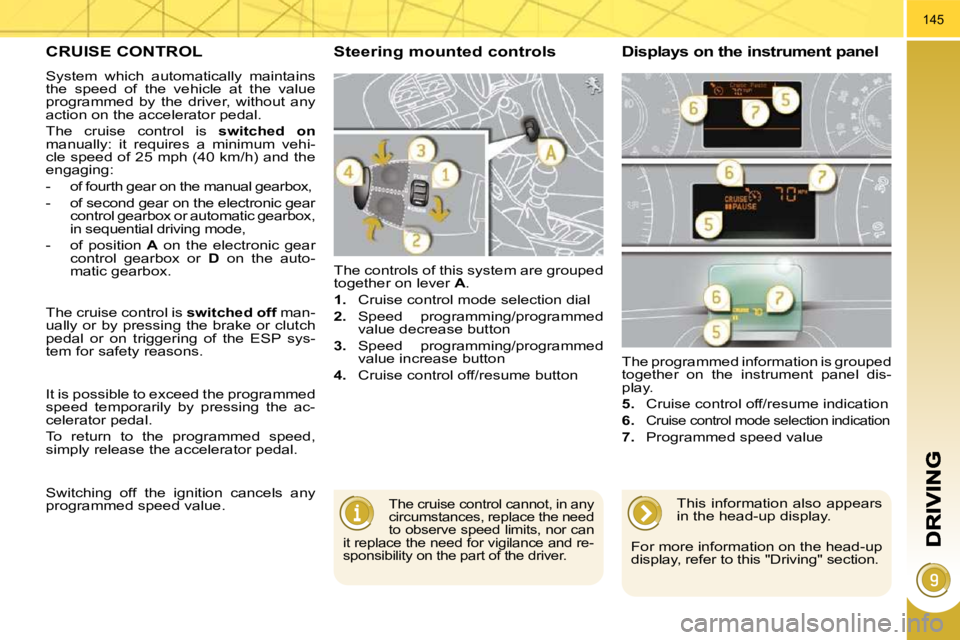
matic gearbox. The controls of this system are grouped
together on lever
A .
1. Cruise control mode selection dial
2. Speed programming/programmed
value decrease button
3. Speed programming/programmed
value increase button
4. Cruise control off/resume button The programmed information is grouped
together on the instrument panel dis-
play.
5. Cruise control off/resume indication
6.
Cruise control mode selection indication
7. Programmed speed value
Steering mounted controls Displays on the instrument panel
The cruise control cannot, in any
circumstances, replace the need
to observe speed limits, nor can
it replace the need for vigilance and re-
sponsibility on the part of the driver.
The cruise control is switched off man-
ually or by pressing the brake or clutch
pedal or on triggering of the ESP sys-
tem for safety reasons.
It is possible to exceed the programmed
speed temporarily by pressing the ac-
celerator pedal.
To return to the programmed speed,
simply release the accelerator pedal.
Switching off the ignition cancels any
programmed speed value. This information also appears
in the head-up display.
For more information on the head-up
display, refer to this "Driving" section.
Page 171 of 315
147
6-SPEED MANUAL GEARBOX
As a safety precaution and to fa-
cilitate starting of the engine:
Only engage reverse gear
when the vehicle is stationary
with the engine at idle.
Engaging reverse gear
Raise the ring under the knob and
push the gear lever to the left then
forwards.
* According to engine.
GEAR SHIFT INDICATOR *
System which reduces fuel consumption
by advising the driver to change up on
vehicles fi tted with a manual gearbox.
Operation
The system intervenes only when driv-
ing economically.
Depending on the driving situation and
your vehicle's equipment, the system
may advise you to skip one or more
gears. You can follow this instruc-
tion without engaging the intermediate
gears.
The gear engagement recommenda-
tions must not be considered compulso-
ry. In fact, the confi guration of the road,
the amount of traffi c and safety remain
determining factors when choosing the
best gear. Therefore, the driver remains
responsible for deciding whether or not to
follow the advice given by the system.
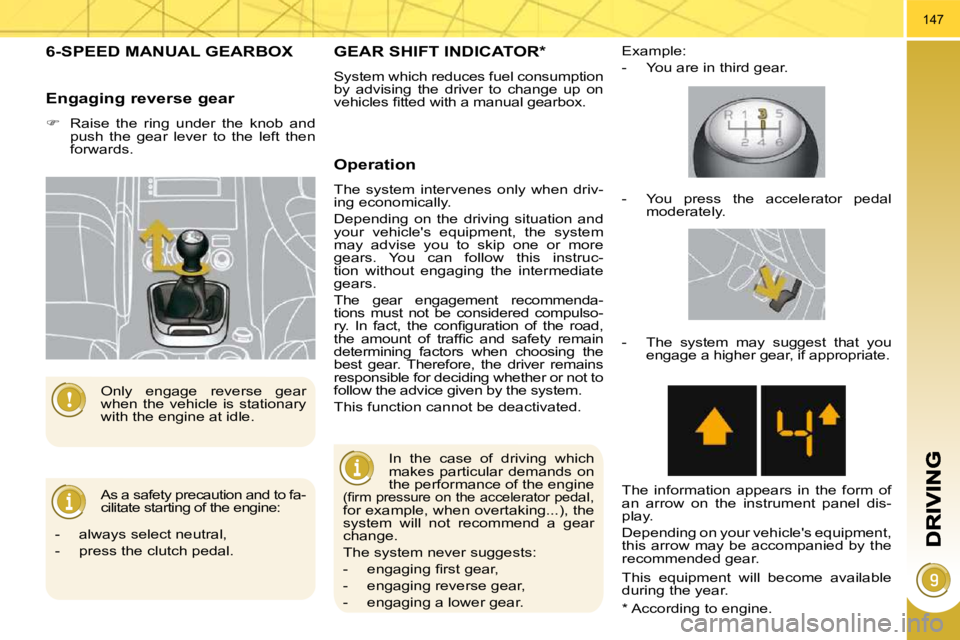
This function cannot be deactivated. Example:
- You are in third gear.
In the case of driving which
makes particular demands on
the performance of the engine
(fi rm pressure on the accelerator pedal,
for example, when overtaking...), the
system will not recommend a gear
change.
The system never suggests:
- engaging fi rst gear,
- engaging reverse gear,
- engaging a lower gear. - You press the accelerator pedal
moderately.
- The system may suggest that you engage a higher gear, if appropriate.
The information appears in the form of
an arrow on the instrument panel dis-
play.
Depending on your vehicle's equipment,
this arrow may be accompanied by the
recommended gear.
This equipment will become available
during the year.
- always select neutral,
- press the clutch pedal.
Page 173 of 315
149
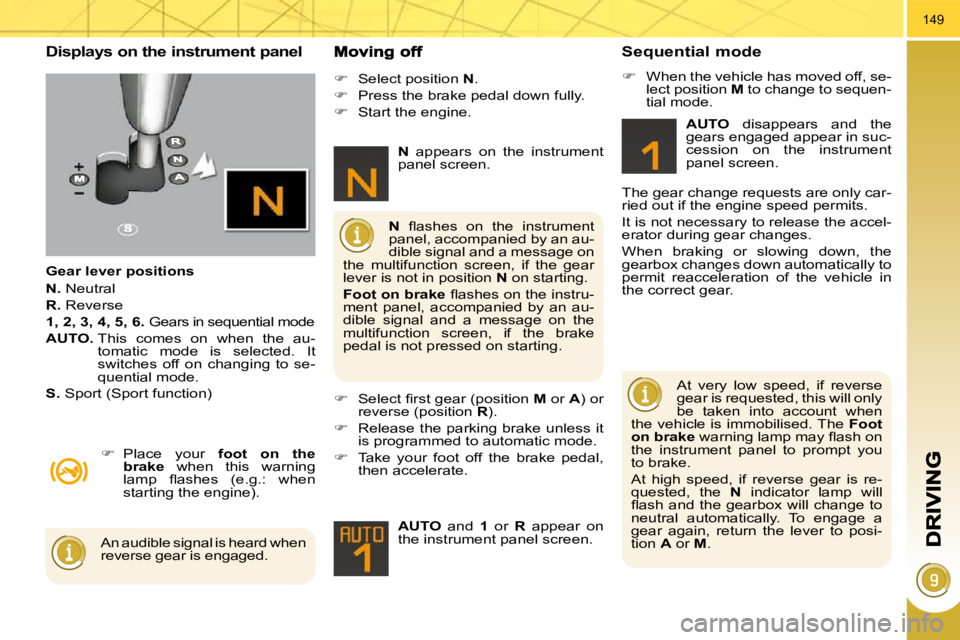
Displays on the instrument panel
Gear lever positions
N. Neutral
R. Reverse
1, 2, 3, 4, 5, 6. Gears in sequential mode
AUTO. This comes on when the au-
tomatic mode is selected. It
switches off on changing to se-
quential mode.
S. Sport (Sport function)
Place your foot on the
brake when this warning
lamp fl ashes (e.g.: when
starting the engine).
Select position N .
Press the brake pedal down fully.
Start the engine.
Select fi rst gear (position M or A ) or
reverse (position R ).
Release the parking brake unless it
is programmed to automatic mode.
Take your foot off the brake pedal,
then accelerate.
AUTO and 1 or R appear on
the instrument panel screen.
N fl ashes on the instrument
panel, accompanied by an au-
dible signal and a message on
the multifunction screen, if the gear
lever is not in position N on starting.
Foot on brake fl ashes on the instru-
ment panel, accompanied by an au-
dible signal and a message on the
multifunction screen, if the brake
pedal is not pressed on starting.
An audible signal is heard when
reverse gear is engaged.
N appears on the instrument
panel screen.
Sequential mode
When the vehicle has moved off, se-
lect position M to change to sequen-
tial mode.
AUTO disappears and the
gears engaged appear in suc-
cession on the instrument
panel screen.
The gear change requests are only car-
ried out if the engine speed permits.
It is not necessary to release the accel-
erator during gear changes.
When braking or slowing down, the
gearbox changes down automatically to
permit reacceleration of the vehicle in
the correct gear.
At very low speed, if reverse
gear is requested, this will only
be taken into account when
the vehicle is immobilised. The Foot
on brake warning lamp may fl ash on
the instrument panel to prompt you
to brake.
At high speed, if reverse gear is re-
quested, the N indicator lamp will
fl ash and the gearbox will change to
neutral automatically. To engage a
gear again, return the lever to posi-
tion A or M .
Page 174 of 315
150
The gearbox is then operating in auto-
active mode, without any action on the
part of the driver. It continuously selects
the most suitable gear in relation to the
following parameters:
- style of driving,
- profi le of the road.
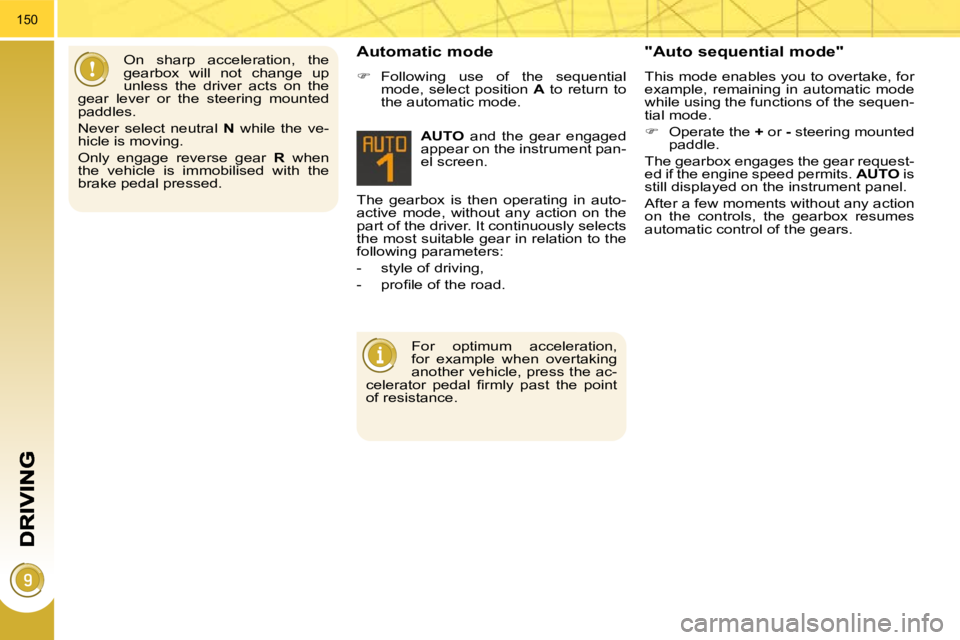
AUTO and the gear engaged
appear on the instrument pan-
el screen.
Automatic mode
Following use of the sequential
mode, select position A to return to
the automatic mode.
"Auto sequential mode"
This mode enables you to overtake, for
example, remaining in automatic mode
while using the functions of the sequen-
tial mode.
Operate the + or - steering mounted
paddle.
The gearbox engages the gear request-
ed if the engine speed permits. AUTO is
still displayed on the instrument panel.
After a few moments without any action
on the controls, the gearbox resumes
automatic control of the gears.
On sharp acceleration, the
gearbox will not change up
unless the driver acts on the
gear lever or the steering mounted
paddles.
Never select neutral N while the ve-
hicle is moving.
Only engage reverse gear R when
the vehicle is immobilised with the
brake pedal pressed.
For optimum acceleration,
for example when overtaking
another vehicle, press the ac-
celerator pedal fi rmly past the point
of resistance.
Page 175 of 315
151
Stopping the vehicle Operating fault
With the ignition on, if this
warning lamp comes on and
AUTO fl ashes, accompanied
by an audible signal and a
message on the multifunction
screen, this indicates a malfunction of
the gearbox.
Have it checked by a PEUGEOT dealer.
It is essential to press the
brake pedal when starting the
engine.
When parking, is it essential to apply
the parking brake to immobilise the
vehicle, whatever the circumstances.
When immobilising the vehi-
cle, with the engine running, it
is essential to place the gear
lever in neutral N .
Before carrying out any work in the
engine compartment, check that the
gear lever is in neutral N and that
the parking brake is applied.
Sport function
Following selection of the sequential
mode or automatic mode, press but-
ton S to activate the Sport function
which offers you a more dynamic
style of driving.
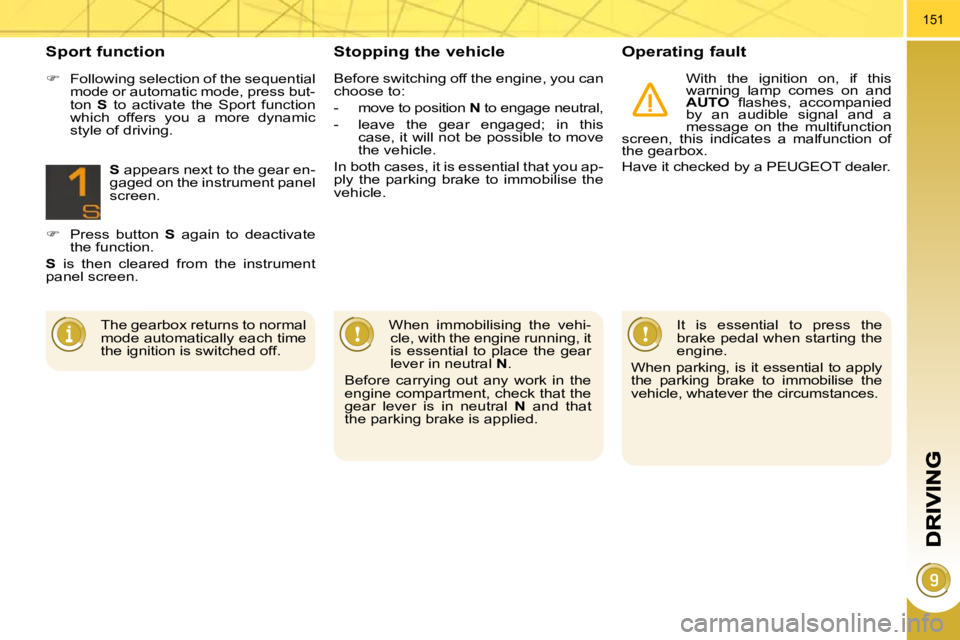
S appears next to the gear en-
gaged on the instrument panel
screen.
Press button S again to deactivate
the function.
S is then cleared from the instrument
panel screen.
The gearbox returns to normal
mode automatically each time
the ignition is switched off. Before switching off the engine, you can
choose to:
- move to position
N to engage neutral,
- leave the gear engaged; in this case, it will not be possible to move
the vehicle.
In both cases, it is essential that you ap-
ply the parking brake to immobilise the
vehicle.
Page 176 of 315
152
"PORSCHE TIPTRONIC SYSTEM" AUTOMATIC GEARBOX
Six speed automatic gearbox which of-
fers a choice between the comfort of
fully automatic operation, enhanced by
sport and snow programmes, or manual
gear changing.
Therefore, four driving modes are of-
fered:
- automatic operation for electronic
management of the gears by the
gearbox,
- sport programme for a more dy-
namic style of driving,
- snow programme to improve driv-
ing when traction is poor,
- manual operation for sequential
changing of the gears by the driver.
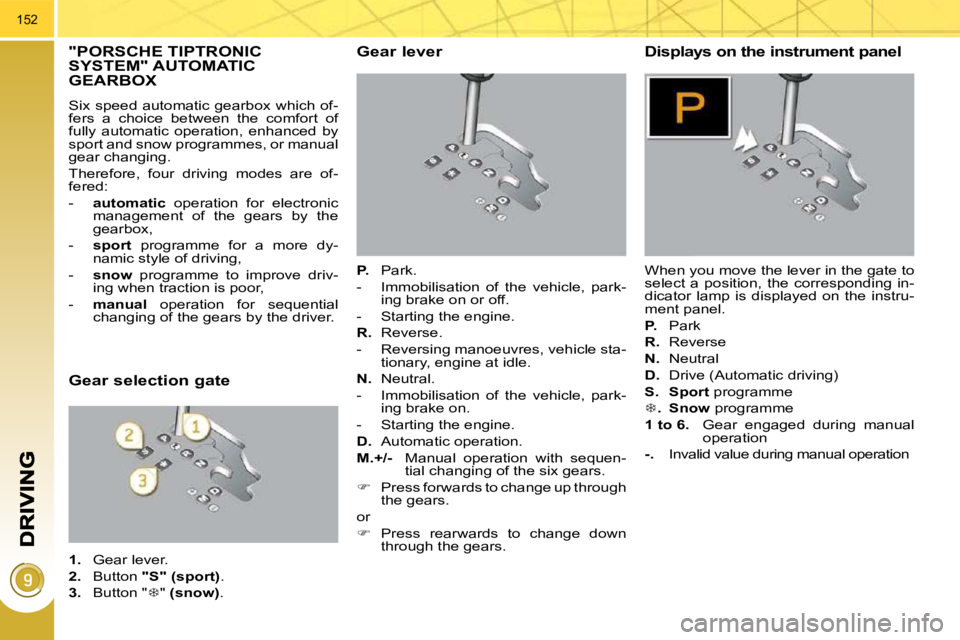
Gear lever
P. Park.
- Immobilisation of the vehicle, park- ing brake on or off.
- Starting the engine.
R. Reverse.
- Reversing manoeuvres, vehicle sta- tionary, engine at idle.
N. Neutral.
- Immobilisation of the vehicle, park- ing brake on.
- Starting the engine.
D. Automatic operation.
M.+/- Manual operation with sequen-
tial changing of the six gears.
Press forwards to change up through
the gears.
or
Press rearwards to change down
through the gears.
Displays on the instrument panel
When you move the lever in the gate to
select a position, the corresponding in-
dicator lamp is displayed on the instru-
ment panel.
P. Park
R. Reverse
N. Neutral
D. Drive (Automatic driving)
S.
Sport programme
. Snow programme
1 to 6. Gear engaged during manual
operation
-. Invalid value during manual operation
Gear selection gate
1. Gear lever.
2. Button "S" (sport) .
3. Button " " (snow) .