Page 215 of 658
3-120 Features and controls
3
NOTE�
If manual shifting is selected using the sportronic steering
wheel shifters when the gearshift lever is in the “D”
(DRIVE) position, the transmission will automatically
return to “D” range operation before the vehicle stops.
�
When the transmission returns to “D” range operation
from manual shifting, it may automatically shift up or
down from the gear selected using manual shifting
depending on the vehicle speed or driving conditions.
�
If manual shifting is selected using the sportronic steering
wheel shifters, “D” range operation will again be selected
by moving the gearshift lever from the “D” (DRIVE)
position toward the driver’s seat, then return it toward the
front passenger’s seat.
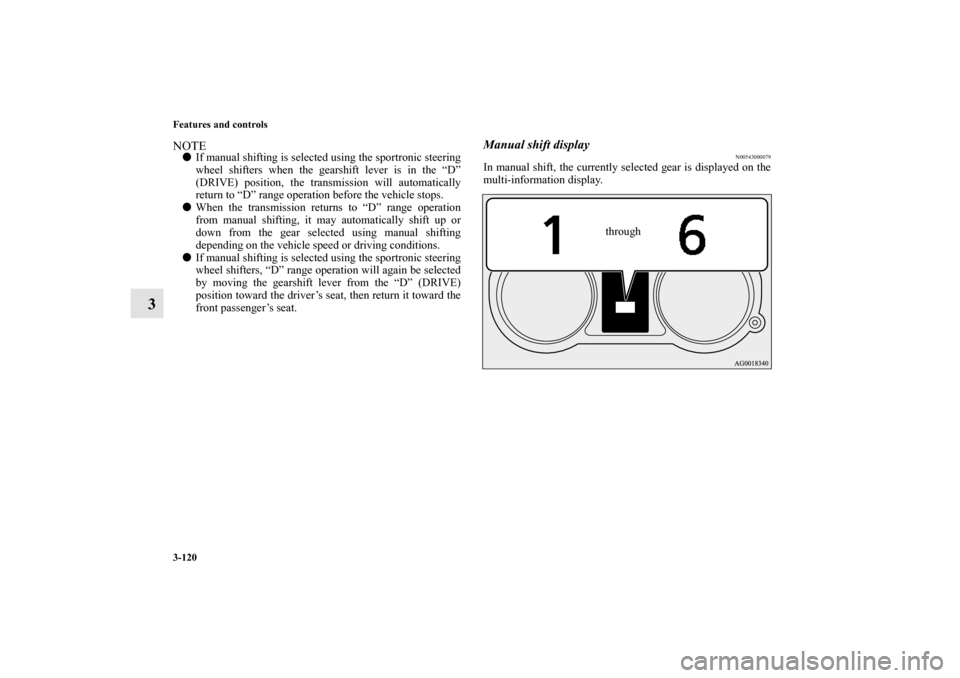
Manual shift display
N00543000079
In manual shift, the currently selected gear is displayed on the
multi-information display.
through
BK0103001US.book 120 ページ 2009年8月20日 木曜日 午前10時45分
Page 230 of 658
Features and controls
3-135
3 Anti-lock braking system
N00517900282
The anti-lock braking system helps prevent the wheels from
locking up when braking. This helps you keep control of your
vehicle and its direction. Driving hints �
When using the anti-lock brakes (sudden braking), steer-
ing is slightly different from normal driving conditions.
Use the steering wheel carefully.
�
Always keep a safe distance from the vehicle in front of
you. Even if your vehicle is equipped with the anti-lock
braking system, leave a greater braking distance when:
Driving on gravel or snow-covered roads.
Driving on uneven road surfaces.
�
Operation of anti-lock braking system is not restricted to
situations where brakes are applied suddenly. This system
may also prevent the wheels from locking when you drive
over manholes, steel roadwork plates, road markings, or
any uneven road surface.
�
When the anti-lock braking system is in use, you may feel
the brake pedal vibrating and hear a unique sound. You
may also feel as if the pedal resists being pressed.
In this situation, simply hold the brake pedal down
firmly. Do not pump the brake, which will result in
reduced braking performance.
NOTE�
After your vehicle is driven a short distance after starting
the engine, you will hear the sound coming from the
engine compartment. These are the normal sounds the
anti-lock braking system makes when performing a self-
check. It does not indicate a malfunction.
�
The anti-lock braking system can be used after the vehicle
has reached a speed over approximately 6 mph (10 km/h).
It stops working when the vehicle slows below approxi-
mately 3 mph (5 km/h).
CAUTION
!�
The anti-lock braking system cannot prevent acci-
dents. It is your responsibility to take safety precau-
tions and to drive carefully.
�
To prevent failure of the anti-lock braking system,
be sure all four wheels and tires are the same size
and the same type.
�
Never install a limited-slip differential as the anti-
lock braking system may not function normally.
Please consult an authorized Mitsubishi Motors
dealer.
BK0103001US.book 135 ページ 2009年8月20日 木曜日 午前10時45分
Page 234 of 658
Features and controls
3-139
3 Power steering system
N00518000206
The power steering system has mechanical steering capability
in case the power assist is lost. If the hydraulic pressure is
interrupted for some reason (such as engine stalling), you will
still be able to steer your vehicle.
If the power assist is lost, you will notice it takes much more
effort to steer and that there is much more “free play” in the
steering wheel. If this happens, take your vehicle to an autho-
rized Mitsubishi Motors dealer or a repair facility of your
choice.
Active stability control (ASC)
N00559100091
The active stability control (ASC) takes overall control of the
anti-lock braking system, traction control function and skid
control function to help maintain the vehicle’s control and trac-
tion. Please read this section in conjunction with the page on
the anti-lock braking system, traction control function and skid
control function.
Anti-lock braking system → P. 3 - 1 3 5
Traction control function → P. 3 - 1 4 0
Skid control function → P. 3 - 1 4 0
WA R N I N G
!�
Never turn off the engine while the vehicle is mov-
ing, or your ability to steer the vehicle may be seri-
ously reduced.CAUTION
!�
Do not leave the steering wheel turned all the way in
one direction. This can cause damage to the power
steering system.
CAUTION
!�
Do not over-rely on the ASC. Even the ASC cannot
prevent the natural laws of physics from acting on
the vehicle. This system, like any other system, has
limits and cannot help you to maintain traction and
control of the vehicle in all circumstances. Reckless
driving can lead to accidents. It is the driver’s
responsibillty to drive carefully, This means taking
into account the traffic, road and environmental
conditions.
�
Be sure to use the same specified type and size of tire
on all four wheels. Otherwise, the ASC may not
work properly.
�
Do not install any aftermarket limited-slip differen-
tial (LSD) on your vehicle. The ASC may stop func-
tioning properly.
BK0103001US.book 139 ページ 2009年8月20日 木曜日 午前10時45分
Page 235 of 658
3-140 Features and controls
3
NOTE�
An operation noise may be emitted from the engine com-
partment in the following situations. The sound is associ-
ated with checking the operations of the ASC. At this
time, you may feel a shock from the brake pedal if you
depress it. These do not indicate a malfunction.
When the ignition switch is set to the “ON” position.
When the vehicle is driven for a while after the engine is
turned on.
�
When the ASC is activated, you may feel a vibration in
the vehicle body or hear a whining sound from the engine
compartment.
This indicates that the system is operating normally. It
does not indicate a malfunction.
�
When the anti-lock braking system warning light is illu-
minated, the ASC is not active.
Traction control function
N00559200047
On slippery surfaces, the traction control function prevents the
drive wheels from spinning excessive, thus helping the vehicle
to start moving from a stopped condition. It also provides suffi-
cient driving force and steering performance as the vehicle
turns while pressing the acceleration pedal.Skid control function
N00546800023
The skid control function is designed to help the driver main-
tain control of the vehicle on slippery roads or during rapid
steering maneuvers. It works by controlling the engine output
and the brake on each wheel.NOTE�
The skid control function operates at speeds of about 9
mph (15 km/h) or higher.
CAUTION
!�
When driving a vehicle on a snowy or icy road, be
sure to install snow tires and drive the vehicle at
moderate speeds.
BK0103001US.book 140 ページ 2009年8月20日 木曜日 午前10時45分
Page 252 of 658
Features and controls
3-157
3
If the warning light illuminates while driving
N00532800309
1. If the tire pressure monitoring system warning light illu-
minates, avoid hard braking, sharp steering maneuvers
and high speeds. You should stop and adjust the tires to
the proper inflation pressure as soon as possible. Adjust
the spare tire at the same time. Refer to “Tires” on page 7-
29.NOTE�
In addition, the warning display is displayed on the infor-
mation screen in the multi-information display.
�
Once adjustments have been made, the warning light will
go off after a few minutes of driving.
2. If the tire pressure monitoring system warning light
remains illuminated after you have been driving for about
20 minutes after you adjust the tire inflation pressure, one
or more of the tires may have a puncture. Inspect the tire
and if it has a puncture, have it repaired by an authorized
Mitsubishi Motors dealer as soon as possible.
NOTE�
To avoid the risk of damage to the tire inflation pressure
sensors, have any punctured tire repaired by an authorized
Mitsubishi Motors dealer. If the tire repair is not done by
an authorized Mitsubishi Motors dealer, it is not covered
by your warranty.
�
Do not use an aerosol puncture-repair product on any tire,
as it could damage the tire inflation pressure sensors.
Have any puncture repaired by an authorized Mitsubishi
Motors dealer.
WA R N I N G
!�
If the warning light/display illuminates while you
are driving, avoid hard braking, sharp steering
maneuvers and high speeds. Driving with an under-
inflated tire adversely affects vehicle performance
and can result in an accident.
CAUTION
!�
If a tire has a puncture, replace that tire with the
spare tire. Driving on a punctured tire could lead to
an accident.
�
The warning light/display may not illuminate imme-
diately in the event of a tire blowout or rapid leak.
BK0103001US.book 157 ページ 2009年8月20日 木曜日 午前10時45分
Page 323 of 658
3-228 Features and controls
3
NOTE�
Start adjusting when the knob is at the “0” position (when
the beam is at its highest).
�
Keep the knob in the “0” position except when using the
knob to lower the headlight beam angle.
�
Always return the knob to the “0” position when the load
is removed and the people have left the vehicle.
Turn signal lever
N00522600421
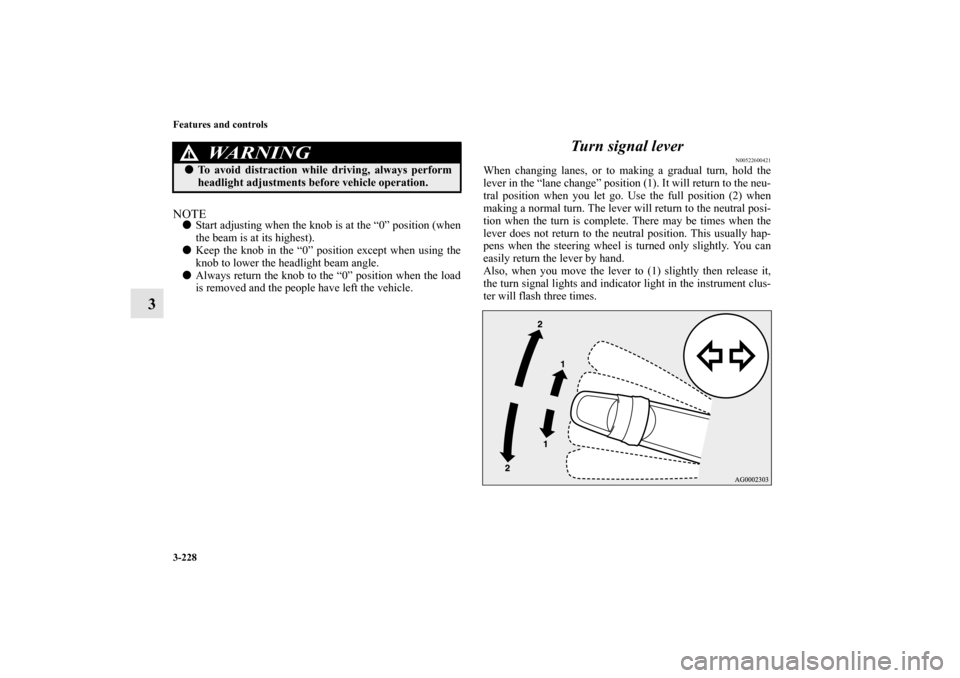
When changing lanes, or to making a gradual turn, hold the
lever in the “lane change” position (1). It will return to the neu-
tral position when you let go. Use the full position (2) when
making a normal turn. The lever will return to the neutral posi-
tion when the turn is complete. There may be times when the
lever does not return to the neutral position. This usually hap-
pens when the steering wheel is turned only slightly. You can
easily return the lever by hand.
Also, when you move the lever to (1) slightly then release it,
the turn signal lights and indicator light in the instrument clus-
ter will flash three times.
WA R N I N G
!�
To avoid distraction while driving, always perform
headlight adjustments before vehicle operation.
BK0103001US.book 228 ページ 2009年8月20日 木曜日 午前10時45分
Page 336 of 658
Features and controls
3-241
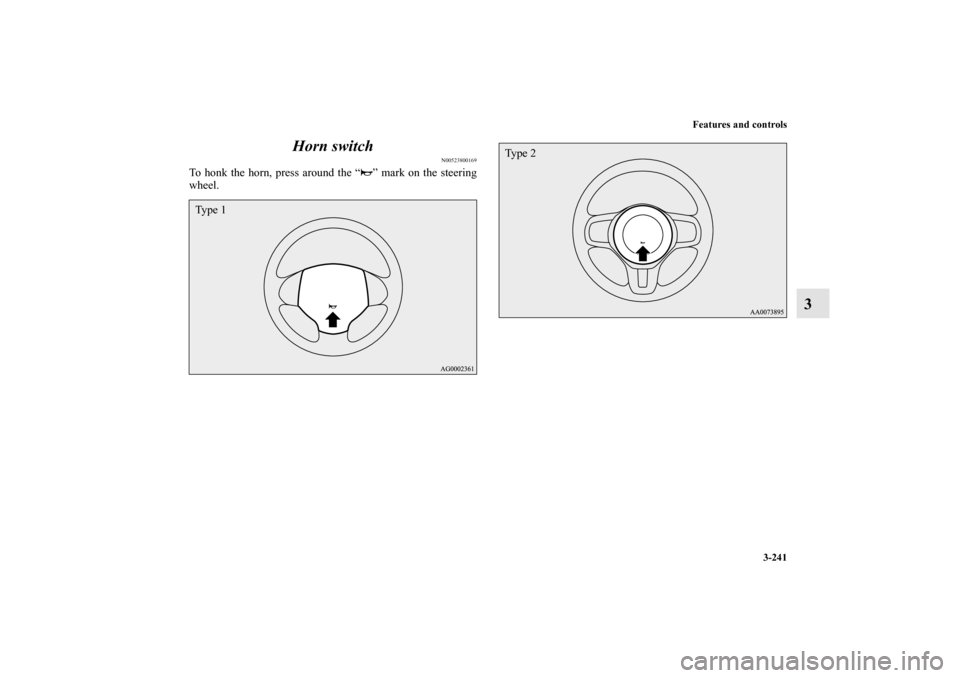
3 Horn switch
N00523800169
To honk the horn, press around the “ ” mark on the steering
wheel.Ty p e 1
Ty p e 2
BK0103001US.book 241 ページ 2009年8月20日 木曜日 午前10時45分
Page 338 of 658
Features and controls
3-243
3
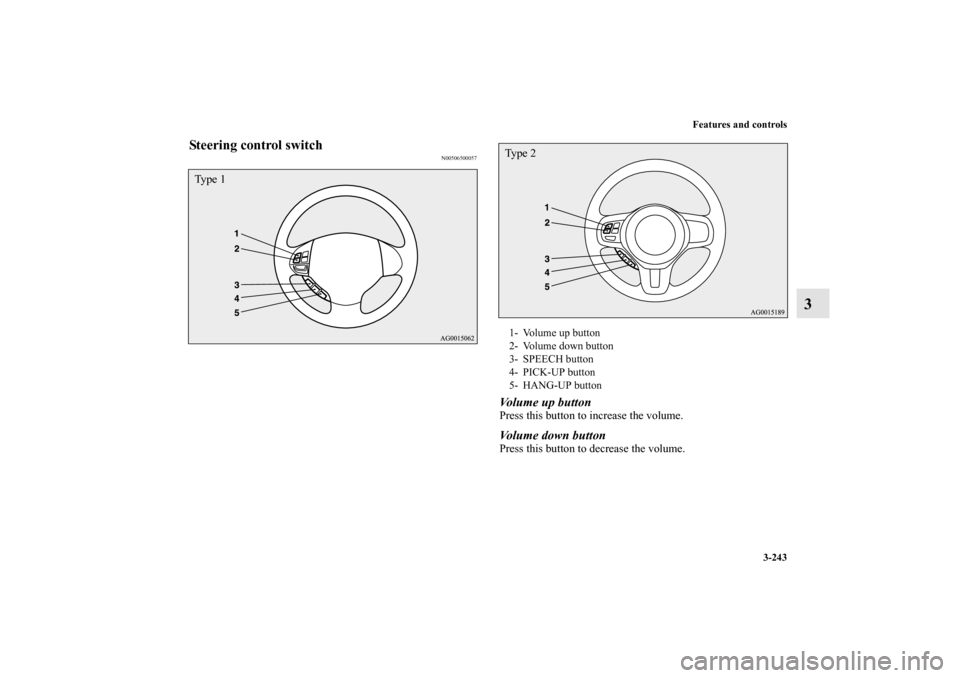
Steering control switch
N00506500057
Volume up buttonPress this button to increase the volume. Volume down buttonPress this button to decrease the volume.
Ty p e 1
1- Volume up button
2- Volume down button
3- SPEECH button
4- PICK-UP button
5- HANG-UP buttonTy p e 2
BK0103001US.book 243 ページ 2009年8月20日 木曜日 午前10時45分