Page 288 of 658
Features and controls
3-193
3
3. Press and hold the multi-information meter switch (for
about 2 seconds or more) to change in sequence from °F
→ °C → °F.
The setting is changed to the selected temperature unit.NOTE�
If the battery is disconnected, the memory of the unit set-
ting is erased and is automatically set to °F (°C).
Changing the display language
N00557300073
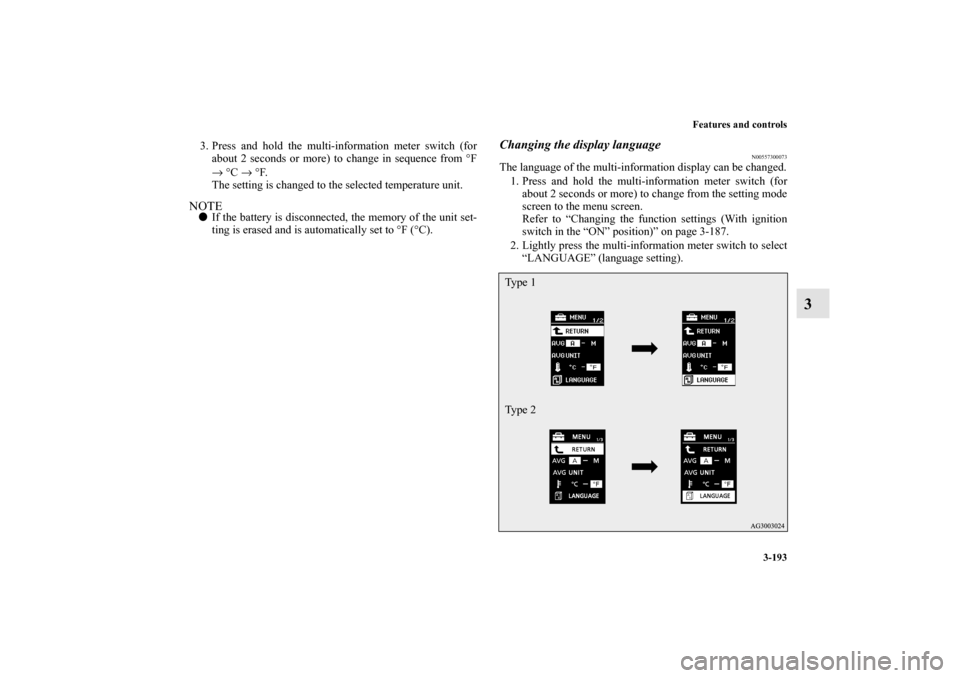
The language of the multi-information display can be changed.
1. Press and hold the multi-information meter switch (for
about 2 seconds or more) to change from the setting mode
screen to the menu screen.
Refer to “Changing the function settings (With ignition
switch in the “ON” position)” on page 3-187.
2. Lightly press the multi-information meter switch to select
“LANGUAGE” (language setting).Ty p e 1
Ty p e 2
BK0103001US.book 193 ページ 2009年8月20日 木曜日 午前10時45分
Page 289 of 658
3-194 Features and controls
3
3. Press and hold the multi-information meter switch (for
about 2 seconds or more) to display “LANGUAGE” (lan-
guage setting).
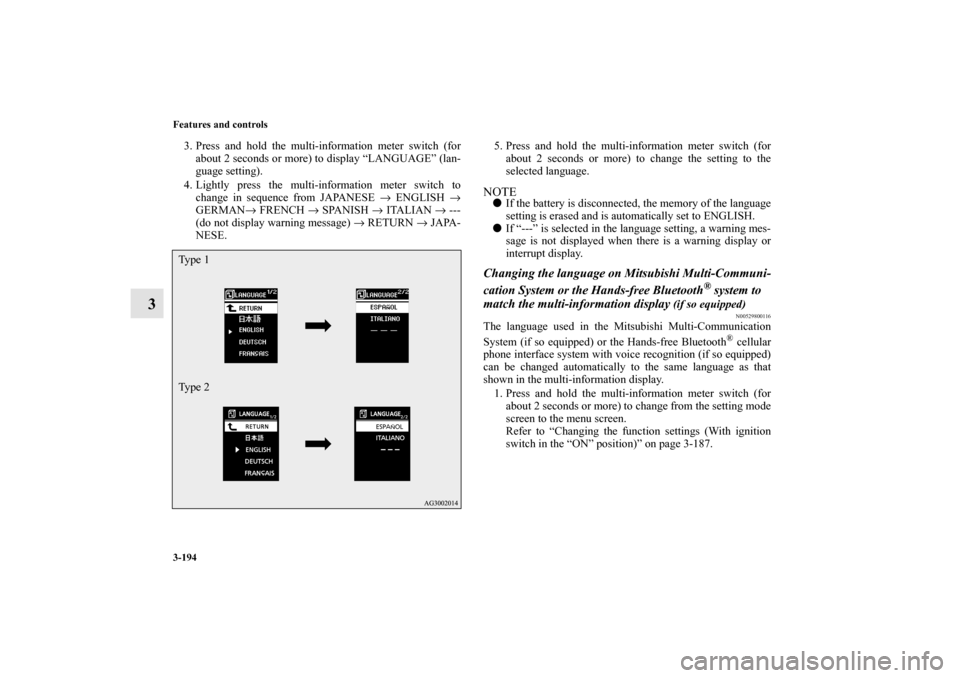
4. Lightly press the multi-information meter switch to
change in sequence from JAPANESE → ENGLISH →
GERMAN→ FRENCH → SPANISH → ITALIAN → ---
(do not display warning message) → RETURN → JAPA-
NESE.5. Press and hold the multi-information meter switch (for
about 2 seconds or more) to change the setting to the
selected language.
NOTE�
If the battery is disconnected, the memory of the language
setting is erased and is automatically set to ENGLISH.
�
If “---” is selected in the language setting, a warning mes-
sage is not displayed when there is a warning display or
interrupt display.
Changing the language on Mitsubishi Multi-Communi-
cation System or the Hands-free Bluetooth
® system to
match the multi-information display
(if so equipped)
N00529800116
The language used in the Mitsubishi Multi-Communication
System (if so equipped) or the Hands-free Bluetooth
® cellular
phone interface system with voice recognition (if so equipped)
can be changed automatically to the same language as that
shown in the multi-information display.
1. Press and hold the multi-information meter switch (for
about 2 seconds or more) to change from the setting mode
screen to the menu screen.
Refer to “Changing the function settings (With ignition
switch in the “ON” position)” on page 3-187.
Ty p e 1
Ty p e 2BK0103001US.book 194 ページ 2009年8月20日 木曜日 午前10時45分
Page 290 of 658
Features and controls
3-195
3
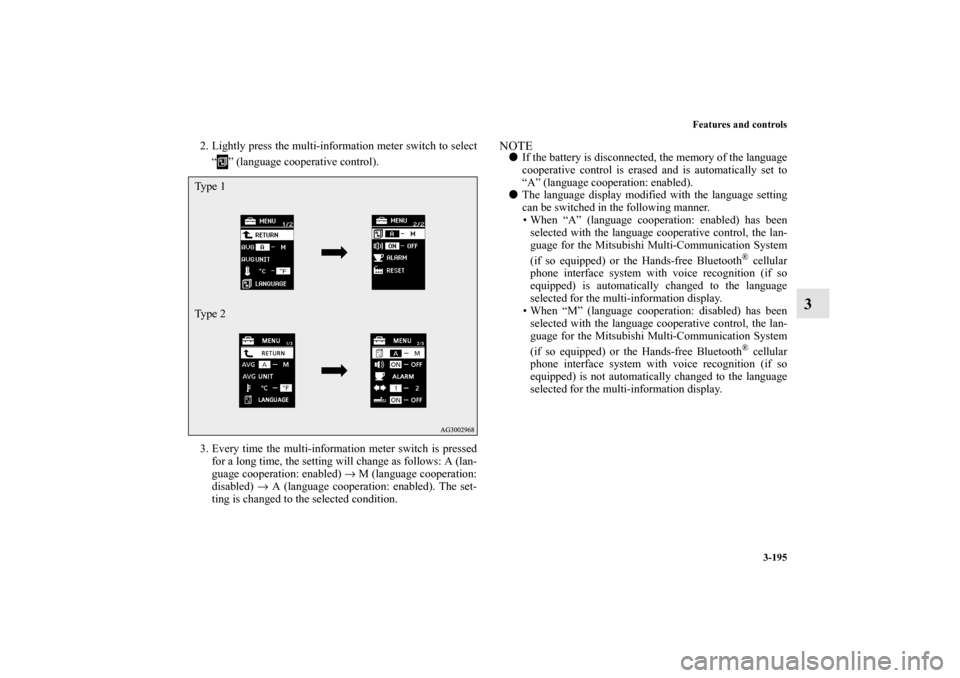
2. Lightly press the multi-information meter switch to select
“ ” (language cooperative control).
3. Every time the multi-information meter switch is pressed
for a long time, the setting will change as follows: A (lan-
guage cooperation: enabled) → M (language cooperation:
disabled) → A (language cooperation: enabled). The set-
ting is changed to the selected condition.
NOTE�
If the battery is disconnected, the memory of the language
cooperative control is erased and is automatically set to
“A” (language cooperation: enabled).
�
The language display modified with the language setting
can be switched in the following manner.
When “A” (language cooperation: enabled) has been
selected with the language cooperative control, the lan-
guage for the Mitsubishi Multi-Communication System
(if so equipped) or the Hands-free Bluetooth
® cellular
phone interface system with voice recognition (if so
equipped) is automatically changed to the language
selected for the multi-information display.
When “M” (language cooperation: disabled) has been
selected with the language cooperative control, the lan-
guage for the Mitsubishi Multi-Communication System
(if so equipped) or the Hands-free Bluetooth® cellular
phone interface system with voice recognition (if so
equipped) is not automatically changed to the language
selected for the multi-information display.
Ty p e 1
Ty p e 2
BK0103001US.book 195 ページ 2009年8月20日 木曜日 午前10時45分
Page 292 of 658
Features and controls
3-197
3
3. Press and hold the multi-information meter switch (for
about 2 seconds or more) to switch in sequence from ON
(operation sound on) → OFF (operation sound off) → ON
(operation sound on).
The setting is changed to the selected condition.NOTE�
If the battery is disconnected, the memory of the operation
sound setting is erased and is automatically set to “ON”
(operation sound on).
�
The operation sound setting only deactivates the operation
sound of the multi-information meter switch and rheostat
meter illumination button. The warning display and other
sounds cannot be deactivated.
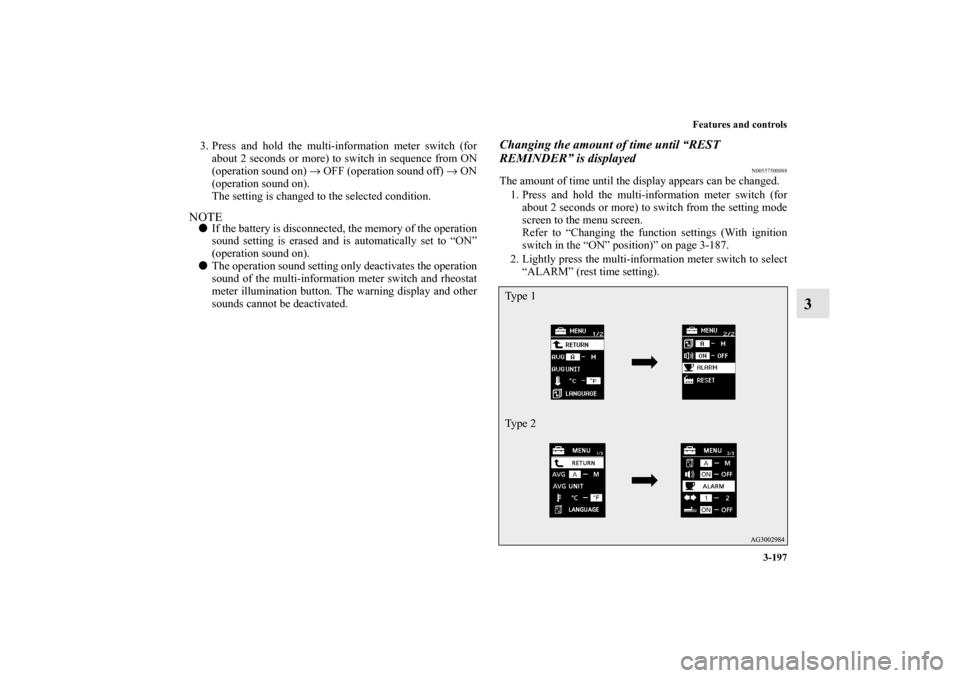
Changing the amount of time until “REST
REMINDER” is displayed
N00557500088
The amount of time until the display appears can be changed.
1. Press and hold the multi-information meter switch (for
about 2 seconds or more) to switch from the setting mode
screen to the menu screen.
Refer to “Changing the function settings (With ignition
switch in the “ON” position)” on page 3-187.
2. Lightly press the multi-information meter switch to select
“ALARM” (rest time setting).Ty p e 1
Ty p e 2
BK0103001US.book 197 ページ 2009年8月20日 木曜日 午前10時45分
Page 293 of 658
3-198 Features and controls
3
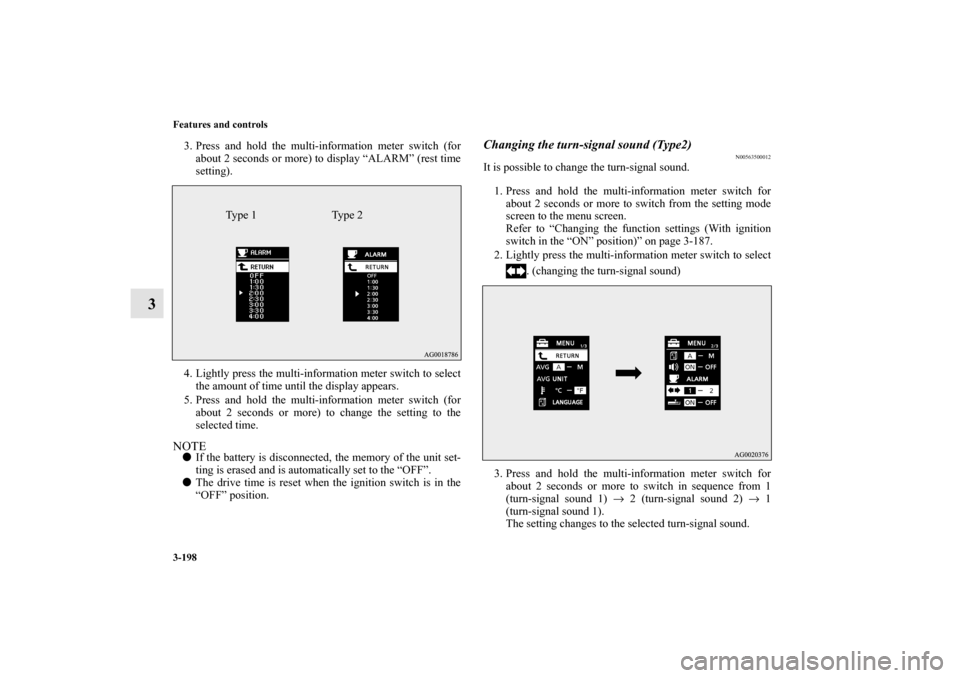
3. Press and hold the multi-information meter switch (for
about 2 seconds or more) to display “ALARM” (rest time
setting).
4. Lightly press the multi-information meter switch to select
the amount of time until the display appears.
5. Press and hold the multi-information meter switch (for
about 2 seconds or more) to change the setting to the
selected time.NOTE�
If the battery is disconnected, the memory of the unit set-
ting is erased and is automatically set to the “OFF”.
�
The drive time is reset when the ignition switch is in the
“OFF” position.
Changing the turn-signal sound (Type2)
N00563500012
It is possible to change the turn-signal sound.
1. Press and hold the multi-information meter switch for
about 2 seconds or more to switch from the setting mode
screen to the menu screen.
Refer to “Changing the function settings (With ignition
switch in the “ON” position)” on page 3-187.
2. Lightly press the multi-information meter switch to select
. (changing the turn-signal sound)
3. Press and hold the multi-information meter switch for
about 2 seconds or more to switch in sequence from 1
(turn-signal sound 1) → 2 (turn-signal sound 2) → 1
(turn-signal sound 1).
The setting changes to the selected turn-signal sound.
Type 1 Type 2
BK0103001US.book 198 ページ 2009年8月20日 木曜日 午前10時45分
Page 311 of 658
3-216 Features and controls
3
NOTE�
Do not disconnect the battery cable when the engine mal-
function indicator (“SERVICE ENGINE SOON” or
“Check engine light”) is on.
The engine electronic control module stores critical OBD
information (especially exhaust emission data), which
may be lost if the battery cable is disconnected while the
engine malfunction indicator is on. This will make it diffi-
cult to diagnose the cause of future problems.
Charging system warning light
N00520600296
This light comes on in the event of a malfunction in the charg-
ing system or when the ignition switch is turned to the “ON”
position (engine off). A warning is also displayed in the multi-
information display. When the engine is started, the light
should go out. Check to make sure that the light has gone out
before driving.
�
If the engine malfunction indicator comes on while
the engine is running, avoid driving at high speeds.
During vehicle operation with the indicator on, the
vehicle may not accelerate when you depress the
accelerator pedal.
When the vehicle is stationary with the indicator on,
you must depress the brake pedal more firmly than
usual since the engine idling speed is higher than
usual and a vehicle equipped with a CVT or a Twin
Clutch SST has a stronger tendency to creep for-
ward.CAUTION
!
CAUTION
!�
If the warning light stays on while the engine is run-
ning, park your vehicle in a safe place as soon as
possible and contact an authorized Mitsubishi
Motors dealer or a repair facility of your choice to
have the system checked.
BK0103001US.book 216 ページ 2009年8月20日 木曜日 午前10時45分
Page 315 of 658
3-220 Features and controls
3Combination headlights and dimmer switch
N00522500589
Headlights NOTE�
Do not leave the headlights and other lights on for a long
period of time when the engine is not running. The battery
will run down.
�
When it rains, or when the vehicle has been washed, the
inside of the lens sometimes becomes foggy. This is the
same as when window glass mists up on a humid day, and
does not indicate a problem. When the light is switched
on, the heat will dry out the fog. However, if water col-
lects inside the light, have it checked by an authorized
Mitsubishi Motors dealer or a repair facility of your
choice.
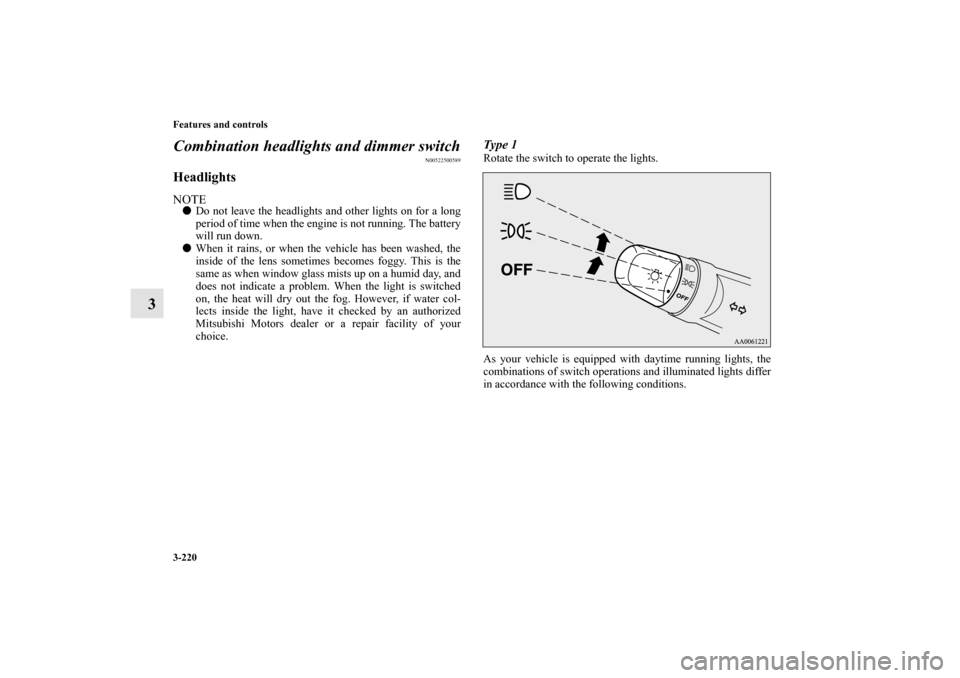
Type 1Rotate the switch to operate the lights.
As your vehicle is equipped with daytime running lights, the
combinations of switch operations and illuminated lights differ
in accordance with the following conditions.
BK0103001US.book 220 ページ 2009年8月20日 木曜日 午前10時45分
Page 324 of 658
Features and controls
3-229
3
NOTE�
A light in the instrument panel flashes to show when the
front and rear turn signal lights are working properly.
If this light flashes faster than usual, check for a burned
out light bulb or malfunctioning connection.
If the panel light does not come on when the lever is
moved, check for a blown fuse or a burned out bulb in the
panel.
Have the vehicle inspected by an authorized Mitsubishi
Motors dealer or a repair facility of your choice.
�
The turn signal light 3-flash function for lane changes can
be deactivated.
See your authorized Mitsubishi Motors dealer for details.
For vehicles equipped with the Mitsubishi Multi-Commu-
nication System, adjustments can be made using screen
operations. For further details, refer to the separate
owner’s manual.
�
You can adjust the time required to operate the lever for
the 3-flash function.
See your authorized Mitsubishi Motors dealer for details.
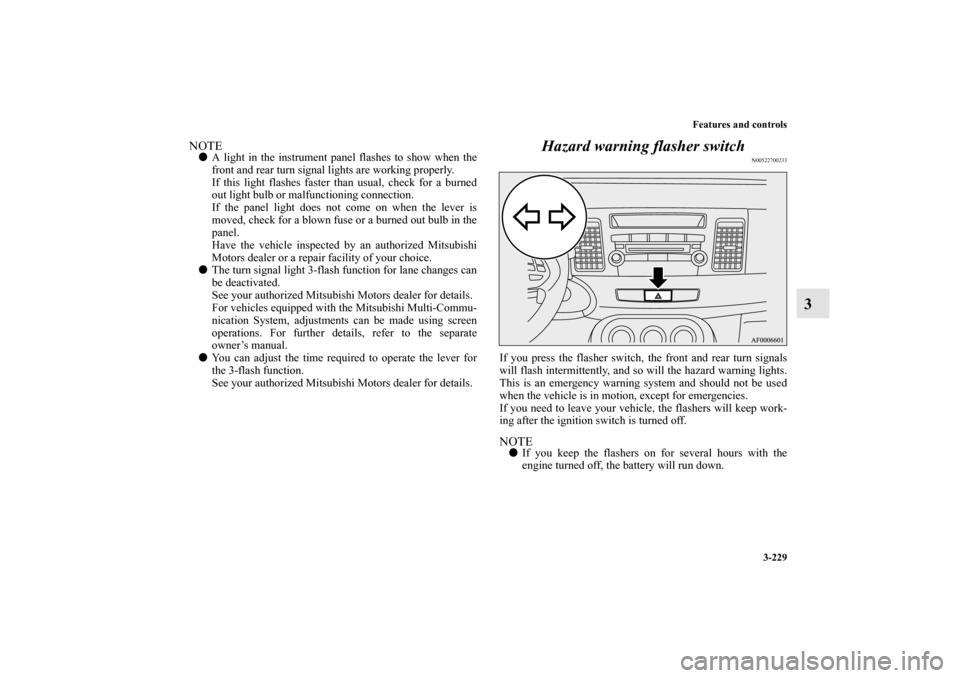
Hazard warning flasher switch
N00522700233
If you press the flasher switch, the front and rear turn signals
will flash intermittently, and so will the hazard warning lights.
This is an emergency warning system and should not be used
when the vehicle is in motion, except for emergencies.
If you need to leave your vehicle, the flashers will keep work-
ing after the ignition switch is turned off. NOTE�
If you keep the flashers on for several hours with the
engine turned off, the battery will run down.
BK0103001US.book 229 ページ 2009年8月20日 木曜日 午前10時45分