Page 165 of 611
163
2-2. Instrument cluster
2
When driving
HS250h_U_75033U(Canada)
Changing the displaySwitches between odometer and
trip meter displays. When the trip
meter is displayed, pressing and
holding the button will reset the
trip meter.
Instrument panel light controlThe brightness of the instrument panel lights can be adjusted. Brighter
Darker
Multi-information display
→P. 1 6 9
■Instrument panel bri ghtness adjustment
The instrument panel brightness levels when the tail lights are on and off can be
adjusted. However, when the surroundings are bright (daytime, etc.) turning on the
tail lights will not change the instrument panel brightness.
Page 173 of 611
171
2-2. Instrument cluster
2
When driving
HS250h_U_75033U(Canada)
Display order may vary depending on vehicle condition.
Electronic feature control contentsSetting electronic feature controls
AFS (if equipped)→P. 1 8 5
Intuitive parking assist
(if equipped)Refer to “Navigation System
Owner’s Manual”.
Other contentsDe ta ils
Customization ( →P. 5 74 )
Settings of functions such as the
door lock and light illumination time
can be changed
Dynamic radar cruise control
(if equipped) ( →P. 2 0 5 )Automatically displayed when using
the dynamic radar cruise control
LKA (Lane Keeping Assist)
(if equipped) ( →P. 2 1 7 )Automatically displayed when using
the lane keeping assist
PCS (Pre-Collision System)
(if equipped) ( →P. 232, 502, 505)Automatically displayed if there is a
possibility of collision.
Page 188 of 611

186
2-3. Operating the lights and windshield wipers
HS250h_U_75033U(Canada)Press the “ENTER” switch to
change to OFF.
The “AFS OFF” indicator will come
on.
Each pressing of the switch turns
AFS on and off.
Press the menu switch to change to
the normal display.
■Daytime running light system (if equipped)
●To make your vehicle more visible to other drivers, the headlights turn on auto-
matically (at a reduced intensity) whenever the hybrid system is started and the
parking brake is released. Daytime running lights are not designed for use at
night.
For the U.S.A.: Daytime running lights can be turned off by operating the switch.
●Compared to turning on the headlights, the daytime running light system offers
greater durability and consumes less electricity, so it can help improve fuel
economy.
■Headlight control sensor
■Automatic light off system
●When the headlights come on: The headlights and tail lights turn off 30 seconds
after a door is opened and closed if the “POWER” switch is turned to ACCES-
SORY mode or turned off. (The lights turn off immediately if on the key is
pressed after all the doors are locked.)
●When only the tail lights come on: The tail lights turn off automatically if the
“POWER” switch is turned to ACCESSORY mode or turned off and the
driver’s door is opened. The sensor may not function properly if an
object is placed on the sensor, or anything
that blocks the sensor is affixed to the wind-
shield.
Doing so interferes with the sensor detecting
the level of ambient light and may cause the
automatic headlight system to malfunction.
Page 226 of 611
224
2-4. Using other driving systems
HS250h_U_75033U(Canada)
NOTICE
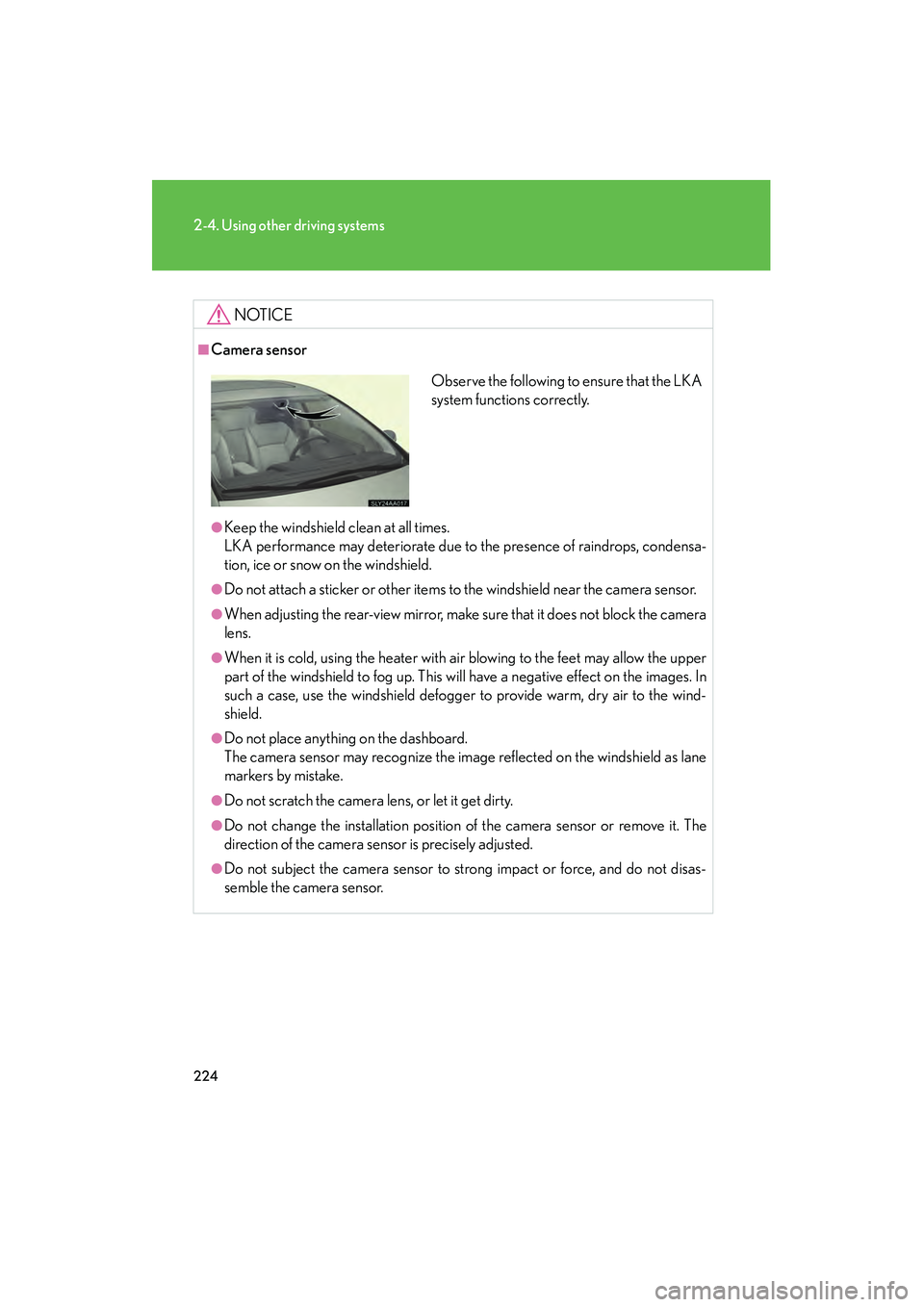
■Camera sensor
●Keep the windshield clean at all times.
LKA performance may deteriorate due to the presence of raindrops, condensa-
tion, ice or snow on the windshield.
●Do not attach a sticker or other items to the windshield near the camera sensor.
●When adjusting the rear-view mirror, make sure that it does not block the camera
lens.
●When it is cold, using the heater with air blowing to the feet may allow the upper
part of the windshield to fog up. This will have a negative effect on the images. In
such a case, use the windshield defogger to provide warm, dry air to the wind-
shield.
●Do not place anything on the dashboard.
The camera sensor may recognize the image reflected on the windshield as lane
markers by mistake.
●Do not scratch the camera lens, or let it get dirty.
●Do not change the installation position of the camera sensor or remove it. The
direction of the camera sensor is precisely adjusted.
●Do not subject the camera sensor to strong impact or force, and do not disas-
semble the camera sensor.
Observe the following to ensure that the LKA
system functions correctly.
Page 256 of 611
254
3-1. Using the air conditioning system and defogger
HS250h_U_75033U(Canada)
Adjusting the settings manually■ Basic setting
To turn on the air conditioning system and adjust the fan speed,
press “ ∧” on to increase the fan speed and “∨ ” on to
decrease the fan speed.
Press to turn the fan off.
To adjust the temperature setting, press “ ∧” on to increase
the temperature and “ ∨” to decrease the temperature.
When is pressed (the indicator on is on) or the passen-
ger’s side temperature control button is pressed, the temperature for
the driver and passenger seats can be adjusted separately.
To change the air outlets, press .
The air outlets used are switched each time the button is pressed. The
air flow shown on the display indicates the following:
Air flows to the upper body.
Page 269 of 611
267
3-2. Using the audio system
3
Interior features
HS250h_U_75033U(Canada)
RDS (Radio Data System)This feature allows your radio to receive station identification information
and program information (classical, jazz, etc.) from radio stations which
broadcast this information.
■ Receiving RDS broadcasts
Press or during FM reception.
The type of program changes each time the button is pressed.
●“ROCK”
● “EASYLIS” (Easy listening)
● “CLS/JAZZ” (Classical music and Jazz)
● “R & B” (Rhythm and Blues)
● “INFORM” (Information)
● “RELIGION”
● “MISC” (Miscellaneous)
● “ALERT” (Emergency messages)
If the system receives no RDS stations, “NO PTY” appears on the dis-
play.
Press , or or .
The radio seeks or scans for stations of the relevant program type.
Page 270 of 611
268
3-2. Using the audio system
HS250h_U_75033U(Canada)■
Displaying radio station names
Press .
■ Displaying radio text messages
Press twice.
A text message is displayed when “MSG” is shown on the screen.
If the text continues past the end of the display, is displayed. Press and
hold until you hear a beep.
XM® Satellite Radio
■ Receiving XM
® Satellite Radio
Press .
The display changes as follows each time the button is pressed:
“SAT1” → “SAT2” → “SAT3”
Turn to select the desired channel in all the categories
or press or to select the desired channel in the cur-
rent category.
■ Setting XM
® Satellite Radio channel presets
Select the desired channel. Press and hold the button (from
to
) the channel is to be set to until you hear a beep.
■ Changing the channel category
Press or .
Page 271 of 611
269
3-2. Using the audio system
3
Interior features
HS250h_U_75033U(Canada)■
Scanning the XM
® Satellite Radio channels
● Scanning the channels in the current category
Press .
When the desired channel is reached, press the button
again.
● Scanning the preset channels
Press and hold until you hear a beep.
When the desired channel is reached, press the button
again.
■ Displaying text information
Press .
The display will show up to 10 characters.
The display changes as follows each time the button is pressed:
● CH NAME
● TITLE (SONG/PROGRAM TITLE)
● NAME (ARTIST NAME/FEATURE)
● CH NUMBER


