Page 215 of 543
213
3-2. Using the audio system
3
Interior features
ES350_U■
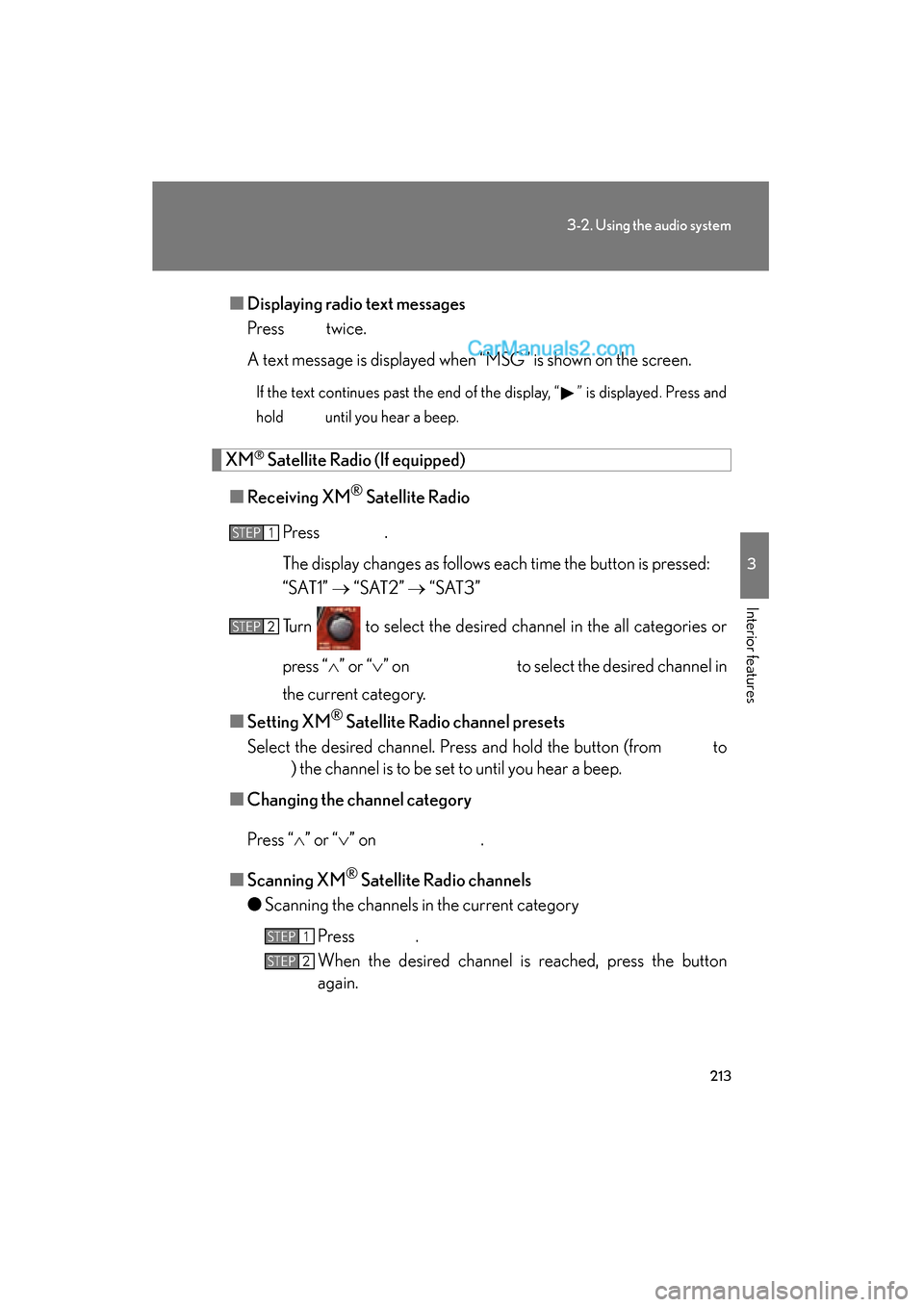
Displaying radio text messages
Press twice.
A text message is displayed when “MSG” is shown on the screen.
If the text continues past the end of the display, “ ” is displayed. Press and
hold until you hear a beep.
XM® Satellite Radio (If equipped)
■ Receiving XM
® Satellite Radio
Press .
The display changes as follows each time the button is pressed:
“SAT1” o “ S AT 2 ” o “ S AT 3 ”
Turn to select the desired channel in the all categories or
press “
Page 216 of 543
214
3-2. Using the audio system
ES350_U●
Scanning the preset channels
Press and hold until you hear a beep.
When the desired channel is reached, press the button
again.
■ Displaying text information
Press .
The display will show up to 10 characters.
The display changes as follows each time the button is pressed.
● “CH NAME”
● “TITLE” (SONG/PROGRAM TITLE)
● “NAME” (ARTIST NAME/FEATURE)
● “CH NUMBER”
STEP1
STEP2
Page 218 of 543
216
3-2. Using the audio system
ES350_U
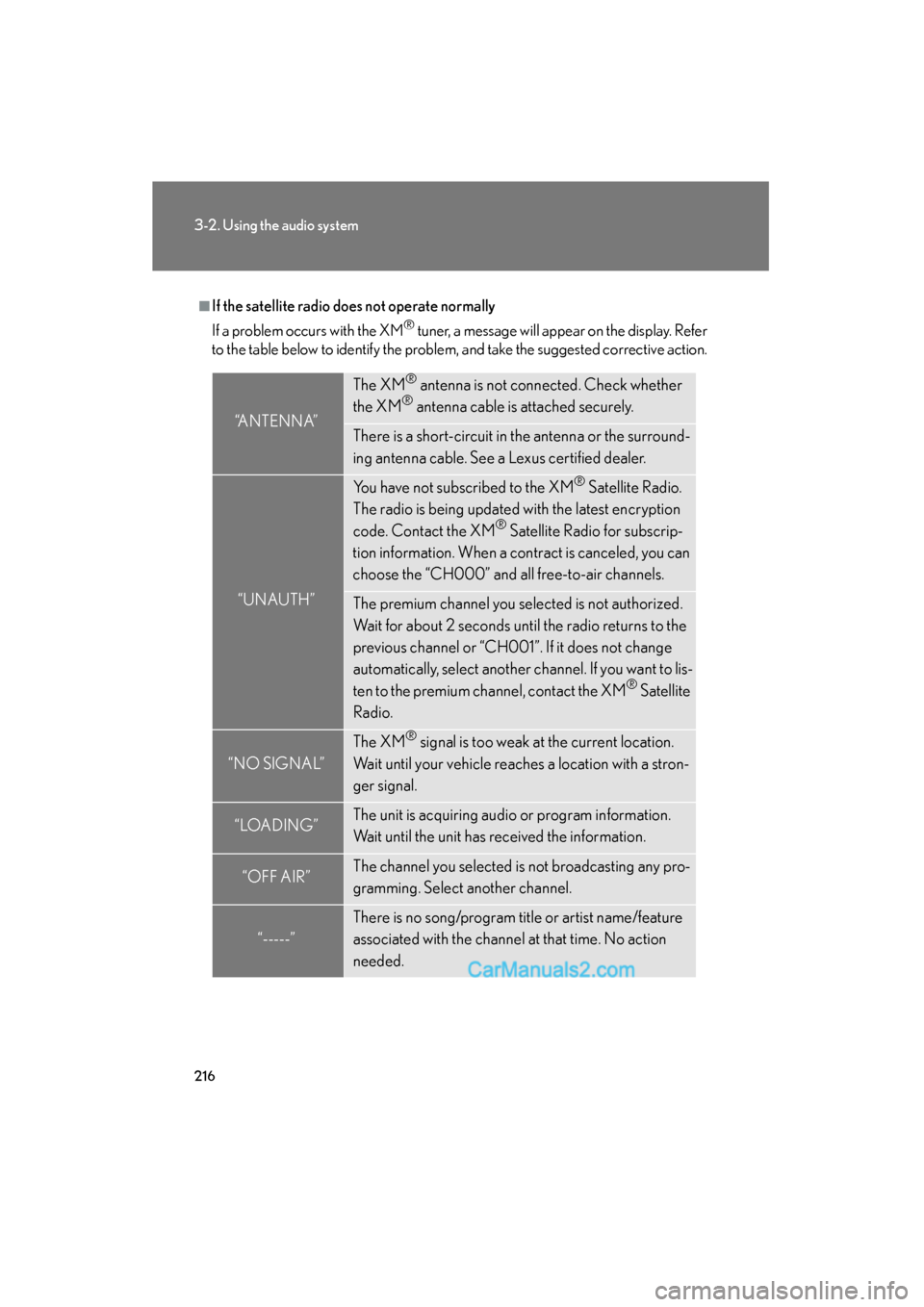
■If the satellite radio does not operate normally
If a problem occurs with the XM
® tuner, a message will appear on the display. Refer
to the table below to identify the problem, and take the suggested corrective action.
“ANTENNA”
The XM® antenna is not connected. Check whether
the XM® antenna cable is attached securely.
There is a short-circuit in the antenna or the surround-
ing antenna cable. See a Lexus certified dealer.
“UNAUTH”
You have not subscribed to the XM® Satellite Radio.
The radio is being updated with the latest encryption
code. Contact the XM
® Satellite Radio for subscrip-
tion information. When a contract is canceled, you can
choose the “CH000” and all free-to-air channels.
The premium channel you selected is not authorized.
Wait for about 2 seconds until the radio returns to the
previous channel or “CH001”. If it does not change
automatically, select another channel. If you want to lis-
ten to the premium channel, contact the XM
® Satellite
Radio.
“NO SIGNAL”
The XM® signal is too weak at the current location.
Wait until your vehicle reaches a location with a stron-
ger signal.
“LOAD ING”The unit is acquiring audio or program information.
Wait until the unit has received the information.
“OFF AIR”The channel you selected is not broadcasting any pro-
gramming. Select another channel.
“-----”
There is no song/program title or artist name/feature
associated with the channel at that time. No action
needed.
Page 220 of 543
218
3-2. Using the audio system
ES350_U
Using the CD player
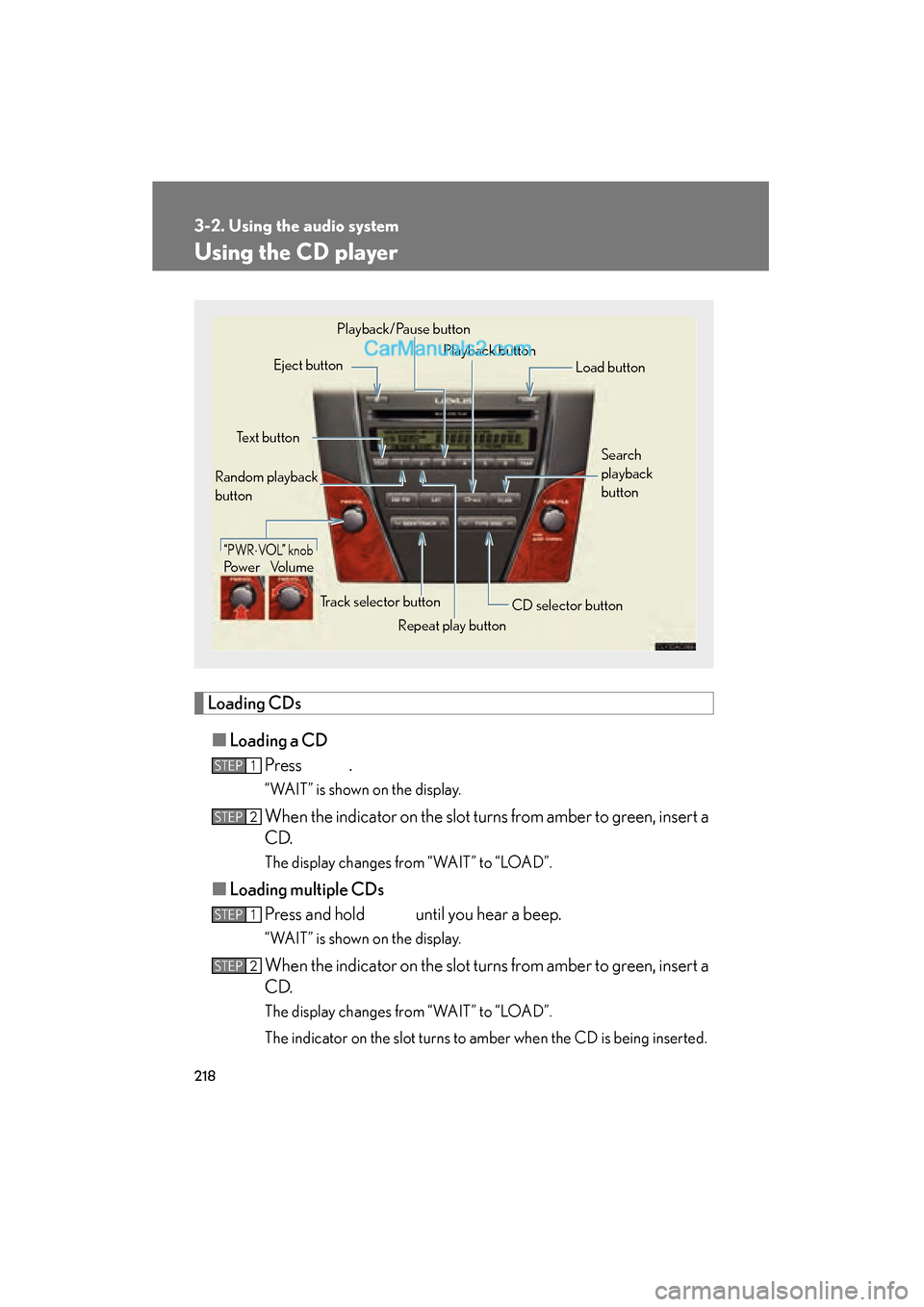
Loading CDs■ Loading a CD
Press .
“WAIT” is shown on the display.
When the indicator on the slot turns from amber to green, insert a
C D.
The display changes from “WAIT” to “LOAD”.
■Loading multiple CDs
Press and hold until you hear a beep.
“WAIT” is shown on the display.
When the indicator on the slot turns from amber to green, insert a
C D.
The display changes from “WAIT” to “LOAD”.
The indicator on the slot turns to amber when the CD is being inserted.
Power Volume
Repeat play button
“PWR
Page 224 of 543
222
3-2. Using the audio system
ES350_U
Repeat play■ To repeat a track
Press (RPT).
To cancel, press (RPT) again.
■To repeat all of the tracks on a CD
Press and hold (RPT) until you hear a beep.
To cancel, press (RPT) again.
Switching the display
Press .
Each time the button is pressed, the display changes in the following order:
Elapsed time o CD title o Track name
■CD player protection feature
To protect the internal components, playback is automatically stopped when a
problem is detected.
■Display
Up to 12 characters can be displayed at a time.
If there are 13 or more characters, pressing and holding until you hear a beep
enables to display the remaining characters.
A maximum of 24 characters can be displayed.
If is pressed for more than 1 second again or has not been operated for more
than 6 seconds, the display will return to the first 12 characters.
Depending on the contents recorded, the characters may not be displayed prop-
erly or may not be displayed at all.
Page 225 of 543
223
3-2. Using the audio system
3
Interior features
ES350_U
■When “ERROR” or “WAIT” is shown on the display
“ERROR”: This indicates is a trouble either in the CD or inside the player. The CDmay be dirty, damaged, or inserted up-side down.
“WAIT”: Operation is stopped due to a high temperature inside the player. Wait
for a while and then press . Contact your Lexus dealer if the
CD still cannot be played back.
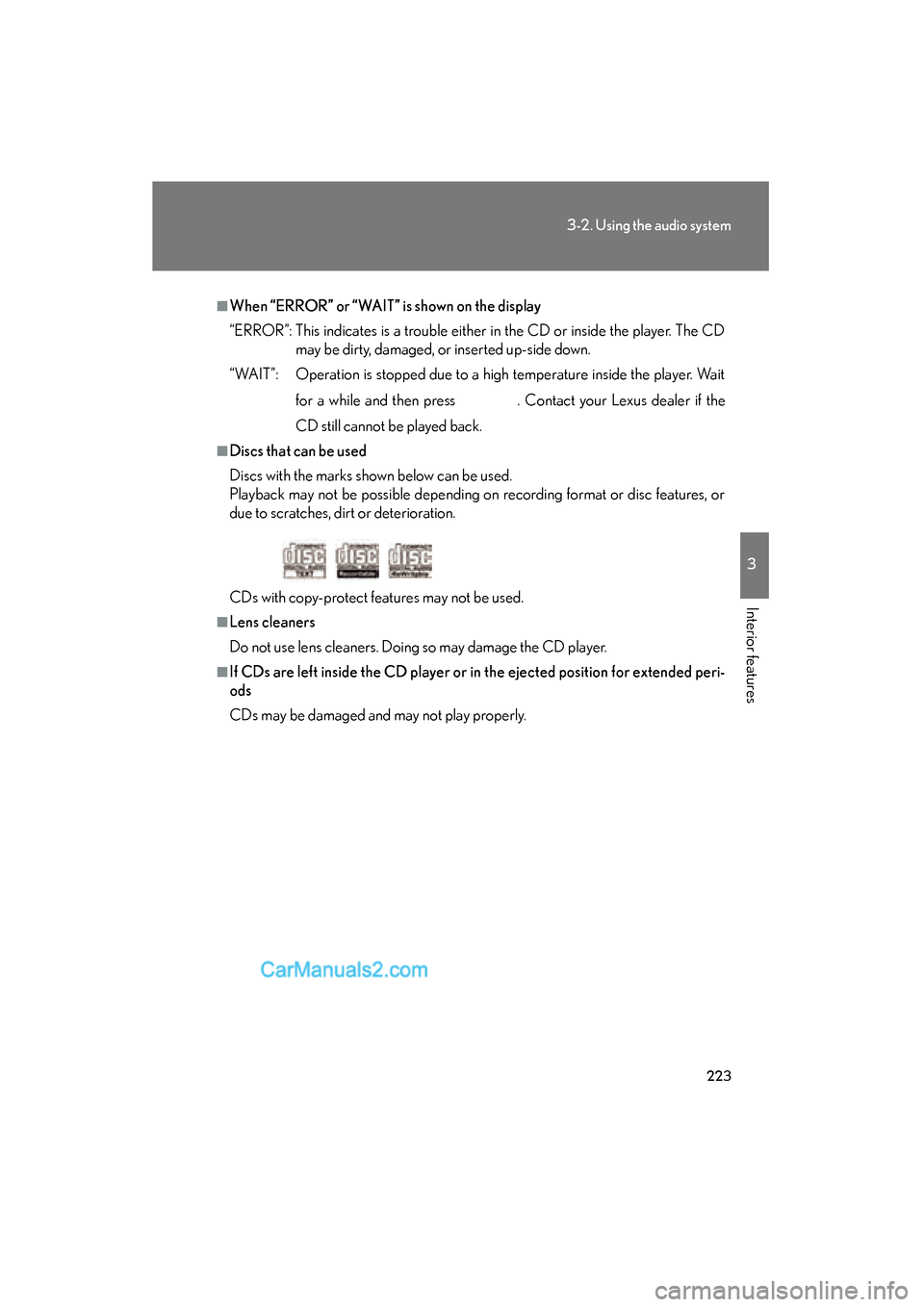
■Discs that can be used
Discs with the marks shown below can be used.
Playback may not be possible depending on recording format or disc features, or
due to scratches, dirt or deterioration.
CDs with copy-protect features may not be used.
■Lens cleaners
Do not use lens cleaners. Doing so may damage the CD player.
■If CDs are left inside the CD player or in the ejected position for extended peri-
ods
CDs may be damaged and may not play properly.
Page 230 of 543
228
3-2. Using the audio system
ES350_U
Playing and pausing filesTo play or pause a file, press ( ).
Random playback■ Playing files from a folder in random order
Press
(RAND).
To cancel, press (RAND) again.
■Playing all the files from a disc in random order
Press and hold (RAND) until you hear a beep.
To cancel, press (RAND) again.
Repeat play
■ Repeating a file
Press
(RPT).
To cancel, press (RPT) again.
■Repeating all the files in a folder
Press and hold
(RPT) until you hear a beep.
To cancel, press (RPT) again.
Switching the display
Press .
Each time the button is pressed, the display changes in the following order:
Folder no./File no./Elapsed time o Folder name o File name o Album title
(MP3 only) o Track title o Artist name
Page 231 of 543
229
3-2. Using the audio system
3
Interior features
ES350_U
■CD player protection feature
oP. 2 2 2
■Display
oP. 2 2 2
■Canceling random, repeat and scan playback
Press
(RAND), (RPT), or again.
■When “ERROR”, “WAIT” or “NO MUSIC” is shown on the display.
“ERROR”: This indicates is a trouble either in the CD or inside the player. The CD
may be dirty, damaged, or inserted up-side down.
“WAIT”: Operation is stopped due to a high temperature inside the player. Wait for
a while and then press . Contact your Lexus dealer if the CD still
cannot be played back.
“NO MUSIC”: This indicates that the MP3/WMA file is not included in the CD.
■Discs that can be used
o P. 2 2 3
■Lens cleaners
oP. 2 2 3
■If discs are left inside the CD player or in the ejected position for extended peri-
ods of time
o P. 2 2 3