Page 159 of 543
157
2-4. Using other driving systems
2
When driving
ES350_U
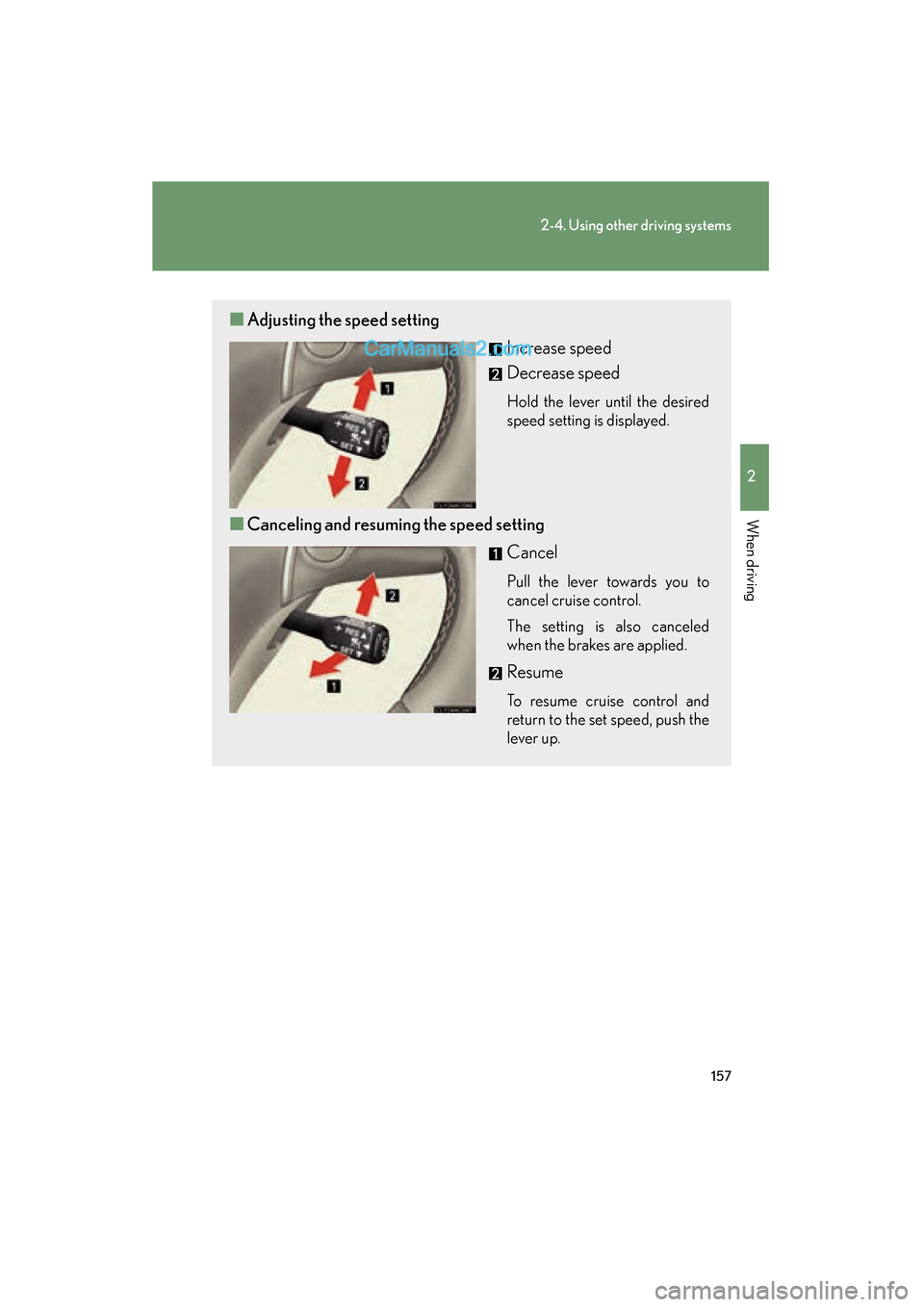
■Adjusting the speed setting
Increase speed
Decrease speed
Hold the lever until the desired
speed setting is displayed.
■Canceling and resuming the speed setting
Cancel
Pull the lever towards you to
cancel cruise control.
The setting is also canceled
when the brakes are applied.
Resume
To resume cruise control and
return to the set speed, push the
lever up.
Page 160 of 543
158
2-4. Using other driving systems
ES350_U
Driving in vehicle-to-vehicle distance control mode
This mode employs a radar sensor to detect the presence of vehicles
within 400 ft. (120 m) ahead and to judge the distance between your
vehicle and those vehicles.
Note that vehicle-to-vehicle distance will close when traveling on long
downhill slopes.
■ Changing the vehicle- to-vehicle distance
Each push of the switch changes
the vehicle-to-vehicle distance
Long
Medium
Short
The vehicle-to-vehicle distance
is automatically set to the long
mode when the “ENGINE
START STOP” switch is
switched to IGNITION ON
mode.
A mark will be displayed to indi-
cate the presence of the vehicle
if a vehicle is running ahead of
you.
Preceding
vehicle mark
Page 167 of 543
165
2-4. Using other driving systems
2
When driving
ES350_U
Intuitive parking assist∗
The distance to obstacles measured by the sensors is communicated via
the multi-information display and a buzzer when parallel parking or
maneuvering into a garage. Always check the surrounding area when
using this system.
For vehicles equipped with a navigation system, refer to the separate
“Navigation System Owner’s Manual” for further details.
■Types of sensors
Front corner sensors
Rear corner sensors
Back sensors
■ Multi-information display ( oP. 1 4 0 )
Front corner sensor opera-
tion
Rear corner sensor operation
Back sensor operation
∗: If equipped
Page 168 of 543
166
2-4. Using other driving systems
ES350_U
The display and buzzer system■ Corner sensor operation displa y and distance to an obstacle
The system operates when the vehicle approaches within approxi-
mately 1.6 ft. (50 c m) of an obstacle.
Approximately 1.6 ft. (50 cm) to
1.2 ft. (37.5 cm) from the obsta-
cle
Approximately 1.2 ft. (37.5 cm)
to 0.8 ft. (25 cm) from the
obstacle
Flashing: Within 0.8 ft. (25 cm)
of the obstacle
■Intuitive parking assist switch
ON/OFF
When ON, an indicator on the
switch comes on to inform the
driver that the function is opera-
tional.
Page 169 of 543

167
2-4. Using other driving systems
2
When driving
ES350_U■
Back sensor operation display and distance to an obstacle
The system operates when the vehicle approaches within approxi-
mately 4.9 ft. (150 cm) of an obstacle.
Approximately 4.9 ft. (150 cm)
to 2.0 ft. (60 cm) from the
obstacle
Approximately 2.0 ft. (60 cm) to
1.5 ft. (45 cm) from the obstacle
Approximately 1.5 ft. (45 cm) to
1.2 ft. (35 cm) from the obstacle
Flashing: Within 1.2 ft. (35 cm)
of the obstacle
■ Buzzer operation and di stance to the obstacle
A buzzer sounds when the corner sensors and back sensor are oper-
ating.
● The buzzer beeps faster as the vehicle approaches an obstacle.
When the vehicle comes within the following distance of the obsta-
cle, the buzzer sounds continuously.
•Corner sensors: Approximately 0.8 ft. (25 cm)
• Back sensors: Approximately 1.2 ft. (35 cm)
● When two or more obstacles are detected simultaneously, the
buzzer system responds to the nearest obstacle.
● If multiple obstacles are detected within 0.8 ft. (25 cm) in front and
behind the vehicle at the same time, the warning buzzer will change
in the following manner:
• If a continuous beep is sounding, and a new obstacle is detected
near a different area of the vehicle, the warning buzzer will sound
6 beeps then one continuous beep.
• If a continuous beep is sounding, and a new obstacle is detected within 0.8 ft. (25 cm) of a different area of the vehicle, the warn-
ing buzzer will sound 2 beeps then one continuous beep.
Page 172 of 543

170
2-4. Using other driving systems
ES350_U
■When the display flashes and a message is displayed
oP. 4 4 9
■Certification
For vehicles sold in U.S.A.
This device complies with Part 15 of the FCC Rules.
Operation is subject to the following two conditions: (1) This device may not cause
harmful interference, and (2) this device must accept any interference received,
including interference that may cause undesired operation. For vehicles sold in Canada
This ISM device complies with Canadian ICES-001.
Cet appareil ISM est conforme a la norme NMB-001 du Canada.
■Customization that can be configured at Lexus dealer
Settings (e.g. buzzer volume) can be changed. (Customizable features oP. 511)
CAUTION
■Caution when using the intuitive parking assist
Observe the following precautions.
Failing to do so may result in the vehicle being unable to be driven safely and possi-
bly cause an accident.
●Do not use the sensor at speeds in excess of 6 mph (10 km/h).
●Do not attach any accessories within the sensor range.
NOTICE
■Notes when washing the vehicle
Do not apply intensive bursts of water or steam to the sensor area.
Doing so may result in the sensor malfunctioning.
Page 174 of 543
172
2-4. Using other driving systems
ES350_U
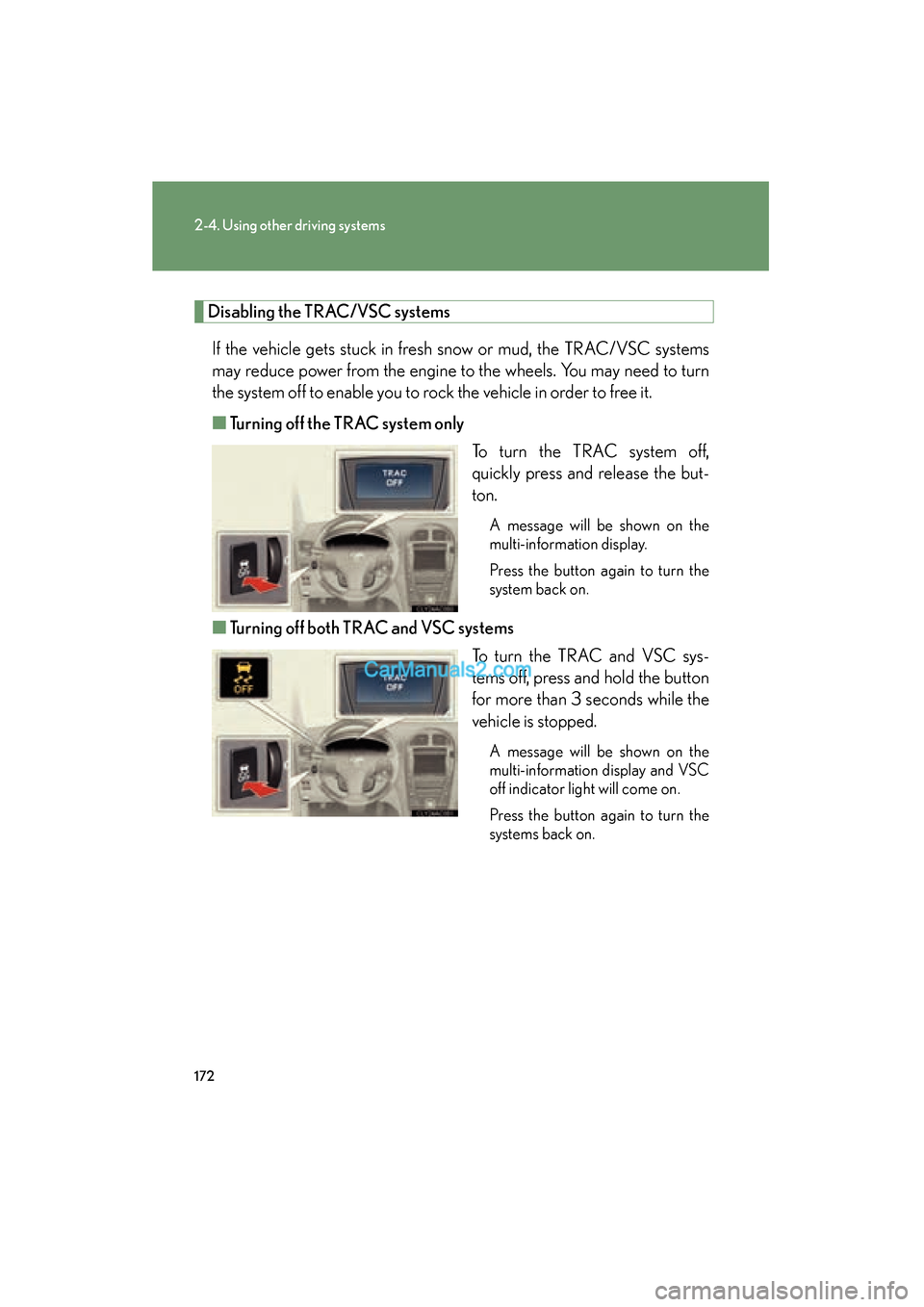
Disabling the TRAC/VSC systemsIf the vehicle gets stuck in fresh snow or mud, the TRAC/VSC systems
may reduce power from the engine to the wheels. You may need to turn
the system off to enable you to rock the vehicle in order to free it.
■ Turning off the TRAC system only
To turn the TRAC system off,
quickly press and release the but-
ton.
A message will be shown on the
multi-information display.
Press the button again to turn the
system back on.
■Turning off both TRAC and VSC systems
To turn the TRAC and VSC sys-
tems off, press and hold the button
for more than 3 seconds while the
vehicle is stopped.
A message will be shown on the
multi-information display and VSC
off indicator light will come on.
Press the button again to turn the
systems back on.
Page 202 of 543

200
ES350_U
3-1. Using the air conditioning system and defogger
Automatic air conditioning system
Using the automatic modePress .The air conditioning system will begin to operate. Air outlets
and fan speed are automatically adjusted according to the
temperature setting.
Press to switch to automatic mode. Automatically switches between outside air and recirculated
air modes.
Airflow and outlets are automatically adjusted according to the tempera-
ture setting.
With navigation system
Owners of models equipped with a navigation system should refer to the
“Navigation System Owner's Manual”.
Without navigation system
Automatic mode
Driver’s side temperature
setting display
Changes the air outlets used Off
Fan speed
Airflow display
Fan speed display
Passenger’s side
temperature
setting display
Driver's side
temperature control
Air conditioning
ON/OFF switch Outside air or
recirculated air mode
Windshield defogger Passenger’s side
temperature control
Dual operation switch
STEP1
STEP2