Page 186 of 522
WARNING! (Continued)
•Before operating the Sky Slider™ make sure that
no moving parts of the Sky Slider™ can injure a
person or animal.
•Never place any extremities (hands, feet, etc.) near
the Sky Slider™ components or the roof area
while operating the Sky Slider™.
•If potential danger exists while opening or closing
the Sky Slider™ in Automatic Mode, press and
release the switch immediately to interrupt the
operation.
•If potential danger exists while opening or closing
the Sky Slider™ in Operator Mode, release the
switch immediately to interrupt the operation.
•Do not allow small children to operate the Sky
Slider™.(Continued)
WARNING! (Continued)
•Never leave children in a vehicle, with the key in
the ignition switch. Occupants, particularly unat-
tended children, can become entrapped by the Sky
Slider™ while operating the Sky Slider™ switch.
Such entrapment may result in serious injury or
death.
3
UNDERSTANDING THE FEATURES OF YOUR VEHICLE 185
Page 187 of 522
Sky Slider™ Control
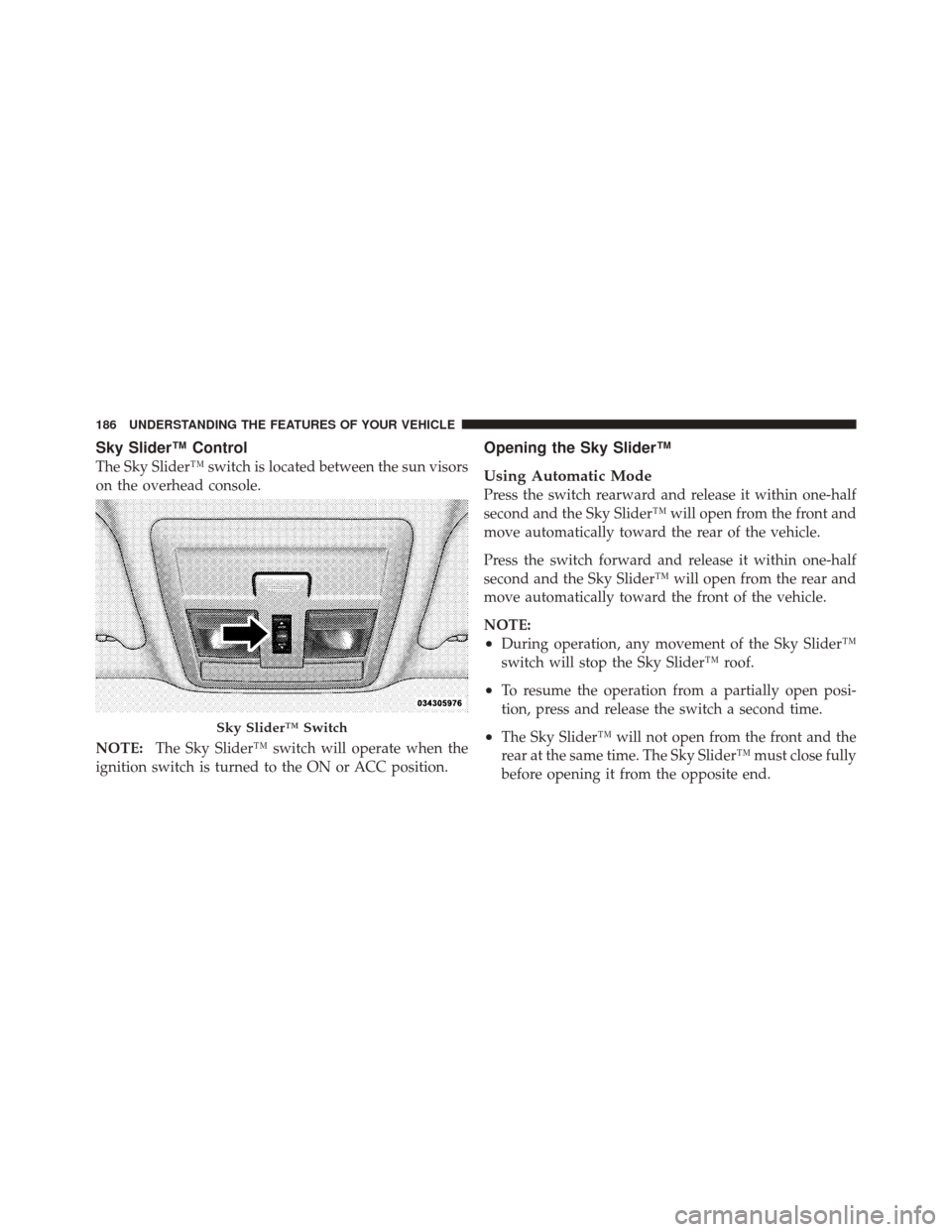
The Sky Slider™ switch is located between the sun visors
on the overhead console.
NOTE:The Sky Slider™ switch will operate when the
ignition switch is turned to the ON or ACC position.
Opening the Sky Slider™
Using Automatic Mode
Press the switch rearward and release it within one-half
second and the Sky Slider™ will open from the front and
move automatically toward the rear of the vehicle.
Press the switch forward and release it within one-half
second and the Sky Slider™ will open from the rear and
move automatically toward the front of the vehicle.
NOTE:
•During operation, any movement of the Sky Slider™
switch will stop the Sky Slider™ roof.
•To resume the operation from a partially open posi-
tion, press and release the switch a second time.
•The Sky Slider™ will not open from the front and the
rear at the same time. The Sky Slider™ must close fully
before opening it from the opposite end.Sky Slider™ Switch
186 UNDERSTANDING THE FEATURES OF YOUR VEHICLE
Page 201 of 522
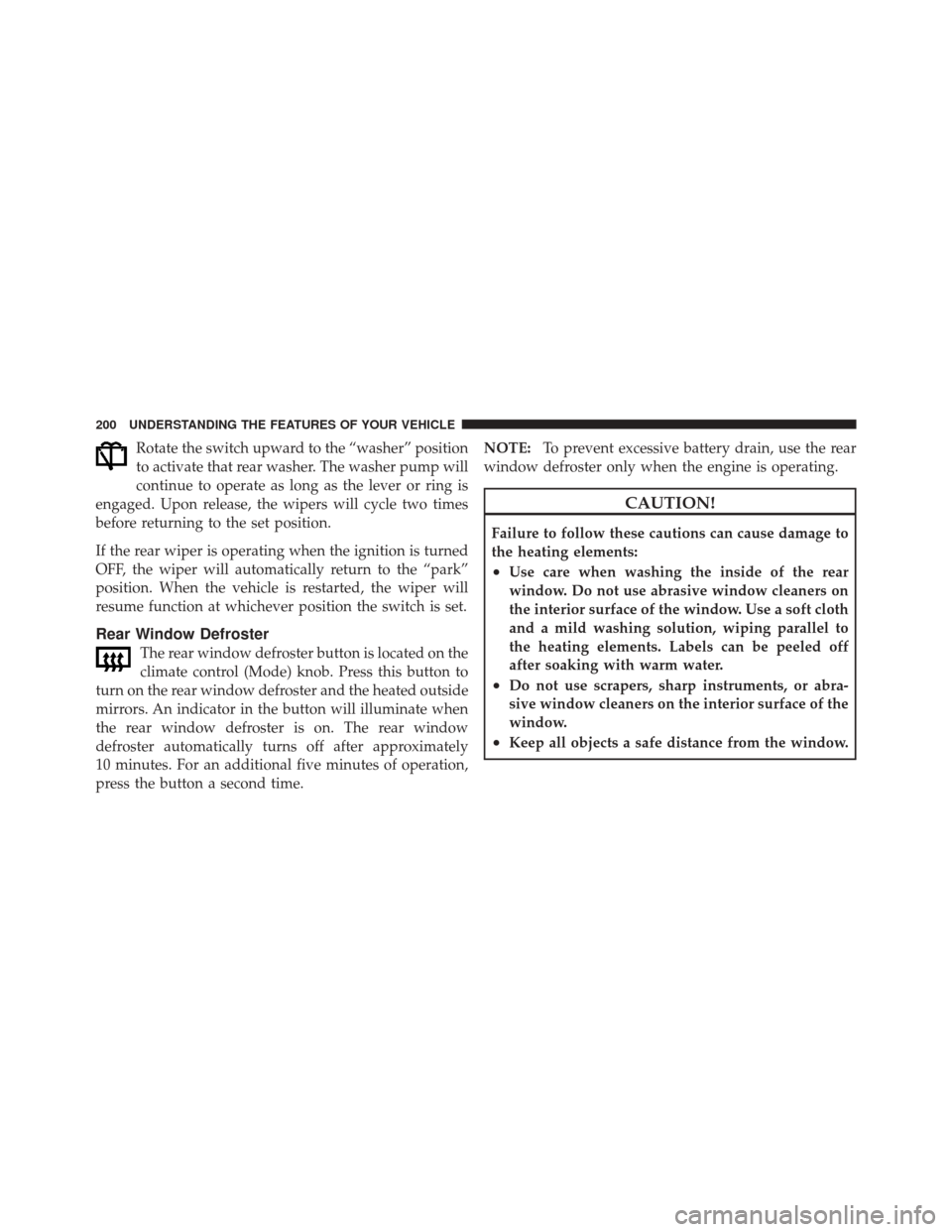
Rotate the switch upward to the “washer” position
to activate that rear washer. The washer pump will
continue to operate as long as the lever or ring is
engaged. Upon release, the wipers will cycle two times
before returning to the set position.
If the rear wiper is operating when the ignition is turned
OFF, the wiper will automatically return to the “park”
position. When the vehicle is restarted, the wiper will
resume function at whichever position the switch is set.
Rear Window Defroster
The rear window defroster button is located on the
climate control (Mode) knob. Press this button to
turn on the rear window defroster and the heated outside
mirrors. An indicator in the button will illuminate when
the rear window defroster is on. The rear window
defroster automatically turns off after approximately
10 minutes. For an additional five minutes of operation,
press the button a second time. NOTE:
To prevent excessive battery drain, use the rear
window defroster only when the engine is operating.
CAUTION!
Failure to follow these cautions can cause damage to
the heating elements:
•Use care when washing the inside of the rear
window. Do not use abrasive window cleaners on
the interior surface of the window. Use a soft cloth
and a mild washing solution, wiping parallel to
the heating elements. Labels can be peeled off
after soaking with warm water.
•Do not use scrapers, sharp instruments, or abra-
sive window cleaners on the interior surface of the
window.
•Keep all objects a safe distance from the window.
200 UNDERSTANDING THE FEATURES OF YOUR VEHICLE
Page 204 of 522
UNDERSTANDING YOUR INSTRUMENT PANEL
CONTENTS
�Instrument Panel Features ............... 206
� Instrument Cluster .................... 207
� Instrument Cluster Descriptions ........... 208
� Electronic Vehicle Information Center (EVIC) —
If Equipped .......................... 223
▫ Electronic Vehicle Information Center (EVIC)
Displays ........................... 225
▫ Oil Change Required .................. 226
▫ Trip Functions ...................... 227 ▫
Compass Display / ECO (Fuel Saver Mode)
— If Equipped ...................... 229
▫ Personal Settings
(Customer-Programmable Features) ....... 231
� Sales Code REQ — AM/FM Stereo Radio
And 6–Disc CD/DVD Changer
(MP3/WMA AUX Jack) .................. 235
▫ Operating Instructions - Radio Mode ...... 236
▫ Operation Instructions - (Disc Mode For CD
And MP3/WMA Audio Play, DVD-Video) . . . 243
▫ Notes On Playing MP3/WMA Files ....... 245
4
Page 205 of 522
▫List Button (Disc Mode For MP3/WMA Play). . 248
▫ Info Button (Disc Mode For MP3/WMA
Play) ............................. 248
� Sales Code (RER/REN) — AM/FM/CD/DVD
Radio – If Equipped .................... 250
▫ Operating Instructions — Voice Recognition
System (VR) — If Equipped ............. 251
▫ Operating Instructions — uconnect™ phone
— If Equipped ...................... 251
▫ Clock Setting Procedure ............... 251
� Sales Code RES — AM/FM Stereo Radio With
CD Player (MP3 AUX Jack) ............... 253
▫ Operating Instructions — Radio Mode ..... 253
▫ Operation Instructions — CD Mode For CD
And MP3 Audio Play ................. 256 ▫
Notes On Playing MP3 Files ............ 259
▫ Operation Instructions - Auxiliary Mode .... 261
� Sales Code RES/RSC — AM/FM Stereo Radio
With CD Player (MP3 AUX Jack) And Sirius
Radio ............................... 262
▫ Operating Instructions — Radio Mode ..... 262
▫ Operation Instructions — CD Mode For CD
And MP3 Audio Play ................. 267
▫ Notes On Playing MP3 Files ............ 270
▫ List Button (CD Mode For MP3 Play) ...... 272
▫ Info Button (CD Mode For MP3 Play) ...... 272
� uconnect™ studios (Satellite Radio) —
If Equipped (REN/REQ/RER/RES/REU
Radios Only) ......................... 273
▫ System Activation .................... 274
204 UNDERSTANDING YOUR INSTRUMENT PANEL
Page 218 of 522

CAUTION!
Continuous driving with the Transmission Tempera-
ture Indicator illuminated will eventually cause se-
vere transmission damage or transmission failure.
WARNING!
In some circumstances a Transmission Temperature
Indicator, under continued operation, could cause the
fluid to boil over, come in contact with hot engine or
exhaust components and cause a fire.
25. Odometer / Trip Odometer / ECO (Fuel Saver
Indicator) Button
Changing the Display
Press this button to change the display from odometer to
either of the two trip odometer settings or the “ECO”
display. Trip A or Trip B will appear when in the trip odometer mode. On vehicles equipped with a Base
Cluster, press and release it once again to display the
outside temperature. On vehicles equipped with a Mid
Line Cluster, press and release it once again to display the
outside temperature and compass heading in the screen
below the speedometer. Refer to “Electronic Vehicle In-
formation Center (EVIC) — If Equipped” for details.
Resetting the Trip Odometer
Display the trip mileage that you want to reset, “Trip A”
or “Trip B.” Then push and hold the button (approxi-
mately two seconds) until the display resets to 0. The
odometer must be in Trip Mode to reset the trip odom-
eter.
26. 4WD Indicator — Vehicles Equipped with
Selec-Trac�
II
This light alerts the driver that the vehicle is in
the full-time four-wheel drive auto mode. In
this mode, the system operates with a normal
4
UNDERSTANDING YOUR INSTRUMENT PANEL 217
Page 228 of 522
Unless reset, this message will continue to display each
time you turn the ignition switch to the ON position. To
turn off the message temporarily, press and release the
MENU button. To reset the oil change indicator system
(after performing the scheduled maintenance) perform
the following procedure:
1. Turn the ignition switch to the ON position.Do not
start the engine.
2. Fully depress the accelerator pedal slowly three times
within 10 seconds.
3. Turn the ignition switch to the LOCK position.
NOTE: If the indicator message illuminates when you
start the vehicle, the oil change indicator system did not
reset. If necessary, repeat this procedure.Trip Functions
Press and release the MENU button until one of the
following Trip Functions displays in the EVIC:
•Average Fuel Economy
•Distance To Empty
•Elapsed Time
•Display Units of Measure in
Press the SCROLL button to cycle through all the Trip
Computer functions.
The Trip Functions mode displays the following information:
•Average Fuel Economy
Shows the average fuel economy since the last reset. When
the fuel economy is reset, the display will read “RESET” or
show dashes for two seconds. Then, the history informa-
tion will be erased, and the averaging will continue from
the last fuel average reading before the reset.
4
UNDERSTANDING YOUR INSTRUMENT PANEL 227
Page 230 of 522
Compass Display / ECO (Fuel Saver Mode) — If
Equipped
The compass readings indicate the direction
the vehicle is facing. Press and release the
COMPASS button to display one of eight com-
pass readings and the outside temperature.
ECO (Fuel Saver Mode) — If Equipped
The ECO message will display below the outside tem-
perature in the EVIC display. This message will appear
whenever you are driving in a fuel efficient manner.
This feature allows you to monitor when you are driving
in a fuel efficient manner, and it can be used to modify
driving habits in order to increase fuel economy.
Automatic Compass Calibration
This compass is self-calibrating, which eliminates the
need to set the compass manually. When the vehicle is
new, the compass may appear erratic and the EVIC will
display “CAL” until the compass is calibrated. You mayalso calibrate the compass by completing one or more
360–degree turns (in an area free from large metal or
metallic objects) until the “CAL” message displayed in
the EVIC turns off. The compass will now function
normally.
NOTE:
A good calibration requires a level surface and
an environment free from large metallic objects such as
buildings, bridges, underground cables, railroad tracks,
etc.
Manual Compass Calibration
If the compass appears erratic and the “CAL” indicator
does not appear in the EVIC display, you must put the
compass into the Calibration Mode manually as follows:
1. Start the engine. Leave the shift lever in PARK in order
to enter the EVIC Programming Menus.
4
UNDERSTANDING YOUR INSTRUMENT PANEL 229