Page 25 of 407
1. A weak battery in the RKE transmitter. The expected
life of the battery is a minimum of three years.
2. Closeness to a radio transmitter such as a radio station
tower, airport transmitter, and some mobile or CB radios.
REMOTE STARTING SYSTEM — IF EQUIPPED
This system uses the Remote Keyless Entry
(RKE) transmitter to start the engine conve-
niently from outside the vehicle while still
maintaining security. The system has a range of
approximately 328 ft (100 m).
NOTE: The vehicle must be equipped with an auto-
matic transmission to be equipped with Remote Start.
How to Use Remote Start
All of the following conditions must be met before the
engine will remote start:
•Shift lever in PARK
•Doors closed
•Hood closed
•Liftgate closed
•Hazard switch off
•Brake switch inactive (brake pedal not pressed)
•Ignition key removed from ignition switch
•Battery at an acceptable charge level
•RKE PANIC button not pressed
24 THINGS TO KNOW BEFORE STARTING YOUR VEHICLE
Page 61 of 407

3. Requested by police under a legal warrant.
4. Otherwise required by law.
Data parameters that are recorded:
•Diagnostic trouble code(s) and warning light status for
electronically-controlled safety systems, including the
airbag system
•Vehicle speed
•Engine RPM
•Brake switch status
•Pedal position
•And other parameters depending on vehicle
configuration
Child Restraints
Everyone in your vehicle needs to be buckled up all the
time, including babies and children. Every state in the
United States, and all Canadian provinces, require that
small children ride in proper restraint systems. This is the
law, and you can be prosecuted for ignoring it.
Children 12 years and under should ride properly buck-
led up in a rear seat, if available. According to crash
statistics, children are safer when properly restrained in
the rear seats rather than in the front.
There are different sizes and types of restraints for
children from newborn size to the child almost large
enough for an adult safety belt. Always check the child
seat Owner’s Manual to ensure you have the right seat
for your child. Use the restraint that is correct for your
child.
60 THINGS TO KNOW BEFORE STARTING YOUR VEHICLE
Page 74 of 407

Airbag Warning Light
The light should come on and remain on for six to eight
seconds as a bulb check when the ignition switch is first
turned ON. If the light is not lit during starting, see your
authorized dealer. If the light stays on, flickers, or comes
on while driving, have the system checked by an autho-
rized dealer.
Defroster
Check operation by selecting the defrost mode and place
the blower control on high speed. You should be able to
feel the air directed against the windshield. See your
authorized dealer for service if your defroster is
inoperable.
Periodic Safety Checks You Should Make Outside
the Vehicle
Tires
Examine tires for excessive tread wear and uneven wear
patterns. Check for stones, nails, glass, or other objectslodged in the tread. Inspect the tread and sidewall for
cuts and cracks. Check the wheel nuts for tightness.
Check the tires (including spare) for proper pressure.
Lights
Have someone observe the operation of exterior lights
while you work the controls. Check turn signal and high
beam indicator lights on the instrument panel.
Door Latches
Check for positive closing, latching, and locking.
Fluid Leaks
Check area under vehicle after overnight parking for fuel,
engine coolant, oil, or other fluid leaks. Also, if gasoline
fumes are detected or if fuel, power steering fluid, or
brake fluid leaks are suspected, the cause should be
located and corrected immediately.
2
THINGS TO KNOW BEFORE STARTING YOUR VEHICLE 73
Page 95 of 407
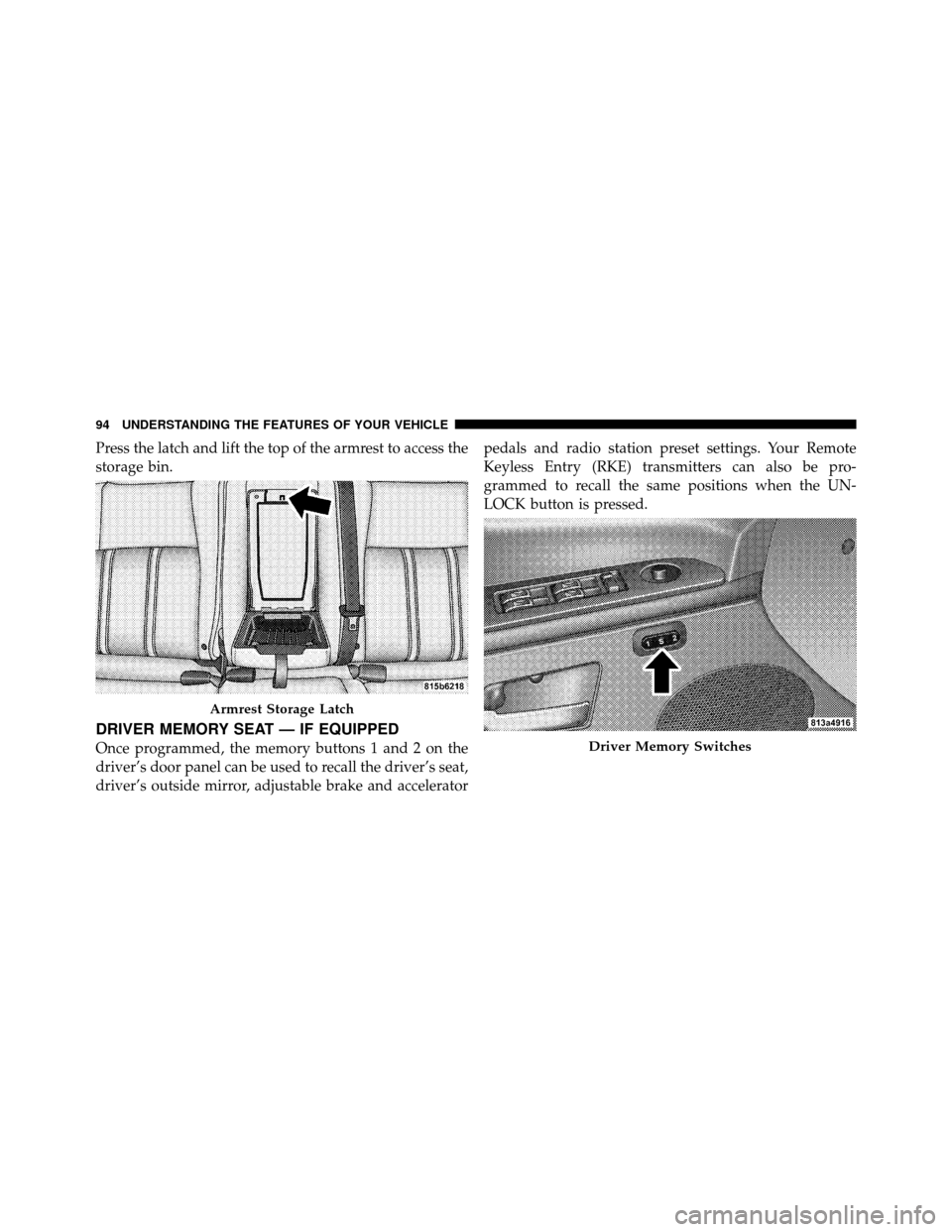
Press the latch and lift the top of the armrest to access the
storage bin.
DRIVER MEMORY SEAT — IF EQUIPPED
Once programmed, the memory buttons 1 and 2 on the
driver’s door panel can be used to recall the driver’s seat,
driver’s outside mirror, adjustable brake and acceleratorpedals and radio station preset settings. Your Remote
Keyless Entry (RKE) transmitters can also be pro-
grammed to recall the same positions when the UN-
LOCK button is pressed.
Armrest Storage Latch
Driver Memory Switches
94 UNDERSTANDING THE FEATURES OF YOUR VEHICLE
Page 96 of 407

Your vehicle is equipped with two RKE transmitters. One
or both RKE transmitters can be linked to either memory
position. The memory system can accommodate up to
four RKE transmitters, each one linked to either of the
two memory positions.
Setting Memory Positions and Linking Remote
Keyless Entry Transmitter to Memory
NOTE:Each time the S (SET) button and a numbered
button 1 or 2 are pressed, you erase the memory settings
for that button and store a new one.
1. Insert the ignition key, and turn the ignition switch to
the ON position.
2. Press the driver door MEMORY button number 1 if
you are setting the memory for driver 1, or button
number 2 if you are setting the memory for driver 2. The
system will recall any stored settings. Wait for the system
to complete the memory recall before continuing to
Step 3. 3. Adjust the driver’s seat, recliner, and driver’s sideview
mirror to the desired positions.
4. Adjust the brake and accelerator pedals to the desired
positions.
5. Turn on the radio and set the radio station presets (up
to 12 AM and 12 FM stations can be set).
6. Turn the ignition switch to the LOCK position and
remove the key.
7. Press and release the S (SET) button located on the
driver’s door.
8. Within five seconds, press and release MEMORY
button 1 or 2 on the driver’s door. The next step must be
performed within five seconds if you desire to also use a
RKE transmitter to recall memory positions.
9. Press and release the LOCK button on one of the RKE
transmitters.
3
UNDERSTANDING THE FEATURES OF YOUR VEHICLE 95
Page 104 of 407

NOTE:Broken, muddy, or obstructed headlights and
taillights of vehicles in the field of view will cause
headlights to remain on longer (closer to the vehicle).
Also, dirt, film, and other obstructions (sticker, toll box,
etc.) on the windshield or camera lens will cause the
system to function improperly.
Daytime Running Lights — If Equipped
The high beam headlights come on at a low intensity
level whenever the engine is running, and the transmis-
sion is not in the PARK position. The lights will remain
on until the ignition switch is turned to LOCK/ACC or
the parking brake is engaged. The headlight switch must
be used for normal nighttime driving.
Automatic Headlight Leveling — HID Headlights
Only
This feature prevents the headlights from interfering
with the vision of oncoming drivers. Headlight leveling
automatically adjusts the height of the headlight beam in
reaction to changes in vehicle pitch.
Instrument Panel Dimmer
Rotate the center potion of the lever to the extreme
bottom position to fully dim the instrument panel lights
and prevent the interior lights from illuminating when a
door is opened.
Rotate the center portion of the lever up to increase the
brightness of the instrument panel lights when the park-
ing lights or headlights are on.
Rotate the center portion of the lever upward to the next
detent position to brighten the odometer and radio when
the parking lights or headlights are on.
3
UNDERSTANDING THE FEATURES OF YOUR VEHICLE 103
Page 115 of 407
WARNING!
Do not adjust the steering column while driving.
Adjusting the steering column while driving or driv-
ing with the steering column unlocked, could cause
the driver to lose control of the vehicle. Be sure the
steering column is locked before driving your ve-
hicle. Failure to follow this warning may result in
serious injury or death.
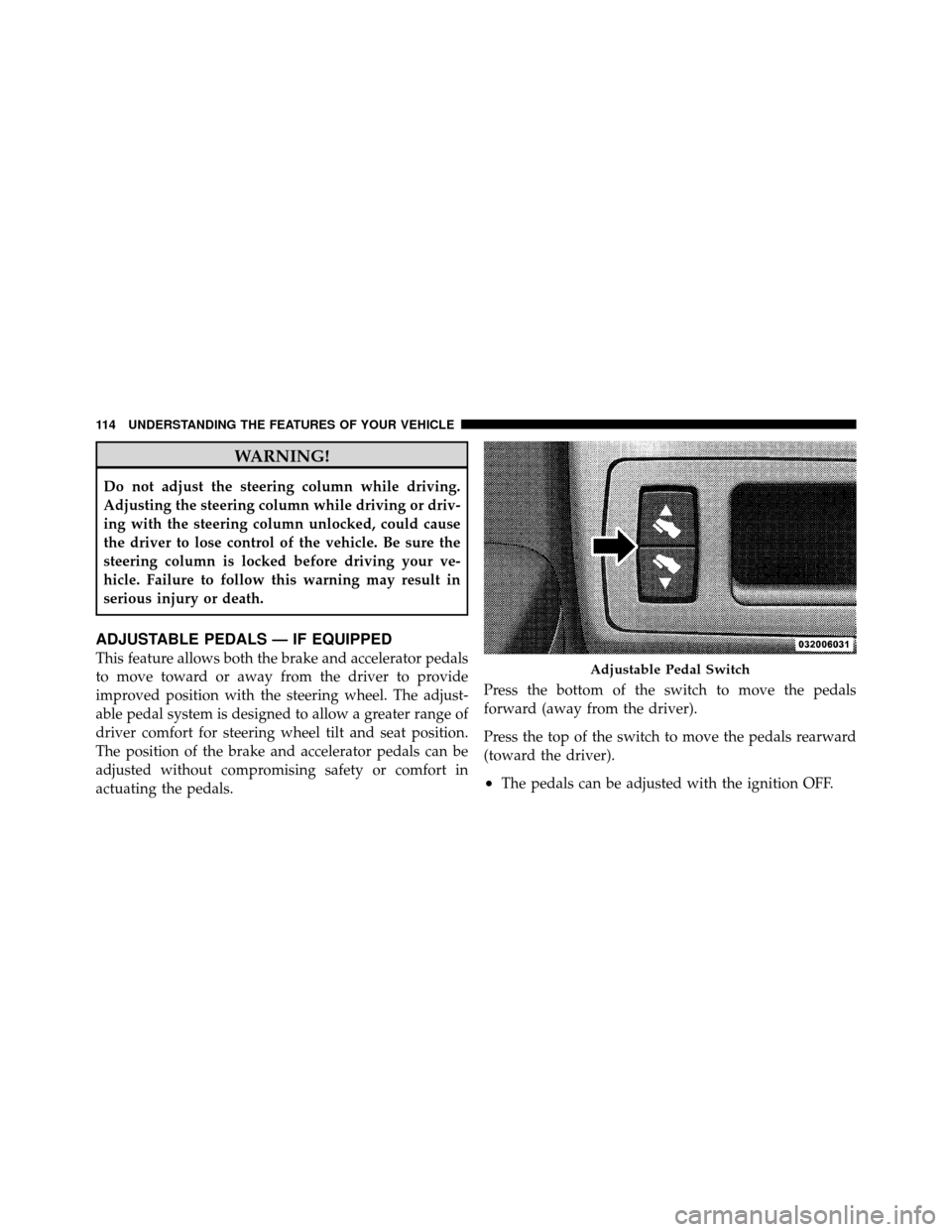
ADJUSTABLE PEDALS — IF EQUIPPED
This feature allows both the brake and accelerator pedals
to move toward or away from the driver to provide
improved position with the steering wheel. The adjust-
able pedal system is designed to allow a greater range of
driver comfort for steering wheel tilt and seat position.
The position of the brake and accelerator pedals can be
adjusted without compromising safety or comfort in
actuating the pedals.Press the bottom of the switch to move the pedals
forward (away from the driver).
Press the top of the switch to move the pedals rearward
(toward the driver).
•The pedals can be adjusted with the ignition OFF.
Adjustable Pedal Switch
114 UNDERSTANDING THE FEATURES OF YOUR VEHICLE
Page 118 of 407
WARNING!
Leaving the Electronic Speed Control System on
when not in use is dangerous. You could accidentally
set the system or cause it to go faster than you want.
You could lose control and have an accident. Always
leave the system OFF when you are not using it.
To Set a Desired Speed
When the vehicle has reached the desired speed, press
down on the lever and release. Release the accelerator
and the vehicle will operate at the selected speed.
NOTE:The vehicle should be traveling at a steady
speed and on level ground before pressing the SET lever.
To Deactivate
A soft tap on the brake pedal, pulling the lever toward
you, or normal brake pressure while slowing the vehicle
will deactivate Electronic Speed Control without erasing the set speed memory. Pressing the ON/OFF button or
turning off the ignition switch erases the set speed
memory.
To Resume Speed
To resume a previously set speed, push the RESUME
ACCEL lever up and release. Resume can be used at any
speed above 25 mph (40 km/h).
To Vary the Speed Setting
When the Electronic Speed Control is set, you can in-
crease speed by pushing up and holding the RESUME
ACCEL lever. If the lever is continually held in the
RESUME ACCEL position, the set speed will continue to
increase until the lever is released, then the new set speed
will be established.
Tapping RESUME ACCEL once will result ina1mph
(2 km/h) speed increase. Each time the lever is tapped
the vehicle speed increases, so that tapping the lever
three times will increase speed by 3 mph (5 km/h).
3
UNDERSTANDING THE FEATURES OF YOUR VEHICLE 117