2010 JAGUAR XF traffic
[x] Cancel search: trafficPage 143 of 225

R
(FM8) SEMCON JLR OWNER GUIDE VER 1.00 EURO
LANGUAGE: english-en; MARQUE: jaguar; MODEL: XF
Navigation system
143
RDS-TMC ICONS
Any traffic event (broadcast on TMC) in your
area, will be displayed as a warning icon on the
map and an alert may be displayed as a
message giving the road number(s) and
between which junctions the hold-up or event
occurs.
This data is stored in th e system for up to of 30
minutes.
The colour of the TMC icon changes in order to
show the type and priority of a TMC event. The
background colour of the icon returns to
normal when there is no longer an event or
hold-up, or if any re-route instructions are
calculated.
The TMC Event icons appear on the navigation
map display to indicate the location and nature
of a TMC event.
TMC Event icons will appear on the map, even
if the event does not occur on your route.
LEVEL 1 TMC EVENT ICONS
Note: Single arrow icons i ndicate that the
traffic event affects traffic travelling in the
direction of the arrow. Double arrows indicate
that both directions are affected.
LEVEL 2 TMC EVENT ICONS
Incident (Red star)
Moving Tailback Ahead (Red
arrow)
Moving Tailback Both
Carriageways (Red double arrow)
Slow Traffic Ahead (Yellow arrow)
Slow Traffic Both Carriageways
(Yellow double arrow)
Information (Yellow circle)
Incident (Yellow star)
Stationary Traffic Ahead (Red
arrow pointing on line)
Stationary Traffic Both
Carriageways (Red double arrow
pointing on line)
Other Hazard (Yellow)
Roadworks (Pink)
Narrow Road (Pink)
Contraflow (Pink)
Accidents (Pink)
Slippery Road (Yellow)
Diversion (Yellow)
Parking Information (Grey)
Information (Grey)
Congestion (Red)
Page 144 of 225

L
(FM8) SEMCON JLR OWNER GUIDE VER 1.00 EURO
LANGUAGE: english-en; MARQUE: jaguar; MODEL: XF
Navigation system
144
USING TMC
Dynamic route guidance will calculate an
alternative route to avoid a traffic event when
the system receives an event warning.The
system calculates a new route for all sections.
However, if any way points are set, the system
calculates for the next way point.If the event on
route is serious (closed road) or if the new
route is shorter than the current one and the
current one was not recalc ulated within the last
5 minutes, then a message to confirm the new
route will be displayed. This pop-up message
will be displayed for 10 minutes and if the new
route is not rejected, th en the vehicle will follow
the new route.
ORDNANCE SURVEY DATA
Please read this agreement carefully before
using the Navi gation System.
This is a licence agreement to use the
Ordnance Survey (OS) Code-Point data
incorporated in the Navigation System. By
using this Code-Point data you accept and
agree to all the term s and conditions below.
OWNERSHIP
The OS Code-Point data is licensed by
Ordnance Survey with permission of Her
Majesty’s Stationery Office. © Crown
Copyright. All rights reserved.
LICENCE GRANT
OS grants you a non-excl usive licence to use
your copy of the OS Code-Point data for your
personal use solely as pa rt of the Navigation
System. You may transfer the licence to a
subsequent purchaser of the vehicle with
which the Navigation Sy stem is supplied,
provided that the purchaser agrees to abide by
each of the terms of this licence.
LICENCE TERMS
These licence terms ar e governed by English
Law and are subject to the exclusive
jurisdiction of the English courts.
LIMITATIONS OF USE
The DATABASE is restricted for use in the
specific system for which it was created.
Except to the extent ex plicitly permitted by
mandatory applicable laws, you may not
extract or re-utilise s ubstantial parts of the
contents of the DATA BASE, not reproduce,
copy, modify, adapt, translate, disassemble,
decompile, or reverse e ngineer any portion of
the DATABASE.
LIMITATION OF LIABILITY
The price of the DATABASE does not include
any consideration for assumption of risk of
consequential, indirect or unlimited direct
damages which may aris e in connection with
your use of the DATABASE.
Accordingly, in no event shall NAVTEQ
Corporation or supplie r of the navigation
system using the DATA BASE (‘Supplier’) be
liable for any consequentia l, special, incidental
or indirect damage s, including without
limitation, loss of re venue, data, or use,
incurred by you or any th ird party arising out of
your use of the DATABASE, whether in an
action in contract or tort or based on a
warranty, even if NAVTEQ Corporation or the
Supplier has been advised of the possibility of
such damages. In any event, NAVTEQ
Corporation’s liability for direct damages is
limited to the price of your copy of the
DATABASE.
Page 145 of 225

R
(FM8) SEMCON JLR OWNER GUIDE VER 1.00 EURO
LANGUAGE: english-en; MARQUE: jaguar; MODEL: XF
Navigation system
145
THE DISCLAIMER OF WARRANTY AND
LIMITATION OF LIABILITY, SET FORTH IN
THIS AGREEMENT, DO NOT AFFECT OR
PREJUDICE YOUR STATUTORY RIGHTS
WHERE YOU HAVE ACQUIRED THE
DATABASE OTHERWISE THAN IN THE
COURSE OF A BUSINESS. Some states and
laws do not allow the exclusion of implied
warranties, so the above disclaimer may not
apply to you.
The DATABASE reflects reality as
existing before you received the
DATABASE and it comprises data and
information from government and
other sources, which may contain
errors and omissions. Accordingly,
the DATABASE may contain inaccurate
or incomplete information due to the
passage of time, changing
circumstances, and due to the nature
of the sources used. The DATABASE
does not include or reflect information
on - inter alia - neighbourhood safety;
law enforcement; emergency
assistance; construction work; road or
lane closures; vehicle or speed
restrictions; road slope or grade;
bridge height, weight or other limits;
road or traffic conditions; special
events; traffic congestion; or travel
time.NAVTEQ CORPORATION
Please read this agreement carefully before
using the Navigation System.
This is a licence agreement for your copy of the
Navigable Map Database , (the ‘DATABASE’)
originally made by NAVTEQ Corporation), used
in the Navigation Sy stem. By using this
DATABASE you accept and agree to all the
terms and conditions below.
OWNERSHIP
The DATABASE and the copyrights and
intellectual property or neighbouring rights
therein are owned by NAVTEQ Corporation or
its licensors.
LICENCE GRANT
NAVTEQ Corporation grants you a
non-exclusive licence to use your copy of the
DATABASE for your personal use or for use in
your business’ internal operations. This license
does not include the right to grant
sub-licenses.
LIMITATIONS OF USE
The DATABASE is restricted for use in the
specific system for which it was created.
Except to the extent ex plicitly permitted by
mandatory applicable laws, you may not
extract or re-utilise s ubstantial parts of the
contents of the DATA BASE, not reproduce,
copy, modify, adapt, translate, disassemble,
decompile, or reverse engineer any portion of
the DATABASE.
Page 149 of 225

R
(FM8) SEMCON JLR OWNER GUIDE VER 1.00 EURO
LANGUAGE: english-en; MARQUE: jaguar; MODEL: XF
Tyre repair kit
149
USING THE TYRE REPAIR KIT
Avoid skin contact with the sealant
which contains natural rubber latex.
If the tyre inflation pressure does not
reach 1.8 bar (26 psi, 180 kPa) within
seven minutes, the tyre may have
suffered excessive damage. A
temporary repair will not be possible,
and the vehicle should not be driven
until the tyre has been replaced.
Before attempting a tyre repair, ensure
that the vehicle is parked safely, as far
away from passing traffic as possible.
Ensure that the parking brake is applied
and P (Park) is selected.
Do not attempt to remove foreign
objects such as nails, screws, etc. from
the tyre.
Always run the engine when using the
compressor, unless the vehicle is in an
enclosed or poorly ventilated space, as
this may cause asphyxiation.
To prevent overheatin g, do not operate
the compressor continuously for longer
than ten minutes.
Note: All vehicle drivers and occupants should
be made aware that a temporary repair has
been made to a tyre fitt ed to the vehicle. They
should also be made aware of the special
driving conditions im posed when using a
repaired tyre.
REPAIR PROCEDURE
Check the tyre sidewall prior to
inflation. If there are any cracks,
bumps or similar damage, do not
attempt to inflate the tyre. Do not
stand directly besi de the tyre while
the compressor is pumping. Watch the
tyre sidewall. If any cracks, bumps or
similar damage appear, turn off the
compressor and let the air out by
means of the pressure relief valve. Do
not continue to use the tyre.
1. Open the tyre repair kit and peel off the
maximum speed label. Attach the label to
the facia in the driver's field of vision. Take
care not to obstruct an y of the instruments
or warning lights.
2. Uncoil the compressor power cable and
the inflation hose.
3. Unscrew the orange cap from the sealant
bottle receiver and the sealant bottle cap.
4. Screw the sealant bottle into the receiver
(clockwise) until tight.
•Screwing the bottle onto the receiver
will pierce the bottle's seal. Once the
receiver has been fitted, a ratchet
prevents it from being removed.
5. Remove the valve cap from the damaged
tyre.
6. Remove the protective cap from the
inflation hose and connect the inflation
hose to the tyre valve. Ensure that the hose
is screwed on firmly.
7. Ensure that the compressor switch is in the
off ( 0) position.
8. Insert the power cable connector into the
auxiliary power socket.
9. Unless the vehicle is in an enclosed area,
start the engine.
Page 157 of 225

R
(FM8) SEMCON JLR OWNER GUIDE VER 1.00 EURO
LANGUAGE: english-en; MARQUE: jaguar; MODEL: XF
Fuel and refuelling
157
FUEL CONSUMPTION
The fuel consumption figures shown below have been calculated using a standard testing
procedure (the new EC test proc edure from Directive 99/100/EC), and produced in accordance with
The Passenger Car Fuel Cons umption (Amendment) Order 1996.
Under normal use, a vehicle's actu al fuel consumption figures may differ from those achieved
through the test procedure, de pending on driving technique, ro ad and traffic conditions,
environmental factors, ve hicle load and condition.
URBAN CYCLE
The urban test cycle is carried out from a cold start and cons ists of a series of accelerations,
decelerations and periods of stea dy speed driving and engine idling. The maximum speed attained
during the test is 50 km/h (30 mph) with an average speed of 19 km/h (12 mph).
EXTRA-URBAN CYCLE
The extra-urban test cycle is carried out immediatel y after the urban test. Approximately half of the
test comprises steady-speed driving, while the re mainder consists of a series of accelerations,
decelerations and engine idling . The maximum test speed is 120 km/h (75 mph) and the average
speed 63 km/h (39 mph). The test is carried out over a distance of 7 km (4.3 miles).
COMBINED
The combined figure is an average of the urban an d extra-urban test cycle results, which has been
weighted to take account of the differ ent distances covered during the two tests.
For additional information on fuel consumption figures and exhaust emissions, visit the Vehicle
Certification Agency (VCA) website at http://www.vcacarfueldata.org.uk/.
Variant
Urban
l/100 km (mpg) Extra-urban
l/100 km (mpg) Combined
l/100 km (mpg) CO
2 emissions
g/km
2.2 I4 Diesel 6.6 (42.8) 4.8 (58.9) 5.4 (52.3) 149
3.0 V6 Diesel 8.7 (32.5) 5.0 (56.5) 6.3 (44.8) 169
3.0 V6 Petrol 15.8 (17.8) 7.5 (37.8) 10.5 (26.8) 249
5.0 V8 Petrol -
Normally aspirated 17.3 (16.3) 7.8 (36.4) 11.1 (25.4) 264
5.0 V8 Petrol -
Supercharged 18.7 (15.1) 8.7 (32.4) 12.5 (22.5) 292
Page 194 of 225
L
(FM8) SEMCON JLR OWNER GUIDE VER 1.00 EURO
LANGUAGE: english-en; MARQUE: jaguar; MODEL: XF
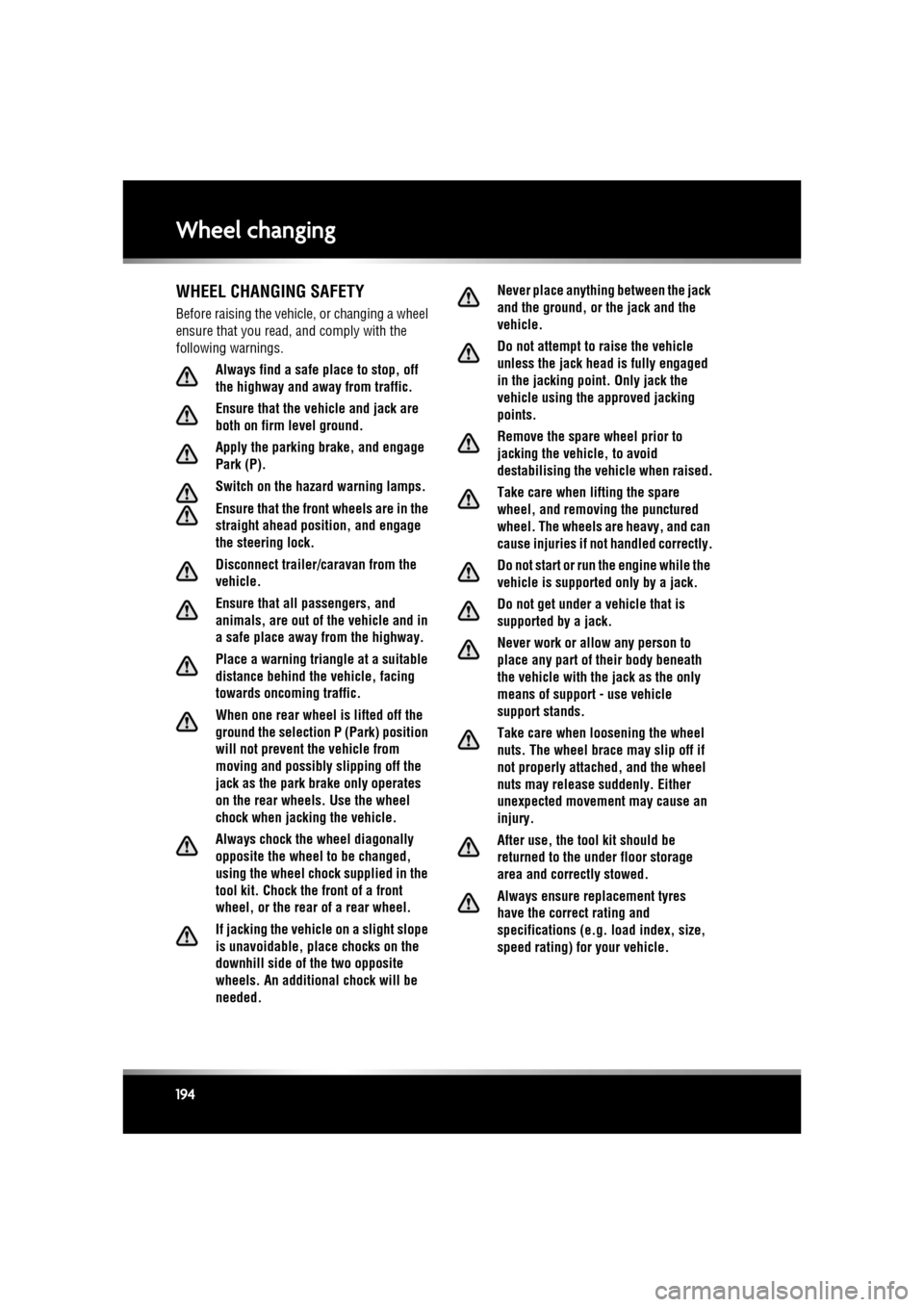
Wheel changing
194
Wheel changingWHEEL CHANGING SAFETY
Before raising the vehicl e, or changing a wheel
ensure that you read, and comply with the
following warnings.
Always find a safe place to stop, off
the highway and aw ay from traffic.
Ensure that the vehicle and jack are
both on firm level ground.
Apply the parking brake, and engage
Park (P).
Switch on the hazard warning lamps.
Ensure that the front wheels are in the
straight ahead position, and engage
the steering lock.
Disconnect trailer/ca ravan from the
vehicle.
Ensure that all passengers, and
animals, are out of the vehicle and in
a safe place away from the highway.
Place a warning triangle at a suitable
distance behind the v ehicle, facing
towards oncoming traffic.
When one rear wheel is lifted off the
ground the selection P (Park) position
will not prevent the vehicle from
moving and possibly slipping off the
jack as the park brake only operates
on the rear wheels. Use the wheel
chock when jacking the vehicle.
Always chock the wheel diagonally
opposite the wheel to be changed,
using the wheel chock supplied in the
tool kit. Chock the front of a front
wheel, or the rear of a rear wheel.
If jacking the vehicle on a slight slope
is unavoidable, place chocks on the
downhill side of the two opposite
wheels. An additional chock will be
needed. Never place anything between the jack
and the ground, or the jack and the
vehicle.
Do not attempt to raise the vehicle
unless the jack head is fully engaged
in the jacking point. Only jack the
vehicle using the approved jacking
points.
Remove the spare wheel prior to
jacking the vehicle, to avoid
destabilising the vehicle when raised.
Take care when lifting the spare
wheel, and removing the punctured
wheel. The wheels are heavy, and can
cause injuries if not handled correctly.
Do not start or run the engine while the
vehicle is support
ed only by a jack.
Do not get under a vehicle that is
supported by a jack.
Never work or allow any person to
place any part of their body beneath
the vehicle with the jack as the only
means of support - use vehicle
support stands.
Take care when loosening the wheel
nuts. The wheel brace may slip off if
not properly attached, and the wheel
nuts may release suddenly. Either
unexpected movement may cause an
injury.
After use, the tool kit should be
returned to the under floor storage
area and correctly stowed.
Always ensure replacement tyres
have the correct rating and
specifications (e.g. load index, size,
speed rating) for your vehicle.
Page 214 of 225

L
english-en (10, 18, 21 & 25)
Index
214
portablelost connection . . . . . . . . . . . . . . . . 118
play . . . . . . . . . . . . . . . . . . . . . . . . . 117
portable media
connections . . . . . . . . . . . . . . . . . . . 113
Memory points (navigati on system) . . . . 140
Memory seats recalling a position . . . . . . . . . . . . . . . . 15
Message centre
trip computer . . . . . . . . . . . . . . . . . . . . . 56change display . . . . . . . . . . . . . . . . . . 56
range . . . . . . . . . . . . . . . . . . . . . . . . . 56
Methanol . . . . . . . . . . . . . . . . . . . . . . . . . 152
Minor paintwork damage repair. . . . . . . . 164
Mirrors BSM (Blind spot monitor) . . . . . . . . . . . 46system fault . . . . . . . . . . . . . . . . . . . . 47
dip when reversing . . . . . . . . . . . . . . . . 45
Mirrors and windows BSM (Blind spot monitor)detection beam issues . . . . . . . . . . . . 99
sensor blockage . . . . . . . . . . . . . . . . . 47
exterior mirrors . . . . . . . . . . . . . . . . . . . 44
sunroof
anti-trap mechanism . . . . . . . . . . . . . 43
reset . . . . . . . . . . . . . . . . . . . . . . . . . 164
Misfuel device . . . . . . . . . . . . . . . . . . . . . 155
Modifications for disabilities . . . . . . . . . . 158
Monitoring system (battery) . . . . . . . . . . 183
Moon roof
anti-trap mechanism . . . . . . . . . . . . . . . 43
reset . . . . . . . . . . . . . . . . . . . . . . . . . . 164
MP3. . . . . . . . . . . . . . . . . . . . . . . . . . . . . 119
mpg . . . . . . . . . . . . . . . . . . . . . . . . . . . . . 157
MTBE (Methyl tertiary butyl ether) . . . . . 153
N
Navigation all softkey . . . . . . . . . . . . . . . . . . . . . . 142
cancel guidance . . . . . . . . . . . . . . . . . . 139
destination entry . . . . . . . . . . . . . . . . . 138coordinates . . . . . . . . . . . . . . . . . . . 140 emergency . . . . . . . . . . . . . . . . . . . . 140
motorway . . . . . . . . . . . . . . . . . . . . . 141
postcode . . . . . . . . . . . . . . . . . . . . . . 140
previous . . . . . . . . . . . . . . . . . . . . . . 140
search area . . . . . . . . . . . . . . . . . . . . 138
start guidance . . . . . . . . . . . . . . . . . . 139
entering a destination town . . . . . . . . . . 141
list . . . . . . . . . . . . . . . . . . . . . . . . . . . . . 142
map. . . . . . . . . . . . . . . . . . . . . . . . . . . . 140
map split screen . . . . . . . . . . . . . . . . . . 137
memory points . . . . . . . . . . . . . . . . . . . 140
menu. . . . . . . . . . . . . . . . . . . . . . . . . . . 135
operating. . . . . . . . . . . . . . . . . . . . . . . . 134
overview . . . . . . . . . . . . . . . . . . . . . . . . 134
POI (Points of interest) . . . . . . . . . . . . . 141 categories/sub-categories . . . . . . . . . 141
quick POI selection . . . . . . . . . . . . . . 139
POI search . . . . . . . . . . . . . . . . . . . . . . 142
restore defaults . . . . . . . . . . . . . . . . . . . 140
screen modes . . . . . . . . . . . . . . . . . . . . 138
TMC . . . . . . . . . . . . . . . . . . . . . . . . . . . 142
display. . . . . . . . . . . . . . . . . . . . . . . . 142
icons . . . . . . . . . . . . . . . . . . . . . . . . . 143
using TMC . . . . . . . . . . . . . . . . . . . . . 144
traffic event icons . . . . . . . . . . . . . . . . . 143
voice commands (POI) . . . . . . . . . . . . . 127
voice guidance . . . . . . . . . . . . . . . . . . . 139
Number plate bulb . . . . . . . . . . . . . . . . . . 163
O
Occupant safety child seats tether straps . . . . . . . . . . . . . . . . . . . . 31
seatbelts . . . . . . . . . . . . . . . . . . . . . . . . 167
seatbelt safety . . . . . . . . . . . . . . . . . . . 23
warning lamp . . . . . . . . . . . . . . . . 26, 52
Oil
engine consumption . . . . . . . . . . . . . . . . . . . 170
level check. . . . . . . . . . . . . . . . . . . . . 168
engine oil specification . . . . . . . . . . . . . 170
engine oil specifications . . . . . . . . . . . . 169
Page 217 of 225

R
english-en (10, 18, 21 & 25)
Index
217
quick POI selection . . . . . . . . . . . . . 139
POI search . . . . . . . . . . . . . . . . . . . . . . 142
restore defaults . . . . . . . . . . . . . . . . . . 140
screen modes . . . . . . . . . . . . . . . . . . . 138
TMC . . . . . . . . . . . . . . . . . . . . . . . . . . . 142 display . . . . . . . . . . . . . . . . . . . . . . . 142
icons . . . . . . . . . . . . . . . . . . . . . . . . 143
traffic event icons . . . . . . . . . . . . . . . . 143
using TMC . . . . . . . . . . . . . . . . . . . . . . 144
voice commands (POI) . . . . . . . . . . . . 127
voice guidance . . . . . . . . . . . . . . . . . . . 139
Screen modes (navigation system) . . . . . 138
Screens (heated) . . . . . . . . . . . . . . . . . . . . 64
Search area (navigation system) . . . . . . . 138
Seatbelts . . . . . . . . . . . . . . . . . . . . . . . . . 167
beltminder . . . . . . . . . . . . . . . . . . . . . . . 26
beltminder warning lamp . . . . . . . . . . . . 52
checks . . . . . . . . . . . . . . . . . . . . . . . . . . 23
safety . . . . . . . . . . . . . . . . . . . . . . . . . . . 23
warning lamp . . . . . . . . . . . . . . . . . . 26, 52
Seats
child seatstether straps . . . . . . . . . . . . . . . . . . . 31
climate . . . . . . . . . . . . . . . . . . . . . . . . . . 66
electric front . . . . . . . . . . . . . . . . . . . . . . . . . . 12
head restraints . . . . . . . . . . . . . . . . . . . . 20
heated . . . . . . . . . . . . . . . . . . . . . . . . . . 65
manual head restraints . . . . . . . . . . . . . 21
memory
recalling a position. . . . . . . . . . . . . . . 15
rear safety . . . . . . . . . . . . . . . . . . . . . . . . . 17
removing the head restraints . . . . . . . . . 21
seatbelts . . . . . . . . . . . . . . . . . . . . . . . 167 safety . . . . . . . . . . . . . . . . . . . . . . . . . 23
warning lamp . . . . . . . . . . . . . . . . 26, 52
sitting correctly . . . . . . . . . . . . . . . . . . . 15
Securing luggage. . . . . . . . . . . . . . . . . . . . 68
Security . . . . . . . . . . . . . . . . . . . . . . . . . . . 10 alarm . . . . . . . . . . . . . . . . . . . . . . . . . . 158passive arming . . . . . . . . . . . . . . . . . 11
perimeter . . . . . . . . . . . . . . . . . . . . . . 11 tilt sensor . . . . . . . . . . . . . . . . . . . . . . 11
automatic relocking and arming . . . . . . . 11
battery backed sounder. . . . . . . . . . . . . . 11
deactivating the alarm . . . . . . . . . . . . . . . 11
lock confirmation . . . . . . . . . . . . . . . . . . . 9
sensor faults . . . . . . . . . . . . . . . . . . . . . . 11
steering column lock. . . . . . . . . . . . . . . . 75
Selecting valet mode. . . . . . . . . . . . . . . . . . 61
Selector fails to elevate . . . . . . . . . . . . . . . . 82
Sensors blockage (BSM) . . . . . . . . . . . . . . . . . . . 47
replacements (TPMS) . . . . . . . . . . . . . . . 91
security sensor faults . . . . . . . . . . . . . . . 11
Service in formation
airbags . . . . . . . . . . . . . . . . . . . . . . . . . . 35
Service interval indicator . . . . . . . . . . . . . . 57
Servicing interval indicator . . . . . . . . . . . . . . . . . . . 57
Setting a destination (nav igation) . . . . . . . 138
Setting cruise speed . . . . . . . . . . . . . . . . . . 94
Settings
rear media. . . . . . . . . . . . . . . . . . . . . . . . 60
telephone . . . . . . . . . . . . . . . . . . . . . . . 133
vehicle. . . . . . . . . . . . . . . . . . . . . . . . . . . 61
Side lights warning lamp . . . . . . . . . . . . . . . . . . . . . 54
Silencing the alarm . . . . . . . . . . . . . . . . . . . 11
Sitting correctly . . . . . . . . . . . . . . . . . . . . . 15
Smart key battery changing . . . . . . . . . . . . . . . . . . . . 8
care . . . . . . . . . . . . . . . . . . . . . . . . . . . . . . 7
single locking . . . . . . . . . . . . . . . . . . . . . . 9
transmitters . . . . . . . . . . . . . . . . . . . . . 181
Snow chains . . . . . . . . . . . . . . . . . . . . . . . 187
Specifications brake pedal travel . . . . . . . . . . . . . . . . . 180
dimensions . . . . . . . . . . . . . . . . . . . . . . 178
engine . . . . . . . . . . . . . . . . . . . . . . . . . . 175
Engine number . . . . . . . . . . . . . . . . . . . 201
engine oil . . . . . . . . . . . . . . . . . . . . . . . 169
ethanol . . . . . . . . . . . . . . . . . . . . . . . . . 152
fluids . . . . . . . . . . . . . . . . . . . . . . . . . . . 175
washer . . . . . . . . . . . . . . . . . . . . . . . 174