Page 103 of 441
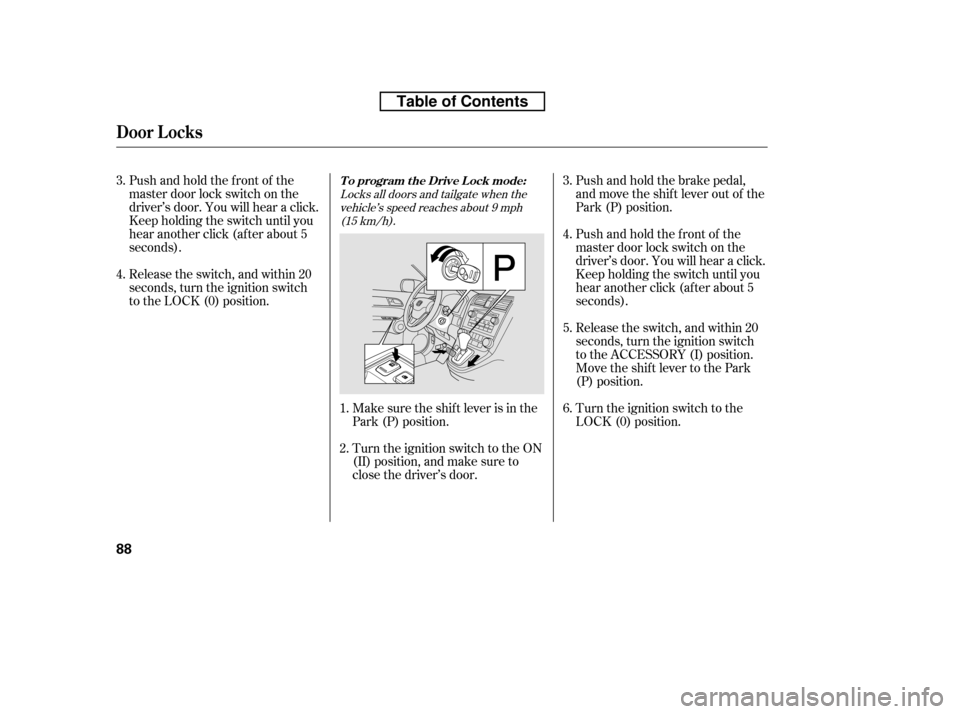
Pushandholdthefrontof the
master door lock switch on the
driver’s door. You will hear a click.
Keep holding the switch until you
hear another click (after about 5
seconds).Make sure the shif t lever is in the
Park (P) position.
Turn the ignition switch to the ON
(II) position, and make sure to
close the driver’s door.Push and hold the brake pedal,
and move the shif t lever out of the
Park (P) position.
Pushandholdthefrontof the
master door lock switch on the
driver’s door. You will hear a click.
Keep holding the switch until you
hear another click (after about 5
seconds).
Turn the ignition switch to the
LOCK (0) position.
Release the switch, and within 20
seconds, turn the ignition switch
to the LOCK (0) position.
Release the switch, and within 20
seconds, turn the ignition switch
to the ACCESSORY (I) position.
Move the shift lever to the Park
(P) position.
1.
3.
2.3.
4. 4. 5. 6.
Locks all doors and tailgate when the
vehicle’s speed reaches about 9 mph(15 km/h).
T o program t he Drive L ock mode:
Door L ocks
88
Table of Contents
Page 104 of 441
The auto door unlocking f eature has
f ive possible settings:Make sure the shif t lever is in the
Park (P) position.
Turn the ignition switch to the ON
(II) position, and open the driver’s
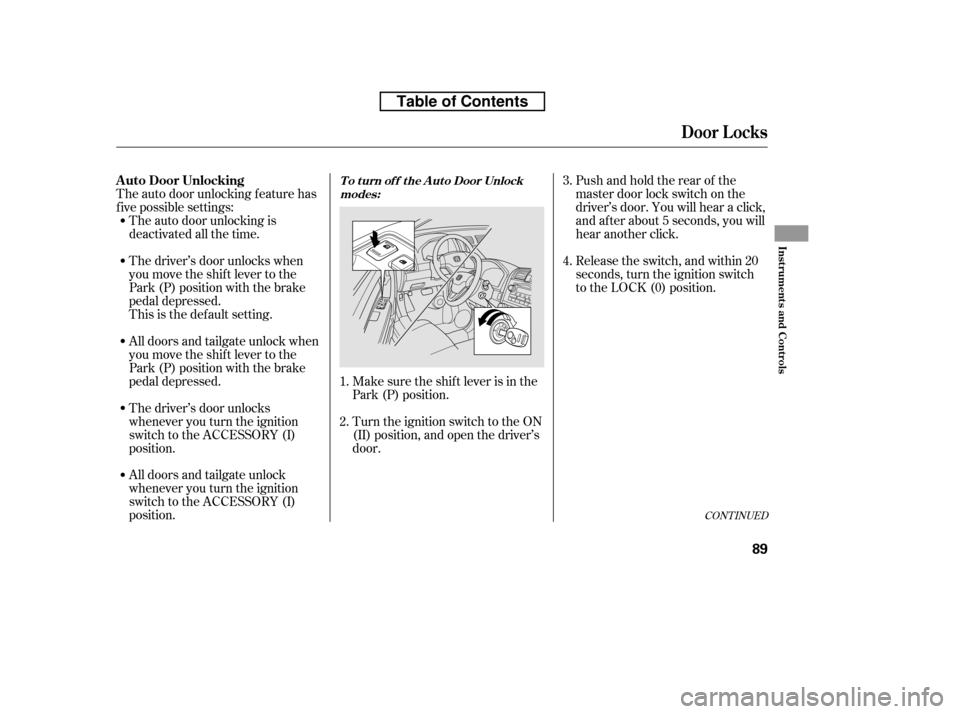
door.Pushandholdtherearof the
master door lock switch on the
driver’s door. You will hear a click,
and after about 5 seconds, you will
hear another click.
Release the switch, and within 20
seconds, turn the ignition switch
to the LOCK (0) position.
All doors and tailgate unlock when
you move the shif t lever to the
Park (P) position with the brake
pedal depressed.
All doors and tailgate unlock
whenever you turn the ignition
switch to the ACCESSORY (I)
position.
The driver’s door unlocks
whenever you turn the ignition
switch to the ACCESSORY (I)
position.
The auto door unlocking is
deactivated all the time.
The driver’s door unlocks when
you move the shif t lever to the
Park (P) position with the brake
pedal depressed.
This is the def ault setting.
1. 2. 3. 4.
CONT INUED
A uto Door UnlockingT o t urn of f t he A ut o Door Unlock
modes:
Door L ocks
Inst rument s and Cont rols
89
Table of Contents
Page 105 of 441
Unlocks the driver’s door or all doorsand tailgate when the ignition switch is
moved out of the ON (II) position.
driver’s door unlock
feature.
all doors and tailgate
unlock f eature
Unlocks the driver’s door or all doors
and tailgate when the shif t lever is
moved into the Park (P) position withthe brake pedal depressed.
Make sure the shif t lever is in the
Park (P) position.
Turn the ignition switch to the ON
(II) position, and make sure to
close the driver’s door.
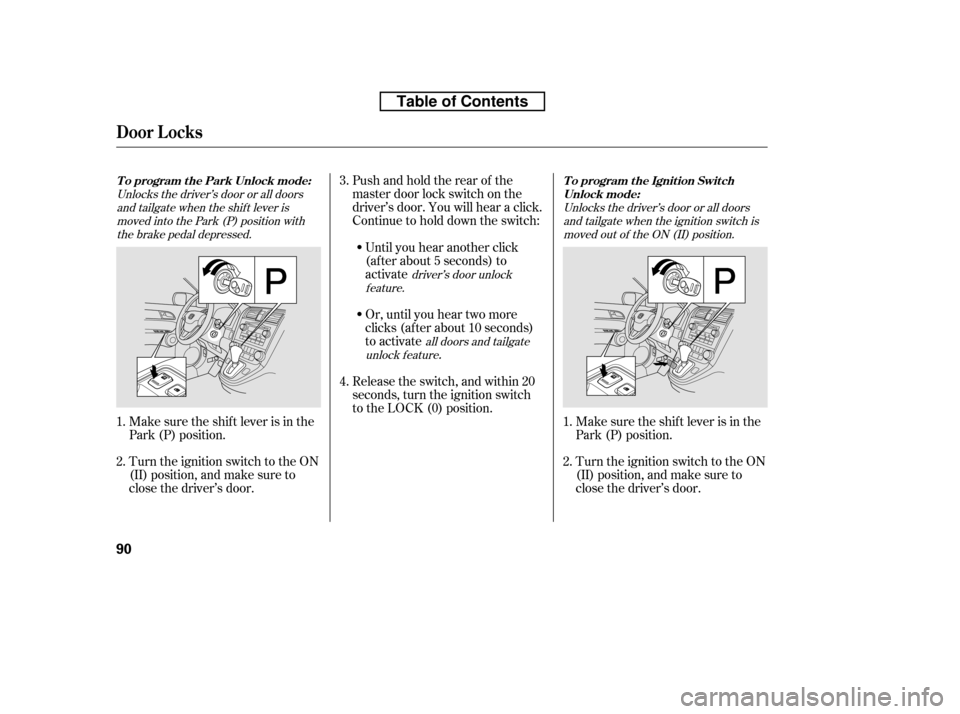
Pushandholdtherearof the
master door lock switch on the
driver’s door. You will hear a click.
Continue to hold down the switch:
Until you hear another click
(af ter about 5 seconds) to
activate
Or, until you hear two more
clicks (af ter about 10 seconds)
to activate
.
Release the switch, and within 20
seconds, turn the ignition switch
to the LOCK (0) position.
Turn the ignition switch to the ON
(II) position, and make sure to
close the driver’s door.
Make sure the shif t lever is in the
Park (P) position.
1. 2.
1.2. 3. 4.
T o program t he Ignit ion Swit ch
Unlock mode:
To program the Park Unlock mode:
Door L ocks
90
Table of Contents
Page 107 of 441
�µ
�µ �µ
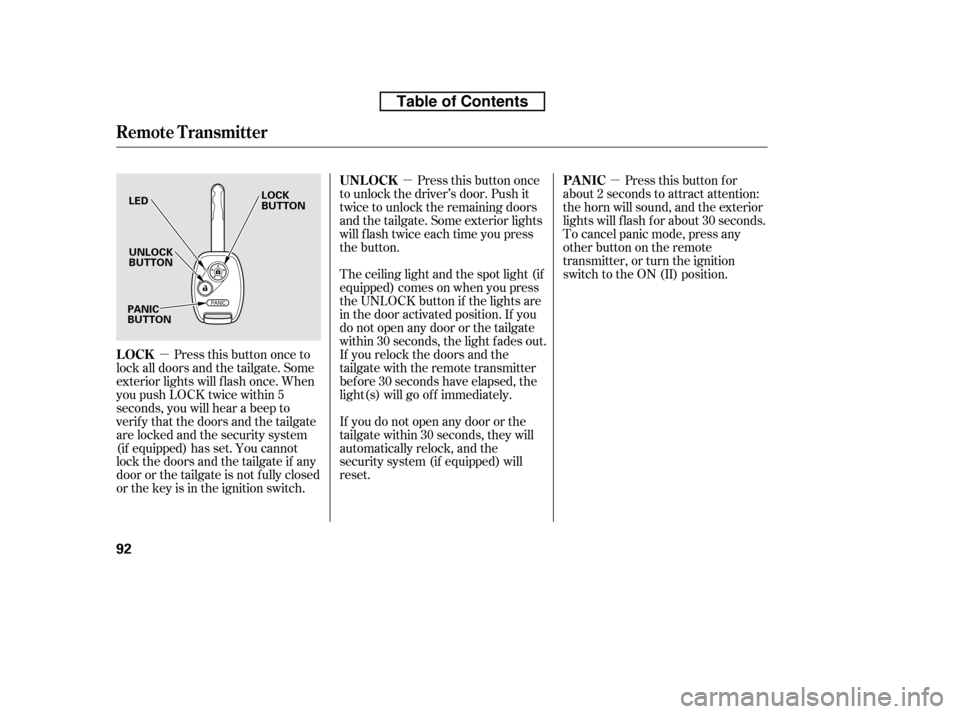
Press this button once
to unlock the driver’s door. Push it
twice to unlock the remaining doors
and the tailgate. Some exterior lights
will f lash twice each time you press
the button.
Press this button once to
lock all doors and the tailgate. Some
exterior lights will f lash once. When
you push LOCK twice within 5
seconds, you will hear a beep to
verify that the doors and the tailgate
arelockedandthesecuritysystem
(if equipped) has set. You cannot
lockthedoorsandthetailgateif any
door or the tailgate is not f ully closed
or the key is in the ignition switch. The ceiling light and the spot light (if
equipped) comes on when you press
the UNLOCK button if the lights are
in the door activated position. If you
do not open any door or the tailgate
within 30 seconds, the light f ades out.
If you relock the doors and the
tailgate with the remote transmitter
bef ore 30 seconds have elapsed, the
light(s) will go of f immediately.
If you do not open any door or the
tailgate within 30 seconds, they will
automatically relock, and the
security system (if equipped) will
reset. Pressthisbuttonfor
about 2 seconds to attract attention:
the horn will sound, and the exterior
lights will f lash f or about 30 seconds.
To cancel panic mode, press any
other button on the remote
transmitter, or turn the ignition
switch to the ON (II) position.
UNL OCK
LOCK PA NIC
Remote Transmitter
92
LED UNLOCK
BUTTON
LOCK
BUTTON
PANIC
BUTTON
Table of Contents
Page 133 of 441
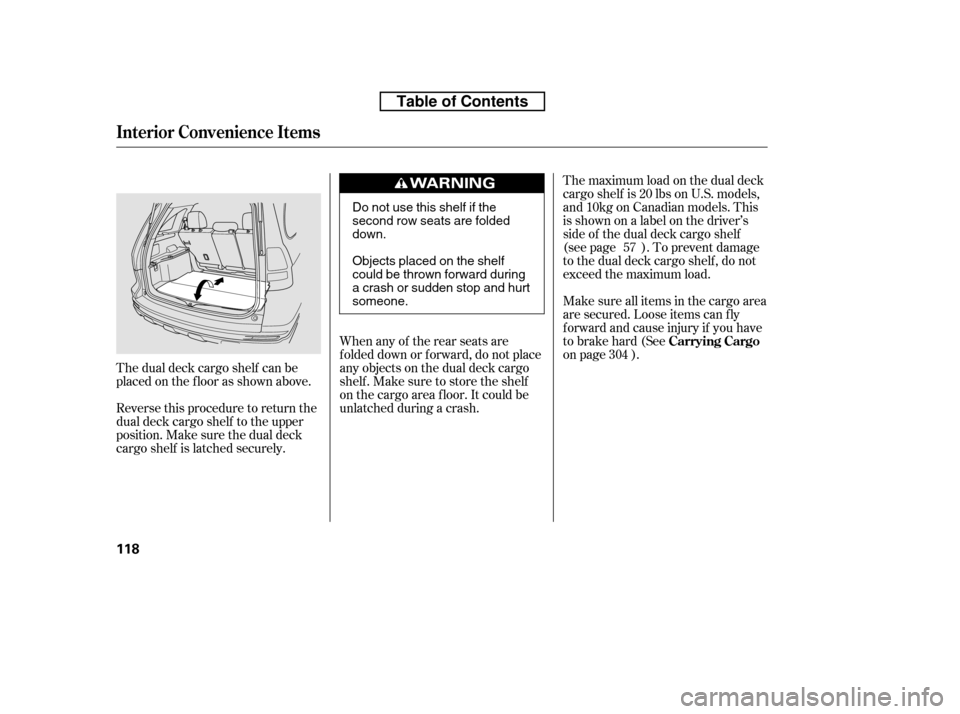
The dual deck cargo shelf can be
placed on the f loor as shown above.
Reverse this procedure to return the
dual deck cargo shelf to the upper
position. Make sure the dual deck
cargo shelf is latched securely.The maximum load on the dual deck
cargo shelf is 20 lbs on U.S. models,
and10kgonCanadianmodels.This
isshownonalabelonthedriver’s
side of the dual deck cargo shelf
(see page ). To prevent damage
to the dual deck cargo shelf , do not
exceed the maximum load.
Make sure all items in the cargo area
are secured. Loose items can f ly
f orward and cause injury if you have
to brake hard (See
on page ).
When any of the rear seats are
f olded down or f orward, do not place
any objects on the dual deck cargo
shelf . Make sure to store the shelf
on the cargo area f loor. It could be
unlatched during a crash. 57
304 Carrying Cargo
Interior Convenience Items
118
Do not use this shelf if the
second row seats are foldeddown.
Objects placed on the shelf
could be thrown forward during
a crash or sudden stop and hurtsomeone.
Table of Contents
Page 141 of 441
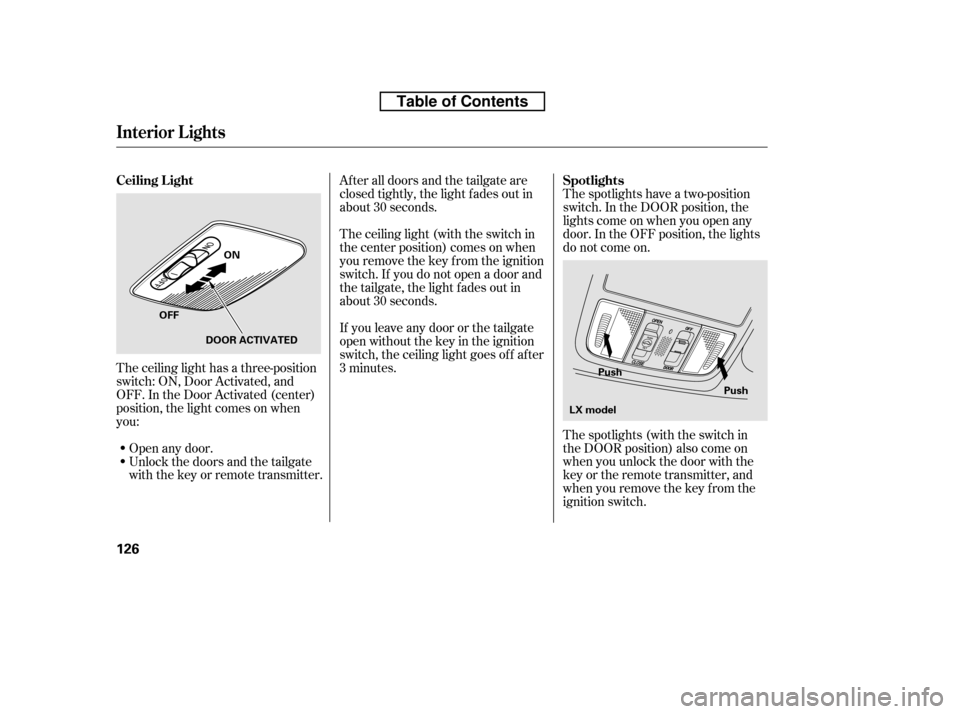
The spotlights have a two-position
switch. In the DOOR position, the
lights come on when you open any
door. In the OFF position, the lights
do not come on.
The spotlights (with the switch in
the DOOR position) also come on
when you unlock the door with the
key or the remote transmitter, and
when you remove the key f rom the
ignition switch.
Af ter all doors and the tailgate are
closed tightly, the light fades out in
about 30 seconds.
The ceiling light (with the switch in
the center position) comes on when
you remove the key f rom the ignition
switch. If you do not open a door and
the tailgate, the light f ades out in
about 30 seconds.
If you leave any door or the tailgate
open without the key in the ignition
switch, the ceiling light goes of f af ter
3 minutes.
The ceiling light has a three-position
switch: ON, Door Activated, and
OFF. In the Door Activated (center)
position, the light comes on when
you:
Unlock the doors and the tailgate
with the key or remote transmitter.
Open any door.
Interior Lights
Spotlights
Ceiling L ight
126
Push
Push
ON
OFF DOOR ACTIVATED
LX model
Table of Contents
Page 142 of 441
The cargo area light has a three-
position switch. In the OFF position,
the light does not come on. In the
center position, it comes on when
you open the tailgate. In the ON
position, it stays on continuously.
The ignition switch light comes on
when you open the driver’s door. It
f ades out in about 30 seconds af ter
the door is closed.
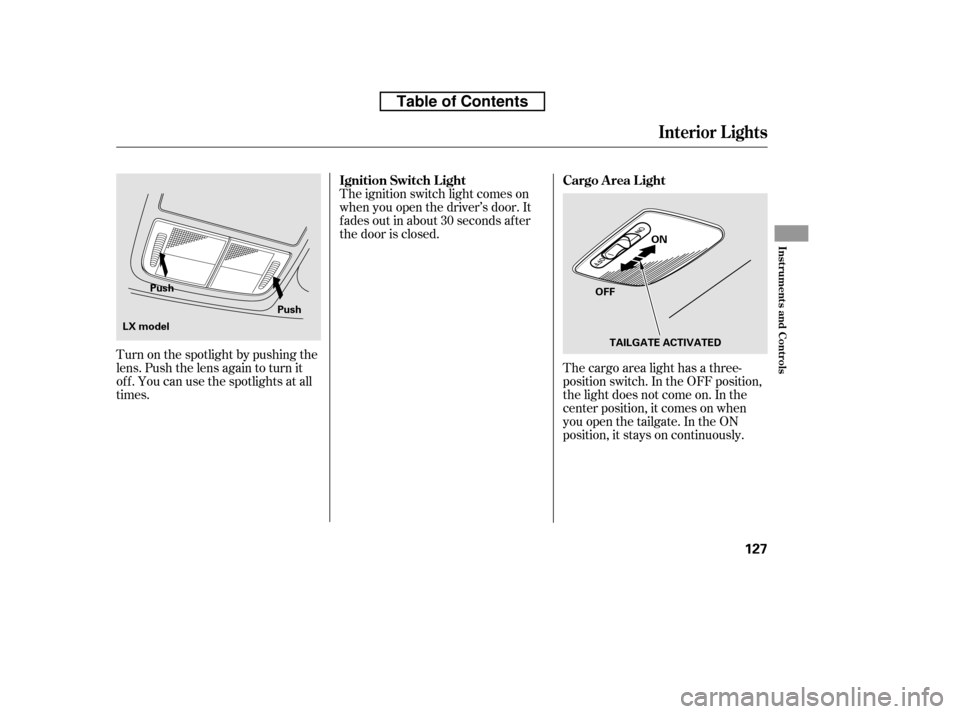
Turn on the spotlight by pushing the
lens. Push the lens again to turn it
of f . You can use the spotlights at all
times.
Interior Lights
Cargo Area Light
Ignition Switch L ight
Inst rument s and Cont rols
127
OFF ON
TAILGATE ACTIVATED
Push
Push
LX model
Table of Contents
Page 161 of 441

�µ�µ
�µ
You can use any of f ive methods to
f ind radio stations on the selected
band: tune, seek, scan, the preset
buttons, and auto select.
Use the TUNE knob to
tune the radio to a desired f requency.
Turn the knob to the right to tune to
a higher f requency, and turn it to the
lef t to tune to a lower f requency.
The ignition switch must be in the
ACCESSORY (I) or ON (II) position.
Turn the system on by pushing the
power/volume knob or the AM or
FM button. Adjust the volume by
turning the power/volume knob.
The scan f unction samples
all stations with strong signals on the
selected band. To activate it, press
the right side of the A. SEL/SCAN
bar, then release it. You will see
SCAN in the display. The system will
scan f or a station with a strong signal.
When it f inds one, it will stop and
play that station for about 10 seconds.
If you do nothing, the system will
then scan f or the next strong station
and play it f or 10 seconds. When it
plays a station you want to listen to,
press the SCAN side of the bar again.
The band and f requency that the
radio was last tuned to is displayed.
To change bands, press the AM or
FM button. On the FM band, ST will
be displayed if the station is broad-
castinginstereo.Stereo
reproduction on AM is not available.
The seek f unction
searches up and down f rom the
current f requency to f ind a station
with a strong signal. To activate it,
press the or side of the
SEEK bar, then release it.
To Select a Station
TUNE
To Play the AM/FM Radio
SCAN
SEEK /SK IP
Playing the AM/FM Radio (LX model)
146
Table of Contents