Page 87 of 387
�µ�µ�µ
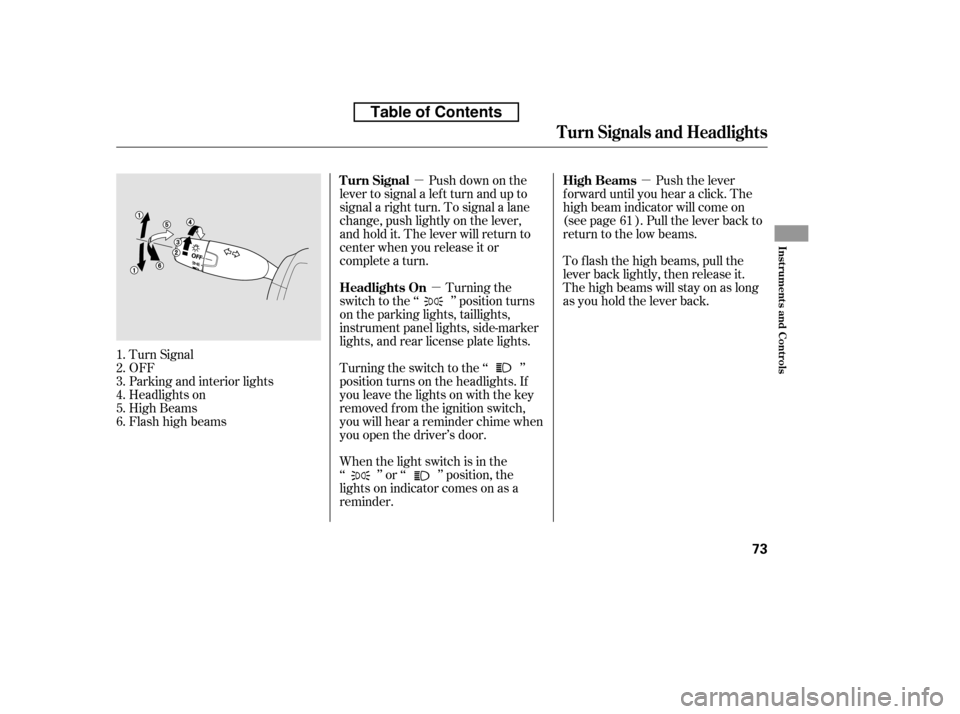
Turn Signal
OFF
Parking and interior lights
Headlights on
High Beams
Flashhighbeams When the light switch is in the
‘‘ ’’ or ‘‘ ’’ position, the
lights on indicator comes on as a
reminder. To f lash the high beams, pull the
lever back lightly, then release it.
The high beams will stay on as long
as you hold the lever back.
Turning the switch to the ‘‘ ’’
position turns on the headlights. If
you leave the lights on with the key
removed f rom the ignition switch,
you will hear a reminder chime when
you open the driver’s door. Push down on the
lever to signal a lef t turn and up to
signal a right turn. To signal a lane
change, push lightly on the lever,
and hold it. The lever will return to
center when you release it or
complete a turn. Push the lever
f orward until you hear a click. The
high beam indicator will come on
(see page ). Pull the lever back to
return to the low beams.
Turning the
switch to the ‘‘ ’’ position turns
on the parking lights, taillights,
instrument panel lights, side-marker
lights, and rear license plate lights.
1.2.3.4.5.6. 61
Turn Signal High Beams
Headlights On
Turn Signals and Headlights
Inst rument s and Cont rols
73
Table of Contents
Page 89 of 387
�´�µ
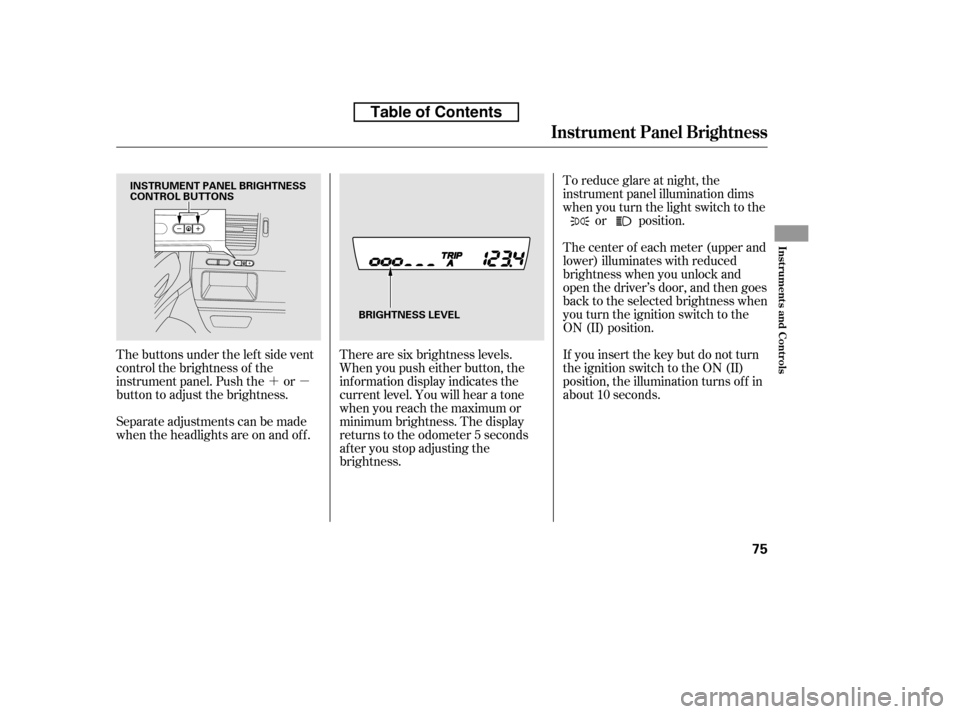
The buttons under the lef t side vent
control the brightness of the
instrument panel. Push the or
button to adjust the brightness.
Separate adjustments can be made
when the headlights are on and of f . There are six brightness levels.
When you push either button, the
inf ormation display indicates the
current level. You will hear a tone
when you reach the maximum or
minimum brightness. The display
returns to the odometer 5 seconds
af ter you stop adjusting the
brightness.To reduce glare at night, the
instrument panel illumination dims
when you turn the light switch to the
or position.
The center of each meter (upper and
lower) illuminates with reduced
brightness when you unlock and
open the driver’s door, and then goes
back to the selected brightness when
you turn the ignition switch to the
ON (II) position.
If you insert the key but do not turn
the ignition switch to the ON (II)
position, the illumination turns of f in
about 10 seconds.
Instrument Panel Brightness
Inst rument s and Cont rols
75
INSTRUMENT PANEL BRIGHTNESS
CONTROL BUTTONS
BRIGHTNESS LEVEL
Table of Contents
Page 92 of 387
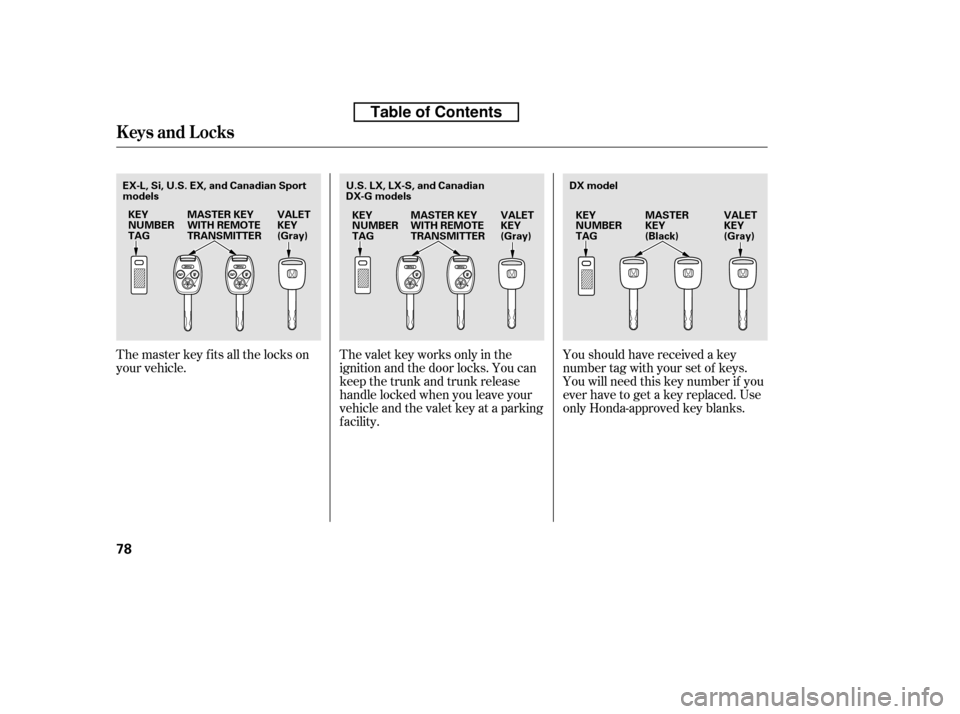
Youshouldhavereceivedakey
number tag with your set of keys.
You will need this key number if you
ever have to get a key replaced. Use
only Honda-approved key blanks.
The valet key works only in the
ignition and the door locks. You can
keep the trunk and trunk release
handle locked when you leave your
vehicle and the valet key at a parking
f acility.
The master key fits all the locks on
your vehicle.
Keys and Locks
78
KEY
NUMBERTAG
MASTER KEY
WITH REMOTE
TRANSMITTER VALET
KEY
(Gray)KEY
NUMBERTAG VALET
KEY
(Gray)
MASTER
KEY
(Black)
KEY
NUMBERTAG
MASTER KEY
WITH REMOTE
TRANSMITTER VALET
KEY
(Gray) DX model
U.S. LX, LX-S, and Canadian
DX-G models
EX-L, Si, U.S. EX, and Canadian Sport
models
Table of Contents
Page 93 of 387

CONT INUED
If the system repeatedly does not
recognize the coding of your key,
contact your dealer.
Do not attempt to alter this system
or add other devices to it. Electrical
problems could result that may make
your vehicle inoperable.
If you have lost your key and cannot
start your engine, contact your
dealer.
These keys contain electronic
circuits that are activated by the
immobilizer system. They will not
work to start the engine if the
circuits are damaged.
Protect the keys f rom direct
sunlight, high temperature, and
high humidity.
Donotdropthekeysorsetheavy
objects on them.
Keep the keys away f rom liquids.
If they get wet, dry them
immediately with a sof t cloth. When you turn the ignition switch to
the ON (II) position, the immobilizer
system indicator should come on
brief ly, then go of f . If the indicator
starts to blink, it means the system
does not recognize the coding of the
key. Turn the ignition switch to the
LOCK (0) position, remove the key,
reinsert it, and turn the ignition
switch to the ON (II) position again.
The immobilizer system protects
your vehicle f rom thef t. If an
improperly coded key (or other
device) is used, the engine’s f uel
system is disabled.
The keys without a remote
transmitter do not contain batteries.
Do not try to take them apart. The system may not recognize your
key’s coding if another immobilizer
key or other metal object (i.e. key
chain) is near the ignition switch
when you insert the key.
Keys and Locks, Immobilizer System
Immobilizer System
Inst rument s and Cont rols
79
Always take the ignition key with you
whenever you leave the vehicle alone.
Table of Contents
Page 94 of 387

�µ
�µ
�µ
�µ If the f ront wheels are turned, the
anti-thef t lock may make it dif f icult
to turn the key. Firmly turn the
steering wheel to the lef t or right as
you turn the key.
You can
operate the audio system and the
accessory power sockets in this
position.
This is the normal key
position when driving. Several of the
indicators on the instrument panel
come on as a test when you turn the
ignition switch f rom the
ACCESSORY (I) to the ON (II)
position.
Use this position
only to start the engine. The switch
returns to the ON (II) position when
you let go of the key.
You can insert or
remove the key only in this position.
To turn the key, push it in slightly. If
your vehicle has an automatic
transmission, the shif t lever must
also be in park.
The ignition switch has f our
positions: LOCK (0), ACCESSORY
(I), ON (II), and START (III).
As required by the FCC:
This device complies with Part 15 of theFCC rules. Operation is subject to the
f ollowing two conditions: (1) This devicemay not cause harmf ul interf erence, and (2) this device must accept any
interf erence received, includinginterf erence that may cause undesiredoperation.
Changes or modif ications not expresslyapproved by the party responsible f or
compliance could void the user’sauthority to operate the equipment.
This device complies with IndustryCanada Standard RSS-210.Operation is subject to the f ollowing two
conditions: (1) this device may not causeinterf erence, and (2) this device mustaccept any interf erence that may cause
undesired operation of the device.
Immobilizer Syst em, Ignit ion Switch
A CCESSORY (I)
ON (II)
ST A RT (III)
Ignition Switch
LOCK (0)
80
Table of Contents
Page 95 of 387
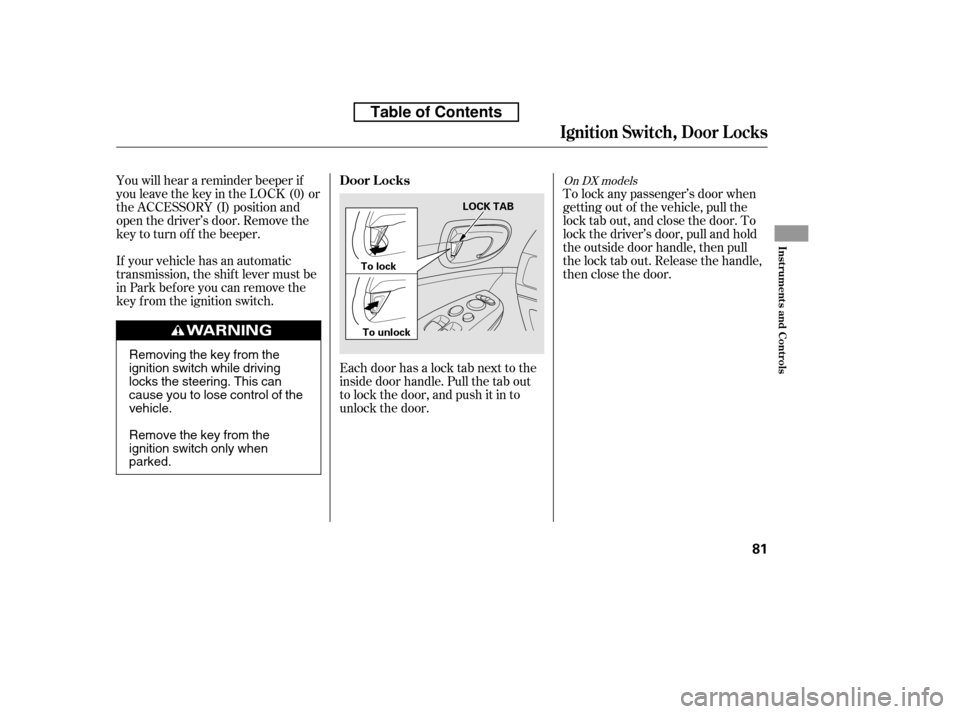
Each door has a lock tab next to the
inside door handle. Pull the tab out
to lock the door, and push it in to
unlock the door.To lock any passenger’s door when
getting out of the vehicle, pull the
lock tab out, and close the door. To
lock the driver’s door, pull and hold
the outside door handle, then pull
the lock tab out. Release the handle,
then close the door.
You will hear a reminder beeper if
you leave the key in the LOCK (0) or
the ACCESSORY (I) position and
open the driver’s door. Remove the
key to turn of f the beeper.
If your vehicle has an automatic
transmission, the shif t lever must be
in Park bef ore you can remove the
key f rom the ignition switch.
On DX models
Ignit ion Swit ch, Door L ocks
Door L ocks
Inst rument s and Cont rols
81
LOCK TAB
To lock
To unlock
Removing the key from the
ignition switch while driving
locks the steering. This can
cause you to lose control of thevehicle.
Remove the key from the
ignition switch only whenparked.
Table of Contents
Page 96 of 387
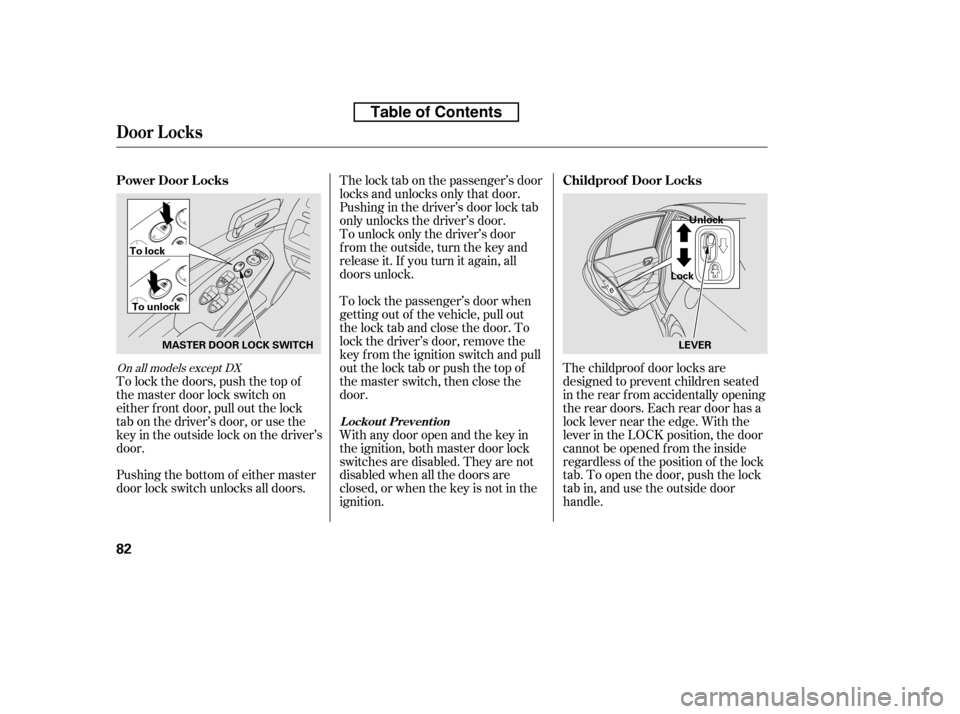
To lock the passenger’s door when
getting out of the vehicle, pull out
the lock tab and close the door. To
lock the driver’s door, remove the
key f rom the ignition switch and pull
out the lock tab or push the top of
the master switch, then close the
door.
The lock tab on the passenger’s door
locks and unlocks only that door.
Pushing in the driver’s door lock tab
only unlocks the driver’s door.
To lock the doors, push the top of
the master door lock switch on
either f ront door, pull out the lock
tabonthedriver’sdoor,orusethe
keyintheoutsidelockonthedriver’s
door. To unlock only the driver’s door
f rom the outside, turn the key and
release it. If you turn it again, all
doors unlock.
With any door open and the key in
the ignition, both master door lock
switches are disabled. They are not
disabled when all the doors are
closed, or when the key is not in the
ignition.
Pushing the bottom of either master
door lock switch unlocks all doors. The childproof door locks are
designed to prevent children seated
in the rear f rom accidentally opening
the rear doors. Each rear door has a
lock lever near the edge. With the
lever in the LOCK position, the door
cannot be opened f rom the inside
regardless of the position of the lock
tab. To open the door, push the lock
tab in, and use the outside door
handle.
On all models except DX
Door L ocks
L ockout Prevent ion
Power Door L ocks
Childproof Door L ocks
82
MASTER DOOR LOCK SWITCH
To lock
To unlock LockUnlock
LEVER
Table of Contents
Page 102 of 387
Even if your vehicle’s battery is
removed or goes dead, the system
keeps the auto door lock/unlock
setting which you selected.
push and hold the
brake pedal, then move the shift
lever out of the Park (P) position.
Pushandholdtherearof the
master door lock switch on the
driver’s door. You will hear a click.
Continue to hold the switch:
Release the switch, and within 5
seconds, turn the ignition switch
to the ACCESSORY (I) position. move the shif t
lever to the Park (P) position. Until you hear another click
(af ter about 5 seconds) to
activate
Or, until you hear two more
clicks (af ter about 10 seconds)
to activate
Turn the ignition switch to the
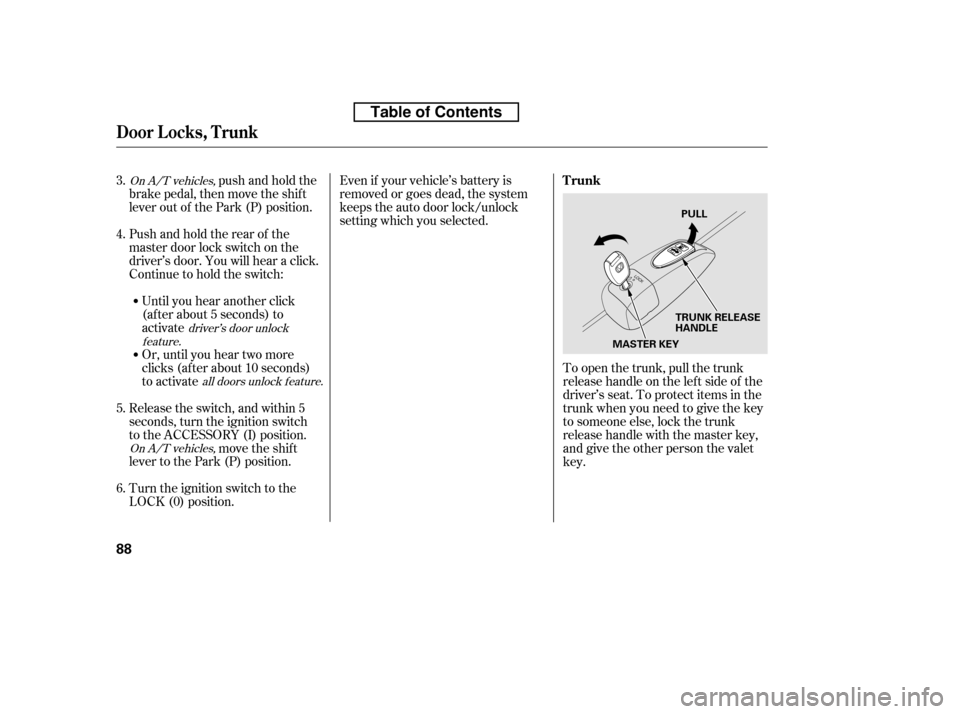
LOCK (0) position. To open the trunk, pull the trunk
release handle on the lef t side of the
driver’s seat. To protect items in the
trunk when you need to give the key
to someone else, lock the trunk
release handle with the master key,
and give the other person the valetkey.
3. 4. 5. 6.On A/T vehicles,
On A/T vehicles,driver’s door unlock
feature.
all doors unlock f eature.
Door L ocks, T runk
Trunk
88
MASTER KEYTRUNK RELEASE
HANDLEPULL
Table of Contents