Page 17 of 318
Headlamps on warning chime:Sounds when the headlamps or parking
lamps are on, the ignition is off (the key is not in the ignition) and the
driver’s door is opened.
GAUGES
Base instrument cluster gauges (V6 shown; V8 similar)
Optional instrument cluster gauges (V6 shown; V8 similar)
Refer toMessage centerin this chapter to select one of six preset colors
or three user definable colors (MyColor™) for the nighttime gauge
backlighting.
2010 05+ Mustang(197)
Owners Guide, 1st Printing
USA(fus)
Instrument Cluster
17
Page 21 of 318

Autolamp dealy (if equipped)
This feature keeps your headlights on for up to three minutes after the
ignition is switched off.
1. To disable/enable the autolamp
delay feature, select this function
using RESET stem.
2. Press and hold the RESET stem
for two seconds to select the new Autolamp delay values of 0, 10, 20, 30,
60, 90, 120 or 180 seconds.
Autolock/Autounlock (if equipped)
Autolock:This feature locks your doors when the vehicle is shifted out
of park.
Autounlock:This feature
automatically unlocks all vehicle
doors when the driver’s door is
opened within 10 minutes of the
ignition being turned off.
1. To disable/enable the
autolock/autounlock feature, select
this function using RESET stem.
2. Press and hold the RESET stem
for two seconds to toggle between on or off
MESSAGE CENTER (IF EQUIPPED)
With the ignition in the on position,
the message center, located on your
instrument cluster, displays
important vehicle information
through a constant monitor of
vehicle systems.You may select
display features on the message center for a display of status. The
system will also notify you of potential vehicle problems with a display of
system warnings followed by a long indicator chime.
Note:Refer to the SETUP menu in this section to select the Single or
Dual mode display in your message center.
2010 05+ Mustang(197)
Owners Guide, 1st Printing
USA(fus)
Instrument Cluster
21
Page 22 of 318
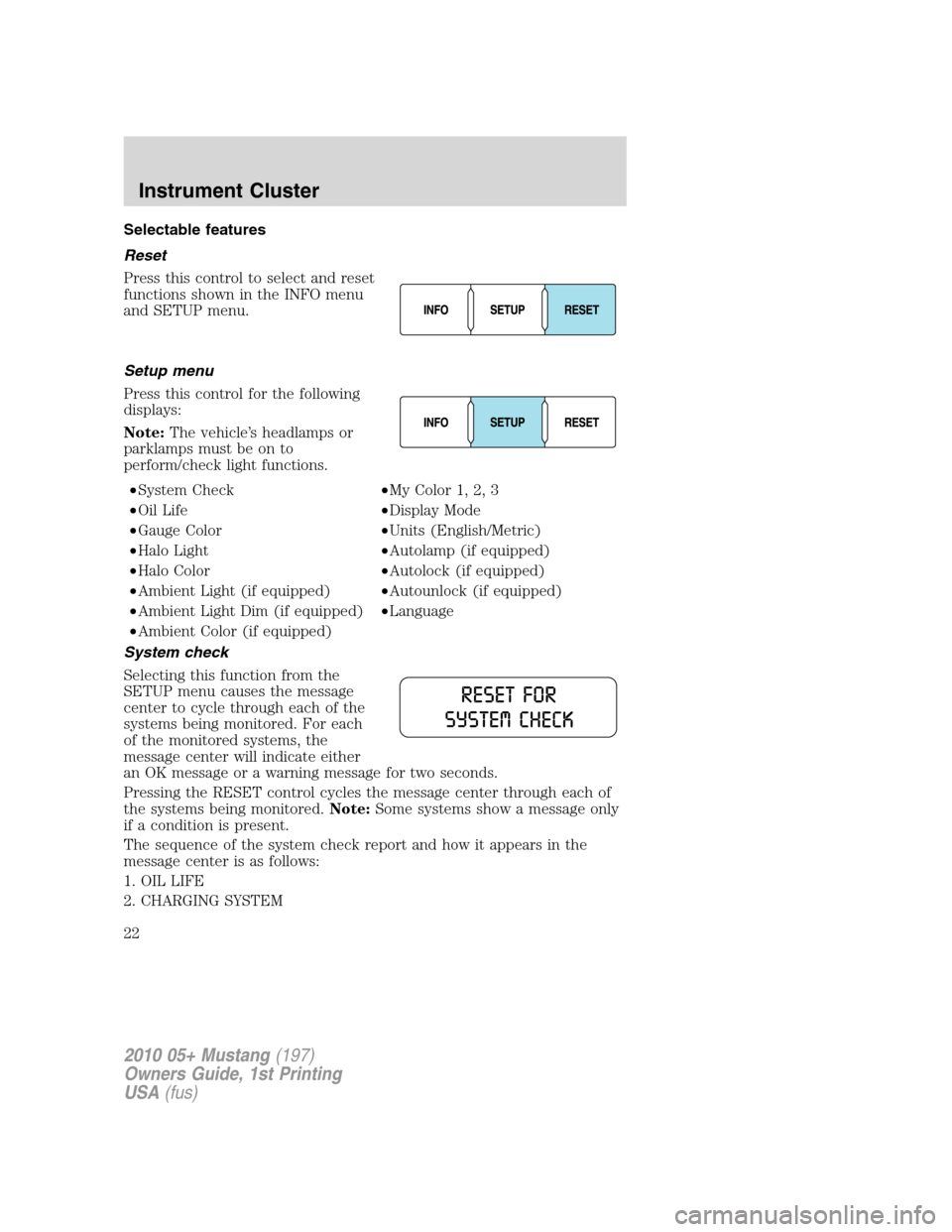
Selectable features
Reset
Press this control to select and reset
functions shown in the INFO menu
and SETUP menu.
Setup menu
Press this control for the following
displays:
Note:The vehicle’s headlamps or
parklamps must be on to
perform/check light functions.
•System Check•My Color 1, 2, 3
•Oil Life•Display Mode
•Gauge Color•Units (English/Metric)
•Halo Light•Autolamp (if equipped)
•Halo Color•Autolock (if equipped)
•Ambient Light (if equipped)•Autounlock (if equipped)
•Ambient Light Dim (if equipped)•Language
•Ambient Color (if equipped)
System check
Selecting this function from the
SETUP menu causes the message
center to cycle through each of the
systems being monitored. For each
of the monitored systems, the
message center will indicate either
an OK message or a warning message for two seconds.
Pressing the RESET control cycles the message center through each of
the systems being monitored.Note:Some systems show a message only
if a condition is present.
The sequence of the system check report and how it appears in the
message center is as follows:
1. OIL LIFE
2. CHARGING SYSTEM
2010 05+ Mustang(197)
Owners Guide, 1st Printing
USA(fus)
Instrument Cluster
22
Page 24 of 318

Halo light
Turns the halo lighting around the gauges on or off.
1. To turn the halo lighting on or
off, select this function from the
SETUP MENU.
2. Press and hold RESET to turn
the feature ON or OFF.
Ambient light
Turns the ambient lighting on or off. Ambient lighting provides accent
lighting in various locations such as footwell areas, cup holders and the
center console bin.
1. To turn the ambient lighting on or
off, select this function from the
SETUP MENU.
2. Press and hold RESET to turn
the feature ON or OFF.
Ambient light dim
Changes the intensity of the ambient lighting.
1. To change the intensity of the
ambient lighting, select this function
from the SETUP MENU.
2. Press RESET to choose: low,
medium, high or auto.
Gauge color, Ambient color, Halo color
Gauge color:The instrument cluster gauges are backlit with white
backlighting when the headlamps are off. When the headlamps are on,
you can select one of the preset colors for the nighttime gauge
backlighting or create up to three custom colors using the MyColor™
feature.
Note:A gauge in a warning condition will be lit red when the headlamps
are on.
Ambient color:You can select one of the preset colors for ambient
lighting or create up to three custom colors using the MyColor™ feature.
Halo color:You can select one of the preset colors for halo lighting or
create up to three custom colors using the MyColor™ feature.
Note:Headlamps or parklamps must be on to set up colors.
2010 05+ Mustang(197)
Owners Guide, 1st Printing
USA(fus)
Instrument Cluster
24
Page 61 of 318

Flash to pass
Pull toward you, to the first detent,
to activate and release to deactivate.
Note:Vehicles equipped with HID
headlamps will hear an audible click
when activating this feature.
Daytime running lamps (DRL) (if equipped)
Turns the headlamps on with a reduced output. When activated, the DRL
telltale
is illuminated.
To activate:
•the ignition must be in the on position,
•the headlamp control is in the off or parking lamp position and
•the parking brake must be disengaged.
WARNING:Always remember to turn on your headlamps at
dusk or during inclement weather. The Daytime Running Lamp
(DRL) system does not activate the tail lamps and generally may not
provide adequate lighting during these conditions. Failure to activate
your headlamps under these conditions may result in a collision.
PANEL DIMMER CONTROL
Use to adjust the brightness of the
instrument panel and all applicable
switches in the vehicle during
headlamp and parking lamp
operation.
Move the control to the full upright
position, past detent, to turn on the
interior lamps. Move the control
down, past detent, to turn off the
interior lights. Move the control to
the full downward position, to dim
the interior lights to their minimum. The instrument panel/switch lighting
remains lit.
2010 05+ Mustang(197)
Owners Guide, 1st Printing
USA(fus)
Lights
61
Page 66 of 318
Replacing headlamp bulbs
To remove the headlamp bulb:
1. Make sure headlamp switch is in the off position, then open the hood.
2. Disconnect the electrical
connector from the bulb by
depressing the retainer clip and
pulling rearward.
3. Remove the bulb by rotating it
counterclockwise and pulling it
straight out.
WARNING:Handle a
halogen headlamp bulb
carefully and keep out of
children’s reach. Grasp the bulb
only by its plastic base and do not
touch the glass. The oil from your
hand could cause the bulb to
break the next time the
headlamps are operated.
Install the new bulb in reverse order.
Replacing HID headlamp bulbs (if equipped)
The headlamps on your vehicle use a “high intensity discharge” source.
These lamps operate at a high voltage. When the bulb is burned out, the
bulb and starter capsule assembly must be replaced by your authorized
dealer.
2010 05+ Mustang(197)
Owners Guide, 1st Printing
USA(fus)
Lights
66
Page 73 of 318

TILT STEERING WHEEL (IF EQUIPPED)
To adjust the steering wheel:
1. Push the lever down to unlock
the steering column. While the lever
is in the down position, tilt the
steering column to its desired
orientation.
2. While holding the steering
column, pull the lever up to its
original position to lock the steering
column.
WARNING:Never adjust
the steering wheel when the
vehicle is moving.
ELECTRONIC COMPASS (IF EQUIPPED)
The compass heading is displayed as one of N, NE, E, SE, S, SW, W and
NW in the center stack display.
The compass reading may be affected when you drive near large
buildings, bridges, power lines and powerful broadcast antenna. Magnetic
or metallic objects placed in, on or near the vehicle may also affect
compass accuracy.
Usually, when something affects the compass readings, the compass will
correct itself after a few days of operating your vehicle in normal
conditions. If the compass still appears to be inaccurate, a manual
calibration may be necessary. Refer toCompass zone adjustment.
Most geographic areas (zones) have a magnetic north compass point that
varies slightly from the northerly direction on maps. This variation is four
degrees between adjacent zones and will become noticeable as the
vehicle crosses multiple zones. A correct zone setting will eliminate this
error. Refer toCompass calibration adjustment.
2010 05+ Mustang(197)
Owners Guide, 1st Printing
USA(fus)
Driver Controls
73
Page 76 of 318

WARNING:Use only soft cups in the cupholder. Hard objects
can injure you in a collision.
AUXILIARY POWER POINT (12VDC)
Power outlets are designed for accessory plugs only. Do not insert
any other object in the power outlet as this will damage the
outlet and blow the fuse. Do not hang any type of accessory or
accessory bracket from the plug. Improper use of the power
outlet can cause damage not covered by your warranty.
The power point is an additional
power source for electrical
accessories. The power points are
located on the instrument panel and
inside the center console storage bin.
Do not use the power point for
operating the cigarette lighter
element (if equipped).
To prevent the fuse from being blown, do not use the power point(s)
over the vehicle capacity of 12VDC/180W/15A. If the power point or cigar
lighter socket is not working, a fuse may have blown. Refer toFuses and
relaysin theRoadside Emergencieschapter for information on
checking and replacing fuses.
To have full capacity usage of your power point, the engine is required to
be running to avoid unintentional discharge of the battery. To prevent
the battery from being discharged:
•do not use the power point longer than necessary when the engine is
not running,
•do not leave battery chargers, video game adapters, computers and
other devices plugged in overnight or when the vehicle is parked for
extended periods.
Always keep the power point caps closed when not being used.
Cigarette/Cigar lighter (if equipped)
Do not plug optional electrical accessories into the cigarette lighter
socket.
Do not hold the lighter in with your hand while it is heating, this will
damage the lighter element and socket. The lighter will be released from
its heating position when it is ready to be used.
Note:Improper use of the lighter can cause damage not covered by your
warranty, and can result in fire or serious injury.
2010 05+ Mustang(197)
Owners Guide, 1st Printing
USA(fus)
Driver Controls
76

