Page 26 of 318

Units (English/Metric)
1. Select this function from the
SETUP menu for the current units
to be displayed.
2. Press RESET to change from
English to Metric.
Autolamp
This feature keeps your headlights on for up to three minutes after the
ignition is switched off.
1. To disable/enable the autolamp
delay feature, select this function
from the SETUP control for the
current display mode.
2. Press RESET to select the new
Autolamp delay values of 0, 10, 20,
30, 60, 90, 120 or 180 seconds.
Autolock
This feature automatically locks all vehicle doors when the vehicle is
shifted into any gear, putting the vehicle in motion.
1. To disable/enable the autolock
feature, select this function from the
SETUP MENU.
2. Press RESET to turn autolock ON
or OFF.
Autounlock
This feature automatically unlocks all vehicle doors when the driver’s
door is opened within 10 minutes of the ignition being turned off.
1. To disable/enable the autounlock
feature, select this function from the
SETUP MENU.
2. Press and hold RESET to turn
the autounlock ON or OFF.
2010 05+ Mustang(197)
Owners Guide, 1st Printing
USA(fus)
Instrument Cluster
26
Page 33 of 318
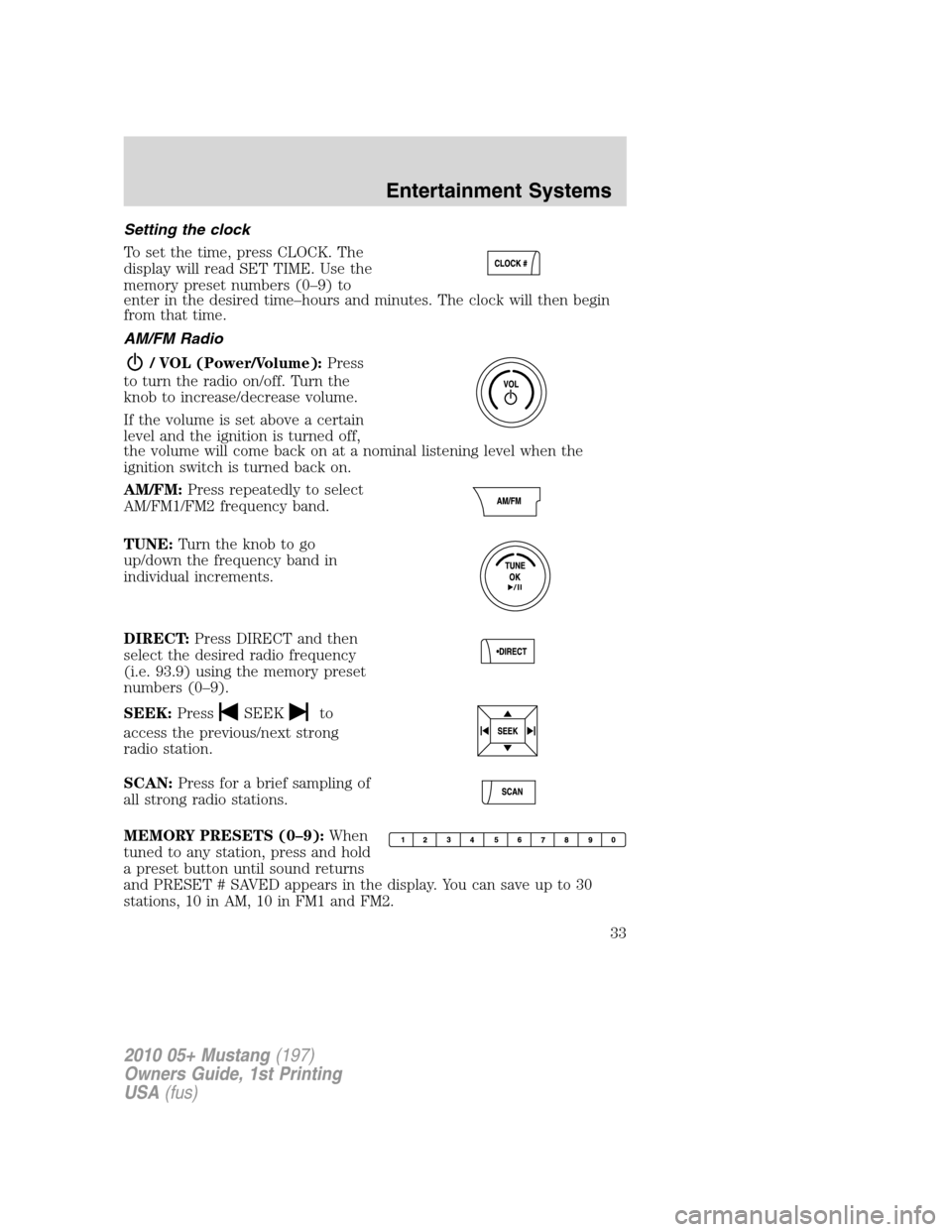
Setting the clock
To set the time, press CLOCK. The
display will read SET TIME. Use the
memory preset numbers (0–9) to
enter in the desired time–hours and minutes. The clock will then begin
from that time.
AM/FM Radio
/ VOL (Power/Volume):Press
to turn the radio on/off. Turn the
knob to increase/decrease volume.
If the volume is set above a certain
level and the ignition is turned off,
the volume will come back on at a nominal listening level when the
ignition switch is turned back on.
AM/FM:Press repeatedly to select
AM/FM1/FM2 frequency band.
TUNE:Turn the knob to go
up/down the frequency band in
individual increments.
DIRECT:Press DIRECT and then
select the desired radio frequency
(i.e. 93.9) using the memory preset
numbers (0–9).
SEEK:Press
SEEKto
access the previous/next strong
radio station.
SCAN:Press for a brief sampling of
all strong radio stations.
MEMORY PRESETS (0–9):When
tuned to any station, press and hold
a preset button until sound returns
and PRESET # SAVED appears in the display. You can save up to 30
stations, 10 in AM, 10 in FM1 and FM2.
2010 05+ Mustang(197)
Owners Guide, 1st Printing
USA(fus)
Entertainment Systems
33
Page 39 of 318
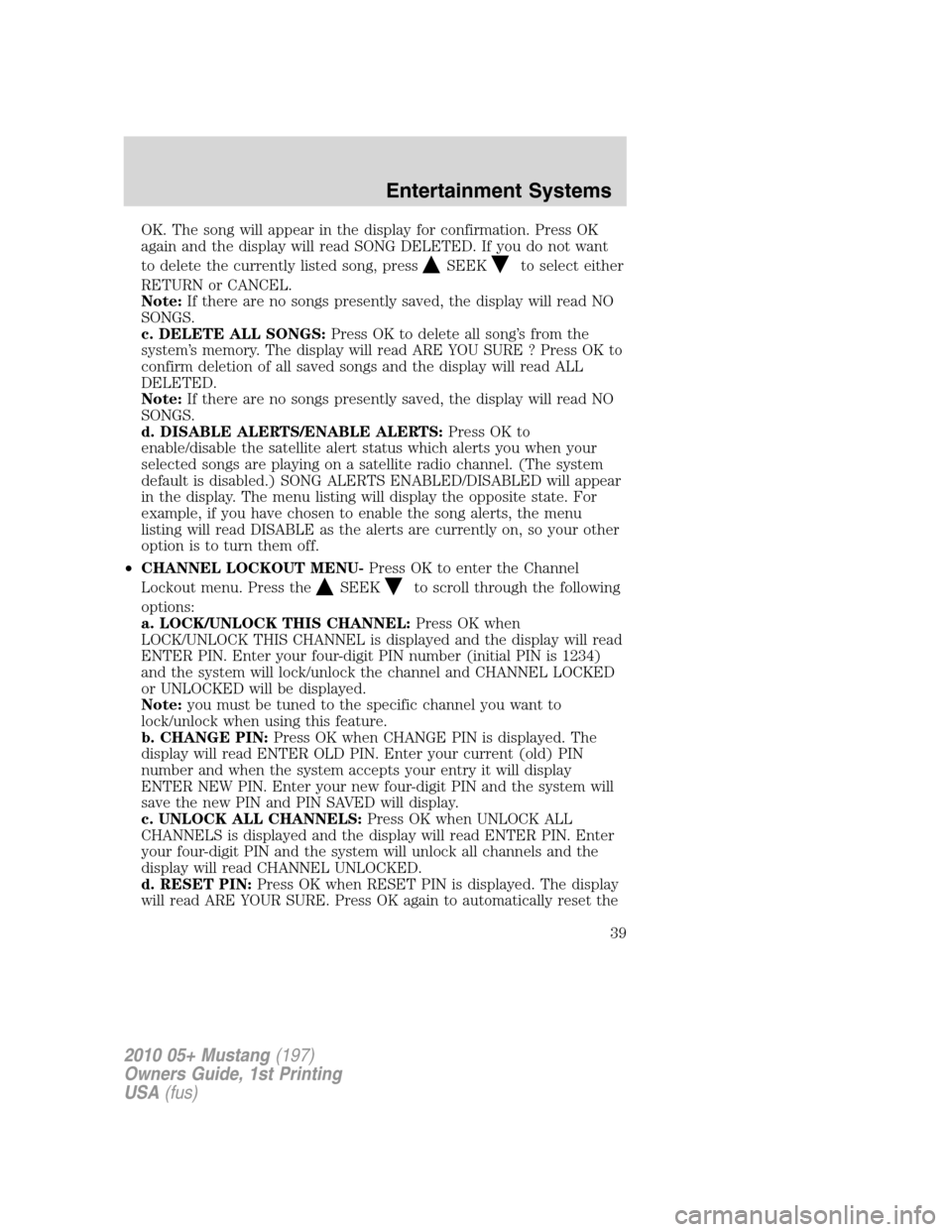
OK. The song will appear in the display for confirmation. Press OK
again and the display will read SONG DELETED. If you do not want
to delete the currently listed song, press
SEEKto select either
RETURN or CANCEL.
Note:If there are no songs presently saved, the display will read NO
SONGS.
c. DELETE ALL SONGS:Press OK to delete all song’s from the
system’s memory. The display will read ARE YOU SURE ? Press OK to
confirm deletion of all saved songs and the display will read ALL
DELETED.
Note:If there are no songs presently saved, the display will read NO
SONGS.
d. DISABLE ALERTS/ENABLE ALERTS:Press OK to
enable/disable the satellite alert status which alerts you when your
selected songs are playing on a satellite radio channel. (The system
default is disabled.) SONG ALERTS ENABLED/DISABLED will appear
in the display. The menu listing will display the opposite state. For
example, if you have chosen to enable the song alerts, the menu
listing will read DISABLE as the alerts are currently on, so your other
optionistoturnthemoff.
•CHANNEL LOCKOUT MENU-Press OK to enter the Channel
Lockout menu. Press the
SEEKto scroll through the following
options:
a. LOCK/UNLOCK THIS CHANNEL:Press OK when
LOCK/UNLOCK THIS CHANNEL is displayed and the display will read
ENTER PIN. Enter your four-digit PIN number (initial PIN is 1234)
and the system will lock/unlock the channel and CHANNEL LOCKED
or UNLOCKED will be displayed.
Note:you must be tuned to the specific channel you want to
lock/unlock when using this feature.
b. CHANGE PIN:Press OK when CHANGE PIN is displayed. The
display will read ENTER OLD PIN. Enter your current (old) PIN
number and when the system accepts your entry it will display
ENTER NEW PIN. Enter your new four-digit PIN and the system will
save the new PIN and PIN SAVED will display.
c. UNLOCK ALL CHANNELS:Press OK when UNLOCK ALL
CHANNELS is displayed and the display will read ENTER PIN. Enter
your four-digit PIN and the system will unlock all channels and the
display will read CHANNEL UNLOCKED.
d. RESET PIN:Press OK when RESET PIN is displayed. The display
will read ARE YOUR SURE. Press OK again to automatically reset the
2010 05+ Mustang(197)
Owners Guide, 1st Printing
USA(fus)
Entertainment Systems
39
Page 50 of 318

Radio Display Condition Action Required
NO TEXT Category
information not
available.Category information not
available at this time on
this channel. The system is
working properly.
NO SIGNAL Loss of signal from
the SIRIUS satellite
or SIRIUS tower to
the vehicle antenna.You are in a location that is
blocking the SIRIUS signal
(i.e., tunnel, under an
overpass, dense foliage,
etc). The system is
working properly. When
you move into an open
area, the signal should
return.
UPDATING Update of channel
programming in
progress.No action required. The
process may take up to
three minutes.
CALL SIRIUS
1–888–539–7474Satellite service has
been deactivated by
SIRIUS Satellite
Radio.Call SIRIUS at
1–888–539–7474 to
re-activate or resolve
subscription issues.
NAVIGATION SYSTEM (IF EQUIPPED)
Your vehicle may be equipped with a navigation system. Refer to the
Navigation systemsupplement for further information.
SYNC�(IF EQUIPPED)
Your vehicle may be equipped with SYNC, a hands-free communications
and entertainment system with special phone and media features. For
more information, please refer to theSYNC�supplement or to the
SYNC�section in theNavigation systemsupplement (if equipped).
2010 05+ Mustang(197)
Owners Guide, 1st Printing
USA(fus)
Entertainment Systems
50
Page 66 of 318
Replacing headlamp bulbs
To remove the headlamp bulb:
1. Make sure headlamp switch is in the off position, then open the hood.
2. Disconnect the electrical
connector from the bulb by
depressing the retainer clip and
pulling rearward.
3. Remove the bulb by rotating it
counterclockwise and pulling it
straight out.
WARNING:Handle a
halogen headlamp bulb
carefully and keep out of
children’s reach. Grasp the bulb
only by its plastic base and do not
touch the glass. The oil from your
hand could cause the bulb to
break the next time the
headlamps are operated.
Install the new bulb in reverse order.
Replacing HID headlamp bulbs (if equipped)
The headlamps on your vehicle use a “high intensity discharge” source.
These lamps operate at a high voltage. When the bulb is burned out, the
bulb and starter capsule assembly must be replaced by your authorized
dealer.
2010 05+ Mustang(197)
Owners Guide, 1st Printing
USA(fus)
Lights
66
Page 67 of 318
Replacing front parking lamp/turn signal bulbs
1. Make sure the headlamp control is in the off position and open the
hood.
Halogen headlamp
HID headlamp
2. Remove the hex head screws attaching the underbody forward
aeroshield and remove to gain access to the front parking lamp/ turn
signal assembly.
3. Rotate the socket counterclockwise and remove from the lamp
assembly.
4. Carefully pull the bulb straight out of socket.
Install the new bulb in reverse order.
2010 05+ Mustang(197)
Owners Guide, 1st Printing
USA(fus)
Lights
67
Page 68 of 318
Replacing front sidemarker bulb
1. Make sure the headlamp control is in the off position.
2. Remove the hex head screws
attaching the underbody forward
aeroshield and remove to gain
access to the front sidemarker
assembly.
3. Rotate the socket counterclockwise and remove from the lamp
assembly.
4. Carefully pull the bulb straight
out of socket.
Replacing tail lamp/brake/rear turn signal lamps
The tail lamp, the brake lamp and the turn signal lamp are located in the
tail lamp assembly. Follow the same steps to replace these lamps.
1. Make sure the headlamp switch is
in the off position, then open the
trunk.
2. Carefully remove the fasteners
around the lamp area and then
remove the interior trunk trim.
2010 05+ Mustang(197)
Owners Guide, 1st Printing
USA(fus)
Lights
68
Page 69 of 318
3. Unbolt the three tail lamp
attachment nuts and remove the
lamp assembly.
4. Rotate the LED assembly
counterclockwise and remove it
from the lamp assembly.
5. Disconnect the LED assembly
from the electrical connector and
replace the LED assembly. See your
authorized dealer for replacement
LED assembly.
6. Install new LED assembly in reverse order.
Replacing backup bulbs
The backup lamps are located in the tail lamp assembly. Follow the same
steps to replace either bulb.
1. Make sure the headlamp switch is
in the off position, then open the
trunk.
2. Carefully remove the fasteners
around the lamp area, then remove
the interior trunk trim.
3. Unbolt the three tail lamp
attachment nuts and remove the
lamp assembly.
4. Rotate the bulb socket
counterclockwise and remove it from the lamp assembly.
5. Pull the bulb straight out from
the socket.
Install the new bulb in reverse
order.
2010 05+ Mustang(197)
Owners Guide, 1st Printing
USA(fus)
Lights
69


