2010 FORD MONDEO display
[x] Cancel search: displayPage 4 of 16
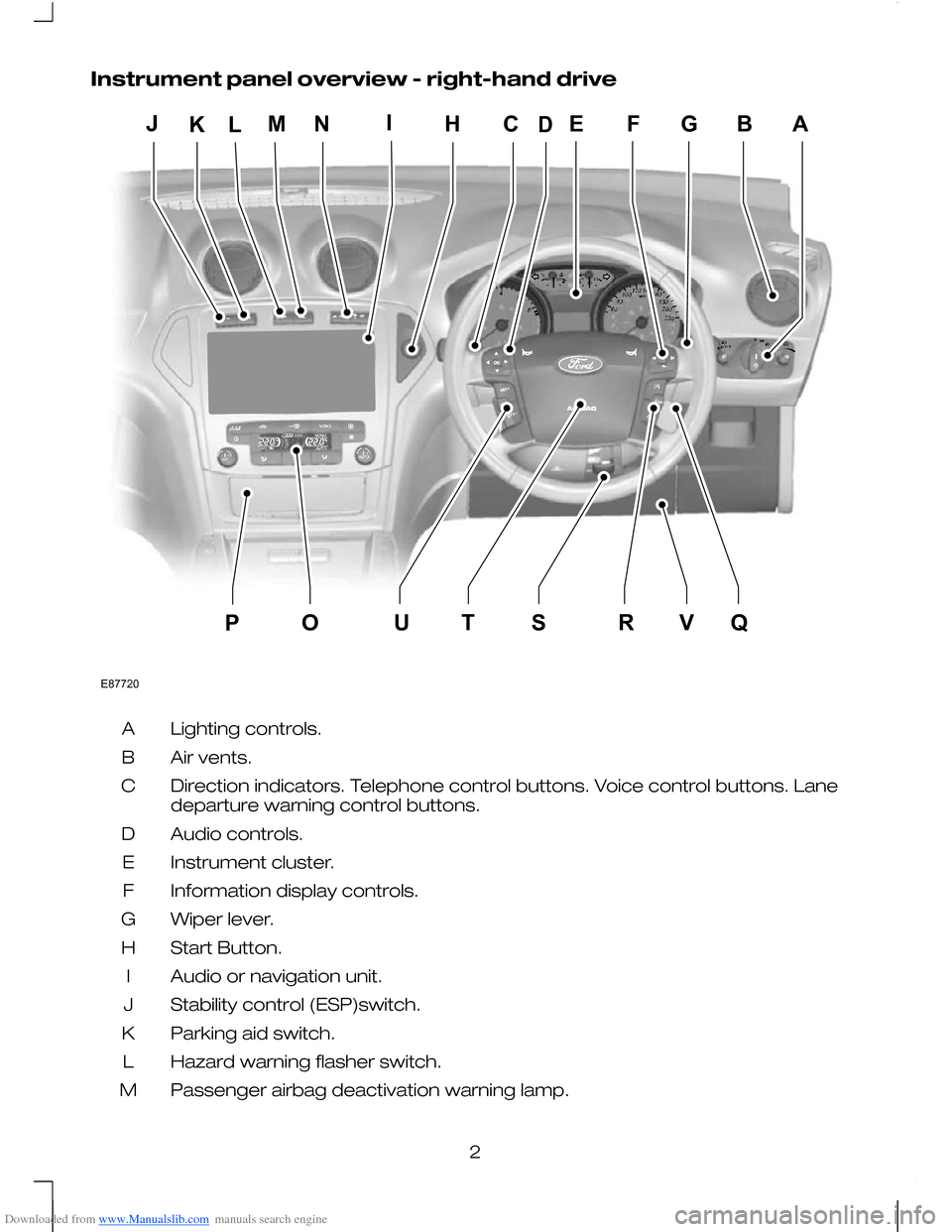
Downloaded from www.Manualslib.com manuals search engine Instrument panel overview - right-hand drive
Lighting controls.
A
Air vents.
B
Direction indicators. Telephone control buttons. Voice control buttons. Lane
departure warning control buttons.
C
Audio controls.
D
Instrument cluster.
E
Information display controls.
F
Wiper lever.
G
Start Button.
H
Audio or navigation unit.
I
Stability control (ESP)switch.
J
Parking aid switch.
K
Hazard warning flasher switch.
L
Passenger airbag deactivation warning lamp.
M
2E87720EFGBAMLHCIOQUTSRVPJKND
Page 7 of 16
Downloaded from www.Manualslib.com manuals search engine Switch off the ignition and move the wiper
lever to positionAwithin three seconds.
Release the lever when the windscreen
wipers have moved to the service position.
AUTOMATIC MAIN BEAM
CONTROL
WARNINGS
For all warnings and cautions, refer
to your Owner's handbook.
The system does not relieve you of
your responsibility to drive with due
care and attention. A manual
override may be necessary if the system
fails to switch the main beam on or off.
CAUTION
In cold and severe weather conditions
the system may not function. A
manual override may be necessary in
these cases.
The system will automatically switch on
main beam if it is dark enough and no
other traffic is present. If it detects an
approaching vehicle’s headlamps or tail
lamps, or street lighting ahead the system
will switch off main beam before it can
distract other road users.
Once the system is active the main beam
will switch on if:
• it is dark enough to require the use of
main beams and
• there is no traffic or street lighting
ahead and
• vehicle speed is greater than 40 km/h
(25 mph).
The main beam will switch off if:
• The ambient light is high enough that
main beam is not required.
• An approaching vehicle's headlamps
or tail lamps are detected.
• Street lighting is detected. •
Vehicle speed falls below 25 km/h (16
mph).
• The camera sensor is too hot or
becomes blocked.
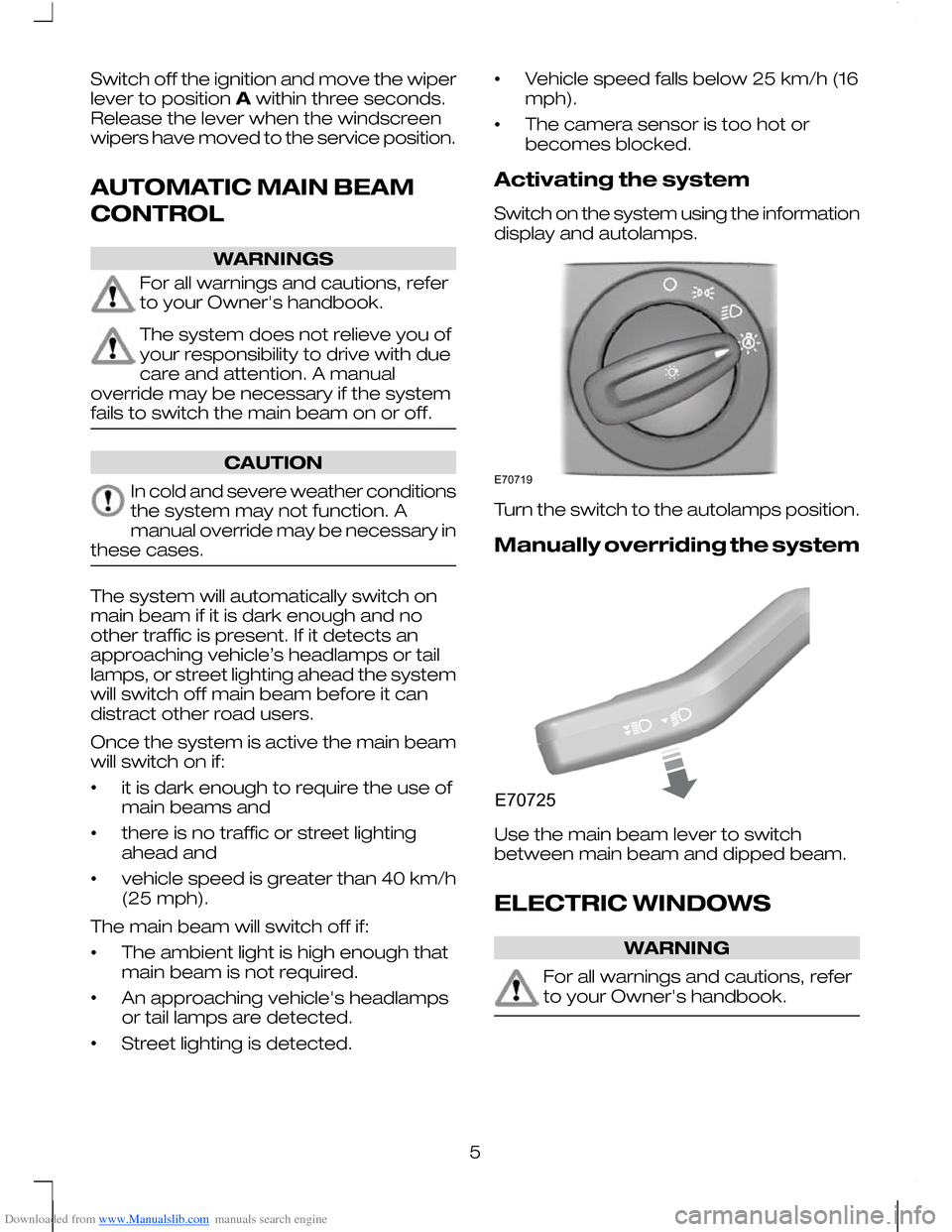
Activating the system
Switch on the system using the information
display and autolamps.
E70719
Turn the switch to the autolamps position.
Manually overriding the system
E70725
Use the main beam lever to switch
between main beam and dipped beam.
ELECTRIC WINDOWS
WARNING
For all warnings and cautions, refer
to your Owner's handbook.
5
Page 9 of 16
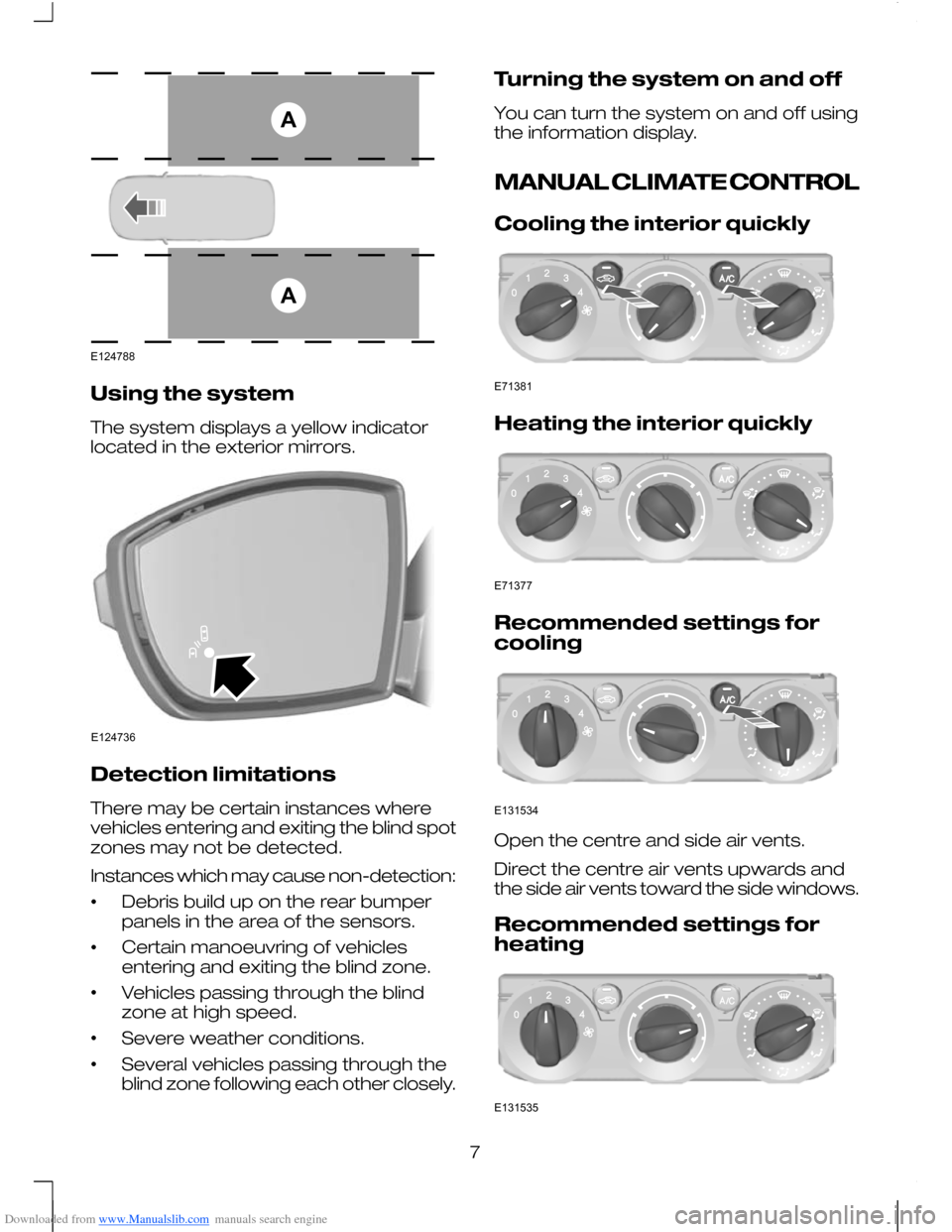
Downloaded from www.Manualslib.com manuals search engine Using the system
The system displays a yellow indicator
located in the exterior mirrors.
Detection limitations
There may be certain instances where
vehicles entering and exiting the blind spot
zones may not be detected.
Instances which may cause non-detection:
•
Debris build up on the rear bumper
panels in the area of the sensors.
• Certain manoeuvring of vehicles
entering and exiting the blind zone.
• Vehicles passing through the blind
zone at high speed.
• Severe weather conditions.
• Several vehicles passing through the
blind zone following each other closely. Turning the system on and off
You can turn the system on and off using
the information display.
MANUAL CLIMATE CONTROL
Cooling the interior quickly
Heating the interior quickly
Recommended settings for
cooling
Open the centre and side air vents.
Direct the centre air vents upwards and
the side air vents toward the side windows.
Recommended settings for
heating
7AAE124788 E124736 E71381 E71377 E131534 E131535
Page 11 of 16
Downloaded from www.Manualslib.com manuals search engine Fuel operated heater
(depending on country)
The fuel operated heater aids in warming
the engine and the vehicle interior on
vehicles with a diesel engine. It is switched
on or off automatically depending on the
outside air temperature and the coolant
temperature, unless you have deactivated
it.
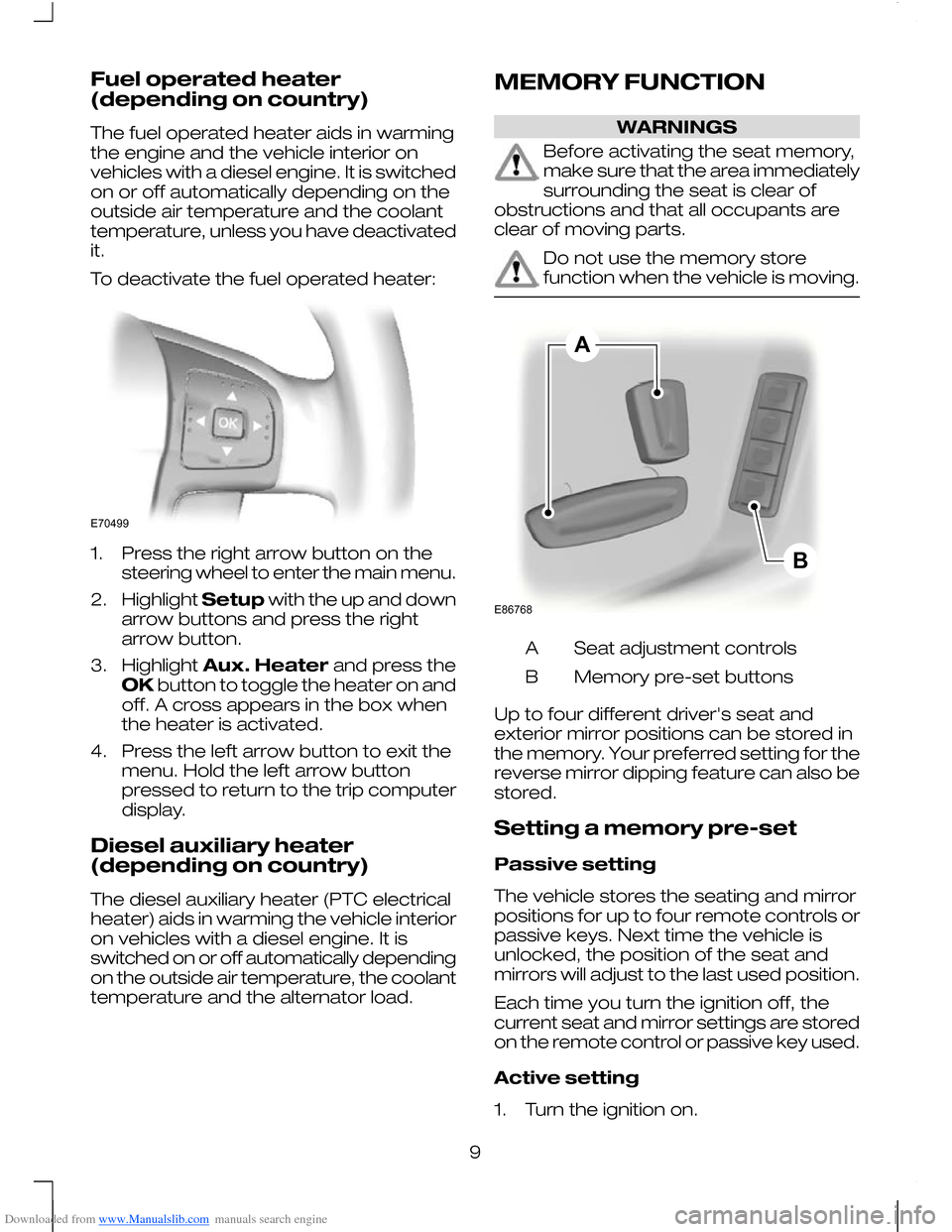
To deactivate the fuel operated heater:
1. Press the right arrow button on the
steering wheel to enter the main menu.
2. Highlight Setupwith the up and down
arrow buttons and press the right
arrow button.
3. Highlight Aux. Heater and press the
OK button to toggle the heater on and
off. A cross appears in the box when
the heater is activated.
4. Press the left arrow button to exit the menu. Hold the left arrow button
pressed to return to the trip computer
display.
Diesel auxiliary heater
(depending on country)
The diesel auxiliary heater (PTC electrical
heater) aids in warming the vehicle interior
on vehicles with a diesel engine. It is
switched on or off automatically depending
on the outside air temperature, the coolant
temperature and the alternator load. MEMORY FUNCTION WARNINGS
Before activating the seat memory,
make sure that the area immediately
surrounding the seat is clear of
obstructions and that all occupants are
clear of moving parts. Do not use the memory store
function when the vehicle is moving.
Seat adjustment controls
A
Memory pre-set buttons
B
Up to four different driver's seat and
exterior mirror positions can be stored in
the memory. Your preferred setting for the
reverse mirror dipping feature can also be
stored.
Setting a memory pre-set
Passive setting
The vehicle stores the seating and mirror
positions for up to four remote controls or
passive keys. Next time the vehicle is
unlocked, the position of the seat and
mirrors will adjust to the last used position.
Each time you turn the ignition off, the
current seat and mirror settings are stored
on the remote control or passive key used.
Active setting
1. Turn the ignition on.
9E70499 ABE86768
Page 13 of 16
Downloaded from www.Manualslib.com manuals search engine Stopping the engine when the
vehicle is moving
WARNING
Switching off the engine when the
vehicle is still moving will result in a
loss of brake and steering
assistance. The steering will not be locked,
but higher effort will be required. When the
ignition is switched off some electrical
circuits, warning lamps and indicators may
also be OFF. Press and hold the start button for two
seconds, or press three times within three
seconds.
ECO MODE
The system assists the driver to drive more
efficiently by constantly monitoring
characteristics of gear changing,
anticipation of traffic conditions and
speeds on motorways and open roads.
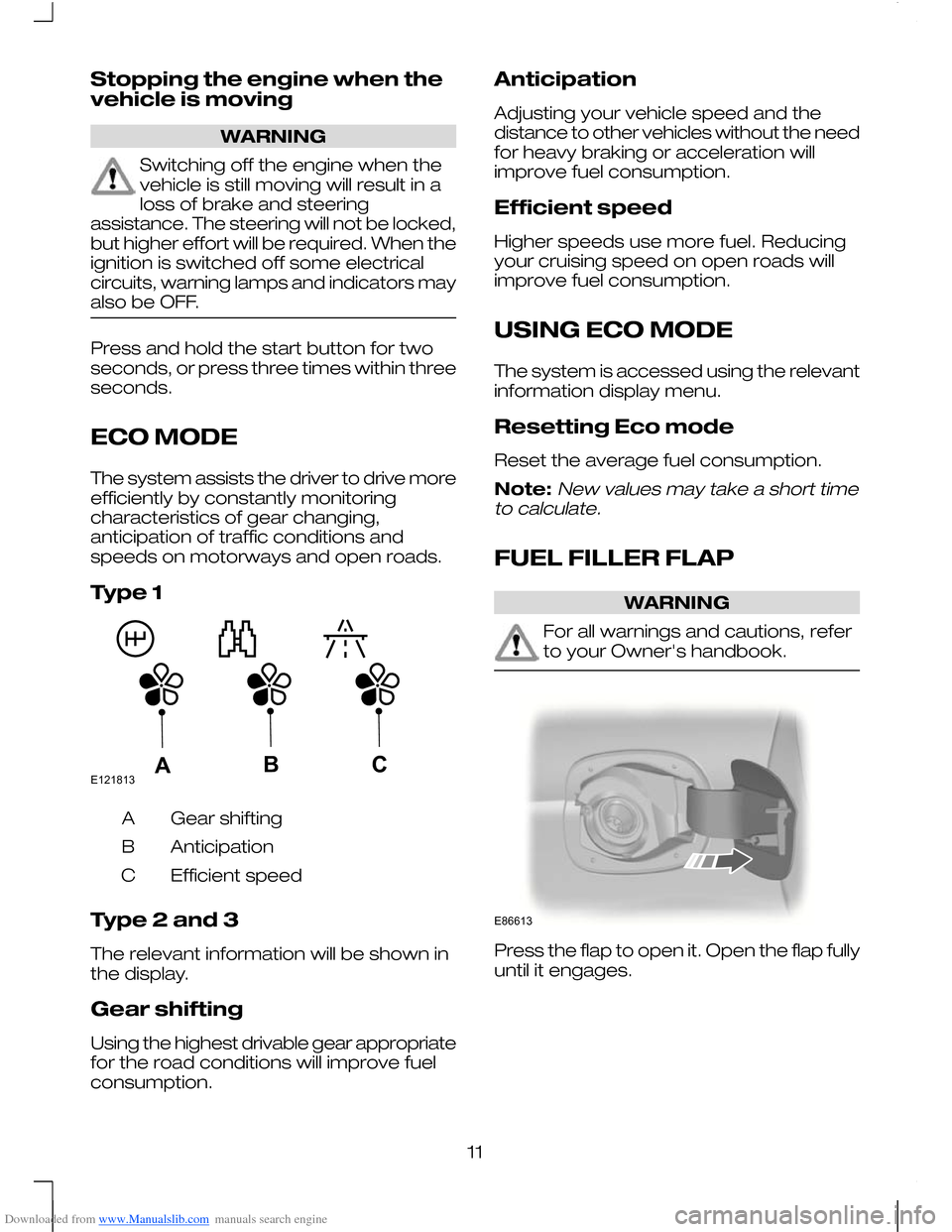
Type 1
Gear shifting
A
Anticipation
B
Efficient speed
C
Type 2 and 3
The relevant information will be shown in
the display.
Gear shifting
Using the highest drivable gear appropriate
for the road conditions will improve fuel
consumption. Anticipation
Adjusting your vehicle speed and the
distance to other vehicles without the need
for heavy braking or acceleration will
improve fuel consumption.
Efficient speed
Higher speeds use more fuel. Reducing
your cruising speed on open roads will
improve fuel consumption.
USING ECO MODE
The system is accessed using the relevant
information display menu.
Resetting Eco mode
Reset the average fuel consumption.
Note:New values may take a short time
to calculate.
FUEL FILLER FLAP WARNING
For all warnings and cautions, refer
to your Owner's handbook.
Press the flap to open it. Open the flap fully
until it engages.
11E121813ABC E86613
Page 14 of 16
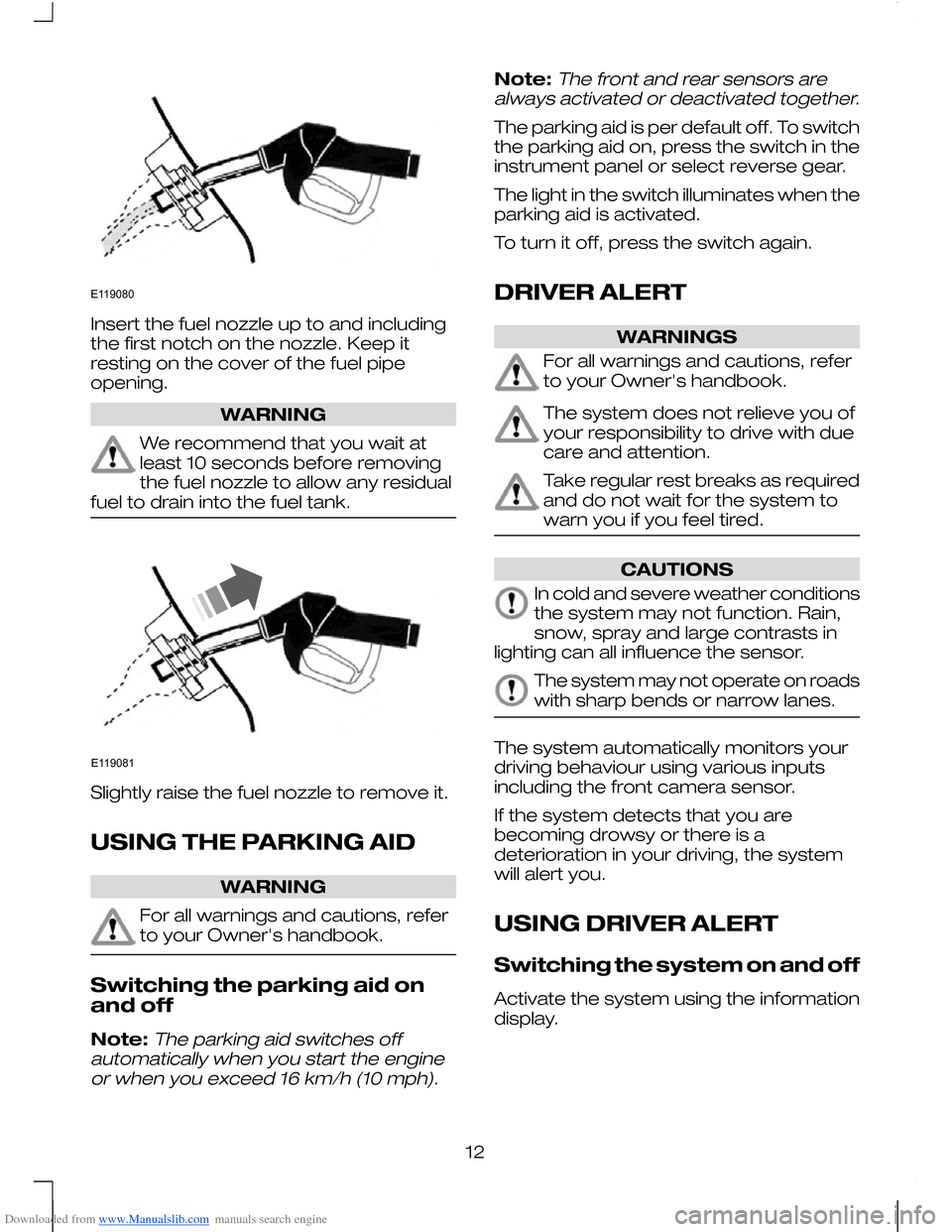
Downloaded from www.Manualslib.com manuals search engine Insert the fuel nozzle up to and including
the first notch on the nozzle. Keep it
resting on the cover of the fuel pipe
opening.
WARNING
We recommend that you wait at
least 10 seconds before removing
the fuel nozzle to allow any residual
fuel to drain into the fuel tank. Slightly raise the fuel nozzle to remove it.
USING THE PARKING AID
WARNING
For all warnings and cautions, refer
to your Owner's handbook.
Switching the parking aid on
and off
Note:The parking aid switches off
automatically when you start the engine or when you exceed 16 km/h (10 mph).
Note:The front and rear sensors are
always activated or deactivated together.
The parking aid is per default off. To switch
the parking aid on, press the switch in the
instrument panel or select reverse gear.
The light in the switch illuminates when the
parking aid is activated.
To turn it off, press the switch again.
DRIVER ALERT WARNINGS
For all warnings and cautions, refer
to your Owner's handbook.
The system does not relieve you of
your responsibility to drive with due
care and attention.
Take regular rest breaks as required
and do not wait for the system to
warn you if you feel tired.
CAUTIONS
In cold and severe weather conditions
the system may not function. Rain,
snow, spray and large contrasts in
lighting can all influence the sensor. The system may not operate on roads
with sharp bends or narrow lanes.
The system automatically monitors your
driving behaviour using various inputs
including the front camera sensor.
If the system detects that you are
becoming drowsy or there is a
deterioration in your driving, the system
will alert you.
USING DRIVER ALERT
Switching the system on and off
Activate the system using the information
display.
12E119080 E119081
Page 15 of 16
Downloaded from www.Manualslib.com manuals search engine System display
When active the system will run
automatically in the background and only
issue warnings if required. You can view
the status at any time using the information
display.
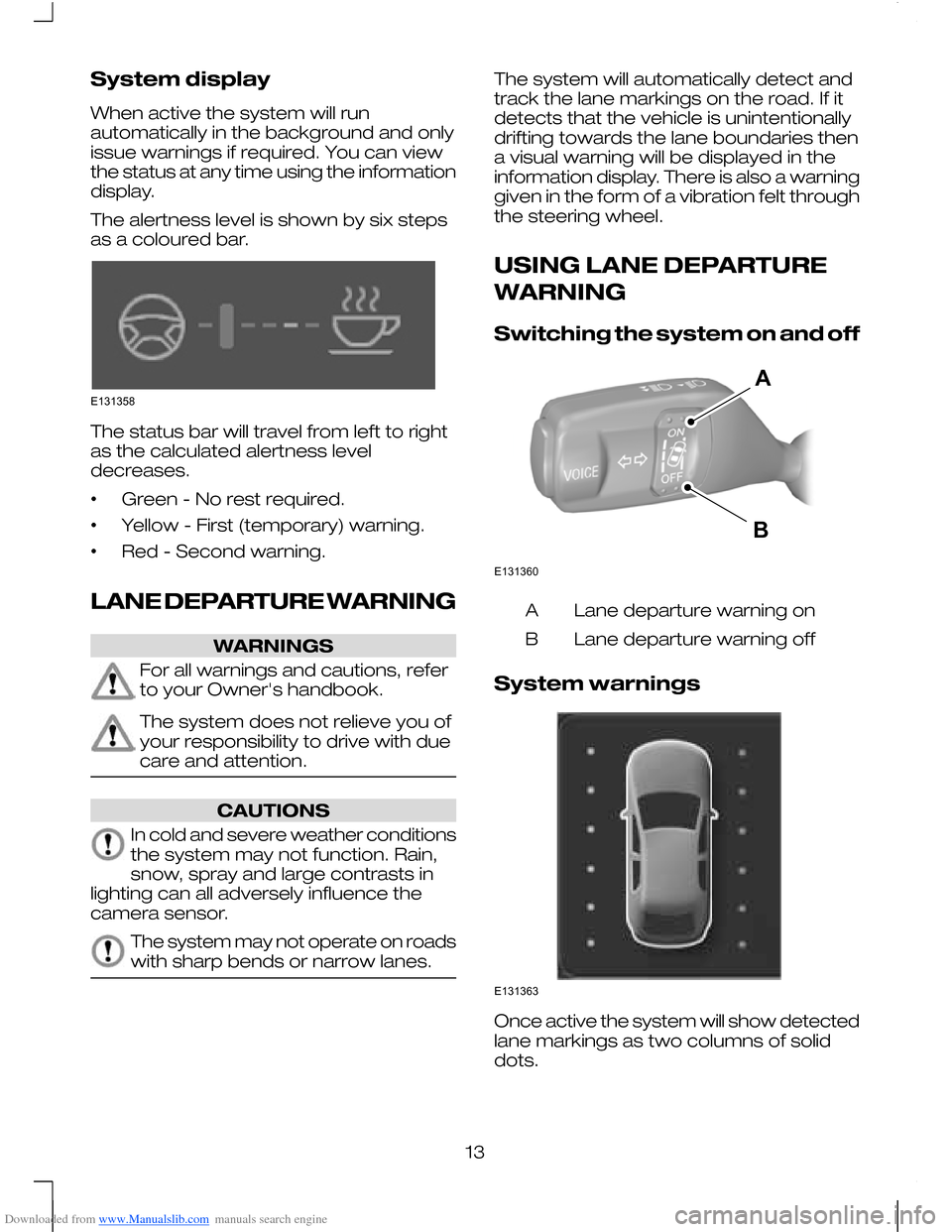
The alertness level is shown by six steps
as a coloured bar.
The status bar will travel from left to right
as the calculated alertness level
decreases.
•
Green - No rest required.
• Yellow - First (temporary) warning.
• Red - Second warning.
LANE DEPARTURE WARNING WARNINGS
For all warnings and cautions, refer
to your Owner's handbook.
The system does not relieve you of
your responsibility to drive with due
care and attention.
CAUTIONS
In cold and severe weather conditions
the system may not function. Rain,
snow, spray and large contrasts in
lighting can all adversely influence the
camera sensor. The system may not operate on roads
with sharp bends or narrow lanes. The system will automatically detect and
track the lane markings on the road. If it
detects that the vehicle is unintentionally
drifting towards the lane boundaries then
a visual warning will be displayed in the
information display. There is also a warning
given in the form of a vibration felt through
the steering wheel.
USING LANE DEPARTURE
WARNING
Switching the system on and off
Lane departure warning on
A
Lane departure warning off
B
System warnings Once active the system will show detected
lane markings as two columns of solid
dots.
13E131358 E131360AB E131363