Page 98 of 419
•When this feature is enabled (AUTO), the running boards will move
back to the correct positions based off of the door positions.
Bounce-back:
•If an object is in the way of the moving running board, the running
board will automatically bounce back in the reverse direction and
move to the end of travel.
Note:The running boards may operate slower in cooler temperatures. In
adverse conditions, debris such as mud, dirt, and salt may become
trapped in the running board mechanism, possibly leading to unwanted
noise. If this occurs, manually set the running boards to the deployed
position and flush the system (in particular the front and rear hinge
arms) with a high-pressure car wash wand.
Note:Do not use the running boards, front and rear hinge assemblies,
running board motors, or the running board under body mounts to lift
the vehicle when jacking. Please utilize proper jacking points. Refer to
Changing the tiresin theRoadside Emergencieschapter.
WARNING:In extreme climates, excessive ice buildup may
occur, causing the running boards not to deploy. Be sure that the
running boards have deployed, and have finished moving before
attempting to step on them. Note: The running boards will resume
normal function once the blockage is cleared.
WARNING:Turn off the running boards before jacking or
placing any object under the vehicle. Never place your hand
between the extended running board and the vehicle. A moving
running board may cause injury.
SPEED CONTROL (IF EQUIPPED)
With speed control set, you can maintain a set speed without keeping
your foot on the accelerator pedal.
WARNING:Do not use the speed control in heavy traffic or on
roads that are winding, slippery or unpaved.
Driver Controls
98
2010 F-150(f12)
Owners Guide, 1st Printing
USA(fus)
Page 104 of 419
The moon roof has a built-in sliding shade that can be manually opened
or closed when the glass panel is shut. To close the shade, pull it toward
the front of the vehicle.
UNIVERSAL GARAGE DOOR OPENER (IF EQUIPPED)
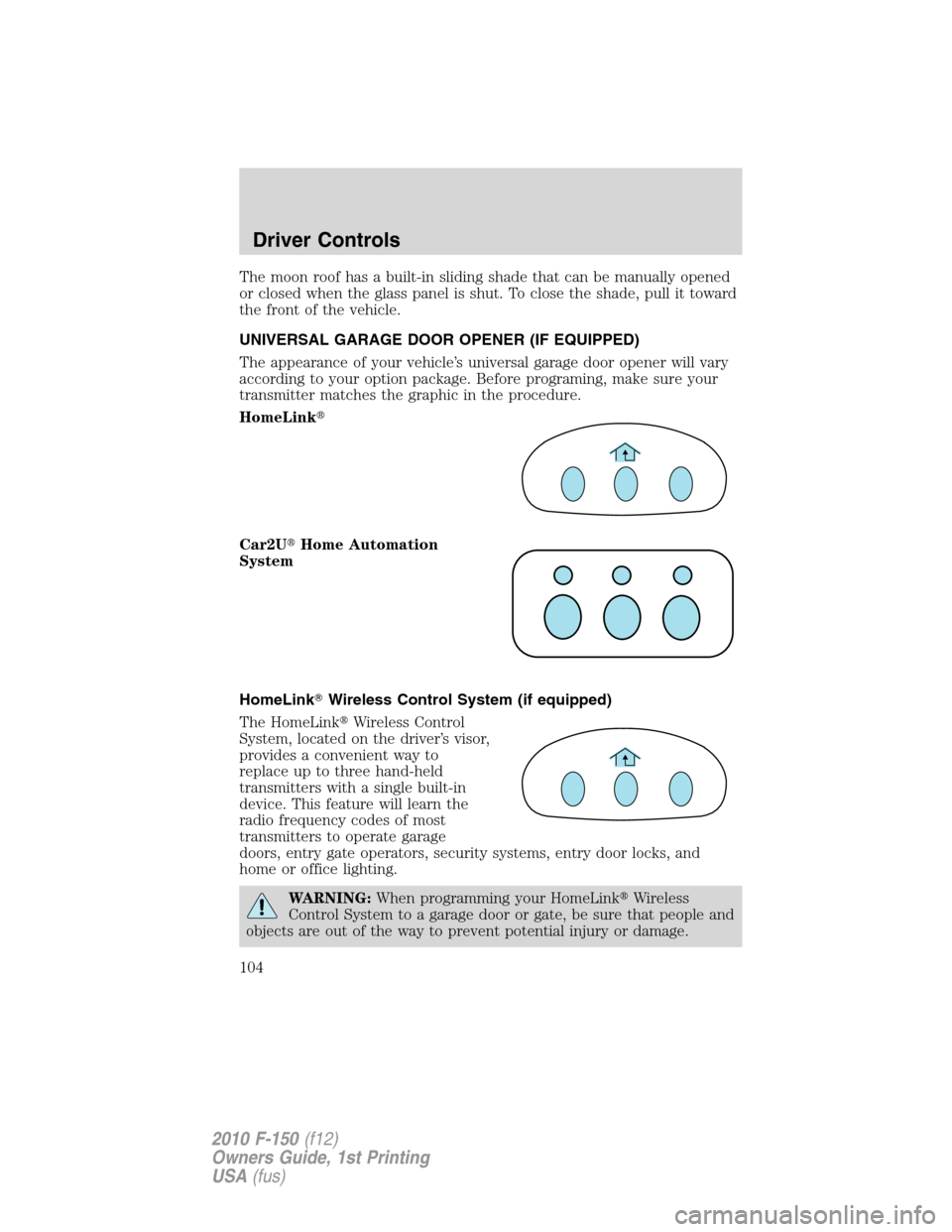
The appearance of your vehicle’s universal garage door opener will vary
according to your option package. Before programing, make sure your
transmitter matches the graphic in the procedure.
HomeLink�
Car2U�Home Automation
System
HomeLink�Wireless Control System (if equipped)
The HomeLink�Wireless Control
System, located on the driver’s visor,
provides a convenient way to
replace up to three hand-held
transmitters with a single built-in
device. This feature will learn the
radio frequency codes of most
transmitters to operate garage
doors, entry gate operators, security systems, entry door locks, and
home or office lighting.
WARNING:When programming your HomeLink�Wireless
Control System to a garage door or gate, be sure that people and
objects are out of the way to prevent potential injury or damage.
Driver Controls
104
2010 F-150(f12)
Owners Guide, 1st Printing
USA(fus)
Page 107 of 419
signal has been accepted by the HomeLink�. The indicator light will
flash slowly and then rapidly after HomeLink�accepts the radio
frequency signal.
•Proceed with Step 3 in theProgrammingsection.
Operating the HomeLink�Wireless Control System
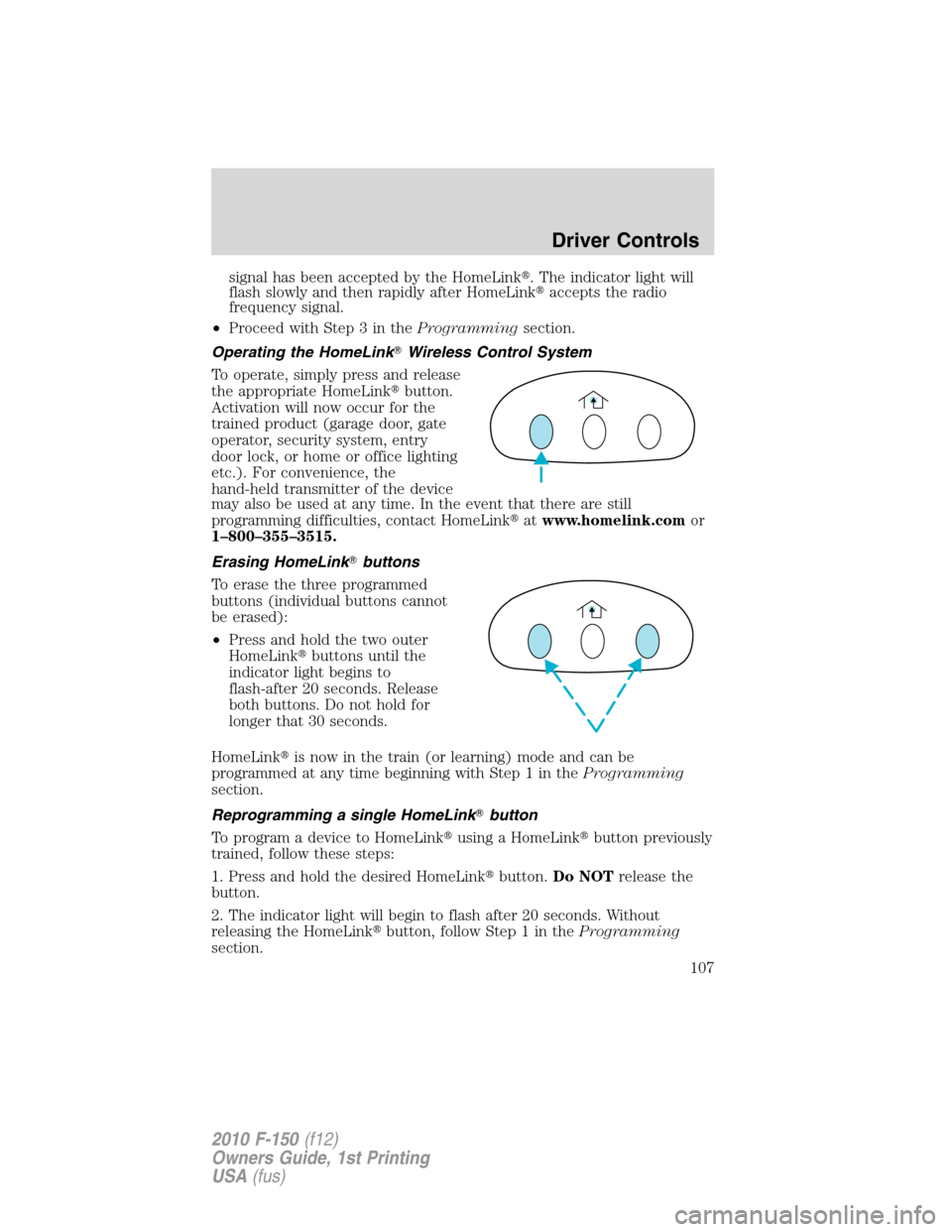
To operate, simply press and release
the appropriate HomeLink�button.
Activation will now occur for the
trained product (garage door, gate
operator, security system, entry
door lock, or home or office lighting
etc.). For convenience, the
hand-held transmitter of the device
may also be used at any time. In the event that there are still
programming difficulties, contact HomeLink�atwww.homelink.comor
1–800–355–3515.
Erasing HomeLink�buttons
To erase the three programmed
buttons (individual buttons cannot
be erased):
•Press and hold the two outer
HomeLink�buttons until the
indicator light begins to
flash-after 20 seconds. Release
both buttons. Do not hold for
longer that 30 seconds.
HomeLink�is now in the train (or learning) mode and can be
programmed at any time beginning with Step 1 in theProgramming
section.
Reprogramming a single HomeLink�button
To program a device to HomeLink�using a HomeLink�button previously
trained, follow these steps:
1. Press and hold the desired HomeLink�button.Do NOTrelease the
button.
2. The indicator light will begin to flash after 20 seconds. Without
releasing the HomeLink�button, follow Step 1 in theProgramming
section.
Driver Controls
107
2010 F-150(f12)
Owners Guide, 1st Printing
USA(fus)
Page 113 of 419
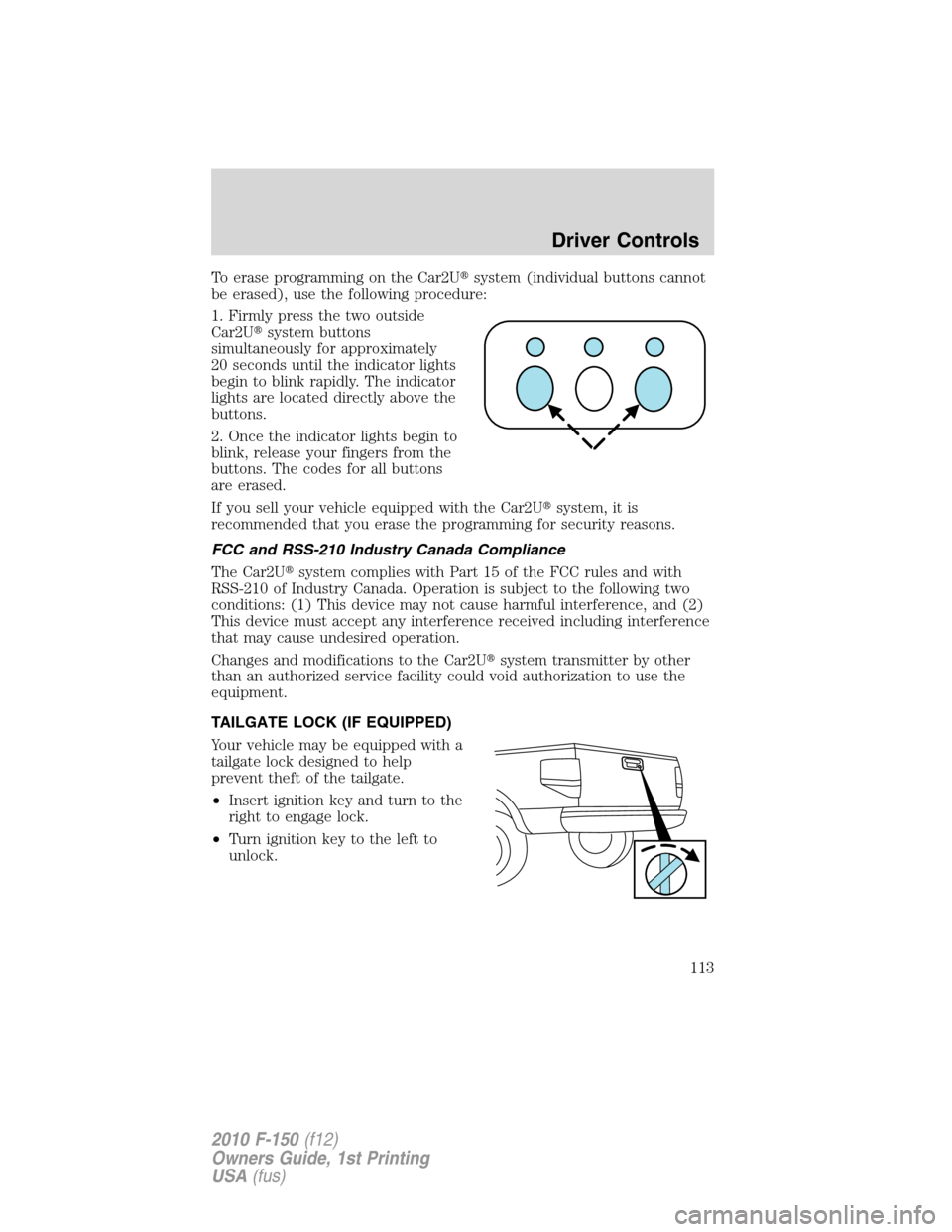
To erase programming on the Car2U�system (individual buttons cannot
be erased), use the following procedure:
1. Firmly press the two outside
Car2U�system buttons
simultaneously for approximately
20 seconds until the indicator lights
begin to blink rapidly. The indicator
lights are located directly above the
buttons.
2. Once the indicator lights begin to
blink, release your fingers from the
buttons. The codes for all buttons
are erased.
If you sell your vehicle equipped with the Car2U�system, it is
recommended that you erase the programming for security reasons.
FCC and RSS-210 Industry Canada Compliance
The Car2U�system complies with Part 15 of the FCC rules and with
RSS-210 of Industry Canada. Operation is subject to the following two
conditions: (1) This device may not cause harmful interference, and (2)
This device must accept any interference received including interference
that may cause undesired operation.
Changes and modifications to the Car2U�system transmitter by other
than an authorized service facility could void authorization to use the
equipment.
TAILGATE LOCK (IF EQUIPPED)
Your vehicle may be equipped with a
tailgate lock designed to help
prevent theft of the tailgate.
•Insert ignition key and turn to the
right to engage lock.
•Turn ignition key to the left to
unlock.
Driver Controls
113
2010 F-150(f12)
Owners Guide, 1st Printing
USA(fus)
Page 115 of 419
Tailgate step (if equipped)
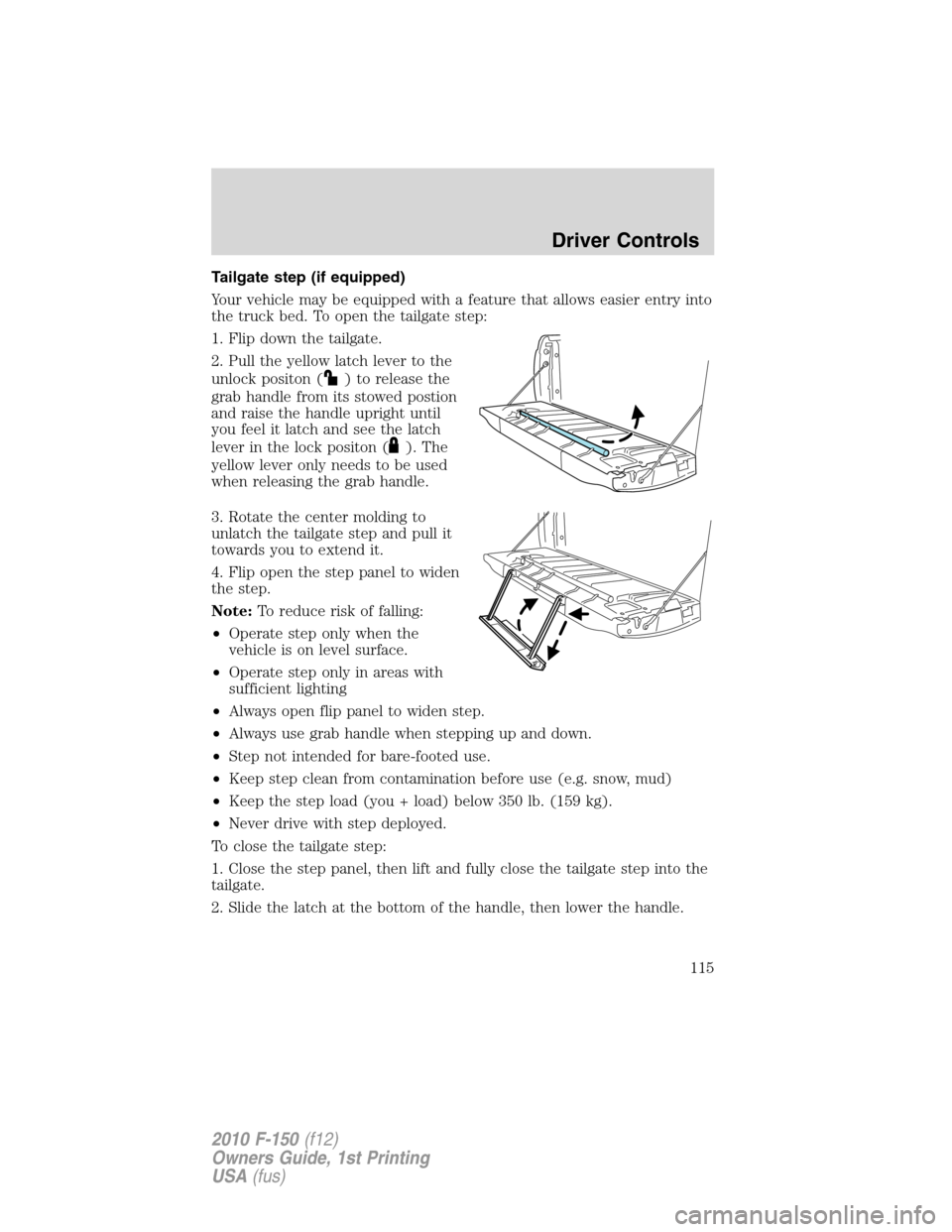
Your vehicle may be equipped with a feature that allows easier entry into
the truck bed. To open the tailgate step:
1. Flip down the tailgate.
2. Pull the yellow latch lever to the
unlock positon (
) to release the
grab handle from its stowed postion
and raise the handle upright until
you feel it latch and see the latch
lever in the lock positon (
). The
yellow lever only needs to be used
when releasing the grab handle.
3. Rotate the center molding to
unlatch the tailgate step and pull it
towards you to extend it.
4. Flip open the step panel to widen
the step.
Note:To reduce risk of falling:
•Operate step only when the
vehicle is on level surface.
•Operate step only in areas with
sufficient lighting
•Always open flip panel to widen step.
•Always use grab handle when stepping up and down.
•Step not intended for bare-footed use.
•Keep step clean from contamination before use (e.g. snow, mud)
•Keep the step load (you + load) below 350 lb. (159 kg).
•Never drive with step deployed.
To close the tailgate step:
1. Close the step panel, then lift and fully close the tailgate step into the
tailgate.
2. Slide the latch at the bottom of the handle, then lower the handle.
Driver Controls
115
2010 F-150(f12)
Owners Guide, 1st Printing
USA(fus)
Page 117 of 419
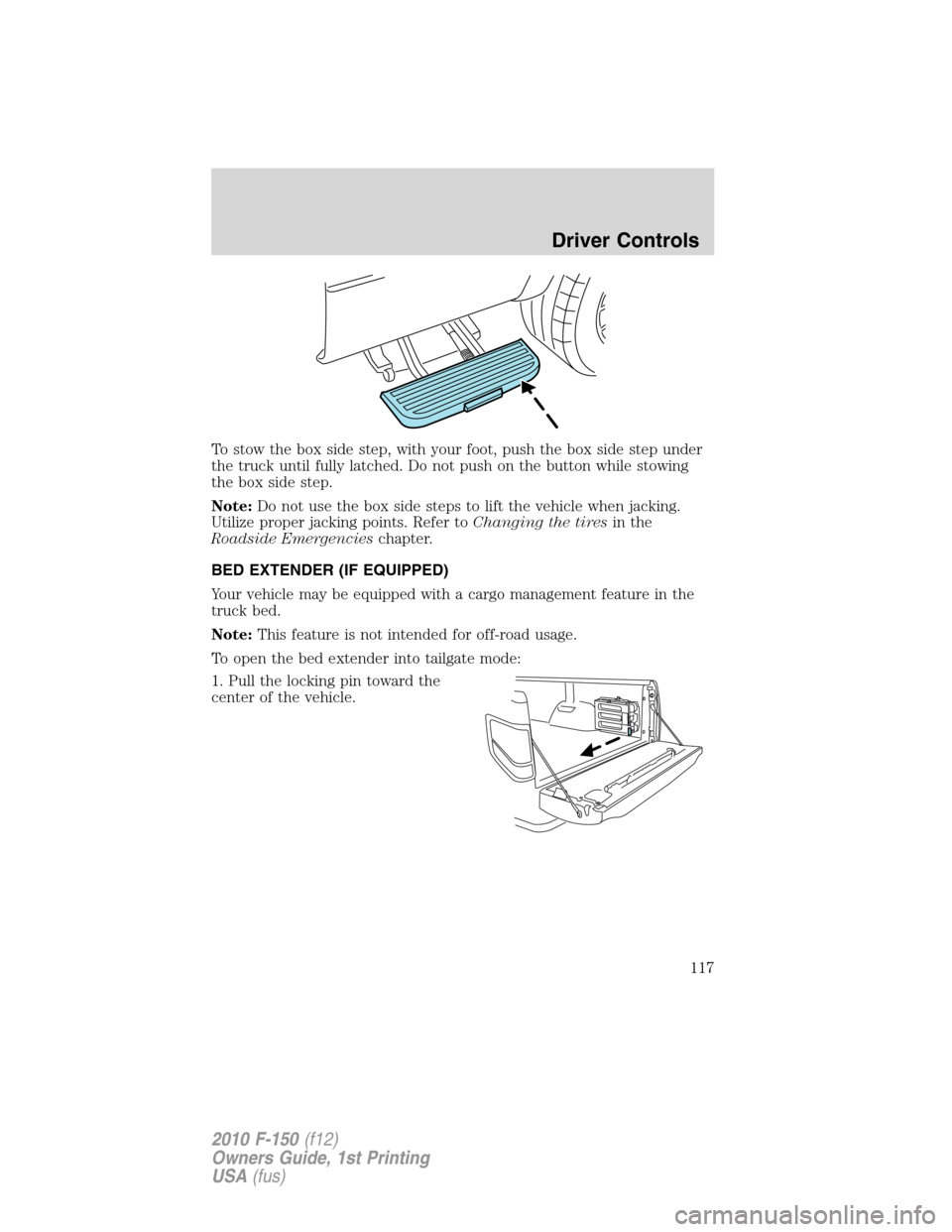
To stow the box side step, with your foot, push the box side step under
the truck until fully latched. Do not push on the button while stowing
the box side step.
Note:Do not use the box side steps to lift the vehicle when jacking.
Utilize proper jacking points. Refer toChanging the tiresin the
Roadside Emergencieschapter.
BED EXTENDER (IF EQUIPPED)
Your vehicle may be equipped with a cargo management feature in the
truck bed.
Note:This feature is not intended for off-road usage.
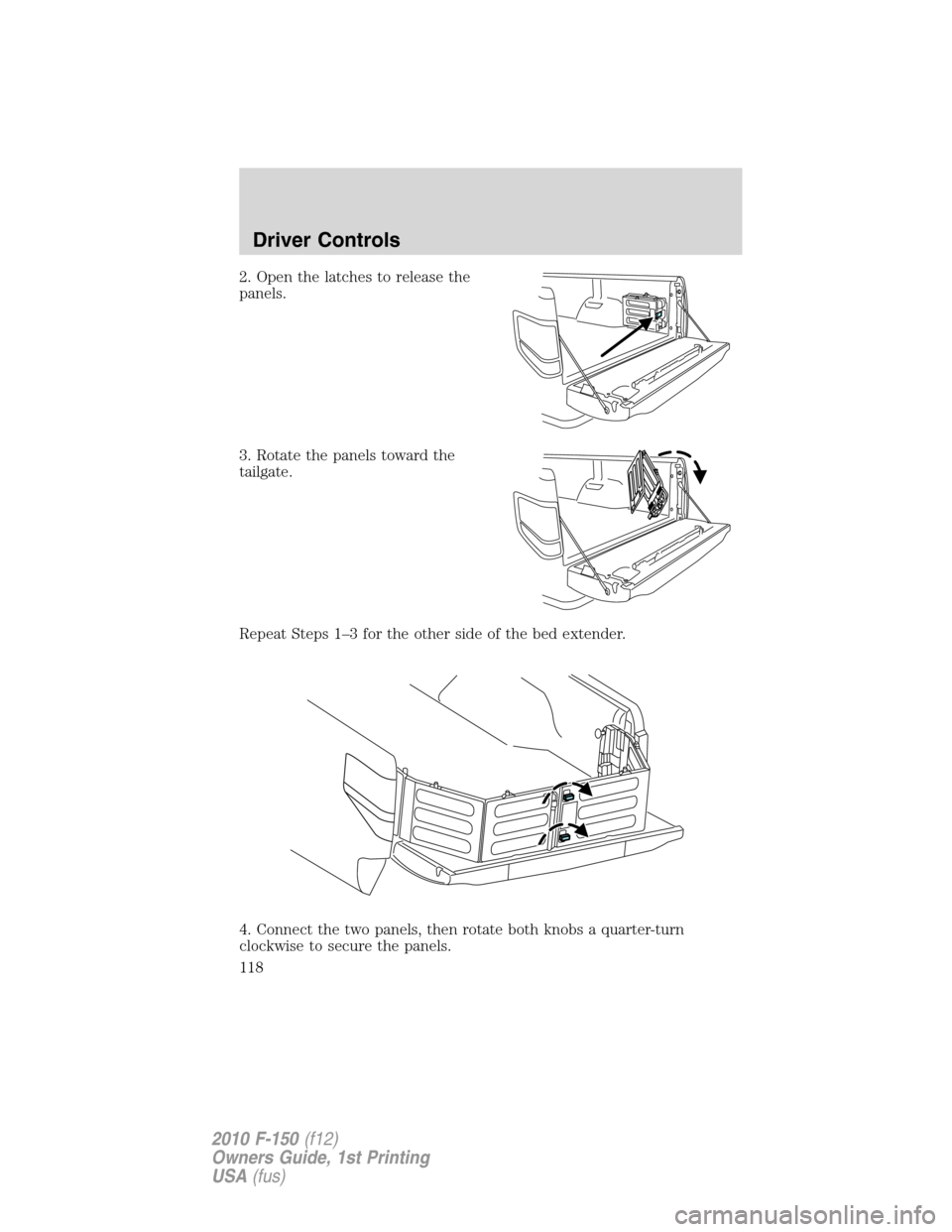
To open the bed extender into tailgate mode:
1. Pull the locking pin toward the
center of the vehicle.
Driver Controls
117
2010 F-150(f12)
Owners Guide, 1st Printing
USA(fus)
Page 118 of 419
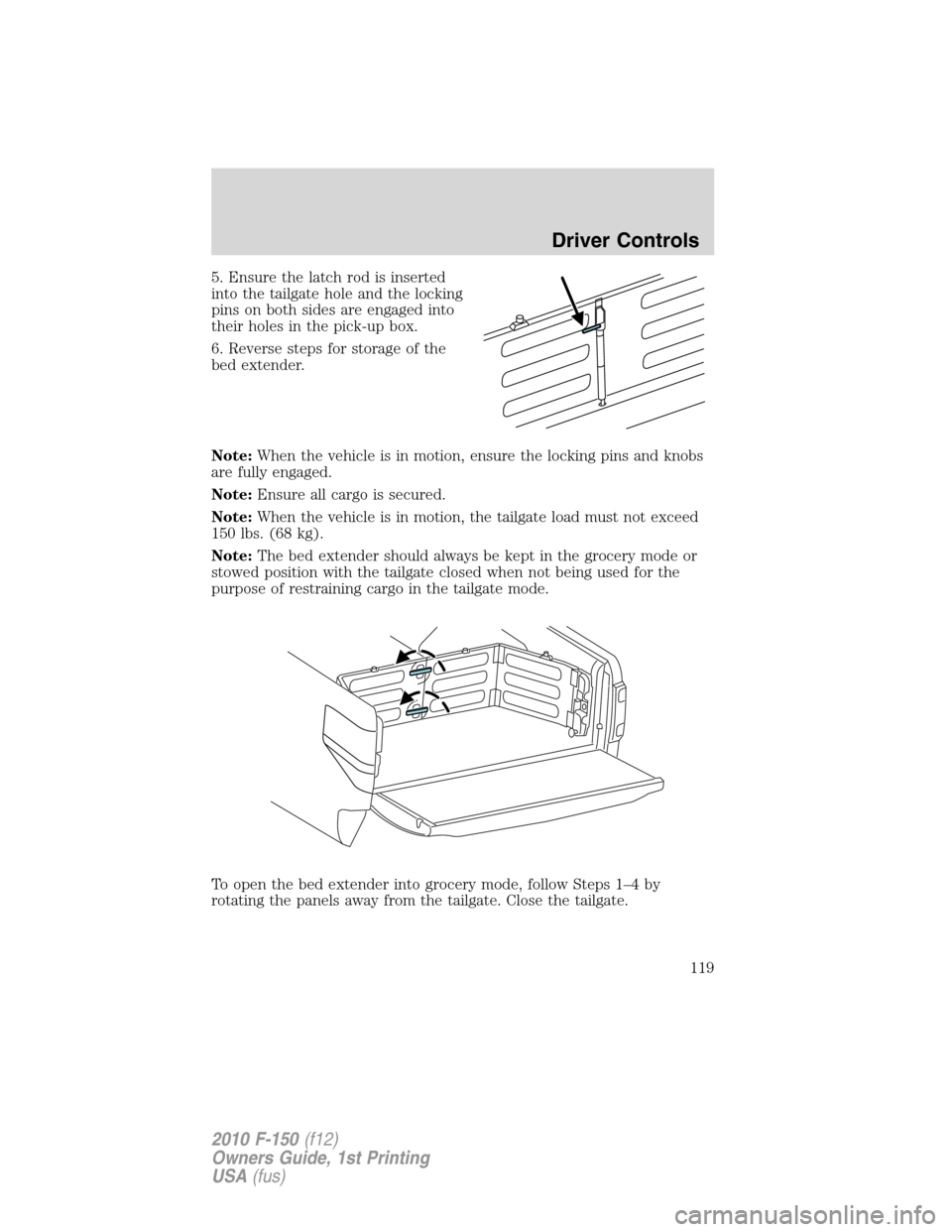
2. Open the latches to release the
panels.
3. Rotate the panels toward the
tailgate.
Repeat Steps 1–3 for the other side of the bed extender.
4. Connect the two panels, then rotate both knobs a quarter-turn
clockwise to secure the panels.
Driver Controls
118
2010 F-150(f12)
Owners Guide, 1st Printing
USA(fus)
Page 119 of 419
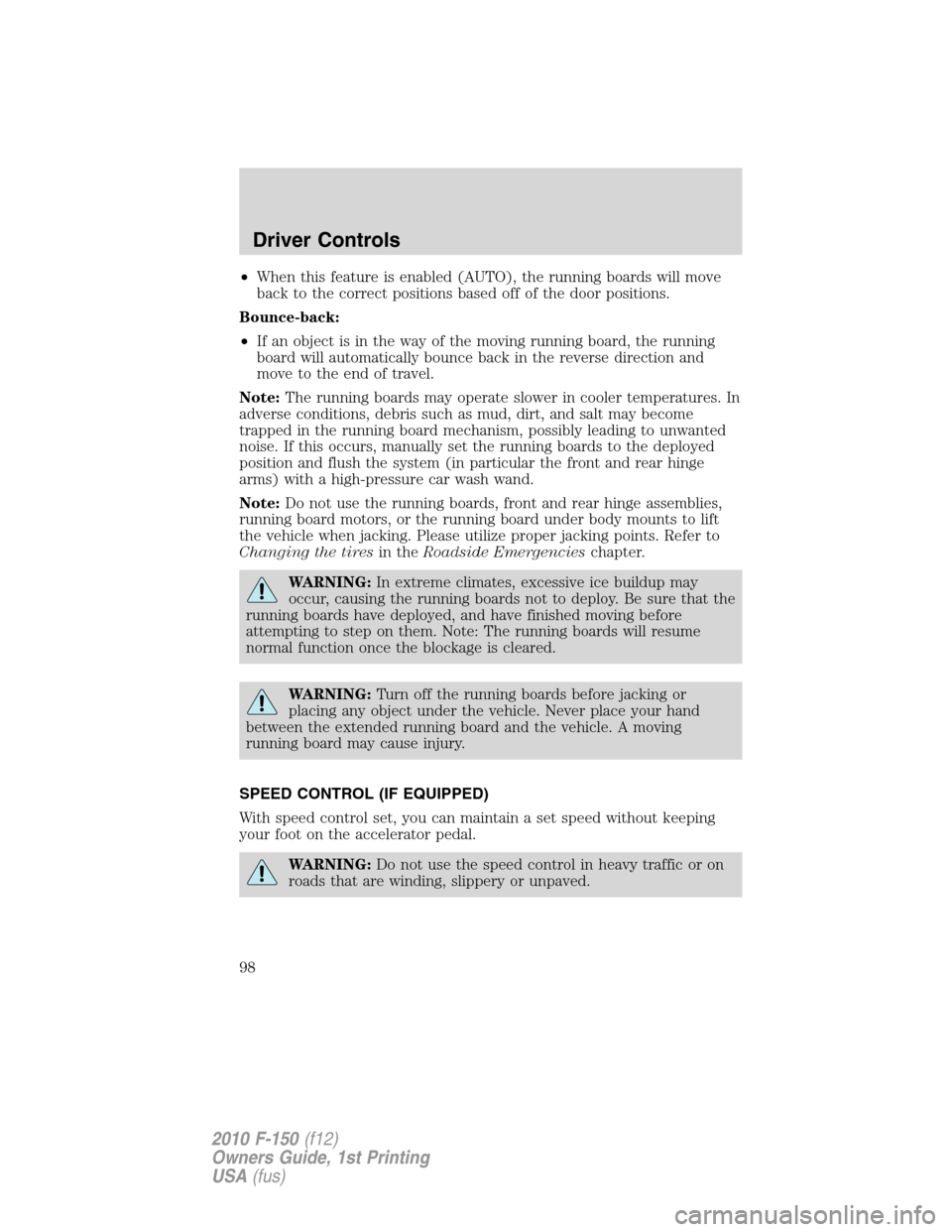
5. Ensure the latch rod is inserted
into the tailgate hole and the locking
pins on both sides are engaged into
their holes in the pick-up box.
6. Reverse steps for storage of the
bed extender.
Note:When the vehicle is in motion, ensure the locking pins and knobs
are fully engaged.
Note:Ensure all cargo is secured.
Note:When the vehicle is in motion, the tailgate load must not exceed
150 lbs. (68 kg).
Note:The bed extender should always be kept in the grocery mode or
stowed position with the tailgate closed when not being used for the
purpose of restraining cargo in the tailgate mode.
To open the bed extender into grocery mode, follow Steps 1–4 by
rotating the panels away from the tailgate. Close the tailgate.
Driver Controls
119
2010 F-150(f12)
Owners Guide, 1st Printing
USA(fus)