Page 39 of 419
BUCKLE UP TO UNMUTE AUDIO— Displayed when a MyKey™ is in
use and Belt-Minder�is activated. Refer toMyKey™in theLocks and
Securitychapter for more information.
ADVTRAC ON MYKEY SETTING— Displayed when a MyKey™ is in
use when trying to disable the AdvanceTrac�system and the optional
setting is on. Refer toMyKey™in theLocks and Securitychapter for
more information.
HILL DESCENT CONTROL FAULT (if equipped)— Displayed when
a hill descent system fault is present.
HILL CNTRL OFF SYSTEM COOLING (if equipped)— Displayed
when a hill descent system fault is present.
FOR OFF ROAD SLOW TO 5 MPH (if equipped)— Displayed when
the vehicle speed requirement for off road mode entry has not been met.
OFF ROAD MODE ENABLED (if equipped)— Displayed when off
road mode becomes active.
EXITING OFF ROAD MODE (if equipped)— Displayed when off
road mode becomes inactive.
HILL DESCENT CONTROL ACTIVE (if equipped)— Displayed
when hill descent control mode becomes active.
HILL DESCENT CONTROL OFF (if equipped)— Displayed when hill
descent control mode becomes inactive.
FOR HILL CNTRL 20 MPH OR LESS (if equipped)— Displayed
when the vehicle speed requirement for hill control mode entry has not
been met.
DRIVER RESUME CONTROL (if equipped)— Displayed when the
hill control and off road mode require the driver to resume control.
FOR HILL CNTRL SELECT GEAR (if equipped)— Displayed when
the driver is requested to select a transmission gear to enable operation
of the hill mode and off road mode.
COAST DOWN MODE (if equipped)— Displayed when vehicle enters
coast down mode.
Instrument Cluster
39
2010 F-150(f12)
Owners Guide, 1st Printing
USA(fus)
Page 40 of 419
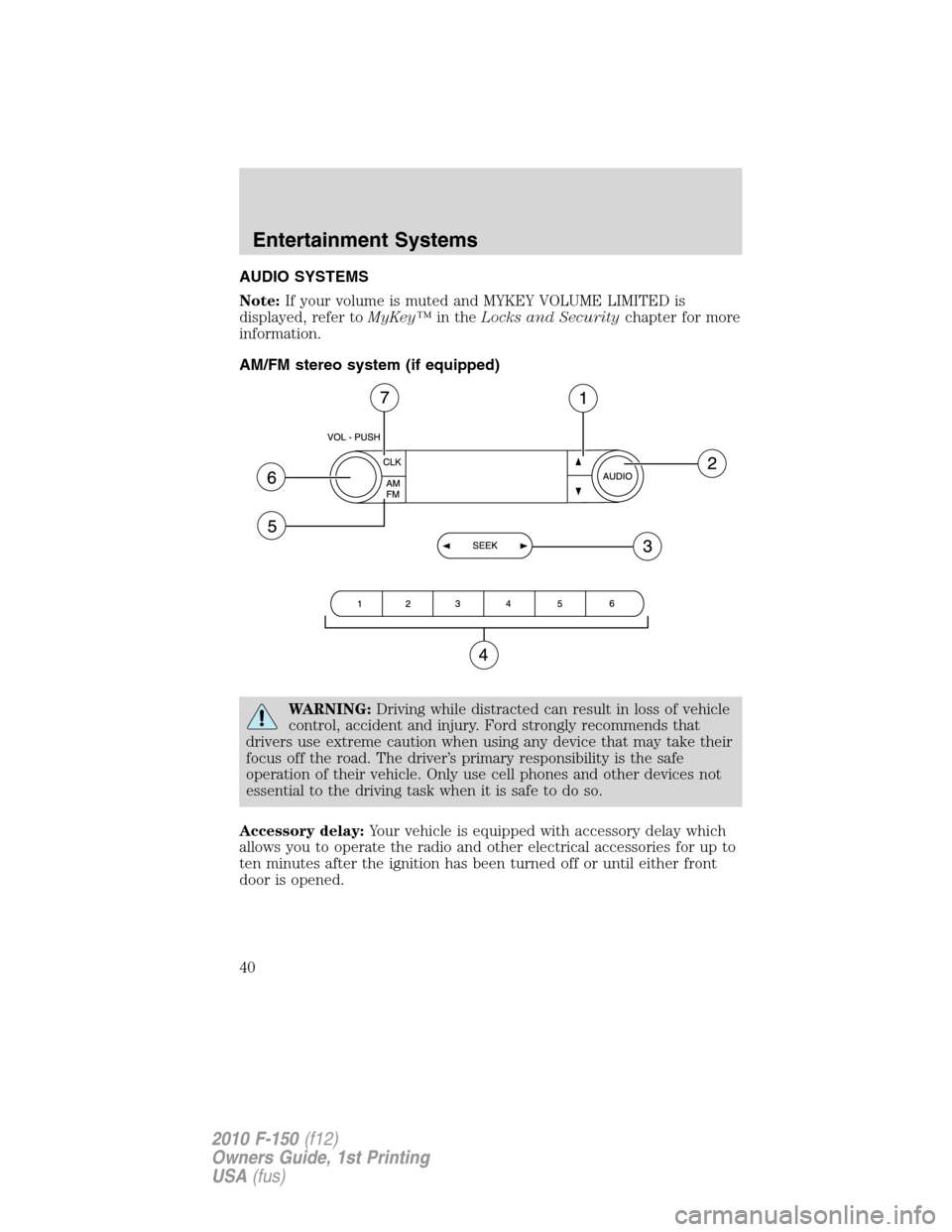
AUDIO SYSTEMS
Note:If your volume is muted and MYKEY VOLUME LIMITED is
displayed, refer toMyKey™in theLocks and Securitychapter for more
information.
AM/FM stereo system (if equipped)
WARNING:Driving while distracted can result in loss of vehicle
control, accident and injury. Ford strongly recommends that
drivers use extreme caution when using any device that may take their
focus off the road. The driver’s primary responsibility is the safe
operation of their vehicle. Only use cell phones and other devices not
essential to the driving task when it is safe to do so.
Accessory delay:Your vehicle is equipped with accessory delay which
allows you to operate the radio and other electrical accessories for up to
ten minutes after the ignition has been turned off or until either front
door is opened.
Entertainment Systems
40
2010 F-150(f12)
Owners Guide, 1st Printing
USA(fus)
Page 42 of 419
6.ON/OFF/Volume:Press
VOL-PUSH to turn ON/OFF. Turn
VOL-PUSH to increase/decrease
volume.
7.CLK (Clock):Press CLK to
toggle between displaying the radio
frequency and the clock setting.
Setting the clock:Press and hold
CLK until the hours begin to flash. Press
//SEEKto
manually increase/decrease the hours.
Press CLK again to set the minutes using
//SEEKto
manually increase/decrease the minutes. Allow 10 seconds to pass to
confirm that the time has been set.
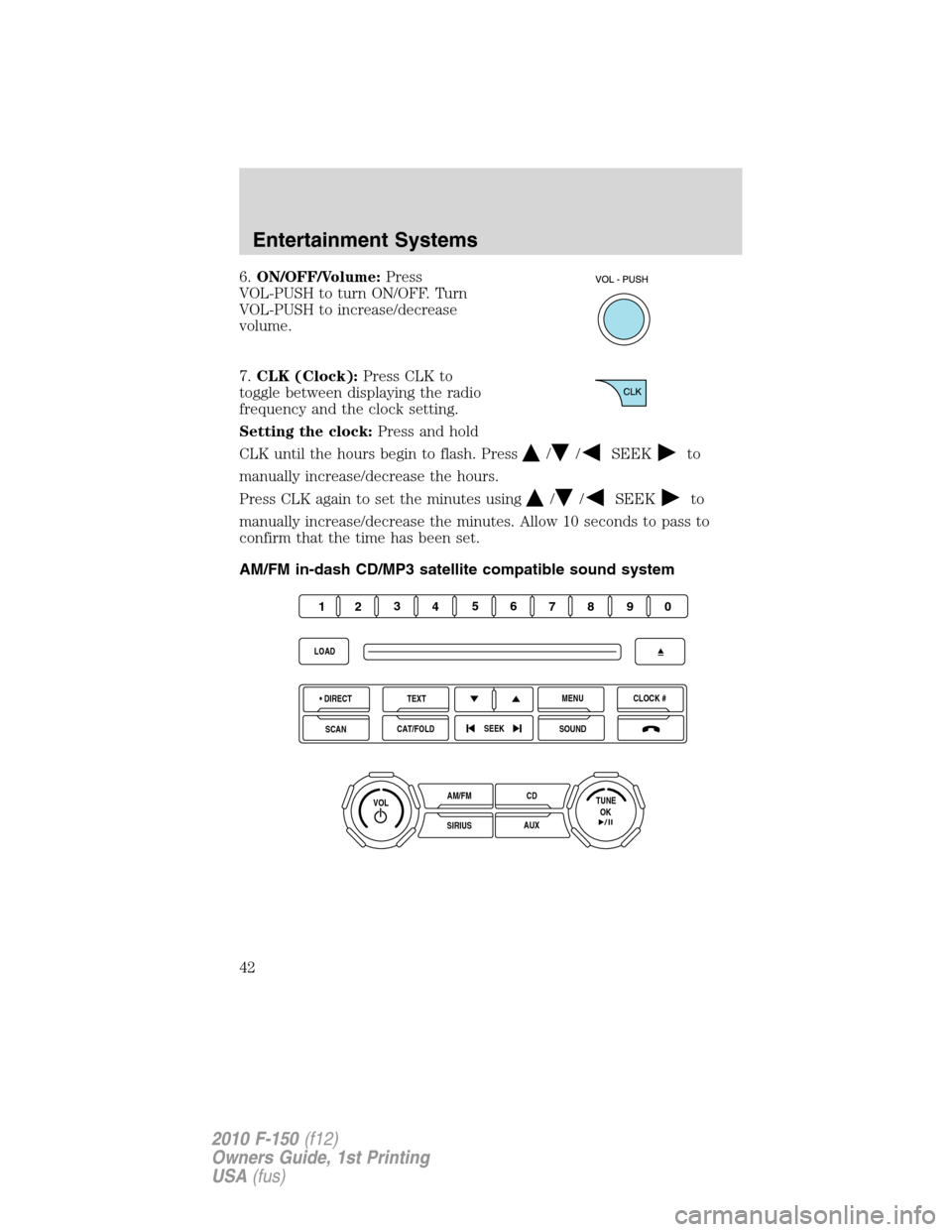
AM/FM in-dash CD/MP3 satellite compatible sound system
OKTUNE LOAD
VOLCD
AUX AM/FM
SIRIUS DIRECTTEXT
SCANCAT/FOLDCLOCK #
SOUNDMENU
SEEK
1
23
45
6
78
90
Entertainment Systems
42
2010 F-150(f12)
Owners Guide, 1st Printing
USA(fus)
Page 43 of 419
WARNING:Driving while distracted can result in loss of vehicle
control, accident and injury. Ford strongly recommends that
drivers use extreme caution when using any device that may take their
focus off the road. The driver’s primary responsibility is the safe
operation of their vehicle. Only use cell phones and other devices not
essential to the driving task when it is safe to do so.
Accessory delay:Your vehicle is equipped with accessory delay. With
this feature, the radio and other electrical accessories may be used for
up to ten minutes after the ignition is turned off or until either front
door is opened.
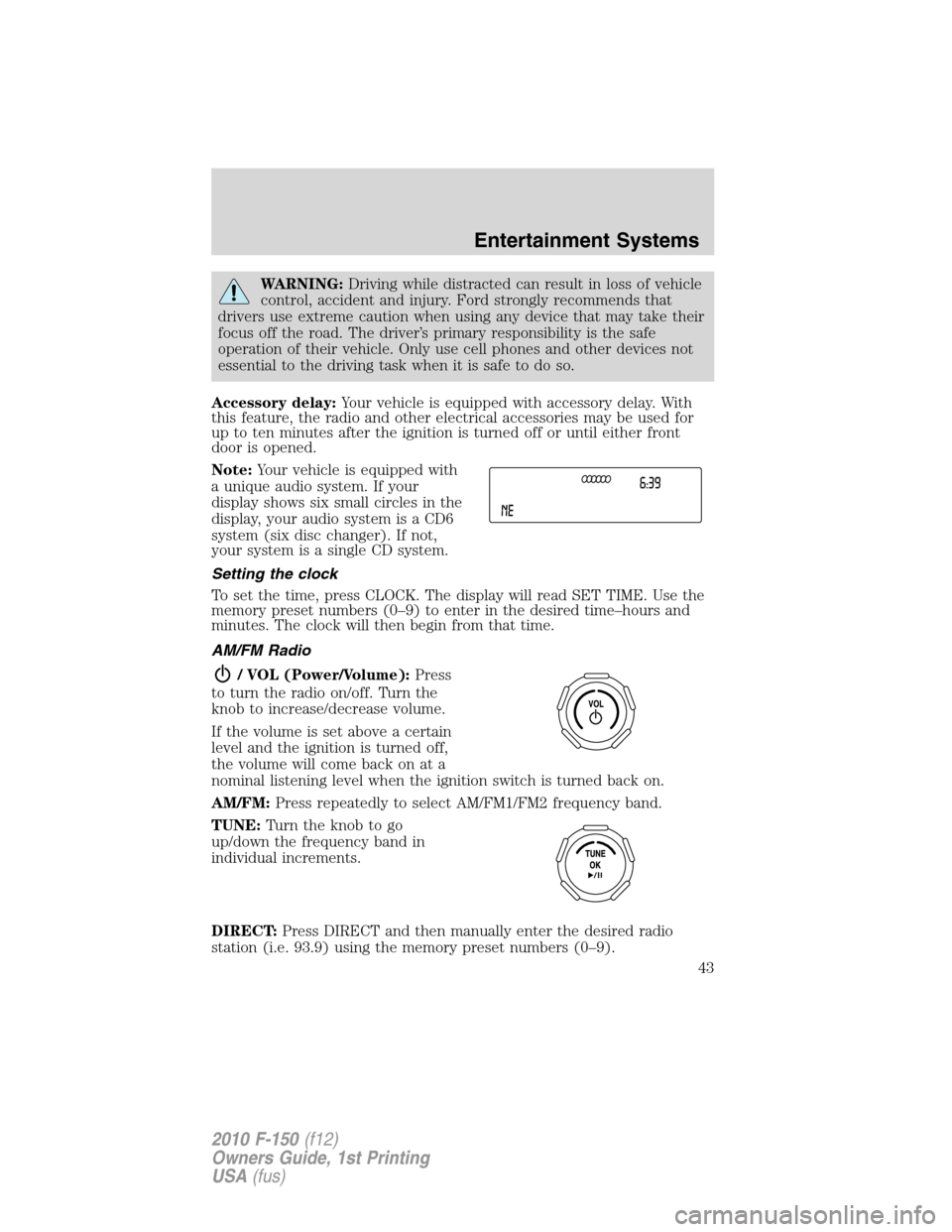
Note:Your vehicle is equipped with
a unique audio system. If your
display shows six small circles in the
display, your audio system is a CD6
system (six disc changer). If not,
your system is a single CD system.
Setting the clock
To set the time, press CLOCK. The display will read SET TIME. Use the
memory preset numbers (0–9) to enter in the desired time–hours and
minutes. The clock will then begin from that time.
AM/FM Radio
/ VOL (Power/Volume):Press
to turn the radio on/off. Turn the
knob to increase/decrease volume.
If the volume is set above a certain
level and the ignition is turned off,
the volume will come back on at a
nominal listening level when the ignition switch is turned back on.
AM/FM:Press repeatedly to select AM/FM1/FM2 frequency band.
TUNE:Turn the knob to go
up/down the frequency band in
individual increments.
DIRECT:Press DIRECT and then manually enter the desired radio
station (i.e. 93.9) using the memory preset numbers (0–9).
Entertainment Systems
43
2010 F-150(f12)
Owners Guide, 1st Printing
USA(fus)
Page 49 of 419
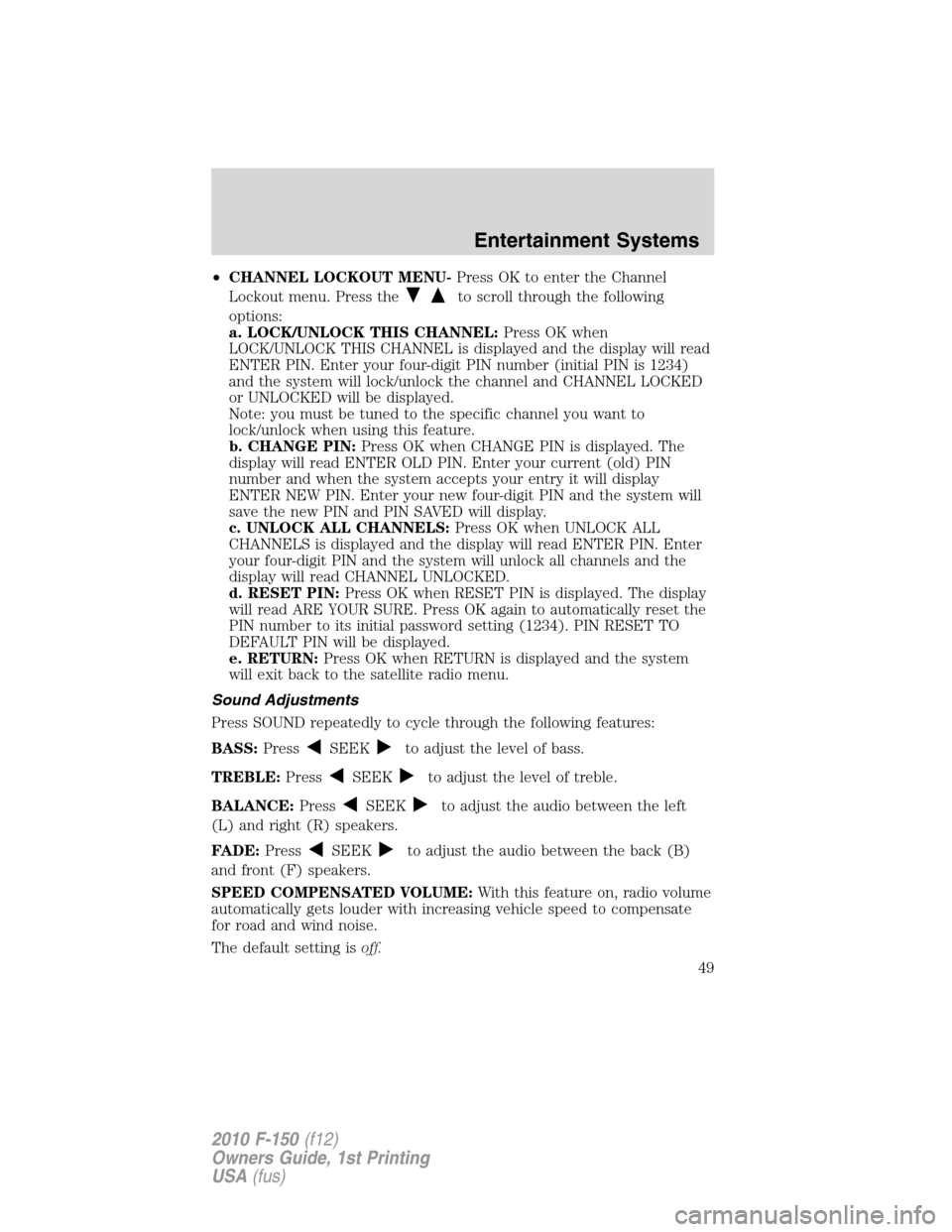
•CHANNEL LOCKOUT MENU-Press OK to enter the Channel
Lockout menu. Press the
to scroll through the following
options:
a. LOCK/UNLOCK THIS CHANNEL:Press OK when
LOCK/UNLOCK THIS CHANNEL is displayed and the display will read
ENTER PIN. Enter your four-digit PIN number (initial PIN is 1234)
and the system will lock/unlock the channel and CHANNEL LOCKED
or UNLOCKED will be displayed.
Note: you must be tuned to the specific channel you want to
lock/unlock when using this feature.
b. CHANGE PIN:Press OK when CHANGE PIN is displayed. The
display will read ENTER OLD PIN. Enter your current (old) PIN
number and when the system accepts your entry it will display
ENTER NEW PIN. Enter your new four-digit PIN and the system will
save the new PIN and PIN SAVED will display.
c. UNLOCK ALL CHANNELS:Press OK when UNLOCK ALL
CHANNELS is displayed and the display will read ENTER PIN. Enter
your four-digit PIN and the system will unlock all channels and the
display will read CHANNEL UNLOCKED.
d. RESET PIN:Press OK when RESET PIN is displayed. The display
will read ARE YOUR SURE. Press OK again to automatically reset the
PIN number to its initial password setting (1234). PIN RESET TO
DEFAULT PIN will be displayed.
e. RETURN:Press OK when RETURN is displayed and the system
will exit back to the satellite radio menu.
Sound Adjustments
Press SOUND repeatedly to cycle through the following features:
BASS:Press
SEEKto adjust the level of bass.
TREBLE:Press
SEEKto adjust the level of treble.
BALANCE:Press
SEEKto adjust the audio between the left
(L) and right (R) speakers.
FADE:Press
SEEKto adjust the audio between the back (B)
and front (F) speakers.
SPEED COMPENSATED VOLUME:With this feature on, radio volume
automatically gets louder with increasing vehicle speed to compensate
for road and wind noise.
The default setting isoff.
Entertainment Systems
49
2010 F-150(f12)
Owners Guide, 1st Printing
USA(fus)
Page 58 of 419
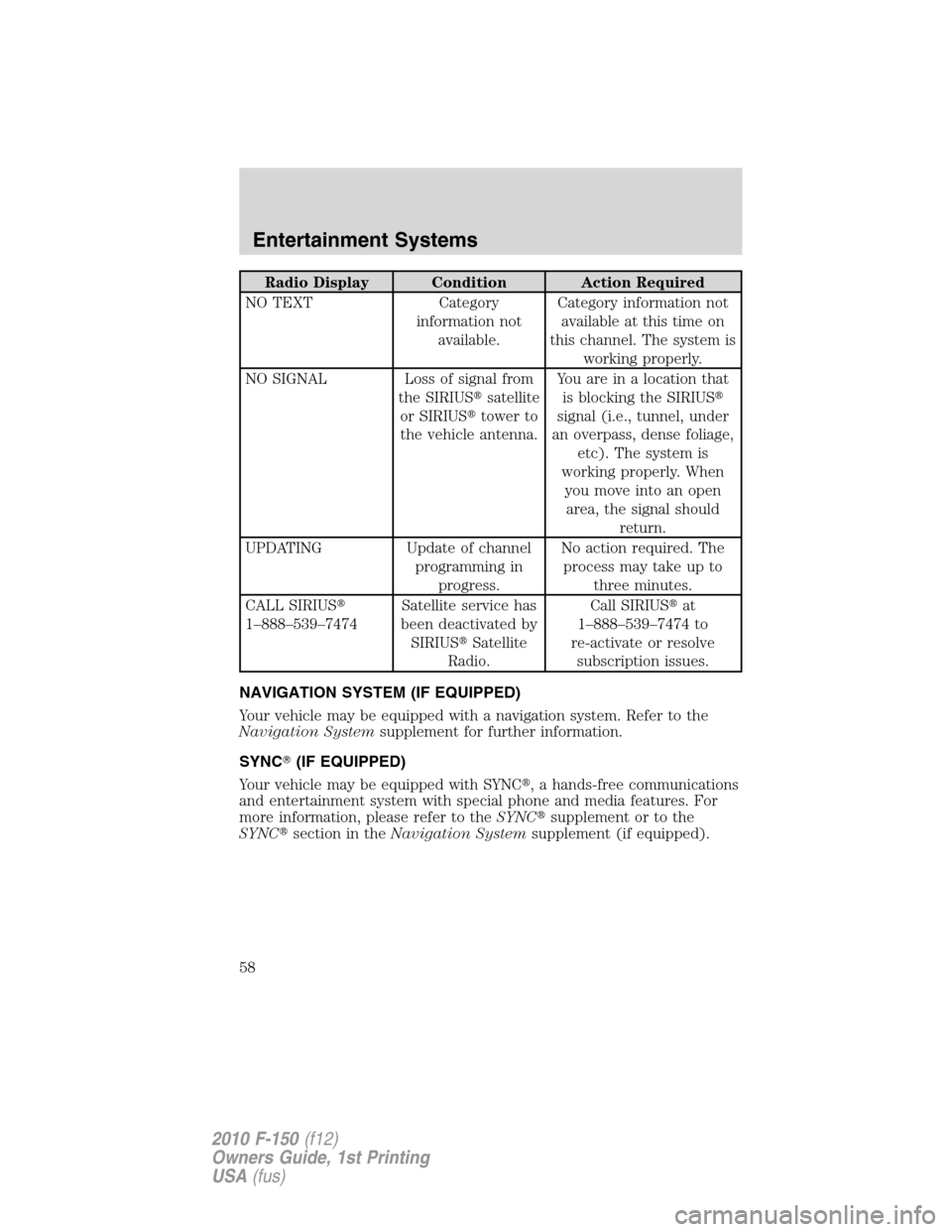
Radio Display Condition Action Required
NO TEXT Category
information not
available.Category information not
available at this time on
this channel. The system is
working properly.
NO SIGNAL Loss of signal from
the SIRIUS�satellite
or SIRIUS�tower to
the vehicle antenna.Youareinalocationthat
is blocking the SIRIUS�
signal (i.e., tunnel, under
an overpass, dense foliage,
etc). The system is
working properly. When
you move into an open
area, the signal should
return.
UPDATING Update of channel
programming in
progress.No action required. The
process may take up to
three minutes.
CALL SIRIUS�
1–888–539–7474Satellite service has
been deactivated by
SIRIUS�Satellite
Radio.Call SIRIUS�at
1–888–539–7474 to
re-activate or resolve
subscription issues.
NAVIGATION SYSTEM (IF EQUIPPED)
Your vehicle may be equipped with a navigation system. Refer to the
Navigation Systemsupplement for further information.
SYNC�(IF EQUIPPED)
Your vehicle may be equipped with SYNC�, a hands-free communications
and entertainment system with special phone and media features. For
more information, please refer to theSYNC�supplement or to the
SYNC�section in theNavigation Systemsupplement (if equipped).
Entertainment Systems
58
2010 F-150(f12)
Owners Guide, 1st Printing
USA(fus)
Page 72 of 419

HEADLAMP CONTROL
Rotate the headlamp control
clockwise to the first position
to
turn on the parking lamps.
Rotate clockwise to the second
position
to also turn on the
headlamps.
Autolamp control (if equipped)
The autolamp system provides light
sensitive automatic on-off control of
the exterior lights normally
controlled by the headlamp control.
The autolamp system also keeps the
lights on for approximately
20 seconds or, on vehicles equipped
with a message center, you can
select a delay from 0–180 seconds,
after the ignition switch is turned to
off.
•To turn autolamps on, rotate the control to
.
•To turn autolamps off, rotate the control to
.
If your vehicle is not equipped with a message center, then the auto
lamps can be programmed manually by:
1. Start with the ignition in off and the autolamps
selected.
2. Turn off the autolamps by turning the headlamp switch to
.
3. Turn the ignition to on.
4. Turn the ignition to off.
5. Select the autolamps by turning the headlamp switch to
.
Steps 2 through 5 must be performed within a 10 second period. At
this point, the headlamps and park lamps will turn on.
6. Deselect the autolamps after the desired autolamp delay time
(maximum of three minutes).
Lights
72
2010 F-150(f12)
Owners Guide, 1st Printing
USA(fus)
Page 75 of 419

Vertical aim adjustment
1. Park the vehicle directly in front of a wall or screen on a level surface,
approximately 25 feet (7.6 meters) away.
•(1) 8 feet (2.4 meters)
•(2) Center height of lamp to
ground
•(3) 25 feet (7.6 meters)
•(4) Horizontal reference line
2. Measure the height from the
center of your headlamp (indicated
by a 3.0 mm circle on the lens) to
the ground and mark an 8 foot
(2.4 meter) horizontal reference line
on the vertical wall or screen at this height (a piece of masking tape
works well).
3. Turn on the low beam headlamps to illuminate the wall or screen and
open the hood. Cover one of the headlamps so no light hits the wall.
4. On the wall or screen you will
observe a light pattern with a
distinct horizontal edge towards the
right. If this edge is not at the
horizontal reference line, the beam will need to be adjusted so the edge
is at the same height as the horizontal reference line.
5. Locate the vertical adjuster on
each headlamp, then use a P2
Philips screwdriver to turn the
adjuster either counterclockwise (to
adjust down) or clockwise (to adjust
up) aligning the upper edge of the
light pattern up to the horizontal
line.
6. HORIZONTAL AIM IS NOT
REQUIRED FOR THIS VEHICLE
AND IS NON-ADJUSTABLE.
7. Repeat Steps 3–5 for the other headlamp.
8. Close the hood and turn off the lamps.
Lights
75
2010 F-150(f12)
Owners Guide, 1st Printing
USA(fus)