Page 105 of 404
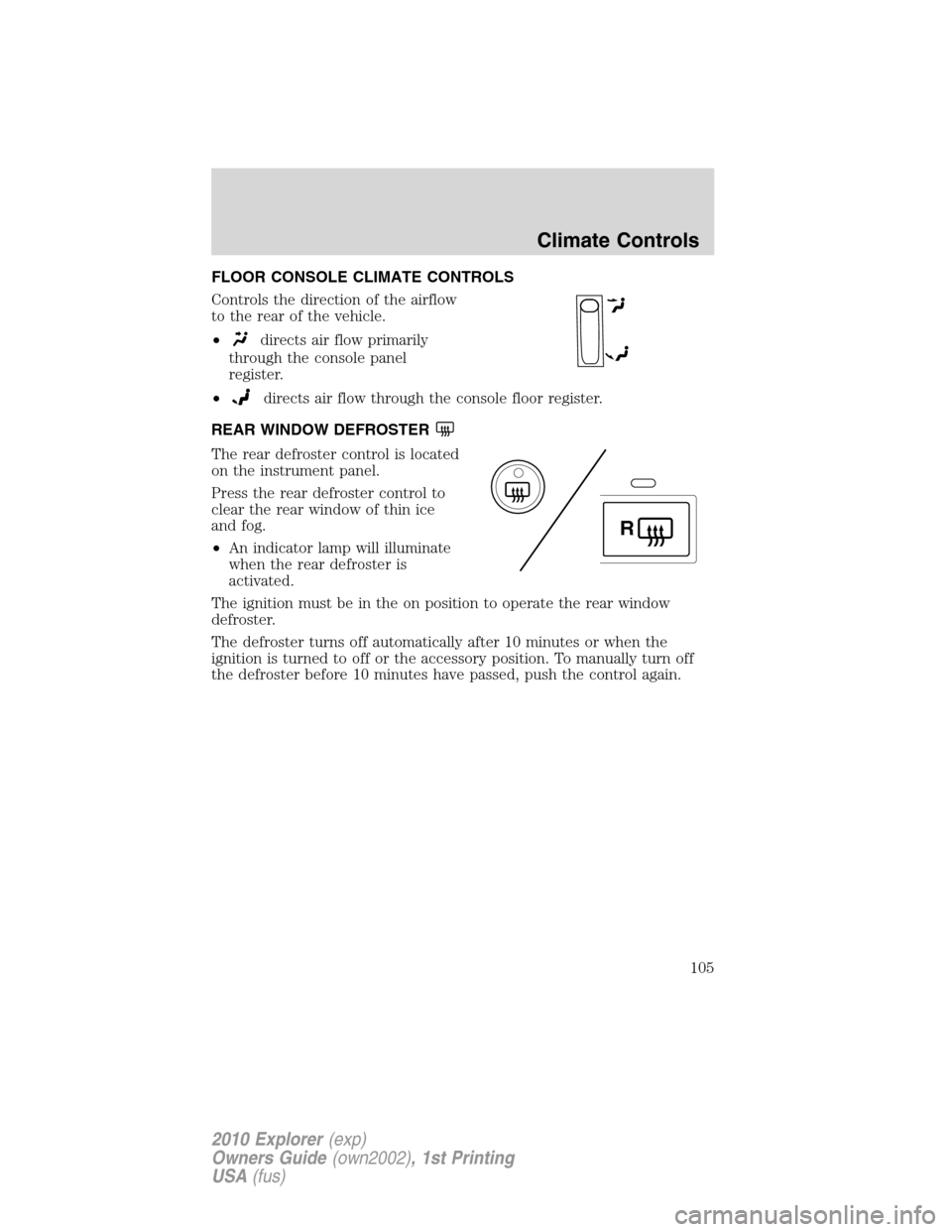
FLOOR CONSOLE CLIMATE CONTROLS
Controls the direction of the airflow
to the rear of the vehicle.
•
directs air flow primarily
through the console panel
register.
•
directs air flow through the console floor register.
REAR WINDOW DEFROSTER
The rear defroster control is located
on the instrument panel.
Press the rear defroster control to
clear the rear window of thin ice
and fog.
•An indicator lamp will illuminate
when the rear defroster is
activated.
The ignition must be in the on position to operate the rear window
defroster.
The defroster turns off automatically after 10 minutes or when the
ignition is turned to off or the accessory position. To manually turn off
the defroster before 10 minutes have passed, push the control again.
R
Climate Controls
105
2010 Explorer(exp)
Owners Guide(own2002), 1st Printing
USA(fus)
Page 107 of 404

Fog lamp control
The fog lamps can be turned on
only when the headlamp control is
in the
,orposition and
the high beams are not turned on.
Pull headlamp control towards you
to turn fog lamps on. The fog lamp
indicator light below the
icon
will illuminate when fog lamp is
activated.
Push the headlamp control towards
the instrument panel to deactivate the fog lamps.
Daytime running lamps (DRL) (if equipped)
To activate DRL:
•the ignition must be in the on position and
•the headlamp control is in the
orposition
•the transmission is not in P (Park).
WARNING:Always remember to turn on your headlamps at
dusk or during inclement weather. The Daytime Running Light
(DRL) System does not activate your tail lamps and generally may not
provide adequate lighting during these conditions. Failure to activate
your headlamps under these conditions may result in a collision.
High beams
Push the lever toward the
instrument panel to activate. Pull
the lever towards you to deactivate.
Lights
107
2010 Explorer(exp)
Owners Guide(own2002), 1st Printing
USA(fus)
Page 110 of 404
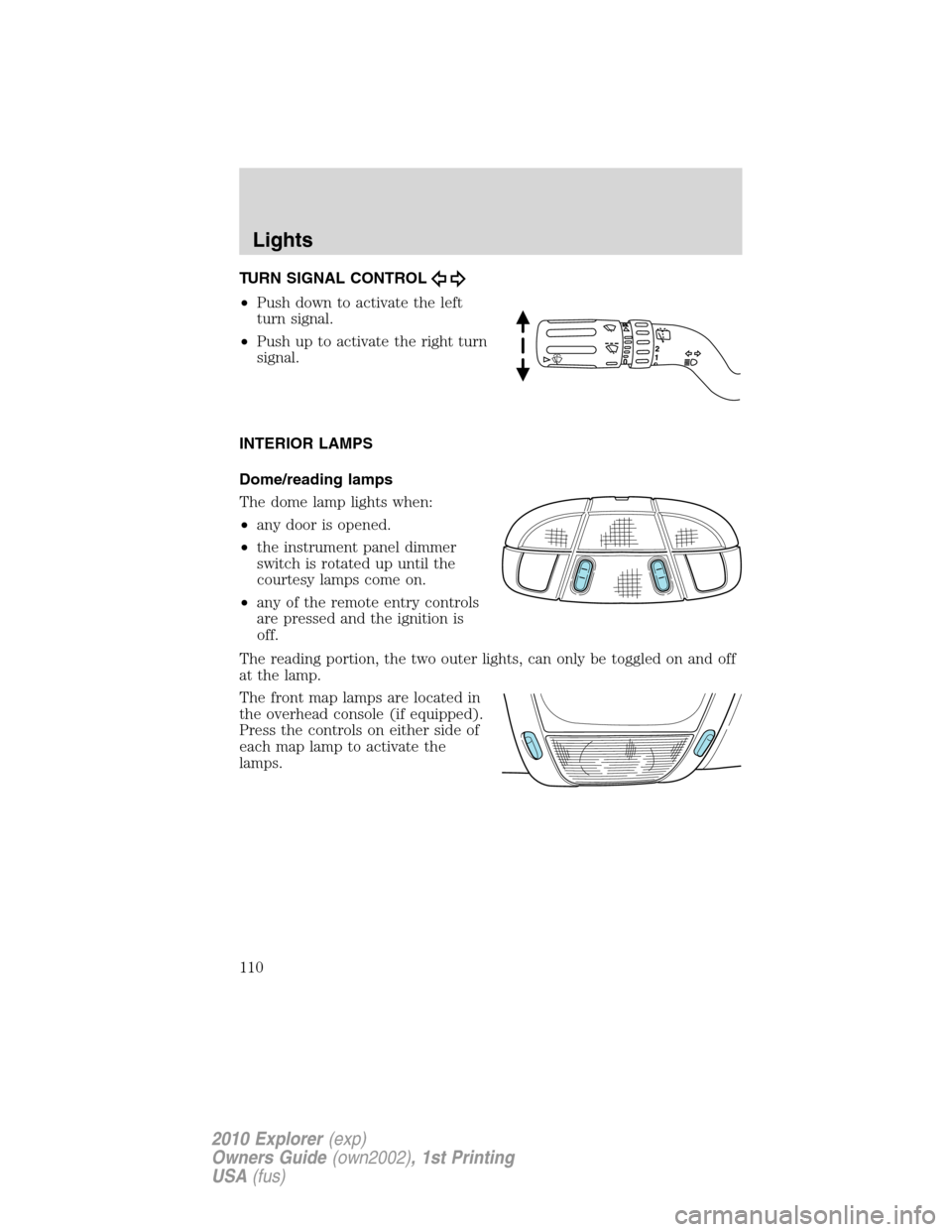
TURN SIGNAL CONTROL
•Push down to activate the left
turn signal.
•Push up to activate the right turn
signal.
INTERIOR LAMPS
Dome/reading lamps
The dome lamp lights when:
•any door is opened.
•the instrument panel dimmer
switch is rotated up until the
courtesy lamps come on.
•any of the remote entry controls
are pressed and the ignition is
off.
The reading portion, the two outer lights, can only be toggled on and off
at the lamp.
The front map lamps are located in
the overhead console (if equipped).
Press the controls on either side of
each map lamp to activate the
lamps.
Lights
110
2010 Explorer(exp)
Owners Guide(own2002), 1st Printing
USA(fus)
Page 123 of 404
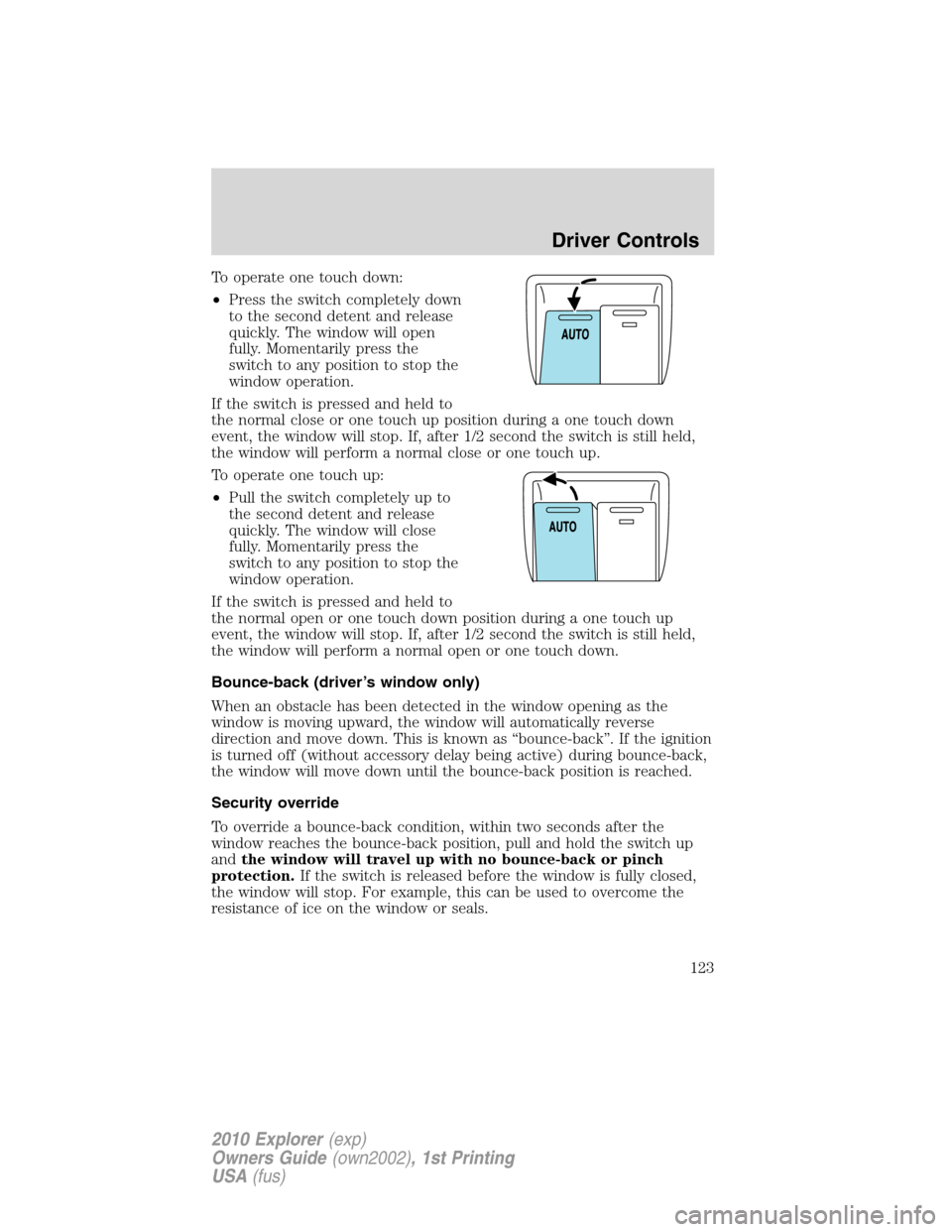
To operate one touch down:
•Press the switch completely down
to the second detent and release
quickly. The window will open
fully. Momentarily press the
switch to any position to stop the
window operation.
If the switch is pressed and held to
the normal close or one touch up position during a one touch down
event, the window will stop. If, after 1/2 second the switch is still held,
the window will perform a normal close or one touch up.
To operate one touch up:
•Pull the switch completely up to
the second detent and release
quickly. The window will close
fully. Momentarily press the
switch to any position to stop the
window operation.
If the switch is pressed and held to
the normal open or one touch down position during a one touch up
event, the window will stop. If, after 1/2 second the switch is still held,
the window will perform a normal open or one touch down.
Bounce-back (driver’s window only)
When an obstacle has been detected in the window opening as the
window is moving upward, the window will automatically reverse
direction and move down. This is known as “bounce-back”. If the ignition
is turned off (without accessory delay being active) during bounce-back,
the window will move down until the bounce-back position is reached.
Security override
To override a bounce-back condition, within two seconds after the
window reaches the bounce-back position, pull and hold the switch up
andthe window will travel up with no bounce-back or pinch
protection.If the switch is released before the window is fully closed,
the window will stop. For example, this can be used to overcome the
resistance of ice on the window or seals.
Driver Controls
123
2010 Explorer(exp)
Owners Guide(own2002), 1st Printing
USA(fus)
Page 124 of 404

Window lock
The window lock feature allows only
the driver to operate the power
windows.
To lock out all the window controls
(except for the driver’s) press the
right side of the control. Press the
left side to restore the window
controls.
Accessory delay
With accessory delay, the audio system, power windows and moon roof
(if equipped) operate for up to 10 minutes after the ignition switch is
turned from the on to the off position or until either front door is
opened.
INTERIOR MIRROR
The interior rear view mirror has two pivot points on the support arm
which lets you adjust the mirror up or down and from side to side.
WARNING:Do not adjust the mirror while the vehicle is in
motion.
Automatic dimming interior rear view mirror (if equipped)
Your vehicle may be equipped with an interior rear view mirror which
has an auto-dimming function. The electronic day/night mirror will
change from the normal (high reflective) state to the non-glare
(darkened) state when bright lights (glare) reach the mirror. When the
mirror detects bright light from behind the vehicle, it will automatically
adjust (darken) to minimize glare.
The mirror will automatically return to the normal state whenever the
vehicle is placed in R (Reverse) to ensure a bright clear view when
backing up.
Do not block the sensors on the front and back of the interior
rear view mirror since this may impair proper mirror
performance.
Do not clean the housing or glass of any mirror with harsh
abrasives, fuel or other petroleum-based cleaning products.
Driver Controls
124
2010 Explorer(exp)
Owners Guide(own2002), 1st Printing
USA(fus)
Page 125 of 404
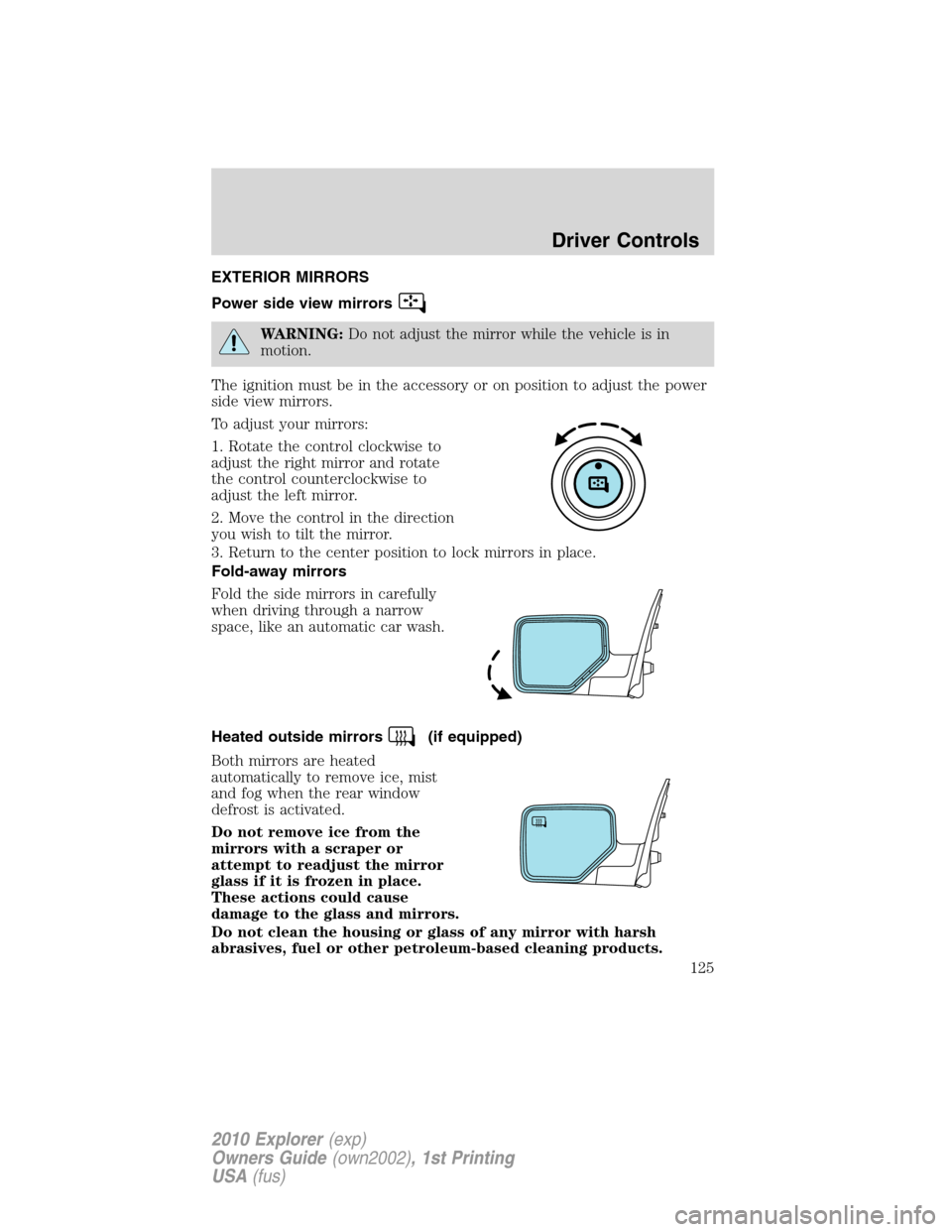
EXTERIOR MIRRORS
Power side view mirrors
WARNING:Do not adjust the mirror while the vehicle is in
motion.
The ignition must be in the accessory or on position to adjust the power
side view mirrors.
To adjust your mirrors:
1. Rotate the control clockwise to
adjust the right mirror and rotate
the control counterclockwise to
adjust the left mirror.
2. Move the control in the direction
you wish to tilt the mirror.
3. Return to the center position to lock mirrors in place.
Fold-away mirrors
Fold the side mirrors in carefully
when driving through a narrow
space, like an automatic car wash.
Heated outside mirrors
(if equipped)
Both mirrors are heated
automatically to remove ice, mist
and fog when the rear window
defrost is activated.
Do not remove ice from the
mirrors with a scraper or
attempt to readjust the mirror
glass if it is frozen in place.
These actions could cause
damage to the glass and mirrors.
Do not clean the housing or glass of any mirror with harsh
abrasives, fuel or other petroleum-based cleaning products.
Driver Controls
125
2010 Explorer(exp)
Owners Guide(own2002), 1st Printing
USA(fus)
Page 130 of 404
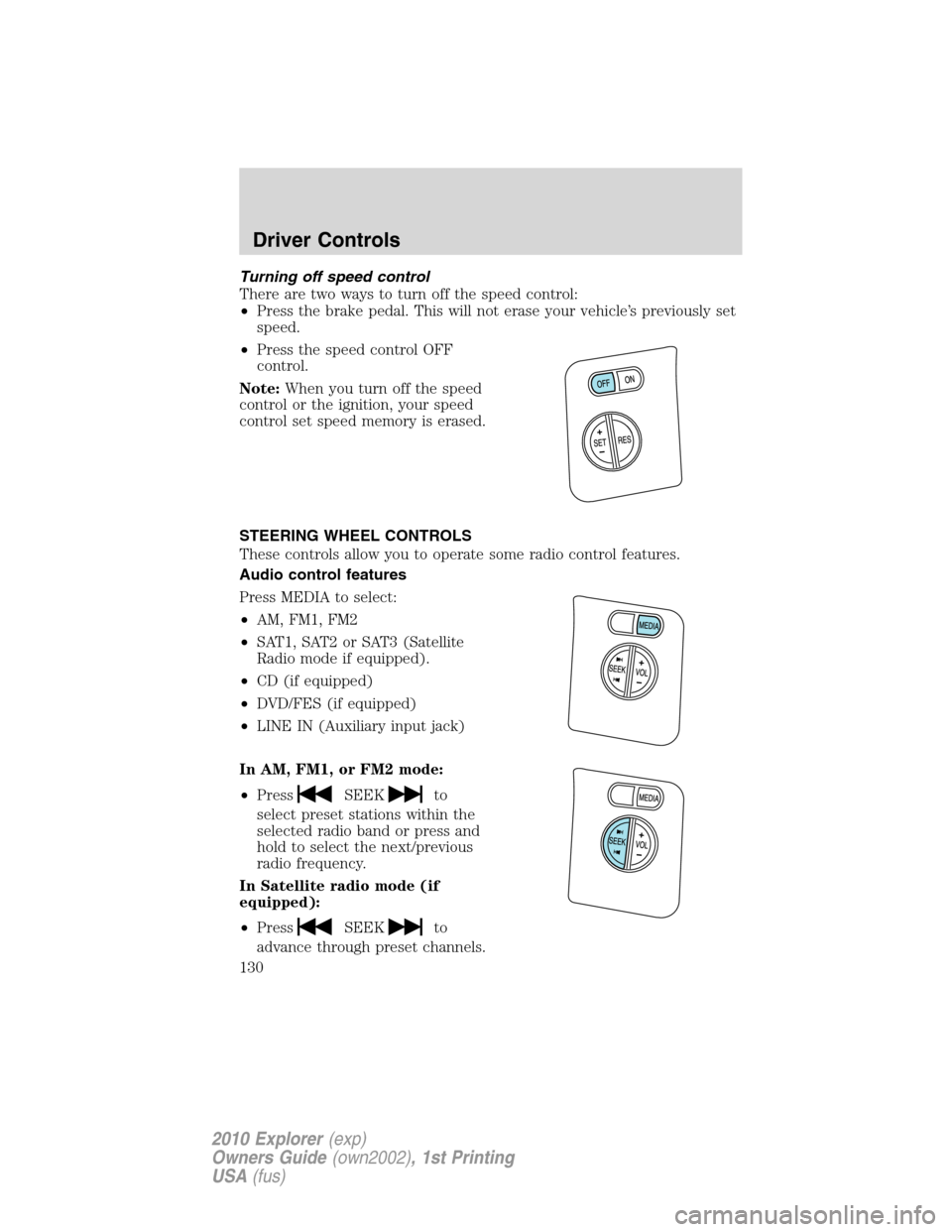
Turning off speed control
There are two ways to turn off the speed control:
•Press the brake pedal. This will not erase your vehicle’s previously set
speed.
•Press the speed control OFF
control.
Note:When you turn off the speed
control or the ignition, your speed
control set speed memory is erased.
STEERING WHEEL CONTROLS
These controls allow you to operate some radio control features.
Audio control features
Press MEDIA to select:
•AM, FM1, FM2
•SAT1, SAT2 or SAT3 (Satellite
Radio mode if equipped).
•CD (if equipped)
•DVD/FES (if equipped)
•LINE IN (Auxiliary input jack)
In AM, FM1, or FM2 mode:
•Press
SEEKto
select preset stations within the
selected radio band or press and
hold to select the next/previous
radio frequency.
In Satellite radio mode (if
equipped):
•Press
SEEKto
advance through preset channels.
Driver Controls
130
2010 Explorer(exp)
Owners Guide(own2002), 1st Printing
USA(fus)
Page 133 of 404
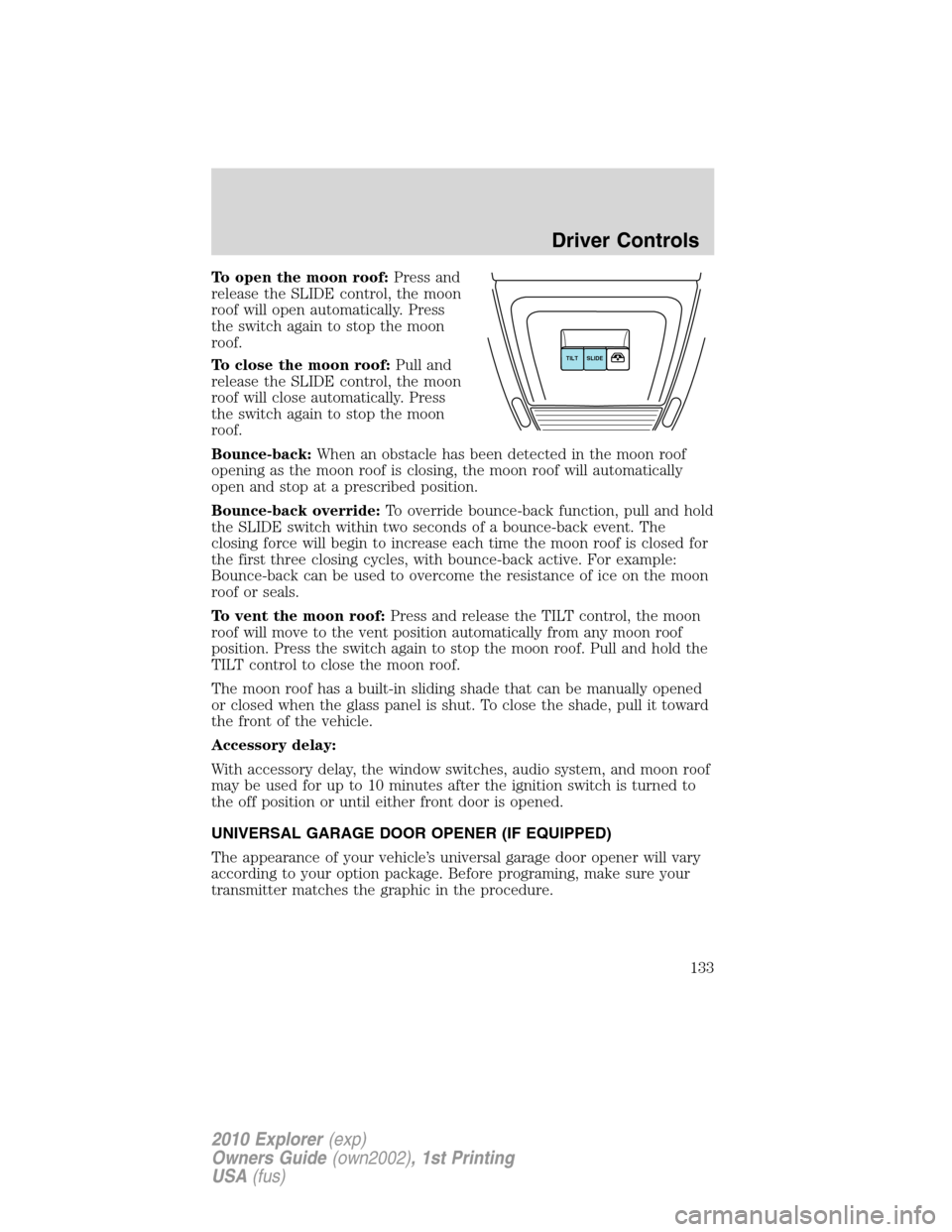
To open the moon roof:Press and
release the SLIDE control, the moon
roof will open automatically. Press
the switch again to stop the moon
roof.
To close the moon roof:Pull and
release the SLIDE control, the moon
roof will close automatically. Press
the switch again to stop the moon
roof.
Bounce-back:When an obstacle has been detected in the moon roof
opening as the moon roof is closing, the moon roof will automatically
open and stop at a prescribed position.
Bounce-back override:To override bounce-back function, pull and hold
the SLIDE switch within two seconds of a bounce-back event. The
closing force will begin to increase each time the moon roof is closed for
the first three closing cycles, with bounce-back active. For example:
Bounce-back can be used to overcome the resistance of ice on the moon
roof or seals.
To vent the moon roof:Press and release the TILT control, the moon
roof will move to the vent position automatically from any moon roof
position. Press the switch again to stop the moon roof. Pull and hold the
TILT control to close the moon roof.
The moon roof has a built-in sliding shade that can be manually opened
or closed when the glass panel is shut. To close the shade, pull it toward
the front of the vehicle.
Accessory delay:
With accessory delay, the window switches, audio system, and moon roof
may be used for up to 10 minutes after the ignition switch is turned to
the off position or until either front door is opened.
UNIVERSAL GARAGE DOOR OPENER (IF EQUIPPED)
The appearance of your vehicle’s universal garage door opener will vary
according to your option package. Before programing, make sure your
transmitter matches the graphic in the procedure.
SLIDE TILT
Driver Controls
133
2010 Explorer(exp)
Owners Guide(own2002), 1st Printing
USA(fus)