2010 FORD EXPEDITION ignition
[x] Cancel search: ignitionPage 24 of 420
OIL LIFE
This displays the remaining oil life.
An oil change is required whenever indicated by the message center and
according to the recommended maintenance schedule. USE ONLY
RECOMMENDED ENGINE OILS.
To reset the oil monitoring system to 100% after each oil change
(approximately 7,500 miles [12,000 km] or 12 months) perform the
following:
1. Press and release the SELECT/RESET stem to display “OIL LIFE
XXX% HOLD RESET = NEW”.
2. Press and hold the SELECT/RESET stem for two seconds and release
to reset the oil life to 100%.
Note:To change oil life 100% miles value from 7,500 miles (12,000 km)
or 12 months to another value, proceed to Step 3.
3. Once “OIL LIFE SET TO XXX%” is displayed, release and press the
SELECT/RESET stem to change the Oil Life Start Value. Each release
and press will reduce the value by 10%.
Note:Oil life start value of 100% equals 7,500 miles (12,000 km) or
12 months. For example, setting oil life start value to 60% sets the oil
life start value to 4,500 miles (7,200 km) and 219 days.
UNITS ENG / METRIC
Displays the current units English or Metric.
Press and hold the SELECT/RESET stem to change from English to
Metric.
Press the SELECT/RESET stem for the next SETUP MENU item or wait
for more than four seconds to return to the INFO MENU.
AUTOLAMP
This feature keeps your headlights on for up to three minutes after the
ignition is switched off.
Press the RESET control to select the new Autolamp delay values of 0,
10, 20, 30, 60, 90, 120 or 180 seconds.
AUTOLOCK
This feature automatically locks all vehicle doors when the vehicle is
shifted into any gear, putting the vehicle in motion.
Press the RESET control to turn autolock on or off.
Instrument Cluster
24
2010 Expedition(exd)
Owners Guide(own2002), 1st Printing
USA(fus)
Page 25 of 420

AUTOUNLOCK
This feature automatically unlocks all vehicle doors when the driver’s
door is opened within 10 minutes of the ignition being turned off.
Press the RESET control to turn autounlock on or off.
TRAILER SWAY (if equipped)
This feature uses the electronic stability control to mitigate trailer sway,
Press the RESET control to turn trailer sway on or off.
CREATE MYKEY / MYKEY SETUP / CLEAR MYKEY
For more information refer toMyKey™in theLocks and Security
chapter.
LANGUAGE = ENGLISH / SPANISH / FRENCH
Allows you to choose which language the message center will display in.
Selectable languages are English, Spanish, or French.
Note:When entering the SETUP MENU and a non-English language has
been selected, “PRESS RESET FOR ENGLISH” will be displayed to
change back to English.
Press and hold the SELECT/RESET stem to select a new language.
Selectable languages are English, Spanish and French
Press and hold the RESET button for two seconds to set the language
choice.
Press the SELECT/RESET stem for the next SETUP MENU item or wait
for more than four seconds to return to the INFO MENU.
System warnings
System warnings alert you to possible problems or malfunctions in your
vehicle’s operating systems.
In the event of a multiple warning situation, the message center will
cycle the display to show all warnings by displaying each one for four
seconds.
The message center will display the last selected feature if there are no
more warning messages.
Types of messages and warnings:
•Some messages will appear briefly to inform you of something you
may need to take action on or be informed of.
•Some messages will appear once and then again when the vehicle is
restarted.
Instrument Cluster
25
2010 Expedition(exd)
Owners Guide(own2002), 1st Printing
USA(fus)
Page 29 of 420
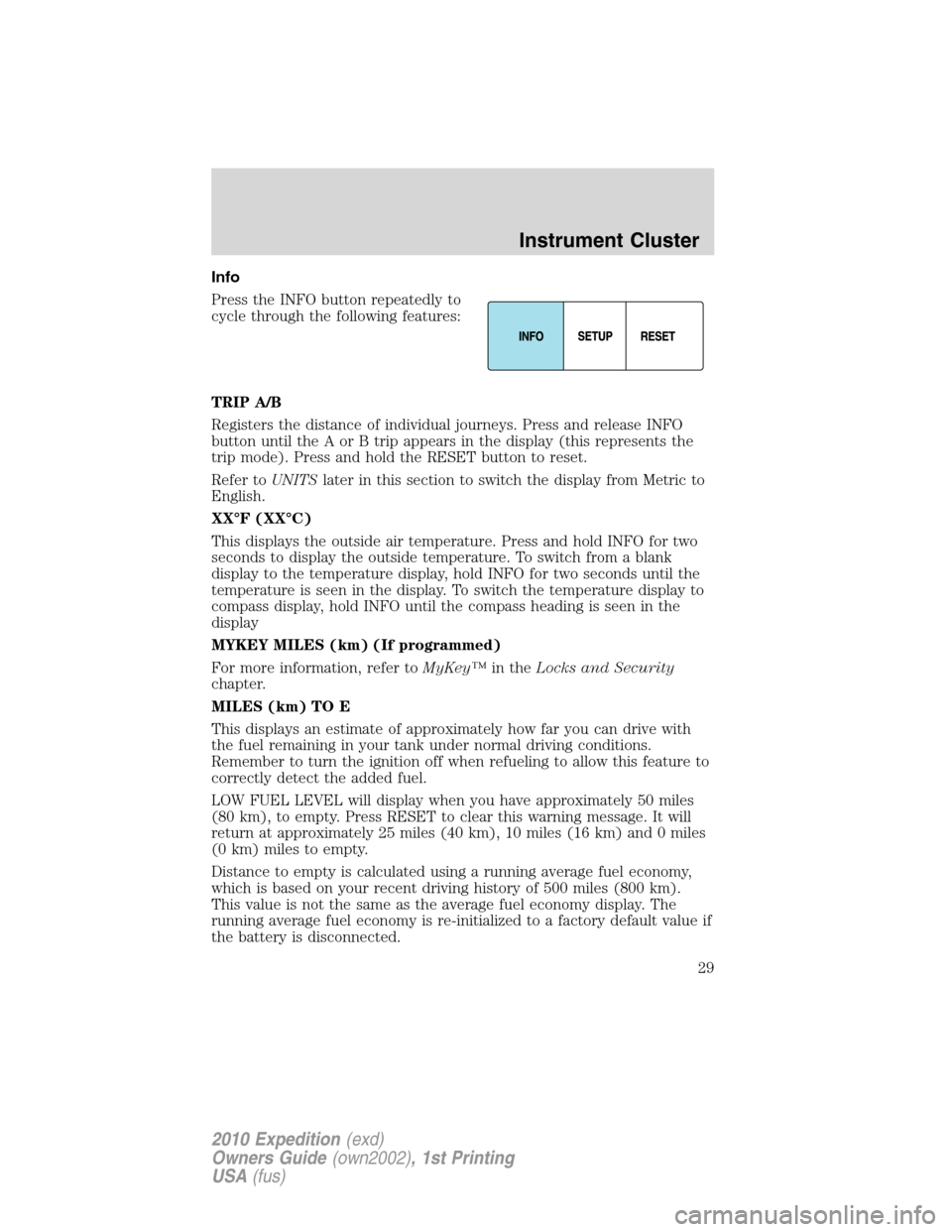
Info
Press the INFO button repeatedly to
cycle through the following features:
TRIP A/B
Registers the distance of individual journeys. Press and release INFO
button until the A or B trip appears in the display (this represents the
trip mode). Press and hold the RESET button to reset.
Refer toUNITSlater in this section to switch the display from Metric to
English.
XX°F (XX°C)
This displays the outside air temperature. Press and hold INFO for two
seconds to display the outside temperature. To switch from a blank
display to the temperature display, hold INFO for two seconds until the
temperature is seen in the display. To switch the temperature display to
compass display, hold INFO until the compass heading is seen in the
display
MYKEY MILES (km) (If programmed)
For more information, refer toMyKey™in theLocks and Security
chapter.
MILES (km) TO E
This displays an estimate of approximately how far you can drive with
the fuel remaining in your tank under normal driving conditions.
Remember to turn the ignition off when refueling to allow this feature to
correctly detect the added fuel.
LOW FUEL LEVEL will display when you have approximately 50 miles
(80 km), to empty. Press RESET to clear this warning message. It will
return at approximately 25 miles (40 km), 10 miles (16 km) and 0 miles
(0 km) miles to empty.
Distance to empty is calculated using a running average fuel economy,
which is based on your recent driving history of 500 miles (800 km).
This value is not the same as the average fuel economy display. The
running average fuel economy is re-initialized to a factory default value if
the battery is disconnected.
Instrument Cluster
29
2010 Expedition(exd)
Owners Guide(own2002), 1st Printing
USA(fus)
Page 32 of 420
Note:To change oil life 100% miles value from 7,500 miles (12,000 km)
or 12 months to another value, proceed to Step 3.
3. Once “OIL LIFE SET TO XXX%” is displayed, release and press the
RESET button to change the Oil Life Start Value. Each release and press
will reduce the value by 10%.
Note:Oil life start value of 100% equals 7,500 miles (12,000 km) or
12 months. For example, setting oil life start value to 60% sets the oil
life start value to 4,500 miles (7,200 km) and 219 days.
UNITS
Displays the current units English or Metric.
Press the RESET button to change from English to Metric.
AUTOLAMP (SEC)
This feature keeps your headlights on for up to three minutes after the
ignition is switched off.
Press the RESET button to select the new Autolamp delay values of 0,
10, 20, 30, 60, 90, 120 or 180 seconds.
PARK AID (if equipped)
This feature sounds a warning tone to warn the driver of obstacles near
the rear bumper, and functions only when R (Reverse) gear is selected.
To disable/enable park aid, press RESET when reaching this menu from
the setup sequence or put the vehicle in R (Reverse) and press RESET.
AIR SUSPENSION (if equipped)
Before disabling the air suspension, make sure the liftgate and liftgate
glass are in the closed position.
With the vehicle in P (Park), press RESET to turn the air suspension off
or on.
TRAILER SWAY (if equipped)
This feature uses the electronic stability control to mitigate trailer sway,
Press the RESET button to turn trailer sway on or off.
AUTOLOCK
This feature automatically locks all vehicle doors when the vehicle is
shifted into any gear, putting the vehicle in motion.
Press the RESET button to turn autolock on or off.
AUTOUNLOCK
This feature automatically unlocks all vehicle doors when the driver’s
door is opened within 10 minutes of the ignition being turned off.
Instrument Cluster
32
2010 Expedition(exd)
Owners Guide(own2002), 1st Printing
USA(fus)
Page 43 of 420
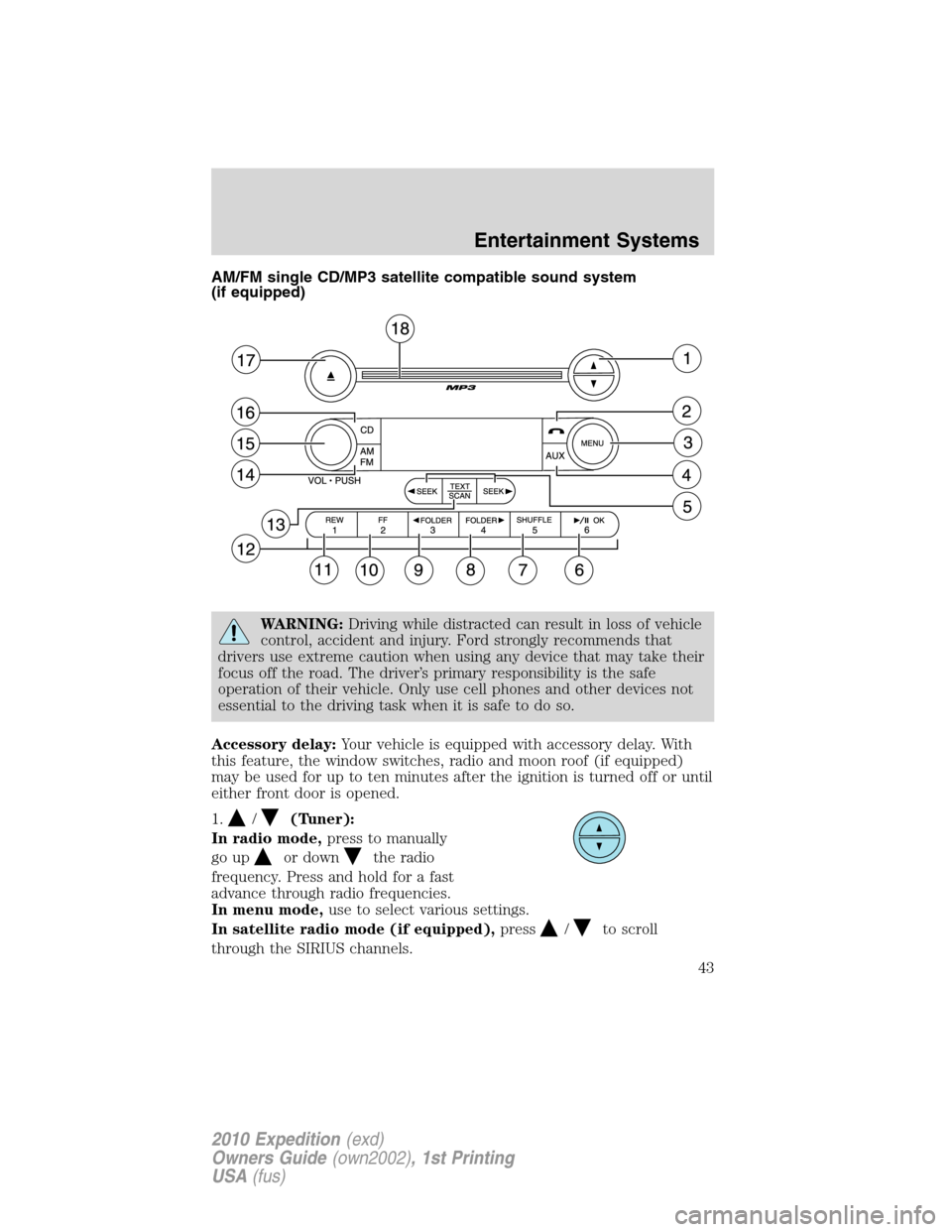
AM/FM single CD/MP3 satellite compatible sound system
(if equipped)
WARNING:Driving while distracted can result in loss of vehicle
control, accident and injury. Ford strongly recommends that
drivers use extreme caution when using any device that may take their
focus off the road. The driver’s primary responsibility is the safe
operation of their vehicle. Only use cell phones and other devices not
essential to the driving task when it is safe to do so.
Accessory delay:Your vehicle is equipped with accessory delay. With
this feature, the window switches, radio and moon roof (if equipped)
may be used for up to ten minutes after the ignition is turned off or until
either front door is opened.
1.
/(Tuner):
In radio mode,press to manually
go up
or downthe radio
frequency. Press and hold for a fast
advance through radio frequencies.
In menu mode,use to select various settings.
In satellite radio mode (if equipped),press
/to scroll
through the SIRIUS channels.
Entertainment Systems
43
2010 Expedition(exd)
Owners Guide(own2002), 1st Printing
USA(fus)
Page 50 of 420
In satellite radio mode (if equipped),press and release to enter
TEXT MODE and display the current song title. While in TEXT MODE,
press again to scroll through the current song title, artist, channel
category and the SIRIUS long channel name.
Press and hold to hear a brief sampling of the next channels. Press again
to stop.
In CATEGORY MODE,press SCAN to hear a brief sampling of the
channels in the selected category. Press again to stop.
Satellite radio is available only with a valid SIRIUS radio
subscription. Check with your authorized dealer for availability.
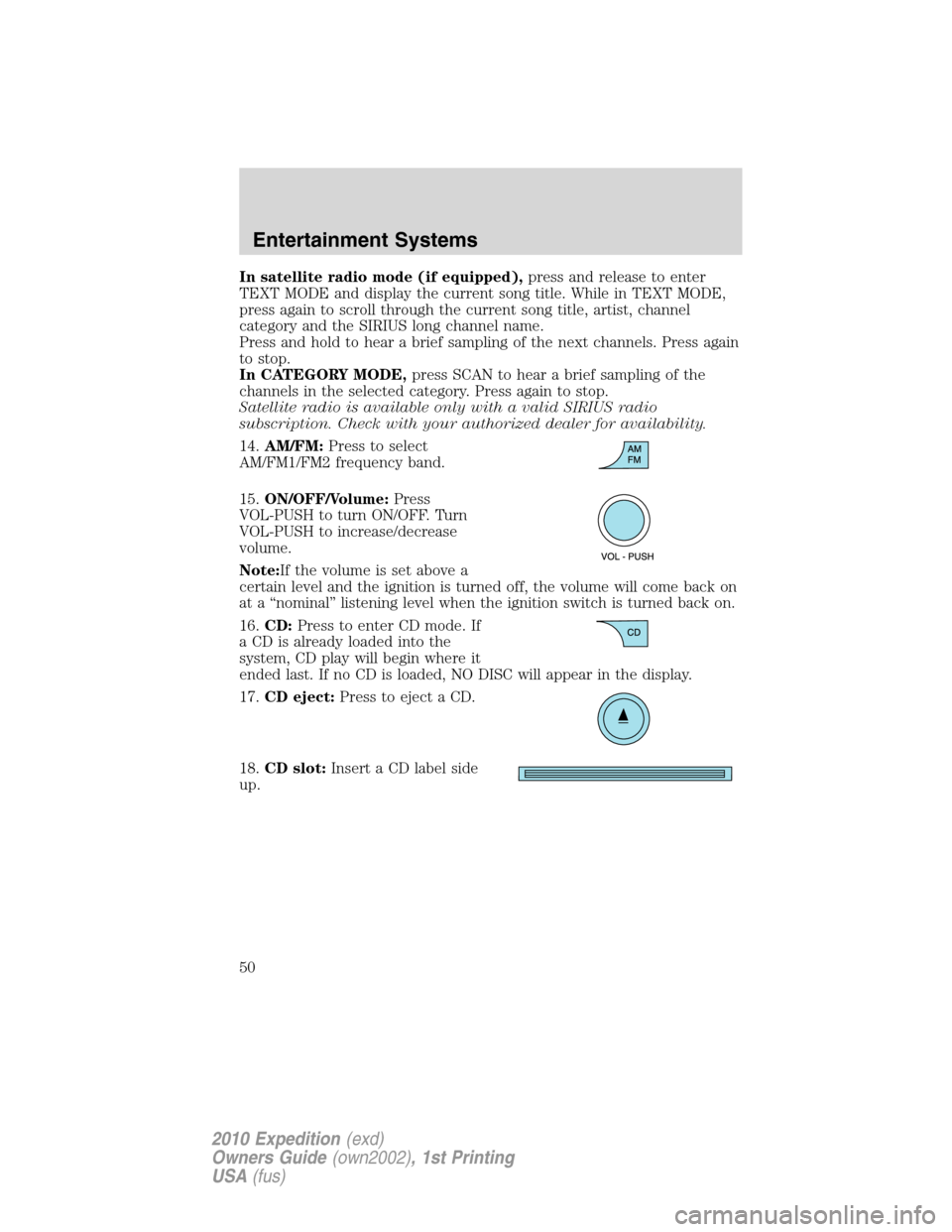
14.AM/FM:Press to select
AM/FM1/FM2 frequency band.
15.ON/OFF/Volume:Press
VOL-PUSH to turn ON/OFF. Turn
VOL-PUSH to increase/decrease
volume.
Note:If the volume is set above a
certain level and the ignition is turned off, the volume will come back on
at a “nominal” listening level when the ignition switch is turned back on.
16.CD:Press to enter CD mode. If
a CD is already loaded into the
system, CD play will begin where it
ended last. If no CD is loaded, NO DISC will appear in the display.
17.CD eject:Press to eject a CD.
18.CD slot:Insert a CD label side
up.
Entertainment Systems
50
2010 Expedition(exd)
Owners Guide(own2002), 1st Printing
USA(fus)
Page 51 of 420
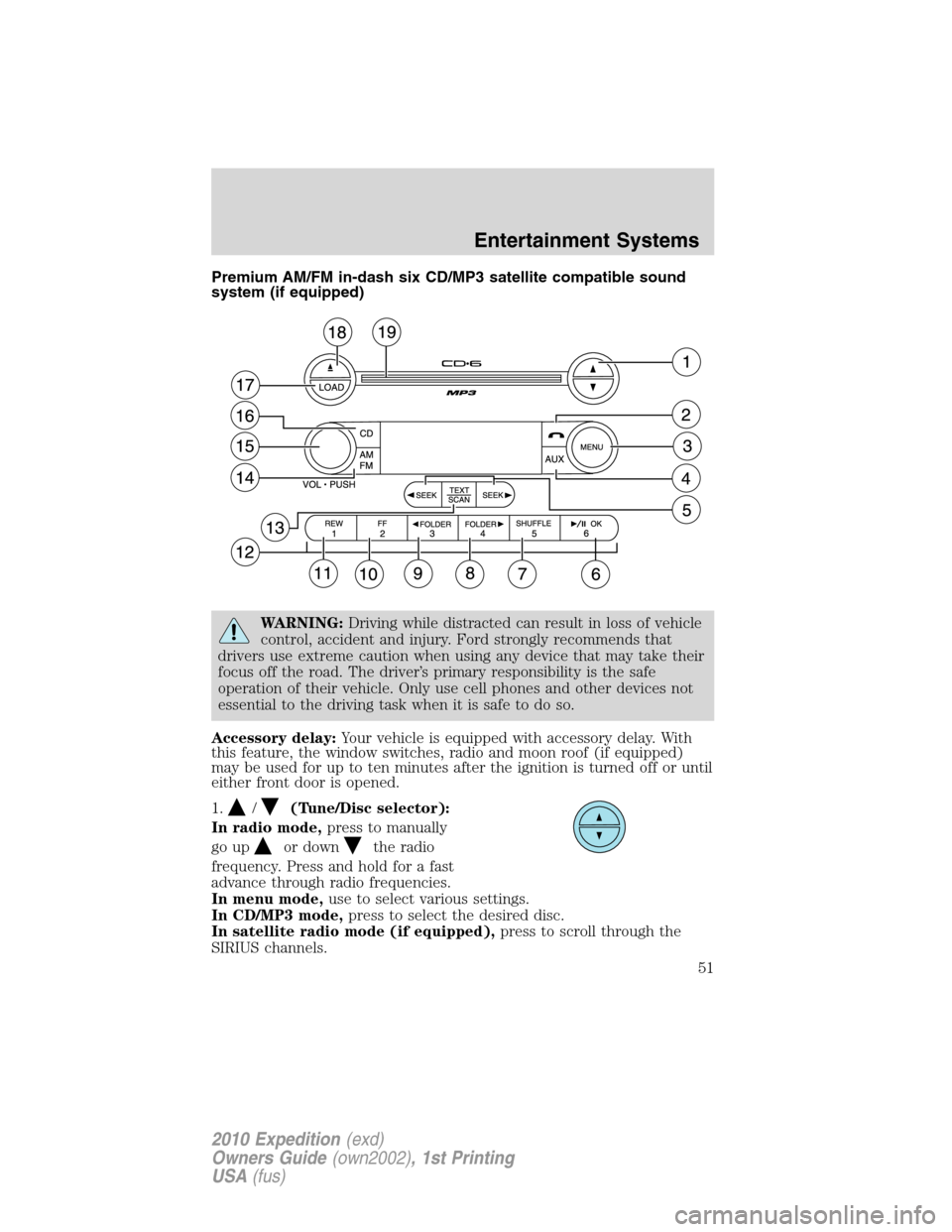
Premium AM/FM in-dash six CD/MP3 satellite compatible sound
system (if equipped)
WARNING:Driving while distracted can result in loss of vehicle
control, accident and injury. Ford strongly recommends that
drivers use extreme caution when using any device that may take their
focus off the road. The driver’s primary responsibility is the safe
operation of their vehicle. Only use cell phones and other devices not
essential to the driving task when it is safe to do so.
Accessory delay:Your vehicle is equipped with accessory delay. With
this feature, the window switches, radio and moon roof (if equipped)
may be used for up to ten minutes after the ignition is turned off or until
either front door is opened.
1.
/(Tune/Disc selector):
In radio mode,press to manually
go up
or downthe radio
frequency. Press and hold for a fast
advance through radio frequencies.
In menu mode,use to select various settings.
In CD/MP3 mode,press to select the desired disc.
In satellite radio mode (if equipped),press to scroll through the
SIRIUS channels.
Entertainment Systems
51
2010 Expedition(exd)
Owners Guide(own2002), 1st Printing
USA(fus)
Page 58 of 420
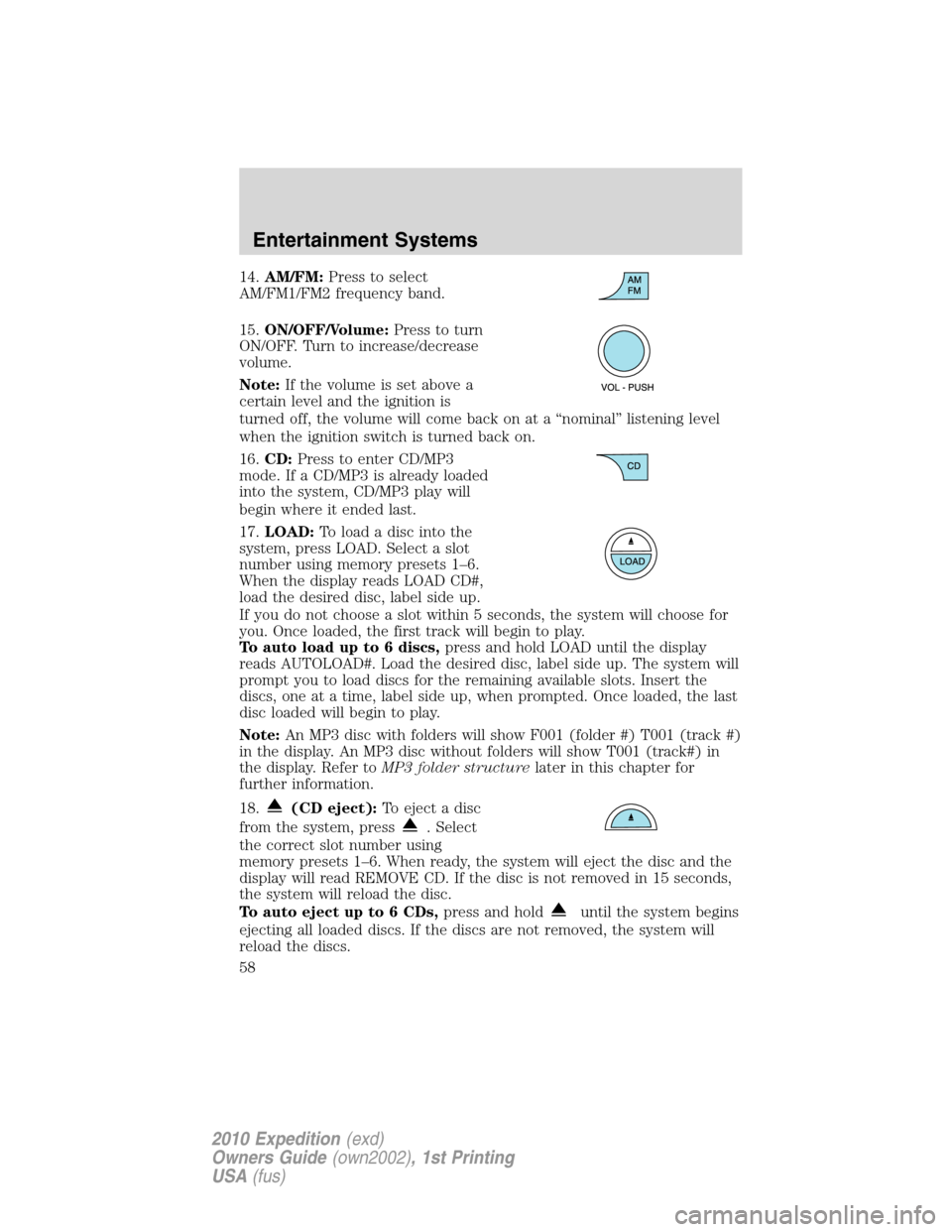
14.AM/FM:Press to select
AM/FM1/FM2 frequency band.
15.ON/OFF/Volume:Press to turn
ON/OFF. Turn to increase/decrease
volume.
Note:If the volume is set above a
certain level and the ignition is
turned off, the volume will come back on at a “nominal” listening level
when the ignition switch is turned back on.
16.CD:Press to enter CD/MP3
mode. If a CD/MP3 is already loaded
into the system, CD/MP3 play will
begin where it ended last.
17.LOAD:Toloadadiscintothe
system, press LOAD. Select a slot
number using memory presets 1–6.
When the display reads LOAD CD#,
load the desired disc, label side up.
If you do not choose a slot within 5 seconds, the system will choose for
you. Once loaded, the first track will begin to play.
To auto load up to 6 discs,press and hold LOAD until the display
reads AUTOLOAD#. Load the desired disc, label side up. The system will
prompt you to load discs for the remaining available slots. Insert the
discs, one at a time, label side up, when prompted. Once loaded, the last
disc loaded will begin to play.
Note:An MP3 disc with folders will show F001 (folder #) T001 (track #)
in the display. An MP3 disc without folders will show T001 (track#) in
the display. Refer toMP3 folder structurelater in this chapter for
further information.
18.
(CD eject):To eject a disc
from the system, press
. Select
the correct slot number using
memory presets 1–6. When ready, the system will eject the disc and the
display will read REMOVE CD. If the disc is not removed in 15 seconds,
the system will reload the disc.
To auto eject up to 6 CDs,press and hold
until the system begins
ejecting all loaded discs. If the discs are not removed, the system will
reload the discs.
Entertainment Systems
58
2010 Expedition(exd)
Owners Guide(own2002), 1st Printing
USA(fus)