Page 154 of 450
Reprogramming A Single HomeLink�Button
To reprogram a channel that has been previously trained,
follow these steps:
1. Turn the ignition switch to the ON/RUN position.
2. Press and hold the desired HomeLink� button for
20 seconds until the indicator(s) starts to flash. Do not
release the button.
3. Without releasing the button, proceed with Program-
ming HomeLink�, Step #2, and follow all remaining
steps.
Security
It is advised to erase all channels before you sell or turn
in your vehicle.
To do this, press and hold the two outside buttons for
20 seconds until the indicators begin to flash. Note that
all channels will be erased. Individual channels cannot be
erased. The HomeLink�
Universal Transceiver is disabled when
the Vehicle Theft Alarm is active.
Troubleshooting Tips
If you are having trouble programming HomeLink �, here
are some of the most common solutions:
•Replace the battery in the original transmitter.
•Press the LEARN button on the garage door opener to
complete the training for Rolling Code.
•Did you unplug the device for training and remember
to plug it back in?
If you have any problems, or require assistance, please
call toll-free 1–800–355–3515 or, on the Internet at
www.HomeLink.com, for information or assistance.
3
UNDERSTANDING THE FEATURES OF YOUR VEHICLE 153
Page 157 of 450
CAUTION!
•Many accessories that can be plugged in, draw
power from the vehicle’s battery, even when not in
use (i.e., cellular phones, etc.). Eventually, if
plugged in long enough, the vehicle’s battery will
discharge sufficiently to degrade battery life
and/or prevent the engine from starting.
•Accessories that draw higher power (i.e., coolers,
vacuum cleaners, lights, etc.), will discharge the
battery even more quickly. Use these only inter-
mittently and with greater caution.
•After the use of high power draw accessories, or
long periods of the vehicle not being started (with
accessories still plugged in), the vehicle must be
driven a sufficient length of time to allow the
generator to recharge the vehicle’s battery.
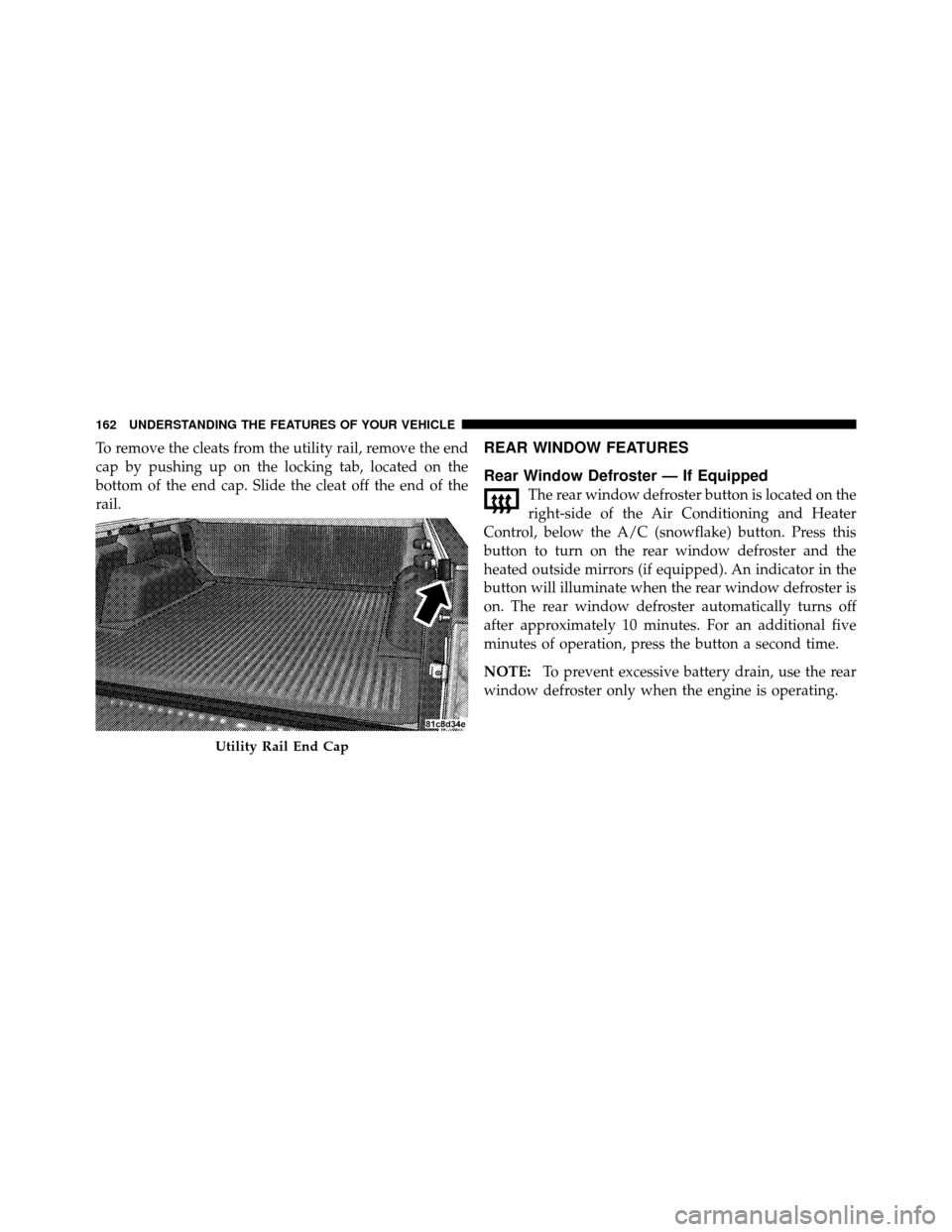
CUPHOLDERS
If your vehicle has bucket seats with a center console,
there are three cupholders located on the console.
Front Cup Holders — Crew Cab
156 UNDERSTANDING THE FEATURES OF YOUR VEHICLE
Page 163 of 450
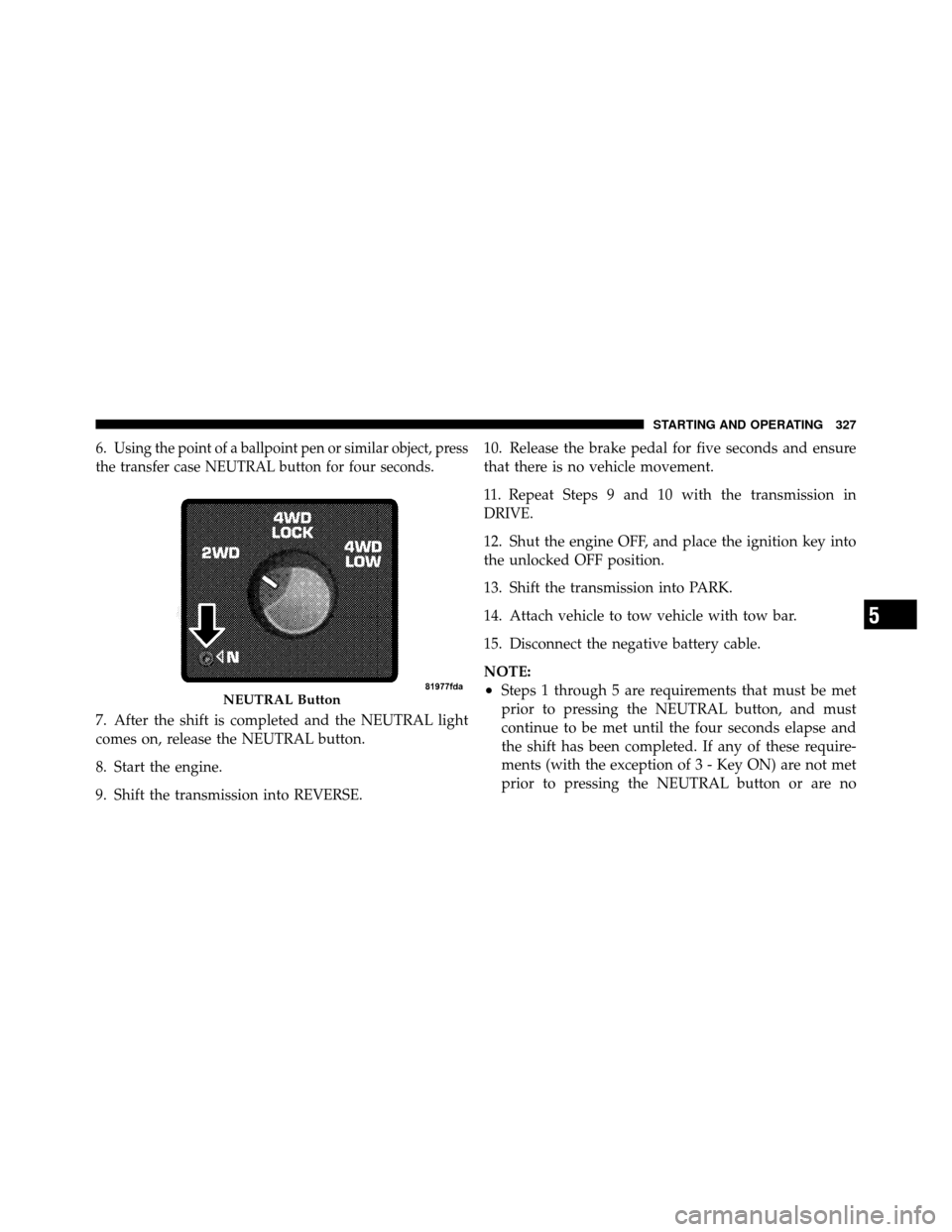
To remove the cleats from the utility rail, remove the end
cap by pushing up on the locking tab, located on the
bottom of the end cap. Slide the cleat off the end of the
rail.REAR WINDOW FEATURES
Rear Window Defroster — If Equipped
The rear window defroster button is located on the
right-side of the Air Conditioning and Heater
Control, below the A/C (snowflake) button. Press this
button to turn on the rear window defroster and the
heated outside mirrors (if equipped). An indicator in the
button will illuminate when the rear window defroster is
on. The rear window defroster automatically turns off
after approximately 10 minutes. For an additional five
minutes of operation, press the button a second time.
NOTE: To prevent excessive battery drain, use the rear
window defroster only when the engine is operating.
Utility Rail End Cap
162 UNDERSTANDING THE FEATURES OF YOUR VEHICLE
Page 251 of 450
Extreme Cold Weather (below –20°F or –29°C)
To ensure reliable starting at these temperatures, use of
an externally powered electric engine block heater (avail-
able from your dealer) is recommended.
If Engine Fails To Start
WARNING!
•Never pour fuel or other flammable liquids into
the throttle body air inlet opening in an attempt to
start the vehicle. This could result in a flash fire
causing serious personal injury.(Continued)
WARNING! (Continued)
•Do not attempt to push or tow your vehicle to get
it started. Vehicles equipped with an automatic
transmission cannot be started this way. Unburned
fuel could enter the catalytic converter and once
the engine has started, ignite and damage the
converter and vehicle. If the vehicle has a dis-
charged battery, booster cables may be used to
obtain a start from a booster battery or the battery
in another vehicle. This type of start can be dan-
gerous if done improperly. Refer to “Jump Start-
ing” in “What To Do In Emergencies” for further
information.
If the engine fails to start after you have followed the
“Normal Starting” procedure, it may be flooded. Push
the accelerator pedal all the way to the floor and hold it
there while cranking the engine. This should clear any
excess fuel, in case the engine is flooded.
250 STARTING AND OPERATING
Page 301 of 450

E-85 Usage In Non-Flex Fuel Vehicles
Non-FFV vehicles are compatible with gasoline contain-
ing 10% ethanol (E10). Gasoline with higher ethanol
content may void the vehicle’s warranty.
If a Non-FFV vehicle is inadvertently fueled with E-85
fuel, the engine will have some or all of these symptoms:
•operate in a lean mode
•OBD II “Malfunction Indicator Light” on
•poor engine performance
•poor cold start and cold drivability
•increased risk for fuel system component corrosion
To fix a Non-FFV vehicle inadvertently fueled once with
E-85 perform the following:
•drain the fuel tank (see your authorized dealer)
•change the engine oil and oil filter
•disconnect and reconnect the battery to reset the
engine controller memory
More extensive repairs will be required for prolonged
exposure to E-85 fuel.
MMT In Gasoline
MMT is a manganese containing metallic additive that is
blended into some gasoline to increase octane. Gasoline
blended with MMT provides no performance advantage
beyond gasoline of the same octane number without
MMT. Gasoline blended with MMT reduces spark plug
life and reduces emission system performance in some
vehicles. The manufacturer recommends that gasoline
without MMT be used in your vehicle. The MMT content
of gasoline may not be indicated on the gasoline pump,
therefore, you should ask your gasoline retailer whether
gasoline contains MMT. It is even more important to look
for gasolines without MMT in Canada, because MMT can
300 STARTING AND OPERATING
Page 324 of 450
Towing Tips
Before setting out on a trip, practice turning, stopping
and backing the trailer in an area away from heavy
traffic.
Automatic Transmission
The “DRIVE” range can be selected when towing. How-
ever, if frequent shifting occurs while in this range, the
TOW/HAUL feature should be selected.
NOTE:Using the TOW/HAUL feature while operating
the vehicle under heavy operating conditions will im-
prove performance and extend transmission life by re-
ducing excessive shifting and heat build up. This action
will also provide better engine braking.
The automatic transmission fluid and filter should be
changed if you REGULARLY tow a trailer for more than
45 minutes of continuous operation. Refer to “Mainte-
nance Schedule” for the proper maintenance intervals.
Seven-Pin Connector
1 — Battery 5 — Ground
2 — Backup Lamps 6 — Left Stop/Turn
3 — Right Stop/Turn 7 — Running Lamps
4 — Electric Brakes
5
STARTING AND OPERATING 323
Page 328 of 450
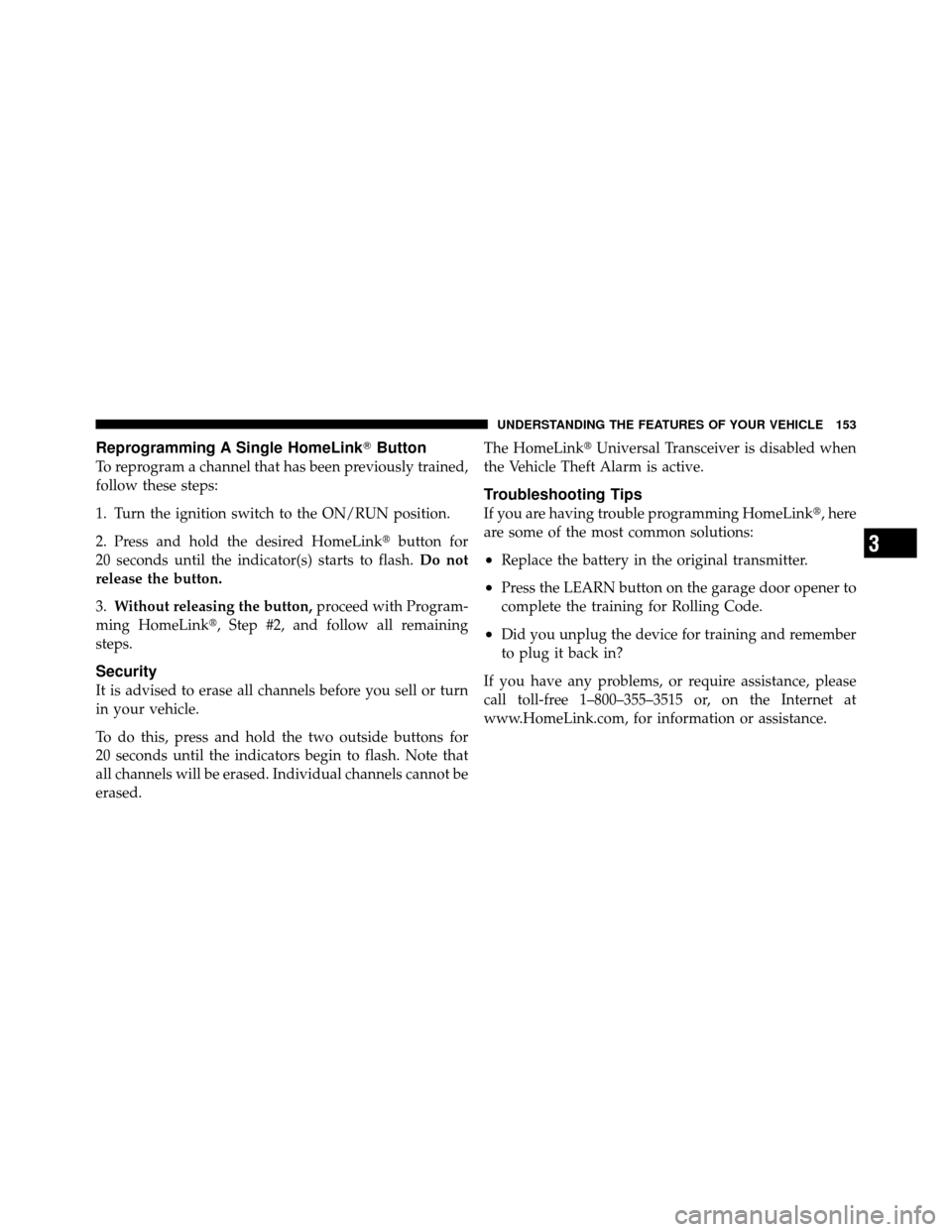
6.Using the point of a ballpoint pen or similar object, press
the transfer case NEUTRAL button for four seconds.
7. After the shift is completed and the NEUTRAL light
comes on, release the NEUTRAL button.
8. Start the engine.
9. Shift the transmission into REVERSE. 10. Release the brake pedal for five seconds and ensure
that there is no vehicle movement.
11. Repeat Steps 9 and 10 with the transmission in
DRIVE.
12. Shut the engine OFF, and place the ignition key into
the unlocked OFF position.
13. Shift the transmission into PARK.
14. Attach vehicle to tow vehicle with tow bar.
15. Disconnect the negative battery cable.
NOTE:
•Steps 1 through 5 are requirements that must be met
prior to pressing the NEUTRAL button, and must
continue to be met until the four seconds elapse and
the shift has been completed. If any of these require-
ments (with the exception of 3 - Key ON) are not met
prior to pressing the NEUTRAL button or are noNEUTRAL Button
5
STARTING AND OPERATING 327
Page 329 of 450

longer met during the four second timer, then the
NEUTRAL indicator light will flash continuously until
all requirements are met or until the NEUTRAL button
is released.
•The ignition key must be ON for a shift to take place
and for the position indicator lights to be operable. If
the key in not ON, the shift will not take place and no
position indicator lights will be on or flashing.
•Flashing NEUTRAL position indicator light indicates
that shift requirements have not been met.
CAUTION!
Damage to the transmission may occur if the trans-
mission is shifted into PARK with the transfer case in
NEUTRAL and the engine running. With the transfer
case in NEUTRAL, ensure that the engine is OFF
prior to shifting the transmission into PARK.
Returning to Normal Operation
Use the following procedure to prepare your vehicle for
normal usage.
1. Reconnect the negative battery cable.
2. The vehicle must be at a complete stop.
3. Place the ignition key in the OFF position (if it has
been moved or the engine has been started).
4. Place the ignition key into the ON position (engine
off).
5. Press the brake pedal.
6. Shift the transmission into NEUTRAL.
7. Using the point of a ballpoint pen or similar object,
press the recessed transfer case NEUTRAL button for one
second.
328 STARTING AND OPERATING