Page 81 of 450
▫Voice Training ...................... 120
� Seats .............................. 120
▫ Manual Seat Adjustment ............... 121
▫ Front Seats Manual Seat Recliners ........ 121
▫ Manual Lumbar Support Adjustment —
If Equipped ........................ 122
▫ Adjustable Head Restraints —
Front Seating Positions ................ 123
▫ Six-Way Power Seat Adjuster
(Driver’s Side Only) .................. 124
▫ Extended Cab/Crew Cab Rear Seat ....... 126
▫ Heated Seats — If Equipped ............ 126
� To Open And Close The Hood ............ 127
� Lights ............................. 129 ▫
Interior Lights ...................... 129
▫ Battery Saver ....................... 130
▫ Headlight Delay ..................... 131
▫
Headlights, Parking Lights And Panel Lights. . 131
▫ Daytime Running Lights — If Equipped .... 132
▫ Lights-On Reminder .................. 132
▫ Fog Lights — If Equipped .............. 132
▫ Cargo Light — If Equipped ............. 133
▫ Multifunction Lever .................. 133
� Windshield Wipers And Washers .......... 135
▫ Windshield Wipers ................... 135
▫ Windshield Washers .................. 136
� Tilt Steering Column ................... 137
80 UNDERSTANDING THE FEATURES OF YOUR VEHICLE
Page 100 of 450
Call Termination
To end a call in progress, momentarily press the
button. Only the active call(s) will be terminated and if
there is a call on hold, it will become the new active call.
If the active call is terminated by the phone far end, a call
on hold may not become active automatically. This is cell
phone-dependent. To bring the call back from hold, press
and hold the
button until you hear a single beep.
Redial
•
Press thebutton to begin.
•After the�Ready�prompt and the following beep, say
�Redial.�
•The Uconnect™ Phone will call the last number that
was dialed from your cellular phone.
NOTE: This may not be the last number dialed from the
Uconnect™ Phone.
Call Continuation
Call continuation is the progression of a phone call on the
Uconnect™ Phone after the vehicle ignition key has been
switched to OFF. Call continuation functionality avail-
able on the vehicle can be any one of three types:
•After the ignition key is switched to OFF, a call can
continue on the Uconnect™ Phone either until the call
ends, or until the vehicle battery condition dictates
cessation of the call on the Uconnect™ Phone and
transfer of the call to the cellular phone.
•After the ignition key is switched to OFF, a call can
continue on the Uconnect™ Phone for a certain dura-
tion, after which the call is automatically transferred
from the Uconnect™ Phone to the cellular phone.
•An active call is automatically transferred to the
cellular phone after the ignition key is switched to
OFF.
3
UNDERSTANDING THE FEATURES OF YOUR VEHICLE 99
Page 104 of 450
The Uconnect™ Phone will then send the corresponding
phone number associated with the phonebook entry, as
tones over the phone.
NOTE:
•You may not hear all of the tones due to cellular phone
network configurations. This is normal.
•Some paging and voice mail systems have system time
out settings that are too short and may not allow the
use of this feature.
Barge In - Overriding Prompts
The “Voice Command” button can be used when you
wish to skip part of a prompt and issue your voice
command immediately. For example, if a prompt is
asking�Would you like to pair a phone, clear a...,� you
could press the
button and say, �Pair a Phone�to
select that option without having to listen to the rest of
the voice prompt.
Turning Confirmation Prompts ON/OFF
Turning confirmation prompts off will stop the system
from confirming your choices (e.g., the Uconnect™
Phone will not repeat a phone number before you dial it).
•Press thebutton to begin.
•After the �Ready�prompt and the following beep, say
�Setup Confirmations.� The Uconnect™ Phone will
play the current confirmation prompt status and you
will be given the choice to change it.
Phone and Network Status Indicators
If available on the radio and/or on a premium display
such as the instrument panel cluster, and supported by
your cellular phone, the Uconnect™ Phone will provide
notification to inform you of your phone and network
status when you are attempting to make a phone call
using Uconnect™ Phone. The status is given for roaming,
network signal strength, phone battery strength, etc.
3
UNDERSTANDING THE FEATURES OF YOUR VEHICLE 103
Page 130 of 450
LIGHTS
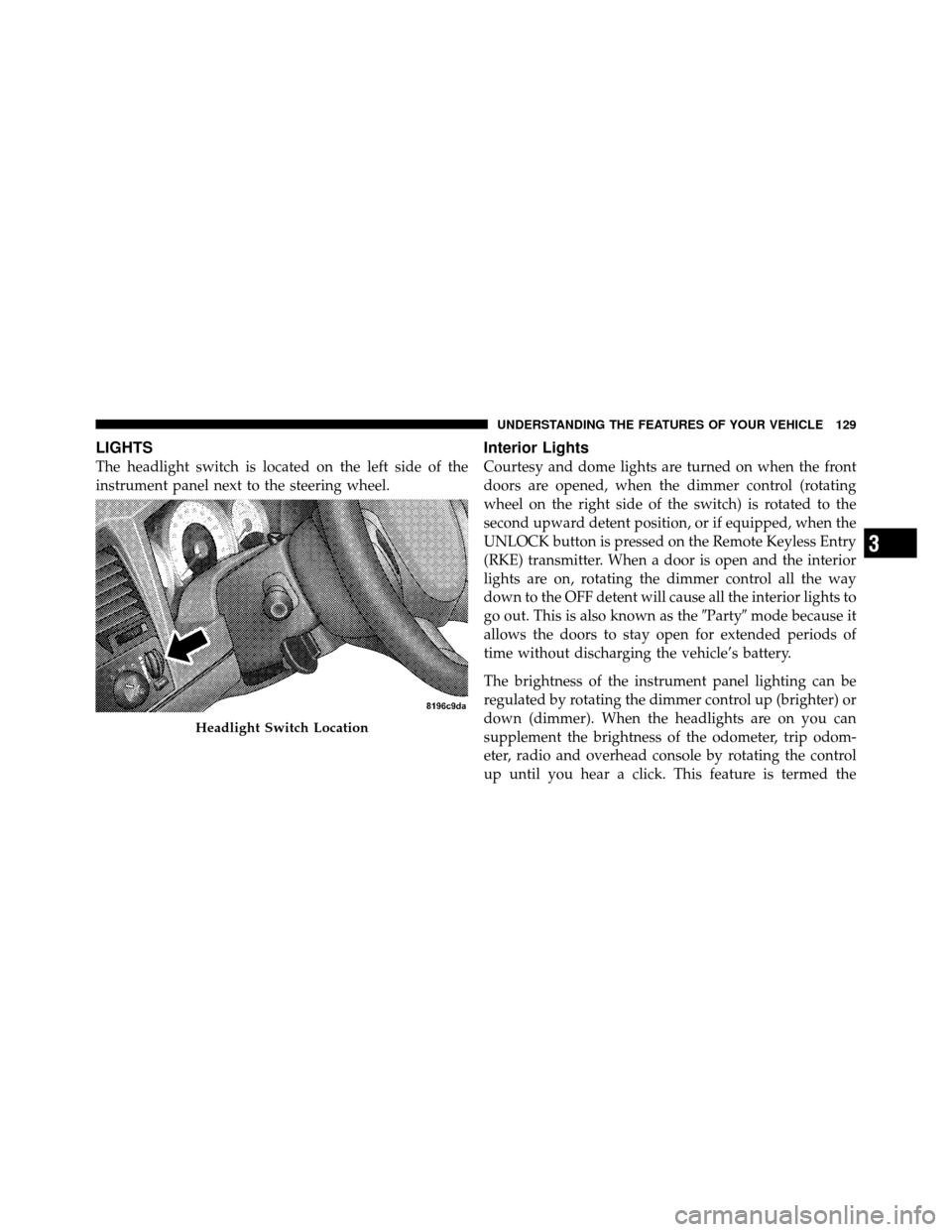
The headlight switch is located on the left side of the
instrument panel next to the steering wheel.
Interior Lights
Courtesy and dome lights are turned on when the front
doors are opened, when the dimmer control (rotating
wheel on the right side of the switch) is rotated to the
second upward detent position, or if equipped, when the
UNLOCK button is pressed on the Remote Keyless Entry
(RKE) transmitter. When a door is open and the interior
lights are on, rotating the dimmer control all the way
down to the OFF detent will cause all the interior lights to
go out. This is also known as the�Party�mode because it
allows the doors to stay open for extended periods of
time without discharging the vehicle’s battery.
The brightness of the instrument panel lighting can be
regulated by rotating the dimmer control up (brighter) or
down (dimmer). When the headlights are on you can
supplement the brightness of the odometer, trip odom-
eter, radio and overhead console by rotating the control
up until you hear a click. This feature is termed the
Headlight Switch Location
3
UNDERSTANDING THE FEATURES OF YOUR VEHICLE 129
Page 131 of 450
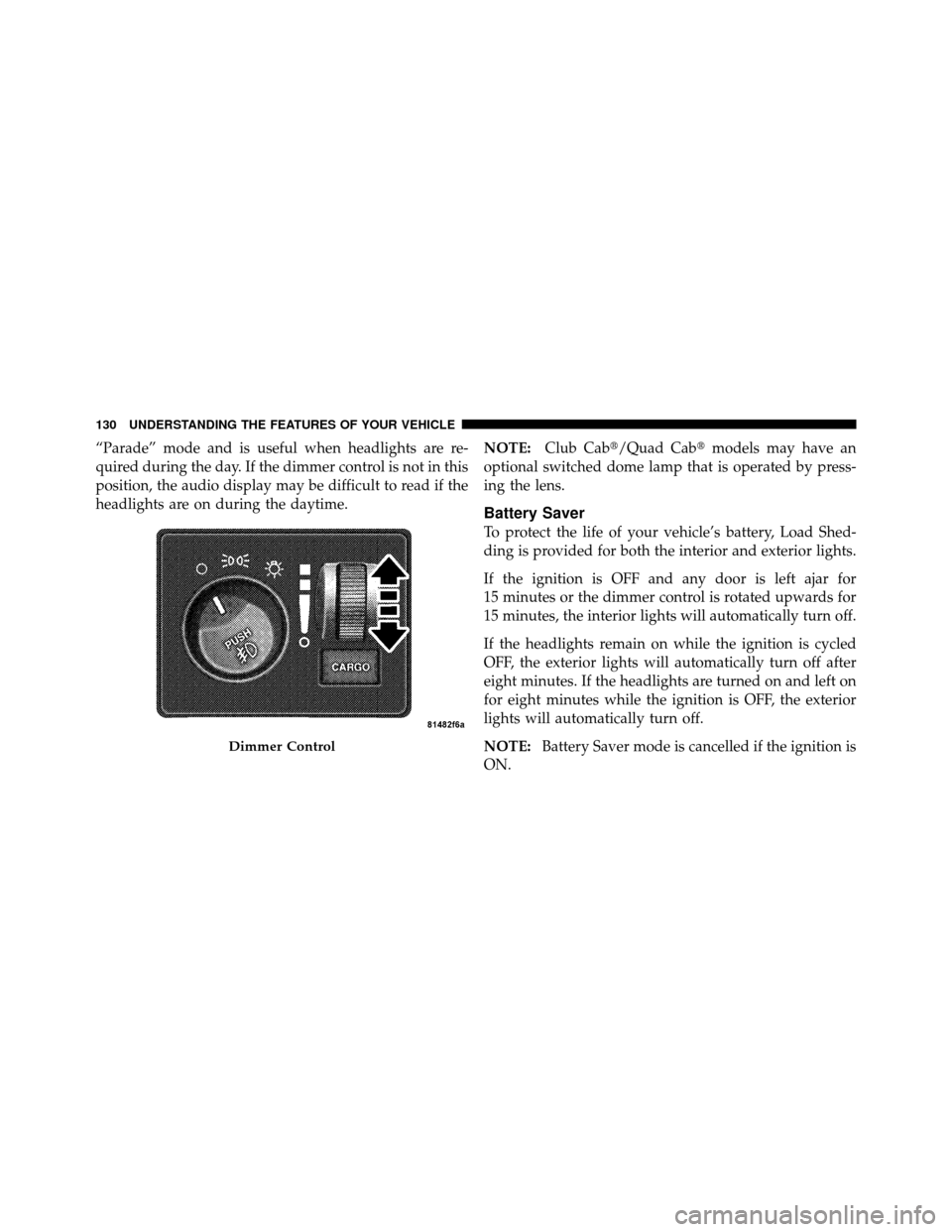
“Parade” mode and is useful when headlights are re-
quired during the day. If the dimmer control is not in this
position, the audio display may be difficult to read if the
headlights are on during the daytime.NOTE:
Club Cab�/Quad Cab� models may have an
optional switched dome lamp that is operated by press-
ing the lens.
Battery Saver
To protect the life of your vehicle’s battery, Load Shed-
ding is provided for both the interior and exterior lights.
If the ignition is OFF and any door is left ajar for
15 minutes or the dimmer control is rotated upwards for
15 minutes, the interior lights will automatically turn off.
If the headlights remain on while the ignition is cycled
OFF, the exterior lights will automatically turn off after
eight minutes. If the headlights are turned on and left on
for eight minutes while the ignition is OFF, the exterior
lights will automatically turn off.
NOTE: Battery Saver mode is cancelled if the ignition is
ON.
Dimmer Control
130 UNDERSTANDING THE FEATURES OF YOUR VEHICLE
Page 149 of 450
Outside Temperature
Because the ambient temperature sensor is located under
the hood, engine temperature can influence the displayed
temperature; therefore, temperature readings are slowly
updated when the vehicle speed is below 20 mph
(30 km/h) or during stop-and-go driving.
GARAGE DOOR OPENER — IF EQUIPPED
HomeLink�replaces up to three remote controls (hand-
held transmitters) that operate devices such as garage
door openers, motorized gates, lighting or home security
systems. The HomeLink� unit operates off of your vehi-
cle’s battery.
The HomeLink� buttons are located in the overhead
console, and contain one, two or three dots/lines desig-
nating the different HomeLink� channels.NOTE:
HomeLink� is disabled when the Vehicle Theft
Alarm is active.
HomeLink Buttons
148 UNDERSTANDING THE FEATURES OF YOUR VEHICLE
Page 150 of 450

WARNING!
•Your motorized door or gate will open and close
while you are training the Universal Transceiver.
Do not train the transceiver if people, pets or other
objects are in the path of the door or gate. Only use
this transceiver with a garage door opener that has
a “stop and reverse” feature as required by federal
safety standards. This includes most garage door
opener models manufactured after 1982. Do not
use a garage door opener without these safety
features. Call toll-free 1–800–355–3515 or, on the
Internet at www.HomeLink.com for safety infor-
mation or assistance.
•Vehicle exhaust contains carbon monoxide, a dan-
gerous gas. Do not run your vehicle in the garage
while training the transceiver. Exhaust gas can
cause serious injury or death.
Programming HomeLink�
Before You Begin
The Compass Mini-Trip Computer (CMTC) illuminates
the HomeLink�symbol (a house with an arrow inside it)
along with 1, 2 or 3 indicators under it, when a
HomeLink� button is pressed.
Pay attention to the indicator(s), as they will flash at
different rates, or remain solid during training.
If you have not trained any of the HomeLink� buttons,
erase all channels before you begin training.
To do this, press and hold the two outside buttons for
20 seconds. Release the buttons when the indicators start
to flash.
It is recommended that a new batterybe placed in the
handheld transmitter of the device being copied to
HomeLink� for more efficient training and accurate
transmission of the radio-frequency signal.
3
UNDERSTANDING THE FEATURES OF YOUR VEHICLE 149
Page 151 of 450
Your vehicle should be parked outside of the garage
while training.
1. Turn the ignition switch to the ON/RUN position.
2. Place the handheld transmitter 1 to 3 inches (3 to 8 cm)
from the HomeLink�buttons while keeping the
HomeLink� display in view.
For optimal training, point the battery end of the hand-
held transmitter away from the HomeLink�.
3. Simultaneously, press and hold both the chosen
HomeLink�button and the handheld transmitter button
until the indicator(s) change from a slow to a rapid flash
rate.
Then release both the HomeLink� and handheld trans-
mitter buttons.
It may take up to 30 seconds or longer in rare cases. The
garage door may open and close while you train. If the signal is too weak to train, replace the battery in the
handheld transmitter.
NOTE:
Some gate operators and garage door openers
may require you to replace Step 3 with procedures noted
in the “Gate Operator/Canadian Programming” section.
4. Press and hold the just-trained HomeLink� button. If
the indicator(s) blink rapidly for two seconds and then
remains constant, continue with the next section: “Pro-
gramming A Rolling Code System”.
NOTE: After training a HomeLink� channel, if the
garage door does not operate with HomeLink� and the
garage door opener was manufactured after 1995, the
garage door opener may have rolling code. If so, proceed
to the heading, “Programming A Rolling Code System.”
5. PROGRAMMING A ROLLING CODE SYSTEM
At the garage door opener motor (in the garage), locate
the “Learn” or “Training” button.
150 UNDERSTANDING THE FEATURES OF YOUR VEHICLE
