Page 87 of 444

▫Fold-Flat Passenger Seatback ............ 102
▫ Folding Rear Seat .................... 102
▫ Folding Rear Seat Center Armrest ........ 103
� To Open And Close The Hood ............ 104
� Lights ............................. 105
▫ Multifunction Lever .................. 105
▫ Headlights And Parking Lights .......... 106
▫ Automatic Headlights — If Equipped ...... 107
▫ Headlight Time Delay ................. 107
▫ Turn Signals ........................ 108
▫ Lane Change Assist ................... 108
▫ High/Low Beam Switch ............... 108
▫ Flash-To-Pass ....................... 108 ▫
Fog Lights — If Equipped .............. 109
▫ Daytime Running Lights — If Equipped .... 109
▫ Lights On Reminder .................. 110
▫ Instrument Panel Dimmer .............. 110
▫ Map/Reading/Interior Lights ............111
� Windshield Wipers And Washers .......... 112
▫ Intermittent Wiper System .............. 113
▫ Windshield Washers .................. 114
▫ Mist Feature ........................ 114
▫ Headlights With Wipers Feature (Available
With Automatic Headlights Only) ......... 115
� Tilt/Telescoping Steering Column .......... 116
86 UNDERSTANDING THE FEATURES OF YOUR VEHICLE
Page 94 of 444
Uconnect™ Phone — IF EQUIPPED
Uconnect™ Phone is a hands-free system that allows you
to use voice commands to dial a phone number stored
in your cellular phone. Press the Uconnect™ Phone
button
on the radio or steering wheel controls (if
equipped) and follow the instructions to pair the cellular
phone.
Refer to “Uconnect™ Phone” in the Uconnect™ User
Manual located on the DVD for further details.
VOICE COMMAND — IF EQUIPPED
Voice Command can be initiated by pressing the VR
button
located on the radio or steering wheel
controls (if equipped).
Refer to “Voice Command” in the Uconnect™ Phone
User Manual located on the DVD for further details.
SEATS
Seats are a primary part of the Occupant Restraint System
of the vehicle. They need to be used properly for safe
operation of the vehicle.
WARNING!
•DO NOT allow people to ride in any area of your
vehicle that is not equipped with seats and seat
belts. In a collision, people riding in these areas
are more likely to be seriously injured or killed.
•Be sure everyone in your vehicle is in a seat and
using a seat belt properly.
3
UNDERSTANDING THE FEATURES OF YOUR VEHICLE 93
Page 107 of 444
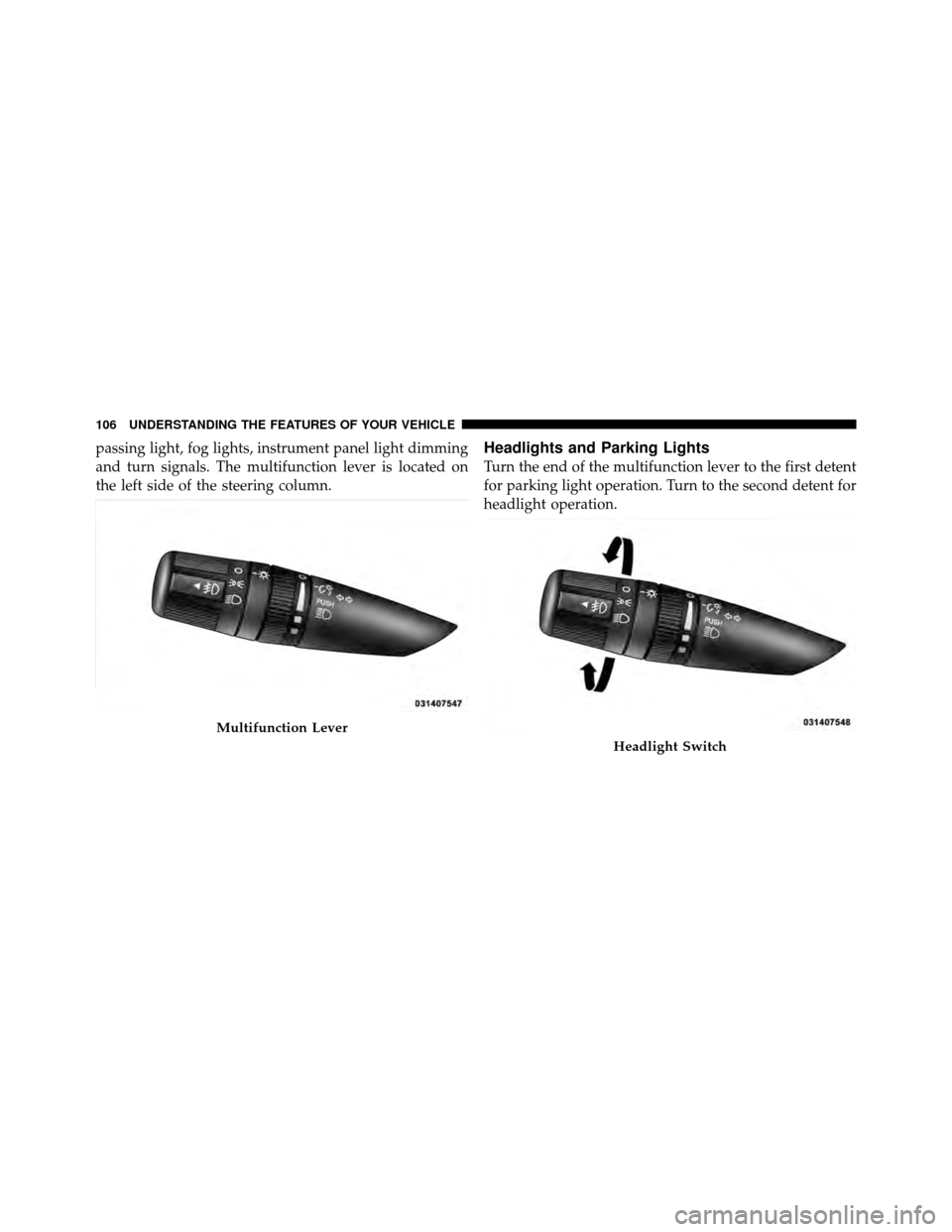
passing light, fog lights, instrument panel light dimming
and turn signals. The multifunction lever is located on
the left side of the steering column.Headlights and Parking Lights
Turn the end of the multifunction lever to the first detent
for parking light operation. Turn to the second detent for
headlight operation.
Multifunction Lever
Headlight Switch
106 UNDERSTANDING THE FEATURES OF YOUR VEHICLE
Page 113 of 444
is open. To restore interior light operation, either turn the
ignition switch ON or cycle the light switch.
WINDSHIELD WIPERS AND WASHERS
The wipers and washers are operated by a switch
on the control lever. The lever is located on the
right side of the steering column.Rotate the end of the lever to the LO position for
low-speed wiper operation, or to the HI position for
high-speed wiper operation.
NOTE:
The wipers will automatically return to the park
position if you turn the ignition switch OFF while they
Windshield Wiper/Washer Lever
Changing Wiper Speeds
112 UNDERSTANDING THE FEATURES OF YOUR VEHICLE
Page 116 of 444
Headlights With Wipers Feature
(Available With Automatic Headlights Only)
When this feature is active, the headlights will turn on
approximately 10 seconds after the wipers are turned on
if the multifunction lever (on the left side of the steering
column) is placed in the AUTO position. In addition, the
headlights will turn off when the wipers are turned off if
they were turned on by this feature.
The headlights with wipers feature can be turned on or
off through the Electronic Vehicle Information Center
(EVIC) — if equipped. Refer to “Electronic Vehicle Infor-
mation Center (EVIC)/Personal Settings (Customer-
Programmable Features)” in “Understanding Your In-
strument Panel” for further information.
Mist Control
3
UNDERSTANDING THE FEATURES OF YOUR VEHICLE 115
Page 117 of 444
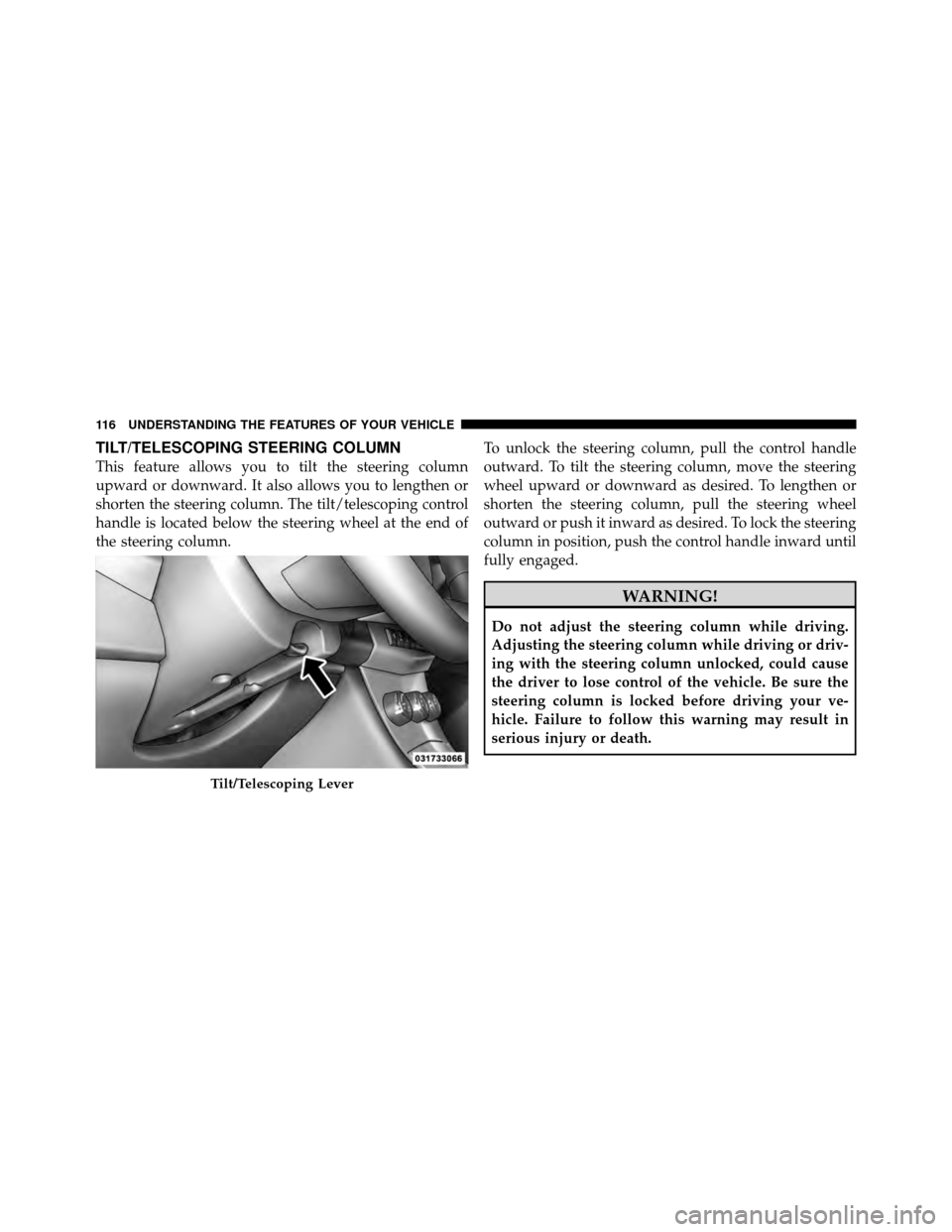
TILT/TELESCOPING STEERING COLUMN
This feature allows you to tilt the steering column
upward or downward. It also allows you to lengthen or
shorten the steering column. The tilt/telescoping control
handle is located below the steering wheel at the end of
the steering column.To unlock the steering column, pull the control handle
outward. To tilt the steering column, move the steering
wheel upward or downward as desired. To lengthen or
shorten the steering column, pull the steering wheel
outward or push it inward as desired. To lock the steering
column in position, push the control handle inward until
fully engaged.
WARNING!
Do not adjust the steering column while driving.
Adjusting the steering column while driving or driv-
ing with the steering column unlocked, could cause
the driver to lose control of the vehicle. Be sure the
steering column is locked before driving your ve-
hicle. Failure to follow this warning may result in
serious injury or death.
Tilt/Telescoping Lever
116 UNDERSTANDING THE FEATURES OF YOUR VEHICLE
Page 118 of 444
ELECTRONIC SPEED CONTROL
When engaged, the Electronic Speed Control takes over
the accelerator operation at speeds greater than 25 mph
(40 km/h).
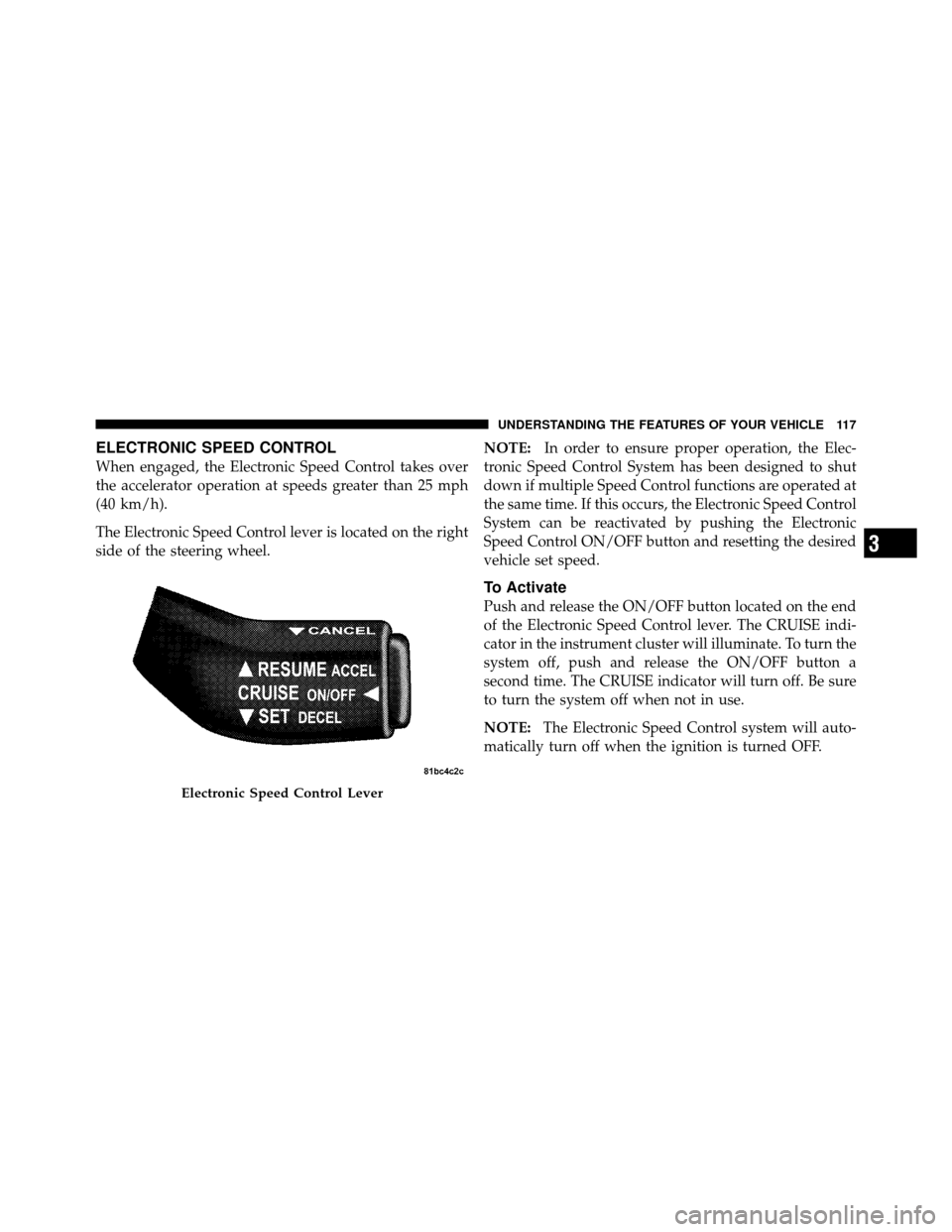
The Electronic Speed Control lever is located on the right
side of the steering wheel.NOTE:
In order to ensure proper operation, the Elec-
tronic Speed Control System has been designed to shut
down if multiple Speed Control functions are operated at
the same time. If this occurs, the Electronic Speed Control
System can be reactivated by pushing the Electronic
Speed Control ON/OFF button and resetting the desired
vehicle set speed.
To Activate
Push and release the ON/OFF button located on the end
of the Electronic Speed Control lever. The CRUISE indi-
cator in the instrument cluster will illuminate. To turn the
system off, push and release the ON/OFF button a
second time. The CRUISE indicator will turn off. Be sure
to turn the system off when not in use.
NOTE: The Electronic Speed Control system will auto-
matically turn off when the ignition is turned OFF.
Electronic Speed Control Lever
3
UNDERSTANDING THE FEATURES OF YOUR VEHICLE 117
Page 217 of 444
•A battery-powered infrared remote control snaps into
a molded compartment in the center console armrest
upper storage bin.
•Two wireless infrared headsets allow rear seat passen-
gers to listen to the same or individual audio sources.Audio/Video RCA Jacks (AUX Jacks)
on the rear of the center console enable
the monitor to display video directly
from a video camera, connect video
games for display on the screen, or
play music directly from an MP3
player.
1. Video in (yellow)
2. Left audio in (white)
3. Right audio in (red)
NOTE: Refer to the “Uconnect™ Multimedia” section of
Uconnect™ User Manual located on the DVD for further
details.REMOTE SOUND SYSTEM CONTROLS —
IF EQUIPPED
The remote sound system controls are located on the rear
surface of the steering wheel. The left and right controls
VES™ Remote Control
216 UNDERSTANDING YOUR INSTRUMENT PANEL