Page 78 of 368
Periodic Safety Checks You Should Make Outside
the Vehicle
Tires
Examine tires for excessive tread wear and uneven wear
patterns. Check for stones, nails, glass, or other objects
lodged in the tread. Inspect the tread and sidewall for
cuts and cracks. Check the wheel nuts for tightness.
Check the tires (including spare) for proper pressure.
Lights
Have someone observe the operation of exterior lights
while you work the controls. Check turn signal and high
beam indicator lights on the instrument panel.
Door Latches
Check for positive closing, latching, and locking.
Fluid Leaks
Check area under vehicle after overnight parking for fuel,
engine coolant, oil, or other fluid leaks. Also, if gasoline
fumes are detected or if fuel, power steering fluid, or
brake fluid leaks are suspected, the cause should be
located and corrected immediately.2
THINGS TO KNOW BEFORE STARTING YOUR VEHICLE 77
Page 81 of 368

�To Open And Close The Hood ............. 99
� Lights ............................. 101
▫ Multifunction Lever .................. 101
▫ Headlights And Parking Lights .......... 101
▫ Lights-On Reminder .................. 102
▫ Instrument Panel Dimmer .............. 102
▫ High/Low Beam Switch ............... 103
▫ Flash-To-Pass ....................... 103
▫ Front Fog Lights — If Equipped .......... 103
▫ Turn Signals ........................ 104
▫ Lane Change Assist ................... 104
▫ Daytime Running Lights — If Equipped .... 104
▫ Map/Reading Lights .................. 105
� Windshield Wipers And Washers .......... 106▫
Windshield Wiper Operation ............ 106
▫ Intermittent Wiper System .............. 108
▫ Windshield Washers .................. 109
▫ Mist Feature ........................ 110
▫ Headlights With Wipers (Available With
Automatic Headlights Only) ............ 110
� Tilt Steering Column ................... 110
� Electronic Speed Control — If Equipped ..... 112
▫ To Activate ......................... 112
▫ To Set a Desired Speed ................ 113
▫ To Deactivate ....................... 113
▫ To Resume Speed .................... 113
▫ To Vary The Speed Setting .............. 113
▫ To Accelerate For Passing .............. 114
80 UNDERSTANDING THE FEATURES OF YOUR VEHICLE
Page 84 of 368
Outside Mirror — Passenger Side
Adjust the convex outside mirror so you can just see the
side of your vehicle in the part of the mirror closest to the
vehicle.
WARNING!
Vehicles and other objects seen in the passenger side
convex mirror will look smaller and farther away
than they really are. Relying too much on your
passenger side mirror could cause you to collide with
another vehicle or other object. Use your inside
mirror when judging the size or distance of a vehicle
seen in this convex mirror.
Power Mirrors — If Equipped
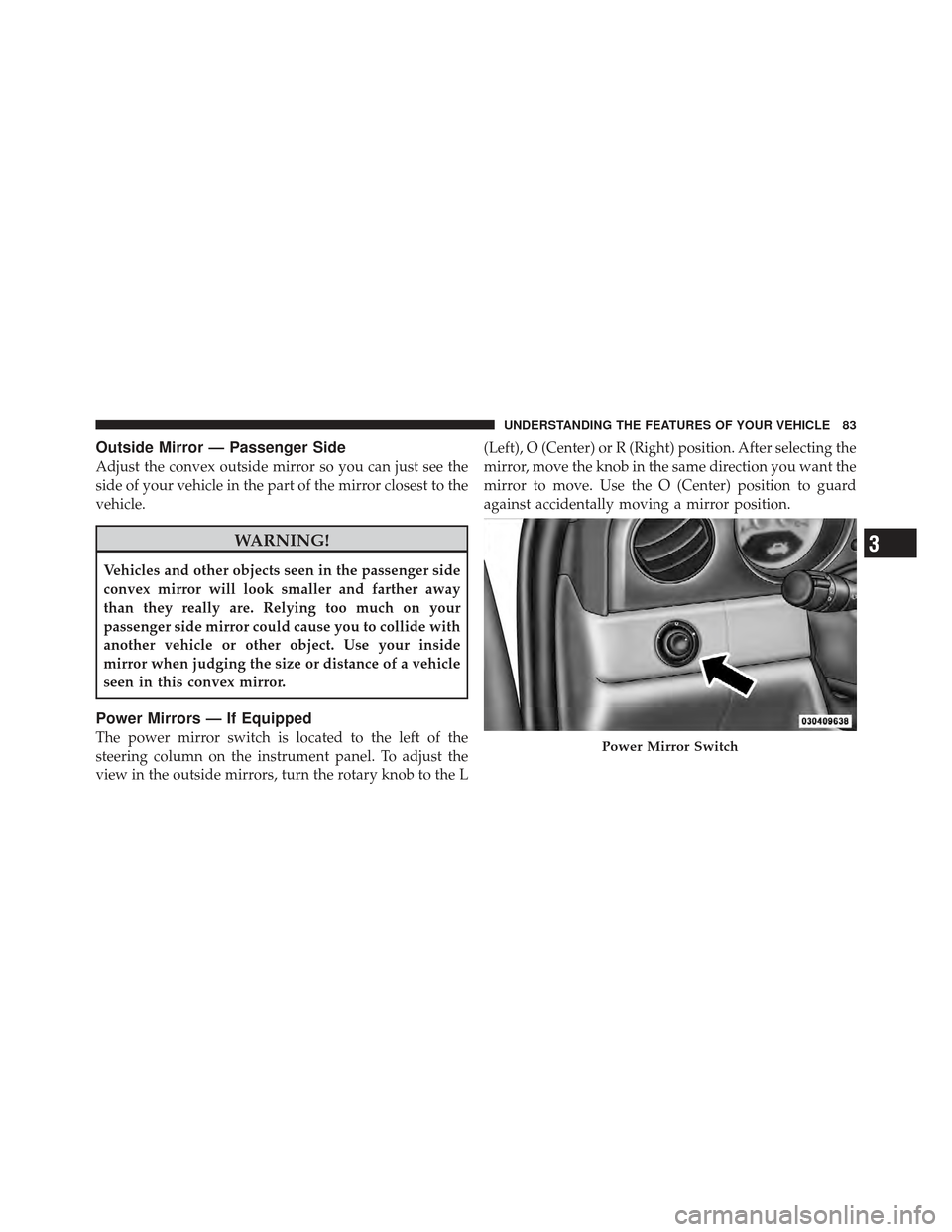
The power mirror switch is located to the left of the
steering column on the instrument panel. To adjust the
view in the outside mirrors, turn the rotary knob to the L(Left), O (Center) or R (Right) position. After selecting the
mirror, move the knob in the same direction you want the
mirror to move. Use the O (Center) position to guard
against accidentally moving a mirror position.Power Mirror Switch
3
UNDERSTANDING THE FEATURES OF YOUR VEHICLE 83
Page 102 of 368
LIGHTS
Multifunction Lever
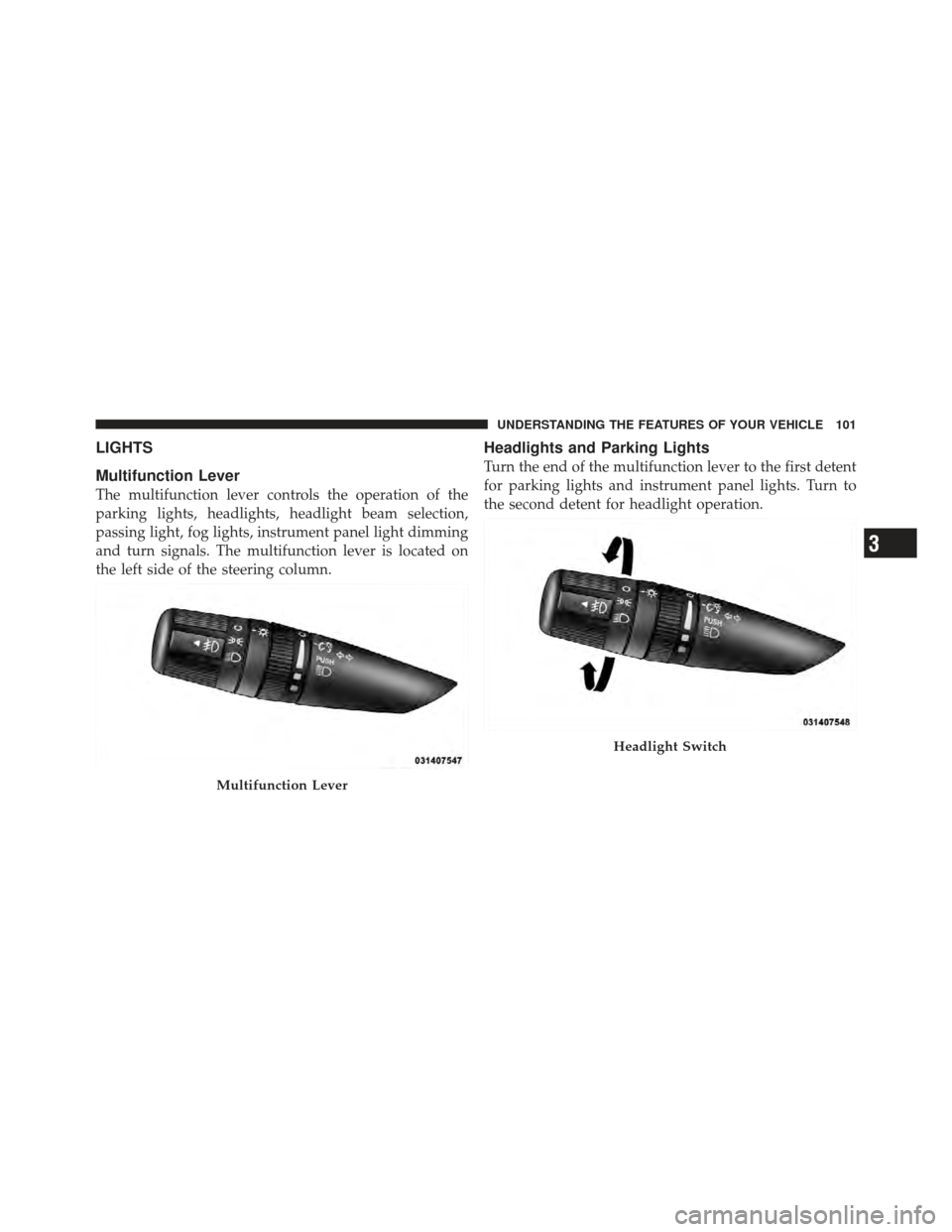
The multifunction lever controls the operation of the
parking lights, headlights, headlight beam selection,
passing light, fog lights, instrument panel light dimming
and turn signals. The multifunction lever is located on
the left side of the steering column.
Headlights and Parking Lights
Turn the end of the multifunction lever to the first detent
for parking lights and instrument panel lights. Turn to
the second detent for headlight operation.
Multifunction Lever
Headlight Switch
3
UNDERSTANDING THE FEATURES OF YOUR VEHICLE 101
Page 107 of 368
WINDSHIELD WIPERS AND WASHERS
The windshield wiper/washer control lever is located on
the right side of the steering column. The front wipers are
operated by rotating a switch, located at the end of the
lever. For information on using the rear window wiper/
washer, refer to “Rear Window Features” in “Under-
standing the Features of Your Vehicle”.
Windshield Wiper Operation
Rotate the end of the lever upward to the LO position for
low-speed wiper operation.
Rotate the end of the lever upward to the HI position for
high-speed wiper operation.
Windshield Wiper/Washer LeverFront Wiper Control
106 UNDERSTANDING THE FEATURES OF YOUR VEHICLE
Page 111 of 368

Mist Feature
Push downward on the windshield wiper/washer con-
trol lever to activate a single wipe cycle to clear the
windshield of road mist or spray from a passing vehicle.
The wipers will continue to operate until you release the
lever.
Headlights With Wipers (Available with Automatic
Headlights Only)
When this feature is active, the headlights will turn on
approximately 10 seconds after the wipers are turned ON
if the multifunction lever (on the left side of the steering
column) is placed in the AUTO position. In addition, the
headlights will turn off when the wipers are turned OFF
if they were turned ON by this feature.
The “Headlights with Wipers” feature can be turned on
or off through the Electronic Vehicle Information Center
(EVIC) (if equipped). Refer to “Electronic Vehicle Infor-
mation Center (EVIC)/Personal Settings (Customer-
Programmable Features)” in “Understanding Your In-
strument Panel” for further information.
TILT STEERING COLUMN
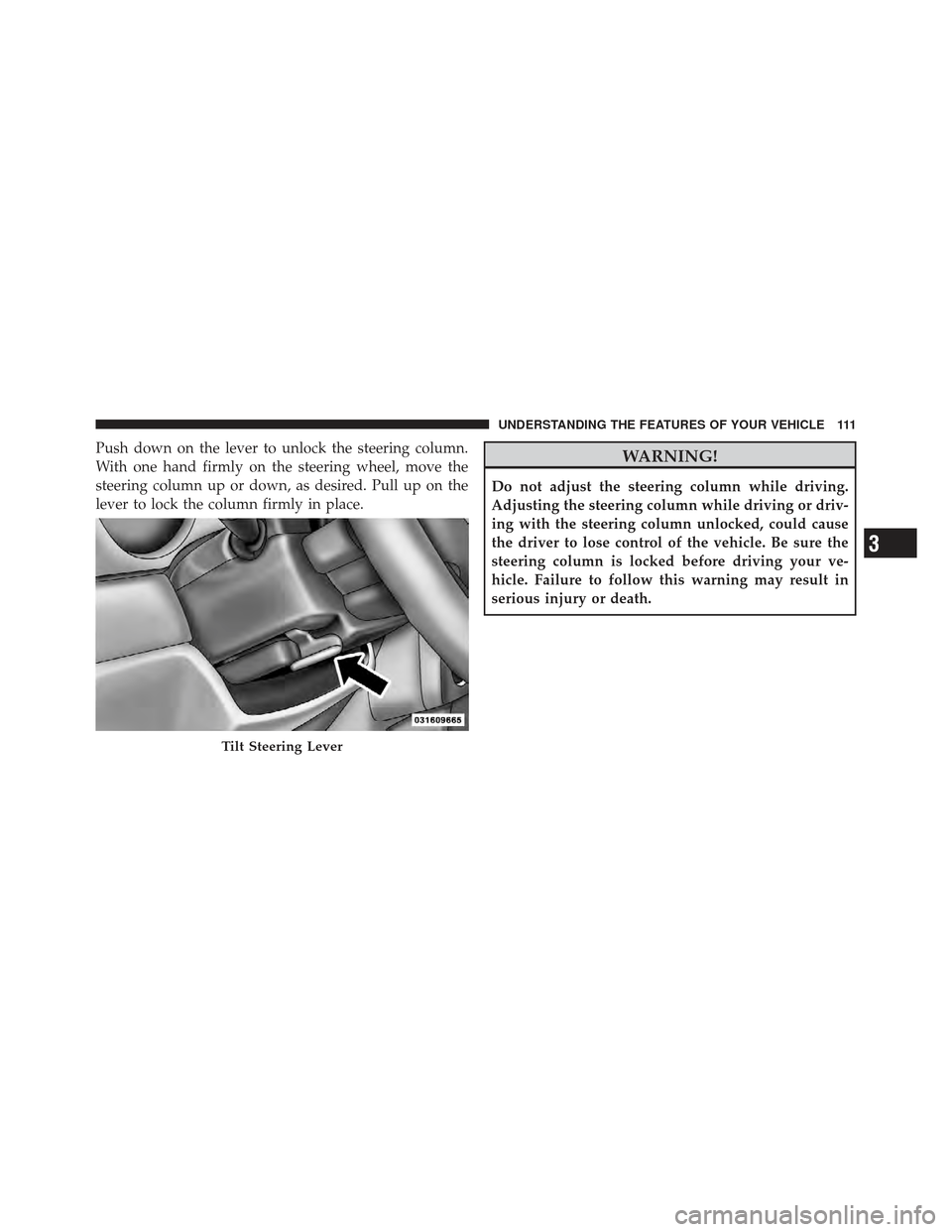
This feature allows you to tilt the steering column
upward or downward. The tilt lever is located on the
steering column, below the turn signal lever.
Mist Control
110 UNDERSTANDING THE FEATURES OF YOUR VEHICLE
Page 112 of 368
Push down on the lever to unlock the steering column.
With one hand firmly on the steering wheel, move the
steering column up or down, as desired. Pull up on the
lever to lock the column firmly in place.WARNING!
Do not adjust the steering column while driving.
Adjusting the steering column while driving or driv-
ing with the steering column unlocked, could cause
the driver to lose control of the vehicle. Be sure the
steering column is locked before driving your ve-
hicle. Failure to follow this warning may result in
serious injury or death.
Tilt Steering Lever
3
UNDERSTANDING THE FEATURES OF YOUR VEHICLE 111
Page 113 of 368
ELECTRONIC SPEED CONTROL — IF EQUIPPED
When engaged, Electronic Speed Control takes over the
accelerator operation at approximately either 30 mph
(40 km/h ) or 35 mph (56 km/h) depending on the model
or engine size. The Electronic Speed Control lever is
located on the right side of the steering wheel.NOTE:
In order to ensure proper operation, the Elec-
tronic Speed Control System has been designed to shut
down if multiple Speed Control functions are operated
simultaneously. If this occurs, the Electronic Speed Con-
trol System can be reactivated by pushing the Electronic
Speed Control ON/OFF button and resetting the desired
vehicle set speed.
To Activate
Push the ON/OFF button. The CRUISE indicator in the
instrument cluster will illuminate. To turn the system off,
push the ON/OFF button a second time. The CRUISE
indicator will turn off. The system should be turned off
when not in use.
Electronic Speed Control Lever
112 UNDERSTANDING THE FEATURES OF YOUR VEHICLE