Page 33 of 465
Passive Entry System — If Equipped
The Passive Entry system is an enhancement to the
vehicle’s Remote Keyless Entry (RKE) system. This fea-
ture allows you to lock and unlock the vehicle’s door(s)
without having to press the RKE transmitter lock or
unlock buttons.
NOTE:
•Passive Entry may be programmed ON/OFF, refer to
“Electronic Vehicle Information Center (EVIC)/
Personal Settings (Customer-Programmable Fea-
tures)” in “Understanding Your Instrument Panel” for
further information.
•If a passive entry door handle has not been used for
72 hours the passive entry feature for that handle may
time out. Also, if it has been raining on a passive entry
door handle for 24 hours, that door handle’s passive
entry feature may be deactivated. Pulling the deacti-
vated front door handle will reactivate that door
handle’s passive entry feature.
•If wearing hand gloves, the Passive Entry door handle
unlock sensitivity can be affected, resulting in a slower
response time.
To Unlock From The Driver’s Side:
With a valid Passive Entry RKE transmitter within 5 ft
(1.5 m) of the driver’s side of the vehicle, grab the front
driver door handle to unlock the driver’s door automati-
cally.
NOTE: If “Unlock All Doors 1st Press” is programmed
all doors will unlock when you grab hold of the front
driver ’s door handle. To select between “Unlock Driver
Door 1st Press” and “Unlock All Doors 1st Press”, refer to
“Electronic Vehicle Information Center (EVIC)/Personal
Settings (Customer-Programmable Features)” in “Under-
standing Your Instrument Panel” for further information.
32 THINGS TO KNOW BEFORE STARTING YOUR VEHICLE
Page 38 of 465
WINDOWS
Power Windows
The window controls on the driver’s door control all the
door windows.There are single window controls on each passenger door
trim panel, which operate the passenger door windows.
The window controls will operate only when the ignition
switch is in the ON or ACC position.
WARNING!
Never leave children in a vehicle with the key in the
ignition switch or leave a vehicle with Keyless Go in
the ACC or RUN position. Occupants, particularly
unattended children, can become entrapped by the
windows while operating the power window
switches. Such entrapment may result in serious
injury or death.
Power Window Switches
2
THINGS TO KNOW BEFORE STARTING YOUR VEHICLE 37
Page 42 of 465
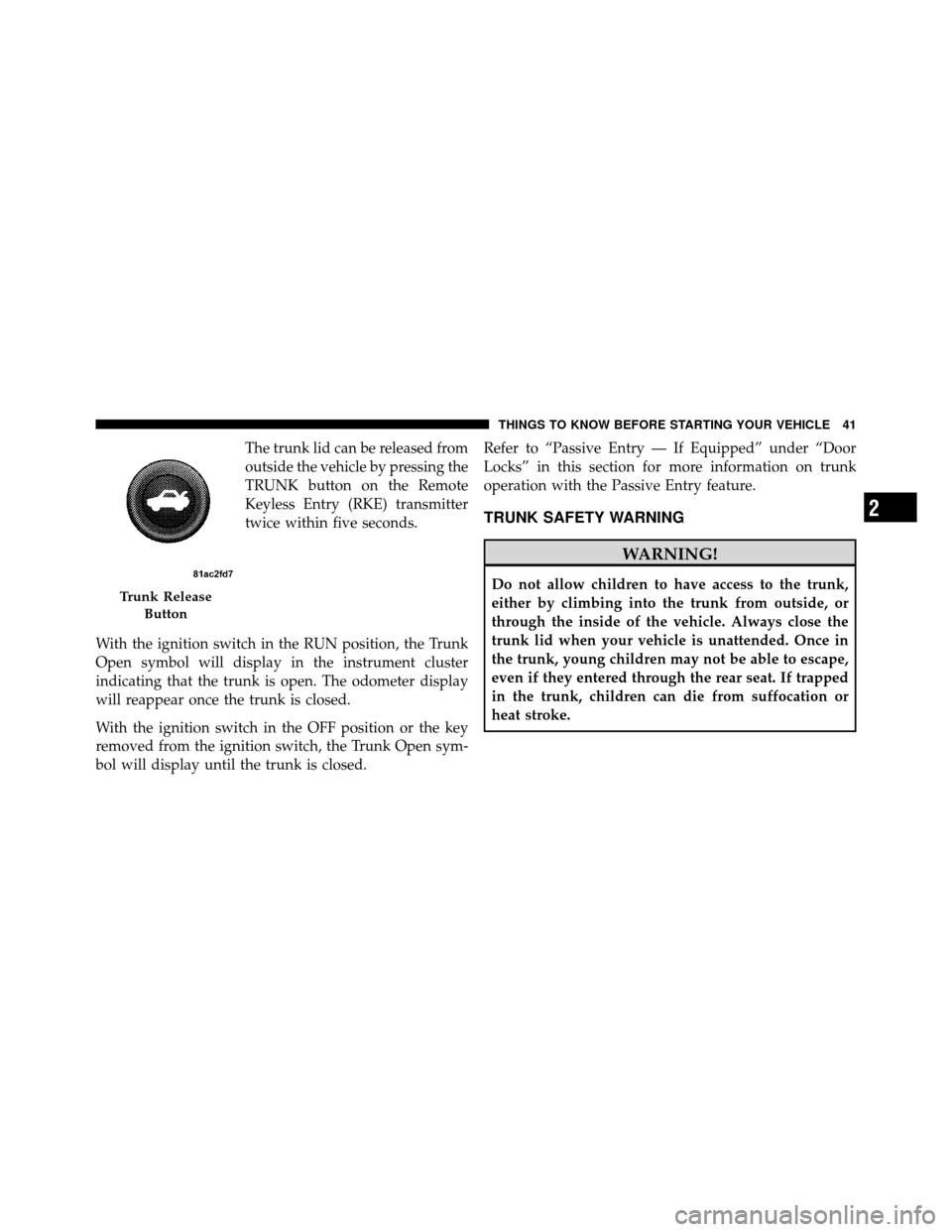
The trunk lid can be released from
outside the vehicle by pressing the
TRUNK button on the Remote
Keyless Entry (RKE) transmitter
twice within five seconds.
With the ignition switch in the RUN position, the Trunk
Open symbol will display in the instrument cluster
indicating that the trunk is open. The odometer display
will reappear once the trunk is closed.
With the ignition switch in the OFF position or the key
removed from the ignition switch, the Trunk Open sym-
bol will display until the trunk is closed. Refer to “Passive Entry — If Equipped” under “Door
Locks” in this section for more information on trunk
operation with the Passive Entry feature.
TRUNK SAFETY WARNING
WARNING!
Do not allow children to have access to the trunk,
either by climbing into the trunk from outside, or
through the inside of the vehicle. Always close the
trunk lid when your vehicle is unattended. Once in
the trunk, young children may not be able to escape,
even if they entered through the rear seat. If trapped
in the trunk, children can die from suffocation or
heat stroke.Trunk Release
Button
2
THINGS TO KNOW BEFORE STARTING YOUR VEHICLE 41
Page 64 of 465
covers the window. The airbag inflates in about 30 ms
(about one-quarter of the time that it takes to blink your
eyes) with enough force to injure you if you are not belted
and seated properly, or if items are positioned in the area
where the side curtain airbag inflates. This especially
applies to children. The side curtain airbag is only about
3-1/2 in (9 cm) thick when it is inflated.
Because airbag sensors estimate deceleration over time,
vehicle speed and damage are not good indicators of
whether or not an airbag should have deployed.
NOTE:In a rollover the pretensioners and/or SABIC
airbags may deploy on both sides of the vehicle.
Front and Side Impact Sensors
In front and side impacts, impact sensors can aid the
ORC in determining appropriate response to impact
events. Additional sensors in the ORC determine the
level of airbag deployment and provide verification.
Enhanced Accident Response System
In the event of an impact causing airbag deployment, if
the communication network remains intact, and the
power remains intact, depending on the nature of the
event the ORC will determine whether to have the
Enhanced Accident Response System perform the follow-
ing functions:
•Cut off fuel to the engine.
•Flash hazard lights as long as the battery has power or
until the ignition key is turned off.
•Turn on the interior lights, which remain on as long as
the battery has power, until the ignition key is re-
moved or the ignition switch is changed to OFF using
the Keyless Go Start/Stop button.
•Unlock the doors automatically.
2
THINGS TO KNOW BEFORE STARTING YOUR VEHICLE 63
Page 87 of 465
�Voice Command — If Equipped ........... 122
▫ Voice Command System Operation ........ 122
▫ Commands ........................ 124
▫ Voice Training ...................... 127
� Seats .............................. 127
▫ Power Seats ........................ 128
▫ Power Reclining Seats ................. 129
▫ Lumbar Support ..................... 130
▫ Head Restraints ..................... 130
▫ Heated Seats ....................... 132
▫ Folding Rear Seat .................... 134
� Driver Memory Seat — If Equipped ........ 135
▫ Programming The Memory Feature ....... 136▫
Linking And Unlinking The Remote Keyless
Entry Transmitter To Memory ........... 137
▫ Memory Position Recall ................ 138
▫ Easy Entry/Exit Seat (Available With
Memory Seat Only) ................... 138
� To Open And Close The Hood ............ 140
� Lights ............................. 141
▫ Headlight Switch .................... 141
▫ Automatic Headlights ................. 142
▫ Headlights On With Wipers ............. 142
▫ Smartbeam™ — If Equipped ............ 143
▫ Headlight Time Delay ................. 144
▫ Daytime Running Lights — If Equipped .... 144
▫ Lights-On Reminder .................. 144
86 UNDERSTANDING THE FEATURES OF YOUR VEHICLE
Page 94 of 465
NOTE:For vehicles equipped with Driver Memory
Seat, you can use your Remote Keyless Entry (RKE)
transmitter or the MEMORY switch on the driver-side
door trim panel to return the power mirrors to pre-
programmed positions. Refer to “Driver Memory Seat”
in “Understanding the Features of Your Vehicle” for
further information.
Heated Mirrors — If Equipped
These mirrors are heated to melt frost or ice. This
feature is activated whenever you turn on the rear
window defroster. Refer to “Rear Window Features” in
“Understanding the Features of Your Vehicle” for further
information.
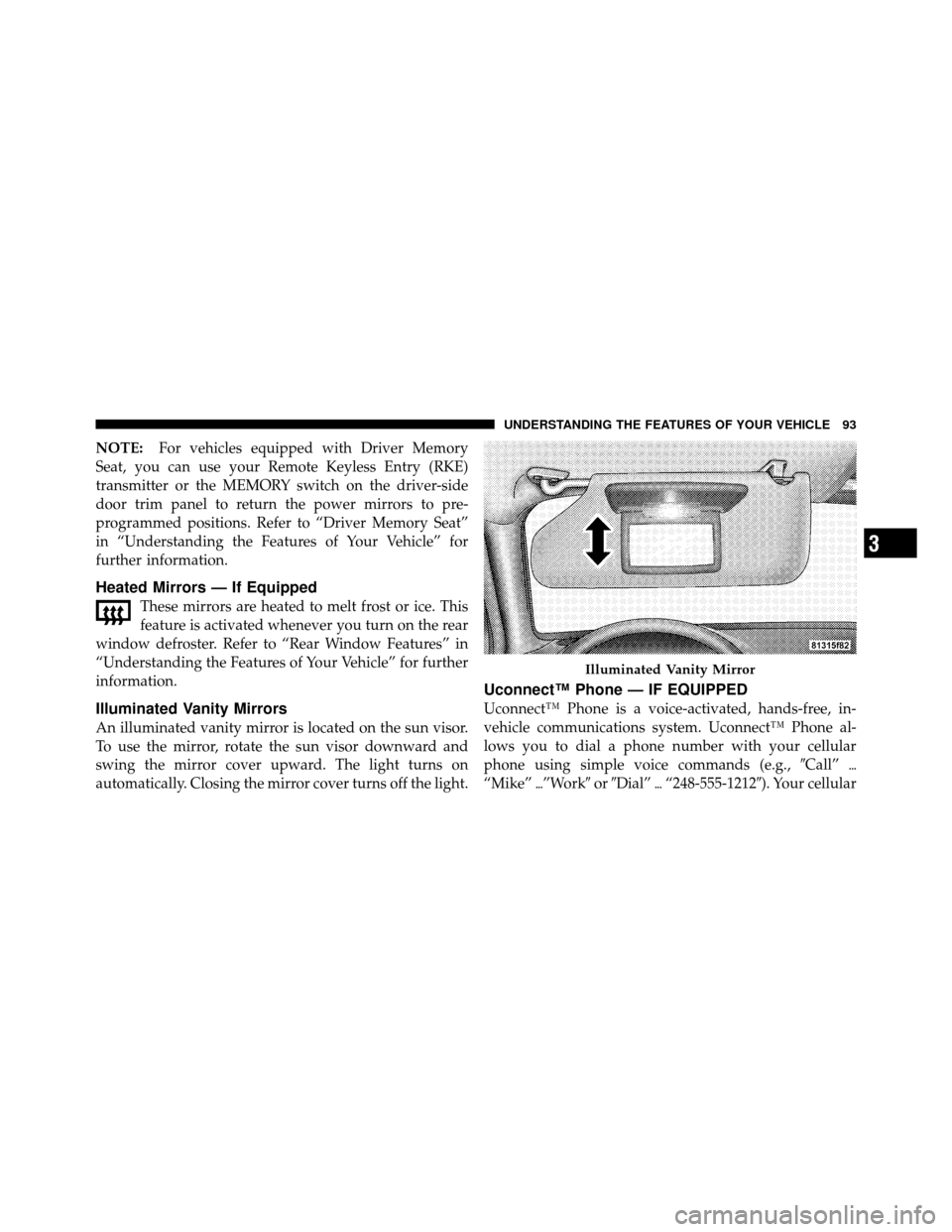
Illuminated Vanity Mirrors
An illuminated vanity mirror is located on the sun visor.
To use the mirror, rotate the sun visor downward and
swing the mirror cover upward. The light turns on
automatically. Closing the mirror cover turns off the light.
Uconnect™ Phone — IF EQUIPPED
Uconnect™ Phone is a voice-activated, hands-free, in-
vehicle communications system. Uconnect™ Phone al-
lows you to dial a phone number with your cellular
phone using simple voice commands (e.g., �Call”�
“Mike” �”Work� or�Dial” �“248-555-1212�). Your cellular
Illuminated Vanity Mirror
3
UNDERSTANDING THE FEATURES OF YOUR VEHICLE 93
Page 136 of 465
WARNING!
•Be certain that the seatback is securely locked into
position. If the seatback is not securely locked into
position, the seat will not provide the proper
stability for child seats and/or passengers. An
improperly latched seat could cause serious injury.
•The cargo area in the rear of the vehicle (with the
rear seatbacks in the locked-up or folded down
position) should not be used as a play area by
children when the vehicle is in motion. They could
be seriously injured in an accident. Children
should be seated and using the proper restraint
system.
DRIVER MEMORY SEAT — IF EQUIPPED
This feature allows the driver to store up to two different
memory profiles for easy recall through a Memory
switch. Each memory profile contains desired position
settings for the driver seat, side mirrors, adjustable
pedals, power tilt, telescopic steering column and a set of
desired radio station presets. Your Remote Keyless Entry
(RKE) transmitter can also be programmed to recall the
same positions when the unlock button is pressed.
3
UNDERSTANDING THE FEATURES OF YOUR VEHICLE 135
Page 138 of 465
1. Adjust all memory profile settings to desired prefer-
ences (i.e., seat, side mirror, adjustable pedals, power tilt,
telescopic steering column, and radio station presets).
2. Press and release the SET button on the Memory
switch, then press the side of the rocker switch labeled (2)
within five seconds. The EVIC will display which
memory position is being set.
NOTE:
•Memory profiles can be set without the vehicle in
PARK, but the vehicle must be in PARK to recall a
memory profile.
•The Recall Memory with Remote Key Unlock feature
can be enabled or disabled. For details, refer to “Elec-
tronic Vehicle Information Center (EVIC)/Customer-
Programmable Features” in “Understanding Your In-
strument Panel” for further information.
Linking and Unlinking the Remote Keyless Entry
Transmitter to Memory
Your RKE transmitters can be programmed to recall one
of two pre-programmed memory profiles by pressing the
UNLOCK button on the RKE transmitter.
To program your RKE transmitters, perform the follow-
ing:
1. Remove the Key Fob from the ignition (or change the
ignition to OFF, for vehicles equipped with Keyless
Go™).
2. Select the desired memory profile 1 or 2.
3. Press and release the SET button on the Memory
switch, then press and release the side of the rocker
switch labeled 1 or 2 accordingly.�Memory Profile Set” (1
or 2) will display in the EVIC.
4. Press and release the LOCK button on the RKE
transmitter within 10 seconds.
3
UNDERSTANDING THE FEATURES OF YOUR VEHICLE 137
