Page 84 of 465
Periodic Safety Checks You Should Make Outside
the Vehicle
Tires
Examine tires for excessive tread wear and uneven wear
patterns. Check for stones, nails, glass, or other objects
lodged in the tread. Inspect the tread and sidewall for
cuts and cracks. Check the wheel nuts for tightness.
Check the tires (including spare) for proper pressure.
Lights
Have someone observe the operation of exterior lights
while you work the controls. Check turn signal and high
beam indicator lights on the instrument panel.
Door Latches
Check for positive closing, latching, and locking.
Fluid Leaks
Check area under vehicle after overnight parking for fuel,
engine coolant, oil, or other fluid leaks. Also, if gasoline
fumes are detected or if fuel, power steering fluid, or
brake fluid leaks are suspected, the cause should be
located and corrected immediately.2
THINGS TO KNOW BEFORE STARTING YOUR VEHICLE 83
Page 87 of 465
�Voice Command — If Equipped ........... 122
▫ Voice Command System Operation ........ 122
▫ Commands ........................ 124
▫ Voice Training ...................... 127
� Seats .............................. 127
▫ Power Seats ........................ 128
▫ Power Reclining Seats ................. 129
▫ Lumbar Support ..................... 130
▫ Head Restraints ..................... 130
▫ Heated Seats ....................... 132
▫ Folding Rear Seat .................... 134
� Driver Memory Seat — If Equipped ........ 135
▫ Programming The Memory Feature ....... 136▫
Linking And Unlinking The Remote Keyless
Entry Transmitter To Memory ........... 137
▫ Memory Position Recall ................ 138
▫ Easy Entry/Exit Seat (Available With
Memory Seat Only) ................... 138
� To Open And Close The Hood ............ 140
� Lights ............................. 141
▫ Headlight Switch .................... 141
▫ Automatic Headlights ................. 142
▫ Headlights On With Wipers ............. 142
▫ Smartbeam™ — If Equipped ............ 143
▫ Headlight Time Delay ................. 144
▫ Daytime Running Lights — If Equipped .... 144
▫ Lights-On Reminder .................. 144
86 UNDERSTANDING THE FEATURES OF YOUR VEHICLE
Page 88 of 465

▫Fog Lights ......................... 145
▫ Multifunction Lever .................. 145
▫ Turn Signals ........................ 145
▫ Lane Change Assist ................... 146
▫ High/Low Beam Switch ............... 146
▫ Flash-To-Pass ....................... 146
▫ Overhead Console Map/Reading Lights .... 146
▫ Interior Lights ...................... 147
� Windshield Wipers And Washers .......... 148
▫ Intermittent Wiper System .............. 149
▫ Windshield Washers .................. 149
▫ Mist Feature ........................ 150
▫ Headlights On With Wipers ............. 150▫
Rain Sensing Wipers .................. 150
� Power Tilt/Telescoping Steering Column
— If Equipped ........................ 152
� Adjustable Pedals ..................... 153
� Electronic Speed Control ................ 155
▫ To Activate ......................... 155
▫ To Set At A Desired Speed .............. 156
▫ To Deactivate ....................... 156
▫ To Resume Speed .................... 157
▫ To Vary The Speed Setting .............. 157
▫ To Accelerate For Passing .............. 157
� Parksense� Rear Park Assist .............. 158
▫ Parksense� System Usage Precautions ...... 160
3
UNDERSTANDING THE FEATURES OF YOUR VEHICLE 87
Page 89 of 465
�Overhead Console ..................... 163
▫ Courtesy/Reading Lights .............. 164
▫ Sunglasses Storage ................... 164
� Garage Door Opener — If Equipped ........ 164
▫ Programming HomeLink� .............. 166
▫ Gate Operator/Canadian Programming .... 168
▫ Using HomeLink� ................... 169
▫ Reprogramming A Single HomeLink�
Button ............................ 169
▫ Security ........................... 169
▫ Troubleshooting Tips .................. 170
▫ General Information .................. 170
� Power Sunroof — If Equipped ............ 171▫
Opening Sunroof — Express ............ 172
▫ Closing Sunroof — Express ............. 172
▫ Pinch Protect Feature ................. 172
▫ Pinch Protect Override ................ 172
▫ Venting Sunroof — Express ............. 172
▫ Sunshade Operation .................. 173
▫ Wind Buffeting ...................... 173
▫ Sunroof Maintenance ................. 173
▫ Ignition Off Operation ................. 173
▫ Sunroof Fully Closed .................. 173
� Electrical Power Outlets ................. 174
� Cupholders .......................... 177
▫ Front Seat Cupholders ................. 177
88 UNDERSTANDING THE FEATURES OF YOUR VEHICLE
Page 133 of 465
NOTE:Ensure that the front of the head restraint is
facing toward the front of the vehicle.
WARNING!
Driving a vehicle with the head restraints removed or
improperly adjusted could cause serious injury or
death in the event of a collision. The head restraints
should always be checked prior to operating the
vehicle and never adjusted while the vehicle is in
motion. Always adjust the head restraints when the
vehicle is in PARK.
Heated Seats
This feature heats the front driver, passenger, and second
row seats. The controls for each heater are located near
the bottom center of the instrument panel. After turning the ignition ON, you can choose from High,
Low, or Off heat settings. Amber indicator lights in each
switch indicate the level of heat in use. Two indicator
lights will illuminate for High, one for Low, and none for
Off.
Front Heated Seat Switch
132 UNDERSTANDING THE FEATURES OF YOUR VEHICLE
Page 142 of 465
CAUTION!
To prevent possible damage, do not slam the hood to
close it. Lower the hood, until it is open approxi-
mately 6 in (15 cm), and then drop it. This should
secure both latches. Never drive your vehicle unless
the hood is fully closed, with both latches engaged.
WARNING!
Be sure the hood is fully latched before driving your
vehicle. If the hood is not fully latched, it could open
when the vehicle is in motion and block your vision.
Failure to follow this warning could result in serious
injury or death.
LIGHTS
Headlight Switch
The headlight switch is located on the left side of
the instrument panel. This switch controls the
operation of the headlights, parking lights, instru-
ment panel lights, instrument panel light dimming, inte-
rior lights and fog lights.
3
UNDERSTANDING THE FEATURES OF YOUR VEHICLE 141
Page 143 of 465
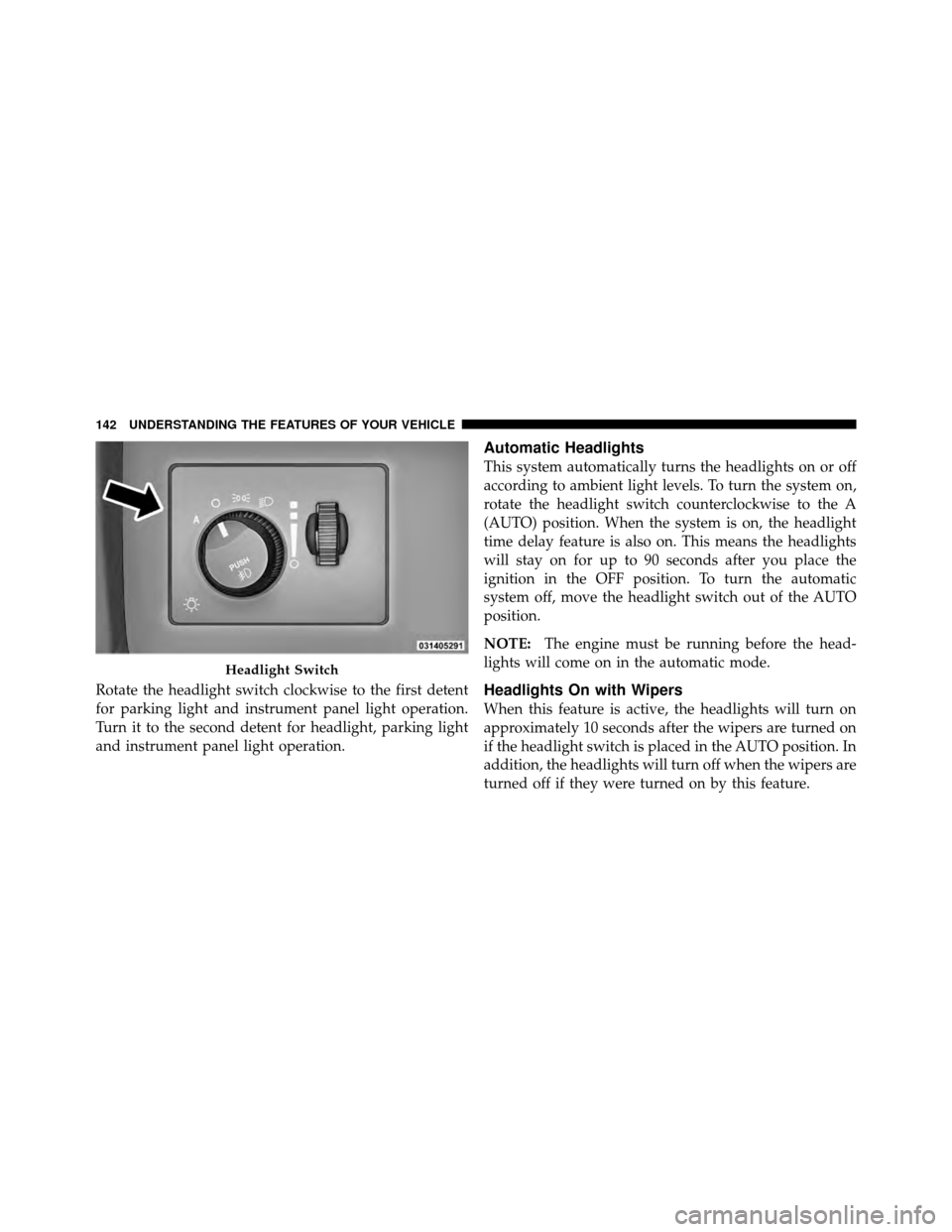
Rotate the headlight switch clockwise to the first detent
for parking light and instrument panel light operation.
Turn it to the second detent for headlight, parking light
and instrument panel light operation.
Automatic Headlights
This system automatically turns the headlights on or off
according to ambient light levels. To turn the system on,
rotate the headlight switch counterclockwise to the A
(AUTO) position. When the system is on, the headlight
time delay feature is also on. This means the headlights
will stay on for up to 90 seconds after you place the
ignition in the OFF position. To turn the automatic
system off, move the headlight switch out of the AUTO
position.
NOTE:The engine must be running before the head-
lights will come on in the automatic mode.
Headlights On with Wipers
When this feature is active, the headlights will turn on
approximately 10 seconds after the wipers are turned on
if the headlight switch is placed in the AUTO position. In
addition, the headlights will turn off when the wipers are
turned off if they were turned on by this feature.
Headlight Switch
142 UNDERSTANDING THE FEATURES OF YOUR VEHICLE
Page 144 of 465
The Headlights On with Wipers feature can be enabled or
disabled. Refer to “Electronic Vehicle Information Center
(EVIC)/Customer-Programmable Features” in “Under-
standing Your Instrument Panel” for further information.
SmartBeam™ — If Equipped
The SmartBeam™ system provides increased forward
lighting at night by automating high beam control
through the use of a digital camera mounted on the
inside rearview mirror. This camera detects vehicle spe-
cific light and automatically switches from high beams to
low beams until the approaching vehicle is out of view.
To Activate
1. Select “Automatic High Beams — ON” through the
Electronic Vehicle Information Center (EVIC). Refer to
“Electronic Vehicle Information Center (EVIC)/
Customer-Programmable Features” in “Understanding
Your Instrument Panel” for further information.2. Rotate the headlight switch counterclockwise to the
AUTO position.
3. Push the multifunction lever away from you to switch
the headlights to the high beam position.
NOTE:
This system will not activate until the vehicle is
at or above 25 mph (40 km/h).
To Deactivate
Perform either of the following steps to deactivate the
SmartBeam™ system.
1. Pull the multifunction lever toward you to switch the
headlights from the high beam to the low beam position.
2. Rotate the headlight switch clockwise from the AUTO
to the on position.
NOTE: Broken, muddy, or obstructed headlights and
taillights of vehicles in the field of view will cause
headlights to remain on longer (closer to the vehicle).
3
UNDERSTANDING THE FEATURES OF YOUR VEHICLE 143