2010 CHEVROLET IMPALA clock setting
[x] Cancel search: clock settingPage 22 of 432
Setting the ClockTo set the time and date for the Radio with CD (MP3):
1. Turn the radio on.
2. Press
H
and the HR, MIN, MM, DD, YYYY
(hour, minute, month, day, and year) displays.
3. Press the pushbutton located below any one of the
tabs that you want to change.
4. Increase or decrease the time or date by
turningf
clockwise or counterclockwise.
For detailed instructions on setting the clock for your
specific audio system, seeSetting the Clock on
page 4-58.
Satellite RadioXM is a satellite radio service that is based in the
48 contiguous United States and 10 Canadian
provinces. XM satellite radio has a wide variety
of programming and commercial-free music,
coast-to-coast, and in digital-quality sound.
A fee is required to receive the XM service.
For more information, refer to:•
www.xmradio.com or call 1-800-929-2100 (U.S.)
•
www.xmradio.ca or call 1-877-438-9677 (Canada)
See “XM Satellite Radio Service” underRadio(s)
on page 4-59.
Portable Audio DevicesThis vehicle may have an auxiliary input jack, located
on the audio faceplate. External devices such as iPod
®,
MP3 players, etc. can be connected to the auxiliary
input jack using a 3.5 mm (1/8 in) input jack cable.
See “Using the Auxiliary Input Jack” underRadio(s) on
page 4-59.
1-16
Page 152 of 432
Oil Pressure Light.........................................4-34
Security Light . ..............................................4-35
Fog Lamp Light............................................4-35
Cruise Control Light......................................4-35
Highbeam On Light.......................................4-36
Fuel Gage . ..................................................4-36
Driver Information Center (DIC).......................4-37
DIC Operation and Displays . ..........................4-37
DIC Compass . . . . ..........................................4-42
DIC Warnings and Messages.........................4-44
DIC Vehicle Customization . . ...........................4-51Audio System(s).............................................4-57
Setting the Clock..........................................4-58
Radio(s)......................................................4-59
Using an MP3..............................................4-68
XM Radio Messages.....................................4-72
Bluetooth
®
...................................................4-74
Theft-Deterrent Feature..................................4-84
Audio Steering Wheel Controls.......................4-84
Radio Reception...........................................4-85
Backglass Antenna.......................................4-86
XM™ Satellite Radio Antenna System.............4-86
Section 4 Instrument Panel
4-2
Page 167 of 432

A. Fan Control
B. Outside Air
C. Temperature Control
D. RecirculationE. Air Delivery Mode
Control
F. Air Conditioning
G. Rear Window
Defogger
Temperature Control:For dual zone, turn the
thumbwheels up or down to increase or decrease
the temperature on the driver or the passenger side
of the vehicle. For single zone, turn the knob clockwise
or counterclockwise to increase or decrease the
temperature.
9
(Fan Control):Turn clockwise or counterclockwise to
increase or decrease the fan speed. Positioning the knob
between two modes, can select a combination of those
modes.
If the airflow seems low when the fan is at the highest
setting, the passenger compartment air filter may need to
be replaced. There will be some airflow noticeable from
the various outlets when driving, even with the fan in
the off position. For more information, seePassenger
Compartment Air Filter on page 4-20andScheduled
Maintenance on page 7-3.
Air Delivery Mode Control:Turn clockwise or
counterclockwise to change the direction of the airflow
inside the vehicle.
To change the current mode, select one of the following:
H
(Vent):Air is directed to the instrument panel
outlets.
)
(Bi-Level):Air is divided between the instrument
panel outlets and the floor outlets. Single Zone
4-17
Page 208 of 432
Setting the ClockWithout Date DisplayAM/FM Base Radio with a Single CD PlayerThis radio has a
H
button for setting the time.
To set the time:
1. Press the
H
button until the hour begins flashing on
display. PressH
a second time and the minutes
begin flashing on display.
2. To increase or decrease the time, do one of the
following while the hours or minutes are flashing:
•
Turn the
f
knob.
•
Press
¨
SEEK or
©
SEEK.
•
Press
\
FWD or
s
REV.
3. Press the
H
button again until the clock display
stops flashing to set the currently displayed time,
or wait five seconds until the flashing stops and the
current time displayed is automatically set.
To change the time default setting from 12 hour to
24 hour, press theH
button until 12H or 24H is displayed.
Once 12H or 24H is displayed, turn the
f
knob to the
desired option to select the setting. Press the
H
button
again to apply the setting, or let the screen time out.
With Date DisplaySingle CD (MP3) PlayerThis radio has a
H
button for setting the time.
To set the time and date:
1. Turn the radio on.
2. Press the
H
button and the HR, MIN, MM, DD,
YYYY (hour, minute, month, day, and year)
displays.
3. Press the pushbutton located under any one of the
tabs to be changed.
4. To increase the time or date, do one of the
following:
•
Press the pushbutton below the selected tab.
•
Turn the
f
knob clockwise.
•
Press
¨
SEEK.
•
Press
\
FWD.
5. To decrease the time or date, do one of the
following:
•
Turn the
f
knob counter-clockwise.
•
Press
©
SEEK.
•
Press
s
REV.
4-58
Page 210 of 432
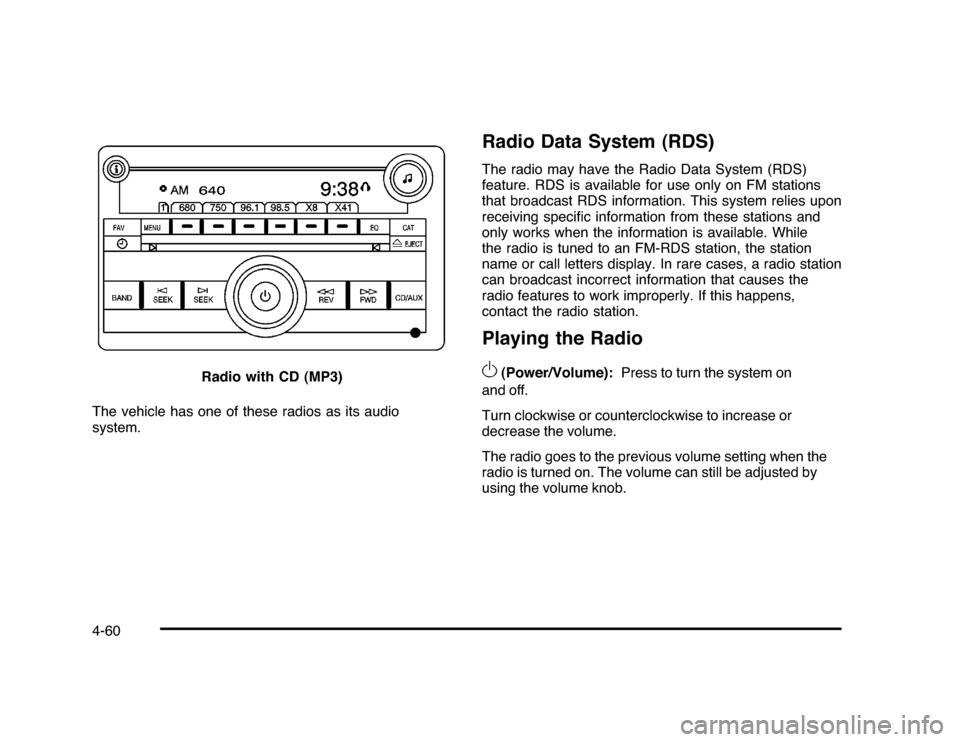
The vehicle has one of these radios as its audio
system.
Radio Data System (RDS)The radio may have the Radio Data System (RDS)
feature. RDS is available for use only on FM stations
that broadcast RDS information. This system relies upon
receiving specific information from these stations and
only works when the information is available. While
the radio is tuned to an FM-RDS station, the station
name or call letters display. In rare cases, a radio station
can broadcast incorrect information that causes the
radio features to work improperly. If this happens,
contact the radio station.Playing the Radio
O
(Power/Volume):Press to turn the system on
and off.
Turn clockwise or counterclockwise to increase or
decrease the volume.
The radio goes to the previous volume setting when the
radio is turned on. The volume can still be adjusted by
using the volume knob. Radio with CD (MP3)
4-60
Page 213 of 432
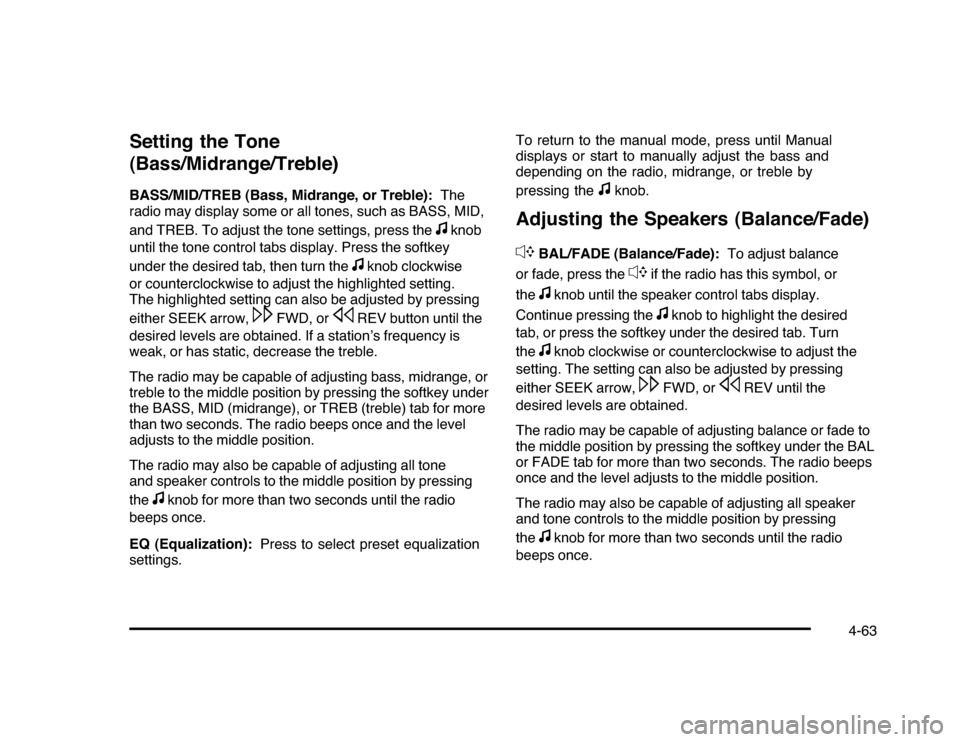
Setting the Tone
(Bass/Midrange/Treble)BASS/MID/TREB (Bass, Midrange, or Treble):The
radio may display some or all tones, such as BASS, MID,
and TREB. To adjust the tone settings, press the
f
knob
until the tone control tabs display. Press the softkey
under the desired tab, then turn the
f
knob clockwise
or counterclockwise to adjust the highlighted setting.
The highlighted setting can also be adjusted by pressing
either SEEK arrow,
\
FWD, or
s
REV button until the
desired levels are obtained. If a station’s frequency is
weak, or has static, decrease the treble.
The radio may be capable of adjusting bass, midrange, or
treble to the middle position by pressing the softkey under
the BASS, MID (midrange), or TREB (treble) tab for more
than two seconds. The radio beeps once and the level
adjusts to the middle position.
The radio may also be capable of adjusting all tone
and speaker controls to the middle position by pressing
the
f
knob for more than two seconds until the radio
beeps once.
EQ (Equalization):Press to select preset equalization
settings.To return to the manual mode, press until Manual
displays or start to manually adjust the bass and
depending on the radio, midrange, or treble by
pressing the
f
knob.
Adjusting the Speakers (Balance/Fade)
`
BAL/FADE (Balance/Fade):To adjust balance
or fade, press the
`
if the radio has this symbol, or
the
f
knob until the speaker control tabs display.
Continue pressing the
f
knob to highlight the desired
tab, or press the softkey under the desired tab. Turn
the
f
knob clockwise or counterclockwise to adjust the
setting. The setting can also be adjusted by pressing
either SEEK arrow,
\
FWD, or
s
REV until the
desired levels are obtained.
The radio may be capable of adjusting balance or fade to
the middle position by pressing the softkey under the BAL
or FADE tab for more than two seconds. The radio beeps
once and the level adjusts to the middle position.
The radio may also be capable of adjusting all speaker
and tone controls to the middle position by pressing
the
f
knob for more than two seconds until the radio
beeps once.
4-63
Page 409 of 432
A
Accessories and Modifications............................ 6-3
Accessory Power............................................3-21
Accessory Power Outlets . ................................4-15
Additives, Fuel................................................. 6-7
Add-On Electrical Equipment............................6-95
Air Cleaner/Filter, Engine . ................................6-19
Air Conditioning..............................................4-16
Air Filter, Passenger Compartment . . ..................4-20
Airbag
Adding Equipment to Your Airbag-Equipped
Vehicle ...................................................2-73
Airbag System
How Does an Airbag Restrain?......................2-63
Passenger Sensing System...........................2-66
Servicing Your Airbag-Equipped Vehicle..........2-72
What Makes an Airbag Inflate?......................2-63
What Will You See After an Airbag Inflates? . . . . 2-64
When Should an Airbag Inflate? . . ..................2-61
Where Are the Airbags?...............................2-59
Airbags
Passenger Status Indicator...........................4-25
Readiness Light..........................................4-24
System Check.............................................2-56
Antenna
Backglass ...................................................4-86
Antenna, XM™ Satellite Radio Antenna
System . . ....................................................4-86Antilock Brake System (ABS)............................. 5-5
Warning Light.............................................4-28
Appearance Care
Aluminum Wheels........................................6-93
Care of Safety Belts....................................6-90
Chemical Paint Spotting . . . . . ..........................6-94
Cleaning Exterior Lamps/Lenses....................6-91
Fabric/Carpet..............................................6-88
Finish Care.................................................6-92
Finish Damage............................................6-94
Instrument Panel, Vinyl, and Other Plastic
Surfaces.................................................6-90
Interior Cleaning..........................................6-87
Leather......................................................6-89
Sheet Metal Damage . . .................................6-94
Tires..........................................................6-93
Underbody Maintenance . . . . . ..........................6-94
Washing Your Vehicle . . . . ...............................6-91
Weatherstrips..............................................6-90
Windshield and Wiper Blades........................6-92
Ashtray.........................................................4-16
Assistance Program, Roadside........................... 8-7
Audio System.................................................4-57
Audio Steering Wheel Controls . . ....................4-84
Radio Reception..........................................4-85
Setting the Clock.........................................4-58
Theft-Deterrent Feature................................4-84
XM™ Satellite Radio Antenna System . . . . . . . . . . . . 4-86
Audio System(s).............................................4-59
1
Page 411 of 432

Charging System Light....................................4-26
Check
Engine Lamp..............................................4-31
Checking Things Under the Hood......................6-12
Chemical Paint Spotting . . .................................6-94
Child Restraints
Infants and Young Children...........................2-35
Lower Anchors and Tethers for Children..........2-43
Older Children.............................................2-32
Securing a Child Restraint in a Rear Seat
Position..................................................2-49
Securing a Child Restraint in the Center
Front Seat Position . . . . . ..............................2-52
Securing a Child Restraint in the Right
Front Seat Position . . . . . ..............................2-52
Systems.....................................................2-39
Where to Put the Restraint...........................2-42
Cigarette Lighter.............................................4-16
Circuit Breakers..............................................6-96
Cleaning
Aluminum Wheels........................................6-93
Exterior Lamps/Lenses . ................................6-91
Fabric/Carpet..............................................6-88
Finish Care . . ...............................................6-92
Instrument Panel, Vinyl, and Other Plastic
Surfaces.................................................6-90
Interior . . .....................................................6-87Cleaning (cont.)
Leather......................................................6-89
Tires..........................................................6-93
Underbody Maintenance . . . . . ..........................6-94
Washing Your Vehicle . . . . ...............................6-91
Weatherstrips..............................................6-90
Windshield and Wiper Blades........................6-92
Climate Control System . . .................................4-16
Outlet Adjustment........................................4-20
Climate Controls.............................................1-14
Clock, Setting.................................................4-58
Collision Damage Repair..................................8-13
Compact Spare Tire........................................6-86
Compass.......................................................4-42
Content Theft-Deterrent....................................3-17
Control of a Vehicle.......................................... 5-3
Convenience Net............................................3-42
Coolant
Engine.......................................................6-25
Engine Temperature Gage............................4-30
Engine Temperature Warning Light.................4-30
Cooling System..............................................6-24
Courtesy Lamps.............................................4-11
Courtesy Transportation Program . . ....................8-11
Cruise Control.................................................. 4-6
Light..........................................................4-35
Cupholders....................................................3-42
3