2010 CHEVROLET IMPALA steering
[x] Cancel search: steeringPage 161 of 432

Fog Lamps#
(Fog Lamps):For vehicles with fog lamps,
the button is located on the exterior lamps control.
The exterior lamps control is located on the instrument
panel to the left of the steering column.
The ignition must be in the ON/RUN position for the fog
lamps to come on.
Press
#
to turn the fog lamps on or off. A light will
come on in the instrument panel cluster.
When the headlamps are changed to high-beam, the
fog lamps also go off.
Some localities have laws that require the headlamps to
be on along with the fog lamps.
Instrument Panel BrightnessD
(Instrument Panel Brightness):The knob with this
symbol on it is located next to the exterior lamps control
to the left of the steering wheel. Push the knob in all the
way until it extends out and then turn the knob clockwise
or counterclockwise to brighten or dim the lights. Push
the knob back in when finished.
Courtesy LampsWhen a door is opened, the courtesy lamps
automatically come on. They make it easy for you to
enter and leave your vehicle. You can also manually
turn these lamps on by fully turning the instrument
panel brightness control clockwise.
The reading lamps, located on the rearview mirror,
can be turned on or off independent of the automatic
courtesy lamps, when the doors are closed.Dome LampThe center mounted dome lamp overhead comes on
when a door is opened. This lamp can also be turned
on by turning the instrument panel brightness control
clockwise.
4-11
Page 198 of 432
SERVICE POWER STEERINGThis message displays when a problem is detected
with the power steering system. When this message is
displayed, you may notice that the effort required to steer
the vehicle increases or feels heavier, but you will still be
able to steer the vehicle. Have your vehicle serviced by
your dealer/retailer immediately.SERVICE STABILITRAKIf your vehicle has Electronic Stability Control (ESC),
this message displays if there has been a problem
detected with ESC. The ESC/TCS light also appears
on the instrument panel cluster. SeeElectronic Stability
Control (ESC) on page 5-6for more information.
If this message turns on while you are driving, pull off the
road as soon as possible and stop carefully. Try resetting
the system by turning the ignition off and then back on.
If this message still stays on or turns back on again while
you are driving, your vehicle needs service. Have the
system inspected by your dealer/retailer as soon as
possible.SERVICE THEFT SYSTEMThis message displays when there is a problem with the
theft-deterrent system programmed in the key. A fault
has been detected in the system which means that the
system is disabled and it is not protecting the vehicle.The vehicle usually restarts; however, you may want to
take the vehicle to your dealer/retailer before turning off
the engine. SeePASS-Key
®III+ Electronic Immobilizer
Operation on page 3-18for more information.
SERVICE TIRE MONITOR SYSTEMOn vehicles with the Tire Pressure Monitor System
(TPMS), this message displays if a part on the TPMS is
not working properly. The tire pressure light also flashes
and then remains on during the same ignition cycle. See
Tire Pressure Light on page 4-31. Several conditions may
cause this message to appear. SeeTire Pressure Monitor
Operation on page 6-62for more information. If the
warning comes on and stays on, there may be a problem
with the TPMS. See your dealer/retailer.SERVICE TRACTION CONTROLIf your vehicle has the Traction Control System (TCS),
this message displays when the system is not functioning
properly. A warning light also appears on the instrument
panel cluster. SeeTraction Control System (TCS)
Warning Light on page 4-28. SeeTraction Control
System (TCS) on page 5-7for more information. Have
the TCS serviced by your dealer/retailer as soon as
possible.
4-48
Page 212 of 432
Setting Preset Stations (Radio with CD)If the radio does not have XM, up to 18 stations
(six FM1, six FM2, and six AM), can be programmed on
the six numbered pushbuttons. To program presets:
1. Turn the radio on.
2. Press BAND to select FM1, FM2, or AM.
3. Tune in the desired station.
4. Press and hold one of the six numbered
pushbuttons for three seconds until a beep sounds.
When that pushbutton is pressed and released,
the station that was set, returns.
5. Repeat the Steps 2 through 4 for each pushbutton.Storing a Radio Station as a Favorite
(Radio with CD (MP3))Drivers are encouraged to set up their radio station
favorites while the vehicle is in P (Park). Tune to
favorite stations using the presets, favorites button,
and steering wheel controls if the vehicle has this feature.
SeeDefensive Driving on page 5-2.
If the vehicle has XM and has a FAV button, a maximum
of 36 stations can be programmed as favorites using the
six softkeys below the radio station frequency tabs and by
using the radio favorites page button (FAV button).FAV (Favorites):Press to go through up to six pages
of favorites, each having six favorite stations available
per page. Each page of favorites can contain any
combination of AM, FM, or XM stations. To store a
station as a favorite:
1. Tune to the desired radio station.
2. Press the FAV button to display the page where
you want the station stored.
3. Press and hold one of the six softkeys until a beep
sounds. When that softkey is pressed and released,
the station that was set, returns.
4. Repeat the steps for each radio station you want
stored as a favorite.
The number of favorites pages can be setup using the
MENU button. To setup the number of favorites pages:
1. Press the MENU button to display the radio
setup menu.
2. Press the softkey below the FAV 1-6 tab.
3. Select the desired number of favorites pages by
pressing the softkey below the displayed page
numbers.
4. Press the FAV button, or let the menu time out, to
return to the original main radio screen showing the
radio station frequency tabs and to begin the process
of programming favorites for the chosen amount of
numbered pages.
4-62
Page 224 of 432

Bluetooth
®
Vehicles with a Bluetooth system can use a Bluetooth
capable cell phone with a Hands Free Profile to make and
receive phone calls. The system can be used while the
key is in ON/RUN or ACC/ACCESSORY position. The
range of the Bluetooth system can be up to 9.1 m (30 ft).
Not all phones support all functions, and not all phones
are guaranteed to work with the in-vehicle Bluetooth
system. See www.gm.com/bluetooth for more information
on compatible phones.Voice RecognitionThe Bluetooth system uses voice recognition to interpret
voice commands to dial phone numbers and name tags.
Noise:Keep interior noise levels to a minimum.
The system may not recognize voice commands
if there is too much background noise.
When to Speak:A short tone sounds after the system
responds indicating when it is waiting for a voice
command. Wait until the tone and then speak.
How to Speak:Speak clearly in a calm and natural
voice.
Audio SystemWhen using the in-vehicle Bluetooth system, sound
comes through the vehicle’s front audio system speakers
and overrides the audio system. Use the audio system
volume knob, during a call, to change the volume level.
The adjusted volume level remains in memory for later
calls. To prevent missed calls, a minimum volume level
is used if the volume is turned down too low.Bluetooth ControlsUse the buttons located on the steering wheel to
operate the in-vehicle Bluetooth system. SeeAudio
Steering Wheel Controls on page 4-84for more
information.bg
(Push To Talk):Press to answer incoming calls,
to confirm system information, and to start speech
recognition.
cx
(Phone On Hook):Press to end a call, reject a
call, or to cancel an operation.
4-74
Page 234 of 432

Other InformationThe Bluetooth
®
word mark and logos are owned by
the Bluetooth
®
SIG, Inc. and any use of such marks
by General Motors is under license. Other trademarks
and trade names are those of their respective owners.
SeeRadio Frequency Statement on page 8-20for
FCC information.
Theft-Deterrent FeatureTHEFTLOCK
®
is designed to discourage theft of the
vehicle’s radio by learning a portion of the Vehicle
Identification Number (VIN). The radio does not operate
if it is stolen or moved to a different vehicle.
Audio Steering Wheel Controls
Vehicles with audio
steering wheel controls
could differ depending on
the vehicle’s options.
Some audio controls can
be adjusted at the steering
wheel.
w
(Next):Press to go to the next radio station stored
as a favorite, or the next track if a CD is playing.
cx
(Previous/End):Press to go to the previous
radio station stored as a favorite, the next track if a CD is
playing, to reject an incoming call, or end a current call.
4-84
Page 237 of 432
Your Driving, the Road, and the Vehicle............5-2
Defensive Driving...........................................5-2
Drunk Driving.................................................5-2
Control of a Vehicle........................................5-3
Braking . . .......................................................5-4
Antilock Brake System (ABS)...........................5-5
Braking in Emergencies...................................5-6
Electronic Stability Control (ESC)......................5-6
Traction Control System (TCS).........................5-7
Steering........................................................5-9
Off-Road Recovery.......................................5-11
Passing.......................................................5-11
Loss of Control.............................................5-11
Driving at Night............................................5-13Driving in Rain and on Wet Roads..................5-14
Before Leaving on a Long Trip.......................5-15
Highway Hypnosis........................................5-15
Hill and Mountain Roads . . ..............................5-16
Winter Driving..............................................5-17
If Your Vehicle is Stuck in Sand, Mud, Ice,
or Snow...................................................5-19
Rocking Your Vehicle to Get It Out . . . ..............5-20
Loading the Vehicle......................................5-20
Towing..........................................................5-26
Towing Your Vehicle.....................................5-26
Recreational Vehicle Towing...........................5-26
Towing a Trailer...........................................5-28
Section 5 Driving Your Vehicle
5-1
Page 239 of 432

Police records show that almost 40 percent of all motor
vehicle-related deaths involve alcohol. In most cases,
these deaths are the result of someone who was
drinking and driving. In recent years, more than
17,000 annual motor vehicle-related deaths have been
associated with the use of alcohol, with about
250,000 people injured.
For persons under 21, it is against the law in every
U.S. state to drink alcohol. There are good medical,
psychological, and developmental reasons for
these laws.
The obvious way to eliminate the leading highway
safety problem is for people never to drink alcohol and
then drive.
Medical research shows that alcohol in a person’s
system can make crash injuries worse, especially
injuries to the brain, spinal cord, or heart. This meansthat when anyone who has been drinking — driver or
passenger — is in a crash, that person’s chance
of being killed or permanently disabled is higher than if
the person had not been drinking.
Control of a VehicleThe following three systems help to control the vehicle
while driving — brakes, steering, and accelerator. At
times, as when driving on snow or ice, it is easy to ask
more of those control systems than the tires and road can
provide. Meaning, you can lose control of the vehicle.
SeeTraction Control System (TCS) on page 5-7.
Adding non-dealer/non-retailer accessories can affect
vehicle performance. SeeAccessories and Modifications
on page 6-3.
5-3
Page 242 of 432
Using ABSDo not pump the brakes. Just hold the brake pedal
down firmly and let antilock work. A slight brake pedal
pulsation might be felt or some noise might be
heard, but this is normal.Braking in EmergenciesABS allows the driver to steer and brake at the same
time. In many emergencies, steering can help more than
even the very best braking.Electronic Stability Control (ESC)Your vehicle may have an Electronic Stability Control
(ESC) system which combines antilock brake, traction
and stability control systems and helps the driver
maintain directional control of the vehicle in most driving
conditions.
When you first start your vehicle and begin to drive
away, the system performs several diagnostic checks to
ensure there are no problems. You may hear or feel
the system working. This is normal and does not mean
there is a problem with your vehicle. The system
should initialize before the vehicle reaches 20 mph
(32 km/h).If the system fails to turn on or activate, the ESC/TCS
light will be on solid, and the SERVICE STABILITRAK
message will be displayed.
For more information, seeDriver Information Center
(DIC) on page 4-37.
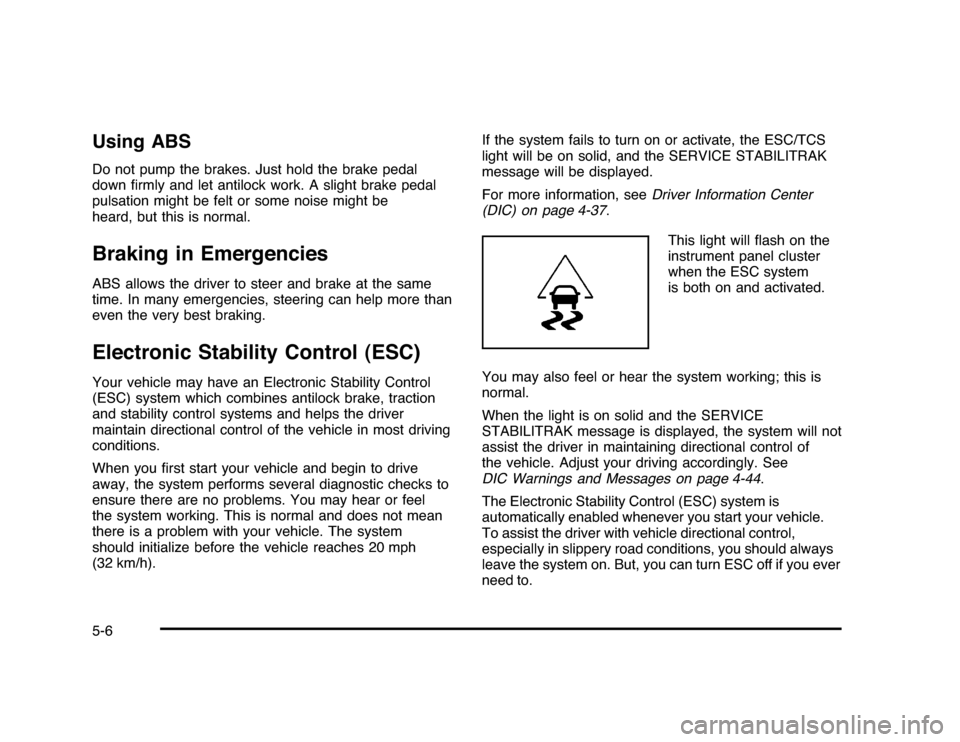
This light will flash on the
instrument panel cluster
when the ESC system
is both on and activated.
You may also feel or hear the system working; this is
normal.
When the light is on solid and the SERVICE
STABILITRAK message is displayed, the system will not
assist the driver in maintaining directional control of
the vehicle. Adjust your driving accordingly. See
DIC Warnings and Messages on page 4-44.
The Electronic Stability Control (ESC) system is
automatically enabled whenever you start your vehicle.
To assist the driver with vehicle directional control,
especially in slippery road conditions, you should always
leave the system on. But, you can turn ESC off if you ever
need to.5-6