2010 CHEVROLET IMPALA light
[x] Cancel search: lightPage 133 of 432
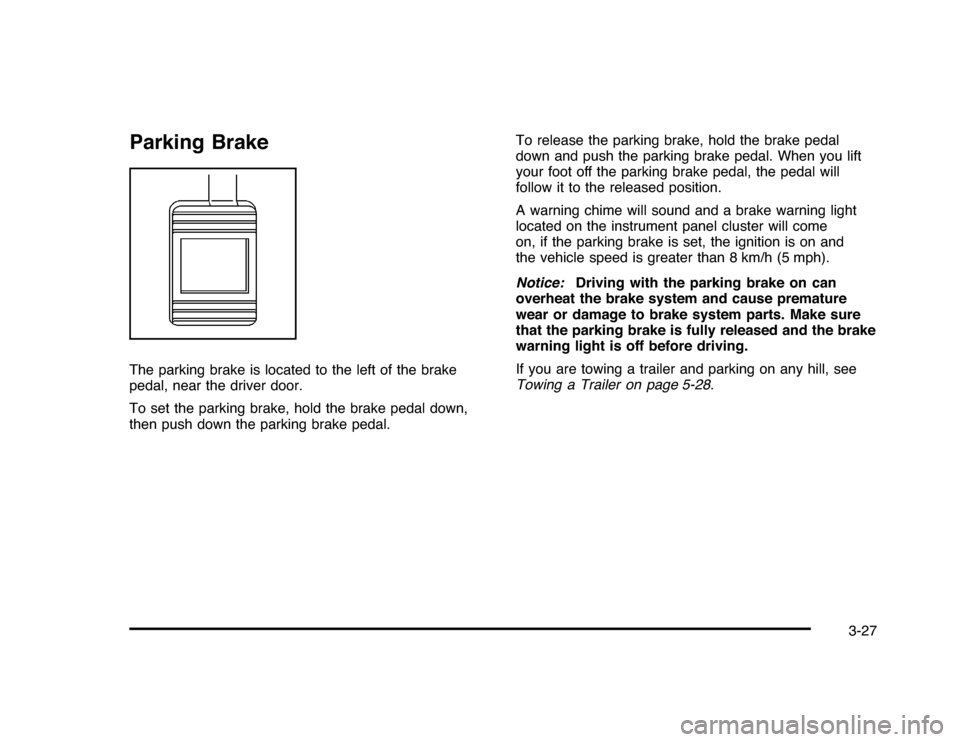
Parking BrakeThe parking brake is located to the left of the brake
pedal, near the driver door.
To set the parking brake, hold the brake pedal down,
then push down the parking brake pedal.To release the parking brake, hold the brake pedal
down and push the parking brake pedal. When you lift
your foot off the parking brake pedal, the pedal will
follow it to the released position.
A warning chime will sound and a brake warning light
located on the instrument panel cluster will come
on, if the parking brake is set, the ignition is on and
the vehicle speed is greater than 8 km/h (5 mph).
Notice:Driving with the parking brake on can
overheat the brake system and cause premature
wear or damage to brake system parts. Make sure
that the parking brake is fully released and the brake
warning light is off before driving.
If you are towing a trailer and parking on any hill, see
Towing a Trailer on page 5-28.
3-27
Page 141 of 432
Universal Home Remote
SystemSeeRadio Frequency Statement on page 8-20for
information regarding Part 15 of the Federal
Communications Commission (FCC) Rules and
RSS-210/211 of Industry and Science Canada.Universal Home Remote System
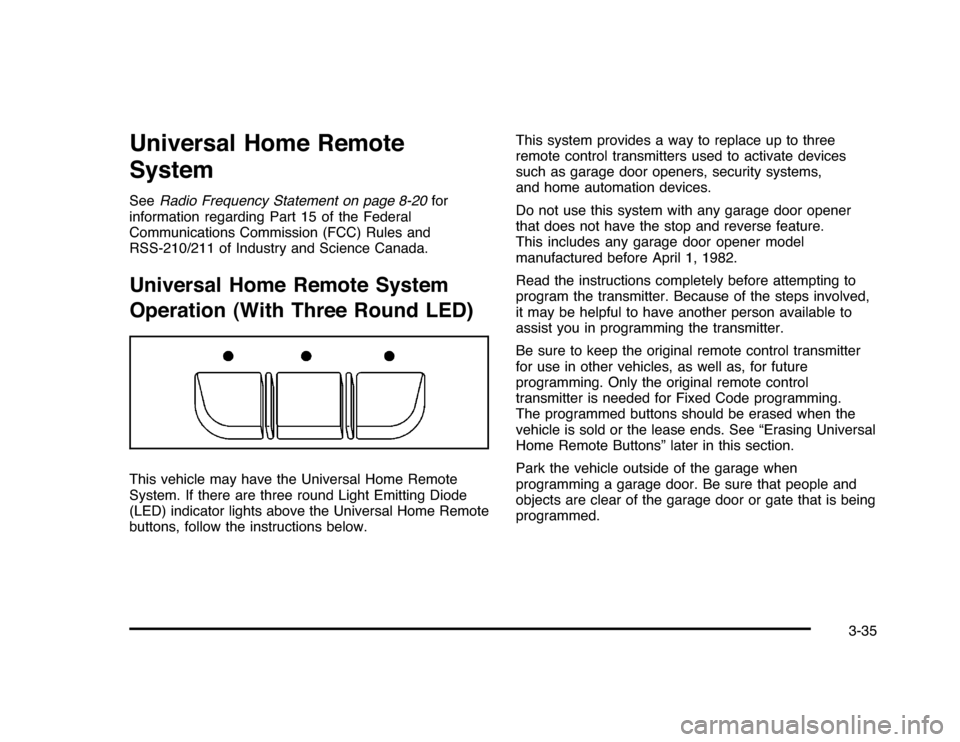
Operation (With Three Round LED)This vehicle may have the Universal Home Remote
System. If there are three round Light Emitting Diode
(LED) indicator lights above the Universal Home Remote
buttons, follow the instructions below.This system provides a way to replace up to three
remote control transmitters used to activate devices
such as garage door openers, security systems,
and home automation devices.
Do not use this system with any garage door opener
that does not have the stop and reverse feature.
This includes any garage door opener model
manufactured before April 1, 1982.
Read the instructions completely before attempting to
program the transmitter. Because of the steps involved,
it may be helpful to have another person available to
assist you in programming the transmitter.
Be sure to keep the original remote control transmitter
for use in other vehicles, as well as, for future
programming. Only the original remote control
transmitter is needed for Fixed Code programming.
The programmed buttons should be erased when the
vehicle is sold or the lease ends. See “Erasing Universal
Home Remote Buttons” later in this section.
Park the vehicle outside of the garage when
programming a garage door. Be sure that people and
objects are clear of the garage door or gate that is being
programmed.
3-35
Page 143 of 432
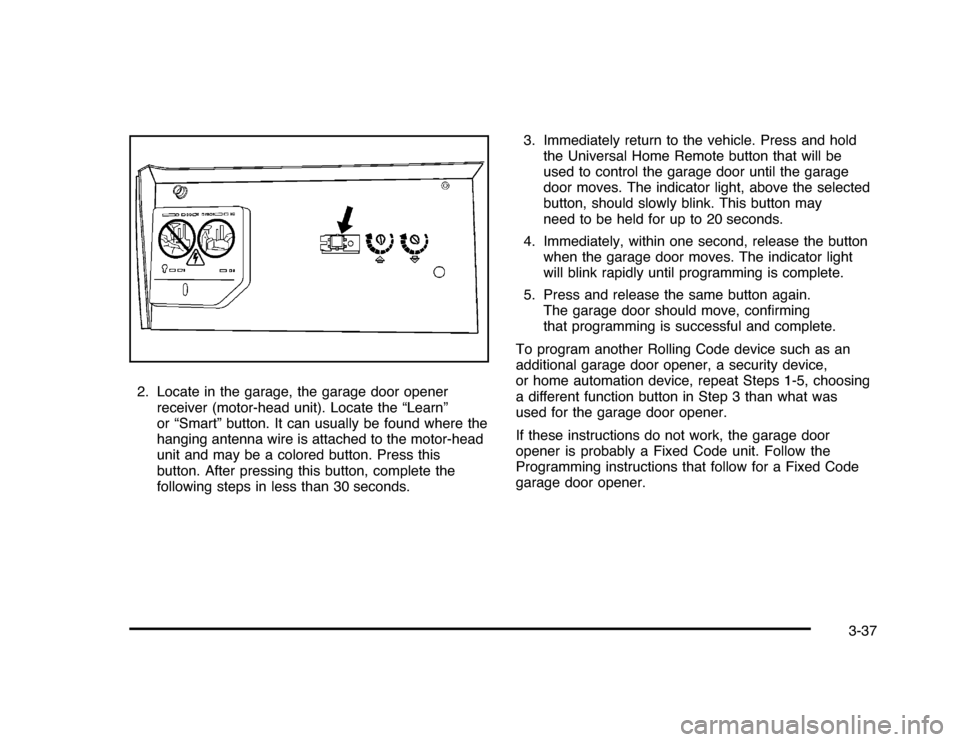
2. Locate in the garage, the garage door opener
receiver (motor-head unit). Locate the “Learn”
or “Smart” button. It can usually be found where the
hanging antenna wire is attached to the motor-head
unit and may be a colored button. Press this
button. After pressing this button, complete the
following steps in less than 30 seconds.3. Immediately return to the vehicle. Press and hold
the Universal Home Remote button that will be
used to control the garage door until the garage
door moves. The indicator light, above the selected
button, should slowly blink. This button may
need to be held for up to 20 seconds.
4. Immediately, within one second, release the button
when the garage door moves. The indicator light
will blink rapidly until programming is complete.
5. Press and release the same button again.
The garage door should move, confirming
that programming is successful and complete.
To program another Rolling Code device such as an
additional garage door opener, a security device,
or home automation device, repeat Steps 1-5, choosing
a different function button in Step 3 than what was
used for the garage door opener.
If these instructions do not work, the garage door
opener is probably a Fixed Code unit. Follow the
Programming instructions that follow for a Fixed Code
garage door opener.
3-37
Page 146 of 432
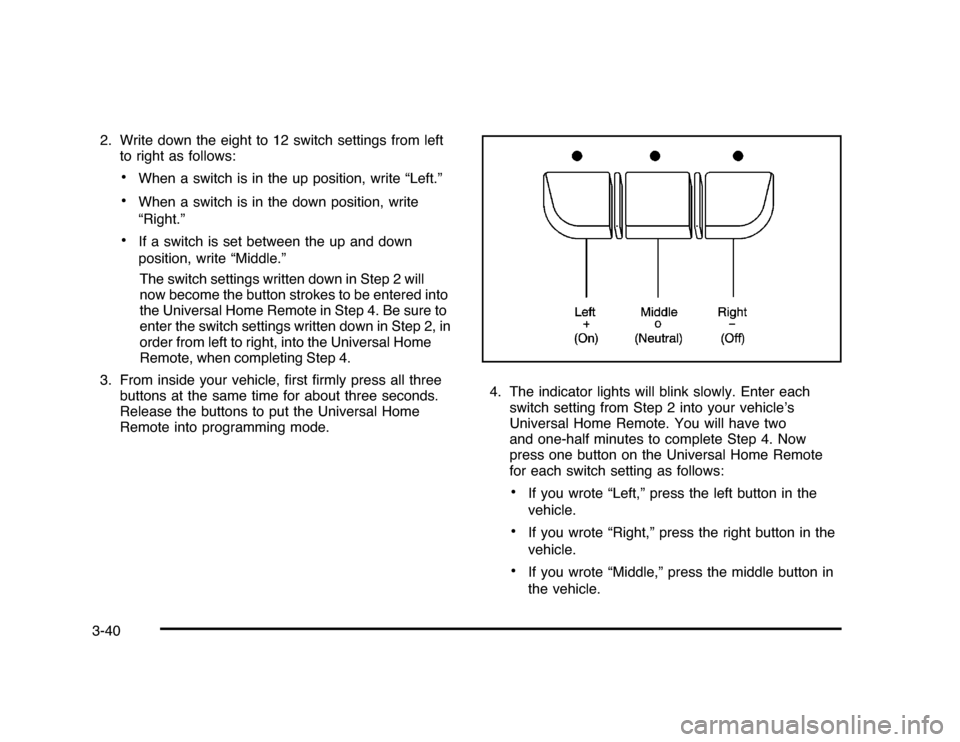
2. Write down the eight to 12 switch settings from left
to right as follows:
•
When a switch is in the up position, write “Left.”
•
When a switch is in the down position, write
“Right.”
•
If a switch is set between the up and down
position, write “Middle.”
The switch settings written down in Step 2 will
now become the button strokes to be entered into
the Universal Home Remote in Step 4. Be sure to
enter the switch settings written down in Step 2, in
order from left to right, into the Universal Home
Remote, when completing Step 4.
3. From inside your vehicle, first firmly press all three
buttons at the same time for about three seconds.
Release the buttons to put the Universal Home
Remote into programming mode.4. The indicator lights will blink slowly. Enter each
switch setting from Step 2 into your vehicle’s
Universal Home Remote. You will have two
and one-half minutes to complete Step 4. Now
press one button on the Universal Home Remote
for each switch setting as follows:
•
If you wrote “Left,” press the left button in the
vehicle.
•
If you wrote “Right,” press the right button in the
vehicle.
•
If you wrote “Middle,” press the middle button in
the vehicle.
3-40
Page 147 of 432
5. After entering all of the switch positions, again,
firmly press and release all three buttons at the
same time. The indicator lights will turn on.
6. Press and hold the button that will be used to
control the garage door until the garage door
moves. The indicator light above the selected button
should slowly blink. This button may need to be
held for up to 55 seconds.
7. Immediately release the button when the garage
door moves. The indicator light will blink rapidly
until programming is complete.
8. Press and release the same button again.
The garage door should move, confirming
that programming is successful and complete.
To program another Fixed Code device such as an
additional garage door opener, a security device,
or home automation device, repeat Steps 1-8, choosing
a different button in Step 6 than what was used for
the garage door opener.Using Universal Home RemotePress and hold the appropriate button for at least half of
a second. The indicator light will come on while the
signal is being transmitted.
Reprogramming Universal Home
Remote ButtonsAny of the three buttons can be reprogrammed by
repeating the instructions.Erasing Universal Home Remote
ButtonsThe programmed buttons should be erased when the
vehicle is sold or the lease ends.
To erase either Rolling Code or Fixed Code on the
Universal Home Remote device:
1. Press and hold the two outside buttons at the
same time for approximately 20 seconds, until
the indicator lights, located directly above the
buttons, begin to blink rapidly.
2. Once the indicator lights begin to blink, release both
buttons. The codes from all buttons will be erased.
For help or information on the Universal Home Remote
System, call the customer assistance phone number
underCustomer Assistance Offices on page 8-6.
3-41
Page 151 of 432
Instrument Panel Overview...............................4-3
Hazard Warning Flashers................................4-3
Horn.............................................................4-3
Tilt Wheel . . . ..................................................4-3
Turn Signal/Multifunction Lever.........................4-4
Turn and Lane-Change Signals........................4-4
Headlamp High/Low-Beam Changer..................4-5
Flash-to-Pass.................................................4-5
Windshield Wipers..........................................4-5
Windshield Washer.........................................4-6
Cruise Control................................................4-6
Exterior Lamps...............................................4-9
Daytime Running Lamps (DRL)/Automatic
Headlamp System......................................4-10
Fog Lamps..................................................4-11
Instrument Panel Brightness...........................4-11
Courtesy Lamps...........................................4-11
Dome Lamp . . ...............................................4-11
Entry Lighting...............................................4-12
Delayed Entry Lighting...................................4-12
Delayed Exit Lighting.....................................4-13
Parade Dimming...........................................4-13
Reading Lamps............................................4-13
Map Lamps . . ...............................................4-13
Electric Power Management...........................4-13Battery Run-Down Protection ..........................4-14
Accessory Power Outlet(s).............................4-15
Ashtray(s) and Cigarette Lighter......................4-16
Climate Controls............................................4-16
Climate Control System.................................4-16
Outlet Adjustment.........................................4-20
Passenger Compartment Air Filter...................4-20
Warning Lights, Gages, and Indicators............4-21
Instrument Panel Cluster . . ..............................4-22
Speedometer and Odometer
...........................4-23
Tachometer.................................................4-23
Safety Belt Reminders . . .................................4-23
Airbag Readiness Light ..................................4-24
Passenger Airbag Status Indicator...................4-25
Charging System Light ..................................4-26
Brake System Warning Light ..........................4-27
Antilock Brake System (ABS) Warning
Light........................................................4-28
Traction Control System (TCS) Warning
Light........................................................4-28
Electronic Stability Control Indicator Light . . . . . . . . .4-29
Engine Coolant Temperature Warning Light . . . . . .4-30
Engine Coolant Temperature Gage..................4-30
Tire Pressure Light.......................................4-31
Malfunction Indicator Lamp.............................4-31
Section 4 Instrument Panel
4-1
Page 152 of 432
Oil Pressure Light.........................................4-34
Security Light . ..............................................4-35
Fog Lamp Light............................................4-35
Cruise Control Light......................................4-35
Highbeam On Light.......................................4-36
Fuel Gage . ..................................................4-36
Driver Information Center (DIC).......................4-37
DIC Operation and Displays . ..........................4-37
DIC Compass . . . . ..........................................4-42
DIC Warnings and Messages.........................4-44
DIC Vehicle Customization . . ...........................4-51Audio System(s).............................................4-57
Setting the Clock..........................................4-58
Radio(s)......................................................4-59
Using an MP3..............................................4-68
XM Radio Messages.....................................4-72
Bluetooth
®
...................................................4-74
Theft-Deterrent Feature..................................4-84
Audio Steering Wheel Controls.......................4-84
Radio Reception...........................................4-85
Backglass Antenna.......................................4-86
XM™ Satellite Radio Antenna System.............4-86
Section 4 Instrument Panel
4-2
Page 155 of 432
Turn Signal On ChimeIf either one of the turn signals are left on and the
vehicle has been driven more than 3/4 mile (1.2 km),
a chime will sound.Headlamp High/Low-Beam ChangerTo change the headlamps from low beam to high
beam, push the turn signal/multifunction lever away
from you.
This instrument panel cluster light
3
comes on if the
high beam lamps are turned on while the ignition is
in ON/RUN.
To change the headlamps from high beam to low beam,
pull the turn signal lever toward you.
Flash-to-PassThis feature is used to signal to the vehicle ahead that
you want to pass.
If the headlamps are off or in the low-beam position,
pull the turn signal lever toward you to momentarily
switch to high-beams.
Release the lever to turn the high-beam headlamps off.
Windshield WipersTurn the band with the wiper symbol to control the
windshield wipers.8
(Mist):Single wipe, turn to
8
, then release.
Several wipes, hold the band on
8
longer.
9
(Off):Turns the windshield wipers off.
6(Adjustable Interval Wipes):Turn the band up for
more frequent wipes or down for less frequent wipes.6
(Low Speed):Slow wipes.
?
(High Speed):Fast wipes.
Clear ice and snow from the wiper blades before using
them. If frozen to the windshield, carefully loosen or
thaw them. Damaged wiper blades should be replaced.
SeeWindshield Wiper Blade Replacement on
page 6-49.
Heavy snow or ice can overload the wiper motor.
A circuit breaker will stop the motor until it cools down.
4-5