Page 26 of 472
TRIP :Press to display your total and trip distance
driven, the elapsed time function, your average speed,
and the engine oil life.
OPTION : Press to choose personal options that are
available on your vehicle, depending on the options
your vehicle is equipped with, such as door locks, easy
entry seats, and language.
RESET : Press, along with the other buttons, to reset
system functions, select personal options, and turn off
or acknowledge messages on the DIC.
For more information, see Driver Information Center
(DIC) on page 4‑47.
Vehicle Personalization
Some vehicle features can be programmed by using
the DIC buttons on the left side of the steering wheel.
The features that can be programmed include:
.Units
.Memory Features
.Lighting Features
.Lock and Unlock Feedback
.Door Lock and Unlock Settings
.Language
.Personalization Name
See DIC Vehicle Personalization on page 4‑71.
Cruise Control
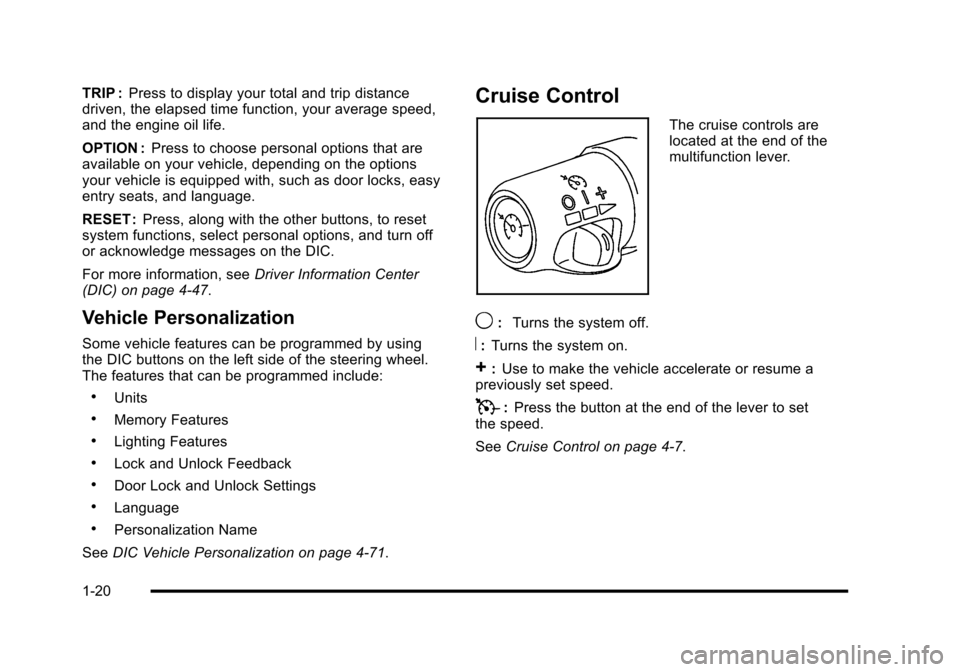
The cruise controls are
located at the end of the
multifunction lever.
9: Turns the system off.
R:Turns the system on.
+:Use to make the vehicle accelerate or resume a
previously set speed.
T: Press the button at the end of the lever to set
the speed.
See Cruise Control on page 4‑7.
1-20
Page 32 of 472
![CHEVROLET CORVETTE 2010 6.G Owners Manual How OnStar Service Works
Q
: This blue button connects you to a specially
trained OnStar advisor to verify your account
information and to answer questions.
]: Push this red emergency button to ge](/manual-img/24/8125/w960_8125-31.png "CHEVROLET CORVETTE 2010 6.G Owners Manual How OnStar Service Works
Q
: This blue button connects you to a specially
trained OnStar advisor to verify your account
information and to answer questions.
]: Push this red emergency button to ge")
How OnStar Service Works
Q
: This blue button connects you to a specially
trained OnStar advisor to verify your account
information and to answer questions.
]: Push this red emergency button to get priority
help from specially trained OnStar emergency advisors.
X: Push this button for hands‐free, voice‐activated
calling and to give voice commands for turn‐by‐turn
navigation.
Crisis Assist, Stolen Vehicle Assistance, Vehicle
Diagnostics, Remote Door Unlock, Roadside
Assistance, Turn‐by‐Turn Navigation and Hands‐Free
Calling are available on most vehicles. Not all OnStar
services are available on all vehicles. For more
information see the OnStar Owner's Guide or visit
www.onstar.com (U.S.) or www.onstar.ca (Canada),
contact OnStar at 1-888-4-ONSTAR (1‐888‐466‐7827)
or TTY 1‐877‐248‐2080, or press
Qto speak with an
OnStar advisor 24 hours a day, 7 days a week.
For a full description of OnStar services and system
limitations, see the OnStar Owner's Guide in the
glove box.
OnStar service is subject to the OnStar terms and
conditions included in the OnStar Subscriber
Information. OnStar service cannot work unless the vehicle is in a
place where OnStar has an agreement with a wireless
service provider for service in that area. OnStar service
also cannot work unless the vehicle is in a place where
the wireless service provider OnStar has hired for that
area has coverage, network capacity and reception
when the service is needed, and technology that is
compatible with the OnStar service. Not all services are
available everywhere, particularly in remote or enclosed
areas, or at all times.
The OnStar system can record and transmit vehicle
information. This information is automatically sent to an
OnStar call center when
Qis pressed,]is pressed,
or if the airbags or ACR system deploy. This information
usually includes the vehicle's GPS location and, in the
event of a crash, additional information regarding the
crash that the vehicle was involved in (e.g. the direction
from which the vehicle was hit). When the virtual
advisor feature of OnStar hands-free calling is used, the
vehicle also sends OnStar the vehicle's GPS location
so they can provide services where it is located.
1-26
Page 36 of 472
Front Seats
Manual Seats
{WARNING:
You can lose control of the vehicle if you try to
adjust a manual driver's seat while the vehicle is
moving. The sudden movement could startle and
confuse you, or make you push a pedal when you
do not want to. Adjust the driver's seat only when
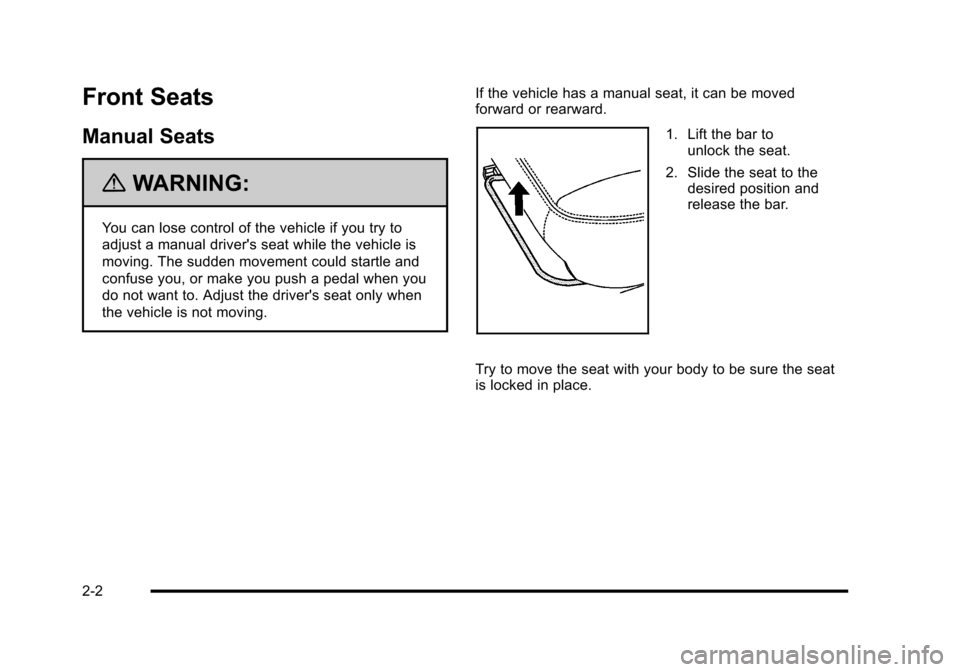
the vehicle is not moving. If the vehicle has a manual seat, it can be moved
forward or rearward.
1. Lift the bar to
unlock the seat.
2. Slide the seat to the desired position and
release the bar.
Try to move the seat with your body to be sure the seat
is locked in place.
2-2
Page 40 of 472
Reclining Seatbacks
{WARNING:
You can lose control of the vehicle if you try to
adjust a manual driver's seat while the vehicle is
moving. The sudden movement could startle and
confuse you, or make you push a pedal when you
do not want to. Adjust the driver's seat only when
the vehicle is not moving.
{WARNING:
If either seatback is not locked, it could move
forward in a sudden stop or crash. That could
cause injury to the person sitting there. Always
push and pull on the seatbacks to be sure they
are locked.
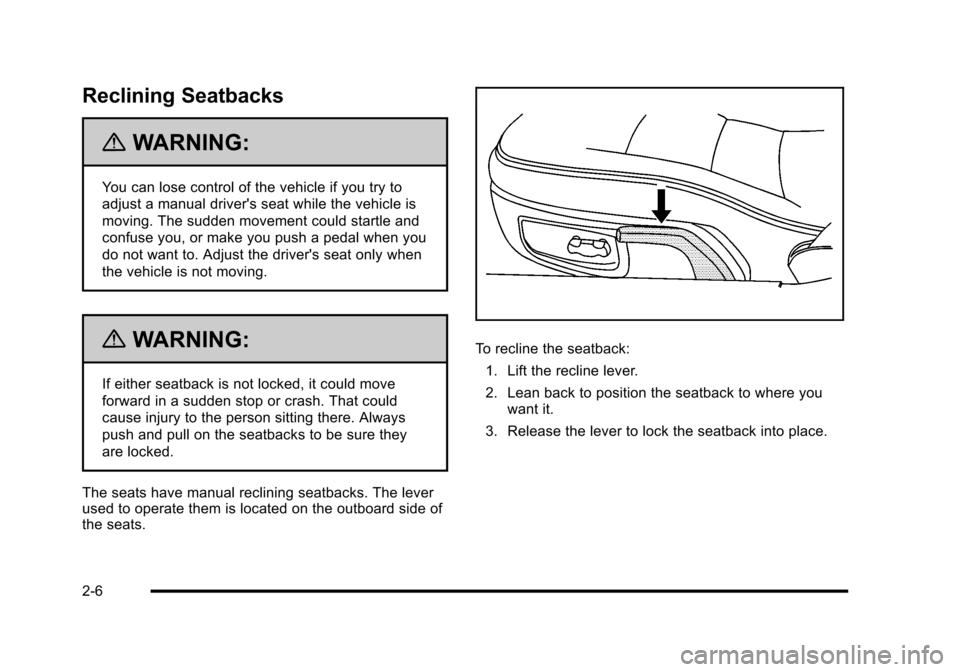
The seats have manual reclining seatbacks. The lever
used to operate them is located on the outboard side of
the seats.
To recline the seatback: 1. Lift the recline lever.
2. Lean back to position the seatback to where you want it.
3. Release the lever to lock the seatback into place.
2-6
Page 42 of 472
Seatback Latches
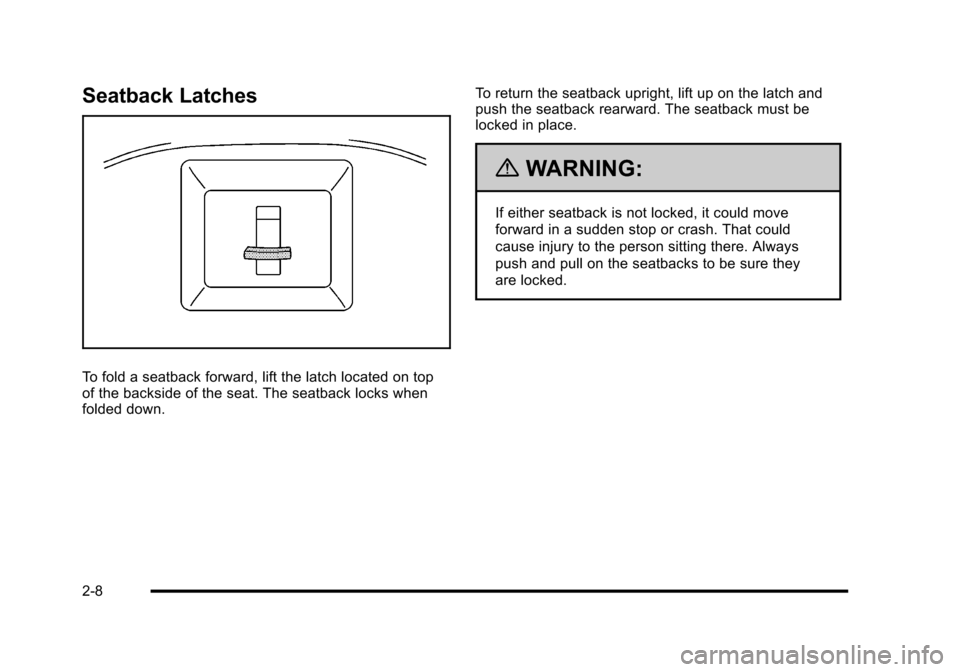
To fold a seatback forward, lift the latch located on top
of the backside of the seat. The seatback locks when
folded down. To return the seatback upright, lift up on the latch and
push the seatback rearward. The seatback must be
locked in place.
{WARNING:
If either seatback is not locked, it could move
forward in a sudden stop or crash. That could
cause injury to the person sitting there. Always
push and pull on the seatbacks to be sure they
are locked.
2-8
Page 49 of 472
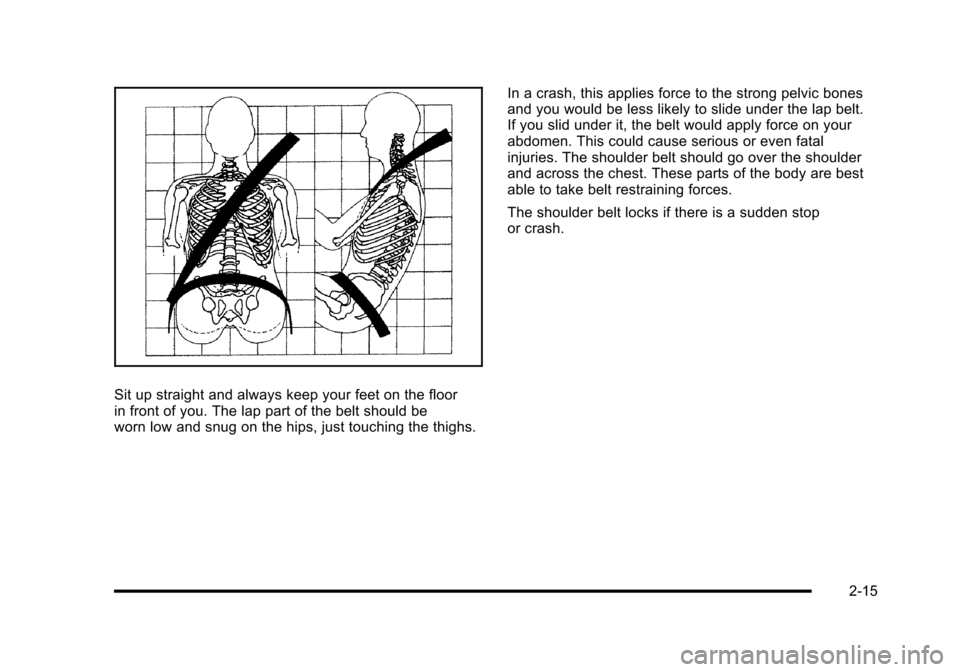
Sit up straight and always keep your feet on the floor
in front of you. The lap part of the belt should be
worn low and snug on the hips, just touching the thighs. In a crash, this applies force to the strong pelvic bones
and you would be less likely to slide under the lap belt.
If you slid under it, the belt would apply force on your
abdomen. This could cause serious or even fatal
injuries. The shoulder belt should go over the shoulder
and across the chest. These parts of the body are best
able to take belt restraining forces.
The shoulder belt locks if there is a sudden stop
or crash.
2-15
Page 57 of 472
Lap-Shoulder Belt
All seating positions in the vehicle have a
lap-shoulder belt.
The following instructions explain how to wear a
lap-shoulder belt properly. 1. Adjust the seat, if the seat is adjustable, so you can sit up straight. To see how, see “Seats”in
the Index.
2. Pick up the latch plate and pull the belt across you. Do not let it get twisted.
The lap-shoulder belt may lock if you pull the belt
across you very quickly. If this happens, let the belt
go back slightly to unlock it. Then pull the belt
across you more slowly.
If the shoulder portion of a passenger belt is pulled
out all the way, the child restraint locking feature
may be engaged. If this happens, let the belt go
back all the way and start again.
Engaging the child restraint locking feature in
the right front seating position may affect the
passenger sensing system. See Passenger
Sensing System
on page 2‑53for more
information.
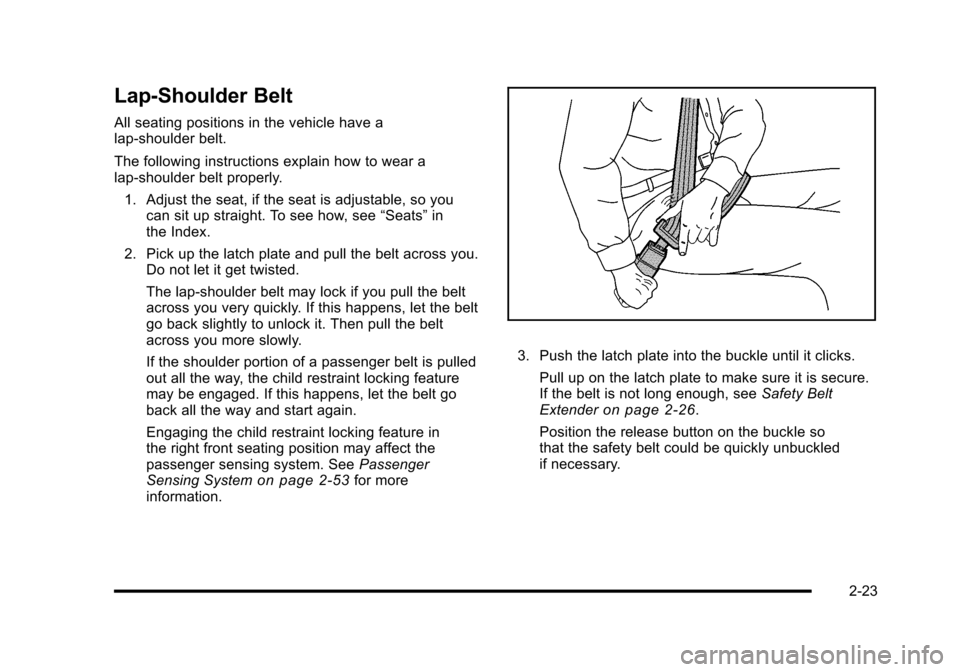
3. Push the latch plate into the buckle until it clicks.
Pull up on the latch plate to make sure it is secure.
If the belt is not long enough, see Safety Belt
Extender
on page 2‑26.
Position the release button on the buckle so
that the safety belt could be quickly unbuckled
if necessary.
2-23
Page 76 of 472
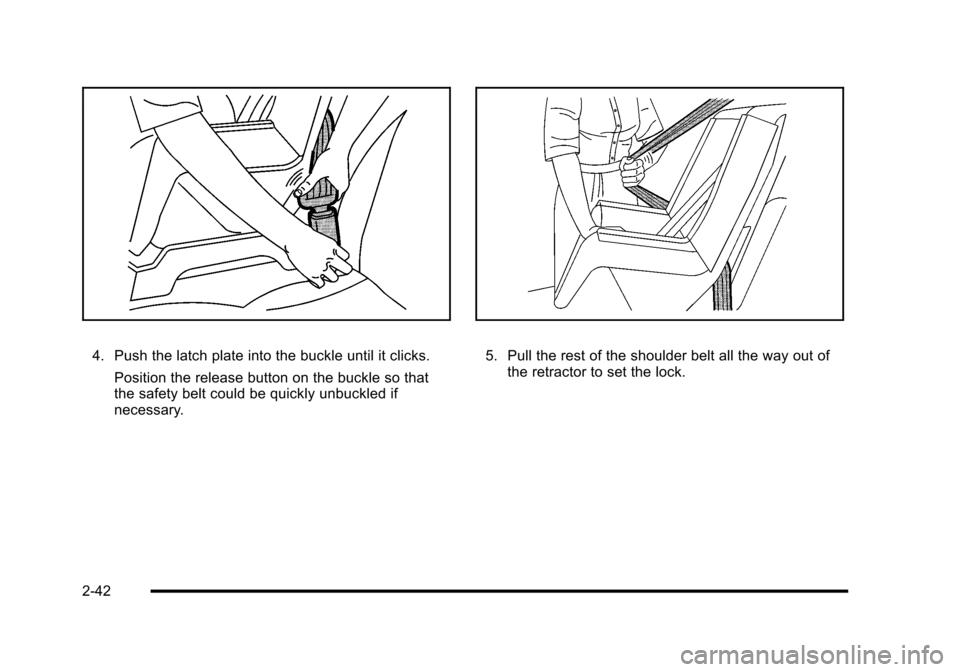
4. Push the latch plate into the buckle until it clicks. Position the release button on the buckle so that
the safety belt could be quickly unbuckled if
necessary. 5. Pull the rest of the shoulder belt all the way out of the retractor to set the lock.
2-42