2010 AUDI S8 tires
[x] Cancel search: tiresPage 5 of 384

Pedal area ... ........ ......... 192
S towing luggage .............. 193
Reporting Safety Defects ....... 195
Safety be lts ................... 197
General notes ................. 197
Why safety belts? . . . . . . . . . . . . . 198
Safety belts . . . . . . . . . . . . . . . . . . 201
Safe ty be lt pretensioners . . . . . . . 204
Airbag system ................ 206
Important th ings to know . . . . . . 206
F ront airbags ......... ........ 210
Mon ito ring the Advanced A irbag
Syst em ...................... 217
Knee airbags . . . . . . . . . . . . . . . . . . 2 22
Side airbags . . . . . . . . . . . . . . . . . . 225
Side curtain airbags . . . . . . . . . . . . 228
Child Safety ................... 231
Important things to know ...... 231
Child safety seats . . . . . . . . . . . . . 236
Ins ta lling a ch ild safety seat . . . . 24 1
LAT CH Lower anchorages and
t ethers for chi ldren . . . . . . . . . . . . 244
Add itiona l Informa tion 251
Vehicle operation ...... 252
Intelligent tec hno logy ........ 252
Notice about data recorded by
v e hicl e contro l modu les . . . . . . . . 252
Electronic Stab ili z ati on Program
(ESP) ........................ 252
Braking . . . . . . . . . . . . . . . . . . . . . . 254
Servotronic ® -advanced power
steer ing system ............ ... 257
Dr iving with your quattro® ...... 257
Energy management . . . . . . . . . . . 258
Controls and equip
ment Safety first
Driving and environment
..... 261
The first 1,000 miles (1,500 km)
and afterwards . . . . . . . . . . . . . . . 261
Catalytic converter . . . . . . . . . . . . 262
Avoid damaging the veh icle 263
Dr ivi ng th rough wat er on roads . 263
Operate your veh icle economica lly
and m inimi ze po llution . . . . . . . . 263
Trailer towing ................ 266
Dr iving wi th a traile r . . . . . . . . . . . 266
T railer tow ing tips . . . . . . . . . . . . . 268
Vehicle care .............. 270
Clea nin g and pro tect ion ...... 270
General information . . . . . . . . . . . 270
Care of exterior . . . . . . . . . . . . . . . 270
Care of interior . . . . . . . . . . . . . . . 277
Fuel supply and filling your fuel
tank .......................... 283
Gasol ine . . . . . . . . . . . . . . . . . . . . . 283
F u el tank . . . . . . . . . . . . . . . . . . . . . 284
Checking and filling . . . . . . . . . . . 288
Eng ine hood . . . . . . . . . . . . . . . . . . 288
Eng ine compartment . . . . . . . . . . 290
Engine oil ............... ..... 291
Engine cooling system . . . . . . . . . 296
Brake fluid . . . . . . . . . . . . . . . . . . . 299
Bat tery . . . . . . . . . . . . . . . . . . . . . . 300
W indshield/head light washer
containe r . . . . . . . . . . . . . . . . . . . . 305
Tires and wheels .............. 306
Ti res 306
T ir e pressure monitor ing system 326
Table of contents
Do-it-yourself service
What do I do now? .......... .
Trunk escape handle ......... .
Emergency wa rning tria ngle ... .
Jack, tools and spare wheel ... .
Changing a wheel ........... . .
Fuses and bulbs ............. .
Fuses ...................... .
Bulbs ...................... .
Emergency situations ....... .
General ..................... .
Starting by pushing or towing ..
S tarting with jumper cables ... .
Use of j umper cables ......... .
Emergency towing with
commercial tow truck ........ .
Lifting vehicle ............... .
Technical data
General information
Explanat ion of technical data .. .
Vehicle identification ......... .
We ig hts ... ....... ....... ... .
Dimensions ................. .
Data .......... ......... ...... .
350 hp, 8-cylind er engine, with all
whee l dr ive ................. .
Consumer Information ...... .
Warranty coverages .......... .
Ope rating your vehicle outs ide the
U.S.A. or Canada ............. .
Aud i Se rvice Repair Man uals and
Literature ................... . 332
332
332
332
333
335
342
342
346
348
348
348
3
4 8
349
350
353
356
356
356
356
357
357
360
360
361
361
361
361
Vehicle operation Vehicle care Do-it-yourself service Technical data
Page 28 of 384

Driver information display
If the light illuminates, the electronic speed limiter may also be
malfunctioning. For more information~
page 26, "Electron ic speed
limiter".
An improperly closed fuel filler cap may also cause the MIL light to
illuminate ~
page 285. •
On-Board Diagnostics
Fig. 15 Location of
Data Link Connector
(OLC)
On-Board Diagnostics monitors the components of your emission
control system. Each mon itored component in your engine system
has been assigned a code. In case of a malfunction, the component
will be identified and the fault stored as a code in the control module
memory.
The MIL light may also illum inate if there is a leak i n the on-board fuel
vapor recovery system.
If the light illuminates after a refuelling, stop
the vehicle and make sure the fuel filler cap is properly closed
~page 285.
In order to make an accurate diagnosis, the stored data can only be
displayed using special d iagnostic equipment (generic scan too l for
OBD).
In order to connect the special diagnostic equipment, push the plug
into the Data Link Connector (DLC). The DLC is located to the right of
the hood release~ fig. 15. Your authorized
Audi dealer or a qualified service station can inter
pret the code and perform the necessary repair.•
Electronic speed limiter
Your vehicle may be factory equipp ed w ith tires that are rated for a
maximum speed of 130 mph (210 km/h) . This is less than the
maximum speed of your vehicle. To reduce the risk of sudden tire
failure and loss of control if the vehicle is operated at excessive
speeds, your vehicle a lso has an electronic speed limiter. The elec
tronic speed limiter prevents your vehicle from going faster than the
tire speed rating . For more information ~
page 318.
If the eng ine control unit receives faulty vehicle road speed signals ,
the Malfunction Indicator Lamp (MIL) will illuminate. If this
occurs, contact the nearest a uthorized Aud i dealer for assistance.
& WARNING
Always observe the posted speed limits and adjust your speed to
suit prevailing road , traffic and weather conditions. Never drive
your vehicle faster than the maximum speed rating of the tires
i nstalled. •
Auto Check Control
Introduction
The Auto-Check control monitors the funct io n of certain vehicle
features and components . It simply makes sure these features and
components are working properly. The Auto-Check control works as
long as the ignition is on, as well as whenever the vehicle is driven.
If a component is malfunctioning or if the need for an urgent repair
has been detected, this w ill appear in the instrument cluster display . .,,_
Page 37 of 384
Speed warning system
Overview
The speed warning system helps you to keep your driving
speed below a set speed limit.
T he speed warning system warns the driver if he exceeds a previously
s tored maximum spee d. A w arning tone will sound as soon as the
vehicle speed exceeds the set speed by about 3 mph (3 km/h) . A t the
same time, a warning symbol appears in t he disp lay .
Th e spee d wa rn ing system has
two warning threshold s that function
independently of each other and that have somewhat di fferent
purp oses:
Speed warning 1 8 (USA models) /8 (Canada
models)
You can use speed warn ing 1 to set the max imum speed w hile you are
driv ing. This setting will remain in effect until yo u turn off the igni
tion, assum ing that yo u have not changed or reset the setting .
Th e spee d warn ing symbo l
B (USA models)/ 0 (C anad a mode ls) in
t he warning 1 display appears when you exceed the maxim um speed .
It goes out when the speed falls be low the stored maximum speed .
Th e spee d warn ing sy mbo l w ill also go o ut if t he speed
exceeds the
sto red maxim um speed by more than about 25 mph
(40 km/ h) for at
least
10 sec onds . H oweve r, th is doe s not rese t the stored maxim um
speed.
Setting spee d warning 1
=> page 35.
Speed warning 2 0 (USA models) /0 , (Canada
models)
Storing warn ing 2 is recommended if you always want to be reminded
o f a ce rtain speed, fo r example when yo u are traveling in a co untr y
that has a genera l maximum speed lim it, or if you do not want to
exceed a specified speed for winter tires.
Controls and equip
ment Safety first
Driver information display
T
he speed warning 2 symbol, 8 (U SA models)/ 0, (Canada models)
appe ars in t he displ ay whe n you exceed the sto red speed limi t. Un like
warning 1, it will not go out unt il the vehicle speed drops below the
stored speed limit.
Setti ng spee d wa rn ing 2
::::> page 36 .
[I) Tips
Eve n th oug h your veh icle is eq uipped wi th a speed war ning sys tem,
you shou ld st ill watch the speedometer to make sure you are not
dr iv ing fast er than t he spee d lim it. •
Speed warning 1: setting a speed Limit
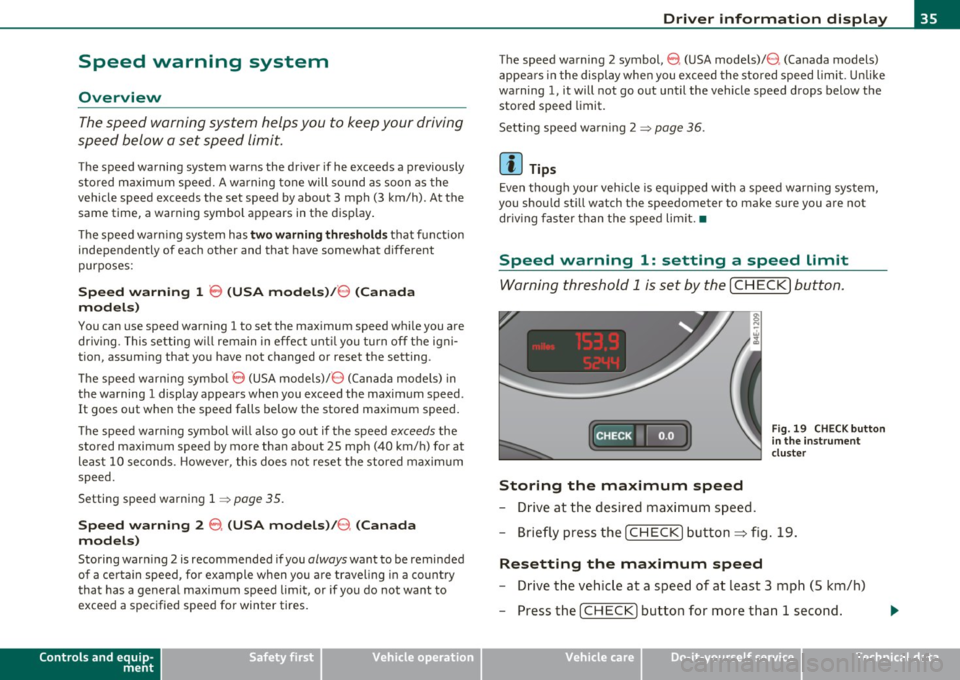
Warning thr eshold 1 is s et by th e [ C HE CK] button.
:c: HECK •F F ig . 19 CHE CK button
in t he in strume nt
clu st e r
Storing the maximum speed
- Drive at the desired maxi mum s pee d.
- Brie fly pre ss the [C H ECK] butto n:=> fig .19.
Resetting the maximum speed
- Drive the veh icle a t a spee d of a t leas t 3 mph ( 5 km /h)
- Press the [ CHECK] b utton for more t han 1 seco nd.
Vehicle care Technical data
Page 178 of 384

IIIJIL_...!.A~d~a:!.!p~t!_;iv~e~A~ir~S~u~s~p~e:!n.!:s~io~n~ -----------------------------------------
Adaptive Air Suspension
Adaptive Air Suspension and
Damping
Description
Adaptive Air Suspension and damping can be regulated and they adapt automatically to a request from the
driver and the drivin g situati on at the time.
Adaptive Air Suspens ion is an e lectron ically controlled springing and
damping system. This chass is system makes it eas ie r on the d river by
adapting to the particular situation t hrough imperceptible contro l
processes.
T he
Adapt ive Air Su spen sion component regu lates ground clea rance
depending on vehicle speed, load condition and driver input. Acce le r·
a ting to a speed above a predetermined limi t will make the vehicle
lower itself. On the other hand, driving more slow ly results in the
vehicle raising aga in at spe cific speeds .
Th e
damping component provides individua l contro l of the damping
forces. For example, with damp ing characte rist ics set to provide
greater comfort, damp ing is set som ewhat harder for a br ief period
only as req uired, for example, whe n going around a curve or over
roug h road surfaces as we ll as when bra king.
Settings
Adaptive Air Suspension provides the drive r with the opportu nity to
set the chassis characte ristics also to the ir individual preference.
W ith the dr iv in g m odes
standard, automatic and dynamic the d river
has three chassis sett ings available, ranging from comfort to sporty.
In add it io n,
lift prov ides a fourth mode whi ch can be sele cti ng fo r
dr iving over poor stretches of road =:>
page 177, "Chass is Controls".
T he modes a re set in MM I
=:> page 179.
On veh icles equipped w ith the sport su spen sion Adaptive A ir Suspen
sion -Sport *, there is genera lly more emphasis on a sporty chassis
sett ing. Setti ngs ra nge from comfo rtable to fi rm=:>
page 178, "Spo rt
Chassis Cont rols" .
0 Note
• Whenever you park you r vehicle, always ma ke su re there is
adeq uate clea rance above and below t he ve hicle. The heig ht of the
parked veh icle ca n change as the res ult of temperature fluctuat ions,
c hanges in loa d cond ition and changes in the dr iv ing mode (ground
cleara nce) .
• M ount t he tie-down ch ains/ cables over the r unning s urfa ce
(circumfere nce) of the tires . Never secu re the vehicle by the axle, the
suspension st ruts or the front o r re ar tow line eye . For technical
reaso ns, the pressure in t he suspension struts may change dur ing the
transport and this will adverse ly affect vehicle handling.
• To prevent damage to the vehicle u nderbody, remembe r th at your
veh icle is no t an off- road vehicle, even in the lift mode. The ground
cleara nce is insufficient for this type of operation .
• If yo u are go ing to tow a tra il e r, you mus t act iv a te the trai le r oper
ation mode =:>
page 179 .
[I] Tips
Before you ca n ra ise your vehicle using the vehicle jack (fo r examp le ,
w hen changing a flat tire) you must activate the jacking mode
=:>
page 179 . •
Page 256 of 384

Intelligent technology
'-----------------------------------------------
until the car starts to move . The whee l less ab le to transfer power
spins .
Overheating of brakes
To prevent the disc b rake of the bra ked wheel from ove rhea ting if
subjected to excessive loads, the EDL cuts out temporarily . The
veh icle remains operat ional and beh aves in the same way as a vehicle
without EDL .
As soon as the brake has coo led down, EDL switches on again auto
matically .
& WARNING
• When a ccelerating on slippery surfaces, such as on ice or snow,
alw ay s be careful when depre ssing the a ccelerator pedal. E ven
with the EDL working, the drive wheel s can spin and reduce your
ability to control your car . Risk of crash !
• The in creased safety afforded by EDL does not mean that you
can take safety ri sks. Always adapt your driving st yle to the road
condition s and traffic situation .
fi Tips
If a fault occurs i n the ABS, the EDL is also no t fu nct ion ing . This is
indicated by the ABS warning light~
page 19. •
Anti-Slip Regulation System (ASR)
The Anti-Slip Regulati on System prevents the driven
wheels from spinning when the car is a ccel erating.
General notes
T he Anti-S lip Regulation System (ASR) is integrated in the electronic
stabilization program (ESP). When the veh icle starts up and acceler
ates , the wheels are p reve nted from sp inning by adjust ing the eng ine
powe r to match t he amo unt of grip avai lab le from the road s urface.
How the system works
ASR perfo rms au toma tica lly, i .e . witho ut the drive r's in tervent ion .
With the aid of the A BS sensors~
page 256, ASR monitors the speed
of the driven wheels . If the wheels start to spin, the engine powe r is
reduced automat ically u nti l the t ires find enough gr ip to lock onto
the road s urface. The system is active across the entire speed range.
Th e ASR wor ks in con ju nction with the A BS .
If a m alfu nction sho uld
occur in the ABS, the ASR w ill also be out of action.
& WARNING
The increased safety afforded by ASR does not mean that you can
take safety ri sks . Always adapt your driving style to the road
condit ions and traffic situation.
[ i ] Tips
To ensure that the ASR works prope rly, all four wheels must be fitted
w ith ident ic a l ti res Any differences in rollin g radius of the tires can
cause the system to reduce engine power when t his is not desired .
See also ~
page 318, "N ew t ires and replacing tires and whee ls" .•
Braking
General Information
What affects b raking efficiency ?
Operating cond itions and driving habits
Th e bra kes on t oday's automo biles are still subjec t to we ar,
depending large ly on operating conditions a nd driving habits~ &.
O n ve hicles tha t are eithe r driven mostly in stop- and-go city t raff ic or
are drive n hard, the brake pads should be checked by your author ized
Audi de aler more o ften than specified in the
Warranty & Mainte
nance booklet .
Failure to have your brake pads i nspected can result
in re duced brake pe rformance. .,
Page 260 of 384

Intelligent technology
'-----------------------------------------------
W inter tires
When d riving in the winter, your vehicle with A ll Whee l Drive has an
advantage, even with reg ula r tir es . In wi nter road cond it ions i t may
be advisab le to mount w inte r tires (or all-season tires) for imp roved
dr iveabili ty and braking: these tires m ust be mounted on
all four
wheels .
See also => page 323, "Winter tires".
Tire chains
Whe re tire chains are mandato ry on certa in roads, this normally also
applies to veh icles with A ll Whee l Drive=>
page 324, "Snow chains ".
Replacing wheels/tires
Veh icles with All Wheel Drive m ust always have t ires of the same size.
Also avoid tires with different trea d de pths . For details see page
=>
page 318, " N ew tires and replac ing tires a nd wheels" .
Off-Road driving?
Your Audi does not have enough ground clearance to be used as a n
off -road vehi cle. It is the re fore best to avoid ro ug h trac ks and uneven
ter rain as muc h as poss ib le. Also re fer to=>
page 263 .
& WARNING
Always adjust your dri ving to road and traffic conditions. Do not
let the extra safety afforded by All Wheel Drive tempt you into
taking ex tra risks.
• Although the All Wheel Drive is very effective, always
remember that braking capacity is l imited by tire traction. You
should therefore not drive at exce ssive speeds on icy or slippery
road surfaces.
• On wet road surfa ce s, be careful not to drive too fast because
the front wheels could begin to slide on top of the water (aqua
planing ). If this should occur, you will have no warning from a
sudden increase in engine speed as with a front-wheel drive
vehicle. Always drive at speeds which are suited to the road condi
tions - risk of crash. •
Energy management
Starting ability is optimized
Energy m ana gemen t con tr ols the distributi on of elec
trical ener gy an d thu s optimiz es the ava ila bility of elec
t ri cal ene rgy f or starting the en gine.
If a vehicle w ith a convent iona l energy system is not driven for a long
pe riod of time, t he b att ery is di sch arged by idling current con sumers
(e .g. immob ilize r). In certain c ircumstances it can result i n there
be ing insuffi cien t energy avai lab le to s tar t the engine.
I n te lligent e ne rgy management in yo ur vehicle ha ndles the dist ribu
tion of e lectrical energy . Starting ab ility is ma rkedly improved and
t he life of the battery is extended.
Basically, energy management consists of
battery diagnosis , idling
current management
a nd dynamic energy management .
Battery diagnosis
Batte ry diagnosis co nti nu ously deter mi nes the s tate of the batte ry .
Sensors determine battery vo ltage, battery current and battery
t empe rature. This determines the cur rent sta te of charge and the
power of the battery.
Idling current management
Id ling current management red uces energy consumpt ion while the
veh icle is s tanding. W it h t he ignition swi tched off, it con trol s the
energy supply to the var ious electrica l components. Data from
b attery di ag nos is is conside red .
Depe nding on the batte ry 's state of charge, individ ua l consumers a re
gradually t urne d off to prevent excessive discha rge of the batte ry an d
t hus main tain sta rting capabili ty .
Dynamic energy management
W hile the vehicle is being driven, dynamic energy management
dis trib utes the energy generated acco rding to the nee ds o f the indi -•
Page 263 of 384

Driving and environment
----------------------------------------------'
Driving and environment
The first 1,000 miles (1,500 km)
and afterwards
New engine
The engine needs to be run-in during the first 1,000 miles
(1,50 0 km) .
For the first 600 miles (1,000 kilometers):
Do not use fu ll thrott le .
- Do not drive fas ter t han 3/ 4 of the top speed marked on
t h e speedometer.
- Avo id high engine speeds .
From 600 to 1,000 miles (1,000 to 1,500
kilometers):
- Spe eds can
gradually be i ncr eas ed to the maxi mu m
perm iss ible road or engin e spee d.
During and after break-in period
- Do not rev the eng ine up to high speeds when it is co ld.
This app lies whether t he tra nsmission is in N ( Neutra l) or
1 n gear.
After the break-in period - Do not exceed maximum engi ne s pee d und er any circum
stances .
- Up shift i nto t he next hi ghe r g ear
befor e reach in g the red
area at t he end of the tachometer sc al e=>
pa ge 10 .
Controls and equip
ment Safety first Vehicle operation
During the first few ho
urs of d riving, the engine's interna l fr iction is
highe r than later when all the moving parts have been broken in . How
well th is br eak -in p rocess is done depends to a cons iderab le extent on
the way the veh icle is driven dur ing the f irst 1,000 miles (1,500 kilo
meters).
0 Note
E x tremely high e ngine speeds a re au tomat ically re duced. However,
these rpm limits are programmed for an engine well run -in, not a new
engine .
~ For the sake of the environment
Do not drive with u nnecessa rily high engine s peeds -upshift ing early
saves f uel, reduces no ise and protec ts the environme nt.
New tires
If your v eh icl e is run ning on new t ires, driv e p arti cul ar ly
c a refu l fo r the first 35 0 miles (50 0 kilometers) af ter fit ting.
& WARNING
New tires tend to be slippery and must al so be "broken-in ". Be
sure to remember this during the first 350 m iles (500 kilome
ter s). Brake gently . Avoid following closely behind other vehicles
or other situations that might require sudden, hard braking. •
Vehicle care Do-it-yourself service Technical data
Page 265 of 384

Driving and environment
------------------------------------------------'
- Lack of proper maintena nce as well as improper use of the
vehicle w ill imp air t he funct io n of t he emission con trol system and
could lead to damage.
<£> For the sake of the environment
Even when the Emiss ion Contro l System is operating properly, the
exhaust gas can have a sulfur-like exhaust gas sme ll under some
operat ing states. This depends on the s ulfur content of the fue l being
used. Using a differe nt brand of fuel may help, or filling the tank with
lead-free supe r grade gasoline. •
Avoid damaging the vehicle
When you are dr iving on poor roads, or ove r cur bs, steep r amps, etc.,
make certain that low-lying parts such as spoilers and exhaust system
p arts do not bo ttom ou t and ge t damage d.
Th is is espec ia lly true for vehicles with low-slung chass is (sports
chassis)* and fully loaded vehicles .•
Driving through water on roads
N ote the following to avoid vehicle damage w hen driving through
water, fo r examp le on flooded roads:
• The water must not be any higher than the bottom of the vehicle
b ody.
• Do not drive faster tha n walking speed.
& WARNING
After driving through water , mud, slush , etc. , the brakes may be
slow to take effect because of wet brake rotors and pads . Dry the
brakes first by braking carefully to restore the full braking effect.
Controls and equip ment Safety first Vehicle operation
0 Note
Vehicle
compone nts such as the engine, tra nsmiss ion, s uspension or
electrical system can be severely damaged by driv ing thro ugh water .
[ i ] Tips
• Check the depth of the water before d riving throug h it.
• Do not stop the vehicle, d rive in revers e or switch the e ngine off
when driving through wate r.
• Keep in m ind that oncoming vehicles may c reate waves t hat raise
the water leve l and make it too deep for yo ur vehicle to drive throug h
sa fely.
• Avoid driving through salt water because it can ca use corros io n.
Operate your vehicle economically
and minimize pollution
General
You r personal style of driving will determi ne the econom y
of your vehicle, as well as exhaust and noise l evels.
Fuel economy, environmenta l impact, and wea r on your eng ine,
brakes and tires largely depend on t hree factors:
• your persona l dr iving style
• operati ng conditions
• t echni cal lim itations
If you an ticipa te what you need to do next and drive economically,
you can easily cut your fuel consumption by 10-15 percent. This
s e ct io n w ill give you so me tip s on how you can he lp the e nvir onme nt
and your pocketbook.
~
Vehicle care Do-it-yourself service Technical data