Page 322 of 551
Adaptive cruise control (ACC)
consists of a radar sensor in the
f ront grille, the ACC buttons on the
steering wheel, and the ACC
f unctions of the multi-inf ormation
display.
The radar sensor for ACC is shared
with the collision mitigation brake
system (CMBS). For more
inf ormation on the radar sensor, see
page . For more inf ormation on
CMBS, see page .413
414
If equipped
A CC Components
A daptive Cruise Control (A CC)
Features
319
ACC INDICATOR
MULTI-INFORMATION
DISPLAY
ACC BUTTON
DISTANCE BUTTONSET/DECEL
BUTTON
RES/ACCEL BUTTON
CANCEL BUTTON
�����—�����—�����y�
����
��������y���
�(�����������y���������y
2010 RL
Page 323 of 551

Adaptive cruise control (ACC) allows
you to maintain a set speed and keep
the vehicle ahead of you and your
vehicle at a saf e distance without
having to use the accelerator pedal
or the brake pedal.If the vehicle ahead of you slows
down suddenly or another vehicle
cuts in f ront of your vehicle, ACC
alerts you by sounding a beeper and
displaying a message on the multi-
inf ormation display.
TheACCradarsensorinthefront
grille can detect and monitor the
distance of a vehicle up to 328 f eet
(100 meters) ahead of your vehicle.
For more inf ormation on the radar
sensor, see page .Do not use ACC under these
conditions:
In poor visibility.
In heavy traffic.
When you must slow down and
speed up repeatedly.
On winding roads.
When you enter a toll gate,
interchange, service area, parking
area, etc. In these areas, there is
no vehicle ahead of you, and ACC
would still try to accelerate to your
set speed.
In bad weather (rain, f og, snow,
etc.)
On a slippery road (f or example a
road covered with ice or snow).
As with any system, there are limits
to ACC. Inappropriate use of ACC
can result in a serious accident. Use
the brake pedal whenever necessary,
and always keep a safe distance
between your vehicle and other
vehicles.
When the vehicle ahead of you slows
down or speeds up, ACC senses the
change in distance and compensates
by accelerating or braking your
vehicle to reach the cruising speed
you previously set. The distance
between vehicles is based on your
speed: the f aster you go, the longer
the distance will be; the slower you
go, the shorter it will be.
414
Overview
Important Saf ety Precautions
A daptive Cruise Control (A CC)
320
�����—�����—�����y�
����
��������y���
�(�����������y���������y
2010 RL
Page 325 of 551
If the vehicle ahead of you slows
down abruptly, or if another vehicle
cuts in f ront of you, a beeper sounds
and a message appears on the multi-
inf ormation display to warn you.Your vehicle f ollows the vehicle
ahead of it, keeping a constant
distance. ACC will not keep your
vehicle at a constant distance if the
vehicle ahead of you goes out of
range of your set speed.If the vehicle ahead of you slows
down and changes lanes, ACC no
longer tracks it. Your vehicle will
then return to your set speed.
In this case, decelerate your vehicle
by pressing the brake pedal, and
keep an appropriate distance f rom
the vehicle ahead.
When a vehicle ahead is within ACC
range and going at a steady speed
A daptive Cruise Control (A CC)
322
�����—�����—�����y�
����
��������y���
�(�����������y���������y
2010 RL
Page 326 of 551
ACC does not work below 25 mph
(40 km/h). It cannot bring your
vehicle to a complete stop.
ACC will not sound a beeper or
display a message on the multi-
inf ormation display to warn you of
vehicles going slower than 13 mph
(20 km/h) or vehicles that are
parked. In these cases, it is up to
you to maintain a safe distance by
using the brake pedal.
ACC may not recognize
motorcycles or other small
vehicles ahead of your vehicle.ACC may react to vehicles beside
you or even a building beside you
by momentarily applying the
brakes or sounding a beeper under
conditions such as a sudden curve
or narrowing of the road, an
abrupt movement of the steering
wheel, or if you are in an unusual
position within your lane.
Limitations
A daptive Cruise Control (A CC)
Features
323
�����—�����—�����y�
����
��������y���
�(�����������y���������y
2010 RL
Page 330 of 551
The set speed can be decreased
using the SET/DECEL button or the
brake pedal.
To decrease the set speed with the
SET/DECEL button, do this:
Press and hold the SET/DECEL
button. Release the button when you
reach the speed you want.
To slow down in small amounts, tap
the SET/DECEL button repeatedly.Each time you do this, your vehicle
slows down about 1 mph (1 km/h).
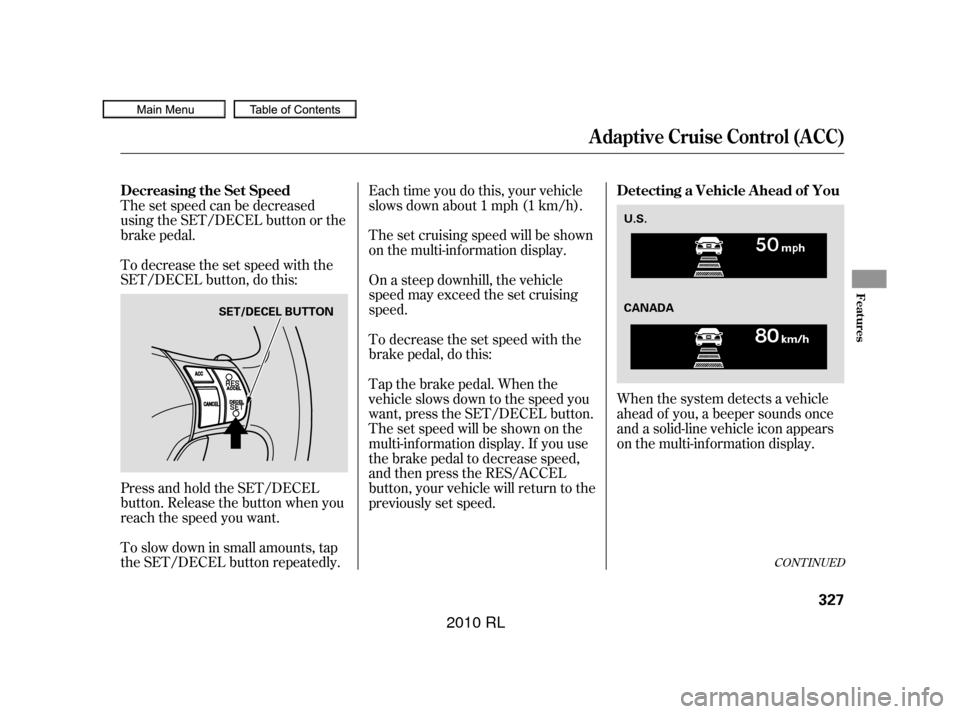
When the system detects a vehicle
ahead of you, a beeper sounds once
and a solid-line vehicle icon appears
on the multi-information display.
The set cruising speed will be shown
on the multi-information display.
On a steep downhill, the vehicle
speed may exceed the set cruising
speed.
To decrease the set speed with the
brake pedal, do this:
Tap the brake pedal. When the
vehicle slows down to the speed you
want, press the SET/DECEL button.
The set speed will be shown on the
multi-inf ormation display. If you use
the brake pedal to decrease speed,
andthenpresstheRES/ACCEL
button, your vehicle will return to the
previously set speed.
CONT INUED
Decreasing the Set Speed
Detecting a Vehicle A head of You
A daptive Cruise Control (A CC)
Features
327
SET/DECEL BUTTONU.S.
CANADA
�����—�����—�����y�
�����������
�y���
�(�����������y���������y
2010 RL
Page 332 of 551
Press the ACC button. The ACC
indicator in the instrument panel
goes off. Tap the brake pedal. Push the CANCEL button on the
steering wheel.If you cancel ACC by pressing the
ACC button, the previously set
cruising speed is erased f rom
memory.
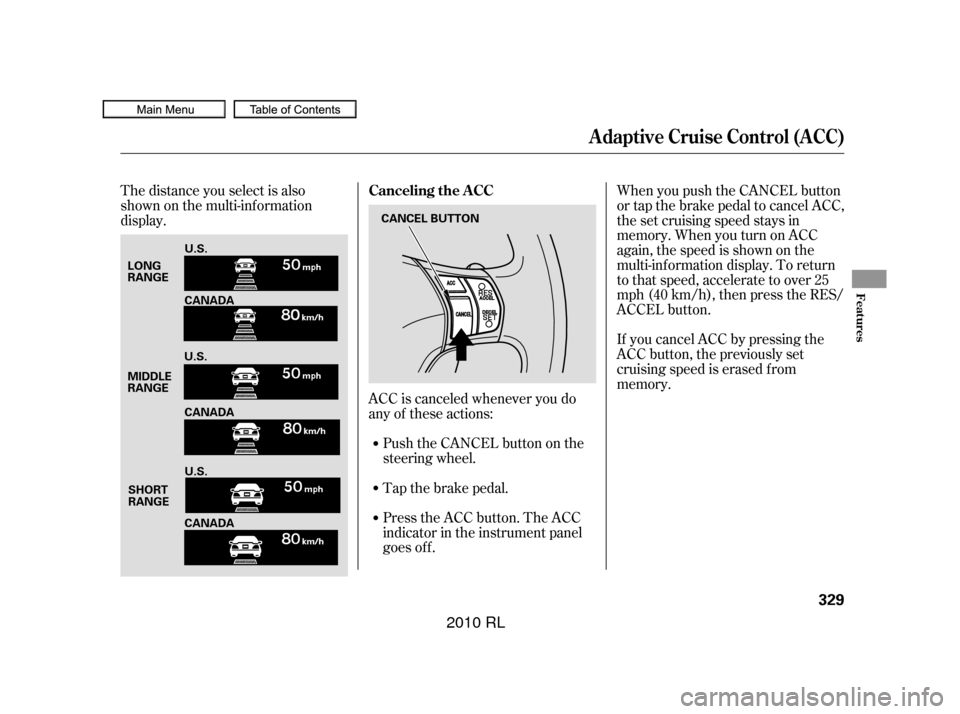
The distance you select is also
shown on the multi-inf ormation
display.
ACC is canceled whenever you do
any of these actions:When you push the CANCEL button
or tap the brake pedal to cancel ACC,
the set cruising speed stays in
memory. When you turn on ACC
again, the speed is shown on the
multi-inf ormation display. To return
to that speed, accelerate to over 25
mph (40 km/h), then press the RES/
ACCEL button.
Canceling the A CC
A daptive Cruise Control (A CC)
Features
329
LONG
RANGE
MIDDLE
RANGE
SHORT
RANGE CANCEL BUTTON
U.S.
CANADA
U.S. CANADA
U.S.
CANADA
�����—�����—�����y�
�������������y���
�(�����������y���������y
2010 RL
Page 335 of 551
MessageMessageDescription
Description
Apply the brakes immediately.
Your vehicle is too close to the vehicle
ahead of it.
You will hear a continuous beep.
ACC needs to be checked.
Have your vehicle checked by a
dealer.
ACC has automatically cancelled
because its radar sensor in the f ront
grill is dirty.
You will hear a beep about 1 second.
ACC has automatically cancelled
because of bad weather or other
conditions.
You will hear a beep about 1 second.
A daptive Cruise Control (A CC)
332
�����—�����—�����y�
�������������y���
�(�����������y���������y
2010 RL
Page 381 of 551

Help assure your vehicle’s f uture
reliability and perf ormance by paying
extra attention to how you drive
during the f irst 600 miles (1,000 km).
During this period:Avoid full-throttle starts and rapid
acceleration.
Avoidhardbrakingforthefirst
200 miles (300 km).
Do not change the oil until the
scheduled maintenance time.
You should also f ollow these
recommendations with an
overhauled or exchanged engine, or
when the brakes are replaced. Do not tow a trailer. We recommend quality gasolines
containing detergent additives that
help prevent f uel system and engine
deposits.
In addition, in order to maintain good
perf ormance, f uel economy, and
emissions control, we strongly
recommend, in areas where it is
available, the use of gasoline that
does NOT contain manganese-based
f uel additives such as MMT.
Use of gasoline with these additives
may adversely af f ect perf ormance,
and cause the malfunction indicator
lamp on your instrument panel to
come on. If this happens, contact
your authorized dealer f or service.
Your vehicle is designed to operate
on premium unleaded gasoline with a
pump octane of 91 or higher. If this
octane grade is unavailable, regular
unleaded gasoline with a pump
octane of 87 or higher may be used
temporarily. The use of regular
unleaded gasoline can cause metallic
knocking noises in the engine and
will result in decreased engine
perf ormance. The long-term use of
regular-grade gasoline can lead to
engine damage.
Break-in Period
Fuel Recommendation
Break-in Period, Fuel Recommendation
378
�����—�����—�����y�
�������������y���
�(�����������y���������y
2010 RL