Page 408 of 592
408 3-7. Other interior features
Test the operation of the HomeLink by pressing the newly
programmed button. Check to se e if the gate/device operates
correctly.
Repeat the steps above to program another device for each of
the remaining HomeLink
buttons.
■ Programming other devices
To program other devices such as home security systems, home
door locks or lighting, contact your authorized Toyota dealer for
assistance.
■ Reprogramming a button
The individual HomeLink
buttons cannot be erased but can be
reprogrammed. To reprogram a button, follow the programming
instructions.
Operating the HomeLink
Press the appropriate HomeLink button. The HomeLink indicator
light on the HomeLink transceiver should turn on.
The HomeLink continues to send a signal for up to 20 seconds as long
as the button is pressed.
Erasing the entire HomeLink memory (all three programs)
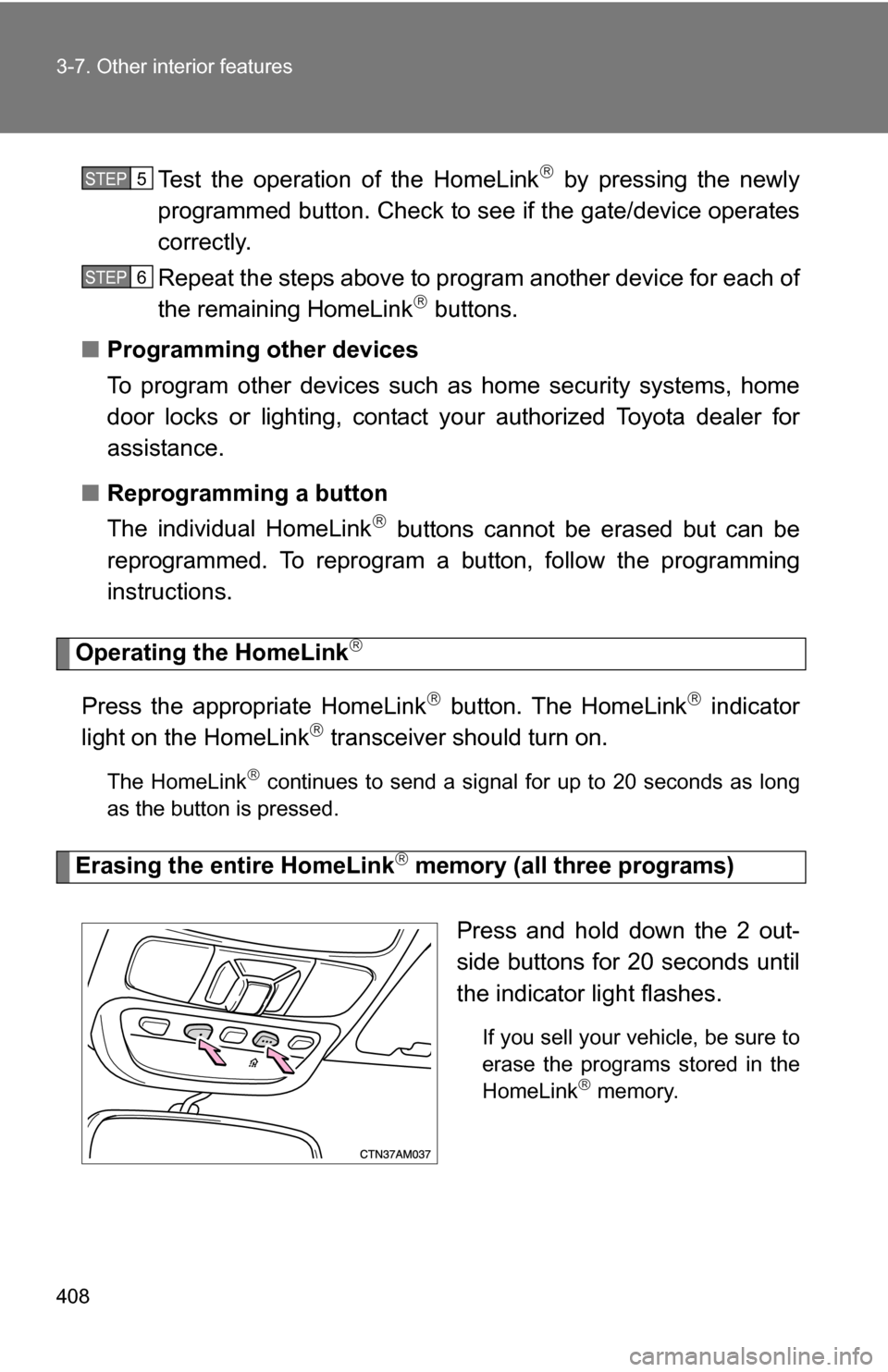
Press and hold down the 2 out-
side buttons for 20 seconds until
the indicator light flashes.
If you sell your vehicle, be sure to
erase the programs stored in the
HomeLink
memory.
STEP5
STEP6
Page 414 of 592
414 3-7. Other interior features
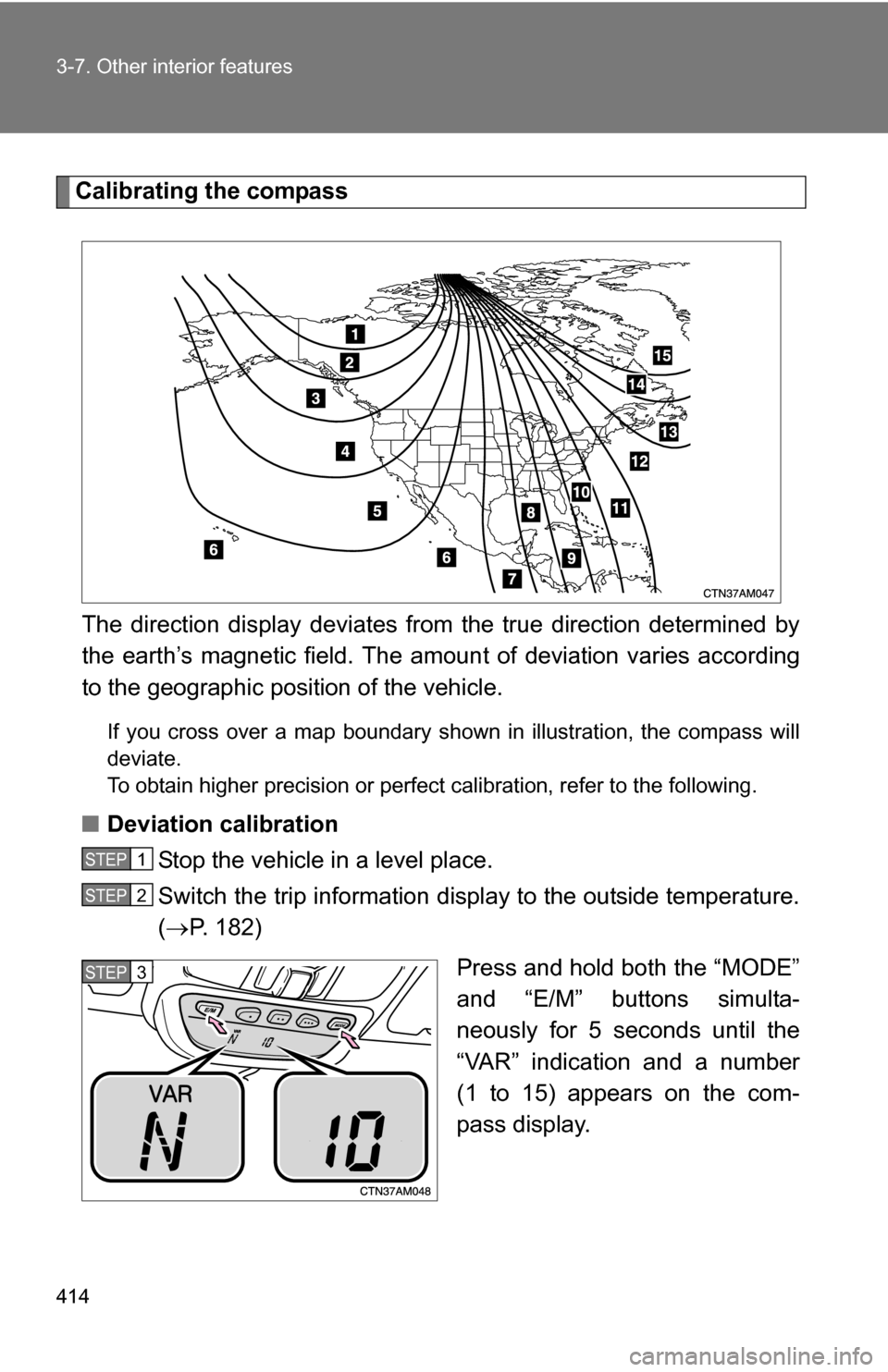
Calibrating the compassThe direction display deviates fr om the true direction determined by
the earth’s magnetic field. The amoun t of deviation varies according
to the geographic position of the vehicle.
If you cross over a map boundary shown in illustration, the compass will
deviate.
To obtain higher precision or perfect calibration, refer to the following.
■Deviation calibration
Stop the vehicle in a level place.
Switch the trip information display to the outside temperature.
( P. 182)
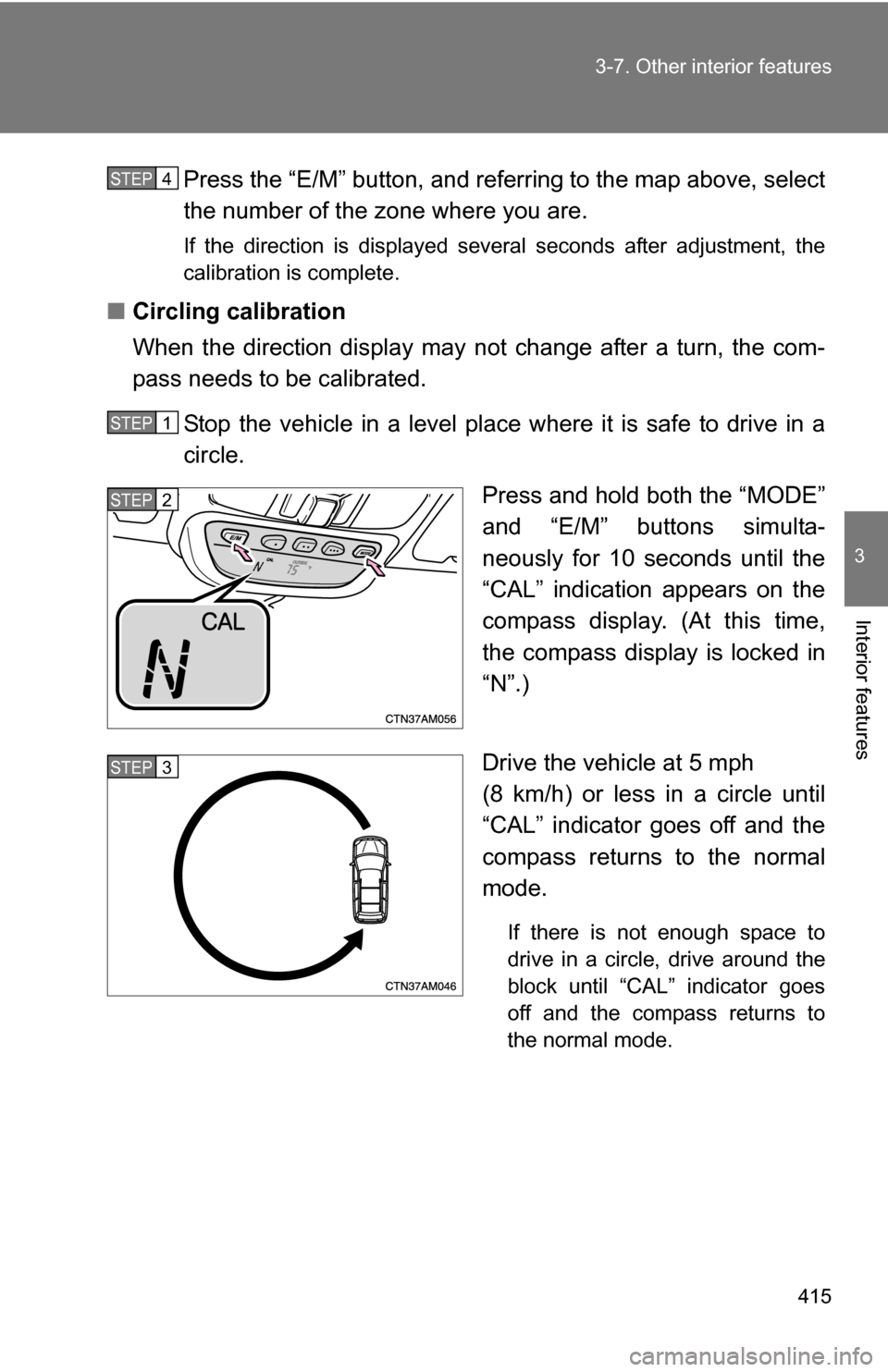
Press and hold both the “MODE”
and “E/M” buttons simulta-
neously for 5 seconds until the
“VAR” indication and a number
(1 to 15) appears on the com-
pass display.
STEP1
STEP2
STEP3
Page 415 of 592
415
3-7. Other interior features
3
Interior features
Press the “E/M” button, and referring to the map above, select
the number of the zone where you are.
If the direction is displayed several seconds after adjustment, the
calibration is complete.
■
Circling calibration
When the direction display may not change after a turn, the com-
pass needs to be calibrated.
Stop the vehicle in a level place where it is safe to drive in a
circle. Press and hold both the “MODE”
and “E/M” buttons simulta-
neously for 10 seconds until the
“CAL” indication appears on the
compass display. (At this time,
the compass display is locked in
“N”.)
Drive the vehicle at 5 mph
(8 km/h) or less in a circle until
“CAL” indicator goes off and the
compass returns to the normal
mode.
If there is not enough space to
drive in a circle, drive around the
block until “CAL” indicator goes
off and the compass returns to
the normal mode.
STEP4
STEP1
STEP2
STEP3