Page 395 of 612
395
3-7. Other interior features
3
Interior features
Vanity mirrors
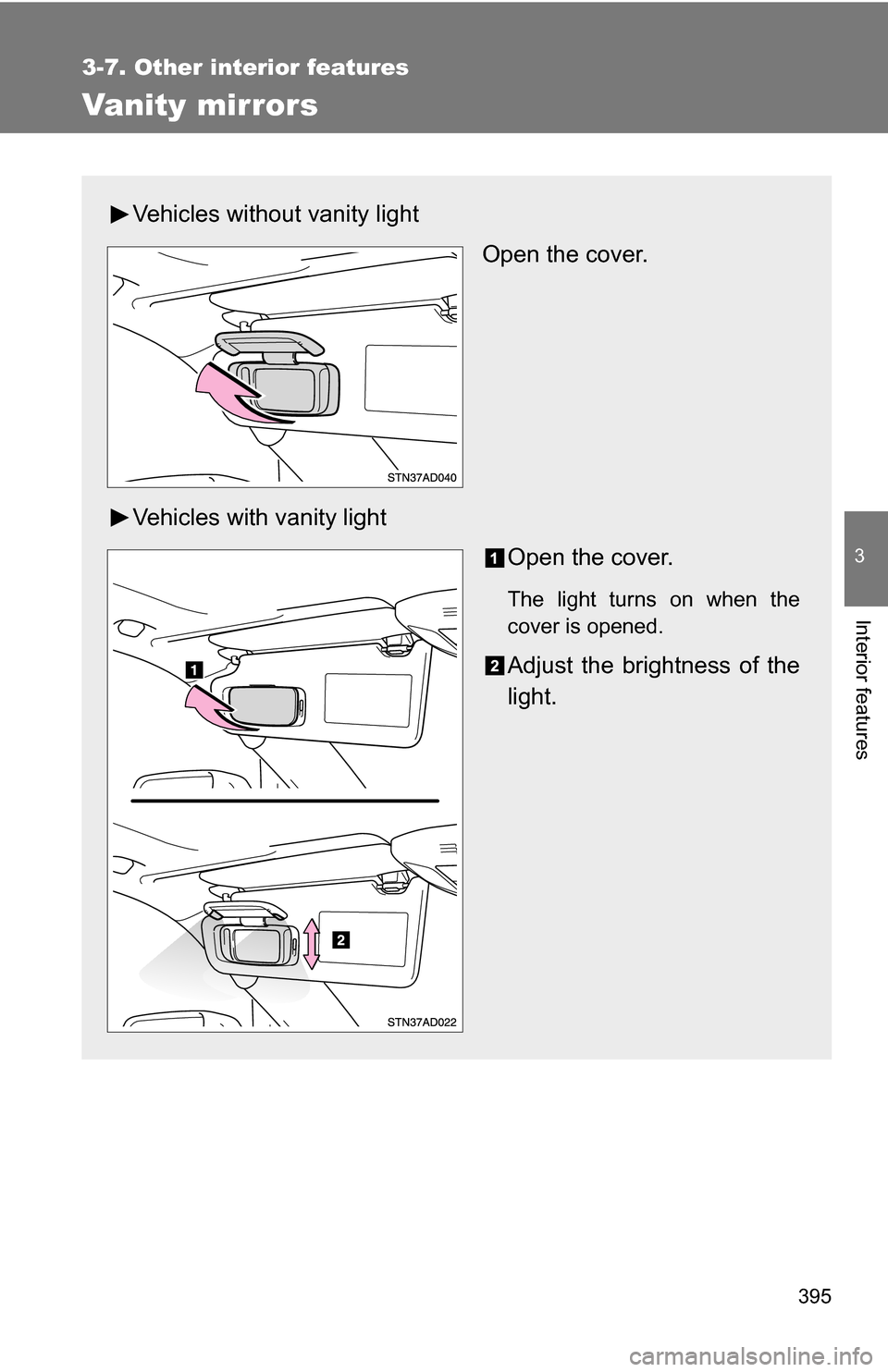
Vehicles without vanity lightOpen the cover.
Vehicles with vanity light Open the cover.
The light turns on when the
cover is opened.
Adjust the brightness of the
light.
Page 400 of 612
400
3-7. Other interior features
Cigarette lighter
■The cigarette lighter can be used when
The engine switch is in the ACC or ON position.
CAUTION
■To avoid burns or fires
●Do not touch the metal parts of the cigarette lighter.
● Do not hold the cigarette lighter down. It could overheat and cause a fire.
● Do not insert anything other than the cigarette lighter into the outlet.\
Push the cigarette lighter.
The cigarette lighter will pop up
when it is ready for use.
Page 407 of 612
407
3-7. Other interior features
3
Interior features
NOTICE
■
Appliances that may not ope rate properly (115V AC)
The following 115V AC appliances may not operate even if their power con-
sumption is under 100 W.
● Appliances with high initial peak wattage
● Measuring devices that process precise data
● Other appliances that require an extremely stable power supply
■ To prevent the battery from being discharged
Turn off all the vehicle’s electronic equipment and accessories, such as the
headlights and air conditioning, when electrical appliances that consume in
excess of 100W are used continuously for long periods of time.
■ To prevent any damage caused by heat
●Do not use any electrical appliances that give off intense heat such as
toasters, in any locations including the internal or external trim, seats and
deck.
● Do not use any electrical appliances, which are easily affected by vibration
or heat, inside the vehicle.
Vibration while driving, or the heat of the sun while parking, may result in
damage to those electrical appliances.
■ If any electrical appliances ar e to be used while driving
Securely fasten both the appliances and their cables to prevent them from
falling or getting caught any of the power train components.
■ If the power outlet is loose when an electrical appliance plug is con-
nected
Replace the outlet.
Contact a Toyota dealer for any necessary replacements.
■ If the power outlet gets dirty
Turn the main switch off and use a soft, clean cloth to wipe it gently.
Do not use any cleansing materials, such as organic solvents, wax, or com-
pound cleaners, as these may damage the power outlet or cause it to mal-
function.
Page 409 of 612
409
3-7. Other interior features
3
Interior features
■
The seat heaters can be used when
The engine switch is in the ON position.
■ When not in use
Front seat: Turn the dial fully downward. The indicator turns off.
Rear seat (vehicles with rear console box): Push lightly on the opposite side.
The indicator turns off.
■ Rear seat (vehicles with rear console box)
Press the LO or HI switch to warm the seats to a low or high
temperature respectively.
High temperature
The indicator (yellow) comes
on.
Low temperature
The indicator (green) comes
on.
Page 414 of 612
414
3-7. Other interior features
Rear side sunshades (if equipped)
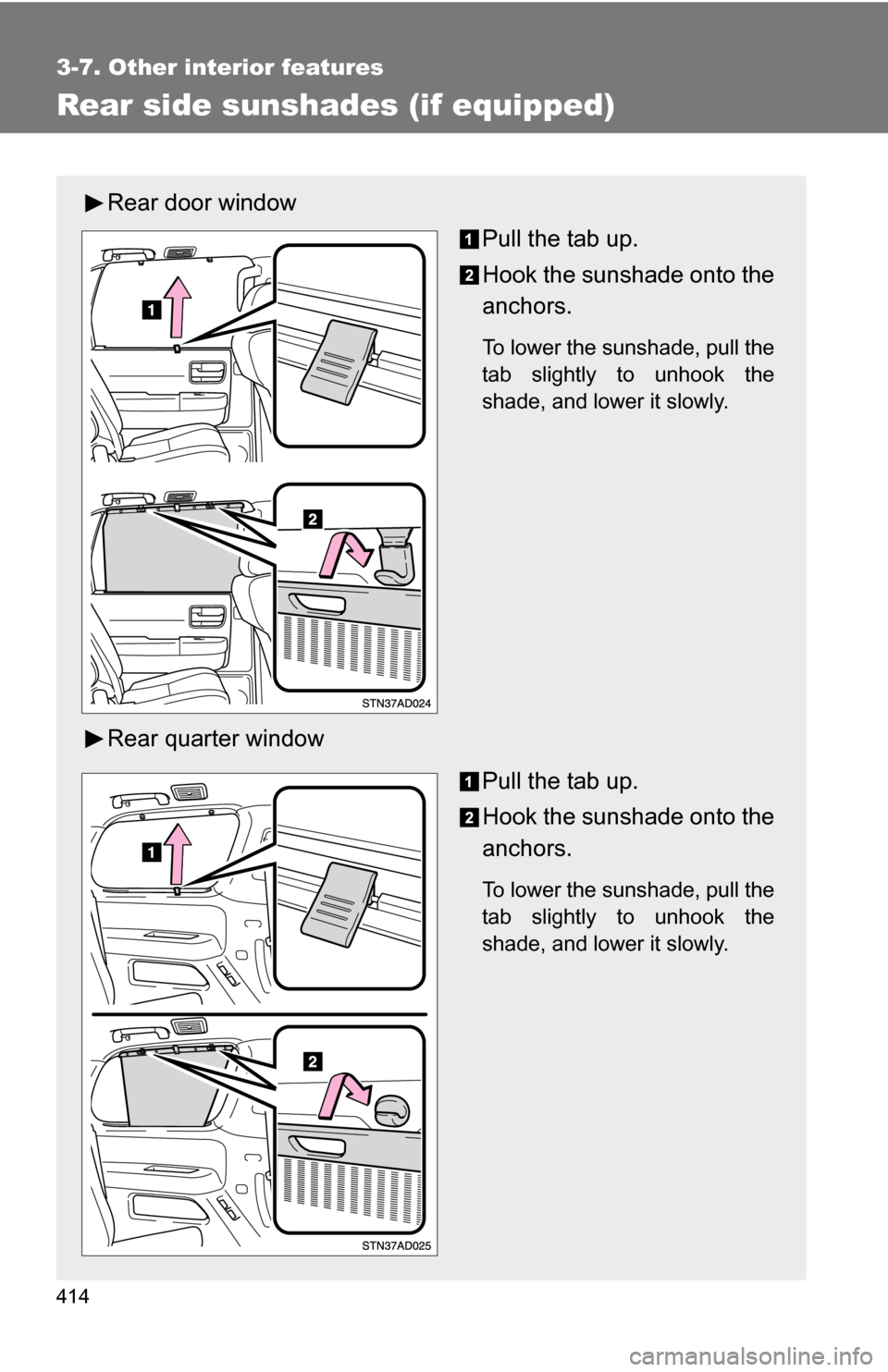
Rear door windowPull the tab up.
Hook the sunshade onto the
anchors.
To lower the sunshade, pull the
tab slightly to unhook the
shade, and lower it slowly.
Rear quarter window
Pull the tab up.
Hook the sunshade onto the
anchors.
To lower the sunshade, pull the
tab slightly to unhook the
shade, and lower it slowly.
Page 423 of 612
423
3-7. Other interior features
3
Interior features
Garage door opener (if equipped)
The garage door opener (HomeLink® Universal Transceiver) is manufac-
tured under license from HomeLink®.
Programming the HomeLink® (for U.S.A. owners)
The HomeLink
® compatible transceiver in your vehicle has 3 buttons
which can be programmed to operate 3 different devices. Refer to the
programming method below appropriate for the device.
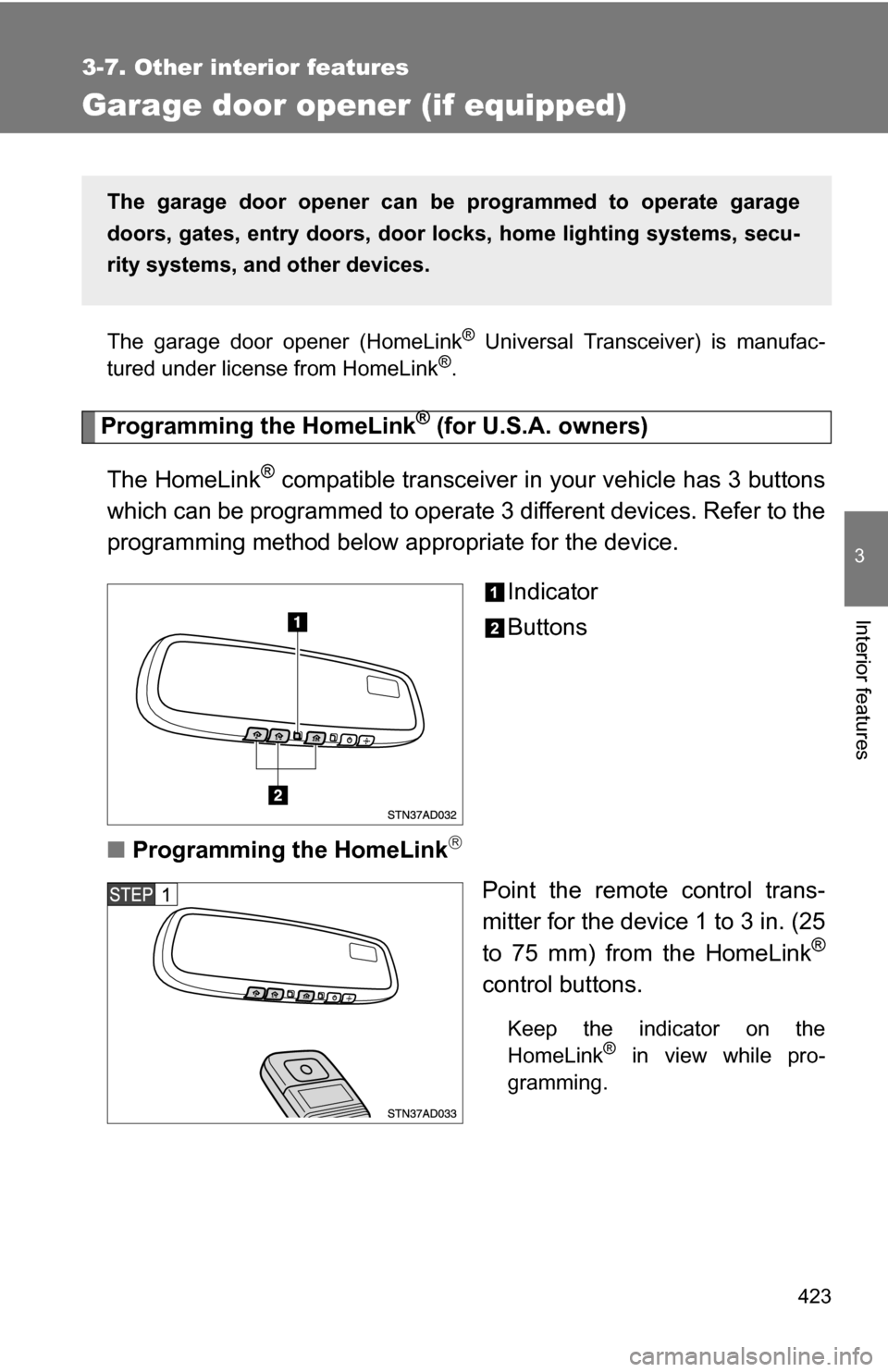
Indicator
Buttons
■ Programming the HomeLink
Point the remote control trans-
mitter for the device 1 to 3 in. (25
to 75 mm) from the HomeLink
®
control buttons.
Keep the indicator on the
HomeLink® in view while pro-
gramming.
The garage door opener can be programmed to operate garage
doors, gates, entry do ors, door locks, home lighting systems, secu-
rity systems, and other devices.
Page 426 of 612
426 3-7. Other interior features
Test the operation of the HomeLink® by pressing the newly
programmed button. Check to se e if the gate/device operates
correctly.
Repeat the steps above to program another device for each of
the remaining HomeLink
® buttons.
■ Programming other devices
To program other devices such as home security systems, home
door locks or lighting, contact your authorized Toyota dealer for
assistance.
■ Reprogramming a button
The individual HomeLink
® buttons cannot be erased but can be
reprogrammed. To reprogram a button, follow the programming
instructions.
Operating the HomeLink®
Press the appropriate HomeLink® button. The HomeLink® indicator
on the HomeLink® transceiver should turn on.
The HomeLink® continues to send a signal for a maximum of 20 seconds
if the button is held in.
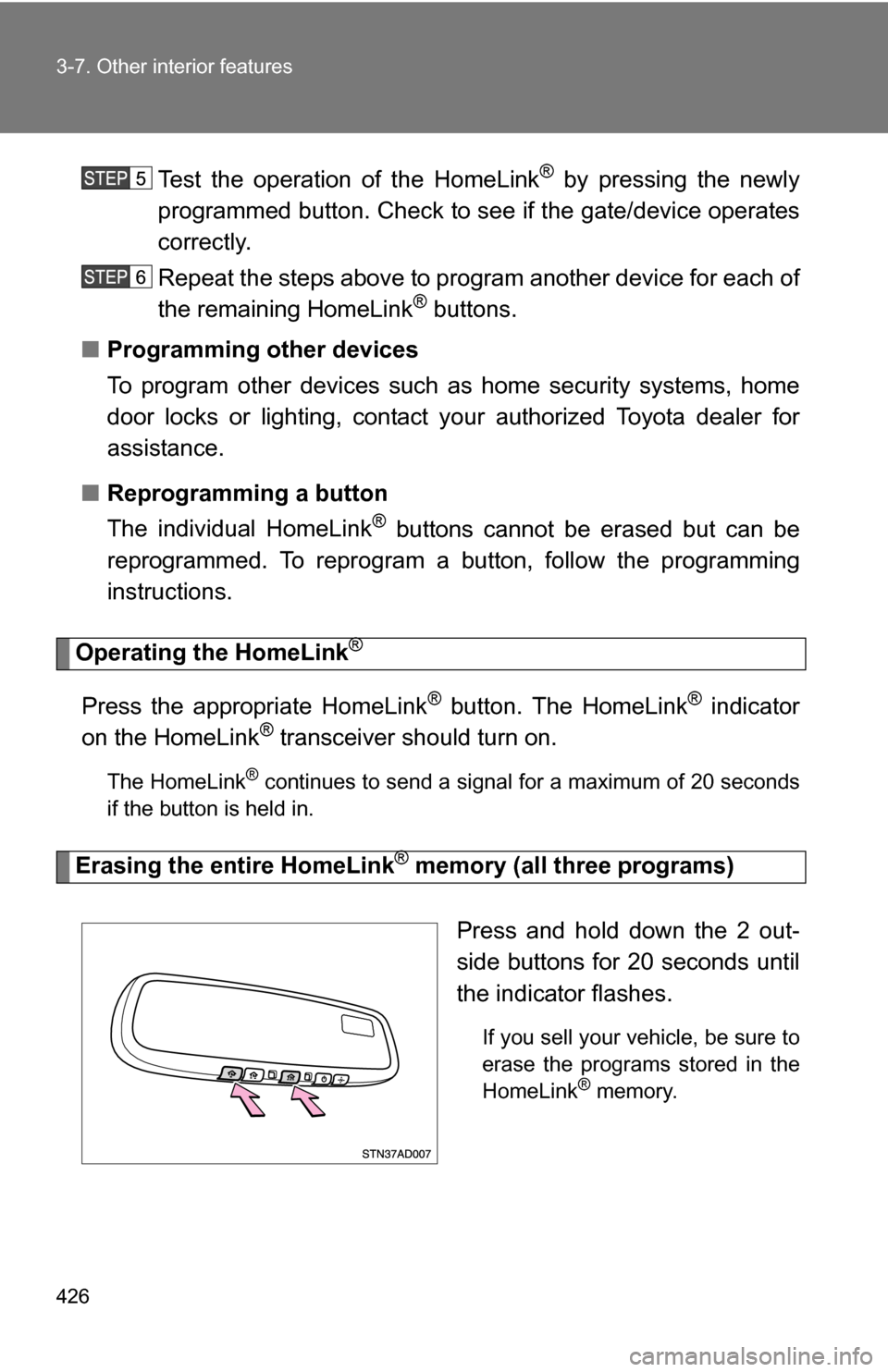
Erasing the entire HomeLink® memory (all three programs)
Press and hold down the 2 out-
side buttons for 20 seconds until
the indicator flashes.
If you sell your vehicle, be sure to
erase the programs stored in the
HomeLink
® memory.
Page 433 of 612
Maintenance and care4
433
4-1. Maintenance and care ... 434Cleaning and protecting the vehicle exterior......... 434
Cleaning and protecting the vehicle interior.......... 436
4-2. Maintenance ................... 439 Maintenance requirements .................. 439
General maintenance....... 441
Emission inspection and maintenance (I/M)
programs........................ 444 4-3. Do-it-yourself
maintenance ................. 445
Do-it-yourself service precautions .................... 445
Hood ................................ 449
Engine compartment ........ 450
Tires ................................. 466
Tire inflation pressure ...... 473
Wheels ............................. 477
Air conditioning filter......... 479
Wireless remote control battery ............................ 482
Checking and replacing fuses .............................. 484
Light bulbs........................ 495